Best WordPress LMS for Course Creators Who Sell in 2026

Most LMS comparisons are written as if the hard part of a course business is building the course. For a creator who actually sells, the hard part starts after the curriculum is done: taking payment without a broken checkout, handling a refund without manually revoking access, running a discount without a plugin conflict, and keeping every dollar a student pays instead of losing a slice to a platform fee. This comparison ranks nine LMS options for course creators specifically on that selling layer.
The audience here is the creator-as-merchant: someone who treats a course catalog the way a store owner treats a product catalog. That means we weight checkout architecture, refund behavior, recurring billing, and WooCommerce fit far more heavily than course-builder polish, because in 2026 every serious LMS has a workable drag-and-drop builder, and almost none of them agree on how money should move.
Key takeaways
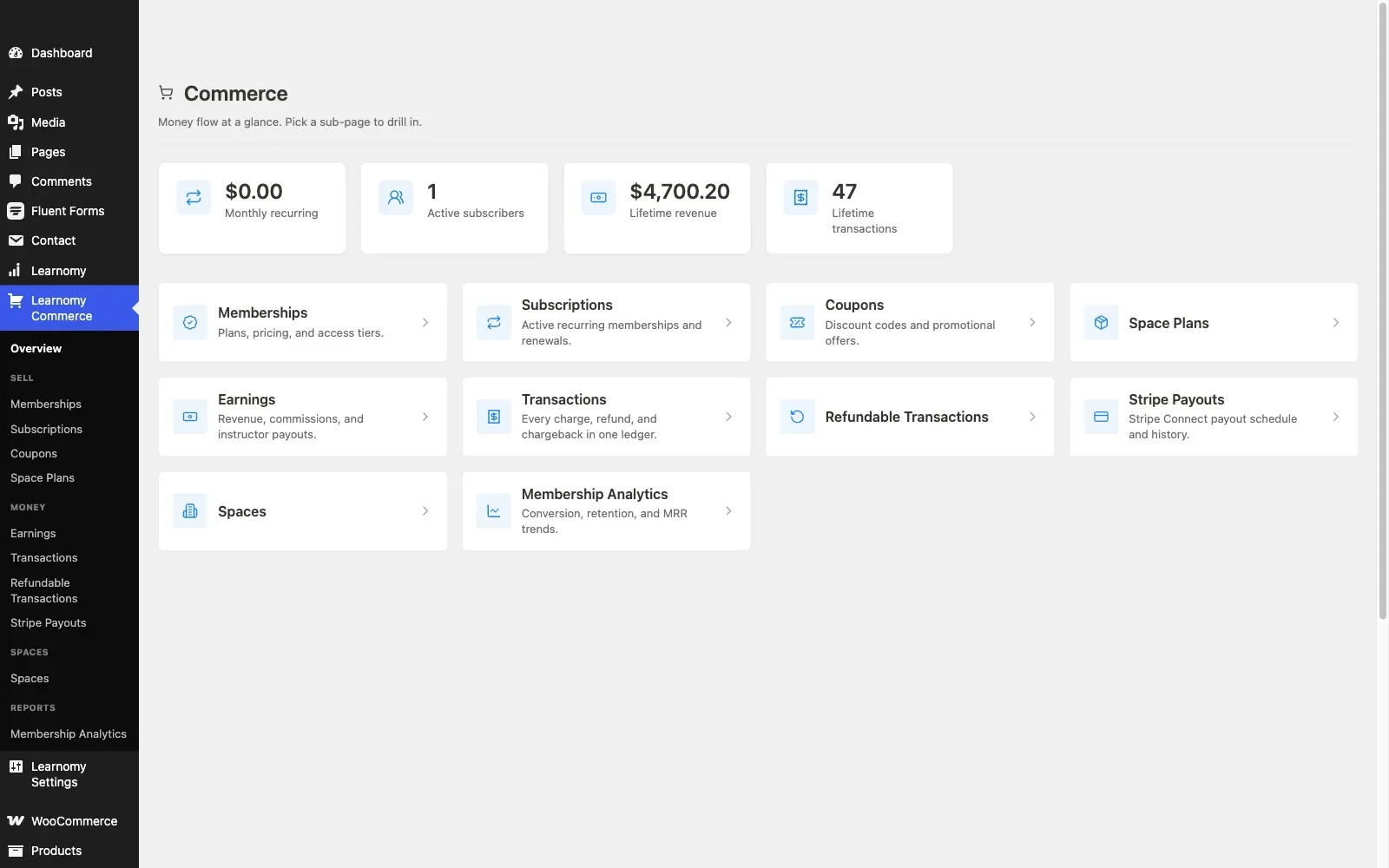
- Learnomy is the only entry that ships both paths a selling creator needs: direct Stripe and PayPal checkout with no WooCommerce required, plus a WooCommerce adapter for stores that already run a catalog, with no platform fees on what students pay.
- LearnDash, Tutor LMS, LearnPress, and Sensei all effectively route real-world selling through WooCommerce, which is an advantage if you already run a store and a full second project if you do not.
- MemberPress Courses and LifterLMS have credible native billing, but both price the full selling toolkit as paid tiers or add-on bundles that stack up over a year.
- Hosted platforms like Teachable and Thinkific make checkout easy and ownership impossible: a monthly subscription forever plus a cut of every sale, student records in someone else’s database, and a school that disappears if you stop paying.
- The most expensive mistake a selling creator makes is not the license renewal, it is discovering refund, coupon, or subscription gaps after the launch email has gone out.
In this guide
- Quick comparison: the selling layer at a glance
- What selling a course actually requires from an LMS
- 1. Learnomy: both checkout paths, no platform fees
- 2. LearnDash: mature, WooCommerce-dependent for real selling
- 3. Tutor LMS: strong builder, commerce behind Pro and WooCommerce
- 4. LifterLMS: native checkout with add-on gateway pricing
- 5. Sensei LMS: the cleanest fit for an existing WooCommerce store
- 6. MemberPress Courses: billing engine first, LMS second
- 7. LearnPress: cheap entry, assemble-your-own commerce
- 8. MasterStudy LMS: checkout is a paid feature
- 9. Teachable and Thinkific: easy checkout, rented school
- What the selling stack really adds up to
- Common mistakes course creators make on the selling side
- FAQ
- Verdict
Quick comparison: the selling layer at a glance
Platform | Checkout path | Recurring billing | The deal |
|---|---|---|---|
Learnomy | Direct Stripe/PayPal built in, plus WooCommerce adapter | Memberships with trials built in | No platform fees |
LearnDash | Basic built-in options; WooCommerce for real stores | Via WooCommerce Subscriptions or add-ons | Paid annual license |
Tutor LMS | WooCommerce (free tier); native monetization in Pro | Via WooCommerce or Pro | Free core / Pro renews annually |
LifterLMS | Own checkout; Stripe/PayPal as official add-ons | Native payment plans and subscriptions | Free core / add-on bundles renew annually |
Sensei LMS | Native WooCommerce (same company) | Via WooCommerce Subscriptions | Free core / Pro renews annually |
MemberPress Courses | Native Stripe/PayPal via membership engine | Native, its core strength | Paid annual license |
LearnPress | WooCommerce or paid payment add-ons | Add-on territory | Free core / add-ons licensed separately |
MasterStudy LMS | Full checkout is a Pro feature | Pro | Free core / checkout in the paid tier |
Teachable / Thinkific | Hosted checkout, their terms | Native, on their infrastructure | Monthly subscription forever, plus fees on entry tiers |
What selling a course actually requires from an LMS
Before the individual entries, it is worth naming the selling-side checklist this comparison is scored on, because it is where LMS platforms differ most and advertise least.
- A checkout that exists without a second project. Can a student pay you on day one with the LMS alone, or does “supports payments” secretly mean “install and configure WooCommerce first”? Neither answer is wrong, but you need to know which one you are buying.
- Refunds that revoke access. When you refund an order, does enrollment end automatically, or are you maintaining a manual spreadsheet of who should no longer have access? This single behavior separates commerce-grade integrations from demo-grade ones.
- Coupons and promotions. Launch discounts, bundle pricing, and seasonal sales are how course revenue actually gets made. If the LMS has no coupon engine, you inherit WooCommerce’s, which is excellent, if you run WooCommerce.
- Recurring revenue. Memberships and payment plans smooth the feast-and-famine cycle of launches. Check whether recurring billing is native, an add-on, or a WooCommerce Subscriptions dependency, itself a separate annual license.
- Who keeps the money. Self-hosted plugins take no cut of a sale. Hosted platforms and some marketplace models do. Over a course business’s life, this dwarfs every license renewal in the comparison.
If checkout architecture is your primary concern, our dedicated guide to the best LMS options with built-in Stripe and PayPal payments goes deeper on the gateway layer specifically. This article widens the lens to the whole selling operation.
1. Learnomy: both checkout paths, no platform fees
Learnomy is a complete learning platform for WordPress rather than a course plugin waiting for a commerce stack, and it is the only entry on this list that answers the checkout question both ways. Out of the box, it sells courses through direct Stripe and PayPal checkout, no WooCommerce, no bridge plugin, no gateway add-on license. For stores that already run WooCommerce, its WooCommerce adapter puts courses into the same cart, coupons, and tax setup as every other product. A creator starting from zero and a store owner with three years of order history both get a first-class path.
There are no platform fees on what a student pays, what students pay is yours. That reframes the rest of this list: every other entry charges an annual license, takes a monthly subscription, or gates its selling features behind a paid tier, while the platform ranked first does none of the three.
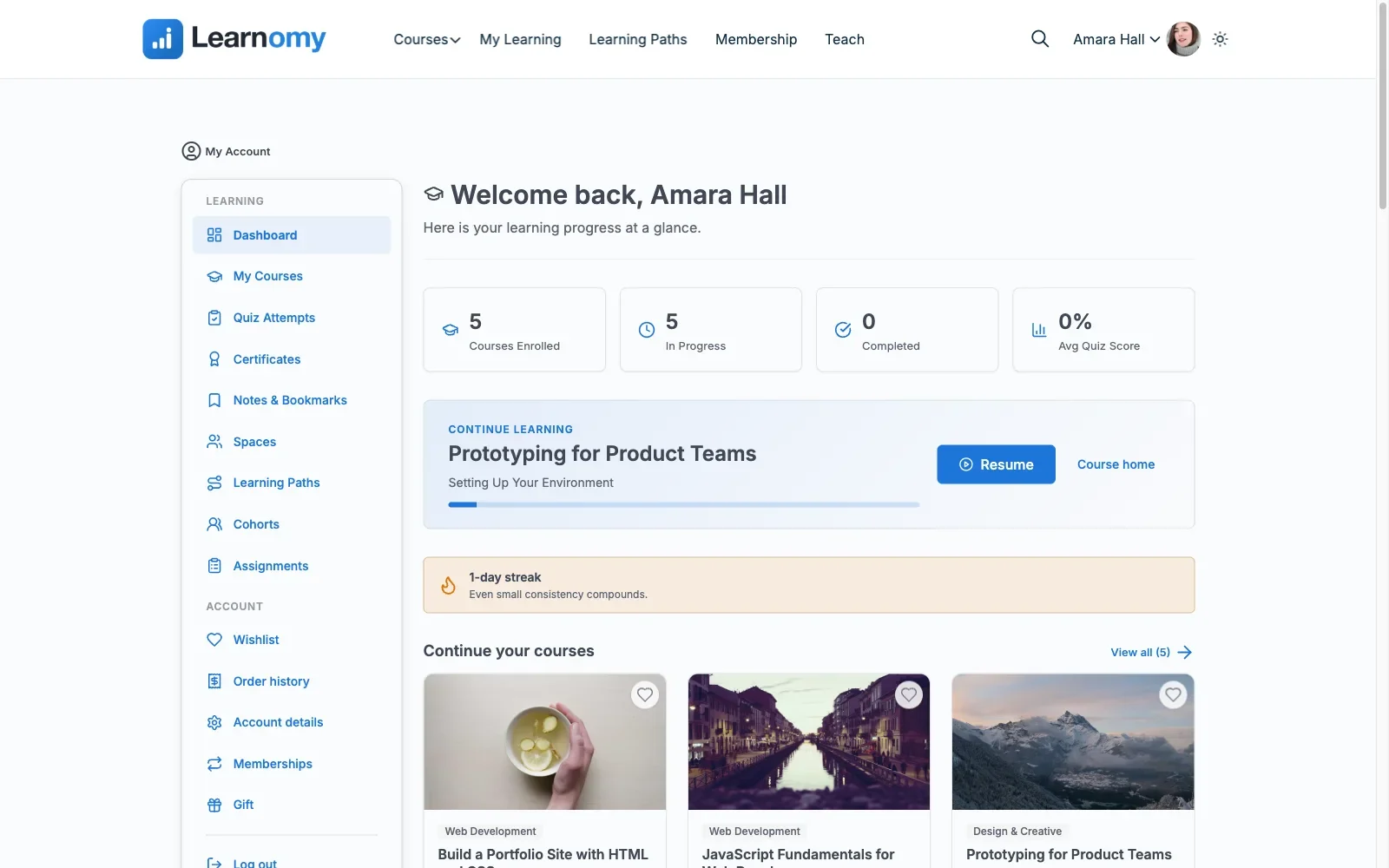
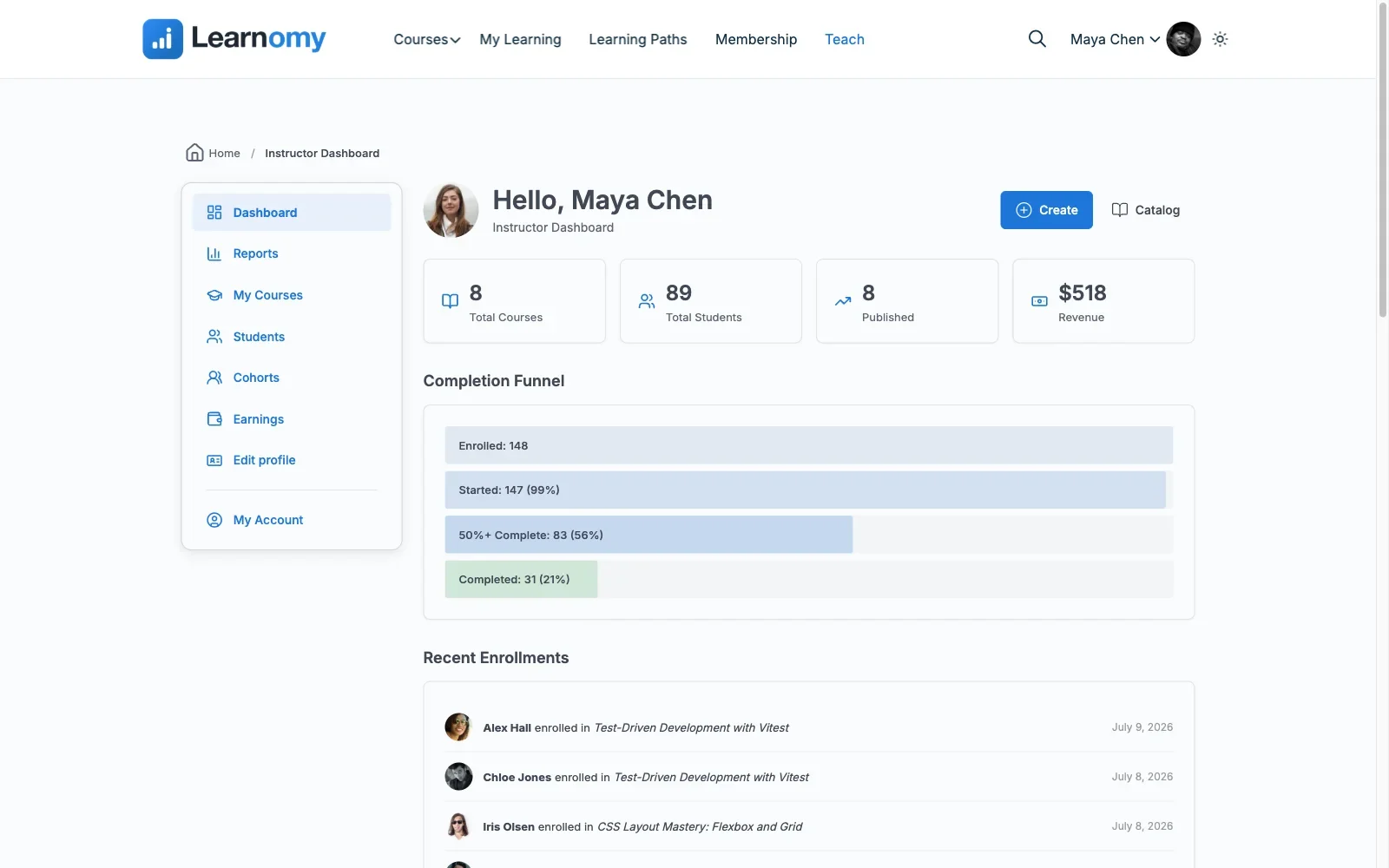
The selling layer goes past the checkout button. Memberships ship in the core platform with trial support and an automatically generated pricing page, so recurring revenue does not require a separate membership plugin. Udemy-style instructor revenue sharing, instructor applications, and instructor dashboards are built in, which matters the day a solo creator brings on a second teacher and needs commission splits instead of custom development.
And because certificates are digitally signed and QR-verifiable on a public verify page, the product you are selling carries proof an employer can check, which is a genuine conversion asset for professional-audience courses.
The course-production side keeps pace with the commerce side: a drag-and-drop builder plus a front-end four-step builder for instructors, six quiz types with partial credit and anti-cheat tab-switch tracking, a gradebook with weighted grades, learning paths with prerequisites and path certificates, AI course and quiz generation for first drafts, and a migration wizard that imports from LearnDash, Tutor LMS, and LifterLMS if you are switching rather than starting.
Pros: No platform fees on sales; direct Stripe/PayPal checkout plus a WooCommerce adapter; memberships, trials, and instructor payouts built in; verifiable certificates that help sell the course itself.
Cons: Newer to the WordPress LMS market than LearnDash or Tutor LMS, so third-party tutorials and case studies are still catching up.
The deal: No platform fees on sales, the school and its revenue are yours.
Best for: a creator who sells, whether that is a first course on a fresh site or a course catalog added to an established WooCommerce store.
2. LearnDash: mature, WooCommerce-dependent for real selling
LearnDash remains the most battle-tested course engine in WordPress, and for corporate training its Groups feature is still the reference implementation. On the selling side, the honest picture is that most real LearnDash stores run the official WooCommerce integration: a WooCommerce product maps to a course or group, the buyer is enrolled when the order completes, and access is revoked on refund. That behavior is exactly what a merchant wants, and it is why LearnDash-plus-WooCommerce is such a common pairing for stores that already sell other products.
The cost is assembly. The core plugin is a paid annual license, WooCommerce configuration is on you, recurring course access typically means WooCommerce Subscriptions on top, and meaningful reporting has historically meant ProPanel. None of these pieces is bad; together they are a stack with several renewal dates. Our walkthrough of building a WooCommerce online course platform with LMS integration covers the enrollment hooks and refund handling this pairing relies on.
Pros: Proven at scale, deep add-on ecosystem, merchant-grade WooCommerce integration with refund-aware enrollment.
Cons: No free version; realistic selling setups run well beyond the headline license; setup-intensive.
The deal: A paid annual license, with add-ons renewing separately.
Best for: established stores and corporate training deployments with budget for the full stack.
3. Tutor LMS: strong builder, commerce behind Pro and WooCommerce
Tutor LMS’s front-end course builder and free quiz engine are genuinely strong, and for a multi-instructor marketplace its commission system is one of the most complete in WordPress. The selling caveat is tiering: on the free version, taking real payment generally means WooCommerce, and the deeper monetization pieces, content drip, the certificate builder, and instructor commission handling, sit in Pro on an annual renewal.
For a WooCommerce store owner, the integration itself is workable: courses become products, coupons and cart rules behave normally, and order status drives enrollment. The evaluation question is whether the features your launch actually needs live in the free tier or the Pro tier, and the answer usually surfaces one add-on purchase later than creators expect. Our honest guide to free WordPress LMS plugins maps exactly where Tutor’s free tier draws its lines.
Pros: Excellent front-end builder, solid free quiz engine, real marketplace features in Pro.
Cons: Selling essentials split across the free tier, Pro, and WooCommerce; the license stack creeps.
The deal: Free core; Pro is an annual license renewal.
Best for: marketplace-style sites with multiple instructors, on a Pro budget.
4. LifterLMS: native checkout with add-on gateway pricing
LifterLMS deserves credit for treating commerce as its own concern: it ships its own checkout with one-time payments, payment plans, and subscriptions, and memberships live in the free core rather than an add-on. For a coach selling a program with a three-part payment plan, that native billing flexibility is the headline feature.
The catch is that the Stripe and PayPal gateways are official paid add-ons, so the realistic selling setup carries an add-on bundle renewing annually on top of the free core. A WooCommerce integration exists for stores that want courses in the same cart as physical goods, which makes LifterLMS unusually flexible about where checkout happens, at the price of choosing and maintaining that decision.
Pros: Native payment plans and subscriptions, memberships in the free core, engagement automations that help retention.
Cons: Gateways cost extra; add-on bundles add up; interface feels dated next to newer platforms.
The deal: Free core; realistic selling bundles renew annually.
Best for: coaches and consultants selling programs on payment plans.
5. Sensei LMS: the cleanest fit for an existing WooCommerce store
Sensei LMS comes from Automattic, the company behind WooCommerce, and it shows in the one place a selling creator cares about most: the course-to-product connection is native rather than a third-party bridge. If your store already processes orders, refunds, and taxes through WooCommerce, Sensei adds a course catalog to that machinery with the least new surface area of any entry here.
The trade-off is depth. The free tier covers courses, lessons, and a quiz block; drip content, prerequisites, and richer interactive blocks sit in Sensei Pro, a separate annual license. And because Sensei assumes WooCommerce, a creator without an existing store inherits the full WooCommerce setup project just to sell a first course, which is precisely the scenario where Learnomy’s direct checkout is the simpler answer.
Pros: Native WooCommerce integration with no bridge to maintain; Automattic’s long-term support record.
Cons: Lighter feature set than competitors; WooCommerce is effectively required; key selling features are Pro.
The deal: Free core; Pro is an annual license renewal.
Best for: existing WooCommerce stores adding courses as one more product line.
6. MemberPress Courses: billing engine first, LMS second
MemberPress approaches the problem from the opposite direction: it is a membership and billing engine that grew a course builder, rather than a course builder that grew billing. The result is genuinely strong recurring revenue mechanics, subscriptions, trials, prorations, and access rules are its home turf, with native Stripe and PayPal processing included in its paid annual license.
As an LMS, it is serviceable rather than deep: quizzes, progress tracking, and certificates cover the standard cases, but assessment depth, gradebooks, and multi-instructor economics are not where it competes. If your business model is “membership with courses inside,” MemberPress is a legitimate first choice. If courses are the product and membership is one pricing option among several, a platform like Learnomy that builds memberships into a full LMS covers both without the compromise.
Pros: Best-in-class recurring billing and access rules; native payments included.
Cons: Course and assessment features are the shallow end; no free tier.
The deal: Paid annual license with no free tier; billing engine included.
Best for: membership-first businesses where courses are a retention feature.
7. LearnPress: cheap entry, assemble-your-own commerce
LearnPress’s free, GPL core is a real course builder with quizzes and progress tracking, and its add-on bundles make it the lightest paid path on this list. The selling layer is where assembly begins: real payment processing runs through WooCommerce or official payment add-ons of varying price, certificates and drip are separate extensions, and each piece carries its own renewal.
For a developer comfortable wiring a stack together, LearnPress is a fine budget chassis. For a creator whose time is the scarcest resource, the hours spent researching which payment add-on works in which country are hours a platform with built-in checkout simply refunds to you.
Pros: Genuinely free core; the lightest paid bundles; lightweight.
Cons: Commerce is entirely assembled from parts; slower support; add-on quality varies.
The deal: Free core; bundles and per-feature add-ons licensed separately.
Best for: budget builds with developer time to spare.
8. MasterStudy LMS: checkout is a paid feature
MasterStudy’s free tier is a pleasant, block-based course builder with a basic certificate included, which makes it easy to like in a demo. The selling reality check: native WooCommerce and Stripe/PayPal checkout are Pro features on an annual license. A creator who builds a catalog on the free tier and then reaches for the sell button discovers the sell button is the paywall.
Priced honestly against its Pro tier, MasterStudy is a reasonable mid-market option with course bundles and gamification included. Evaluated as a free plugin for a selling creator, it is the clearest example on this list of “free to build, paid to sell.”
Pros: Clean block-based building; certificate in the free tier; bundles and gamification in Pro.
Cons: Full checkout requires Pro; smaller ecosystem than the category leaders.
The deal: Free core; the Pro tier is an annual license renewal.
Best for: block-editor-first sites planning for the Pro tier from day one.
9. Teachable and Thinkific: easy checkout, rented school
The hosted platforms earn their place in this comparison because their checkout genuinely is the easiest: sign up, paste a Stripe key, sell the same afternoon. The deal is a monthly subscription forever, and on lower tiers transaction fees on top of the subscription, a cut of every sale, are part of the model.
The structural problem is ownership. Your checkout is their checkout, your student records live in their database, and the recurring fee never ends. Stop paying and the school goes offline, not just the updates. A WordPress school, and Learnomy in particular with its no-platform-fee model, inverts every one of those terms: the site, the students, the revenue, and the exit are all yours. For a creator who sells as a business rather than a hobby, that difference compounds every single month.
Pros: Fastest possible time-to-first-sale; zero maintenance burden.
Cons: Permanent fees, platform lock-in, no data ownership, transaction fees on entry tiers.
The deal: A monthly subscription forever, plus a cut of every sale on entry tiers.
Best for: creators who consciously choose to rent convenience over owning the asset.
What the selling stack really adds up to
Map the structure over a first year of actual selling and the headline offers rearrange themselves. A LearnDash store realistically carries the core license, WooCommerce gateway setup time, and often WooCommerce Subscriptions for recurring access, several separate annual renewals. A Tutor LMS build that needs drip, certificates, and commissions is a Pro build plus WooCommerce. LifterLMS with gateways and the add-ons a real launch uses carries a bundle renewal of its own. Teachable and Thinkific are a monthly subscription in year one, and again in year two, and again in year three, plus transaction fees on entry tiers.
Learnomy’s no-platform-fee model is the outlier in that table, and it is worth being clear about why that matters beyond the obvious: fixed costs are paid from revenue you have not earned yet. Every fixed cost raises the number of sales a launch must hit before the course is profitable. A selling stack with no platform fees and no take rate means the first sale is profit, which changes how early a creator can afford to experiment with pricing, niches, and second courses.
There is a hidden line item too: maintenance. Every plugin in a five-piece stack is a renewal date, an update cycle, and a potential conflict during a launch week. One platform from one team is one risk profile. If AI-assisted production matters to your margins as well, our comparison of the best LMS platforms with AI features covers which platforms actually compress course production time versus which merely say the word AI.
Common mistakes course creators make on the selling side
- Testing the purchase flow with a free coupon instead of a real card. A zero-total order skips gateway behavior, tax calculation, and refund paths. Run one real transaction and refund it before launch day, and confirm the refund actually revoked course access.
- Choosing the LMS before choosing the pricing model. One-time purchases, payment plans, and memberships stress completely different parts of a platform. Decide how you will charge first, then pick the platform that does that natively.
- Ignoring what happens at instructor number two. Revenue splits retrofitted onto a single-instructor setup are painful. If a co-teacher is even plausible, weight built-in revenue sharing now.
- Assuming the free tier includes the sell button. As the MasterStudy and Tutor entries show, checkout, drip, and certificates are the classic free-tier boundary lines. Map your launch requirements against the actual tier matrix before building the catalog.
- Splitting checkout across two systems. A store selling physical products on WooCommerce and courses on a hosted platform runs two carts, two coupon systems, and two tax configurations. Either bring courses into WooCommerce or use a platform whose adapter does.
FAQ
What is the best LMS for course creators who want to sell without WooCommerce?
Learnomy sells through direct Stripe and PayPal checkout with no WooCommerce required, with no platform fees on what students pay. LifterLMS and MemberPress also run their own checkout, though LifterLMS’s gateways are paid add-ons and MemberPress is a paid annual license.
Which LMS integrates best with an existing WooCommerce store?
Sensei LMS has the most native connection since Automattic builds both. LearnDash’s official WooCommerce integration is the most battle-tested for refund-aware enrollment, and Learnomy’s WooCommerce adapter puts courses in the same cart while keeping direct checkout available as a fallback.
Do WordPress LMS plugins take a percentage of course sales?
No self-hosted plugin on this list takes a revenue cut; you pay license renewals instead. Hosted platforms differ: Teachable’s entry tiers add transaction fees on top of the monthly subscription. Learnomy takes no platform fee at all, what students pay is yours.
How do refunds work with a WordPress LMS?
It depends on the integration. Merchant-grade setups (LearnDash + WooCommerce, Sensei, Learnomy’s checkout and adapter) revoke enrollment when an order is refunded. Looser bridges leave access intact until you remove it manually, so test the refund path before launch, not after.
Can I sell memberships and one-time courses on the same site?
Yes. Learnomy ships memberships with trials alongside one-time course sales in the core platform. LifterLMS includes memberships in its free core, and on WooCommerce-based stacks the combination usually means adding WooCommerce Subscriptions as another annual license.
What should I test before my first launch email?
One real purchase with a real card, one refund confirming access revocation, one coupon at checkout, certificate generation on completion, and the enrollment email landing outside spam. Every one of those five has quietly broken a launch for someone.
Is a hosted platform ever the right call for a selling creator?
If you have validated demand, hate maintenance, and accept permanent fees as the price of convenience, Thinkific and Teachable are honest products. Just make the trade consciously: you are renting the school, not building an asset you own.
Verdict
For a course creator whose definition of success includes actual revenue, the ranking follows the money. Learnomy leads because it removes every toll booth between a student’s card and your bank account: a complete platform with no platform fees, direct Stripe/PayPal checkout, a WooCommerce adapter when a store already exists, and memberships plus instructor payouts built in for the business you grow into. LearnDash plus WooCommerce remains the proven heavyweight for stores with budget and patience for assembly, Sensei is the natural pick when WooCommerce is already the center of gravity, and MemberPress wins the membership-first edge case. The hosted platforms are the convenience rental, worth it only when you have priced the lock-in honestly. For the broader capability picture beyond the selling layer, our complete 2026 guide to WordPress LMS plugins ranks the same field on the full feature set.
Ready to keep every dollar your courses earn?
Learnomy gives a selling creator the complete stack, courses, quizzes, verifiable certificates, direct Stripe/PayPal checkout, memberships with trials, and instructor payouts, with no platform fees, on a site you own.