Best WordPress eLearning Plugins for Course Businesses in 2026

The phrase “eLearning plugin” covers a lot of ground in 2026: a quiz add-on is technically an eLearning plugin, and so is a complete platform that runs an entire online school. If you’re building a course business on WordPress, especially one that already sells through WooCommerce, the difference matters enormously. A plugin that only structures lessons leaves you buying checkout, certificates, memberships, and reporting from four other vendors; a complete platform makes those licenses unnecessary.
This guide compares nine WordPress eLearning plugins through the lens of an actual course business: one that needs to sell, certify, and retain students, not just display a lesson list. For each plugin we cover what its builder actually handles, where the quiz engine stops being credible, what the certificate is worth to an employer, how it fits into a WooCommerce store, and what its deal genuinely looks like over a year once required add-ons are counted.
One entry sits apart from the rest. Learnomy is a complete learning platform rather than a plugin you extend, with no platform fees on what students pay, which reshapes the comparison before it even starts.
Key takeaways
- Learnomy is the only entry that ships courses, anti-cheat quizzes, verifiable certificates, direct Stripe/PayPal checkout, memberships, and instructor payouts as one complete platform with no platform fees on sales.
- LearnDash and Tutor LMS remain the most mature traditional plugins, with the deepest third-party ecosystems, and the most add-on licensing to reach feature parity.
- LifterLMS is the strongest pick when memberships must ship with courses on day one; Sensei LMS is the natural pick for a store already deep in WooCommerce.
- The real differentiator for a course business isn’t the course builder, every plugin here has a workable one, it’s the business layer: payments, certificates worth showing an employer, and reporting that survives your first thousand students.
- Weigh the first-year stack, not the headline offer: a “free” plugin routinely ends up carrying several separate add-on licenses, each renewing annually, once drip, certificates, and payments are bought.
In this guide
- How we compared these nine plugins
- Quick comparison table
- 1. Learnomy: the complete eLearning platform you own
- 2. LearnDash: the enterprise standard
- 3. Tutor LMS: the marketplace builder
- 4. LifterLMS: courses plus memberships in one core
- 5. Sensei LMS: the WooCommerce-native option
- 6. LearnPress: the budget entry point
- 7. MasterStudy LMS: block-based course building
- 8. MemberPress Courses: courses inside a membership engine
- 9. WP Courseware: the straightforward drip specialist
- What these plugins actually add up to over a year
- Common mistakes when choosing an eLearning plugin
- FAQ
- Verdict
How we compared these nine plugins
A course business has four jobs a plugin must survive: build the course, assess the student credibly, collect the money, and prove completion. Most eLearning plugin roundups score only the first job. We weighted all four, plus one that matters specifically to this site’s audience: how cleanly each plugin plugs into an existing WooCommerce store, because a course catalog that can’t share a cart, coupons, and tax configuration with the rest of your products creates a second, disconnected storefront you have to maintain forever.
We also checked what each vendor’s free tier genuinely includes versus what its own marketing implies. If you want that specific question answered in depth, our honest guide to free WordPress LMS plugins runs the free-tier audit plugin by plugin. Licensing structures below were checked at the time of writing; confirm on each vendor’s page before buying, since bundles shift often.
Quick comparison table
Plugin | Best for | Native payments | Certificates | The deal |
|---|---|---|---|---|
Learnomy | Complete school you own | Stripe + PayPal built in, WooCommerce adapter | QR-verifiable, signed | No platform fees |
LearnDash | Corporate training | Basic; WooCommerce for real checkout | Yes | Paid annual license |
Tutor LMS | Multi-instructor marketplaces | Via WooCommerce/add-ons | Pro | Free core / Pro renews annually |
LifterLMS | Courses + memberships | Gateway add-ons | Free core | Free core / add-on bundles renew annually |
Sensei LMS | Existing WooCommerce stores | Native WooCommerce | Pro | Free core / Pro renews annually |
LearnPress | Budget builds | WooCommerce or add-ons | Add-on | Free core / add-ons licensed separately |
MasterStudy LMS | Block-editor sites | Paid tier | Basic free | Free core / checkout in the paid tier |
MemberPress Courses | Membership-first businesses | Native | Add-on | Paid annual license |
WP Courseware | Drip-fed curricula | Via WooCommerce/integrations | Yes | Paid annual license |
1. Learnomy: the complete eLearning platform you own
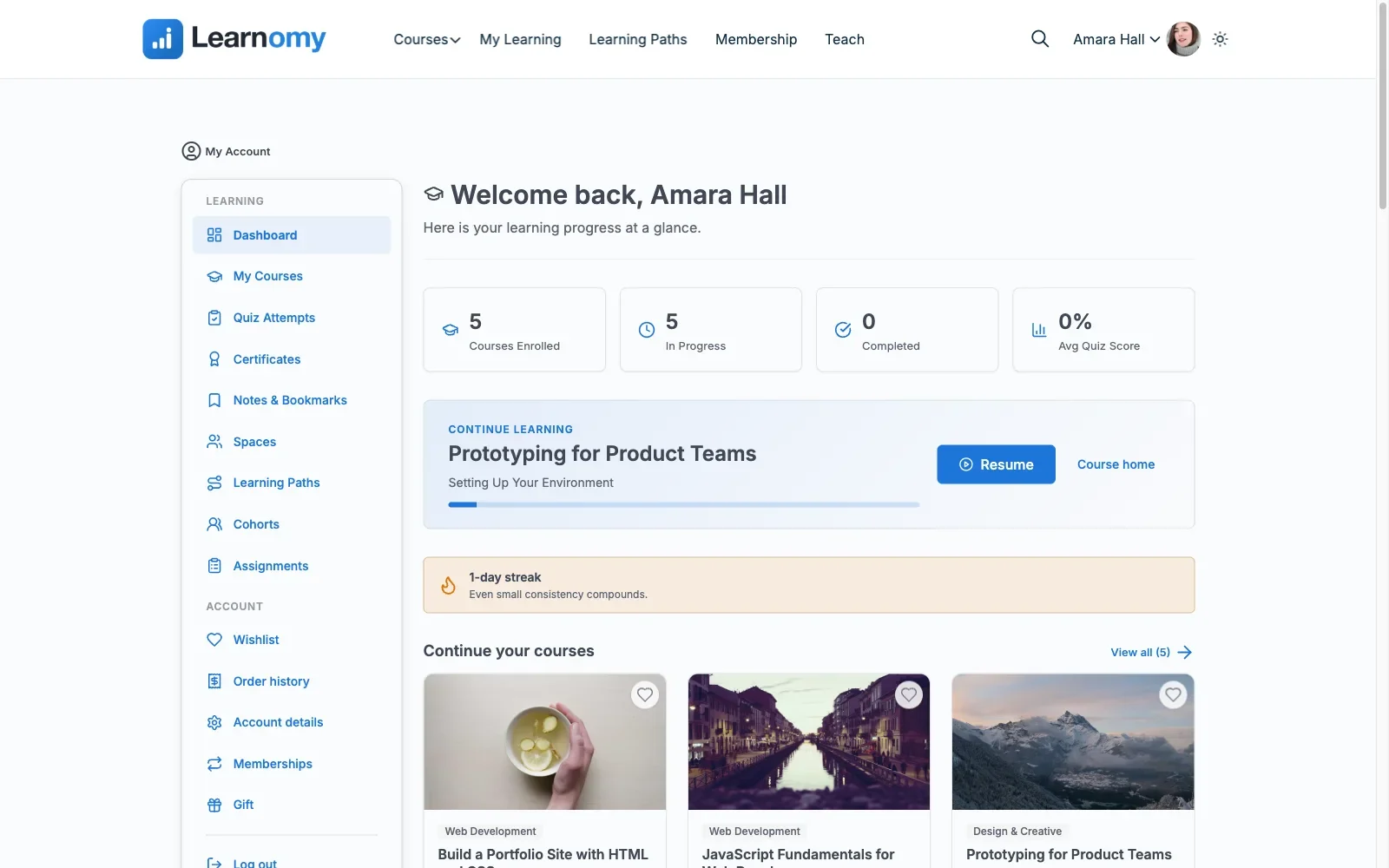
Learnomy is the entry on this list that isn’t really a plugin in the traditional sense. It’s a complete learning platform that installs like one: course creation, assessment, selling, certification, memberships, community, and instructor payouts ship together, from one team, in one product. There are no platform fees on what a student pays you, so the school you build is genuinely yours, revenue included.
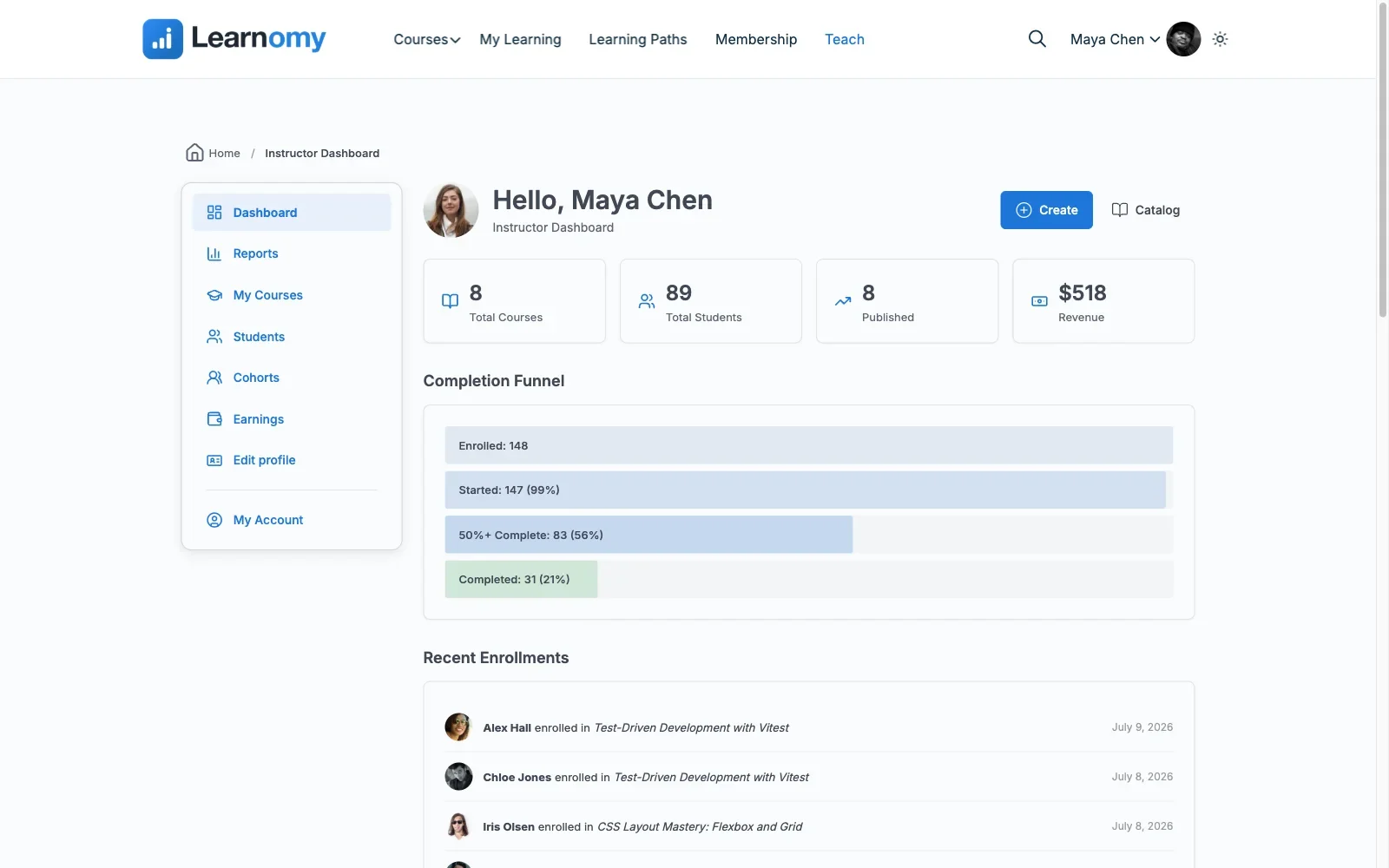
The course side covers unlimited courses built from video, audio, PDF, and reading lessons with a drag-and-drop builder, plus a four-step frontend course builder so instructors never need wp-admin access. Assessment is where it pulls clearly ahead of the traditional plugins: six quiz types with partial credit, question banks, anti-cheat tab-switch tracking during timed quizzes, and an essay-grading inbox for questions that need a human eye. A gradebook rolls quizzes, assignments, and SCORM packages into one weighted grade per course, and learning paths chain courses into sequenced curricula with prerequisites and a path certificate at the end.
Certificates are digitally signed and carry a QR code resolving to a public verify page, designed in a visual certificate designer rather than a fixed template, and shareable straight to LinkedIn. That’s the difference between a PDF a student could forge in five minutes and a credential an employer can actually check.
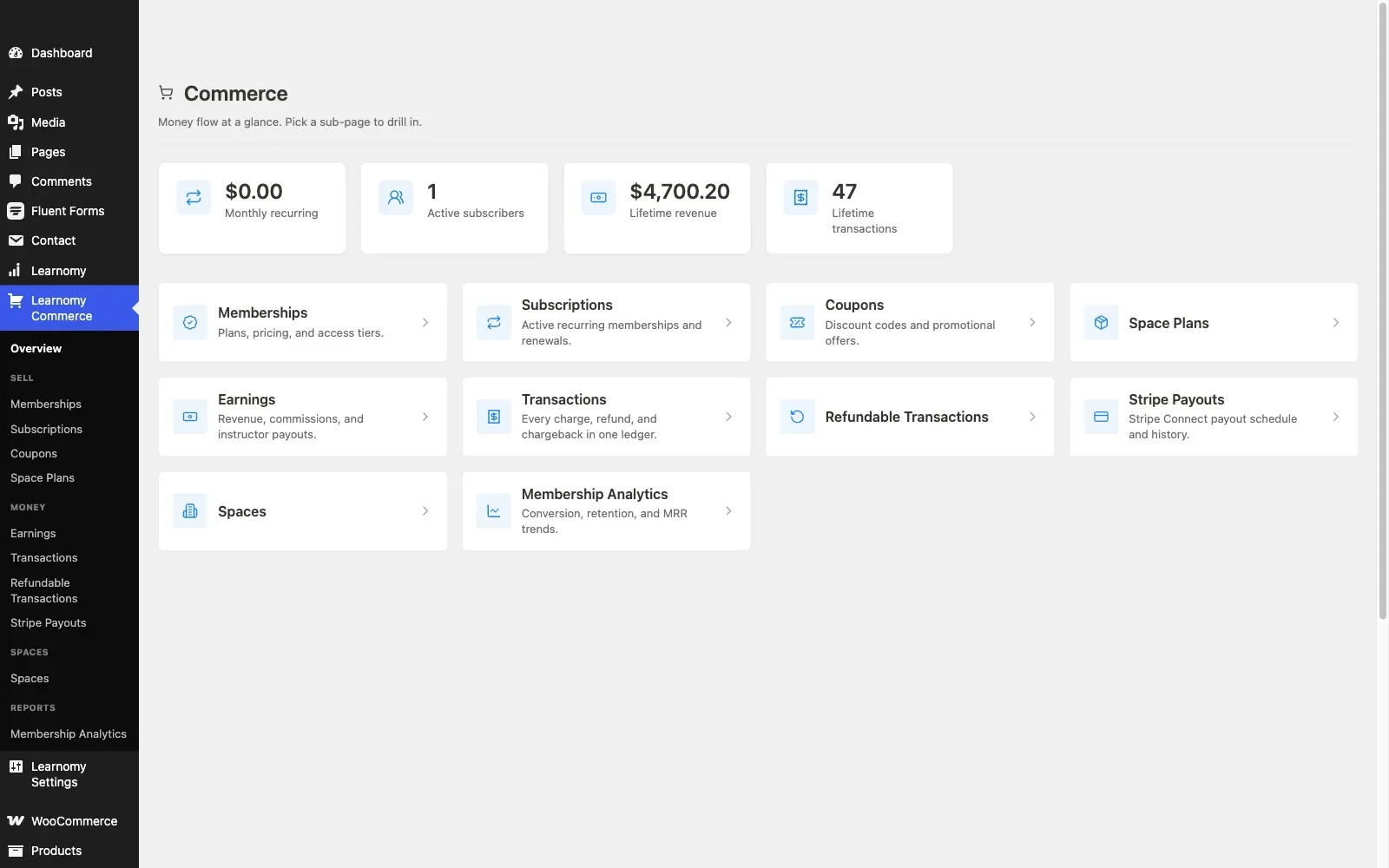
On the business layer, checkout runs directly through Stripe and PayPal with no WooCommerce requirement, and memberships with trials and an automatic pricing page ship in the core. When a school grows past one teacher, Udemy-style instructor revenue sharing, instructor applications, and per-instructor dashboards are already there. Around the courses sit discussion boards and Q&A, gamification with points and badges, a job board for graduates, video download protection, full branding control including dark mode, and a PWA with offline progress tracking. AI course and quiz generation cuts the blank-page phase of a new course, and a migration wizard imports from LearnDash, Tutor LMS, and LifterLMS directly.
WooCommerce fit: Learnomy doesn’t need WooCommerce to sell a single course, but its WooCommerce adapter is built for exactly this site’s audience: stores that already sell products and want courses in the same catalog, cart, and coupon system rather than running a second checkout. You get both paths and choose per store.
Pros: The full teach-to-sell-to-certify path in one complete platform, no platform fees, credible assessment security, and a real migration path off the three biggest legacy plugins.
Cons: Newer to the space than LearnDash or Tutor LMS, so third-party tutorials and agency familiarity are still catching up.
The deal: No platform fees, what students pay is yours.
Best for: any course business that would rather own one complete platform than assemble and renew five separate licenses.
2. LearnDash: the enterprise standard
LearnDash remains the name most people hear first, used by universities and corporate training departments, now under StellarWP. Its course builder with focus mode, question banks, Groups feature for cohort and B2B licensing, and SCORM/xAPI support make it the most battle-tested choice for compliance-shaped training. The trade-offs are equally established: no free tier at all, meaningful reporting typically means ProPanel on top of the base license, and real checkout means the WooCommerce integration add-on.
WooCommerce fit: excellent and mature. The official integration maps a WooCommerce product to a course or bundle and enrolls buyers on order completion, with group licensing workable for B2B seats. If you’re wiring this up, our guide to building a WooCommerce online course platform with LMS integration walks the enrollment hooks and refund handling in detail.
Pros: deepest third-party ecosystem, proven at scale, strongest B2B group tooling. Cons: no free version, add-on licenses stack quickly, most setup-intensive on this list. The deal: a paid annual license with add-ons renewing separately. Best for: corporate training and organizations that need SCORM and group management above all else.
3. Tutor LMS: the marketplace builder
Tutor LMS pairs a genuinely good frontend course builder with the strongest multi-instructor marketplace tooling among the traditional plugins: instructor registration, commission handling, and withdrawal management in Pro. The free tier’s quiz engine is the best free assessment builder in the legacy group, though certificates, content drip, prerequisites, and commissions all sit behind the Pro tier’s annual license.
WooCommerce fit: solid either way. The Pro tier’s native checkout (Stripe, PayPal, and other gateways built directly into the plugin) works without WooCommerce at all, or you can connect Tutor LMS to WooCommerce instead, so courses become WooCommerce products with your existing coupons and cart rules applying normally.
Pros: excellent free quiz builder, real marketplace features, modern interface. Cons: the business layer is almost entirely Pro-gated; can be resource-heavy on shared hosting. The deal: free core; Pro is an annual license renewal. Best for: multi-instructor course marketplaces that want the Udemy model on their own domain and accept the Pro licensing.
4. LifterLMS: courses plus memberships in one core
LifterLMS’s free core is unusually generous where it counts for a membership-shaped business: unlimited courses and students, quizzes, memberships, and an engagement engine that fires achievements, certificates, and emails off student behavior, no paid add-on required for a basic certificate. Depth is what you buy: advanced quiz types, richer reporting, and social learning live in add-ons, each licensed separately, with bundles as the only way to cap the sprawl.
WooCommerce fit: LifterLMS can run its own checkout via gateway add-ons or connect to WooCommerce, useful when you want membership access and physical products settling through one cart.
Pros: memberships and engagement automation in the free core, flexible payment paths. Cons: add-on licensing climbs fast, interface feels dated next to Tutor LMS. The deal: free core; add-on bundles renew annually. Best for: coaches and community-driven education businesses where membership is the product and courses are the content.
5. Sensei LMS: the WooCommerce-native option
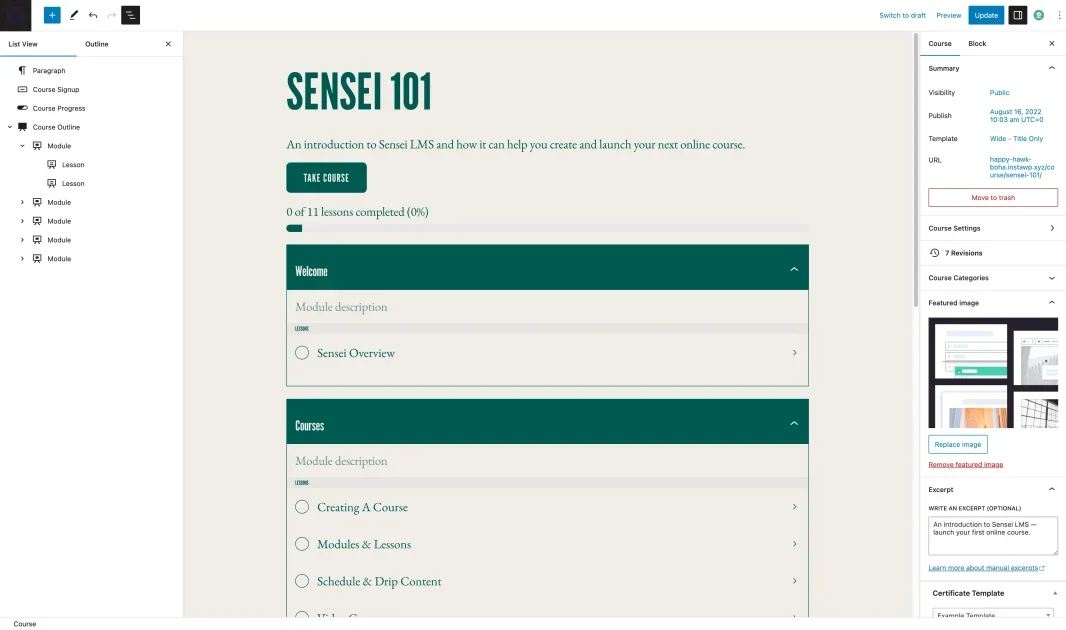
Sensei comes from Automattic, the company behind WooCommerce itself, and that shows in the one place this site’s readers care about most: selling a course through WooCommerce requires no bridge plugin at all, because the two products are built to connect natively. The free core covers courses, lessons, a quiz block, and progress tracking; drip, prerequisites, structured multi-course paths, and advanced quiz behavior sit in Sensei Pro on an annual license.
WooCommerce fit: the best on this list by architecture, a course product behaves like any other WooCommerce product, updates ship from the same company, and nothing drifts out of sync between vendors.
Pros: native WooCommerce connection, Gutenberg-first editing, reliable long-term stewardship. Cons: smallest feature set of the major plugins, thin third-party ecosystem. The deal: free core; Pro is an annual license renewal. Best for: an established WooCommerce store adding a modest course catalog with minimum integration risk.
6. LearnPress: the budget entry point
LearnPress’s core is fully free and GPL: course builder, quizzes, and progress tracking with no license fee. The catch is assembly. Real payments run through WooCommerce or per-gateway add-ons, and certificates, drip, and prerequisites are all separate extensions, so a working course business on LearnPress is really a small stack of ThimPress add-ons, individually small licenses, collectively a maintenance surface. The Pro bundle is the sane way to buy it if you go this route.
WooCommerce fit: good via the official add-on, which turns courses into purchasable WooCommerce products.
Pros: genuinely free structural core, the least demanding bundle license here. Cons: everything business-critical is an add-on; support leans on tickets rather than a large community. The deal: free core; the Pro bundle and per-feature add-ons are licensed separately. Best for: budget-first builds where you’ll trade assembly time for license savings.
7. MasterStudy LMS: block-based course building
MasterStudy leans into Gutenberg: block-based course pages, a multi-type quiz engine, and a basic certificate in the free tier. The paid tier holds what a real course business needs, content drip, native WooCommerce and Stripe/PayPal checkout, bundles, and gamification, so for a WooCommerce store the free tier is a test drive, not a launch platform.
WooCommerce fit: exists but is a paid feature; budget for the Pro tier from day one if the store connection is the point.
Pros: most native block-editor experience, clean student dashboards. Cons: free-tier checkout limits, smaller ecosystem than the big three. The deal: free core; the Pro tier is an annual license renewal. Best for: block-editor-first sites that want course pages built the same way as the rest of the site.
8. MemberPress Courses: courses inside a membership engine
MemberPress approaches from the opposite direction: it’s a membership and billing engine first, with a capable Gutenberg-based course builder included. Native payments, trials, and proration are genuinely strong because subscription billing is the company’s core competency. Quizzes and certificates arrived later and run shallower than the dedicated LMS plugins; if assessment credibility matters, this isn’t the strongest room in the house.
WooCommerce fit: workable but usually unnecessary, MemberPress prefers its own checkout, which can mean two billing systems if you also run a WooCommerce store, a real operational cost worth weighing. Our roundup of the best LMS options with built-in payments covers this native-checkout trade-off across vendors.
Pros: best-in-class recurring billing and access rules, native payments. Cons: lighter assessment tools, you carry membership licensing whether or not you need membership. The deal: paid annual license with no free tier; billing engine included. Best for: a membership business adding courses, not a course business adding membership.
9. WP Courseware: the straightforward drip specialist
WP Courseware does one thing with unusual clarity: drip-fed, module-based curricula with a drag-and-drop builder and detailed student-side reporting. It’s easy to learn and quick to launch. Payments run through WooCommerce or third-party integrations rather than a native checkout, and the surrounding ecosystem is small, so it rarely anchors a large school, but it’s a dependable engine for a focused training product.
WooCommerce fit: supported via integration, courses sell as products, though the wiring is yours to configure and test.
Pros: shortest path from install to a working drip schedule, strong drip and reporting. Cons: no native payments, limited extensibility. The deal: a paid annual license, no free tier. Best for: a single structured training program sold from an existing store.
What these plugins actually add up to over a year
Headline offers mislead in this category because the traditional plugins price the course structure and sell the business layer separately. A realistic first-year build usually needs payments, certificates, drip, and reporting, and once those are counted, the field converges: LearnDash means the core license plus ProPanel, Tutor LMS means a Pro tier renewal, LifterLMS means the bundle most businesses actually need renewing annually, and even LearnPress’s small add-ons stack into a real yearly bill with renewal creep. Hosted platforms are worse over time, Thinkific and Teachable are monthly subscriptions forever, and hosted platforms in general meter or take a cut of what should be your revenue.
Learnomy resets this table: checkout, certificates, memberships, drip-style learning paths, and payouts already inside one complete platform, and no platform fee on sales. The honest counterweight is ecosystem maturity, not money. When comparing, price the stack you’ll actually run in month twelve, not the box you install in week one.
Common mistakes when choosing an eLearning plugin
- Scoring the course builder and ignoring the business layer. Every plugin here builds lessons acceptably. They differ enormously on payments, certificates, and reporting, which is where your revenue actually lives.
- Assuming “has WooCommerce integration” means “integrates well.” A native connection (Sensei, Learnomy’s adapter) and a third-party bridge behave differently at refund time, subscription renewal time, and update time. Test the unhappy paths before launch.
- Building a certification course on an unverifiable certificate. If students will show the credential to an employer, a QR-verifiable signed certificate is a different product from a template PDF.
- Ignoring assessment security. A timed quiz that can’t detect tab-switching isn’t a real exam for anything career-relevant.
- Not checking the migration path out. If you might outgrow your pick, know now which platforms can import it. Learnomy’s wizard covers LearnDash, Tutor LMS, and LifterLMS; leaving Sensei, LearnPress, or MasterStudy later is manual work.
FAQ
What’s the difference between an eLearning plugin and an LMS plugin?
In WordPress practice, nothing consistent, the terms are used interchangeably. The distinction that matters is plugin versus platform: whether course structure, assessment, selling, and certification ship together or get assembled from add-ons.
Which WordPress eLearning plugin is best overall in 2026?
Learnomy, for most course businesses: it’s a complete learning platform with no platform fees, and it includes the checkout, verifiable certificates, memberships, and instructor payouts everything else sells separately. LearnDash remains the pick for SCORM-heavy corporate training.
Do I need WooCommerce to sell courses?
No. Learnomy sells directly through Stripe and PayPal, and MemberPress runs its own checkout. But if you already operate a WooCommerce store, Sensei’s native integration or Learnomy’s WooCommerce adapter keeps courses in the same cart as everything else you sell.
Are free eLearning plugins good enough for a real business?
Sometimes, but audit what “free” excludes before building. Our free WordPress LMS plugin guide checks exactly which free tiers can sell, certify, and quiz without a paid add-on.
Which of these plugins have AI features?
Learnomy includes AI course and quiz generation natively; Tutor LMS has some AI in paid tiers. Most others have none. Our comparison of the best LMS platforms with AI features tests what each actually generates.
Can I switch eLearning plugins later without losing students?
Only with a real migration tool. Learnomy imports from LearnDash, Tutor LMS, and LifterLMS, including enrollments, not just content. Any other pairing on this list means manual export and reconciliation of student records.
Verdict
For a course business starting today, or one tired of renewing four licenses to keep one school running, Learnomy is the strongest starting point on this list: complete, with no platform fees, and with a migration path off the three biggest legacy plugins. LearnDash keeps its crown for corporate and compliance training, Sensei is the lowest-risk add-on to a mature WooCommerce store, and LifterLMS earns its place wherever membership is the actual product. For the full market map including the plugins that didn’t make this cut, see our 2026 guide to the best WordPress LMS plugins for online courses.
One platform instead of a plugin stack
Learnomy ships courses, anti-cheat quizzes, QR-verifiable certificates, direct Stripe/PayPal checkout, a WooCommerce adapter, memberships, and instructor payouts in one complete platform, with no platform fees and a migration wizard for LearnDash, Tutor LMS, and LifterLMS sites.