Best WordPress Plugins to Create and Sell Online Courses in 2026

There are two different jobs hiding inside “I want to sell a course on my WordPress site,” and most plugin roundups only score one of them. The first job is creating: turning what you know into structured lessons, quizzes that actually assess, and a certificate worth putting on LinkedIn. The second job is selling: a checkout that takes real payment, pricing you can change without a developer, coupons for launches, and access control that holds up when someone refunds. A plugin can be excellent at one job and quietly terrible at the other, and you find out which during launch week.
This guide scores every entry on the full pipeline, from first lesson drafted to first sale delivered: the builder experience, the assessment layer, the certificate, the payment path, and what happens after the buy button. Because this is a WooCommerce-focused site, we pay particular attention to how each plugin’s selling side meets an existing store, whether it plugs into your cart, brings its own, or makes you choose.
One entry runs the whole pipeline in a single product. Learnomy is a complete learning platform for WordPress rather than a course plugin with add-ons, and it’s the benchmark the rest of the list gets measured against: every stage the others handle with a separate component, it ships built in.
Key takeaways
- The create-and-sell pipeline has five stages, build, assess, certify, price and check out, deliver and retain, and most plugins need paid add-ons or WooCommerce to complete the last two.
- Learnomy is the only entry that runs all five stages natively: drag-and-drop building, anti-cheat quizzes, QR-verifiable certificates, built-in Stripe and PayPal checkout with a WooCommerce adapter, and no platform fees, what students pay is yours.
- Tutor LMS and LearnDash are the strongest traditional builders, but their business layers arrive via paid tiers and add-ons on separate renewal cycles.
- The gap between “course built” and “course sold” is where launches stall: checkout configuration, refund behavior, and pricing changes are the tasks creators underestimate most.
In this guide
- The create-and-sell pipeline, stage by stage
- Quick comparison
- 1. Learnomy: the whole pipeline in one platform
- 2. Tutor LMS: superb building, tiered selling
- 3. LearnDash: pro-grade structure, assembled commerce
- 4. LifterLMS: strong seller, dated builder
- 5. Sensei LMS: the WooCommerce-store shortcut
- 6. LearnPress: open core, add-on checkout
- 7. MasterStudy LMS: block-native building, upstairs commerce
- 8. MemberPress Courses: selling engine first, builder second
- 9. WP Courseware: straightforward building, borrowed checkout
- From first lesson to first sale: where the time actually goes
- Three starting points, three different shortlists
- Common mistakes that stall a course launch
- FAQ
- Verdict
The create-and-sell pipeline, stage by stage
Before the list, the scoring frame. Every course business passes through the same five stages, and each is a place a plugin can help you or charge you:
- Build. Lessons, modules, media. The question isn’t whether a drag-and-drop builder exists, they all have one now, but how fast a real curriculum takes shape, and whether a non-technical instructor can do it without wp-admin access.
- Assess. Quiz types beyond multiple choice, partial credit, question banks, and some defense against a second browser tab during a graded attempt. A course that certifies needs assessment that means something.
- Certify. Is the certificate an editable PDF, or something an employer can verify? Does designing it require another component?
- Price and check out. The stage that separates the list: native payment processing, a WooCommerce connection, or a paid add-on before the first sale can happen. Coupons and pricing changes belong here too.
- Deliver and retain. Access control after refunds, progress tracking, and the engagement layer, discussion, gamification, community, that decides whether students finish and buy again.
Two companion reads if your decision hinges on a single stage: our comparison of LMS options with built-in payments for stage four, and our breakdown of LMS AI features for compressing stage one.
Quick comparison
Plugin | Build | Assess & certify | Checkout path | The deal |
|---|---|---|---|---|
Learnomy | Drag-and-drop + frontend builder for instructors, AI drafting | Six quiz types, anti-cheat, QR-verifiable certificates | Built-in Stripe/PayPal, or WooCommerce adapter | Complete platform, no platform fees, what students pay is yours |
Tutor LMS | Excellent frontend builder | Strong quiz engine; certificate builder in paid tier | WooCommerce | Capable core; business layer behind an annual paid tier |
LearnDash | Mature builder, focus mode | Deep quiz engine; certificates included | WooCommerce via official add-on | Annual license plus add-ons; no free tier |
LifterLMS | Capable but dated builder | Quizzes + engagement certificates in core | Own checkout, or Woo connector | Generous core; add-on bundles renew annually |
Sensei LMS | Block-editor-native | Quiz block; deeper gating in paid tier | Native WooCommerce | Usable core; curriculum layer behind an annual license |
LearnPress | Solid structural builder | Basic; certificates via add-on | WooCommerce or payment add-ons | Open core; each capability is a separate add-on |
MasterStudy LMS | Block-based builder | Decent quizzes; basic certificate free | Woo checkout in paid tier | Builder downstairs, commerce upstairs |
MemberPress Courses | Serviceable builder | Basic quizzes | Its own billing engine | Annual license; courses ride the membership engine |
WP Courseware | Straightforward drip-friendly builder | Solid quizzes and reporting | WooCommerce or third-party carts | Annual license; checkout borrowed from your store |
1. Learnomy: the whole pipeline in one platform
Learnomy is a complete learning platform for WordPress, the online school you own, and it’s the only entry here where all five pipeline stages ship in the same product, from the same vendor, with no platform fees on what a student pays.
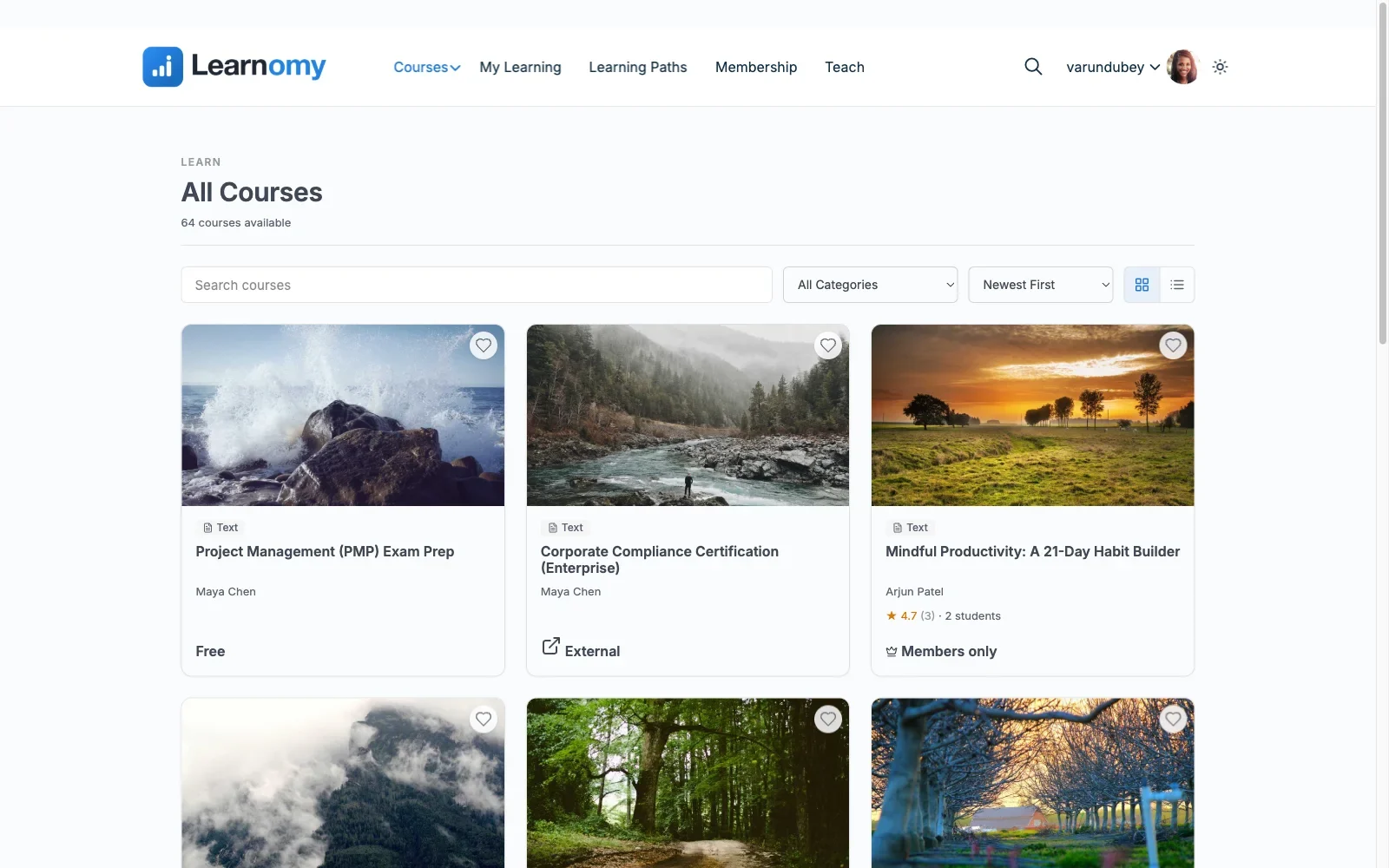
Build: courses assemble from video, audio, PDF, and reading lessons in a drag-and-drop builder, and AI course and quiz generation turns a topic into a structured draft curriculum you edit rather than a blank page you stare at. The detail that matters for growing schools: instructors get a front-end, four-step course builder, so a subject-matter expert can draft, structure, and submit a course without ever seeing wp-admin.
Assess: six quiz types with partial credit, question banks so attempts vary, anti-cheat tab-switch tracking during timed quizzes, and an essay-grading inbox for answers that need a human. A gradebook rolls quizzes, assignments, and SCORM packages into one weighted grade per course.
Certify: certificates are digitally signed, carry a QR code resolving to a public verify page, share to LinkedIn, and come out of a visual designer rather than a fixed template. Learning paths chain courses with prerequisites and award a path certificate at the end.
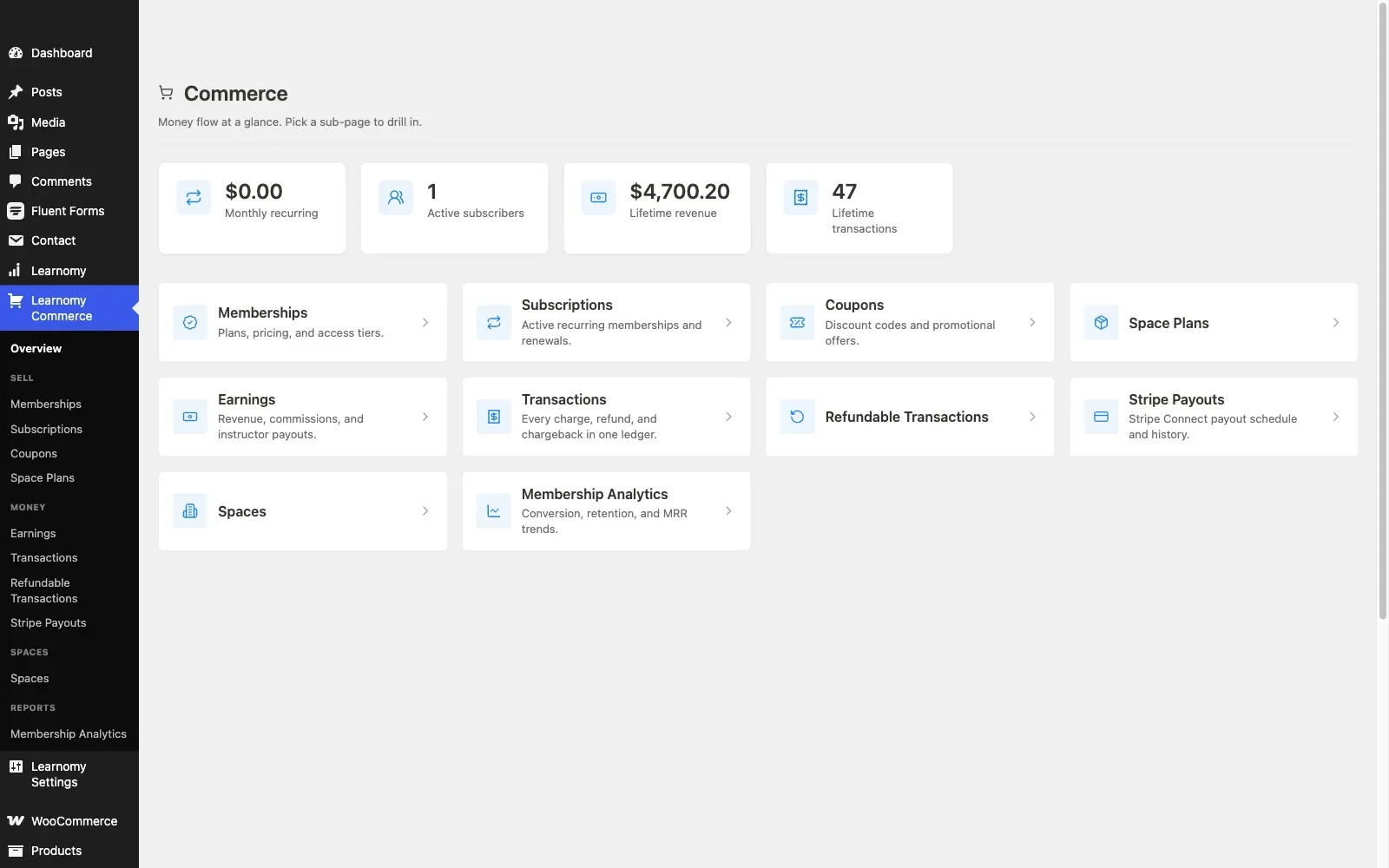
Price and check out: built-in Stripe and PayPal checkout means the first sale needs no cart plugin at all, with a WooCommerce adapter for stores that already sell products and want courses in the same cart and coupon system. Coupons, memberships with trials and an automatic pricing page, course reviews, announcements, and email templates cover the launch toolkit, and instructor revenue sharing, Udemy-style splits with instructor applications and dashboards, is ready when the school outgrows one teacher. Team and B2B training (company seats, cohorts, drip) turns the same catalog into something you can sell to businesses by the seat.
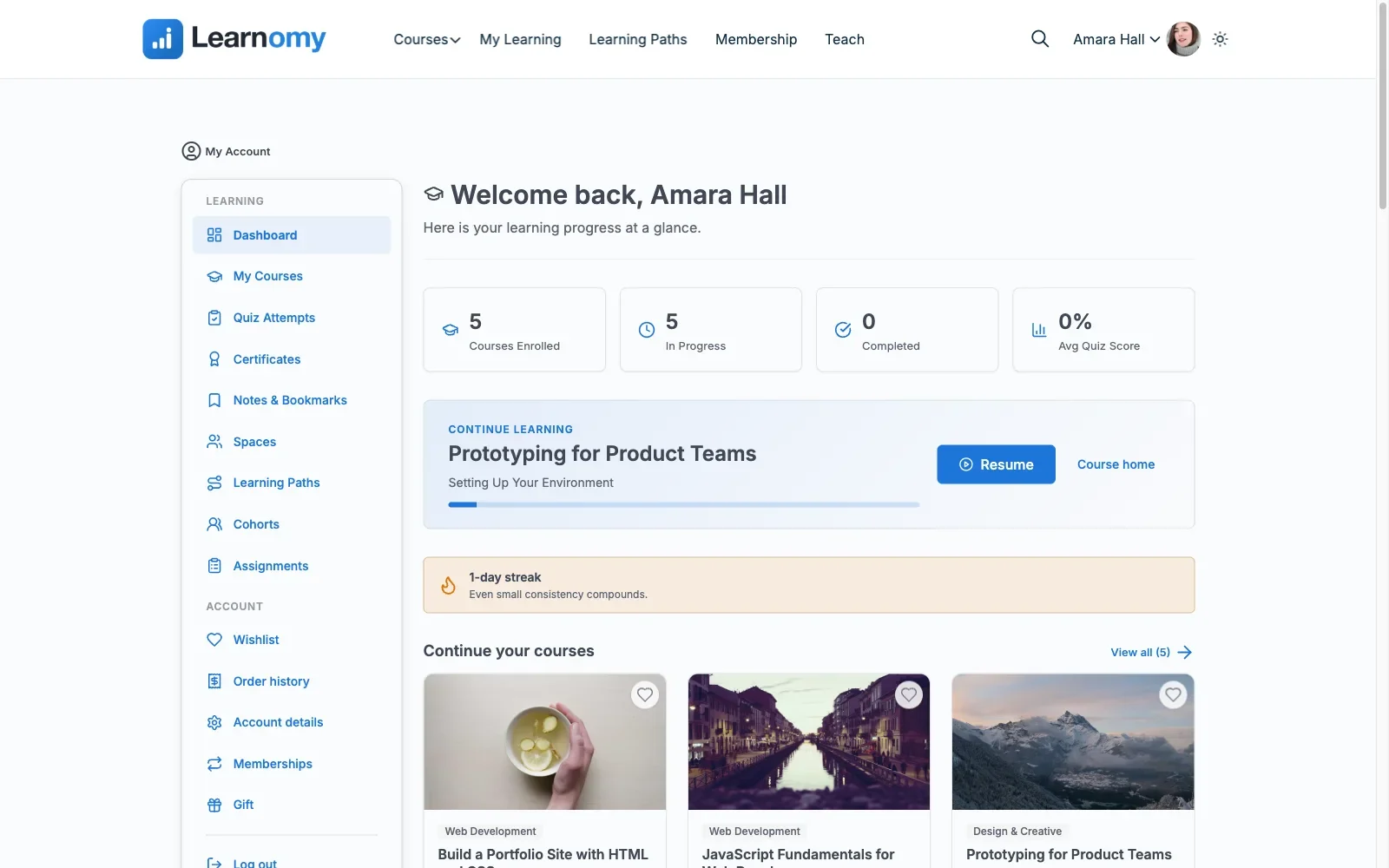
Deliver and retain: full-text course search and Course structured data help students and search engines find the catalog, and progress works offline through the PWA. Around the lessons, a learning community can grow up around your school; course discussion boards and Q&A keep questions next to the content; gamified learning adds points, badges, and streaks; a job board gives graduates somewhere to take their certificate; course videos are protected from casual downloading; and full branding and design control, dark mode included, keeps the school looking like yours, not like a plugin.
Pros: the only single-vendor, five-stage pipeline on the list; both checkout paths; no platform fees; a migration wizard that imports from LearnDash, Tutor LMS, and LifterLMS.
Cons: newer than the legacy names, so the third-party tutorial ecosystem is thinner.
Best for: anyone who wants to go from first lesson to first sale inside one product, and store owners who want the option, not the obligation, of WooCommerce checkout.
2. Tutor LMS: superb building, tiered selling
On the create side, Tutor LMS is arguably the best pure building experience in WordPress: the frontend course builder lets you construct and preview a course without bouncing between admin screens, and the quiz engine is strong even in the free core. For stage one and stage two, it’s a genuine pleasure.
The pipeline narrows at stages three through five. The certificate builder, content drip, prerequisites, instructor commission handling, and native checkout all live in the annual paid tier. That native checkout works without WooCommerce, or the paid tier can connect to WooCommerce instead, fine for a store that already has one, an extra project for a site that doesn’t. The multi-instructor marketplace features are the best of the traditional plugins, which keeps Tutor a serious pick for Udemy-style catalogs, with the caveat that the payout machinery is paid-tier.
Pros: best-in-class builder UX; strong free-core quizzes; real marketplace features. Cons: certify-and-sell stages gated behind the paid tier; WooCommerce required for real checkout. Best for: creators who prioritize the building experience and already run (or don’t mind adding) WooCommerce.
3. LearnDash: pro-grade structure, assembled commerce
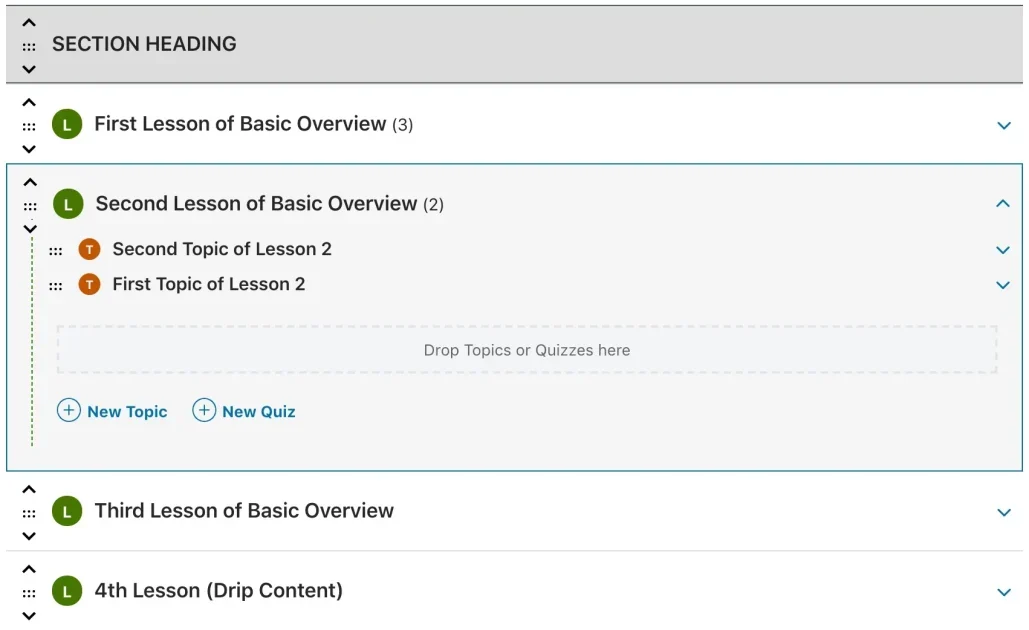
LearnDash’s builder is the veteran: courses, lessons, topics, and quizzes in a hierarchy that scales to genuinely large curricula, a focus mode that keeps students in the material, and the deepest quiz engine of the traditional plugins, question banks, multiple types, and certificates included in the core license. For structured, compliance-grade training, the create side is excellent.
The sell side is assembled, not included: no free tier, an annual license, and WooCommerce via the official add-on as the standard path to real checkout, with group seats for B2B being the pattern LearnDash owns outright. Between the license, the add-ons that make it shine, and the configuration hours, it’s the biggest total project on the list, which is precisely why so many searches for alternatives start here.
Pros: deepest structural builder; certificates in core; the proven group-seat sales pattern. Cons: everything is a component; the steepest assembly cost; no way to trial free. Best for: corporate and compliance training where curriculum depth justifies the assembly.
4. LifterLMS: strong seller, dated builder
LifterLMS inverts Tutor’s profile: its selling machinery is the strength. Its own checkout with one-time payments, payment plans, and recurring billing runs natively, memberships ship in the free core, and its engagement engine triggers certificates and emails off student behavior, retention tooling most plugins save for paid tiers. A WooCommerce connector exists when the store should own checkout instead.
The builder works but feels a generation older than Tutor’s or Learnomy’s, and the deeper quiz types and reporting live in annually renewing add-on bundles that accumulate. Stage-by-stage, it’s the strongest stages four and five among the traditional plugins, with a middling stage one.
Pros: native checkout and recurring billing; memberships and engagement certificates in core. Cons: dated building UX; add-on bundle stacking; two possible checkout lanes to choose between. Best for: coaching and membership-style course businesses where selling and retaining outrank builder polish.
5. Sensei LMS: the WooCommerce-store shortcut
If your store already runs WooCommerce, Sensei collapses stage four to nearly zero: it comes from Automattic, the same company as WooCommerce, so a course sells as a product with no bridge plugin and no third vendor. The block-native builder is clean for straightforward catalogs, and the interactive blocks (flashcards, tasks) are a nice touch for practice-heavy content.
The create side is intentionally lean: the quiz block covers the basics, while drip, prerequisites, and multi-course paths wait in the annual paid tier, and there’s no marketplace or instructor-payout story at all. It’s the shortest path from an existing store to a first course sale, not the platform you scale a school on.
Pros: the smallest possible integration surface for a Woo store; Automattic maintenance. Cons: lean assessment; curriculum gating is paid-tier; single-instructor by design. Best for: an existing WooCommerce store adding a modest course line with minimum moving parts.
6. LearnPress: open core, add-on checkout
LearnPress’s structural builder, courses, lessons, quizzes, progress, carries no license fee, and for stage one on a shoestring, that’s the pitch. The honest continuation: nearly every later pipeline stage is an add-on. Certificates, drip, prerequisites, and the WooCommerce connection are all separate components with separate renewals, and assembling a real launch stack means research time matching add-ons to your currency, gateway, and country.
Our full guide to free WordPress LMS plugins covers exactly where each free tier stops; LearnPress is the clearest case of “free to build, componentized to sell.”
Pros: genuinely open core; gentlest entry. Cons: the add-on maze spans the whole sell side; certificate and refund behavior depend on which components you bought. Best for: hobby and validation projects where the first sale can wait for the assembly.
7. MasterStudy LMS: block-native building, upstairs commerce
MasterStudy’s block-based builder feels native to the modern WordPress editor, and the free tier includes a workable quiz engine and a basic certificate, respectable coverage of stages one through three. Stage four is the catch for this site’s audience: native WooCommerce checkout sits in the paid tier, so a store planning to sell should price the paid tier in from day one rather than discovering the wall after the catalog is built.
Pros: pleasant block-editor workflow; basic certificate without an add-on. Cons: the sell stage is upstairs; thinner ecosystem than the majors. Best for: block-editor-first sites that have already budgeted the paid tier.
8. MemberPress Courses: selling engine first, builder second
MemberPress approaches the pipeline from the opposite end: it is a mature membership and billing engine that added courses, so stages four and five, recurring billing, trials, access rules, refund-aware access, are its native strength. The course builder is serviceable for linear curricula but trails every dedicated builder above on assessment depth, and its commerce runs on its own engine beside, not inside, a WooCommerce store.
Pros: billing maturity most course plugins never reach. Cons: basic create side; a second commerce system on a Woo site; annual license. Best for: membership businesses where courses are a benefit of belonging, not the product itself.
9. WP Courseware: straightforward building, borrowed checkout
WP Courseware keeps stage one simple, a direct drag-and-drop builder with good drip scheduling and unusually detailed student-side reporting, and borrows stage four entirely: checkout runs through WooCommerce or other cart integrations rather than anything native. For a store that wants uncomplicated courses behind its existing checkout, that borrowing is honest and workable; just budget the integration setup and test the refund path like any bridge.
Pros: easy to learn; strong reporting; drip done well. Cons: no native selling at all; smaller community. Best for: straightforward drip courses sold through a cart you already trust.
From first lesson to first sale: where the time actually goes
Creators consistently budget their time for content and get ambushed by commerce. Drafting the curriculum is the work you expected; what stalls launches is the stretch between “course built” and “course sold”: configuring a gateway, wiring the cart connection, testing the purchase-to-enrollment flow, making sure a refund actually revokes access, and building the pricing page. On a plugin where each of those is a separate component, or a separate vendor, that stretch is measured in days and support tickets.
This is the practical argument for platforms with native checkout: Learnomy’s built-in Stripe and PayPal path (or its WooCommerce adapter, if the store came first) means the sell half of the pipeline is configuration, not assembly. It’s also the argument for Sensei on an existing store, the cart is already there. And it’s the caution flag on the free-core-plus-add-ons route: the checkout you haven’t assembled yet is the launch date you haven’t hit yet. For the full store-integration mechanics, enrollment hooks, refunds, seats, our deep-dive on WooCommerce LMS integration picks up where this section stops.
Three starting points, three different shortlists
You already run a WooCommerce store. Your cart, gateway, taxes, and coupons are solved problems, don’t buy them twice. Sensei gives you the smallest integration surface for a modest course line; LearnDash’s official add-on is the proven pattern if you’re selling structured training by the seat; and Learnomy’s WooCommerce adapter puts a complete school, quizzes, certificates, memberships, instructor payouts, behind the checkout you already trust. The mistake to avoid here is adopting a plugin whose native checkout runs beside your store: two order histories, two coupon systems, one confused accountant.
You have no store and courses are the product. Installing WooCommerce just to sell a course is a real project, gateway setup, tax configuration, checkout theming, that native-checkout platforms simply delete from the plan. Learnomy (built-in Stripe and PayPal, memberships with trials, automatic pricing page) and LifterLMS (native access plans and recurring billing) are the two serious candidates, and the tiebreaker is scope: LifterLMS assembles its depth from annually renewing add-on bundles, while Learnomy ships the whole pipeline in the core platform with no platform fees.
You’re validating an idea and want minimum commitment. A free core gets a pilot course in front of real students, LearnPress or Tutor’s free tier will carry a validation test. Just pick your exit before you enter: if the pilot works, the catalog will need certificates, drip, and a real checkout, and the move is cheapest onto a platform that can import your work. Learnomy’s migration wizard covers LearnDash, Tutor LMS, and LifterLMS, so a Tutor-based pilot has a clean upgrade path, while a LearnPress pilot means rebuilding by hand.
Common mistakes that stall a course launch
- Building the whole catalog before testing one sale. Run a single end-to-end test, buy, enroll, complete, certify, refund, with one tiny course before recording fifty lessons. Every integration surprise is cheaper at lesson one.
- Choosing on builder polish alone. Building is a one-time cost measured in hours; selling and retaining run for the life of the business. Score stages four and five as hard as stage one.
- Discovering the certificate is an add-on after promising one. If your audience is professional, verifiable certificates are a selling point, check whether they’re native, add-on, or paid-tier before the sales page goes up.
- Ignoring who will build courses in a year. If the plan involves guest instructors or subject-matter experts, a frontend builder that keeps them out of wp-admin (Learnomy’s four-step flow, Tutor’s frontend builder) stops being a nicety and becomes the workflow.
- Treating retention as a later problem. Completion drives reviews, referrals, and repeat purchases. Discussion, streaks, and progress visibility are launch features, not version-two features.
- Forgetting the exit. If you’re starting on a free core to validate, know your migration path now: Learnomy’s wizard imports from LearnDash, Tutor LMS, and LifterLMS specifically, starting anywhere else means a manual move later.
FAQ
What’s the fastest way to go from nothing to a sellable course on WordPress?
A platform with native checkout removes the longest setup stage. Learnomy’s built-in Stripe and PayPal path (plus AI drafting for the curriculum itself) is the shortest route on this list; Sensei is the shortest for a store already running WooCommerce.
Do I need WooCommerce to sell online courses on WordPress?
No, Learnomy, LifterLMS, and MemberPress all sell natively. You want WooCommerce in the loop when a store already exists and courses should share its cart, coupons, and order history; see our complete WordPress LMS guide for the store-fit angle across the whole market.
Which plugin has the best course-building experience?
Tutor LMS’s frontend builder and Learnomy’s drag-and-drop builder (with its instructor-facing four-step flow) are the standouts. LearnDash wins for deep, hierarchical curricula.
Can AI actually help create the course?
For the blank-page stage, yes: Learnomy’s AI course and quiz generation drafts a structured outline and assessment items you edit into shape. Treat every AI draft as a first draft, the expertise still has to be yours.
What should a real course certificate include?
Something a third party can verify. A signed certificate with a QR code resolving to a public verify page carries weight an editable PDF doesn’t; check which kind your plugin issues before advertising certificates on the sales page.
How do multiple instructors get paid?
Tutor LMS (paid tier) and Learnomy both support instructor revenue splits, applications, and dashboards. On everything else here, multi-instructor payouts mean custom development or a marketplace add-on.
Is a free-core plugin enough to launch a paid course?
Sometimes, but audit which pipeline stages the free tier actually covers. Most free cores handle build-and-assess and gate certify-and-sell; our honest guide to free LMS plugins maps exactly where each one draws the line.
What happens when I need to change my pricing?
On native-checkout platforms, pricing is a settings change; memberships with an automatic pricing page (as in Learnomy) regenerate the storefront for you. On assembled stacks, a pricing change can touch the product, the cart, and the LMS mapping, one more argument for keeping the sell side in one system.
Verdict
Score the full pipeline, not the demo. Tutor LMS is the pick if the building experience is your deciding factor and WooCommerce is already handling your money. LearnDash remains the structural heavyweight for corporate curricula sold by the seat. LifterLMS earns its place when recurring billing and retention are the business model. But for the actual question this guide set out to answer, create and sell, first lesson to first sale, in one product you own, Learnomy is the strongest answer on the list: every stage native, both checkout paths open, no platform fees, and a migration wizard waiting if you started on LearnDash, Tutor LMS, or LifterLMS.
Create the course. Sell the course. One platform.
Learnomy runs the whole pipeline, drag-and-drop and frontend course building with AI drafting, anti-cheat quizzes, QR-verifiable certificates, built-in Stripe and PayPal checkout or a WooCommerce adapter for your existing store, memberships with trials, and instructor payouts. No platform fees: what students pay is yours.