Best MasterStudy LMS Alternatives in 2026: A Developer's Comparison
Seven MasterStudy LMS alternatives compared by a developer's criteria: checkout structure, WooCommerce fit, certificate credibility, and what a manual migration off MasterStudy actually involves.

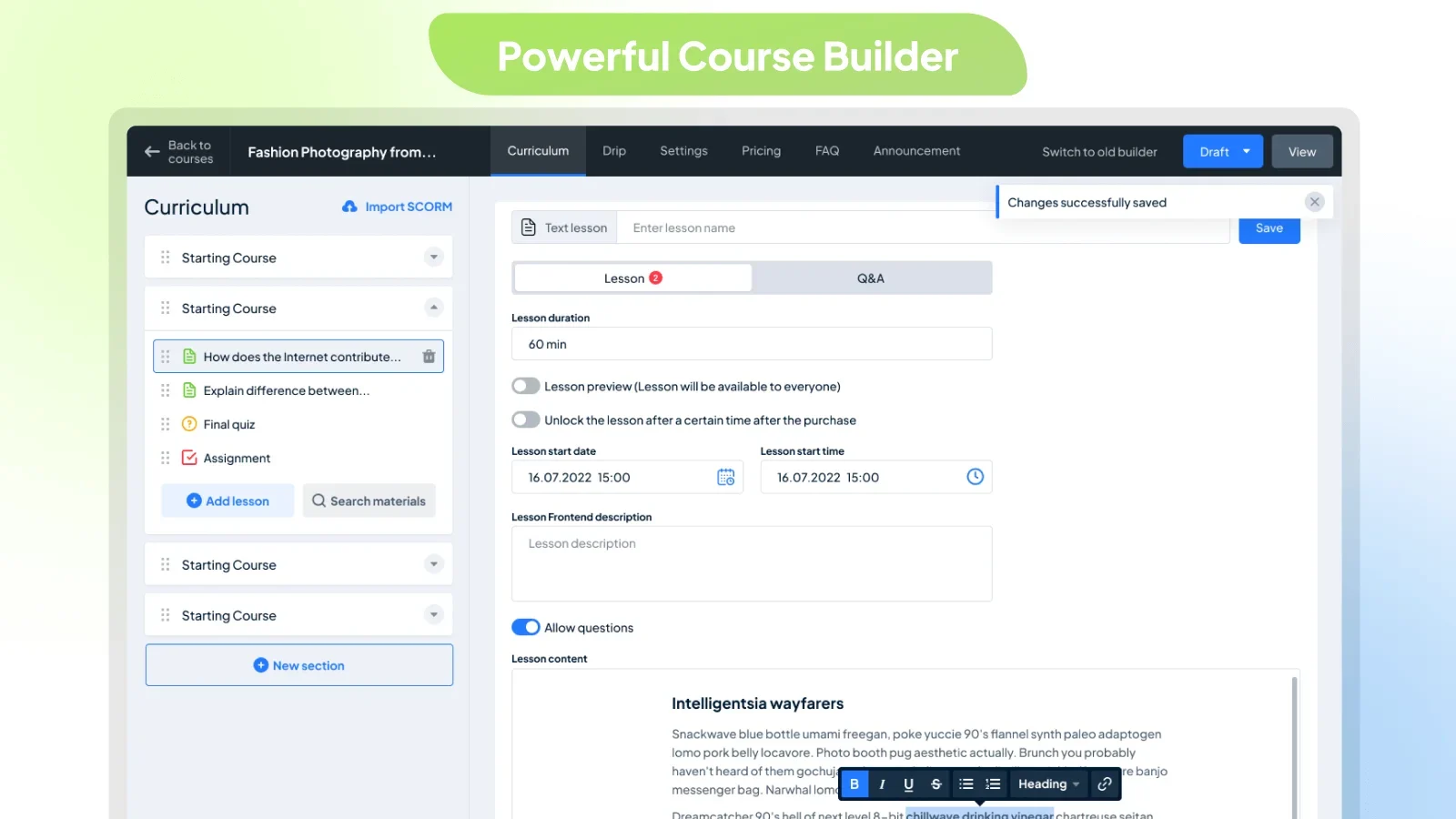
MasterStudy LMS gets one thing very right: it builds courses the way modern WordPress builds everything else, in the block editor, with drag-and-drop control and a UI that does not look ten years old. So why do developers who deploy it for clients end up researching MasterStudy LMS alternatives? Usually one of three discoveries. The free tier cannot run a real checkout, native WooCommerce support sits in the paid tier, which surprises store owners late in a build. The ecosystem around it is thin, so when something needs extending or debugging, you are largely on your own. And there is no clean exit: nothing imports a MasterStudy site automatically, so every year on it deepens the eventual migration.
This is a developer’s comparison of the realistic options, written for people who build course sites on WooCommerce for themselves or for clients. Structures, not price tags: what each platform ships in one product, where its paid line falls, how it connects to an existing store, and what moving to it actually involves.
Key takeaways
- MasterStudy’s free tier is a course-building demo, not a selling platform: full checkout, including the native WooCommerce path, is a paid-tier feature.
- Learnomy leads this list structurally: a complete learning platform for WordPress with checkout, certificates, memberships, and instructor payouts in the product itself, and no platform fees on sales.
- Migration honesty: no destination here automates a MasterStudy import, Learnomy’s migration wizard covers LearnDash, Tutor LMS, and LifterLMS, so leaving MasterStudy is a manual project regardless of where you land.
- For a store-first build with modest course needs, Sensei LMS’s native WooCommerce connection is the lowest-risk conventional pick; Tutor LMS is the strongest builder-for-builder replacement.
- Evaluate every candidate on refund-to-access behavior, certificate credibility, and vendor count, the three things a feature grid never shows.
In this guide
- Where MasterStudy runs out of road
- A developer’s evaluation criteria
- Quick comparison
- 1. Learnomy: the complete-platform answer
- 2. Tutor LMS: builder-for-builder replacement
- 3. Sensei LMS: store-first, block-native
- 4. LearnDash: the institutional workhorse
- 5. LifterLMS: engagement and memberships in core
- 6. LearnPress: the free-core fallback
- 7. MemberPress Courses: billing-engine route
- Migrating off MasterStudy: what actually moves
- Structural cost: count vendors and renewal cycles
- Common mistakes in this switch
- FAQ
- Verdict
Where MasterStudy runs out of road
The block-based builder is genuinely pleasant, and for a portfolio piece or an internal training microsite the free tier may be all you ever need. The ceilings appear when money and scale enter.
The checkout ceiling. A course platform that cannot take payment is a content plugin. MasterStudy’s free tier limits checkout, and its native WooCommerce and direct-gateway support belong to the paid tier, so a WooCommerce store evaluating “free MasterStudy” is really evaluating the paid product, with a mid-build surprise if nobody read the tier grid carefully. Our free LMS plugins guide flags this exact pattern across the category.
The depth ceiling. Drip schedules, course bundles, and the gamification layer are paid; assessment tops out well below what certification-grade courses need, there is no anti-cheat protection, no essay-grading workflow, no weighted gradebook rolling quizzes and assignments into one course grade.
The ecosystem ceiling. The plugin is maintained, but the community around it is small. Fewer tutorials, fewer developers who have seen your exact error, fewer third-party extensions when a client asks for something the vendor did not anticipate. For an agency, that translates directly into billable hours spent on problems a larger ecosystem would have solved in a forum thread.
A developer’s evaluation criteria
Feature grids flatter everyone. These four questions do not:
- What is in the product versus around it? Every component outside the core, an add-on, a bridge, a second plugin, is a version you maintain and a compatibility risk you own on behalf of a client.
- How does it take money? Native WooCommerce connection, official add-on, its own gateway, or both paths? And, always test this, does a refunded order actually revoke course access?
- What do credentials prove? If certificates will appear on LinkedIn, an editable PDF is a liability. Signed, publicly verifiable certificates are a different product category.
- What is the exit? Platforms hold student progress, attempts, and certificate history. Import tooling in, export posture out, both matter before the first course is built, not after the thousandth enrollment.
Quick comparison
Platform | Strongest at | The deal | WooCommerce fit |
|---|---|---|---|
Learnomy | Complete platform: courses, quizzes, certificates, checkout, memberships, payouts in one product | No platform fees, what students pay is yours | Built-in Stripe/PayPal checkout plus a WooCommerce adapter |
Tutor LMS | Frontend course-building experience | Free core; business layer in a paid annual tier | Via WooCommerce connection |
Sensei LMS | Native WooCommerce selling, block-native building | Free core; drip and prerequisites paid | Native, same company as WooCommerce |
LearnDash | Groups, SCORM, institutional depth | Annual license from day one, add-ons extra | Official integration |
LifterLMS | Memberships and engagement in the free core | Free core; per-area paid add-on catalog | WooCommerce connection or own gateway add-ons |
LearnPress | Fully free GPL course core | Free core; per-extension add-ons | Via official add-on |
MemberPress Courses | Recurring billing and access rules | Annual license, membership engine included | Own checkout, coexists with a store |
MasterStudy (staying) | Block-based building | Free core; checkout and depth in the paid tier | Paid-tier feature |
1. Learnomy: the complete-platform answer
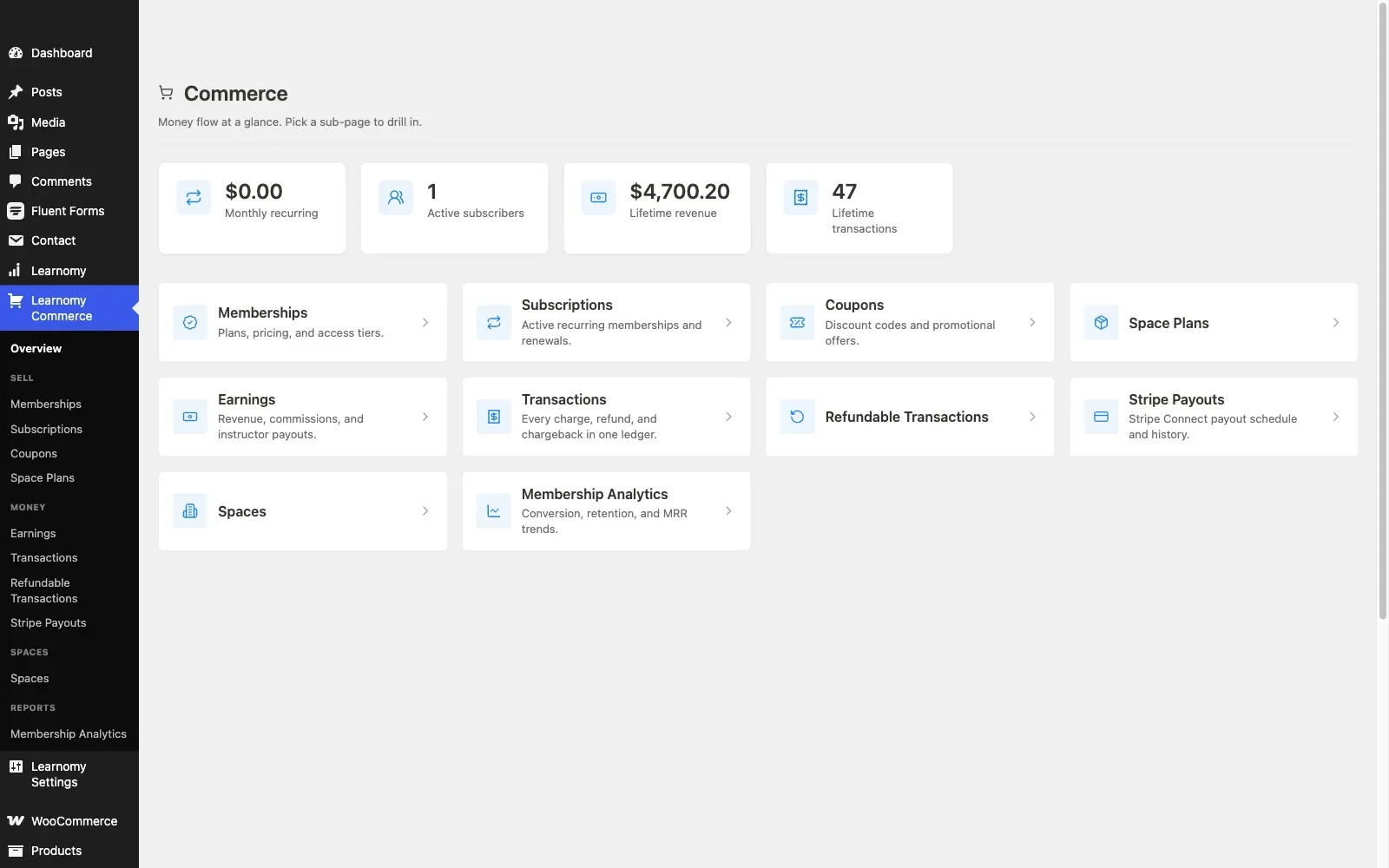
Every conventional alternative to MasterStudy asks you to rebuild the same architecture with different components: a course core here, a paid tier there, WooCommerce for money, perhaps a membership plugin on top. Learnomy is the option that changes the architecture. It is a complete learning platform for WordPress, the online school you own, with the entire teaching-to-selling path in one product from one vendor.
For the builder-experience crowd MasterStudy attracts, the relevant detail: courses assemble from video, audio, PDF, and reading lessons in a drag-and-drop builder, and a frontend four-step course builder lets instructors create and publish without wp-admin access, the workflow agencies want when handing a site to a non-technical client.
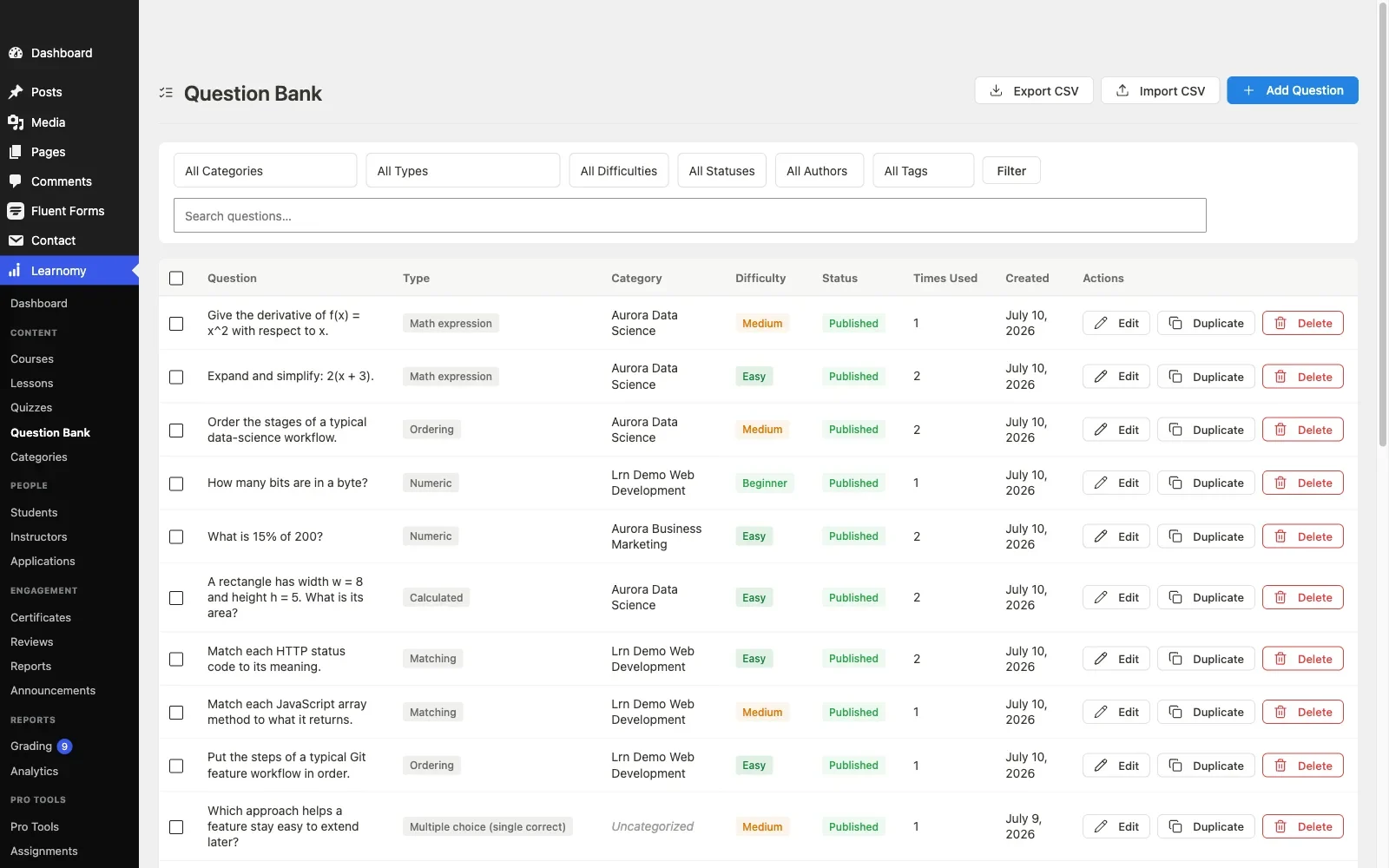
Where Learnomy pulls decisively ahead of MasterStudy is everything after the course is built. Assessment: six quiz types with partial credit, question banks, anti-cheat tab-switch tracking, and an essay-grading inbox, certification-grade machinery MasterStudy simply does not have. Credentials: digitally signed certificates with QR verification against a public verify page, LinkedIn sharing, and a visual designer. Grading: a gradebook that rolls quizzes, assignments, and SCORM packages into one weighted course grade. Curriculum: learning paths with prerequisites for multi-course programs. Commerce: a built-in Stripe and PayPal checkout that works standalone, plus a WooCommerce adapter for stores that already exist, both with no platform fees, what students pay is yours. Around it: memberships with trials and an automatic pricing page, coupons, reviews, announcements, email templates, and instructor revenue sharing with Udemy-style splits, applications, and dashboards. Team and B2B training, company seats, cohorts, drip, is in the same product, along with full-text course search, Course structured data, PWA offline progress, and AI course and quiz generation to get from outline to draft quickly.
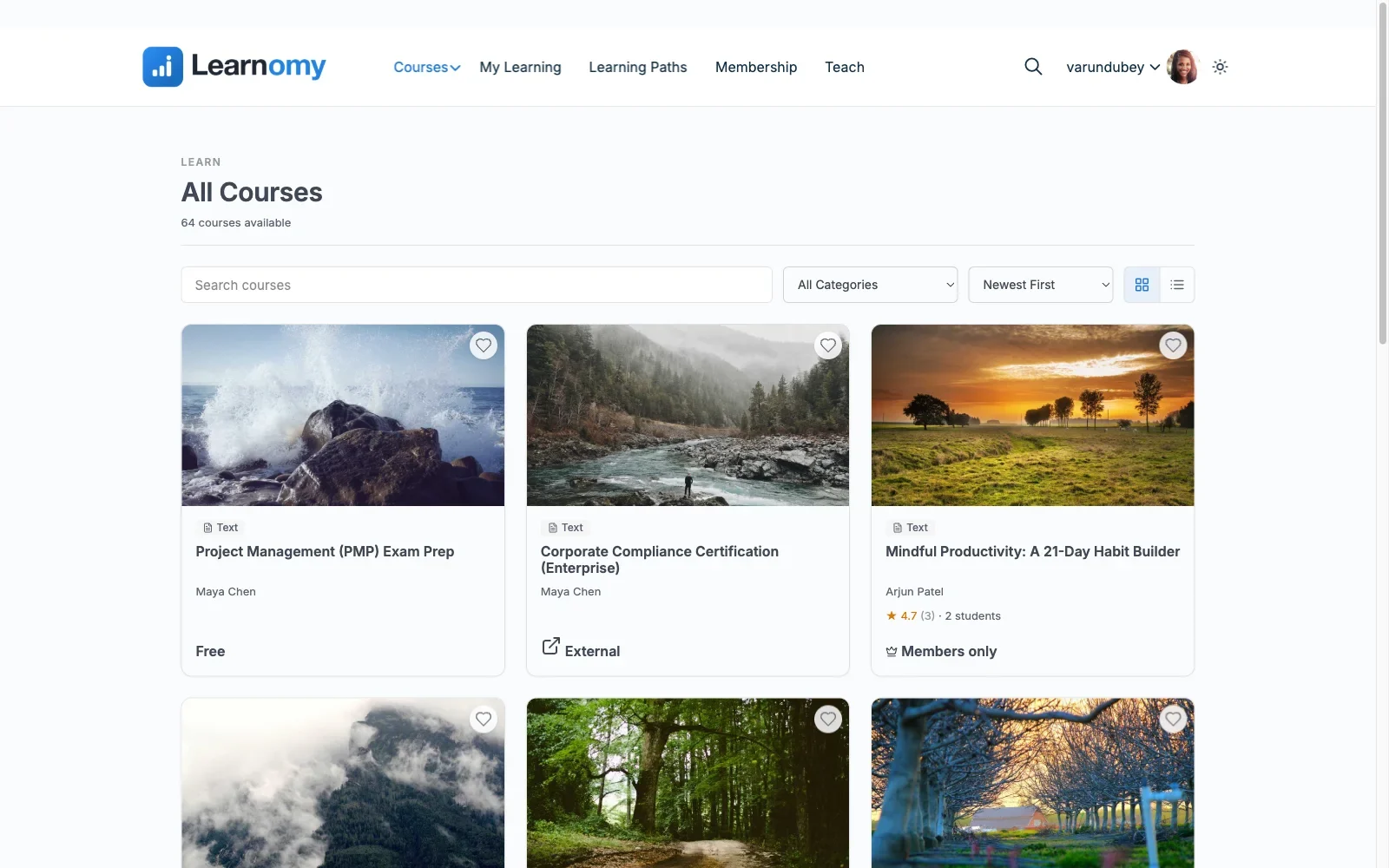
And the softer layer that turns a catalog into a school: a learning community can grow around your courses. Discussion boards and Q&A sit beside every lesson. Gamified learning adds points, badges, and streaks. A job board gives graduates a next step. Course videos are protected from casual downloading, and full branding and design control, dark mode included, keeps the school yours rather than a theme demo.
Straight talk on migration, because this is a developer’s guide: Learnomy’s migration wizard imports LearnDash, Tutor LMS, and LifterLMS sites. MasterStudy is not a supported source, so your catalog moves manually here, exactly as it would to any other destination on this list. The wizard matters anyway: it means the platform you are moving to will not trap the next site you build the way MasterStudy trapped this one, if that site starts on one of the three supported plugins.
Pros: One vendor, one product, whole business layer included; both standalone and WooCommerce selling paths; certification-grade assessment and verifiable credentials; no platform fees.
Cons: No automated MasterStudy import; younger third-party knowledge base than the legacy plugins.
Best for: developers and site owners who hit MasterStudy’s checkout or assessment ceiling and want the replacement to be the last platform decision, not the next one.
2. Tutor LMS: builder-for-builder replacement
If MasterStudy’s appeal was the building experience, Tutor LMS is the like-for-like upgrade: its frontend drag-and-drop builder is the most polished in the category, and unlike MasterStudy’s, its free tier connects to WooCommerce for real selling. The free quiz engine handles multiple question types with auto-grading, and instructor dashboards ship free, useful for multi-teacher client sites.
The paid line falls on the business layer: drip, prerequisites, the certificate builder, and instructor commissions all require the annual tier. Structurally that is one paid tier rather than MasterStudy’s one paid tier, a lateral move on cost shape, but with a far larger ecosystem and, importantly for the long game, a clean exit: Tutor LMS is one of the three sources Learnomy’s migration wizard imports directly.
Pros: Best frontend builder; free tier can actually sell via WooCommerce; big community.
Cons: Business features rent annually; WooCommerce required for real payments.
WooCommerce fit: Established connection; courses list as products.
Best for: sites that chose MasterStudy for the builder and want the same philosophy with a wider ecosystem and a future import path.
3. Sensei LMS: store-first, block-native
Sensei LMS shares MasterStudy’s block-editor DNA, courses and quizzes are Gutenberg blocks, but pairs it with the thing MasterStudy’s free tier lacks: selling through WooCommerce natively, no bridge, no paid unlock, because Automattic builds both products. For a store adding courses as a product line, that combination is the lowest-integration-risk option in the category.
Its ceilings are honest ones: quiz depth and reporting trail the dedicated platforms, multi-instructor support is thin, and the paid tier holds drip, prerequisites, and multi-course paths. It wins on reliability of the store connection, not on feature count.
Pros: Native WooCommerce selling in the free core; block-native like MasterStudy; corporate backing.
Cons: Modest assessment and reporting; not built for instructor marketplaces.
WooCommerce fit: Native, the standard others are measured against, see our WooCommerce LMS integration guide for the mechanics.
Best for: WooCommerce stores that liked MasterStudy’s block approach but need the checkout to be free, native, and boring in the best sense.
4. LearnDash: the institutional workhorse
LearnDash trades MasterStudy’s modern surface for depth: mature quiz banks, group management for corporate seats, SCORM and xAPI for compliance training, and the largest add-on ecosystem in WordPress LMS. It licenses annually from day one, no free tier, and meaningful reporting is an additional add-on, so the structure is license-plus-extras rather than free-plus-tier.
For agencies, the ecosystem is the draw: whatever the client asks for, someone has probably built it, documented it, or debugged it publicly. The cost is configuration surface, LearnDash builds usually justify developer involvement, which readers of this site may count as a feature.
Pros: Deepest conventional feature set; SCORM/groups; enormous ecosystem; solid official WooCommerce integration.
Cons: License plus add-ons structure; no evaluation tier; heaviest setup here.
WooCommerce fit: Official integration, product-to-course mapping with enrollment on completed orders.
Best for: corporate and compliance training where SCORM and group licensing decide the platform. (Also a Learnomy migration-wizard source, if the road eventually leads there.)
5. LifterLMS: engagement and memberships in core
LifterLMS’s free core bundles what MasterStudy charges for or lacks: memberships, certificates, and an engagement engine firing achievements and emails off student behavior. For membership-model education, recurring access to a library rather than one-off sales, it is the strongest conventional starting point.
Depth is sold as a per-area add-on catalog, advanced quizzes, reporting, gateways, each on its own license, so a full build re-creates multi-vendor sprawl along a different seam. Payments run through its gateway add-ons or WooCommerce.
Pros: Memberships, certificates, and automation free in core; flexible payments.
Cons: Add-on catalog structure; dated interface.
WooCommerce fit: Connection available; verify your specific gateway path first.
Best for: membership-first sites, with the same clean-exit note as Tutor LMS: LifterLMS is a supported Learnomy import source.
6. LearnPress: the free-core fallback
If the driver away from MasterStudy is purely that checkout should not require a paid tier, LearnPress offers the most free course core in WordPress: GPL, unlimited courses, quizzes, and progress tracking, with WooCommerce selling via an official add-on. The trade is well documented: certificates, drip, and prerequisites each live in separately priced extensions, and support pace trails the larger vendors, a maze we map fully in the LearnPress entry of our 2026 WordPress LMS guide.
Pros: Truly free core; lightweight; huge install base.
Cons: Per-extension add-on maze; modest assessment depth; slower support.
WooCommerce fit: Official add-on.
Best for: budget-first builds that accept assembling the business layer piecewise.
7. MemberPress Courses: billing-engine route
MemberPress inverts the category: a mature membership and billing engine, access rules, recurring billing, dunning, with courses layered on top. Annual license, no free tier, and its own checkout rather than WooCommerce’s, which means a store running both operates two carts and two customer records. As a MasterStudy replacement it fits only when the real business was memberships all along and courses are a benefit inside them, in which case it fits well. For that model in more depth, see our comparison of LMS options with built-in payments.
Pros: Best conventional billing machinery; courses inherit it.
Cons: Shallow course tooling; parallel checkout beside a store.
WooCommerce fit: Coexistence, not integration.
Best for: gated-membership businesses with courses as one benefit.
Migrating off MasterStudy: what actually moves
No destination in this comparison automates a MasterStudy import, Learnomy’s wizard is the most capable import tooling here and its supported sources are LearnDash, Tutor LMS, and LifterLMS. So plan the same manual project regardless of destination, in three tiers of difficulty:
- Content moves cleanly. Lesson text, video embeds, and media live in WordPress and export with standard tools; curriculum structure is rebuilt at the destination, tedious but mechanical.
- Commerce history stays in WooCommerce. If you sold through the store, orders and customers are untouched by the LMS switch, you re-map products to the new platform’s courses and re-verify the enrollment path.
- Progress records are the hard part. Enrollments, quiz attempts, and issued certificates rarely survive manual moves. Decide policy up front: grandfather completions with a note, re-issue certificates from the new platform, and tell enrolled students what to expect before the cutover, not after.
Schedule the move for your quietest period, freeze course edits during it, and keep the MasterStudy site in read-only archive form until every dispute window has passed.
Structural cost: count vendors and renewal cycles
Skip the price tags, they change annually, and audit what each finished build makes you responsible for. A selling MasterStudy site is core plus paid tier plus WooCommerce: three components, two vendors, renewals on a clock. The conventional alternatives shuffle that shape: Tutor LMS matches it with a better ecosystem; LearnDash swaps the free core for a license and adds add-ons; LifterLMS and LearnPress spread the paid line across catalogs of extensions; MemberPress consolidates billing but duplicates checkout beside a store.
Only two structures on the menu actually shrink the audit. Hosted platforms outsource everything, for a monthly subscription forever, a cut of every sale, and a school that lives on someone else’s infrastructure. And the complete-platform model, Learnomy’s, puts the whole business layer inside one product you own, with no platform fees on what students pay. For a developer maintaining client sites, that difference compounds: every vendor removed from a build is a class of 2am incident that can no longer happen.
Common mistakes in this switch
- Evaluating free tiers instead of finished builds. MasterStudy taught this lesson once: the free tier demos beautifully and cannot sell. Compare the fully-assembled version of each candidate, checkout included.
- Assuming an importer will appear. Nothing imports MasterStudy today. Budget the manual move now or accept deeper lock-in every enrollment season.
- Losing the block-editor workflow blindly. If your team’s efficiency lives in Gutenberg, weight Sensei and Learnomy’s builder ergonomics accordingly rather than defaulting to the biggest name.
- Skipping the refund rehearsal. Buy, refund, and confirm access revokes on the candidate platform before the catalog moves. It is the single most revealing integration test.
- Ignoring credential quality. Moving platforms without upgrading from decorative PDFs to verifiable certificates wastes the one moment students will tolerate change.
- Rebuilding sprawl. If vendor count drove the switch, count the destination build’s components before signing off. Some “alternatives” are the same architecture in new packaging.
FAQ
What is the best MasterStudy LMS alternative?
Structurally, Learnomy: a complete learning platform for WordPress with checkout, verifiable certificates, memberships, and instructor payouts in one product and no platform fees. Builder-for-builder, Tutor LMS. For a WooCommerce store wanting native selling with block-editor building, Sensei LMS.
Can I migrate from MasterStudy automatically?
No. No major platform ships a MasterStudy importer; Learnomy’s migration wizard supports LearnDash, Tutor LMS, and LifterLMS sources. Plan a manual move: content exports cleanly, curriculum rebuilds mechanically, and student progress requires a deliberate policy.
Does MasterStudy’s free version work with WooCommerce?
Not natively, full checkout support, including the WooCommerce path, sits in its paid tier. A store intending to sell courses should evaluate MasterStudy as a paid product from day one.
Which alternative sells without WooCommerce at all?
Learnomy ships its own Stripe and PayPal checkout and runs standalone, with a WooCommerce adapter available when a store exists. MemberPress also runs its own checkout, as a membership engine. Everything else on this list effectively assumes WooCommerce for real selling.
Is the block-editor building experience available elsewhere?
Sensei LMS is fully block-native. Learnomy pairs a drag-and-drop builder with a frontend four-step course builder for instructors, a different approach to the same goal: building without wp-admin friction.
What should a developer test before committing a client to any of these?
Refund-to-access behavior through the real checkout, certificate verifiability, what the import actually carries, and the total component count of the finished build. An hour of testing beats a quarter of regret.
Verdict
MasterStudy is a good builder wrapped in a limiting deal: checkout behind the paid tier, assessment below certification grade, a small ecosystem, and no exit tooling anywhere in the category. Since leaving costs the same manual effort whatever you choose, choose for the destination. Tutor LMS for the builder experience with a bigger world around it. Sensei LMS for native, free WooCommerce selling on a block-native foundation. LearnDash for institutional depth. LifterLMS for membership models. And Learnomy for the structural upgrade the others cannot offer: a complete learning platform for WordPress, the school you own, with certification-grade assessment, QR-verifiable certificates, built-in checkout plus a WooCommerce adapter, memberships, and instructor payouts in one product, no platform fees, and no add-on shopping list waiting after the migration.
One migration, then done.
Learnomy puts courses, anti-cheat quizzes, verifiable certificates, checkout, memberships, and instructor payouts in one complete platform you own, with no platform fees on what your students pay.
Plugins we build and run
We maintain these ourselves, which is why we can support them on your site.
- BuddyNextThe self-hosted community engine for WordPress
- BuddyXFree community theme, Pro when you outgrow it
- ReignPremium community theme. Add pieces, build anything
- JetonomyCommunity forum and Q&A for WordPress
- EventonomyEvents and RSVPs for WordPress communities
- LearnomyCourses and learning communities on WordPress
- ListoraDirectories and listings your members can browse
- SnipShareCode sharing built for developer communities
- WB Ad ManagerAd placements that turn traffic into revenue
- WP Career BoardA job board your community actually uses
- WP Sell ServicesSell services with offers, orders, and payouts
- MediaVersePhotos, video, and media albums for members
- WB GamificationPoints, badges, and rewards that keep members active
- Product RoadmapPublic roadmaps with voting your users trust