Best WordPress LMS Plugins for Online Courses: 2026 Guide


Updated September 2026.
The online learning market keeps growing in 2026, and more creators, educators, and businesses are turning to WordPress to build and sell online courses instead of renting space on a hosted platform. With the right course plugin, your WordPress site becomes a complete online school: course creation, quizzes, certificates, student management, and a way to get paid, all running on a domain you control.
This guide compares the WordPress plugins worth considering for creating and selling online courses in 2026, including what each one is best at, where it falls short, how it fits into a WooCommerce store, and which one now leads the list. A quick note before the comparisons: licensing and version details for third-party plugins were checked as of this update, but always confirm current terms on the vendor page before you buy, since add-on bundles and license tiers shift more often than course content does.
In This Guide
- Quick Comparison: Best WordPress LMS Plugins 2026
- What to Look for in a WordPress LMS Plugin
- Best WordPress LMS Plugins for Creating and Selling Online Courses
- Feature Comparison Table
- Why a Complete Platform Beats an LMS Plus Six Add-Ons
- Choosing the Right Plugin by Business Type
- Migration Considerations for Developers
- Performance Considerations at Scale
- Support and Documentation
- How Long It Takes to Launch With Each Option
- Common Mistakes When Evaluating a WordPress LMS Plugin
- Frequently Asked Questions
- Which Platform Should You Choose?
Key Takeaways
- Learnomy is the only entry on this list that is a complete learning platform rather than a course plugin: selling, certificates, memberships, and instructor payouts are built into one product instead of assembled from add-ons.
- Tutor LMS and LearnDash remain the most mature plugins for raw feature depth and third-party support; LifterLMS is the strongest pick when courses and memberships need to ship together from day one.
- The real cost of an LMS plugin shows up after year one, in migration effort, how student records scale, and whether instructor payouts need custom development, not in the sticker price.
- If you are evaluating for a multi-instructor school or planning a switch away from LearnDash, Tutor LMS, or LifterLMS, check the migration and business-type sections before you commit to a plugin.
Quick Comparison: Best WordPress LMS Plugins 2026
LMS Plugin | Best For | The Deal | Free Version | WooCommerce |
|---|---|---|---|---|
Learnomy | Complete online school with built-in selling | No platform fees | Complete platform | Built-in checkout + adapter |
Tutor LMS | All-in-one solution | Annual license renewal | Yes | Yes |
LearnDash | Advanced features | Annual license renewal | No | Yes |
LifterLMS | Memberships + Courses | Free core, annual add-ons for depth | Yes | Yes |
Sensei LMS | WooCommerce users | Free core, WooCommerce dependency | Yes | Native |
LearnPress | Budget-friendly | Free core, GPL, paid add-ons for depth | Yes | Yes |
What to Look for in a WordPress LMS Plugin
- Course Builder: A drag-and-drop interface for creating lessons and modules, so you are not hand-coding a page template for every new unit.
- Payment Integration: A built-in checkout or a WooCommerce integration for collecting payment, plus clarity on what cut of each sale the plugin vendor keeps.
- Quiz & Assessment Tools: Multiple question types, partial-credit grading, and some defense against a student opening a second tab to look up answers mid-quiz.
- Student Management: Progress tracking and enrollment management that still works once you pass your first fifty students, not just a spreadsheet with extra steps.
- Content Dripping: The ability to schedule content release over time, for cohort launches or self-paced pacing.
- Membership Support: Recurring subscriptions and membership levels, ideally without needing a second plugin to run them.
Best WordPress LMS Plugins for Creating and Selling Online Courses
The first entry on this list is not really an “LMS plugin” in the traditional sense. It is a complete learning platform that happens to install like one, and it changes the calculation for everything that follows.
1. Learnomy
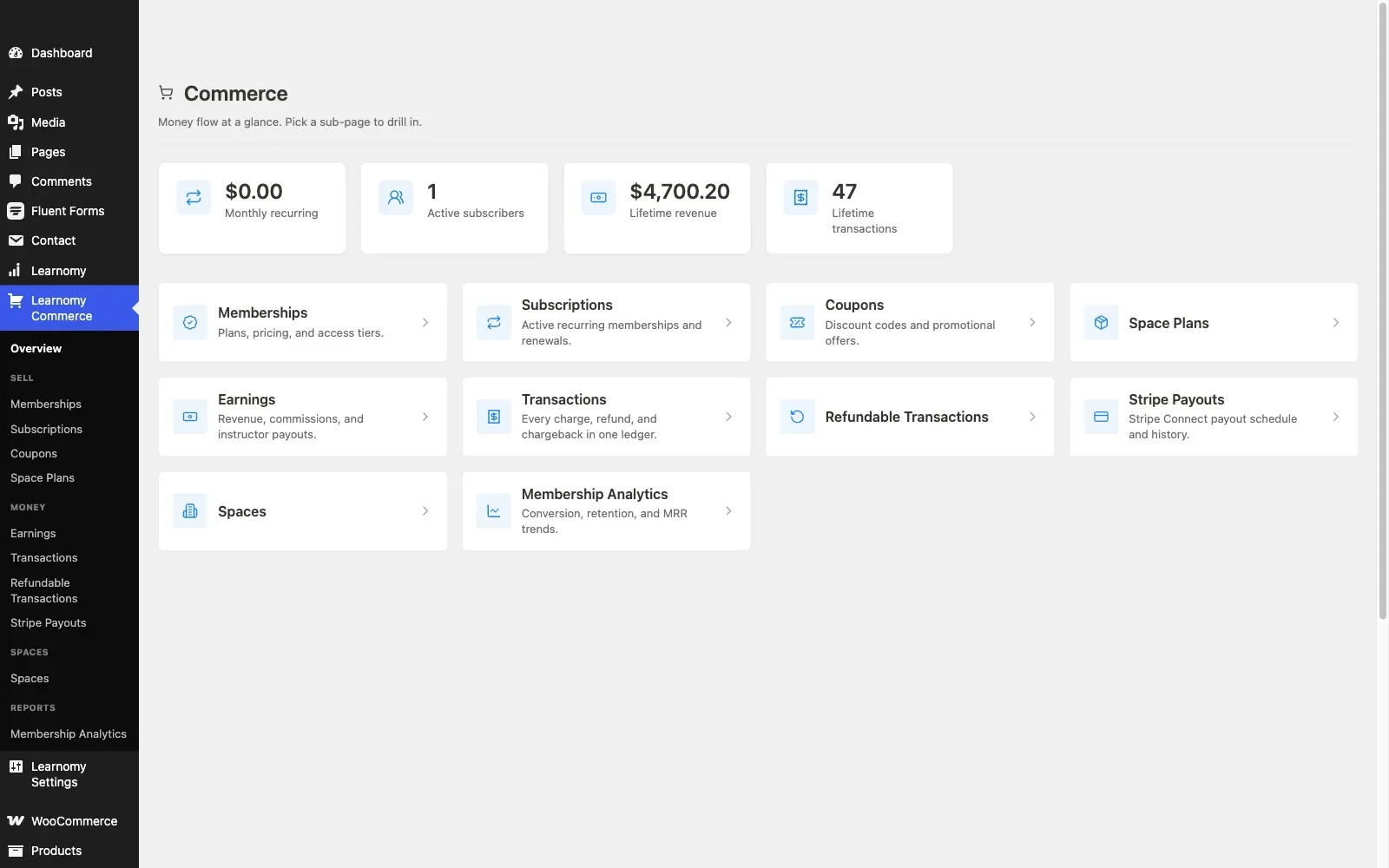
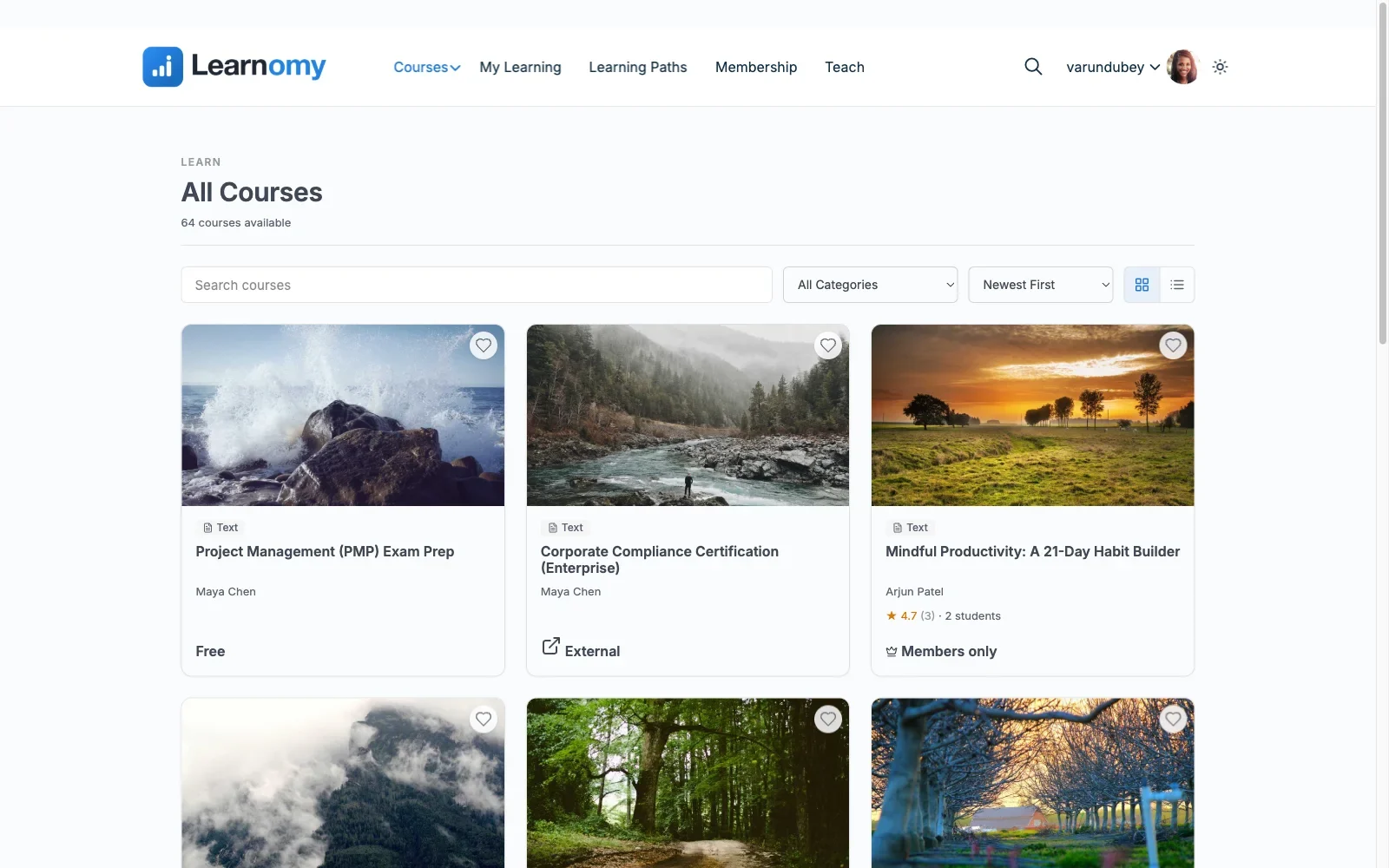
Learnomy is a complete learning platform for WordPress, the online school you own rather than a plugin that only adds a course archive to your site. It brings together the pieces you would otherwise buy from separate vendors: course creation, anti-cheat quizzes, verifiable certificates, checkout, memberships, and instructor payouts, all in one product from one team. There are no platform fees on what a student pays, what students pay is yours, which puts the annual license renewals further down this list in an unusual light.
Key Features:
- Unlimited courses with video, audio, PDF, and reading lessons, built with a drag-and-drop course builder
- Six quiz types with partial credit, question banks, an essay-grading inbox, and anti-cheat tab-switch tracking during timed quizzes
- Digitally signed certificates with a QR-verifiable public verify page, LinkedIn sharing, and a visual certificate designer
- Direct Stripe and PayPal checkout built in, with a WooCommerce adapter for stores that already run on WooCommerce, and no platform fees on what students pay
- Memberships with trials and an automatic pricing page
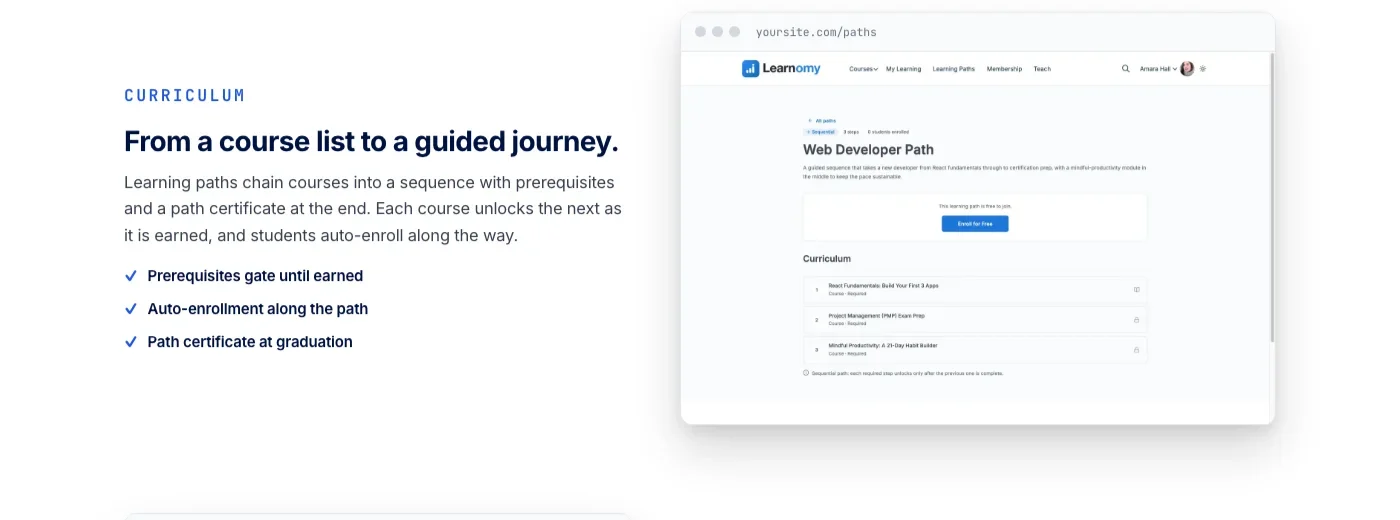
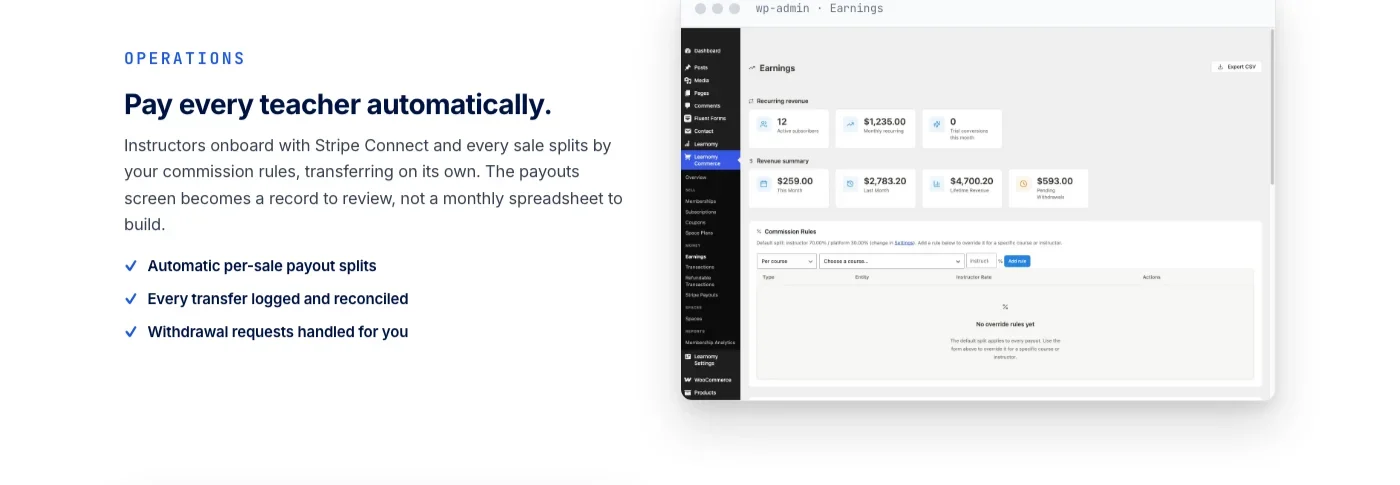
- Udemy-style instructor revenue sharing, instructor applications, and instructor dashboards for schools that grow past one teacher
- A migration wizard for schools moving over from LearnDash, Tutor LMS, or LifterLMS
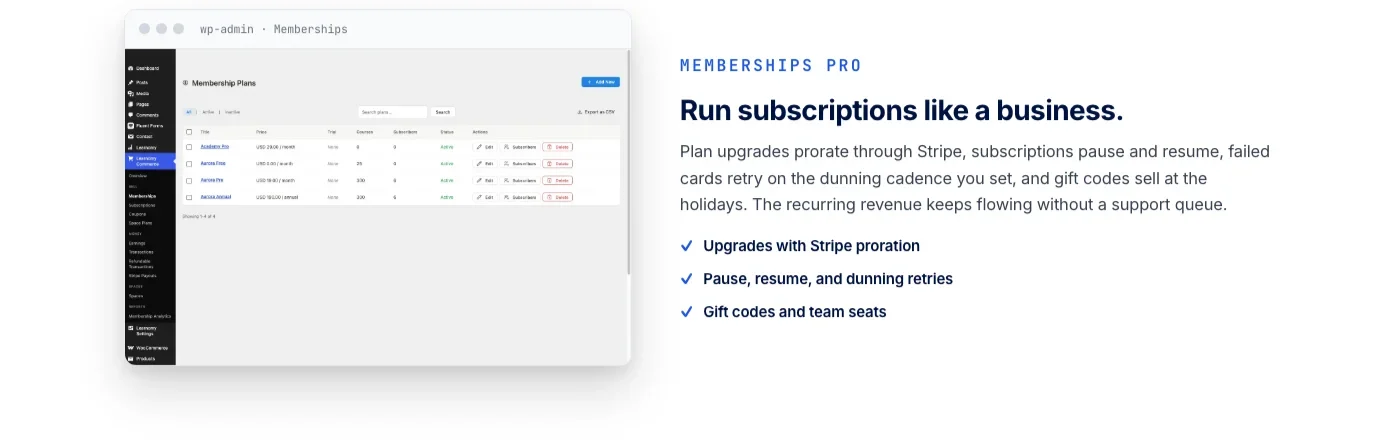
Learnomy does not stop at courses. The same platform grows into a learning community around your school, course discussion boards and Q&A, gamified learning with points and badges, a job board for graduates, protection for your course videos, and full branding and design control down to the colors and typography. All of it comes from the same team, so a growing school is one relationship to manage instead of six.
Pros: A full teaching-to-selling path in one platform, no platform fees on sales, a migration path from the three most common WordPress LMS plugins, and room to grow into a community rather than staying a bare course catalog.
Cons: Newer to the WordPress LMS space than LearnDash or Tutor LMS, so instructor case studies and third-party tutorials are still catching up to the feature set.
Ownership: No platform fees. What a student pays you is yours, and the school keeps running even if you eventually stop paying for support and updates.
WooCommerce fit: Learnomy does not require WooCommerce to sell a single course. Its own checkout runs directly through Stripe and PayPal, and the WooCommerce adapter is there for stores that already run WooCommerce and want courses to show up as products in the same cart as everything else.
2. Tutor LMS
Tutor LMS by Themeum is one of the most feature-rich and user-friendly LMS plugins available for WordPress. It offers a complete solution for creating, managing, and selling online courses with an intuitive frontend course builder.
Key Features:
- Drag-and-drop course builder with frontend editing
- Advanced quiz system with 10+ question types
- Built-in video conferencing (Zoom, Google Meet)
- Assignments, certificates, and gradebook
- Multiple payment gateways and WooCommerce integration
- Course marketplace with instructor commissions
- Mobile app available
Pros: Excellent free version, beautiful interface, strong multi-instructor support
Cons: Some advanced features require Pro, can be resource-intensive
Licensing: Free core; the Pro tier runs on an annual license renewal
WooCommerce fit: Tutor LMS connects to WooCommerce as a payment option, letting you sell courses as regular WooCommerce products alongside anything else in your store, with coupons and cart rules working the same way they do for physical products.
3. LearnDash
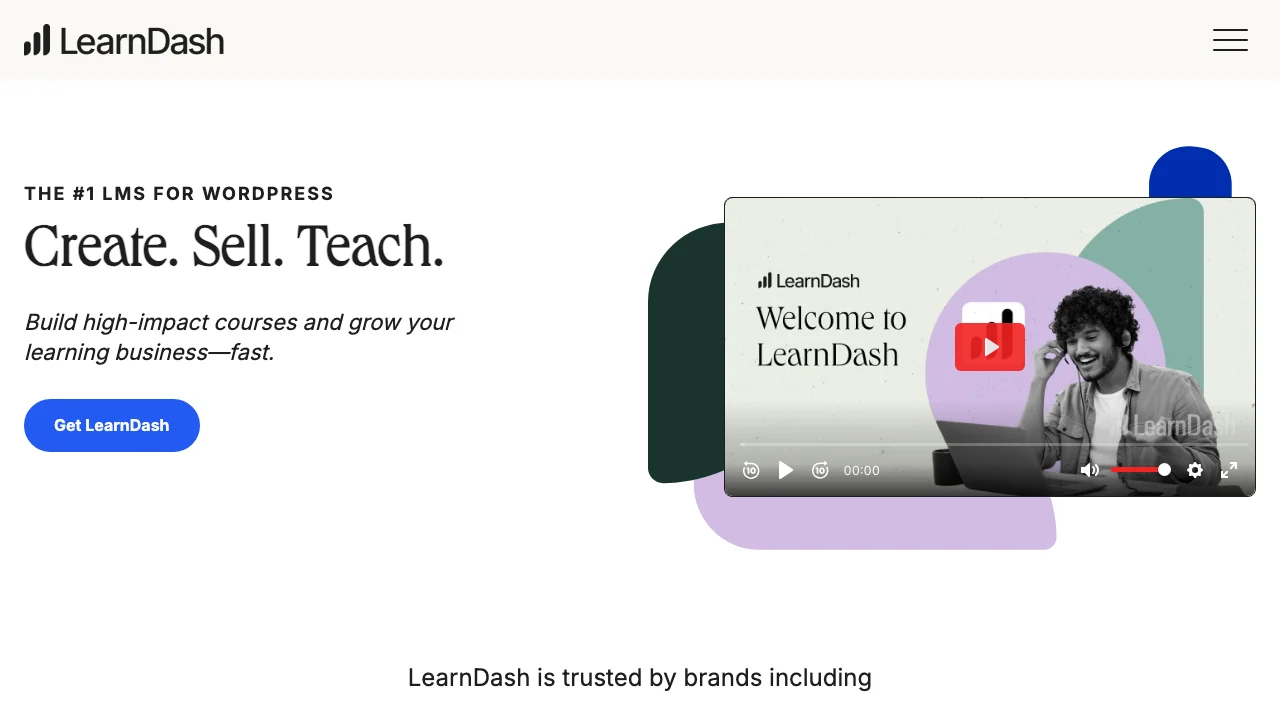
LearnDash is the industry-leading WordPress LMS used by Fortune 500 companies and major universities. Now part of StellarWP, it offers enterprise-grade features with WordPress flexibility.
Key Features:
- Advanced course builder with focus mode
- Sophisticated quiz engine with question banks
- Groups and group leader management
- Detailed reporting and analytics
- SCORM and xAPI support
- Integration with Zapier, bbPress, BuddyBoss
Pros: Most feature-rich, excellent for corporate training, proven at scale
Cons: No free version, Groups and reporting configuration takes real setup time, add-on stack raises the total license count
Licensing: No free tier; an annual license renewal from day one
WooCommerce fit: LearnDash’s official WooCommerce integration links a WooCommerce product to a course or bundle and enrolls the buyer automatically when the order completes. If you are setting this up, our guide on building a WooCommerce online course platform with LMS integration walks through the enrollment hooks, refund handling, and group licensing in detail.
4. LifterLMS
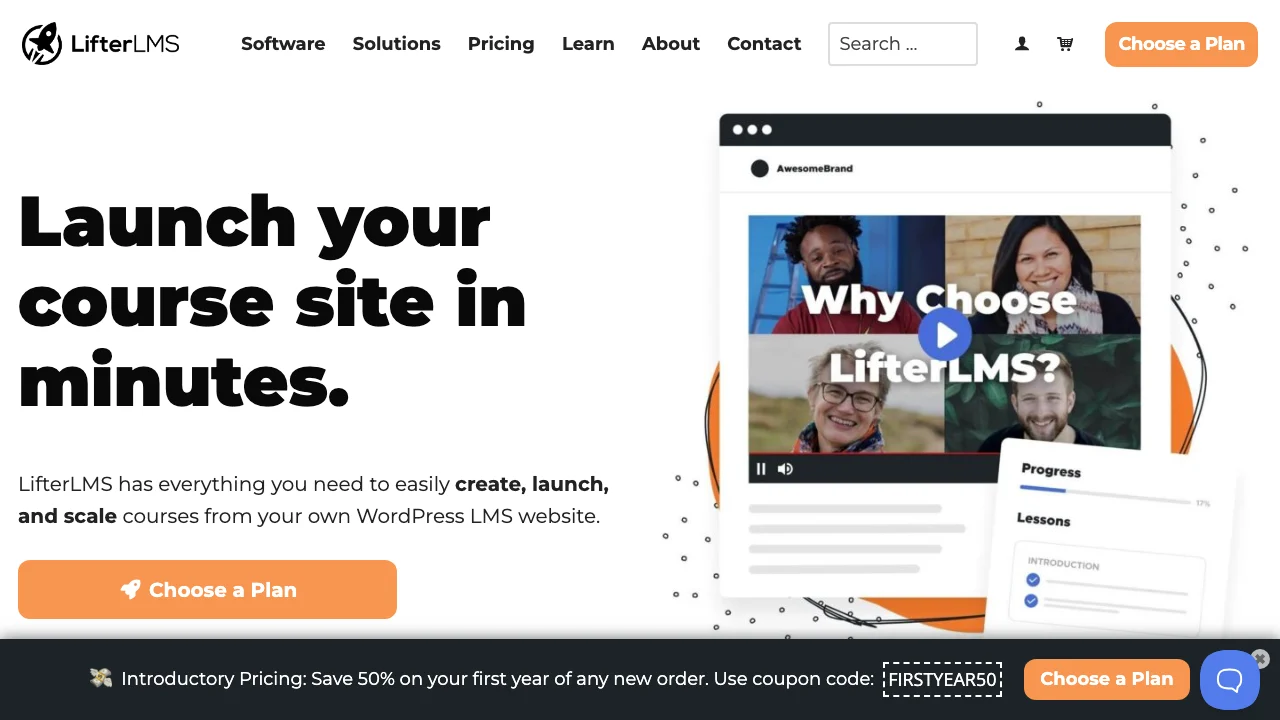
LifterLMS is a powerful LMS that excels at combining courses with memberships. Popular among coaches and consultants building learning communities.
Key Features:
- Visual course builder with multimedia support
- Built-in membership functionality
- Engagement triggers and automation
- One-time payments, subscriptions, payment plans
- Private coaching and group areas
- Gamification with badges and achievements
Pros: Excellent membership + course combo, strong free core, great for community learning
Cons: Add-ons can add up, interface less modern
Licensing: Free core; the Universe Bundle adds the full add-on catalog under one annual renewal
WooCommerce fit: LifterLMS can run on its own built-in checkout or connect to WooCommerce for stores that want courses sitting in the same cart as other products, with membership access tied to either payment path.
5. Sensei LMS
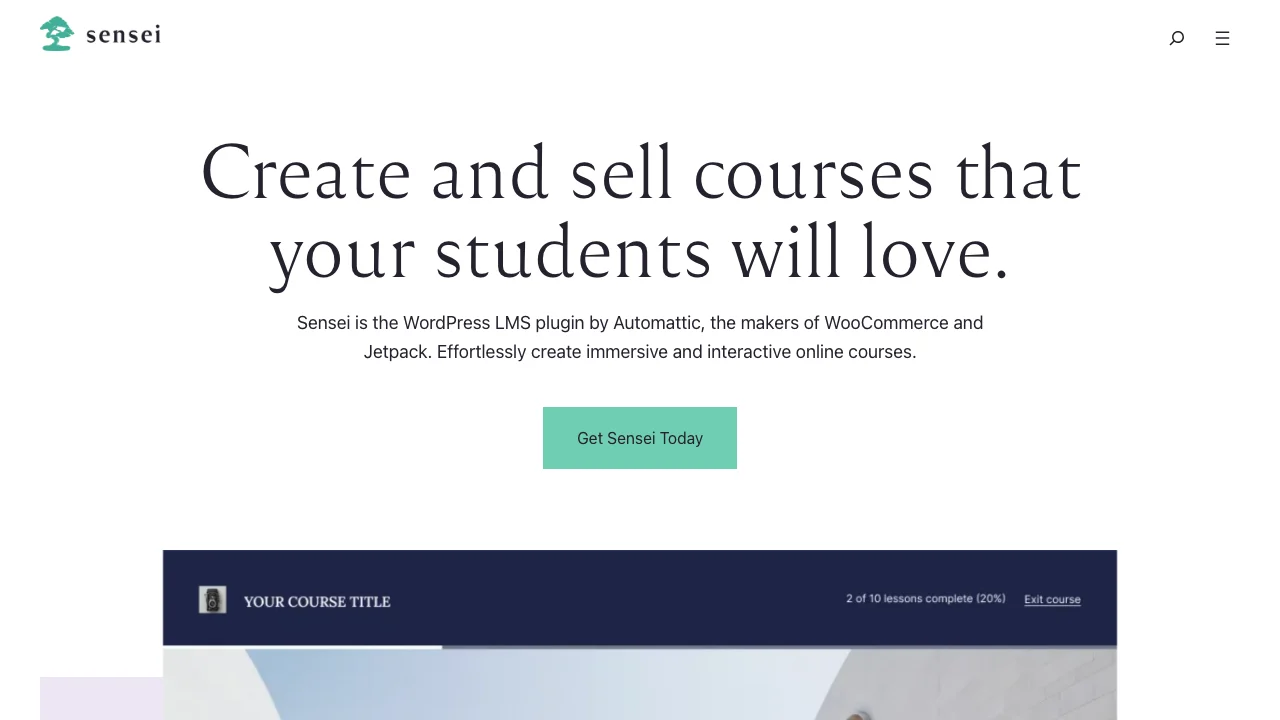
Sensei LMS is developed by Automattic (WordPress.com and WooCommerce). This means native, seamless integration with WooCommerce for selling courses.
Key Features:
- Block-based course editor (Gutenberg native)
- Native WooCommerce integration
- Learning mode for distraction-free learning
- Student progress tracking
- Course prerequisites and drip content
- Interactive blocks (flashcards, hotspots)
Pros: Built by Automattic, seamless WooCommerce, reliable long-term support
Cons: Fewer features than competitors, limited third-party integrations
Licensing: Free core; the Pro tier runs on an annual license renewal
WooCommerce fit: Sensei’s WooCommerce integration is native rather than bolted on, since both come from Automattic, so a course product behaves like any other WooCommerce product without a separate add-on to install or maintain.
6. LearnPress
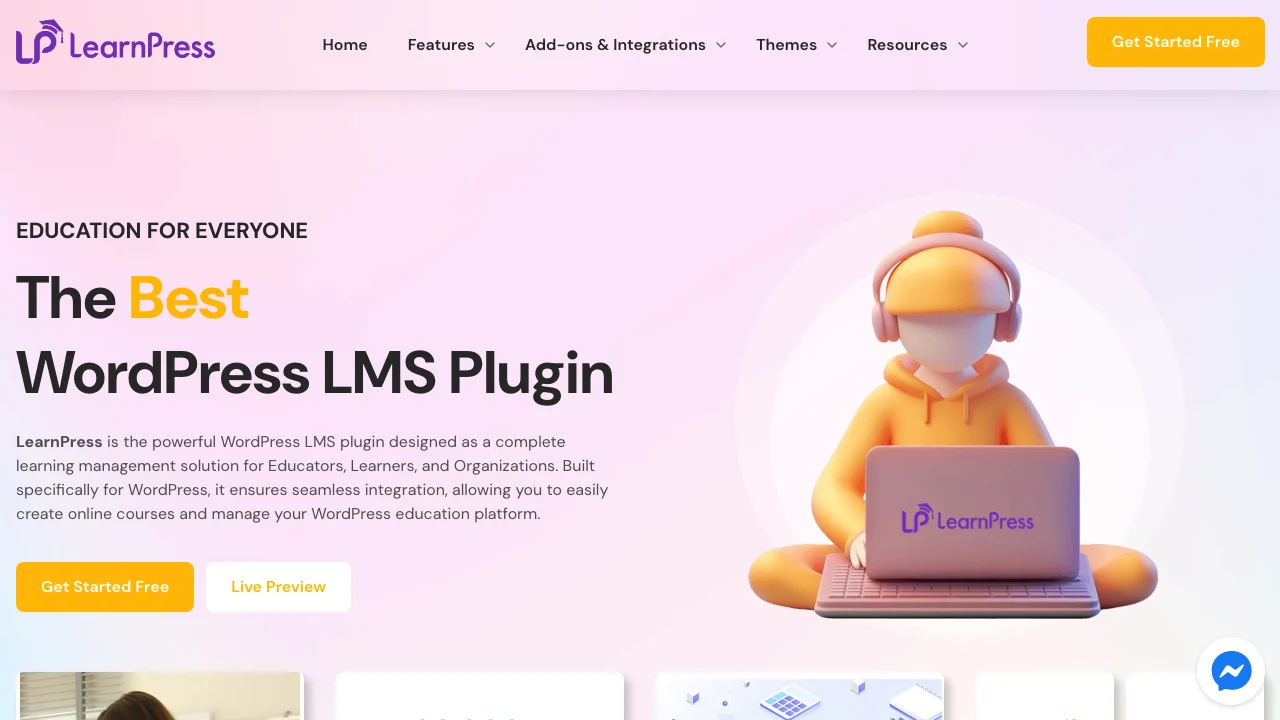
LearnPress by ThimPress remains one of the most widely used free LMS plugins on WordPress.
Key Features:
- Comprehensive free core plugin
- Drag-and-drop curriculum builder
- Multiple quiz types and gradebook
- Course reviews and ratings
- WooCommerce and PayPal integration
- Certificates and badges (premium)
Pros: Most generous free version, affordable add-ons, lightweight
Cons: Premium add-ons needed for advanced features, slower support
Licensing: Free core, GPL; the Pro Bundle adds paid extensions under an annual renewal
WooCommerce fit: LearnPress connects to WooCommerce through an official add-on that turns a course into a purchasable WooCommerce product, though its core plugin can also take PayPal payments directly for stores that do not need a full cart.
Feature Comparison Table
Feature | Learnomy | Tutor LMS | LearnDash | LifterLMS | Sensei LMS | LearnPress |
|---|---|---|---|---|---|---|
Free Version | Complete platform | Yes | No | Yes | Yes | Yes |
Quiz Types | 6 + anti-cheat | 10+ | 8+ | 6+ | 5+ | 5+ |
Certificates | Yes, QR-verified | Yes | Yes | Yes | Pro | Add-on |
WooCommerce | Adapter included | Yes | Yes | Yes | Native | Yes |
Memberships | Built-in, with trials | Add-on | Add-on | Built-in | Add-on | Add-on |
Mobile App | PWA (installable) | Yes | No | No | No | No |
Why a Complete Platform Beats an LMS Plus Six Add-Ons
Before comparing WordPress plugins, it is worth asking why you are building on WordPress at all instead of using a hosted platform like Teachable, Thinkific, Kajabi, or Podia. The answer is usually ownership. Hosted platforms charge a monthly subscription and then take a cut of every sale on top of it.
Your checkout is their checkout. Your student records live in their database, not yours. Cancel the subscription and the school disappears with it: the content, the students, the reviews, all of it.
The traditional WordPress answer to this problem creates a different one. You install an LMS plugin, then add a membership plugin for recurring billing, a certificates add-on because the LMS does not include one, a payments bridge to connect the LMS to WooCommerce, and a community or gamification plugin to keep students coming back.
Each of those has its own vendor, its own license, its own update schedule, and its own way of breaking when one of the others updates first. Owning your school this way means also owning the job of keeping six plugins working together.
Learnomy is built to close both gaps at once: the completeness people go to a hosted platform for, and the ownership WordPress is supposed to give you in the first place. The table below lines up the three approaches.
Hosted platforms | Legacy WordPress LMS stack | Learnomy | |
|---|---|---|---|
The deal | Monthly fee plus a cut of every sale, forever | Separate licenses for each add-on | One platform, no platform fees on sales |
Your student data | Lives in their database | Yours, but scattered across plugins | Yours, in one schema |
Certificates, memberships, checkout | Bundled, on their terms | Bought separately, wired together | Included in the core platform |
If you stop paying for updates | The school is gone | The stack keeps rotting | Your school keeps running |
None of this means the other plugins on this list are bad choices. LearnDash, Tutor LMS, and LifterLMS are mature, proven products with large communities behind them, which is exactly why Learnomy ships a migration wizard for all three. It means that if you are starting from zero, or you are tired of maintaining an add-on stack, the calculation looks different than it did a few years ago.
Choosing the Right Plugin by Business Type
Comparison tables help, but the honest answer to “which one should I use” usually depends on what kind of course business you are running. Here is how the six plugins on this list tend to sort by use case.
- Solo creator or coach selling a handful of courses: Learnomy or LearnPress are the lowest-friction starting points, since neither requires a separate cart plugin to take a first payment.
- Full online school with multiple instructors: Learnomy’s instructor revenue sharing and instructor dashboards, or Tutor LMS’s course marketplace with commissions, both support a multi-teacher model without custom development.
- Store that already sells physical or digital products on WooCommerce: LearnDash and Tutor LMS have the most established WooCommerce integration patterns, or you can add Learnomy’s WooCommerce adapter so courses live in the same catalog and cart.
- Corporate training or employee onboarding: LearnDash’s Groups feature is the most battle-tested option for group licensing and reporting up to an HR team; Learnomy covers the same ground with built-in memberships and revenue tools for schools selling seats rather than individual seats.
- Membership education site, courses plus a community: LifterLMS pairs courses with membership out of the box, and Learnomy’s platform grows into a learning community and discussion boards around the same courses rather than treating community as a separate product.
- Migrating off LearnDash, Tutor LMS, or LifterLMS entirely: Learnomy’s migration wizard is built specifically for these three, which is worth checking before you assume a switch means starting your catalog from scratch.
Migration Considerations for Developers
If you are the one running the migration, not just choosing the plugin, a few things determine whether the switch goes smoothly. Course content itself, the lessons, videos, and PDFs, is usually the easy part.
The harder parts are the records tied to individual students: enrollment history, quiz attempts and scores, completion dates, and certificate issue dates. A migration tool that only copies course structure and leaves student progress behind creates a support ticket queue that lasts for weeks after the switch.
If a course was sold through WooCommerce, the order history and product-to-course mapping need to carry over too, or you end up with a WooCommerce order history that no longer matches what the LMS thinks a customer has access to. This is the piece that is easy to overlook when comparing plugins purely on course-builder features: a migration wizard that only imports content, not enrollments and order links, still leaves you doing manual cleanup for every existing student.
Learnomy’s migration wizard is scoped to exactly three source platforms, LearnDash, Tutor LMS, and LifterLMS, rather than claiming to support everything. If your current LMS is not one of those three, plan on a manual export and rebuild, and budget time for reconciling student progress records by hand. The same caution applies in the other direction: none of the other plugins on this list ship a migration path into Learnomy, so a switch that direction also means manual data work today. Our breakdown of what actually gets lost when a school switches learning platforms covers what to check before you commit to either direction.
Performance Considerations at Scale
Course plugins tend to look identical on a demo site with three courses and one test student. The differences show up once a course platform has real traffic: a launch email goes out, or a corporate client rolls out training to a few hundred employees at once. A few things are worth checking before you commit to a plugin at that scale.
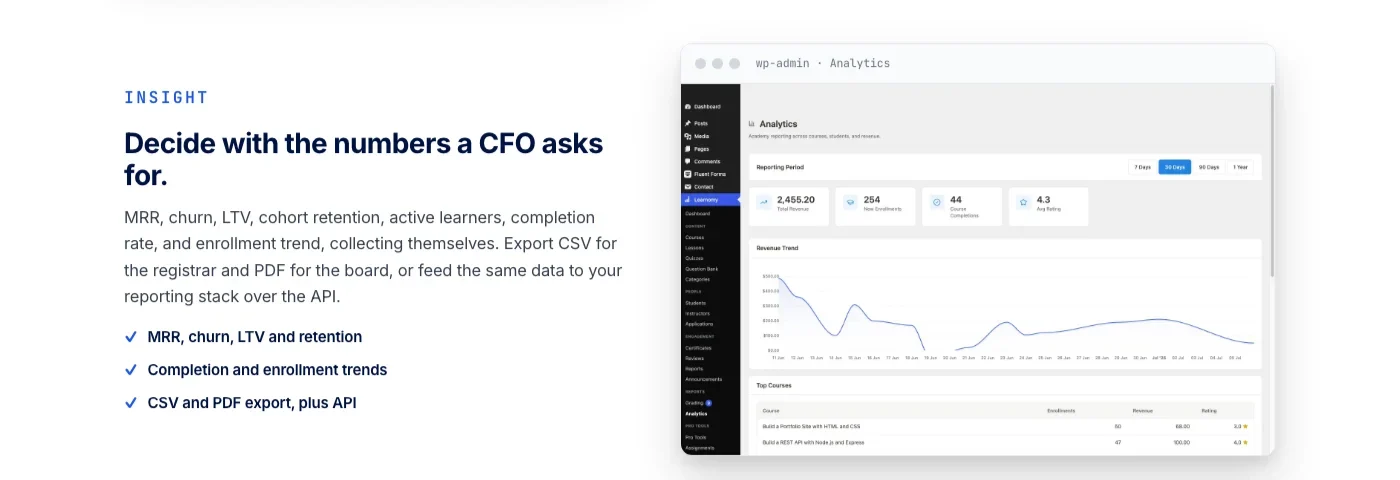
- How progress data is stored. Plugins that store quiz attempts and lesson completion in WordPress user meta as serialized arrays get slow to query in bulk once you have thousands of students, which matters if you plan to build reporting dashboards later.
- How many queries a lesson page runs. Access checks, progress lookups, and drip-schedule calculations can add up to a dozen or more database queries per lesson view if the plugin does not cache them, which matters more on shared hosting than on a dedicated server.
- Whether the public course catalog can be cached separately from the logged-in lesson pages. The marketing pages for your courses see far more traffic than the lesson pages themselves and should be cacheable through a CDN or page cache, while lesson pages, being personalized per student, usually cannot be.
Search matters too if your course catalog grows past a couple dozen titles. Full-text search across course and lesson content, rather than WordPress’s default title-only search, is the difference between a student finding the right lesson in seconds and giving up on the search box entirely. Learnomy and several of the plugins above include full-text course search in the free tier for exactly this reason.
Support and Documentation
A plugin’s support quality tends to matter most in the first month, when you are debugging a checkout flow at 11pm before a launch email goes out the next morning. LearnDash and Tutor LMS both have large third-party communities, meaning a Google search on an error message usually turns up a forum thread even outside official support hours.
LifterLMS and Sensei LMS both publish detailed developer documentation, useful if you plan to customize hooks and filters rather than relying entirely on the plugin’s default behavior. LearnPress, being the most budget-focused option, leans more heavily on its own support tickets than a large independent community, so response time is worth checking before you commit if you expect to need hands-on help.
Learnomy’s documentation and community are newer, in line with being newer to the WordPress LMS space overall, though its migration wizard and setup flow are built to need less outside troubleshooting for the core buy-a-course flow in the first place.
How Long It Takes to Launch With Each Option
Feature comparisons rarely mention the thing most course creators actually want to know: how many weekends does this take before the first student can pay you? The honest answer varies more by how many separate plugins you need to wire together than by which specific LMS you pick.
- Learnomy: Course creation, checkout, and memberships live in one plugin, so a first course with a working payment flow is realistic in a single working session, without waiting on a WooCommerce setup or a certificates add-on license.
- Sensei LMS: If you already run a WooCommerce store, Sensei is close behind, since the WooCommerce checkout is already configured and Sensei just needs a course product created.
- Tutor LMS and LearnPress: Both are quick to install and start building in, but a real launch usually means also configuring a payment gateway or WooCommerce, plus deciding whether the free tier covers certificates and drip content or whether that requires an add-on purchase first.
- LifterLMS: Similarly fast to start a course, with membership levels configurable from day one, though the more advanced engagement triggers and payment plans take longer to set up correctly.
- LearnDash: The most setup-intensive of the group. Groups, the WooCommerce integration add-on, and the reporting tools are all worth the time for a corporate training deployment, but that time investment is real, and most LearnDash builds benefit from developer help to configure Groups and enrollment logic correctly the first time.
Common Mistakes When Evaluating a WordPress LMS Plugin
Most course creators compare LMS plugins by feature checklist, then run into the same handful of problems within the first few months that a checklist does not surface.
- Confusing “has a free version” with “affordable at launch.” LearnPress and Tutor LMS both have generous free tiers, but the features you actually need for a paid course, drip content, certificates, memberships, tend to sit behind an add-on bundle once you scale past a handful of students. Check the add-on licensing before assuming the free tier covers a real launch.
- Picking based on the course builder, not the business layer. Every plugin on this list has a reasonable drag-and-drop course builder in 2026. The bigger differentiator is what happens after a student clicks buy: how memberships renew, how refunds interact with course access, and whether instructor payouts require a separate add-on.
- Underestimating what a migration actually costs. Switching LMS plugins after a year of enrollments is not a content export. It is a data reconciliation project involving student progress, certificates already issued, and active subscriptions. Check for a dedicated migration tool for your specific source plugin before assuming a switch is simple.
- Assuming quiz security only matters for large institutions. Any course that issues a certificate a student can put on a resume or LinkedIn profile benefits from tab-switch tracking and server-validated timers, not just university-scale compliance training.
- Treating community and retention as a “later” problem. Course completion rates on self-paced content are notoriously low across the industry. Plugins that build in some form of engagement, whether that is LifterLMS’s triggers, Tutor LMS’s community features, or Learnomy’s discussion boards and gamified progress, give a course a better shot at students actually finishing it, not just buying it.
Frequently Asked Questions
Do I need WooCommerce to sell courses on WordPress?
No. Sensei LMS and Learnomy both include their own checkout (WooCommerce native for Sensei, direct Stripe and PayPal for Learnomy), so you can start selling without installing a shopping cart plugin. Tutor LMS, LearnDash, LifterLMS, and LearnPress all support WooCommerce, and LearnDash in particular is a common choice for stores that already sell physical products and want courses in the same cart.
Can I move from LearnDash or Tutor LMS to another LMS without losing my content?
It depends on the destination. Learnomy ships a migration wizard specifically for LearnDash, Tutor LMS, and LifterLMS, built to carry over courses, lessons, and enrollments instead of asking you to rebuild your catalog by hand. Moving between the other plugins on this list usually means exporting and re-importing content manually, so check for a dedicated migration tool before you commit to a switch.
Does anti-cheat tracking matter for a self-paced course?
It matters most for certification and compliance courses, where the quiz result has to mean something to an employer or a licensing body. Tab-switch tracking during timed quizzes and an essay-grading inbox for anything that cannot be auto-graded are the features to look for if your certificate needs to hold up to scrutiny. If you are still deciding whether your course needs this level of proctoring, our piece on the difference between a real exam and a quiz students can easily cheat on lays out when the extra security is worth building in. For a casual hobby course, this matters far less.
What happens to my students if I stop paying for LMS plugin updates?
The course content stays on your site either way, since it lives in your own WordPress database. What you lose is security patches, new features, and support. The bigger risk sits with hosted platforms like Teachable or Kajabi: stop paying the subscription there and the school itself goes offline, not just the updates.
Can more than one instructor sell courses on the same WordPress site?
Yes, on several of these plugins. Tutor LMS has a course marketplace with instructor commissions, and Learnomy has Udemy-style instructor revenue sharing with instructor applications and dashboards built in, so a single-teacher course site can grow into a multi-instructor school without switching plugins.
Is a mobile app necessary for an online course platform?
Only Tutor LMS ships a dedicated mobile app among the plugins on this list. Learnomy instead ships as a PWA (progressive web app) with offline progress tracking, which covers most of the same use case: a student can install it to their home screen and keep learning without a signal, with no native app store download required.
Can a course plugin also run a learning community, not just a course catalog?
LifterLMS bakes membership and engagement triggers into its core, which is one way to keep students engaged between lessons. Learnomy takes this further: the same platform grows into a learning community around your school, with discussion boards, gamified progress, and a job board for graduates, so a course catalog can grow into a full school without adding a separate community plugin.
How much does it cost to switch LMS plugins later?
The plugin license itself is rarely the expensive part. The real cost is developer time spent reconciling student records, mapping old enrollments to new course IDs, and manually reissuing certificates if the new plugin’s migration tool does not cover certificate history. Budget for this even when a migration wizard exists, since wizards typically cover course structure and enrollments rather than every edge case, like partial refunds or paused subscriptions.
Do these plugins work with page builders like Elementor or the WordPress site editor?
All six plugins ship their own course, lesson, and quiz templates that render independently of your page builder, so a page builder change does not usually break your course pages. Page builders matter more on the marketing side, the course sales page and pricing page, which sit outside the LMS plugin’s own templates and can be built with whatever page builder or block theme your site already uses.
Which Platform Should You Choose?
- Learnomy – Best overall: a complete school you own, with courses, selling, and certificates in one platform and no platform fees (see learnomy.app)
- Tutor LMS – Best all-in-one solution with modern interface
- LearnDash – Best for enterprise and corporate training
- LifterLMS – Best for memberships + courses combo
- Sensei LMS – Best for WooCommerce users
- LearnPress – Best budget-friendly option
Two related guides worth reading next: if your school needs recurring billing beyond what an LMS handles on its own, see our roundup of WordPress subscription plugins; if you are weighing a gated membership site instead of a course catalog, see how to build a WooCommerce membership site with gated content access. For a broader shortlist of membership tooling, our guide to the best membership plugins for WordPress covers the adjacent category in more depth.
Ready to Own Your Online School?
If you want the full teaching-to-selling path without stitching together a membership plugin, a certificates add-on, and a payments bridge, Learnomy is worth the first look on this list. Courses, checkout, memberships, and instructor payouts run in one platform, so there is no second vendor to manage or second license to renew as your school grows.
Students pay you directly with no platform fee taken off the top, and the school keeps running on your own domain even if you eventually stop paying for support and updates.
10 Must-Have Ecommerce Tools for Online Store Owners in 2026
Plugins we build and run
We maintain these ourselves, which is why we can support them on your site.
- BuddyNextThe self-hosted community engine for WordPress
- BuddyXFree community theme, Pro when you outgrow it
- ReignPremium community theme. Add pieces, build anything
- JetonomyCommunity forum and Q&A for WordPress
- EventonomyEvents and RSVPs for WordPress communities
- LearnomyCourses and learning communities on WordPress
- ListoraDirectories and listings your members can browse
- SnipShareCode sharing built for developer communities
- WB Ad ManagerAd placements that turn traffic into revenue
- WP Career BoardA job board your community actually uses
- WP Sell ServicesSell services with offers, orders, and payouts
- MediaVersePhotos, video, and media albums for members
- WB GamificationPoints, badges, and rewards that keep members active
- Product RoadmapPublic roadmaps with voting your users trust