Best Free WordPress LMS Plugins in 2026 (Honest Guide)
We tested which WordPress LMS plugins are actually free to sell a course on, not just free to install. Tutor LMS, LifterLMS, LearnPress, Sensei, MasterStudy, and LearnDash free-tier honesty check inside, plus where Learnomy fits as a complete platform.

Every “free WordPress LMS plugin” list runs into the same problem: half the entries aren’t actually free once you count what it takes to sell a course, certify a student, or run a quiz that can’t be gamed with two browser tabs. This guide only counts a plugin as free if its core course-selling, quiz, and student-management functions work without a paid add-on. Where a plugin needs a paid extension for something basic, we say so.
One entry here isn’t part of that free-versus-paid split at all. Learnomy is a complete learning platform, courses, quizzes, certificates and checkout built in, and it’s worth comparing against a stack of free plugins before you start collecting add-ons for things a single platform already does.
The seven options below cover the range you’ll actually run into while researching this: plugins with a genuinely free core, plugins that use “free” loosely, and one platform that skips the free-versus-paid framing entirely because it’s built differently from the ground up. Read the whole list before picking, since the plugin that looks best on the surface often has its real cost hidden in a section further down its own pricing page.
Key takeaways
- LearnPress and Sensei LMS come closest to “everything you need” in a free core; both still lean on WooCommerce for real payment processing.
- Tutor LMS, LifterLMS and MasterStudy LMS give you a strong free course and quiz engine, then gate content drip, advanced quiz types, and deeper reporting behind paid add-ons.
- LearnDash has no free version at all. It’s the plugin most course creators ask about first, and the one most likely to surprise a tight budget.
- Learnomy isn’t scored on free-versus-paid the way the plugins below are. It ships courses, quizzes with anti-cheat tracking, verifiable certificates, and direct checkout as one platform, so the comparison worth making is capability versus a pile of separate licenses.
- The real cost of a “free” LMS plugin usually shows up in the second or third add-on you buy to reach feature parity with a paid competitor.
In this guide
- What “free” actually means for a WordPress LMS plugin
- How we compared these plugins
- 1. Learnomy: a complete learning platform, not a plugin stack
- 2. Tutor LMS: the strongest free quiz builder in this list
- 3. LifterLMS: free memberships and its own achievement engine
- 4. LearnPress: fully free and GPL, payments via WooCommerce
- 5. Sensei LMS: built by the WooCommerce team, sells without a bridge
- 6. MasterStudy LMS: a block-based free course builder
- 7. LearnDash: the popular one with no free tier at all
- Free WordPress LMS plugins compared
- What “free” actually costs you
- Common mistakes when picking a free LMS plugin
- FAQ
What “free” actually means for a WordPress LMS plugin
A course plugin can call itself free and still leave you unable to actually sell anything without buying a bridge, a payment add-on, or a certificate module. Before ranking anything, we checked four things for every plugin on this list:
- Can you build a real course with lessons, quizzes, and student progress tracking on the free version alone?
- Can you take payment for that course without buying a separate extension?
- Does the free tier issue any kind of completion certificate, or is that locked behind a paid add-on?
- What’s the first thing a growing course business has to pay for once the free tier stops covering its needs?
Some plugins pass all four cleanly. Others pass the first two and quietly fail the third, which is exactly the kind of gap that turns a free LMS plugin into an ongoing add-on habit within a few months.
There’s also a licensing question worth separating from the feature question.
A plugin being GPL and free to download doesn’t tell you anything about whether its business model expects you to pay eventually, some plugins are free forever with paid add-ons for depth, while others use “free” as a trial period disguised as a permanent tier, quietly nudging you toward an upgrade prompt the moment your course count or student count crosses a threshold. Reading the fine print on usage limits before building a full catalog saves a rebuild later.
If you want the full landscape, including premium-first options and where each plugin sits on price, read our complete guide to the best WordPress LMS plugins for online courses. This article narrows the lens to one question: which plugins genuinely work without a credit card on file.
How we compared these plugins
Buying criteria for a free LMS plugin looks different from buying criteria for a paid one, because the trade-offs are hidden in what’s missing rather than what’s advertised. Four things matter most:
- Course and quiz depth in the free tier. Unlimited courses is table stakes. What matters is whether quizzes support more than multiple choice, and whether a student’s progress is tracked well enough to gate the next lesson.
- Payment path. Some plugins connect straight to Stripe or PayPal for free. Others require WooCommerce, and a few require a paid payment add-on on top of that. If you already run a WooCommerce store, this is the single biggest factor, since a plugin that plugs directly into your existing catalog, coupons, and tax setup saves real setup time over one that runs its own separate checkout.
- Certificates and completion proof. A course without a certificate is a hard sell to a professional audience. Check whether certificates exist at all in the free tier, and whether they’re a static PDF or something a student can verify and share.
- The first paywall. Every plugin on this list has one. Knowing what it is before you build your course catalog on top of the free tier saves a migration headache later.
- Support and update pace. A free plugin with an active development team behind it is a different bet than one that hasn’t shipped a meaningful update in a year. Check the changelog before trusting a plugin with a paying student’s course access.
None of these criteria are about which plugin has the longest feature list. A plugin with fifty free features and no reliable way to collect payment is less useful than one with fifteen free features and a checkout that works on day one. Rank each plugin against your actual course model, a single self-paced course, a cohort with a start date, or ongoing corporate training, rather than against a generic feature checklist, since the plugin that wins for one model can be the wrong pick for another.
1. Learnomy: a complete learning platform, not a plugin stack
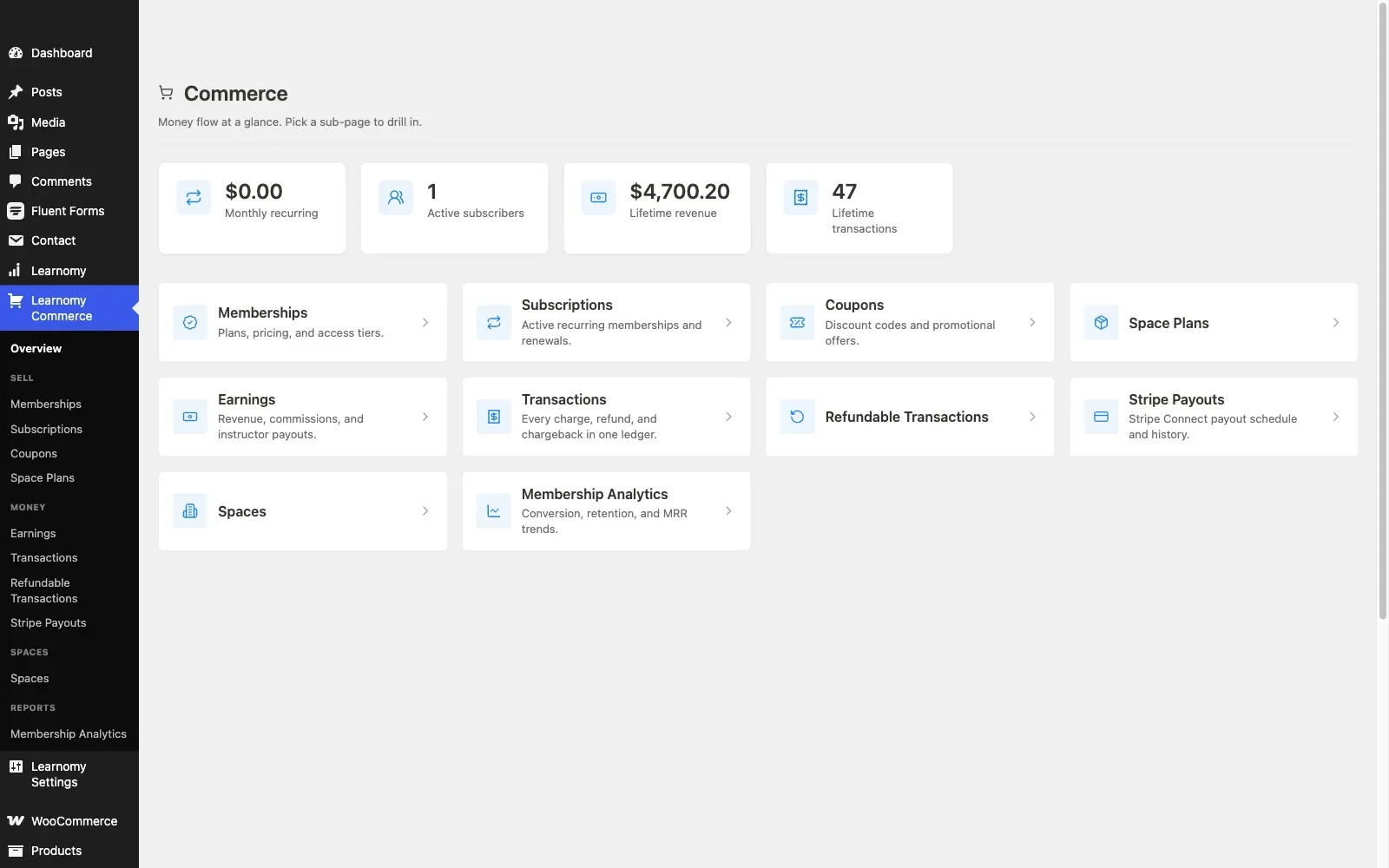
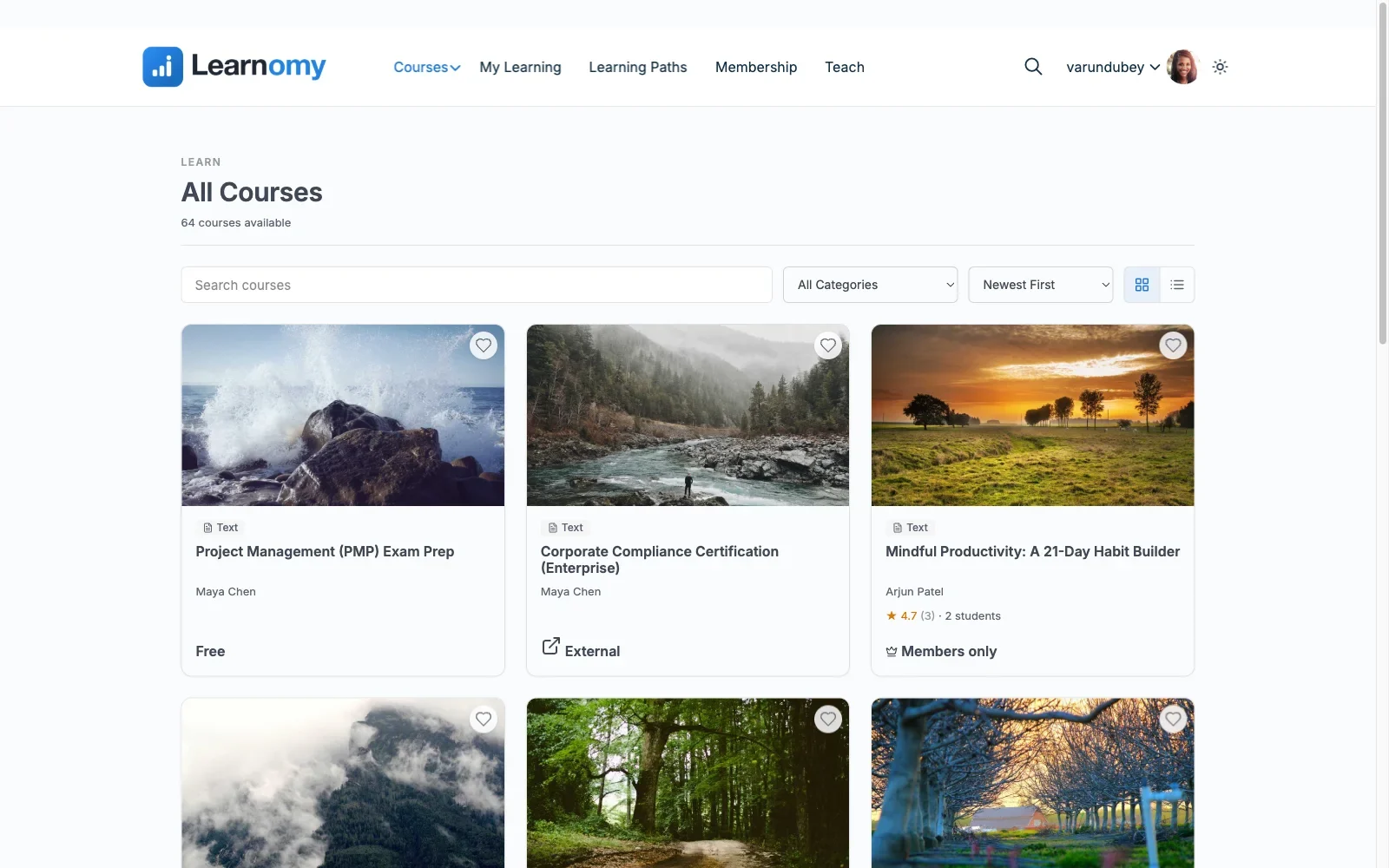
Learnomy is a complete learning platform for WordPress: courses, quizzes with anti-cheat tab-switch tracking, certificates anyone can verify with a QR code, built-in checkout, memberships with trials, and instructor revenue sharing when a school grows past one teacher.
It isn’t part of the free-versus-paid comparison the rest of this list runs on, and per its own no-pricing approach we won’t attach a dollar figure or a “free tier” label to it here. What we can do is describe what it actually does, so you can weigh a single platform against stitching together five separate free plugins.
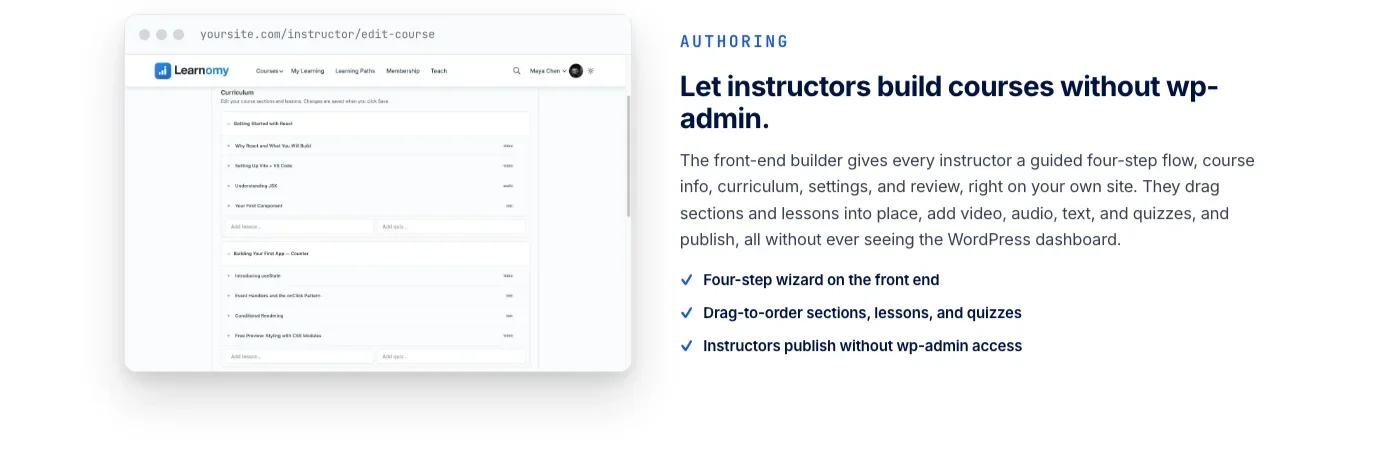
The course side covers unlimited courses built from video, audio, PDF, and reading lessons, with a drag-and-drop builder and templates that override the way any well-behaved WordPress plugin’s templates should. Instructors who shouldn’t be anywhere near wp-admin get a front-end, four-step course builder instead.
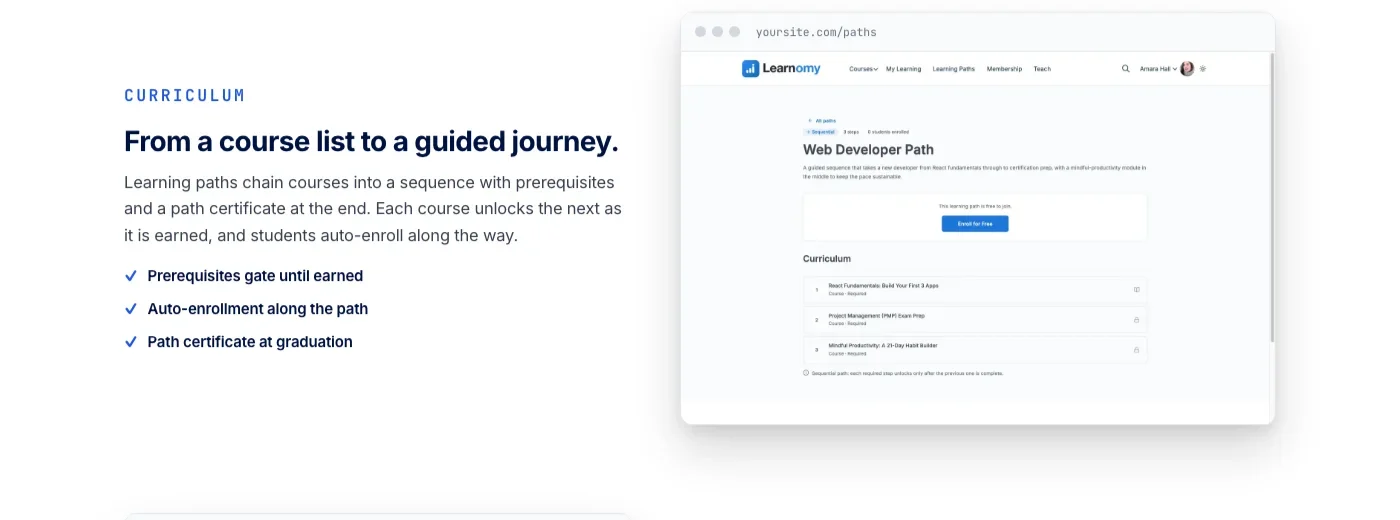
Assessment holds up under scrutiny: six quiz types, partial credit, question banks, anti-cheat tab-switch tracking, and an essay-grading inbox for the questions that need a human eye. When a course chains into a longer curriculum, learning paths sequence multiple courses with prerequisites and a path certificate at the end, and each course unlocks the next as it’s earned.
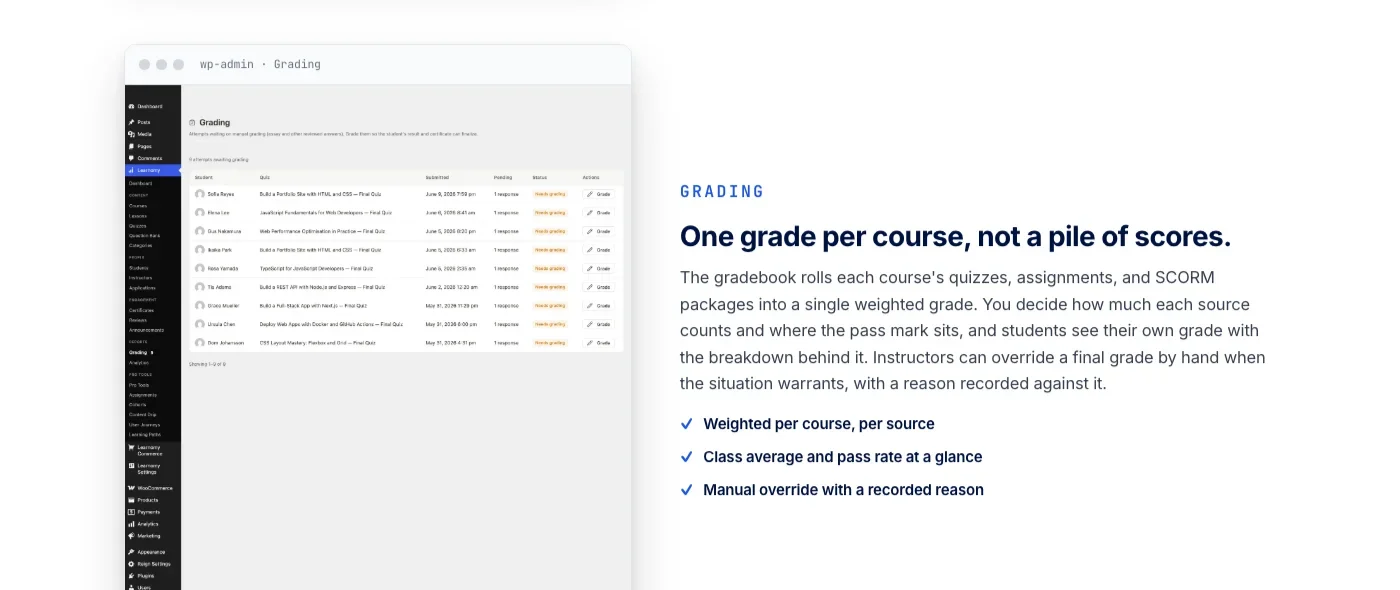
Certificates are cryptographically signed, carry a QR code that resolves to a public verify page, and can be shared straight to LinkedIn, backed by a visual certificate designer rather than a fixed template. Grading rolls each course’s quizzes, assignments, and SCORM packages into one weighted grade instead of leaving instructors to average a pile of separate scores by hand.
On the business side, checkout runs directly through Stripe and PayPal, with a WooCommerce adapter for stores that already sell products and want course checkout to sit inside that same setup rather than running a second, disconnected cart.
There are no platform fees on what a student pays. Memberships come with trials and an automatic pricing page, and instructor revenue sharing supports Udemy-style splits along with instructor applications and dashboards for schools that plan to scale past a single teacher.
The platform doesn’t stop at the course itself. A learning community can grow around a school, course discussion boards and Q&A sit alongside the lessons, gamified learning adds points, badges, and streaks for learners working through a curriculum, and a job board helps graduates turn a certificate into a lead on their next role.
Course videos can be protected from casual downloading, and the whole thing runs under a design layer built for a school’s own branding, colors, typography, dark mode, and layouts, not a logo dropped into someone else’s template. Switching in is built in too: a migration wizard imports from LearnDash, Tutor LMS, and LifterLMS specifically, which matters if any of the free-tier plugins below turn out to be a stepping stone rather than a destination.
Best for: anyone who’d rather run one platform than manage licenses for a course plugin, a certificate add-on, a payment bridge, and a community plugin separately.
2. Tutor LMS: the strongest free quiz builder in this list
Tutor LMS’s free core gives you a genuinely capable course and quiz engine without asking for a card upfront. The course builder covers video, text, and downloadable lesson types with a clean drag-and-drop structure, and the free quiz engine supports several question types, not just multiple choice, along with automatic grading for the objective ones.
Student and instructor dashboards are included free, so a multi-instructor setup with basic role separation works out of the box. Where the free tier draws its line is the deeper business layer: content drip that releases lessons on a schedule, course prerequisites, a visual certificate builder beyond a fixed template, and multi-instructor commission handling all live behind Tutor LMS Pro’s paid add-ons.
Selling a course on the free version generally means connecting to WooCommerce, so if you already run a WooCommerce store, Tutor LMS slots a course catalog into checkout, coupons, and reporting you’ve already set up rather than asking you to run a second, separate storefront.
Best for: a course creator who wants a real quiz builder for free and is comfortable adding WooCommerce as the payment layer.
3. LifterLMS: free memberships and its own achievement engine
LifterLMS’s free core is unusually generous on structure: unlimited courses and students, quizzes, and a built-in engagement system that triggers achievements, certificates, and emails off student actions like finishing a lesson or completing a course, no paid add-on required to get a certificate at all. Memberships are also part of the free core, not a bolt-on, which is rare in this list.
The trade-off shows up around depth rather than access. Advanced quiz question types, richer reporting, and features built for cohort-style or social learning sit in LifterLMS’s paid add-on catalog, priced and licensed separately from the core plugin.
Payment gateway connections for Stripe and PayPal are available as official add-ons; check the current state of those before assuming a checkout flow works out of the box, since gateway support is the kind of detail that shifts between plugin versions.
Best for: a membership-driven education site that wants achievements and certificates without waiting for a paid tier.
4. LearnPress: fully free and GPL, payments via WooCommerce
LearnPress is fully free, GPL-licensed, with no premium core version blocking basic course creation. The course builder handles lessons, quizzes with several question types, and student progress tracking without a paywall in sight for the structural side of running a course.
Payment is the part that needs planning.
LearnPress relies on WooCommerce or one of its official payment add-ons to actually collect money for a course, some of which are free and some of which aren’t, so budget a bit of research time to land on the right combination for your currency and country before you commit to it as your checkout path. Certificates, content drip, and prerequisites are also handled through LearnPress’s own add-on ecosystem rather than the core plugin, with pricing that varies by extension.
Best for: a budget-conscious build where the course structure itself needs to be free and you’re willing to piece together the payment and certificate layer yourself.
5. Sensei LMS: built by the WooCommerce team, sells without a bridge
Sensei LMS comes from Automattic, the team behind WooCommerce itself, and that lineage shows up in the one place it matters most for a WooCommerce-focused audience: selling a course through WooCommerce doesn’t need a separate bridge plugin.
The free core covers unlimited courses and lessons, a quiz block with multiple question types, and student progress tracking, and because Sensei and WooCommerce share a company, the two connect natively rather than through a third-party adapter that might lag behind either plugin’s updates.
What stays behind Sensei Pro is the deeper course-gating logic: content drip, course prerequisites, structured learning paths across multiple courses, and more advanced quiz behavior. The free tier is genuinely usable for a straightforward course catalog sold through an existing WooCommerce store; it’s the multi-course curriculum and access-control layer that eventually pushes toward the paid version.
Best for: a store that already runs WooCommerce and wants course selling to feel like a natural extension of the existing catalog rather than a second system bolted on.
6. MasterStudy LMS: a block-based free course builder
MasterStudy LMS’s free version leans into Gutenberg block-based course building, with drag-and-drop layout control for course pages and a quiz engine that supports more than one question type out of the box. A basic certificate is included in the free tier, along with student and instructor dashboards.
The paid version adds the features that turn a course catalog into a full teaching operation: content drip, live-class-style integrations, native WooCommerce and Stripe/PayPal checkout without extra configuration, course bundles, and a points-based engagement layer for students. The free tier is a solid way to test whether MasterStudy’s block-based approach fits your site before deciding whether the paid feature set is worth it for your specific course model.
Best for: a site that’s already comfortable in the block editor and wants a course builder that feels native to it rather than bolted onto a classic-editor workflow.
Worth flagging for a WooCommerce-focused audience specifically: MasterStudy’s free tier doesn’t include native WooCommerce checkout. If you want a block-based course builder that plugs into a store you already run, budget for the paid tier from the start rather than assuming the free version’s checkout limitations will be enough for a real course business.
7. LearnDash: the popular one with no free tier at all
LearnDash comes up in almost every “best LMS plugin” conversation, so it earns a place on this list for one honest reason: it has no free tier. There’s no lite version, no limited free core to test drive, and no path to running a real course on LearnDash without buying a license first. If your search brought you here specifically hoping to try LearnDash for free, that plugin simply isn’t an option, full stop.
That matters for this guide in a second way too. If you’re currently on LearnDash and looking at a free alternative purely to cut costs, or you inherited a LearnDash site and want to move it onto a platform that includes checkout, certificates, and community features under one roof, Learnomy’s migration wizard supports LearnDash imports directly, alongside Tutor LMS and LifterLMS.
This is worth stating plainly because LearnDash’s name recognition is strong enough that a lot of searches for “free LMS plugin” are really searches for a way to try LearnDash without paying first. It doesn’t offer that path. If LearnDash’s feature set is what you’re after, budget for a license from the start rather than hoping a free tier will appear later.
Best for: nobody shopping specifically for a free option. Included here so you don’t spend an afternoon looking for a LearnDash free tier that doesn’t exist.
Free WordPress LMS plugins compared
Plugin | Free tier scope | What needs a paid add-on | Payment path in free tier |
|---|---|---|---|
Learnomy | Complete platform: courses, quizzes, certificates, checkout, memberships, community features | Not scored on a free/paid split; capability is the comparison point | Direct Stripe and PayPal, or a WooCommerce adapter |
Tutor LMS | Courses, quizzes (several types), student/instructor dashboards | Content drip, prerequisites, certificate builder, commissions | WooCommerce |
LifterLMS | Courses, quizzes, memberships, achievements and certificates via engagement engine | Advanced quiz types, deeper reporting, social/cohort features | Official Stripe/PayPal add-ons (verify current gateway support) |
LearnPress | Course builder, quizzes, progress tracking, fully GPL | Certificates, content drip, prerequisites (LearnPress add-ons) | WooCommerce or official payment add-ons |
Sensei LMS | Courses, lessons, quiz block, progress tracking | Content drip, prerequisites, structured multi-course paths | Native WooCommerce (same company, no bridge) |
MasterStudy LMS | Block-based course builder, quizzes, basic certificate | Content drip, native WooCommerce/Stripe/PayPal checkout, bundles, gamification | Limited in free tier; full checkout is a paid feature |
LearnDash | None | Everything; no free version exists | Not applicable |
What “free” actually costs you
A free LMS plugin rarely stays a single free plugin for long. Here’s the pattern that shows up across almost every free-tier build: the course structure and quizzes work fine on day one, then a real business need appears, a certificate a student can print for their manager, a drip schedule that releases one module a week, a prerequisite that stops someone from skipping ahead, and each of those needs points to a different paid add-on, sold by a different vendor, on a different renewal cycle.
Add a payment bridge if the plugin doesn’t sell directly, then a certificate extension if the free tier’s certificate is a plain PDF instead of something verifiable, then a reporting add-on once “how many students finished module 3” turns from curiosity into a real question.
None of these individually looks expensive. Stacked across a year, they add up to something closer to what a single paid platform would have charged from the start, except now it’s five licenses to renew instead of one, and five separate update cycles that can drift out of sync with each other.
There’s a time cost too, separate from the licensing cost. Every add-on is a new settings screen, a new set of update notifications, and a new potential conflict the day a WordPress core update ships.
A course business running five plugins from four vendors is running five separate risk profiles for something breaking during a busy enrollment period. That’s not a reason to avoid free plugins altogether, plenty of successful course businesses run entirely on a free-plus-add-ons stack, it’s a reason to count that time cost honestly against whatever a single paid platform would have saved.
The gap gets wider the moment WooCommerce enters the picture. If you already sell physical or digital products through WooCommerce, connecting to it as a payment engine for LearnPress or Tutor LMS reduces setup by using inventory, coupons, and tax settings you already trust. For a deeper look at exactly how that connection works and where the seams show up, our complete guide to WooCommerce LMS integration covers the setup side in detail, separate from the free-versus-paid question this article is answering.
Common mistakes when picking a free LMS plugin
- Building the full course catalog before checking the certificate. Finding out after fifty lessons are recorded that certificates need a paid add-on is a worse time to discover it than before you start.
- Assuming “free plugin” means “free to sell courses.” Several plugins on this list need WooCommerce or a payment add-on before a single dollar can change hands. Confirm the payment path before building around it.
- Ignoring what happens past ten instructors. Free tiers are built for a single teacher or a small team. Revenue splitting, instructor applications, and per-instructor dashboards usually live in paid territory once a school grows past that point.
- Treating a free certificate and a verifiable certificate as the same thing. A PDF a student can edit in five minutes carries a lot less weight with an employer than one tied to a public verify page. If certificates matter to your audience, check which kind you’re actually getting before promising students something impressive.
- Skipping the anti-cheat question for graded courses. A quiz that can’t detect tab-switching or basic answer-sharing isn’t a real assessment for anything that leads to a certificate someone will show an employer.
- Not checking migration paths before committing. If there’s any chance you’ll outgrow the free tier, know in advance which plugins your next platform can import from. Learnomy’s migration wizard covers LearnDash, Tutor LMS, and LifterLMS specifically, not every plugin on this list, so plan accordingly if you’re starting on LearnPress, Sensei, or MasterStudy.
FAQ
Is there a truly free WordPress LMS plugin?
LearnPress is the closest to fully free: the core course builder, quizzes, and progress tracking carry no license fee, though real payment processing depends on WooCommerce or a payment add-on. Sensei LMS and LifterLMS are close behind, each with a genuinely usable free core.
Which free WordPress LMS plugin is best for a small course business just starting out?
If you already run WooCommerce, Sensei LMS’s native connection to it removes a setup step the others need. If you don’t, Tutor LMS’s free quiz engine is the strongest starting point for building a real assessment, with WooCommerce added when you’re ready to sell.
Does LearnDash have a free version?
No. LearnDash has never shipped a free or lite tier. Every LearnDash site runs on a paid license from the start.
Can I sell courses with a free LMS plugin without WooCommerce?
Learnomy sells directly through Stripe and PayPal without requiring WooCommerce, though it’s a complete platform rather than a free plugin, so it isn’t measured against the free-tier plugins the same way. Among the plugins in this list, most either need WooCommerce or an official payment add-on to process real payments.
What’s the actual catch with free LMS plugins?
It’s rarely one big catch. It’s several small ones: a certificate that needs a paid add-on, a drip schedule that isn’t available yet, a prerequisite chain that only works in the Pro version. Individually minor, collectively enough to change what “free” ends up costing over a year.
Is Learnomy free?
Learnomy isn’t part of the free-versus-paid comparison this guide runs on. It’s a complete learning platform with courses, quizzes, certificates, and checkout built in, so the more useful question is what it does compared with the plugins above, not what it’s priced at.
Which free LMS plugin scales best for multiple instructors?
Tutor LMS’s free tier includes basic instructor dashboards and role separation, though commission handling for instructor payouts sits behind Tutor LMS Pro. For a business built around multiple paid instructors from day one, that’s worth checking before committing to the free tier alone.
Do free LMS plugins include certificates?
LifterLMS and MasterStudy LMS both include a certificate in their free tier. Tutor LMS, LearnPress, and Sensei LMS generally reserve a fuller certificate builder for their paid add-ons, so confirm the current state of each before assuming a free certificate is included.
Do I need a separate certificate plugin if my LMS plugin’s free tier doesn’t include one?
For most of the plugins above, yes, until you’re ready to move to a paid add-on or a different platform. A generic WordPress certificate plugin can bridge the gap for basic PDF certificates, though it won’t verify anything the way a signed, QR-checkable certificate does.
Can I switch from a free LMS plugin to something else without losing my courses?
It depends on the destination. Learnomy’s migration wizard imports directly from LearnDash, Tutor LMS, and LifterLMS. If you’re on LearnPress, Sensei LMS, or MasterStudy LMS and plan to move eventually, export what you can through each plugin’s own tools and confirm your destination platform’s import support before committing your course catalog to it.
Comparing a stack of free plugins against one complete platform?
Learnomy handles courses, quizzes with anti-cheat tracking, verifiable certificates, checkout, memberships, and instructor payouts in one platform, with a migration wizard for LearnDash, Tutor LMS, and LifterLMS sites ready to move.
Plugins we build and run
We maintain these ourselves, which is why we can support them on your site.
- BuddyNextThe self-hosted community engine for WordPress
- BuddyXFree community theme, Pro when you outgrow it
- ReignPremium community theme. Add pieces, build anything
- JetonomyCommunity forum and Q&A for WordPress
- EventonomyEvents and RSVPs for WordPress communities
- LearnomyCourses and learning communities on WordPress
- ListoraDirectories and listings your members can browse
- SnipShareCode sharing built for developer communities
- WB Ad ManagerAd placements that turn traffic into revenue
- WP Career BoardA job board your community actually uses
- WP Sell ServicesSell services with offers, orders, and payouts
- MediaVersePhotos, video, and media albums for members
- WB GamificationPoints, badges, and rewards that keep members active
- Product RoadmapPublic roadmaps with voting your users trust