Best LearnPress Alternatives for Growing Course Sites in 2026
Seven LearnPress alternatives compared for growing course sites: which platforms end the add-on maze, how each fits an existing WooCommerce checkout, and the honest truth about migrating off LearnPress.

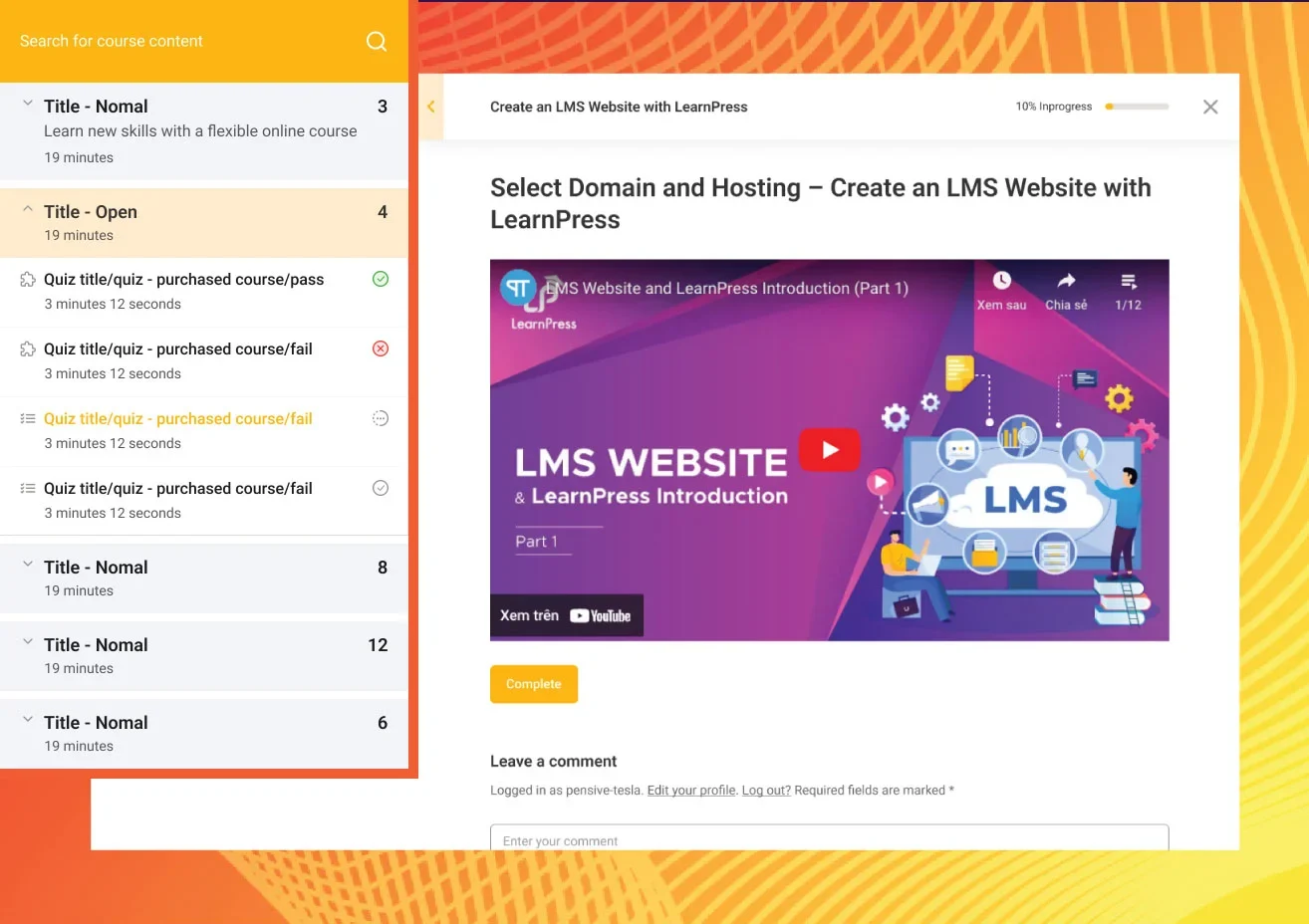
LearnPress is often the first LMS a WordPress site ever installs, and for a understandable reason: the core is genuinely free, GPL-licensed, and capable of building a real course with lessons, quizzes, and progress tracking before anyone reaches for a credit card. The trouble starts when the course becomes a business. Certificates live in one add-on, content drip in another, prerequisites in a third, payment connections in a fourth, each priced separately, updated separately, and supported separately. Site owners searching for LearnPress alternatives are rarely unhappy with the course builder. They are tired of the add-on maze around it.
This guide compares the realistic paths out, written for the audience of this site: WooCommerce store owners and the developers who build for them. For each alternative we look at what it does well, how its costs are structured (no price tags here, structures outlast price changes), how it connects to an existing WooCommerce checkout, and, because this matters more for LearnPress users than anyone else, what a migration actually involves.
Key takeaways
- LearnPress’s real limitation is structural: a free core surrounded by per-extension add-ons, which turns a growing course site into a mesh of small licenses and update cycles.
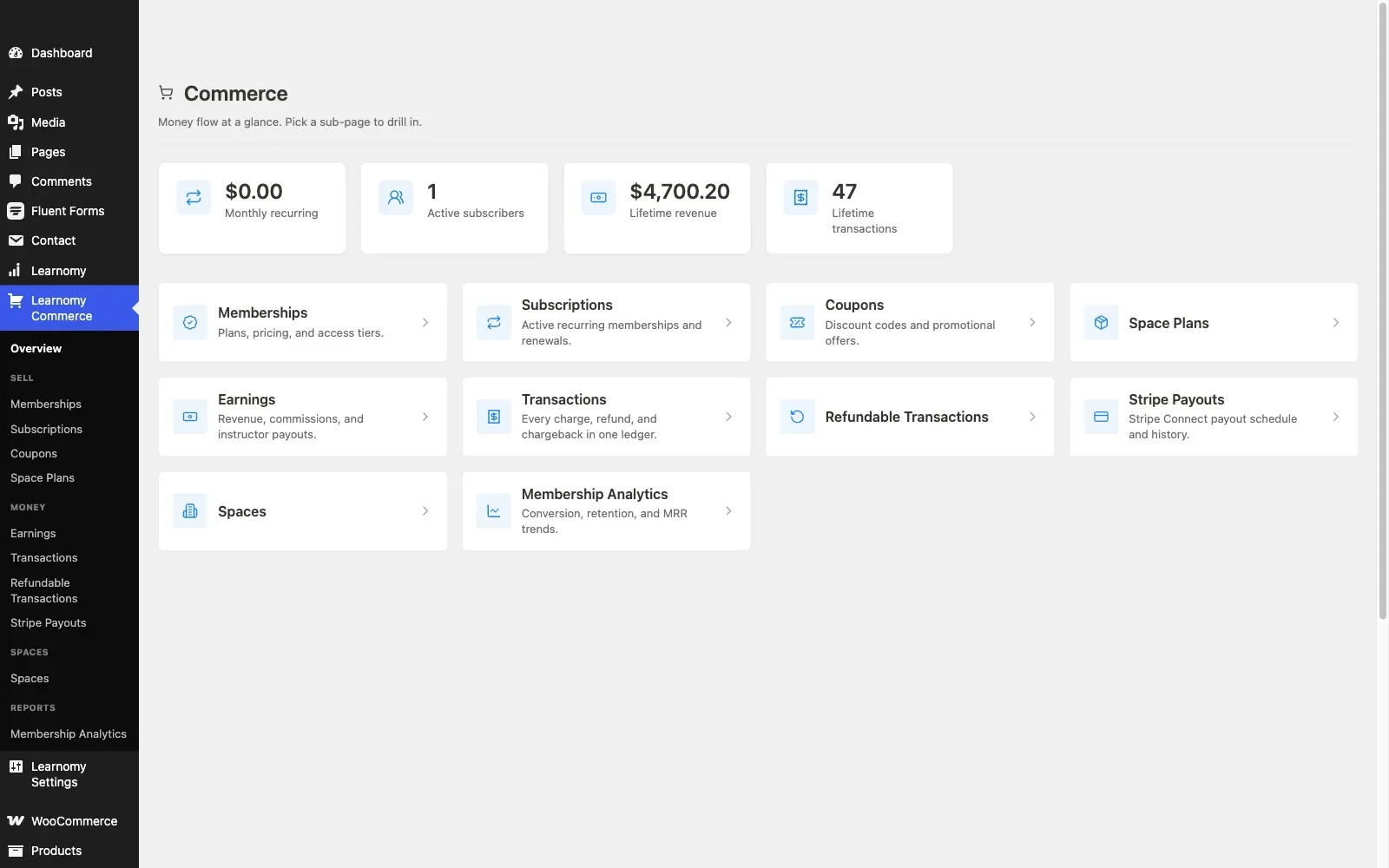
- Learnomy replaces that mesh with a complete learning platform for WordPress, courses, quizzes, certificates, checkout, and memberships in one product with no platform fees.
- Be honest about the move: Learnomy’s migration wizard imports LearnDash, Tutor LMS, and LifterLMS sites, not LearnPress, so leaving LearnPress means a manual export whatever you choose. Plan it once, properly.
- Tutor LMS is the closest like-for-like upgrade; Sensei LMS is the cleanest fit for an existing WooCommerce store; LifterLMS wins when memberships are the actual business model.
- Whatever you pick, test refund-to-access behavior and certificate credibility before moving your catalog, those two checks expose more than any feature grid.
In this guide
- The add-on maze: why LearnPress sites go shopping
- The migration reality check (read this first)
- Quick comparison
- 1. Learnomy: one platform instead of a plugin mesh
- 2. Tutor LMS: the like-for-like upgrade
- 3. Sensei LMS: the WooCommerce-native pick
- 4. LifterLMS: when memberships are the model
- 5. LearnDash: paying for depth from day one
- 6. MasterStudy LMS: block-based building
- 7. MemberPress Courses: the membership engine route
- 8. The honest case for staying on LearnPress
- Counting the true cost: vendors, not dollars
- Common mistakes when leaving LearnPress
- FAQ
- Verdict
The add-on maze: why LearnPress sites go shopping
LearnPress’s architecture made sense for its era: keep the core free and universal, sell depth as extensions. But walk through what a typical course business needs and count the boxes. Selling through your store: the WooCommerce add-on. A certificate at the end: the certificates add-on. Releasing a module a week: the drip add-on. Stopping students from skipping ahead: the prerequisites add-on. Regional payment methods without WooCommerce: one gateway add-on each.
Each is individually modest. Together they form a build where five or more separately-versioned components must stay compatible with each other, with LearnPress core, with WooCommerce, and with WordPress itself, every update cycle. When something breaks during an enrollment push, the first hour goes to working out which component broke. That coordination cost is invisible on a pricing page and very visible at 11pm before a launch.
There is a second, quieter cost: capability ceilings. LearnPress’s quiz engine and reporting are serviceable, but anti-cheat protection, verifiable certificates, weighted gradebooks, and instructor payout flows are not one add-on away, they are simply not the product. Sites whose ambitions grow in those directions are not really shopping for add-ons anymore; they are shopping for a different platform, which is what the rest of this guide compares. (For how far the free core genuinely stretches before this point, see our honest guide to free WordPress LMS plugins.)
The migration reality check (read this first)
One fact should frame your whole decision, so it goes at the top rather than in fine print: no major destination on this list ships an automated LearnPress importer. Learnomy’s migration wizard, the most capable import tooling in this comparison, covers LearnDash, Tutor LMS, and LifterLMS sites specifically. LearnPress is not one of its supported sources, and the other plugins here are no better equipped.
Leaving LearnPress therefore means a manual project whichever alternative you choose: exporting course content through WordPress’s own tools, rebuilding curriculum structure at the destination, and deciding what to do about student progress records, quiz attempts, and issued certificates, which rarely survive a manual move intact. Budget for it honestly: a small catalog is an afternoon; a large one with active students is a scheduled project with a communication plan for enrolled learners.
The practical upshot: since the migration cost is roughly the same for every destination, it should not tilt your choice between them. Pick the platform you want to be running in year three, and spend the move once.
Quick comparison
Platform | Strongest at | The deal | WooCommerce fit |
|---|---|---|---|
Learnomy | Everything under one roof: courses, quizzes, certificates, checkout, memberships, payouts | No platform fees, what students pay is yours | Built-in Stripe/PayPal checkout plus a WooCommerce adapter |
Tutor LMS | Frontend course building | Free core; business features in a paid annual tier | Via WooCommerce connection |
Sensei LMS | Native WooCommerce selling | Free core; drip and prerequisites in a paid tier | Native, same company as WooCommerce |
LifterLMS | Memberships and engagement in the free core | Free core; per-area paid add-on catalog | WooCommerce connection or own gateway add-ons |
LearnDash | Enterprise depth, groups, SCORM | Annual license from day one, add-ons extra | Official WooCommerce integration |
MasterStudy LMS | Block-editor course building | Free core; full checkout in the paid tier | Paid-tier feature |
MemberPress Courses | Membership and billing machinery | Annual license, membership engine included | Own checkout, coexists with WooCommerce |
LearnPress (staying) | Free GPL course core | Free core; per-extension add-on pricing | Via official add-on |
1. Learnomy: one platform instead of a plugin mesh
If the add-on maze is what pushed you here, Learnomy is the direct structural answer: a complete learning platform for WordPress, the online school you own, where everything LearnPress sells as separate extensions ships as one product from one vendor. Not an LMS plugin with a bigger box of add-ons, a platform where the add-on category simply does not exist.
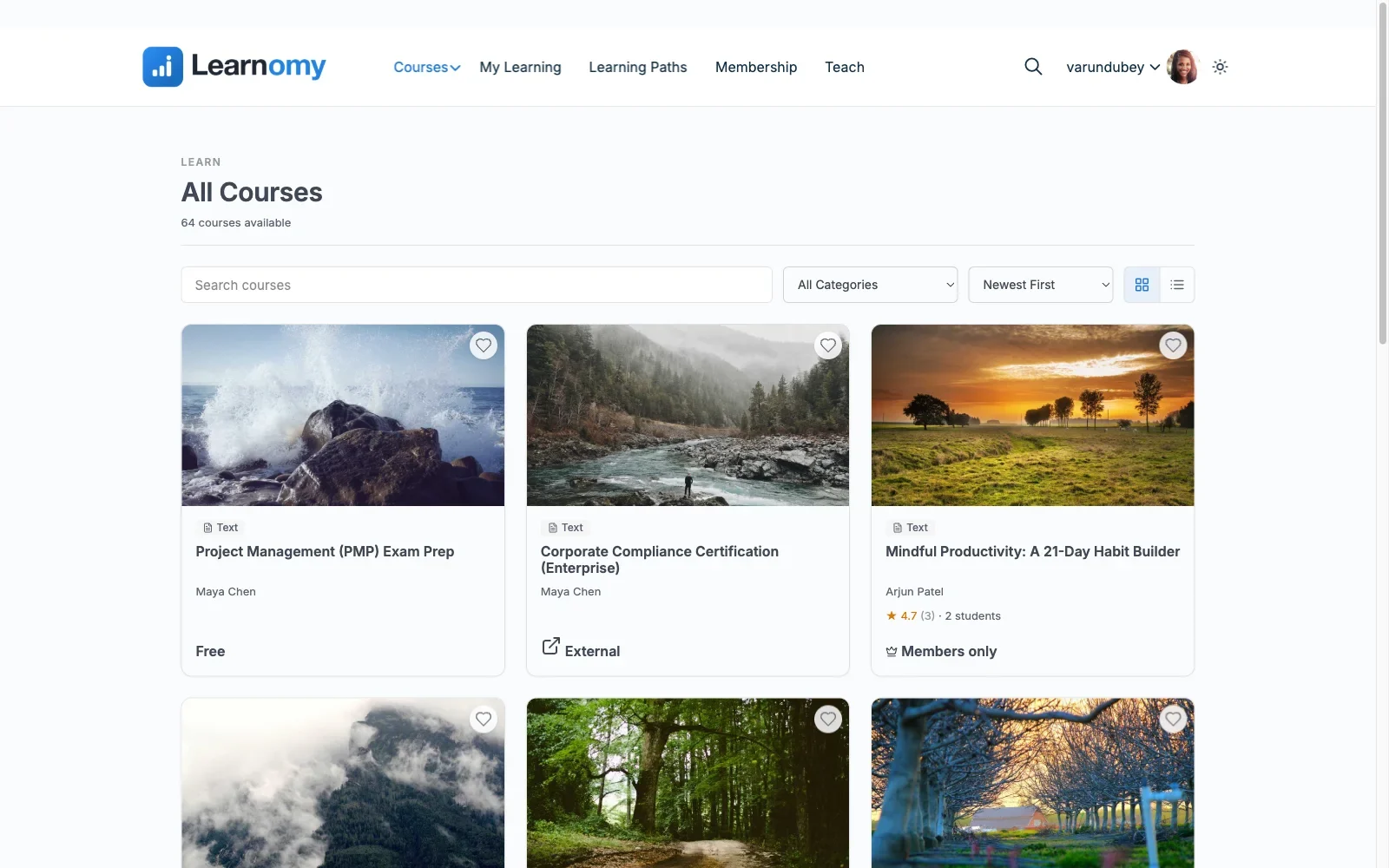
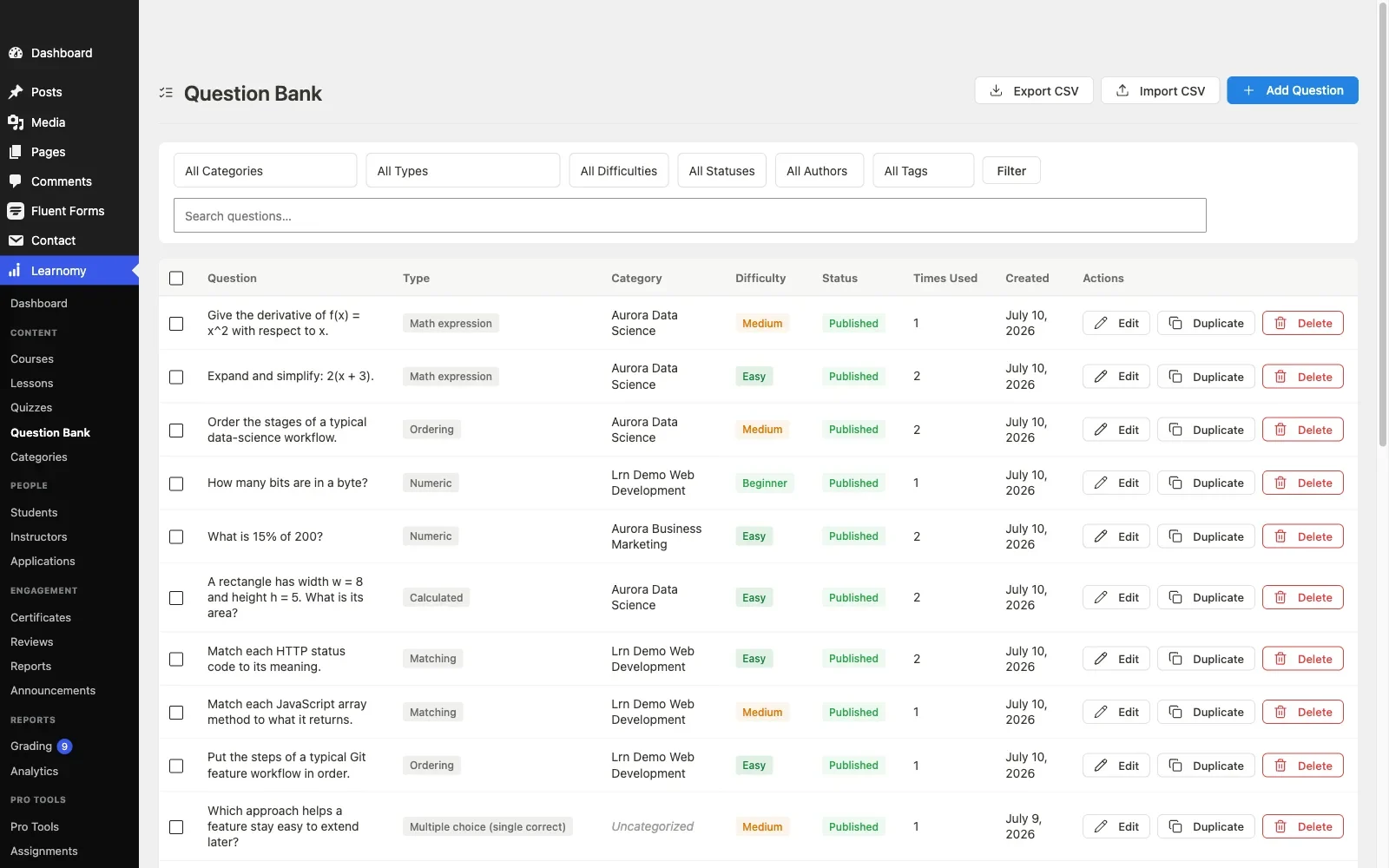
The teaching layer covers courses built from video, audio, PDF, and reading lessons with a drag-and-drop builder, plus a frontend four-step course builder so instructors never need wp-admin access. Assessment is a clear class above LearnPress’s engine: six quiz types with partial credit, question banks, anti-cheat tab-switch tracking, and an essay-grading inbox for the questions a machine should not score. A gradebook combines quizzes, assignments, and SCORM packages into one weighted grade, and learning paths chain courses with prerequisites, the feature LearnPress sells separately, native here, at curriculum scale.
Certificates deserve their own paragraph because they are the sharpest contrast with LearnPress’s add-on certificate. Learnomy’s are digitally signed, carry a QR code resolving to a public verify page, share cleanly to LinkedIn, and come out of a visual designer rather than a fixed template. A certificate an employer can check is a different product from a PDF a student can edit.
Selling works both ways this site’s readers care about: a built-in Stripe and PayPal checkout that runs standalone, no store required, and a WooCommerce adapter for stores that already exist, so courses can sit in the same cart, coupons, and tax configuration as the rest of your catalog. No platform fees in either path: what students pay is yours. Around the sale sit memberships with trials and an automatic pricing page, coupons, reviews, announcements, and email templates, and instructor revenue sharing with Udemy-style splits, applications, and dashboards for schools growing past one teacher. Team and B2B training, company seats, cohorts, drip schedules, learning paths, is part of the same platform, and the student experience gets full-text course search, Course structured data for search engines, and PWA offline progress. AI course and quiz generation turns an outline into a working draft curriculum.
Past the catalog, a learning community can grow around your school. Discussion boards and Q&A sit alongside every course. Gamified learning adds points, badges, and streaks. A job board gives graduates somewhere to take their new certificate. Course videos are protected from casual downloading. And full branding and design control, dark mode and layouts included, keeps the school unmistakably yours.
The one honest caveat repeats from the section above: coming from LearnPress, there is no automated import, Learnomy’s migration wizard covers LearnDash, Tutor LMS, and LifterLMS. Your LearnPress catalog moves manually, like it would to every other destination here.
Pros: The entire business layer, checkout, certificates, memberships, payouts, inside one product; both standalone and WooCommerce selling paths; assessment and credential quality beyond anything in the LearnPress ecosystem; no platform fees.
Cons: No LearnPress importer, plan a manual move; newer to the space than the legacy names, so third-party tutorials are thinner.
Best for: LearnPress sites whose add-on shopping list has become the problem, and who want the next platform to be the last one.
2. Tutor LMS: the like-for-like upgrade
Tutor LMS is the most natural sideways move from LearnPress: the same free-core-plus-paid-depth structure, executed with more polish and a far better building experience. Its frontend drag-and-drop course builder is the best-regarded in the WordPress space, the free quiz engine covers multiple question types with automatic grading, and student and instructor dashboards ship free, giving multi-teacher sites basic role separation out of the box.
The structure to understand: where LearnPress splits depth across many small add-ons, Tutor LMS consolidates it into one paid tier, drip, prerequisites, the certificate builder, and instructor commissions all live there, renewed annually. That is fewer moving parts than LearnPress, which is a real improvement, but the same shape of deal: the business layer rents. Selling still generally means WooCommerce, so a store-based site keeps its existing checkout.
Pros: Best-in-class building experience; free tier meaningfully stronger than LearnPress’s core; one paid tier instead of many add-ons.
Cons: The business features you probably left LearnPress to get still sit behind the annual tier; WooCommerce remains a prerequisite for real selling.
WooCommerce fit: Solid, well-trodden connection; courses become store products.
Best for: sites that want a familiar structure with much better ergonomics, and are comfortable renewing a tier annually. (Worth knowing: if you later outgrow it, Tutor LMS is one of the three sources Learnomy’s migration wizard imports directly, so this path keeps a clean exit open.)
3. Sensei LMS: the WooCommerce-native pick
For a site that already sells through WooCommerce, Sensei LMS answers the integration question better than anyone: it comes from Automattic, the company behind WooCommerce, and the two connect natively rather than through a bridge add-on that can fall out of step. A course sells like any product in your store, with your coupons, tax rules, and order reporting untouched.
The free core, courses, lessons, a block-based quiz, and progress tracking, is honest and usable; the paid tier holds drip, prerequisites, and structured multi-course paths. Its ceiling is real: quiz depth, multi-instructor support, and reporting all trail the bigger platforms, so it suits stores adding courses as a product line more than schools building a full teaching operation.
Pros: The cleanest WooCommerce integration available; block-editor-native; long-term corporate backing.
Cons: Lighter feature set than most of this list; growth in instructor count or assessment complexity hits the ceiling early.
WooCommerce fit: Native, the reference standard.
Best for: WooCommerce stores where courses are a product line, not the whole business. Our WooCommerce LMS integration guide covers the enrollment and refund mechanics in depth.
4. LifterLMS: when memberships are the model
LifterLMS’s free core includes the two things LearnPress users most often go shopping for: memberships and an engagement engine that fires achievements, certificates, and emails off student behavior, no add-on required for either. If your course business is really a membership business, recurring access to a growing library, that is the strongest free starting point on this list.
Its costs are structured like LearnPress’s, though: a per-area add-on catalog for advanced quizzes, deeper reporting, and payment gateways, each licensed separately. Escaping one add-on maze for another is a real risk here, so shortlist the specific add-ons you would need and count them before deciding. Payments run through its own gateway add-ons or WooCommerce.
Pros: Memberships and engagement automation free in core; certificates without a paid tier; flexible payment paths.
Cons: Add-on catalog structure mirrors the LearnPress problem; interface shows its age.
WooCommerce fit: Connects to WooCommerce or runs its own gateways, verify your specific gateway’s current status first.
Best for: membership-model education sites. (Also one of Learnomy’s three supported migration sources, another path that keeps the exit clean.)
5. LearnDash: paying for depth from day one
LearnDash is the opposite bet from LearnPress: no free tier at all, an annual license from the first install, and in exchange the deepest feature set among traditional plugins, mature quiz banks, group management for corporate licensing, SCORM/xAPI for compliance work, and the largest third-party ecosystem in the category. For an organization that knows it needs that depth, paying upfront is more honest than assembling it from extensions.
For a typical LearnPress refugee, though, it is a culture shock: meaningful reporting is an additional add-on with its own renewal, real payments run through the official WooCommerce integration, and the configuration surface is large enough that many builds bring in a developer. The depth is real; so is the overhead.
Pros: Deepest traditional-plugin feature set; proven at institutional scale; strong WooCommerce path.
Cons: License-plus-add-ons structure; no free evaluation tier; Groups and reporting configuration takes the most setup time of any option here.
WooCommerce fit: Official, well-documented integration.
Best for: corporate and compliance-driven training where groups and SCORM decide the purchase.
6. MasterStudy LMS: block-based building
MasterStudy LMS builds courses the way modern WordPress builds pages: in the block editor, with drag-and-drop layout control. The free tier includes a multi-type quiz engine and a basic certificate, which beats LearnPress’s core on both counts, and the whole experience feels contemporary in a way the older plugins do not.
The constraint for this audience: full checkout support, including the native WooCommerce path, lives in the paid tier, alongside drip, bundles, and gamification. A WooCommerce store evaluating MasterStudy should assume the paid tier from day one, the free tier is a building demo, not a selling platform.
Pros: Best block-editor experience in the category; free certificate; modern UI.
Cons: Selling depth is paid; smaller ecosystem; manual migration both directions.
WooCommerce fit: Available, but a paid-tier feature.
Best for: block-editor-first teams that will license the paid tier upfront.
7. MemberPress Courses: the membership engine route
MemberPress is a membership and billing engine that grew a course layer, rather than a course plugin that grew billing. Its access rules, recurring billing, and dunning machinery are the most mature in WordPress, and courses inherit all of it. It licenses annually with no free tier and runs its own checkout, which suits sites without a store and complicates sites with one, running MemberPress beside WooCommerce means two carts and two customer records unless you deliberately reconcile them.
Pros: Serious billing and access-rule machinery; courses ride on proven infrastructure.
Cons: Course tooling shallower than dedicated platforms; parallel checkout beside WooCommerce.
WooCommerce fit: Coexistence, not integration.
Best for: gated-content businesses where courses are one member benefit among several. For that broader landscape, see our roundup of LMS options with built-in payments.
8. The honest case for staying on LearnPress
A fair comparison admits when the incumbent wins. If your catalog is small, your students are few, your add-on count is two or fewer, and nothing on your roadmap needs verifiable certificates, anti-cheat assessment, or instructor payouts, LearnPress’s free core plus a WooCommerce add-on is a perfectly rational stack, and staying costs you nothing but the ceiling you have not hit yet.
The signal to move is not age or fashion; it is the shopping cart. The day you find yourself pricing a third or fourth LearnPress extension to reach feature parity with what a platform ships natively, the maze has started charging you twice: once in licenses, once in coordination. That is the moment this article exists for.
Counting the true cost: vendors, not dollars
Price tags change every renewal season, so compare structures instead, they are what you actually live with. A grown-up LearnPress build is typically one free core plus three to five paid extensions plus WooCommerce: call it five to seven separately-updated components from two or three vendors. Tutor LMS compresses that to core, one paid tier, and WooCommerce. LearnDash: license, an add-on or two, WooCommerce. LifterLMS: core plus its own add-on constellation. Every one of those is a variation on renting the business layer annually across multiple parts.
The two structural outliers are hosted platforms, a monthly subscription forever plus a cut of every sale, with your school on someone else’s infrastructure, and the complete-platform model, where one product from one vendor contains the whole teaching-to-selling path and takes no platform fees from your sales. The first trades ownership for convenience. The second, Learnomy’s model, is the only shape on this list where growing your school does not mean growing your vendor list. That, not any line item, is the comparison worth making.
Common mistakes when leaving LearnPress
- Assuming an importer exists. None of these destinations automates a LearnPress import, Learnomy’s wizard covers LearnDash, Tutor LMS, and LifterLMS only. Discovering this after committing a launch date is a bad week.
- Moving the courses and abandoning the records. Enrollments, quiz attempts, and issued certificates are the hard part of any manual migration. Decide before the move what happens to them, and tell your students.
- Recreating the maze. Trading LearnPress’s extension list for another platform’s add-on catalog changes invoices, not structure. Count the components in your destination build before celebrating.
- Skipping the refund test. On your shortlisted platform, buy a course through WooCommerce, refund the order, and verify access revokes. Five minutes, and it exposes integration quality better than any demo.
- Treating certificates as decoration. If students share credentials on LinkedIn, verifiability is a feature buyers notice. An editable PDF and a QR-checkable signed certificate are different products.
- Migrating during an enrollment peak. Schedule the move for your quietest fortnight, and freeze course edits while it runs.
FAQ
What is the best LearnPress alternative overall?
For sites tired of assembling extensions, Learnomy, a complete learning platform for WordPress with courses, quizzes, verifiable certificates, checkout, and memberships in one product and no platform fees. For a like-for-like structure with better ergonomics, Tutor LMS. For the cleanest fit into an existing WooCommerce store, Sensei LMS.
Can I migrate from LearnPress automatically?
No. None of the major destinations, Learnomy included, ships a LearnPress importer; Learnomy’s migration wizard covers LearnDash, Tutor LMS, and LifterLMS sites. Plan a manual export of content and a deliberate decision about student records.
Is LearnPress actually free?
The core genuinely is, GPL, no license. The business layer, certificates, drip, prerequisites, payment connections, lives in separately priced add-ons, which is exactly the structure that sends growing sites looking for alternatives.
Which alternative keeps my WooCommerce checkout?
Sensei natively; Tutor LMS, LearnDash, and LifterLMS via official connections; Learnomy via its WooCommerce adapter, with a built-in Stripe/PayPal checkout as the alternative path. MemberPress runs its own checkout beside your store.
Do I lose my students’ progress when I switch?
From LearnPress, assume yes unless you reconstruct it manually, progress, attempts, and certificates rarely survive a manual move. Communicate with enrolled students before the switch, not after.
When does staying on LearnPress make sense?
Small catalog, few students, two add-ons or fewer, and no roadmap need for verifiable certificates, anti-cheat quizzes, or instructor payouts. The trigger to leave is the third extension in your shopping cart.
Verdict
The migration cost out of LearnPress is fixed and manual, so choose your destination by where you want to land, not how you get there. Tutor LMS if you want the same free-core structure with the best builder in the category. Sensei LMS if your WooCommerce store is the center of gravity and your course needs are modest. LifterLMS if memberships are the business. LearnDash if corporate depth and SCORM make the decision for you. And Learnomy if the point of leaving is to stop assembling, a complete learning platform for WordPress with assessment, verifiable certificates, checkout, memberships, and instructor payouts in one product you own, no platform fees, and no add-on maze waiting at the end of the move. For the category-wide view, our 2026 WordPress LMS guide ranks the whole field.
Done shopping for add-ons?
Learnomy is the school you own: courses, anti-cheat quizzes, QR-verifiable certificates, built-in checkout with a WooCommerce adapter, memberships, and instructor payouts in one complete platform, with no platform fees on what your students pay.
Plugins we build and run
We maintain these ourselves, which is why we can support them on your site.
- BuddyNextThe self-hosted community engine for WordPress
- BuddyXFree community theme, Pro when you outgrow it
- ReignPremium community theme. Add pieces, build anything
- JetonomyCommunity forum and Q&A for WordPress
- EventonomyEvents and RSVPs for WordPress communities
- LearnomyCourses and learning communities on WordPress
- ListoraDirectories and listings your members can browse
- SnipShareCode sharing built for developer communities
- WB Ad ManagerAd placements that turn traffic into revenue
- WP Career BoardA job board your community actually uses
- WP Sell ServicesSell services with offers, orders, and payouts
- MediaVersePhotos, video, and media albums for members
- WB GamificationPoints, badges, and rewards that keep members active
- Product RoadmapPublic roadmaps with voting your users trust