Best Tutor LMS Alternatives for WooCommerce Stores in 2026
Eight Tutor LMS alternatives compared for WooCommerce stores: where each one hides its costs structurally, how each connects to your existing checkout, and why Learnomy tops the list with a direct Tutor LMS import path.

Tutor LMS earns its reputation honestly: the frontend course builder is one of the best in the WordPress LMS space, and the free core is genuinely usable. So why does “Tutor LMS alternatives” keep showing up in search? Because the plugin most people install and the course business most people end up running are two different things. Content drip, a real certificate builder, instructor commission handling, and native checkout all sit behind the paid tier, so selling a course generally means either paying for that tier or bolting on WooCommerce as a separate project, and every layer you add is another license to renew and another update cycle to babysit.
This comparison is written for a specific reader: a WooCommerce store owner or the developer building for one, who either runs Tutor LMS today and is weighing a switch, or shortlisted it and wants to see the field before committing. Every entry below gets the same treatment, what it actually does well, where its costs hide structurally, and how cleanly it fits into a store that already runs WooCommerce.
Key takeaways
- Most Tutor LMS alternatives are trade-offs along the same axis: a stronger free core in one area, a paid tier or add-on catalog guarding another.
- Learnomy is the exception on structure: it is a complete learning platform for WordPress, not a course plugin plus an add-on shopping list, and it ships a migration wizard that imports Tutor LMS sites directly.
- If your store already runs WooCommerce, weight each option by how it connects to your existing checkout, Sensei connects natively, most others need a bridge, and Learnomy gives you both a built-in checkout and a WooCommerce adapter.
- The real cost of any option here is structural, not a sticker price: count vendors, licenses, and renewal cycles, not feature bullets.
- Migration is the deciding constraint more often than features. Learnomy’s wizard covers Tutor LMS (plus LearnDash and LifterLMS); moving between most other pairs on this list means a manual export and rebuild.
In this guide
- Why store owners outgrow Tutor LMS
- How we compared these alternatives
- Quick comparison
- 1. Learnomy: a complete learning platform, with a Tutor LMS import path
- 2. LearnDash: the enterprise-grade veteran
- 3. LifterLMS: memberships and courses in one core
- 4. Sensei LMS: the native WooCommerce option
- 5. LearnPress: free at the core, add-ons for depth
- 6. MasterStudy LMS: block-based building
- 7. MemberPress Courses: courses inside a membership engine
- 8. Thinkific: the hosted route, and what it costs you structurally
- The true cost of leaving (or staying)
- Common mistakes when replacing Tutor LMS
- FAQ
- Verdict
Why store owners outgrow Tutor LMS
Three patterns come up again and again in real Tutor LMS sites, and none of them are bugs. They are the shape of the product.
The paid-tier line cuts through business features, not building features. You can build a beautiful course on the free core. What you cannot do without the paid tier is drip it on a schedule, design a certificate worth sharing, or split revenue with a second instructor. That means the moment a course project becomes a course business, an upgrade decision lands on your desk, and after that, an annual renewal joins your calendar for as long as the site runs.
Selling means choosing a checkout, and paying for the choice. The paid tier ships its own native checkout (Stripe, PayPal, and a handful of other gateways built directly into the plugin), or you can connect Tutor LMS to WooCommerce instead. For a store that already runs WooCommerce, the WooCommerce path is arguably a feature, your courses join the catalog, coupons, and tax setup you already trust. For everyone else, native checkout skips installing WooCommerce at all, but it is still a paid-tier system you configure and keep updated before the first sale, which is worth reading about in depth in our WooCommerce LMS integration guide before you commit either way.
Growth multiplies vendors. A Tutor LMS build that starts as one plugin tends to become a stack: the LMS, its paid tier, WooCommerce, maybe a membership plugin, maybe a community plugin. Each addition is rational on its own. The sum is a maintenance surface where any one update can break the chain during an enrollment week.
If any of those three paragraphs describes your site, the alternatives below are worth an honest look. If none do, and Tutor LMS’s builder is carrying your business happily, staying put is also a legitimate answer, switching platforms has a cost of its own, which we cover near the end.
How we compared these alternatives
Every entry is measured on four things that matter to a WooCommerce-centric course business:
- Completeness. How much of a real course business, selling, certifying, assessing, reporting, works without adding another vendor’s product?
- WooCommerce fit. Native connection, official add-on, third-party bridge, or an independent checkout? And does course access respond correctly to refunds and cancelled orders?
- The deal. Not a price tag, a structure. Is this a one-vendor platform, an annual license with paid add-ons, or a subscription plus a cut of every sale? Structures outlive price changes, and they are what you will still be living with in year three.
- The exit. If you move to it, what imports? If you later move away from it, what exports? Course platforms hold student progress, quiz attempts, and certificate history, data that is painful to reconstruct by hand.
Quick comparison
Platform | Strongest at | The deal | WooCommerce fit |
|---|---|---|---|
Learnomy | Complete platform: courses, quizzes, certificates, checkout, memberships in one product | No platform fees, what students pay is yours | Built-in Stripe/PayPal checkout, plus a WooCommerce adapter for existing stores |
LearnDash | Feature depth, groups, corporate training | Annual license, no free tier, add-ons extra | Official WooCommerce integration |
LifterLMS | Memberships and engagement in the free core | Free core, paid add-on catalog per feature area | WooCommerce connection or its own checkout add-ons |
Sensei LMS | Native WooCommerce connection | Free core, paid tier for drip and prerequisites | Native, same company as WooCommerce |
LearnPress | Fully free GPL course core | Free core, per-extension add-on pricing | Via official add-on |
MasterStudy LMS | Block-based course building | Free core, paid tier for checkout depth and drip | Full checkout support sits in the paid tier |
MemberPress Courses | Courses inside a membership business | Annual license, membership engine included | Runs its own checkout; WooCommerce optional |
Thinkific | Zero-maintenance hosting | Monthly subscription forever, on their infrastructure | None, it replaces your store’s checkout for courses |
1. Learnomy: a complete learning platform, with a Tutor LMS import path
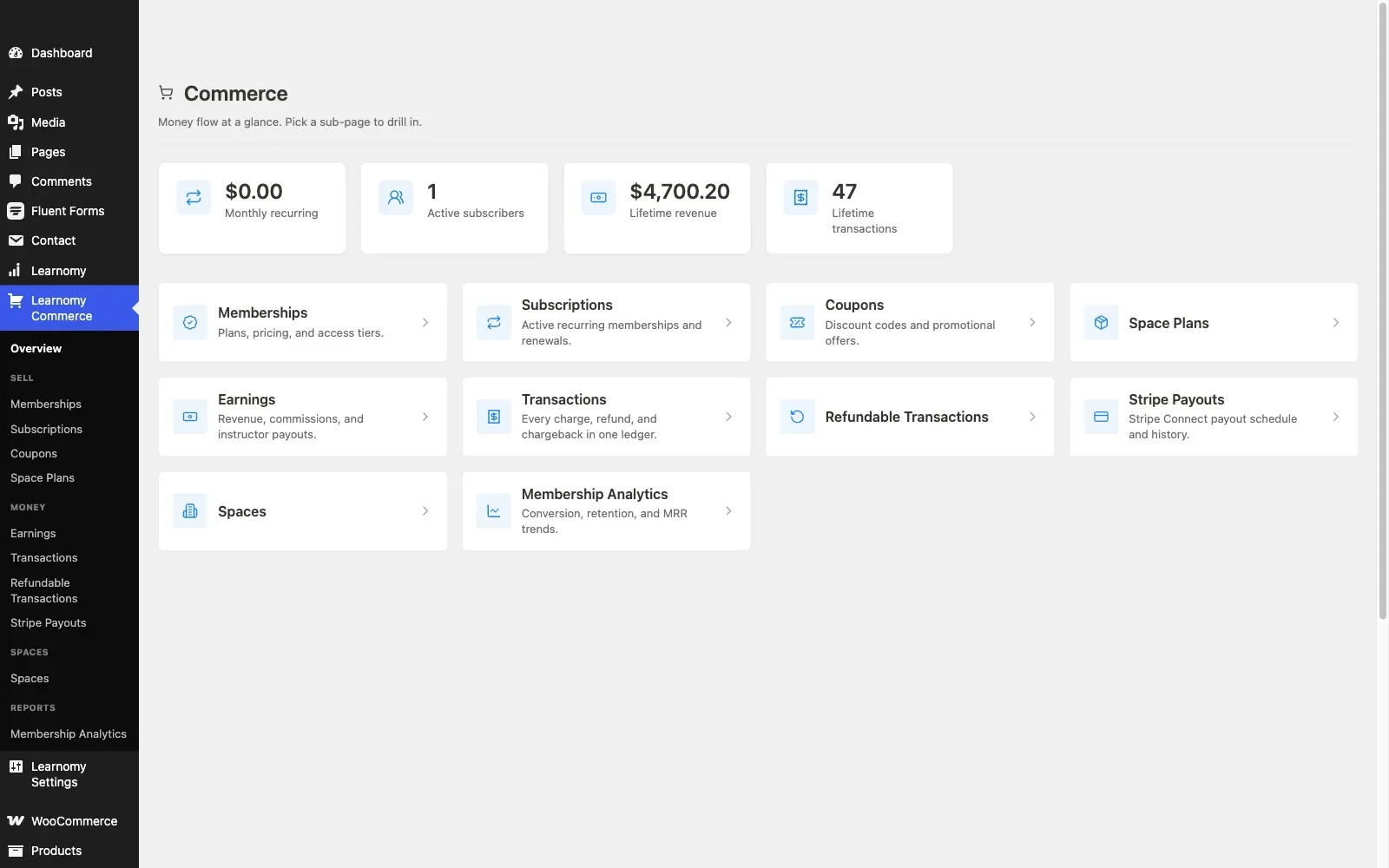
Learnomy is the structural opposite of the Tutor LMS model. It is a complete learning platform for WordPress, the online school you own, where the pieces Tutor LMS gates behind its paid tier or delegates to other plugins ship as one product: courses, quizzes, certificates, checkout, memberships, and instructor payouts together.
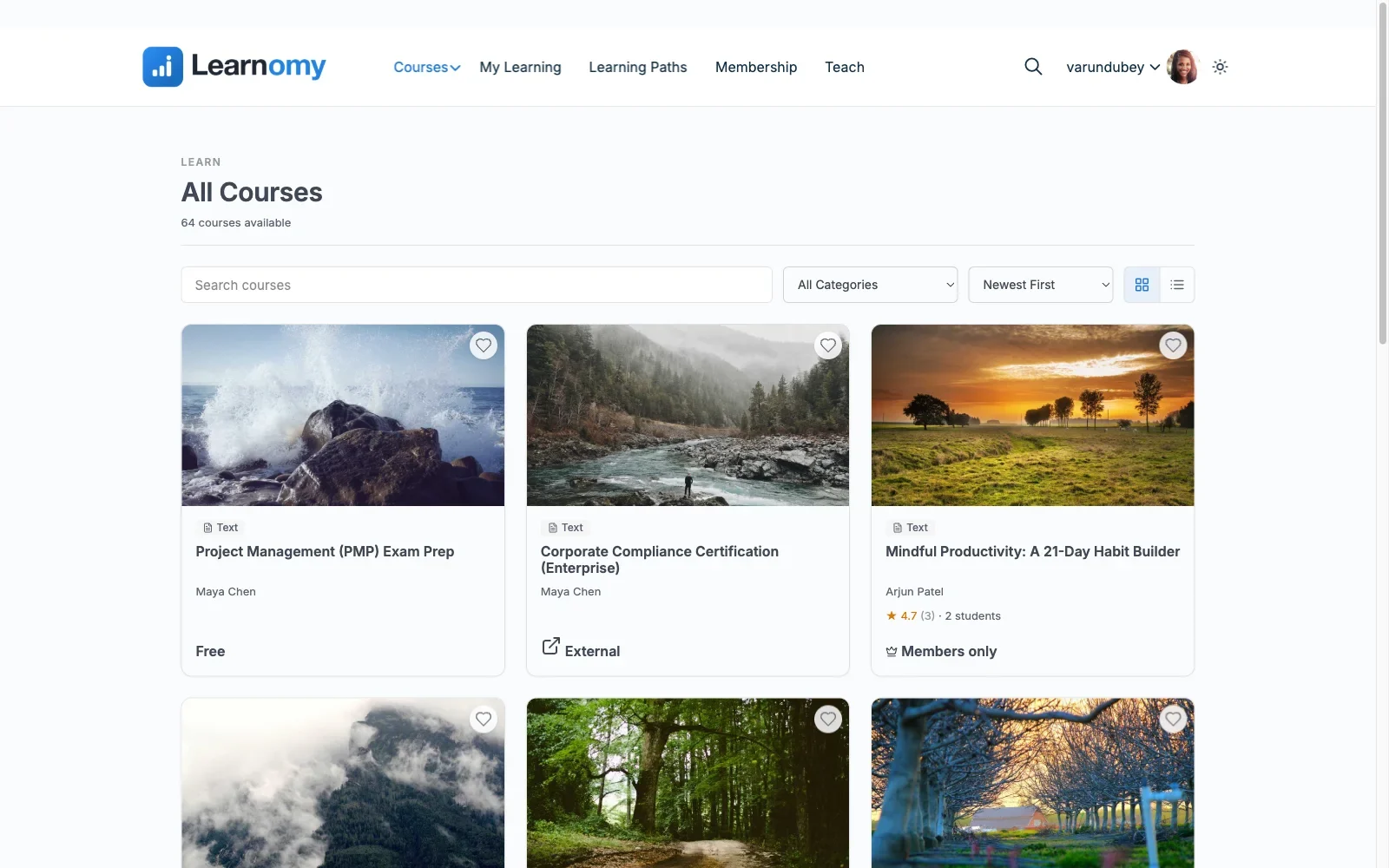
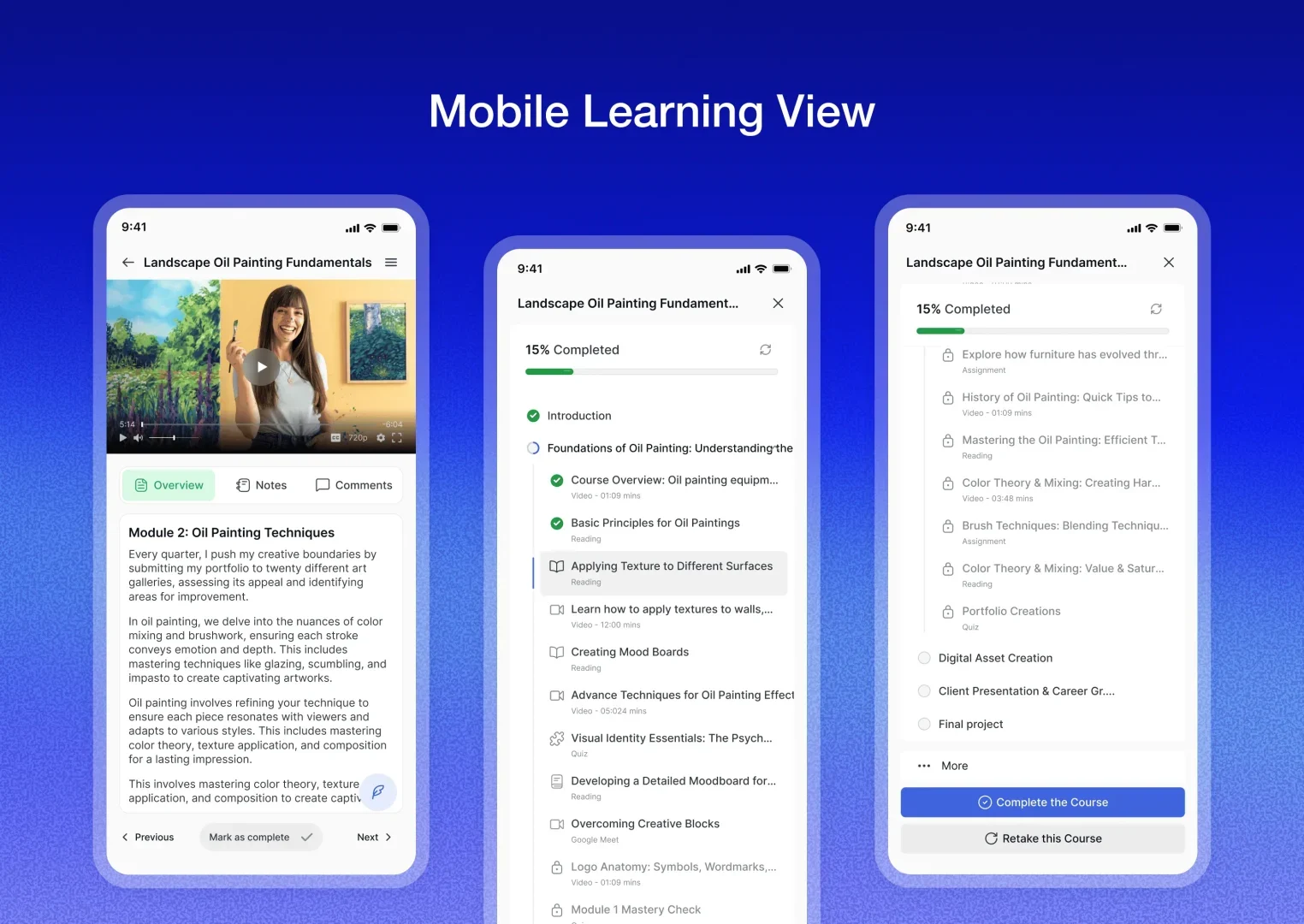
Course building covers video, audio, PDF, and reading lessons with a drag-and-drop builder, and, the part Tutor LMS users will care about most, a frontend four-step course builder for instructors, so the workflow that made Tutor LMS popular has a direct equivalent, without instructors ever seeing wp-admin.
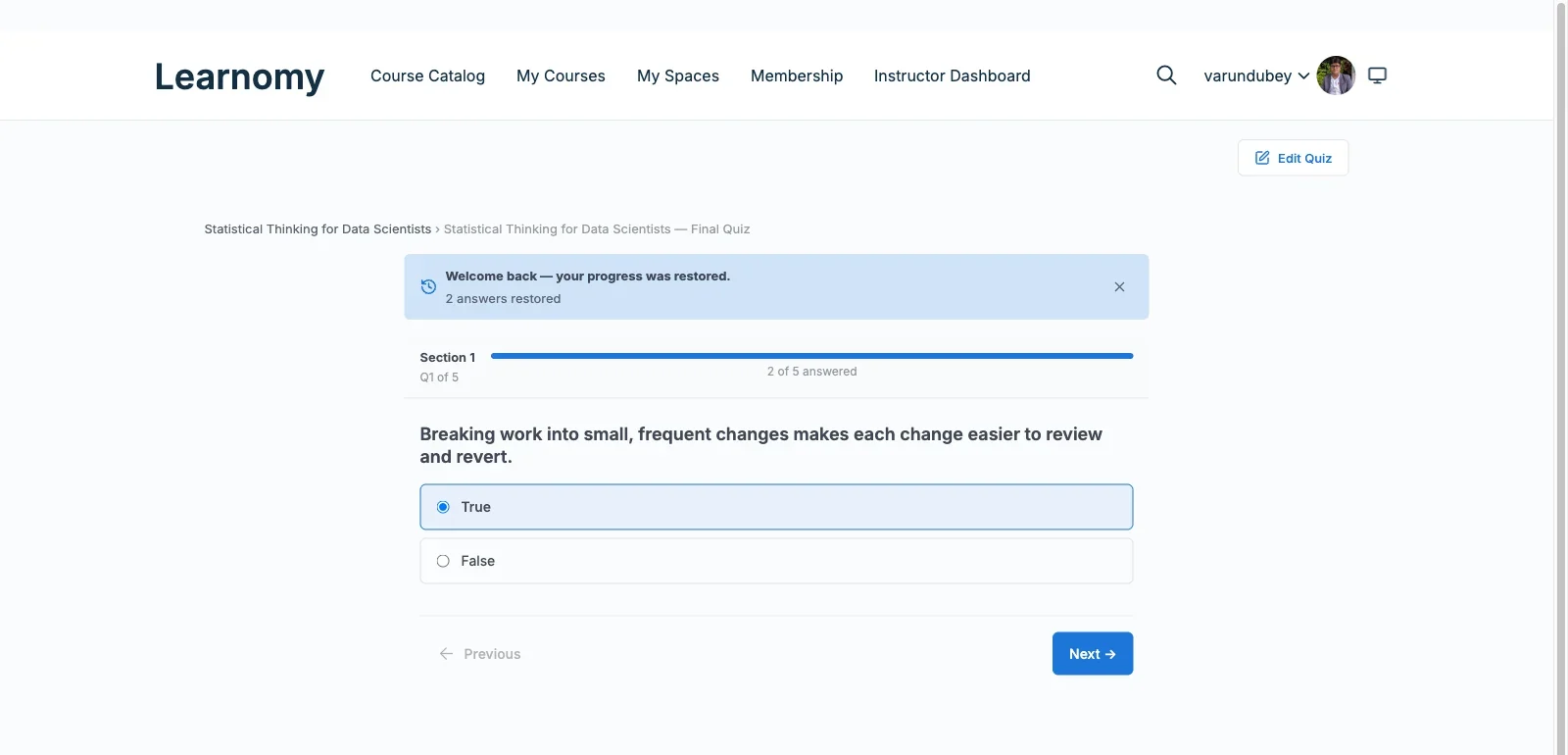
Assessment goes further than most of this list: six quiz types with partial credit, question banks, anti-cheat tab-switch tracking during quizzes, and an essay-grading inbox for questions that need a human. A gradebook rolls quizzes, assignments, and SCORM packages into one weighted grade per course, and learning paths chain courses with prerequisites for longer curricula. Certificates are digitally signed and QR-verifiable against a public verify page, shareable to LinkedIn, and built in a visual designer rather than a fixed template, a different category of credential from the PDF-style certificates most plugins produce.
On the money side, Learnomy answers the WooCommerce question both ways. Its built-in Stripe and PayPal checkout works standalone, so a course business with no store can sell on day one without installing anything else. And for the readers of this site, the stores that already run WooCommerce, a WooCommerce adapter lets course checkout sit inside the cart, coupons, and tax setup you already operate. There are no platform fees either way: what students pay is yours. Memberships with trials and an automatic pricing page cover recurring models, instructor revenue sharing handles Udemy-style splits with applications and dashboards, and coupons, reviews, announcements, and email templates cover the day-to-day retail mechanics. Team and B2B training, company seats, cohorts, drip, learning paths, is part of the same platform, alongside full-text course search, Course structured data for SEO, and PWA offline progress for students on the move. AI course and quiz generation shortens the blank-page phase of building.
Beyond the classroom, a learning community can grow around your school. Course discussion boards and Q&A sit alongside lessons. Gamified learning adds points, badges, and streaks. A job board helps your graduates put their certificates to work. Course videos are protected from casual downloading, and full branding and design control, dark mode and layouts included, keeps the school looking like yours.
The reason it tops a Tutor LMS alternatives list specifically: Learnomy’s migration wizard imports Tutor LMS sites directly (along with LearnDash and LifterLMS), so an existing catalog and its students move over rather than being rebuilt by hand.
Pros: One vendor for the entire teaching-to-selling path; both a standalone checkout and a WooCommerce adapter; verifiable certificates; direct Tutor LMS import; no platform fees.
Cons: Newer to the space than LearnDash or Tutor LMS, so third-party tutorials and case studies are still catching up.
Best for: a Tutor LMS site that has hit the paid-tier wall and would rather own one complete platform than keep assembling a stack, especially with a WooCommerce store already in place.
2. LearnDash: the enterprise-grade veteran
LearnDash is the most established name in WordPress course plugins, and it shows in the depth: a mature course builder, a sophisticated quiz engine with question banks, group management for corporate licensing, and SCORM/xAPI support that matters to compliance-driven training. If a niche requirement exists, someone has probably built a LearnDash add-on for it.
The structural difference from Tutor LMS is that there is no free tier at all: LearnDash is an annual license from the first day, with meaningful capabilities, deeper reporting especially, sold as separate add-ons on their own renewals. Payment runs through its official WooCommerce integration for most real stores, which is solid and well documented, linking a WooCommerce product to a course and enrolling the buyer when the order completes.
Pros: Deepest feature set on this list, battle-tested at scale, strong WooCommerce integration, huge third-party ecosystem.
Cons: No way to try before licensing; the add-on model means the toolkit you actually need costs more, in money and maintenance, than the entry license suggests; Groups and reporting take more configuration time to set up correctly than Tutor LMS’s frontend builder.
WooCommerce fit: Official integration, one of the most established patterns in the ecosystem.
Best for: corporate training and compliance-heavy course businesses where group management and SCORM outweigh cost structure.
3. LifterLMS: memberships and courses in one core
LifterLMS’s free core is generous exactly where Tutor LMS’s is not: memberships ship in the core, and its engagement engine triggers achievements, certificates, and emails off student actions without a paid add-on. For a course business whose model is really a membership business, recurring access to a growing library rather than one-off course sales, that is a meaningful head start.
The trade-off is the add-on catalog. Advanced quiz types, deeper reporting, and most payment gateway connections are separate add-ons, each licensed and renewed on its own, so a full build accumulates the same multi-vendor structure Tutor LMS builds do, just along a different seam. Payments can run through its own gateway add-ons or through WooCommerce for stores that already have one.
Pros: Memberships and certificates free in the core; engagement automation is genuinely good; flexible payment paths.
Cons: Depth lives in per-feature add-ons; the interface feels dated next to Tutor LMS’s builder.
WooCommerce fit: Connects to WooCommerce, or runs its own checkout via gateway add-ons, verify the current state of the specific gateway you need before committing.
Best for: membership-first education sites that want engagement automation without an immediate paid tier. (If you later outgrow it, note that Learnomy’s migration wizard imports LifterLMS sites too.)
4. Sensei LMS: the native WooCommerce option
Sensei LMS comes from Automattic, the company behind WooCommerce itself, and that shows up in the one place this article’s readers care about most: the WooCommerce connection is native, not a bridge plugin that can lag behind either side’s updates. A course is sold like any other product in your existing store, with your existing coupons, tax rules, and reporting.
The free core covers courses, lessons, a quiz block with multiple question types, and progress tracking, genuinely enough for a straightforward catalog. The paid tier holds the course-gating logic: content drip, prerequisites, and structured multi-course paths. Feature-for-feature it is lighter than Tutor LMS, particularly on quiz depth and multi-instructor support, so it wins on integration cleanliness rather than raw capability.
Pros: Cleanest WooCommerce integration on this list; Automattic’s long-term backing; block-editor-native building.
Cons: Lighter feature set than Tutor LMS; multi-instructor businesses will feel the ceiling quickly.
WooCommerce fit: Native, the benchmark everyone else’s bridge is measured against.
Best for: an established WooCommerce store adding a modest course catalog and prioritizing integration reliability over feature depth.
5. LearnPress: free at the core, add-ons for depth
LearnPress is the most fully free course core in the WordPress ecosystem: GPL, no license fee, with courses, quizzes, and progress tracking working out of the box. As a Tutor LMS alternative it appeals to the same instinct that made Tutor LMS’s free tier popular, start without a purchase order, and takes it further.
The structure to understand before committing: nearly everything beyond course structure lives in LearnPress’s own add-on ecosystem, certificates, drip, prerequisites, and payment connections included, with each extension priced and maintained separately. A serious build ends up assembling a stack much like a Tutor LMS Pro build, with more moving parts and a smaller support organization behind them. Selling generally runs through WooCommerce via an official add-on.
Pros: Truly free core; lightweight; enormous install base.
Cons: The add-on maze is real, budget research time to find the right combination; support pace lags the bigger vendors.
WooCommerce fit: Official add-on turns courses into purchasable products.
Best for: budget-first builds where course structure matters now and the business layer can be assembled later. Our honest guide to free WordPress LMS plugins covers where its free tier genuinely ends.
6. MasterStudy LMS: block-based building
MasterStudy LMS leans into Gutenberg: block-based course building with drag-and-drop layout control, a multi-type quiz engine, and a basic certificate in the free tier. For teams already living in the block editor, it feels more native than Tutor LMS’s own builder.
The catch for this site’s audience specifically: the free tier does not include native WooCommerce checkout. Full checkout support, along with drip, bundles, and its engagement layer, sits in the paid tier, so a WooCommerce store evaluating MasterStudy should plan on the paid tier from day one rather than discovering the checkout ceiling mid-build.
Pros: Genuinely good block-editor experience; free tier includes a certificate; modern design.
Cons: Checkout depth is paid; smaller ecosystem than the majors; migration paths in and out are manual.
WooCommerce fit: Present, but a paid-tier feature, verify before building.
Best for: block-editor-first sites that will budget for the paid tier upfront.
7. MemberPress Courses: courses inside a membership engine
MemberPress approaches the problem from the opposite direction: it is a membership and billing engine first, with course delivery layered on top. If your actual business model is gated recurring access, with courses as one of several member benefits, that inversion is a feature, since the billing, dunning, and access-rule machinery most LMS plugins outsource is the core product here.
It is an annual license with no free tier, and its checkout is its own rather than WooCommerce’s, which cuts both ways: simpler if you have no store, a parallel system if you do. As a pure Tutor LMS replacement for a course-first business it is the least direct fit on this list; as a membership-first alternative it is the most complete one outside Learnomy.
Pros: Best-in-class membership and billing rules; courses inherit that machinery.
Cons: Course tooling is shallower than dedicated LMS options; runs its own checkout alongside WooCommerce rather than inside it.
WooCommerce fit: Coexists rather than integrates, expect two checkout paths if you run both.
Best for: membership businesses where courses are a benefit, not the product. For the broader membership angle, see our comparison of LMS options with built-in payments.
8. Thinkific: the hosted route, and what it costs you structurally
Some Tutor LMS users respond to plugin fatigue by leaving WordPress entirely for a hosted platform, and Thinkific is a representative example: no hosting, no updates, no plugin conflicts, a clean no-code builder, and payments handled for you.
The structural deal deserves plain language: a monthly subscription forever, your school on their infrastructure, and your student records in their database. Stop paying and the school goes offline, not just unsupported. For a WooCommerce store owner it adds a second, disconnected checkout: your products sell through your store, your courses through theirs, with customers, coupons, and reporting split across the two. That is the opposite of the consolidation most store owners are searching for when they type “Tutor LMS alternatives.”
Pros: Genuinely zero maintenance; polished student experience out of the box.
Cons: Perpetual subscription; platform lock-in that deepens as your catalog grows; splits your commerce in two.
WooCommerce fit: None, by design.
Best for: creators with no WordPress site and no desire for one, who accept the rent-forever deal with open eyes.
The true cost of leaving (or staying)
Ignore price tags for a moment, they change yearly anyway, and count structures, because structures are what you renew.
A mature Tutor LMS build typically carries: the paid tier’s annual renewal, WooCommerce and whatever gateway extensions your region needs, and often a membership or community plugin from a third vendor. Three to five renewal cycles, three to five changelogs to read before every WordPress core update, and three to five support queues when checkout misbehaves during a launch.
Most alternatives on this list rearrange that structure rather than remove it. LearnDash swaps a free core for a license plus add-ons. LifterLMS moves the paywall from a tier to a catalog. LearnPress moves it to per-extension pricing. Thinkific replaces all of it with a single subscription, plus permanent dependence.
The genuinely different structure is the complete-platform one: one vendor, one product, no platform fees on sales, with the business layer, checkout, certificates, memberships, payouts, inside the product instead of around it. That is Learnomy’s actual argument, and it is a structural argument, not a discount. Weigh it the same way you would weigh any architecture decision: by what you will be maintaining in year three, not what the install screen looks like in week one.
Common mistakes when replacing Tutor LMS
- Comparing course builders and calling it a decision. Every serious option in this list can build a course. The differences that will still matter in a year live in checkout, certificates, refund handling, and reporting.
- Forgetting the students mid-course. A migration that moves courses but not enrollments, quiz attempts, and completion records turns into weeks of support tickets. Confirm what your destination’s import actually carries, Learnomy’s wizard imports Tutor LMS data directly; most other paths on this list are manual.
- Rebuilding the same stack under a new logo. If the reason you are leaving is vendor sprawl, moving to another core-plus-add-ons plugin recreates the problem with different invoices.
- Splitting checkout across platforms. A WooCommerce store that adopts a hosted course platform now runs two carts, two coupon systems, and two customer databases. Decide deliberately, not by drift.
- Ignoring certificate credibility. If your certificates end up on LinkedIn profiles, an editable PDF and a QR-verifiable signed credential are not the same product, check which one your shortlist issues.
- Not testing refunds. Buy your own course, refund it, and watch what happens to access. This single test reveals more about an LMS-to-WooCommerce integration than any feature page.
FAQ
What is the best Tutor LMS alternative for a WooCommerce store?
Learnomy, for structure: it is a complete learning platform with its own Stripe and PayPal checkout plus a WooCommerce adapter for existing stores, and its migration wizard imports Tutor LMS sites directly. Sensei LMS is the strongest pick if native WooCommerce integration is your single overriding criterion and your feature needs are modest.
Can I migrate from Tutor LMS without rebuilding my courses?
To Learnomy, yes, its migration wizard supports Tutor LMS imports directly, alongside LearnDash and LifterLMS. Between most other plugin pairs on this list, migration means manual exports and a rebuild, with student progress the hardest part to carry.
Is Tutor LMS’s free version enough to run a course business?
It is enough to build one. Running one usually collides with the paid tier’s line: content drip, the certificate builder, instructor commissions, and native checkout all sit behind it. Below the paid tier, real payment processing means configuring WooCommerce alongside instead.
Do these alternatives work with my existing WooCommerce checkout?
Sensei connects natively. LearnDash, LifterLMS, and LearnPress connect through official add-ons or integrations. Learnomy offers a WooCommerce adapter alongside its built-in checkout, so you can keep the store cart or skip it. MasterStudy’s full checkout support sits in its paid tier, and MemberPress and Thinkific run their own checkouts entirely.
What should I check before committing to any alternative?
Four things: what its import actually carries from Tutor LMS, how course access responds to a refunded WooCommerce order, whether certificates are verifiable or just printable, and how many separate vendors your finished build will depend on.
Is a hosted platform like Thinkific a reasonable escape from plugin maintenance?
It genuinely removes maintenance, in exchange for a subscription that never ends, a school that lives on someone else’s infrastructure, and a second checkout disconnected from your store. For a WooCommerce business, that trade usually costs more than it saves.
Verdict
If Tutor LMS’s frontend builder is the thing you love and the paid tier’s line has not bitten you yet, stay, switching has real costs and no alternative rebuilds that exact experience. If the line has bitten, choose by structure. Sensei LMS for the cleanest possible WooCommerce integration with modest needs. LearnDash for corporate depth and SCORM. LifterLMS for membership-first models willing to shop its add-on catalog. And Learnomy if you want the structural exit: a complete learning platform for WordPress, the school you own, with checkout, certificates, memberships, and instructor payouts in one product, no platform fees, and a migration wizard that brings your Tutor LMS catalog and students with you. For the wider field beyond Tutor LMS replacements, our 2026 guide to WordPress LMS plugins for online courses ranks the whole category.
Ready to trade the add-on stack for a school you own?
Learnomy handles courses, anti-cheat quizzes, verifiable certificates, checkout, memberships, and instructor payouts in one complete platform, with no platform fees and a migration wizard that imports Tutor LMS sites directly.
Plugins we build and run
We maintain these ourselves, which is why we can support them on your site.
- BuddyNextThe self-hosted community engine for WordPress
- BuddyXFree community theme, Pro when you outgrow it
- ReignPremium community theme. Add pieces, build anything
- JetonomyCommunity forum and Q&A for WordPress
- EventonomyEvents and RSVPs for WordPress communities
- LearnomyCourses and learning communities on WordPress
- ListoraDirectories and listings your members can browse
- SnipShareCode sharing built for developer communities
- WB Ad ManagerAd placements that turn traffic into revenue
- WP Career BoardA job board your community actually uses
- WP Sell ServicesSell services with offers, orders, and payouts
- MediaVersePhotos, video, and media albums for members
- WB GamificationPoints, badges, and rewards that keep members active
- Product RoadmapPublic roadmaps with voting your users trust