Best LifterLMS Alternatives for WooCommerce Course Sellers in 2026
Seven LifterLMS alternatives compared for WooCommerce course sellers: what each one really costs once add-ons stack up, how each connects to your existing store, and why a complete platform like Learnomy now leads the list.

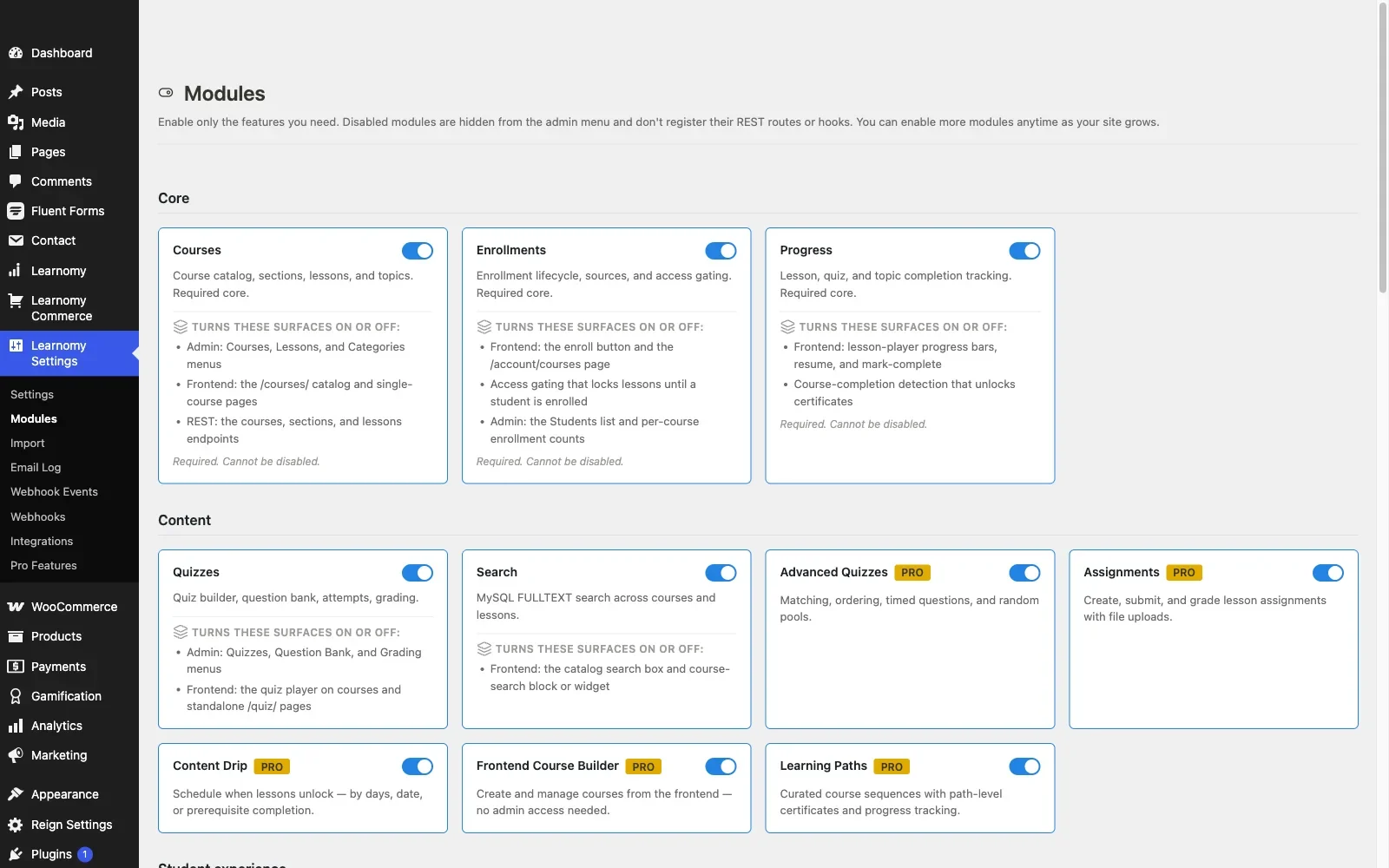
LifterLMS earns its reputation honestly: a genuinely usable free core, memberships built in rather than bolted on, and an engagement engine that fires certificates and emails off student actions. So why does “LifterLMS alternatives” keep showing up in search? Because the free core is where the generosity ends. Advanced quiz types, real reporting, payment gateways, and most of the features a paying course business needs live in an add-on catalog where every extension is a separate license on its own annual renewal, with the bundle tier as the only way to cap the sprawl.
For a WooCommerce store owner, there’s a second friction point: LifterLMS ships its own checkout and order system, which means running a second commerce engine alongside the one you already trust with your products, coupons, and tax settings. Some sellers want that separation. Most don’t.
This guide compares seven alternatives through a WooCommerce seller’s lens specifically: what each one’s deal really is once you count the add-ons, how cleanly it plugs into an existing store, and what a migration off LifterLMS actually involves. One entry, Learnomy, changes the usual math because it’s a complete platform rather than a core-plus-catalog business model, and it ships a migration wizard that imports from LifterLMS directly.
Key takeaways
- LifterLMS’s real cost isn’t the free core, it’s the add-on catalog: every extension is a separate annual renewal, and a realistic build carries several before you’ve added anything unusual.
- Learnomy is the strongest alternative for most sellers: courses, anti-cheat quizzes, verifiable certificates, checkout, memberships, and instructor payouts in one complete platform with no platform fees, plus a migration wizard that imports from LifterLMS directly.
- LearnDash and Tutor LMS are the mature plugin alternatives if you want a large third-party ecosystem; both leaning on WooCommerce for real payment flexibility.
- Sensei LMS is the pick if native WooCommerce integration outranks feature depth, since it comes from the same company as WooCommerce itself.
- Migration is the deciding factor more often than features: only some destinations can import your LifterLMS enrollments and student progress instead of just course content.
In this guide
- Why WooCommerce course sellers outgrow LifterLMS
- How we compared these alternatives
- Quick comparison table
- 1. Learnomy: a complete platform with a LifterLMS import path
- 2. LearnDash: the enterprise-grade plugin alternative
- 3. Tutor LMS: frontend building and marketplace features
- 4. Sensei LMS: native WooCommerce, from the same company
- 5. MasterStudy LMS: block-based building on a budget
- 6. MemberPress Courses: when membership is the business
- 7. Thinkific: the hosted escape hatch, with trade-offs
- The true cost of switching (and of staying)
- Common mistakes when replacing LifterLMS
- FAQ
- Verdict
Why WooCommerce course sellers outgrow LifterLMS
Three patterns show up repeatedly when a store owner starts shopping for LifterLMS alternatives. The first is add-on fatigue: the free core handles courses and basic memberships, but Stripe and PayPal connections, advanced quizzes, assignments, private coaching areas, and social learning are all separate purchases. By the time a course business has what a paid competitor includes by default, it’s carrying three to six LifterLMS add-on licenses on separate renewal cycles.
The second is the dual-commerce problem. LifterLMS runs its own access plans, orders, and transactions. If your store already processes WooCommerce orders, you now have two order histories, two coupon systems, and two places refunds can go wrong. The official WooCommerce integration add-on bridges the two, but it’s exactly that, a bridge, another moving part that has to survive every WooCommerce update.
The third is reporting at scale. Once enrollment counts get real, questions like “how many students finished module three” or “which course actually drives revenue” need reporting that LifterLMS gates behind paid add-ons, and even then the data lives apart from your WooCommerce analytics.
None of these are reasons to panic-migrate. They’re reasons to know what the alternatives actually offer before your next bundle renewal date.
How we compared these alternatives
Every entry below is evaluated against the four questions that matter to a WooCommerce course seller specifically, not a generic feature checklist:
- The realistic deal. Not the headline offer, the full set of licenses after the add-ons a real course business needs: payments, certificates, drip, reporting. LifterLMS taught everyone this lesson; we apply it to its competitors too.
- WooCommerce fit. Does the alternative sell through your existing store’s cart, coupons, and tax setup, or does it run a second commerce system alongside it? For a store already processing orders, this is usually the deciding factor.
- Migration path. Can it import your LifterLMS courses, and, more importantly, your enrollments and student progress? A destination that only imports content leaves you reconciling student records by hand for weeks.
- Feature completeness without add-on math. Quizzes that can’t be gamed with a second browser tab, certificates a student can verify and share, memberships with real trials, and instructor payouts if the school grows past one teacher.
Licensing structures were checked as of this writing; confirm current terms on each vendor’s page before buying, since add-on bundles shift more often than course content does.
Quick comparison table
Alternative | Best for | The deal | WooCommerce fit | LifterLMS import |
|---|---|---|---|---|
Learnomy | Complete school in one platform | No platform fees, what students pay is yours | Direct Stripe/PayPal + WooCommerce adapter | Yes, migration wizard |
LearnDash | Corporate training, feature depth | Paid annual license, no free tier | Official WooCommerce integration | No native importer |
Tutor LMS | Multi-instructor marketplaces | Free core; Pro renews annually | WooCommerce as payment layer | Partial (content-level tools) |
Sensei LMS | Stores already on WooCommerce | Free core; Pro renews annually | Native, same company | No native importer |
MasterStudy LMS | Block-editor course building | Free core; checkout sits in the paid tier | Paid tier for Woo checkout | No native importer |
MemberPress Courses | Membership-first businesses | Paid annual license, no free tier | Runs its own checkout | No native importer |
Thinkific | Leaving WordPress entirely | Monthly subscription forever, hosted | None (hosted) | Manual export/import |
1. Learnomy: a complete platform with a LifterLMS import path
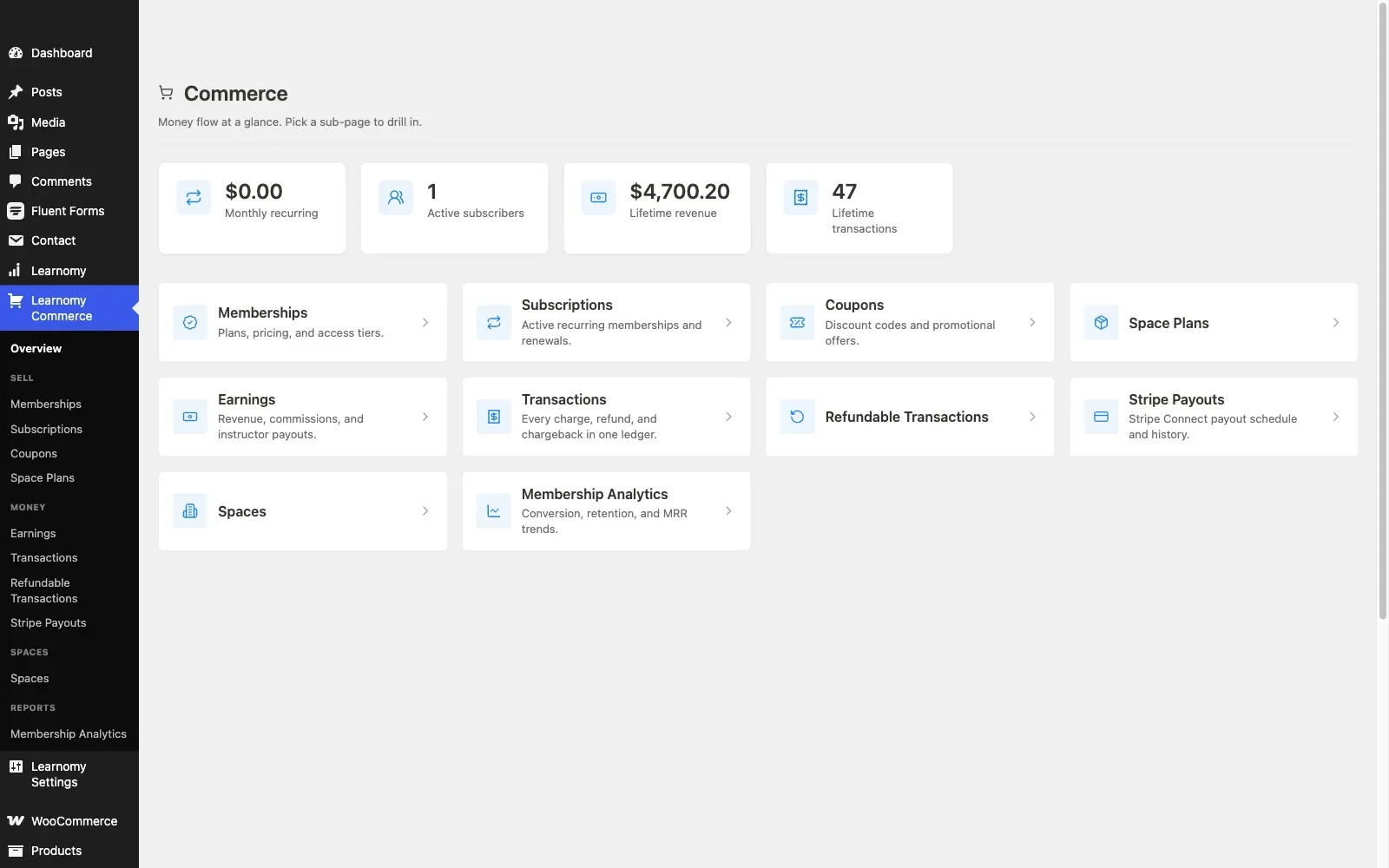
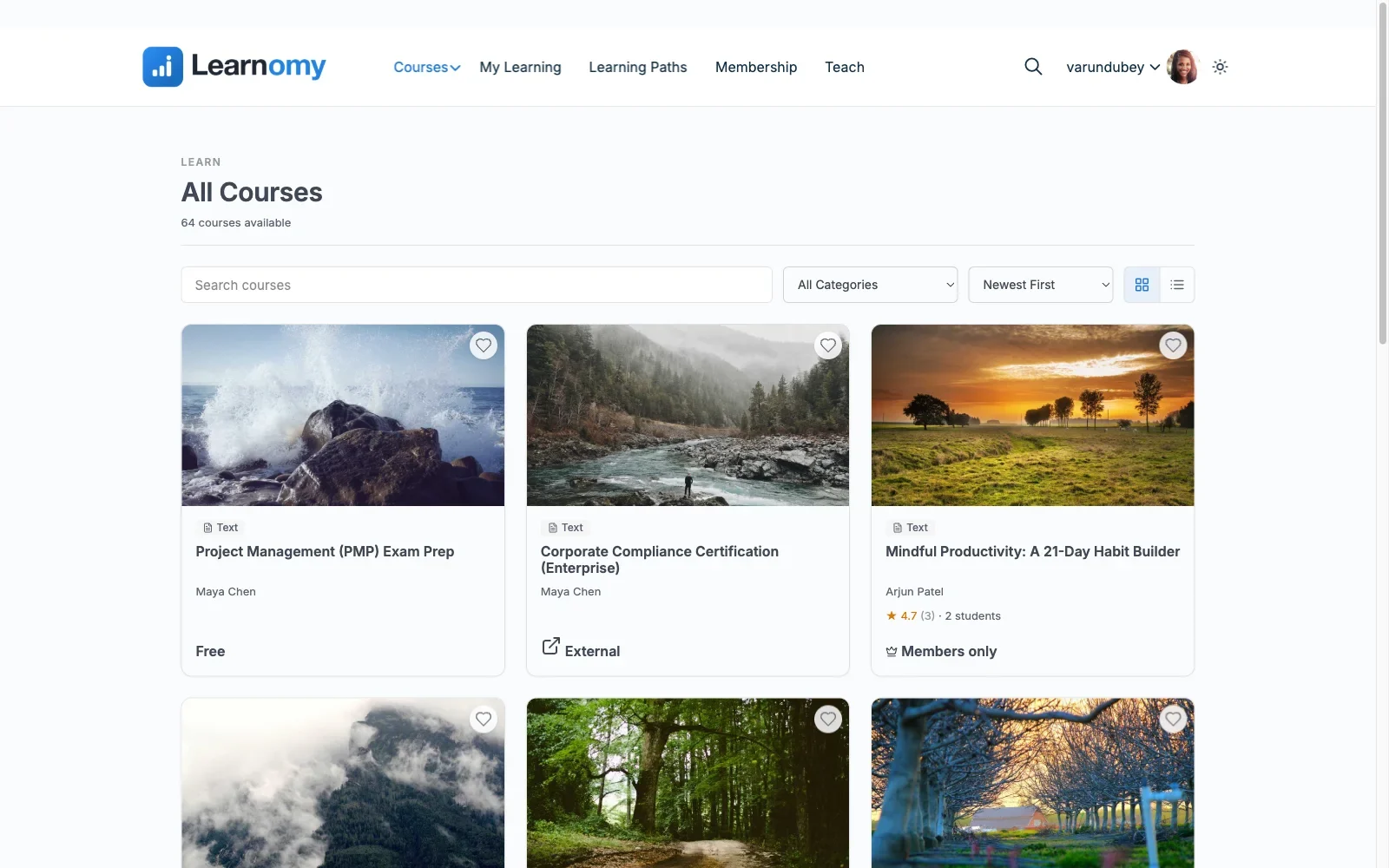
Learnomy is the entry on this list that most directly answers the reason people leave LifterLMS. Where LifterLMS sells a free core and a catalog of add-ons, Learnomy ships as one complete learning platform: courses, quizzes, certificates, checkout, memberships, and instructor payouts from one team, in one product. There are no platform fees on what a student pays you, what students pay is yours.
Most relevant here: its migration wizard imports from LifterLMS directly (alongside LearnDash and Tutor LMS), which turns the scariest part of leaving, moving courses and student records, into a guided process rather than a manual rebuild.
Key features:
- Drag-and-drop course builder in admin, plus a frontend four-step builder so instructors never need wp-admin access
- Six quiz types with partial credit, question banks, anti-cheat tab-switch tracking, and an essay-grading inbox, a meaningful step up from LifterLMS’s free-core quiz engine, where advanced question types are a paid add-on
- Digitally signed certificates with a QR code resolving to a public verify page, LinkedIn sharing, and a visual certificate designer
- A gradebook that rolls quizzes, assignments, and SCORM packages into one weighted grade per course
- Learning paths that chain courses with prerequisites and a path-level certificate
- Memberships with trials and an automatic pricing page, the feature LifterLMS users know well, without the add-on ladder around it
- Udemy-style instructor revenue sharing with applications and dashboards
- Discussion boards, Q&A, gamification with points and badges, a job board for graduates, and video protection
- AI course and quiz generation to draft curriculum structure from a topic
WooCommerce fit: this is where Learnomy solves LifterLMS’s dual-commerce problem from both directions. Its own checkout runs directly through Stripe and PayPal, so a course site that doesn’t need a cart never installs one. For stores that already run WooCommerce, a WooCommerce adapter puts courses into the same catalog, cart, coupons, and order history as everything else you sell, one commerce system, not two.
Pros: Everything a fully-stacked LifterLMS setup provides, in one complete platform with no platform fees; no per-add-on renewal creep; genuine LifterLMS migration path; grows into a community rather than staying a course catalog.
Cons: Newer to the space than LifterLMS or LearnDash, so third-party tutorials and case studies are still catching up to the feature set.
Best for: a LifterLMS site tired of add-on math, and any WooCommerce store that wants courses to be part of the store rather than a second system beside it.
2. LearnDash: the enterprise-grade plugin alternative
LearnDash is the plugin most LifterLMS refugees evaluate first, and for depth it’s a fair instinct. Its quiz engine, Groups system for corporate licensing, SCORM/xAPI support, and reporting are the most battle-tested in the WordPress LMS space, with the largest third-party ecosystem behind them. If your course business is heading toward corporate training contracts, LearnDash’s Groups and group-leader reporting are genuinely hard to replicate elsewhere.
The trade-offs mirror LifterLMS in a different shape: there’s no free version at all, just a paid annual license from day one, meaningful analytics push you toward ProPanel, and real payment flexibility means the WooCommerce integration add-on, so you’re still assembling a stack, just a more mature one. There’s no native LifterLMS importer, so plan a manual content migration and hand-reconciliation of student progress.
WooCommerce fit: the official integration links a WooCommerce product to a course or bundle and enrolls buyers on order completion, a well-worn pattern documented extensively, including in our own WooCommerce LMS integration guide.
Pros: deepest feature set, proven at enterprise scale, huge ecosystem. Cons: no free tier, add-on licenses stack, no LifterLMS import path. The deal: a paid annual license with add-ons renewing separately.
Best for: corporate training and compliance-heavy course businesses where Groups and SCORM outweigh the assembly cost.
3. Tutor LMS: frontend building and marketplace features
Tutor LMS’s frontend course builder is the best-regarded in the plugin space, instructors build and preview courses without touching wp-admin, and its free tier includes a genuinely capable quiz engine and instructor dashboards. Its marketplace features (instructor commissions, withdrawals, course approval flows) make it the plugin-world default for Udemy-style multi-instructor sites.
The familiar catch applies: content drip, prerequisites, the certificate builder, and commission handling live in the Pro tier on an annual renewal, and real payment processing on the free tier means WooCommerce. For a store owner, that last part is arguably a feature: Tutor courses become WooCommerce products, inheriting your existing coupons, tax setup, and checkout.
WooCommerce fit: mature and widely deployed; courses sell as standard WooCommerce products. Pros: best frontend builder, strong free tier, marketplace-ready. Cons: the business layer is Pro-gated; no full LifterLMS importer, though content-level migration tools exist. The deal: free core; Pro is an annual license renewal.
Best for: multi-instructor marketplaces already committed to WooCommerce as the payment layer.
4. Sensei LMS: native WooCommerce, from the same company
Sensei LMS comes from Automattic, the company behind WooCommerce itself, and that shows up in the one place a store owner cares about most: selling a course through WooCommerce requires no bridge plugin at all. A course product behaves like any other product in your catalog. The block-based course editor is Gutenberg-native, and the free core covers courses, lessons, quizzes, and progress tracking.
Compared to LifterLMS, Sensei trades feature depth for integration cleanliness. Memberships aren’t built in the way LifterLMS’s are, content drip and prerequisites sit in Sensei Pro, a separate annual license, and there’s no engagement/automation engine comparable to LifterLMS’s triggers. There’s also no LifterLMS importer.
WooCommerce fit: the best of any traditional plugin here, native rather than bolted on. Pros: Automattic backing, seamless store integration, clean block editing. Cons: shallower feature set, fewer third-party integrations, no migration tooling. The deal: free core; Pro is an annual license renewal.
Best for: an established WooCommerce store adding a modest course catalog where store-native behavior matters more than LMS depth.
5. MasterStudy LMS: block-based building on a budget
MasterStudy LMS leans into Gutenberg block-based course building with a free tier covering the course builder, quizzes with multiple question types, a basic certificate, and student/instructor dashboards. For testing whether a block-native course workflow suits your team, it’s a low-risk trial.
The catch for this audience specifically: the free tier does not include native WooCommerce checkout. Full checkout, content drip, course bundles, and gamification arrive with the Pro tier. So unlike Tutor LMS, where WooCommerce is the free payment path, MasterStudy asks you to buy a license before your courses can sit in your existing cart. No LifterLMS importer exists, so budget manual migration time.
Pros: genuinely block-native, approachable builder, a single Pro tier rather than an add-on catalog. Cons: WooCommerce checkout is paywalled, smaller ecosystem, manual migration. The deal: free core; the Pro tier is an annual license renewal.
Best for: block-editor-first teams willing to start on the paid tier for store integration.
6. MemberPress Courses: when membership is the business
If what you actually liked about LifterLMS was the membership side, MemberPress is the purpose-built version of that idea. Its courses add-on rides on top of the strongest membership and billing engine in WordPress: rules-based content protection, subscriptions, payment plans, and native Stripe/PayPal processing without WooCommerce.
The inversion is the point: MemberPress is a membership plugin that teaches, not an LMS that gates. Quiz depth, certificates, and course-level reporting trail every dedicated LMS on this list, and it runs its own checkout, so a WooCommerce store gets a second commerce system, the same dual-commerce problem LifterLMS has, and there is no free tier, just a paid annual license.
Pros: best-in-class recurring billing and access rules, native payments. Cons: thin LMS layer, separate checkout from your store, no LifterLMS importer. The deal: paid annual license with no free tier; billing engine included.
Best for: a subscription community where courses are a perk of membership rather than the product itself. If recurring billing is your main concern, our guide to LMS platforms with built-in payments goes deeper on this exact trade-off.
7. Thinkific: the hosted escape hatch, with trade-offs
Some LifterLMS sellers aren’t shopping for a better plugin, they’re tired of WordPress maintenance entirely. Thinkific is the honest version of that exit: hosted course delivery, checkout, and student management for a monthly subscription, with no plugins to update and no server to babysit.
Count the full deal before jumping: a subscription that runs every month, forever, against a self-hosted school that runs on infrastructure you already pay for. Your student records live in Thinkific’s database, not yours; your WooCommerce store and your school become two disconnected businesses; and leaving later means another migration. For a WooCommerce site, this is usually the wrong direction, but it belongs on the list because it’s what half of “LifterLMS alternatives” searches are really asking about.
Pros: zero maintenance, polished hosted experience. Cons: recurring cost compounds forever, no data ownership, disconnected from your store. The deal: a monthly subscription forever, on the vendor’s infrastructure and terms.
Best for: creators leaving self-hosting entirely, with eyes open about lock-in.
The true cost of switching (and of staying)
Run the three-year structure before deciding anything. Staying on LifterLMS means the bundle renewal every year, plus whatever individual add-ons sit outside your bundle, each on its own cycle. LearnDash lands similarly once ProPanel and the WooCommerce integration join the party. Thinkific is a monthly subscription that never stops across the same window. Learnomy carries no platform fees at all, which converts your entire add-on budget into hosting, marketing, or course production spend.
Then price the migration itself honestly. Course content, lessons, videos, PDFs, moves easily everywhere. The hard parts are enrollments, quiz attempts, completion dates, and certificates already issued. A destination with a real LifterLMS importer (on this list: Learnomy) turns that into a guided process. A destination without one turns it into a developer project: exporting user meta, mapping old course IDs to new ones, and fielding “where did my progress go” tickets for a month. If your LifterLMS courses were sold through the WooCommerce integration, verify order-to-course mappings survive the move, or your WooCommerce order history stops matching what the new LMS thinks customers own.
One more staying cost that’s easy to miss: every LifterLMS add-on is a separate update cycle. Five add-ons from one vendor still means five chances per WordPress release for something to lag. Consolidating onto a single platform, whichever one, cuts that surface area more than any individual feature comparison suggests.
Common mistakes when replacing LifterLMS
- Comparing headline offers instead of full stacks. LifterLMS’s free core versus LearnDash’s paid license is a false comparison; weigh the full stack of licenses each side needs for your actual launch checklist.
- Migrating content and forgetting students. If the new platform can’t import enrollments and progress, every existing student starts at zero. Test the import on a staging site with real data before announcing anything.
- Ignoring certificates already issued. Students share certificates on LinkedIn. If verification URLs die in the migration, those links break publicly. Learnomy’s verifiable-certificate system is a chance to upgrade this, but only if you plan the cutover.
- Keeping two checkouts running “temporarily.” Running LifterLMS access plans and a new platform’s checkout in parallel for more than a planned cutover window guarantees orphaned orders. Pick a date, redirect, and archive.
- Not testing the WooCommerce path end to end. Whatever you choose, run a real test purchase, coupon, refund, and re-enrollment before go-live. Integration bugs live in the refund path, never the happy path. Our full WordPress LMS guide covers this evaluation checklist in more depth.
FAQ
What is the best alternative to LifterLMS?
For most course sellers, Learnomy: it covers what a fully-stacked LifterLMS setup does, courses, advanced quizzes, certificates, memberships, checkout, instructor payouts, as one complete platform with no platform fees, and it’s the only option here with a dedicated LifterLMS migration wizard.
Can I migrate from LifterLMS without losing student progress?
Only if the destination imports enrollments and progress, not just content. Learnomy’s migration wizard imports from LifterLMS directly. Moving to LearnDash, Sensei, or MasterStudy means manual export and reconciliation of student records.
Is LifterLMS still worth it in 2026?
For sites already running it happily with one or two add-ons, yes, it remains a solid product. The calculation changes when your add-on list grows past three or you’re maintaining its checkout alongside a WooCommerce store, which is when the alternatives above start winning on both cost and simplicity.
Which LifterLMS alternative works best with WooCommerce?
Sensei LMS has the most native integration, since Automattic makes both. Learnomy’s WooCommerce adapter achieves the same store-level result, courses in your existing cart, while also offering direct Stripe/PayPal checkout for sites that don’t want a cart at all.
Do any free LifterLMS alternatives exist?
Learnomy is a complete platform with no platform fees on what students pay you. Tutor LMS, Sensei, and MasterStudy all offer free tiers with meaningful limits, we compared exactly what each free tier can and can’t do in our free WordPress LMS plugins guide.
Should I move from LifterLMS to a hosted platform like Thinkific?
Only if you’re deliberately exiting self-hosted WordPress. You’ll trade add-on maintenance for a monthly subscription that never ends plus a cut of every sale on some platforms, give up ownership of student data, and disconnect your school from your WooCommerce store. Most LifterLMS pain points are solved more simply by a complete self-hosted platform.
Verdict
If you’re leaving LifterLMS because the add-on math stopped making sense, Learnomy is the direct answer: the complete stack, quizzes with anti-cheat tracking, verifiable certificates, memberships with trials, direct checkout plus a WooCommerce adapter, instructor payouts, with no platform fees and a migration wizard built for exactly your situation. LearnDash is the pick when corporate Groups and SCORM depth justify assembling a paid stack. Sensei LMS wins when native WooCommerce behavior is the whole requirement, and Tutor LMS when a multi-instructor marketplace is the goal. Go hosted only if you’re consciously buying your way out of WordPress maintenance and pricing in what that costs every year, forever.
Ready to retire the add-on spreadsheet?
Learnomy replaces a LifterLMS stack with one complete platform: courses, anti-cheat quizzes, QR-verifiable certificates, memberships with trials, direct Stripe/PayPal checkout plus a WooCommerce adapter, and instructor payouts, with no platform fees and a migration wizard that imports your LifterLMS site directly.
Plugins we build and run
We maintain these ourselves, which is why we can support them on your site.
- BuddyNextThe self-hosted community engine for WordPress
- BuddyXFree community theme, Pro when you outgrow it
- ReignPremium community theme. Add pieces, build anything
- JetonomyCommunity forum and Q&A for WordPress
- EventonomyEvents and RSVPs for WordPress communities
- LearnomyCourses and learning communities on WordPress
- ListoraDirectories and listings your members can browse
- SnipShareCode sharing built for developer communities
- WB Ad ManagerAd placements that turn traffic into revenue
- WP Career BoardA job board your community actually uses
- WP Sell ServicesSell services with offers, orders, and payouts
- MediaVersePhotos, video, and media albums for members
- WB GamificationPoints, badges, and rewards that keep members active
- Product RoadmapPublic roadmaps with voting your users trust