Moving From Shopify to WooCommerce: What It Costs, What You Gain and What Breaks in the Move
What a Shopify to WooCommerce move really costs, what you gain, what breaks (passwords, URLs, app data) and a step by step plan, with prices checked 3 November 2026.

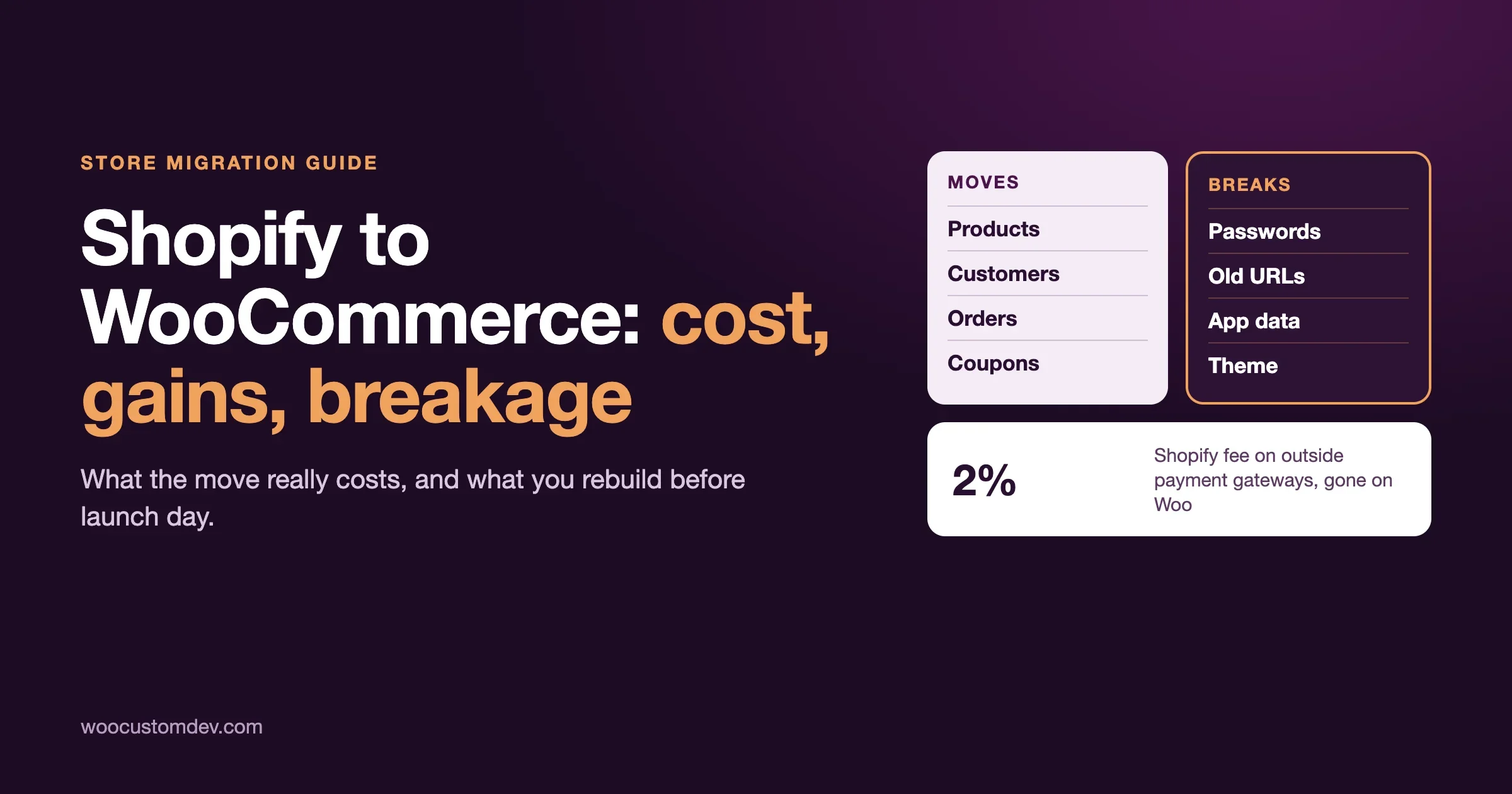
Moving from Shopify to WooCommerce usually costs a one-off migration (from a free CSV import you do yourself to a paid agency project), a hosting bill you did not have before, and a few weeks of careful testing. In return you stop paying a monthly platform fee, you can pick any payment provider without a Shopify surcharge, and you own your store’s code and data. What breaks is predictable: customer passwords, your old web addresses, anything your Shopify apps stored for you, and the shipping, tax and checkout settings you will rebuild by hand.
This guide gives you the real numbers we could confirm, the honest downsides, and a plan you can follow. It is written for store owners, not developers. If you are still deciding whether to move at all, read our WooCommerce vs Shopify comparison and the decision guide first. This article starts after you have decided to look seriously at a move.
What does it cost to move from Shopify to WooCommerce?
There are two separate costs: the one-off cost of the move, and the running cost afterwards. People often compare only the second one and get surprised by the first.
The one-off cost of the move
WooCommerce itself publishes three ways to do the data move, from cheapest to most expensive:
- Manual CSV import. You export products from Shopify (Products, then Export) and import the file with the importer that is already inside WooCommerce (WooCommerce, then Products, then Import). WooCommerce describes this route as free and fine for smaller or simpler stores.
- A migration plugin. WooCommerce recommends the Migrate & Import Shopify to WooCommerce extension, which it lists at $79 a year in its own blog post. It connects to your Shopify store with API credentials and moves products, categories, orders, coupons, blog posts and pages.
- An agency or migration service. WooCommerce itself says this may be the priciest option. The price depends on how complex your store is, and we could not find a published price list, so treat any number you read as unconfirmed until you get a written quote.
The data move is only part of the job. WooCommerce’s own list of what a migration project needs also includes planning and build (design and front-end work), integrations and custom work (ERP, CRM, warehouse systems), tools and hosting, and testing and launch. Most of the real cost sits there, not in the CSV file.
The running cost afterwards
Here is what Shopify charges, taken from the US pricing page (checked 3 November 2026):
Shopify plan | Monthly price | Price if paid yearly | Card rate (Shopify Payments, online) | Fee if you use another payment provider |
|---|---|---|---|---|
Basic | $39 | $29 a month | 2.9% + 30 cents | 2% |
Grow | $105 | $89 a month | 2.7% + 30 cents | 1% |
Advanced | $399 | $359 a month | 2.5% + 30 cents | 0.6% |
Plus | from $2,300 | not listed | from 2.25% + 30 cents | 0.2% |
Shopify’s page notes that these third-party fees apply when you use a payment provider instead of Shopify Payments. Shopify’s help centre adds that if Shopify Payments is your main provider, PayPal orders are exempt from the third-party fee, but if you run Shopify Payments next to another provider, the fee applies.
On the WooCommerce side the line items are different:
- The WooCommerce plugin: free. We cover what is and is not free in Is WooCommerce Free?
- Hosting: new, and it varies a lot. As one example, Pressable (a managed WordPress host owned by Automattic) lists a plan at $250 a year for one site and up to 30,000 visits a month. Cheaper shared hosting exists and bigger stores pay much more. Hosting prices change often, so check the host’s own page.
- Payments: WooPayments, the official payment extension, lists US card payments at 2.90% + $0.30, with no setup cost or monthly fee and a $15 dispute fee. That is the same headline card rate as Shopify Basic. Other gateways set their own rates.
- Extensions: some features that Shopify includes are paid extensions on WooCommerce. WooCommerce Subscriptions, for example, is a paid annual extension.
- Maintenance: updates, backups and security. On Shopify these are bundled into the plan. On WooCommerce they are your job, or a person’s job you pay.
A worked example, with the arithmetic shown
This is an illustration, not a quote. Take a store that sells $100,000 a year in 2,000 orders (an average order of $50) and sits on Shopify Basic paid yearly.
- Shopify subscription: $29 x 12 = $348 a year.
- If the store uses Shopify Payments: 2.9% of $100,000 is $2,900, plus 2,000 orders x $0.30 = $600, so $3,500 in card fees.
- If the store uses a different gateway: add the 2% Shopify surcharge, which is $2,000 a year, on top of whatever that gateway charges.
On WooCommerce with WooPayments the same $100,000 costs the same $3,500 in card fees, because the headline rate matches. So moving does not make card fees smaller by itself. The savings come from three other places: the $2,000 surcharge disappears if you were paying it, the monthly app subscriptions you replace with one-time or cheaper extensions, and the freedom to negotiate rates with a processor once your volume justifies it. Against that you add hosting, and you take on maintenance.
For a small store on Shopify Basic using Shopify Payments, the honest answer is often that moving saves little money and adds work. The case gets stronger as app subscriptions pile up, as you use a third-party gateway, or as you outgrow what Shopify’s checkout and catalogue rules allow.
What WooCommerce’s own case studies claim
In its blog post of 13 October 2026, WooCommerce describes a skincare brand that handles up to 80,000 orders a month across about 300 products, and a company called Landyachtz that it says cut annual platform costs from about $45,000 to under $10,000 and halved its ecommerce workload after moving to a single WooCommerce site. These are vendor-published stories we cannot verify independently, and both are large businesses. Use them as an example of what is possible, not as a forecast for your store.
WooCommerce also offers a total cost of ownership calculator. Fill it with your real Shopify bill, not the plan price alone. WooCommerce’s own post suggests listing the plan, payment processing, apps, integrations, custom development, maintenance and manual website work. That list is a good habit whatever calculator you use.
What do you gain by moving to WooCommerce?
The gains are real, but they are not free. Each one comes with a duty attached.
No platform surcharge on payments
Shopify charges its third-party fee of up to 2% when you use an outside payment provider on a plan below Plus. WooCommerce charges no fee for the choice of gateway. If your customers or your bank prefer a provider Shopify does not treat as native, that is a direct saving. Our post on reading your payment fee statement shows how to check what you really pay.
Ownership of your code and data
WooCommerce is open source. You choose the host, you can read and change the code, and your orders and customers live in a database you control. That matters if you need to connect an accounting system, a warehouse, or a CRM in a way an app store does not cover. It also matters for a quieter reason: we wrote about how every Shopify app gets a copy of your store’s data. On your own hosting you decide which plugins can see what.
Rules that fit your business
Custom pricing, odd checkout flows, bundles with their own stock rules, B2B price lists and regional shops are all things WooCommerce lets a developer build directly. WooCommerce’s own post says Shopify can need extra tools for complex catalogues and B2B pricing, particularly on plans below Plus. That is their view, and Shopify would say its apps cover many of these cases. The practical test is simple: list the workarounds you pay for today and ask whether a single custom feature would replace them.
Content and shop in one place
WooCommerce runs inside WordPress, so your blog, landing pages and shop share one admin, one SEO plugin and one set of users. If content marketing is a big part of how customers find you, this is a genuine advantage.
What you give up
We would be doing you a disservice if we only listed gains. On Shopify, hosting, security patches, the checkout and uptime are the platform’s problem. On WooCommerce they become yours. WooCommerce’s server requirements page now asks hosts for PHP 8.3 or newer, MySQL 8.0 or newer (or MariaDB 10.6 or newer), HTTPS and a 256 MB WordPress memory limit. We explain what that means in our PHP requirement check. You also take on backups and security, which our security checklist walks through.
If nobody on your team wants to own those jobs, either budget for a maintenance plan or stay where you are. A cheaper platform that nobody looks after costs more in the end.
What breaks when you move from Shopify to WooCommerce?
These are the failures we expect on almost every move. None is a reason to avoid the move, but each needs a plan before launch day.
Item | What happens | What to do |
|---|---|---|
Customer passwords | They do not transfer. WooCommerce’s guide says it cannot import hashed passwords from Shopify. | Import customers, then send account invitations or password reset emails. Test a login before launch. |
Web addresses (URLs) | Shopify uses /products/item, WooCommerce uses /product/item by default. Old links and search rankings point at addresses that no longer exist. | Export your old URLs from the sitemap or a CSV and set 301 redirects. Test a sample of old links in a browser. |
Product images and files | Shopify exports do not bundle images. The CSV only holds image links. | Keep the Shopify store live until images are copied across, and download banners, logos and files from the Content, Files area. |
Your theme | A Shopify theme (Liquid files) cannot be installed on WordPress. You rebuild the design with a WooCommerce-ready theme. | Budget design time. Save the theme zip as a reference for colours, fonts and layout. |
Shipping, tax and checkout settings | These are set up again by hand. The WooCommerce guide tells you to recreate shipping zones and methods and to test the totals at checkout. | Write down every shipping rule and tax setting before you start, then test each by placing real orders. |
Data held inside Shopify apps | Reviews, loyalty points, wishlists, bundles and back-in-stock lists live in the app, not in your product export. | Ask each app vendor for an export before you cancel. Choose the WooCommerce replacement first. |
Order and customer history | Moves as records, but fields may not map neatly. WooCommerce’s guide warns that user roles and metadata may not match unless you map them carefully, and a duplicate email can make an import fail or overwrite data. | Run a small test import first and compare totals against Shopify reports. |
Subscriptions and saved cards | We have not verified how recurring plans and stored card details move from Shopify Payments to another processor. Treat this as unconfirmed. | Ask your payment processor and your subscription app vendor for their migration steps in writing before you set a date. |
The three that hurt most
Redirects. This is the one that costs real money when it is skipped. Every old product, collection and blog address that returns an error is a lost visitor and a signal to Google that the page is gone. Build the redirect list early, from your sitemap, and treat it as a launch requirement.
App data. A product export only covers what Shopify itself stores. If you collect reviews through an app, those reviews are the app’s data. You will need that vendor’s export and a WooCommerce plugin that can import it. The same is true for loyalty balances, which customers notice immediately when they vanish.
Passwords. It sounds minor and it is not. A customer who cannot log in is a customer who cannot see an order, reorder, or use a stored address. Send a clear email before launch explaining that they will set a new password, and make the reset link easy to find.
How do you move a Shopify store to WooCommerce, step by step?
We follow the same order on every project. It matches the order in WooCommerce’s own migration guide, with the extra checks we add from experience.
- Audit what you have. List products, variants, collections, pages, blog posts, discount codes, shipping rules, tax settings, payment methods, apps and the data each app holds. Fill in the cost table with your real numbers. This list becomes your test plan later.
- Pick the hosting and check the requirements. Match WooCommerce’s published server requirements and ask the host about backups, staging and support for stores. Do not buy the cheapest plan on the first day of a move.
- Back up everything from Shopify. Export products, customers and orders as CSV files in UTF-8, download your theme, and download media. WooCommerce’s guide recommends keeping these exports in access-controlled storage.
- Build the new store on a staging site. Install WordPress and WooCommerce on a staging copy, not on the live domain. Our staging and migration operations guide covers how to keep that copy safe.
- Import a small test batch. Import ten products, a few customers and a few orders. Check that variants, prices, stock, images, categories and totals match. Fix the mapping before you import the full catalogue. WooCommerce’s own advice is to back up the database and run a small test import first.
- Import the full data. Use the CSV importer, the migration plugin, or a service, depending on the size of the store.
- Rebuild what does not move. Theme and design, shipping zones, tax, payment gateway, emails, and the replacements for each app on your list.
- Set up redirects and SEO. Add 301 redirects for old URLs. Install an SEO plugin, carry over titles and descriptions from the product export, and generate a new sitemap.
- Test like a customer. Place real orders with each payment method, a discount code, a shipping rate for each zone, a refund and a failed card. Test on a phone. Check the emails customers receive.
- Choose a quiet launch window. Freeze changes on Shopify, import the orders placed since your test import, switch DNS to the new host, and watch the first orders closely.
- Keep Shopify available for a while. Do not cancel until you have confirmed images, redirects, orders and app data on the new store. Cancelling early removes your fallback.
Which migration route is right for your store?
A simple rule works for most owners:
- Under a few hundred simple products and no order history needed: the free CSV route is reasonable. Plan a weekend of careful spreadsheet work.
- Orders, customers, coupons and blog posts to move: use the plugin route (the $79 a year extension, according to WooCommerce) or the customer and order CSV import extension. You still need to test the mapping.
- Subscriptions, custom pricing, integrations, or a store that cannot go offline: hire experienced help. The cost of one wrong import on a live store is higher than the project fee.
When should you not move yet?
WooCommerce’s own migration post makes a point we agree with: if you are heading into a major selling season, or you do not have the right team in place, it may make sense to wait. A single annoying app or one clunky workflow is not enough reason on its own.
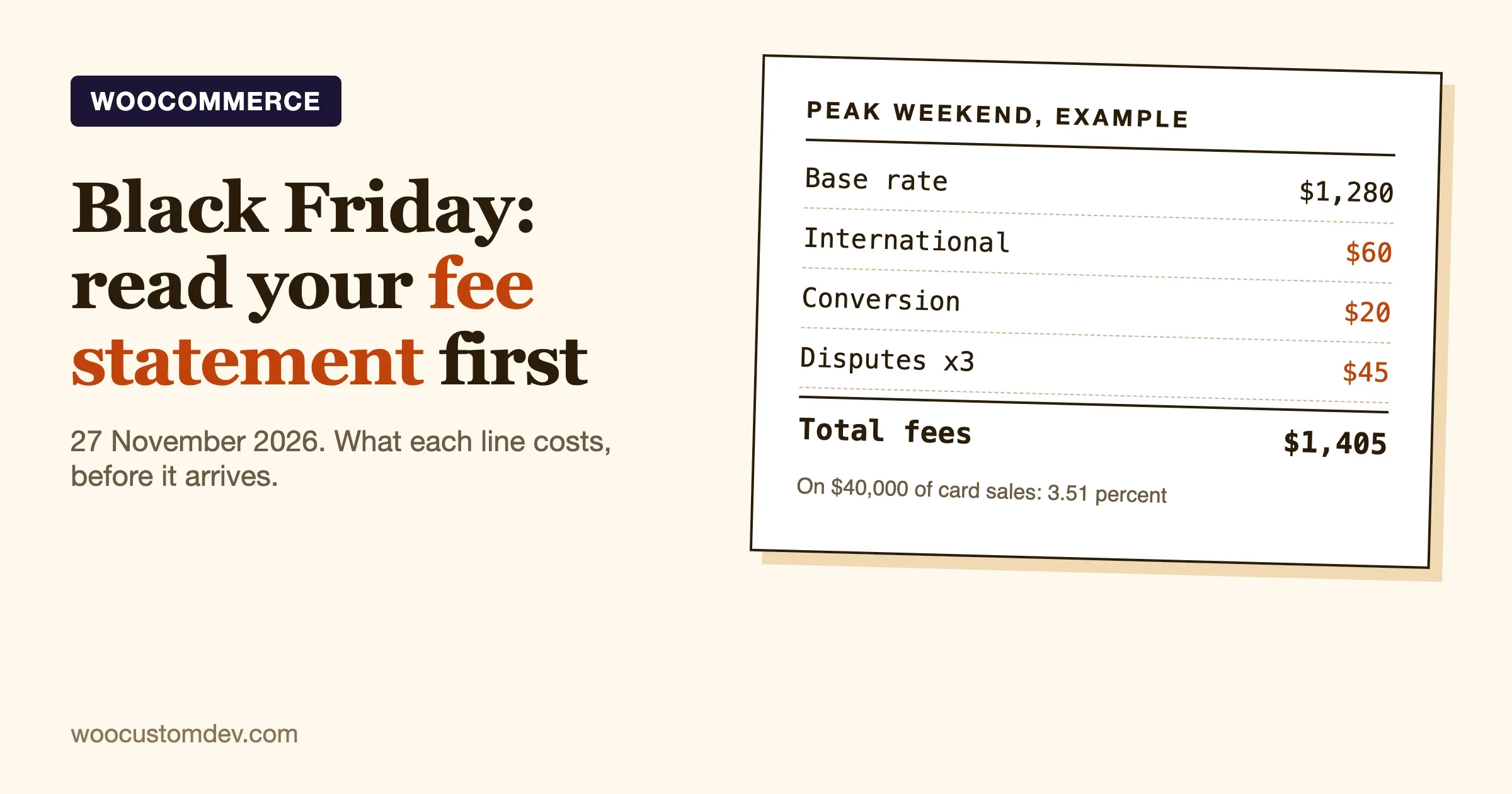
Timing matters this month. Black Friday is 27 November 2026, as we noted in our post on payment fees at peak. A store that starts a full migration today will be testing and launching in the busiest weeks of the year. For most stores the safer plan is to do the audit and the cost table now, build and test on staging in December, and launch in January when traffic is calmer.
Also stay put if you cannot name one concrete thing the move will fix, if the store has a single owner who is already stretched thin, or if you rely on a Shopify-only feature (such as a specific checkout flow) that has no WooCommerce match yet.
How do you protect your search traffic during the move?
Search traffic is usually the most valuable thing a store owns, and it is the easiest thing to damage. We keep a short checklist:
- Export the list of every live URL before you change anything (the sitemap is a good source).
- Map each old address to its closest new address, and use a 301 redirect, which tells search engines the move is permanent.
- Keep product names, descriptions and headings the same on day one. Change copy later, not during the move.
- Carry over page titles and meta descriptions from the product export into your SEO plugin.
- Submit the new sitemap in Google Search Console after launch and check the Pages report for errors in the first two weeks.
- Check that the new site is not set to discourage search engines. This setting is a common leftover from staging.
Expect some movement in rankings for a few weeks even when everything is done well. If traffic drops sharply and does not recover, the redirect map is the first place to look.
What should you ask a developer or agency before you hire one?
If you decide to pay for the move, these questions separate a careful project from a risky one:
- Will you build on a staging site and show me the full store before the domain changes?
- How will customer passwords, saved cards and subscriptions be handled? What do you need from my payment processor?
- Who owns the redirect plan, and how will you prove old URLs work after launch?
- What happens to data held by each of my Shopify apps?
- What is included after launch: bug fixes for 30 days, backups, updates?
- Who owns the hosting account, the code and the plugin licences at the end?
If you want a second opinion on a quote or a plan, our team at Woo Custom Works does this kind of move. You can see what we offer on our services page or send us your store details and we will tell you honestly whether moving makes sense.
Frequently asked questions
How much does it cost to move from Shopify to WooCommerce?
The data move can be free (manual CSV), $79 a year for the migration extension that WooCommerce recommends, or a quoted project price from an agency. On top of that, expect new hosting costs and any paid extensions you need. WooCommerce’s own advice is that the cost varies with how complex your site is.
Is WooCommerce cheaper than Shopify?
Not always. Card fees are the same headline rate on Shopify Basic and WooPayments in the US (2.9% + 30 cents). WooCommerce tends to be cheaper when you use a third-party gateway (no 2% surcharge), when you pay for many Shopify apps, or when you are on a high plan. It is often not cheaper for a small store that is happy with Shopify’s built-in features.
Will I lose my Google rankings if I move?
You can, if the old addresses are not redirected. With a complete 301 redirect map, careful copy and a tested sitemap, most stores see only short-term movement. Plan to watch Search Console closely for a few weeks.
Do my customers have to create new accounts?
No, but they will need to set a new password. Passwords do not transfer from Shopify, according to WooCommerce’s migration guide. Import the customer records, then send a reset or invitation email.
Can I move without taking my store offline?
Yes. Build and test on a staging copy while Shopify keeps taking orders, then switch the domain at a quiet time. You will need a short freeze, and you will need to import orders placed during the build.
What about my Shopify apps?
Each app needs a decision: replace it with a WooCommerce plugin, replace it with a small custom feature, or drop it. Ask each vendor how to export your data before you cancel. Our post on what Shopify apps do with your store data explains why that export matters.
Should I move before Black Friday?
For most stores, no. Audit and plan now, then migrate after the sales period.
The short version
Moving from Shopify to WooCommerce is worth it when you can name specific costs or limits it removes: a payment surcharge, a pile of app subscriptions, a checkout or catalogue rule you cannot bend, or a need to own your data. It is not worth it for the sake of change. The move costs a one-off project, a new hosting bill and a maintenance job. It breaks passwords, old URLs and app data unless you plan for each.
Start with the audit and the cost table using your real Shopify bill. If the numbers and the limits both point the same way, build on staging, test like a customer, redirect every old address, and launch in a quiet week. Keep Shopify running until you have checked everything on the new store.
Sources checked on 3 November 2026: WooCommerce blog, “Is it time to migrate from Shopify to WooCommerce?” (13 October 2026); WooCommerce migration guide; WooCommerce server requirements; WooPayments fees; Shopify pricing (US prices from the page as served to a US visitor); Pressable pricing.
Plugins we build and run
We maintain these ourselves, which is why we can support them on your site.
- BuddyNextThe self-hosted community engine for WordPress
- BuddyXFree community theme, Pro when you outgrow it
- ReignPremium community theme. Add pieces, build anything
- JetonomyCommunity forum and Q&A for WordPress
- EventonomyEvents and RSVPs for WordPress communities
- LearnomyCourses and learning communities on WordPress
- ListoraDirectories and listings your members can browse
- SnipShareCode sharing built for developer communities
- WB Ad ManagerAd placements that turn traffic into revenue
- WP Career BoardA job board your community actually uses
- WP Sell ServicesSell services with offers, orders, and payouts
- MediaVersePhotos, video, and media albums for members
- WB GamificationPoints, badges, and rewards that keep members active
- Product RoadmapPublic roadmaps with voting your users trust