Is WooCommerce Free? A Detailed Overview
Is WooCommerce free? Yes, the plugin is. What the free plugin includes, what every store still pays for, and a worksheet for your own total.

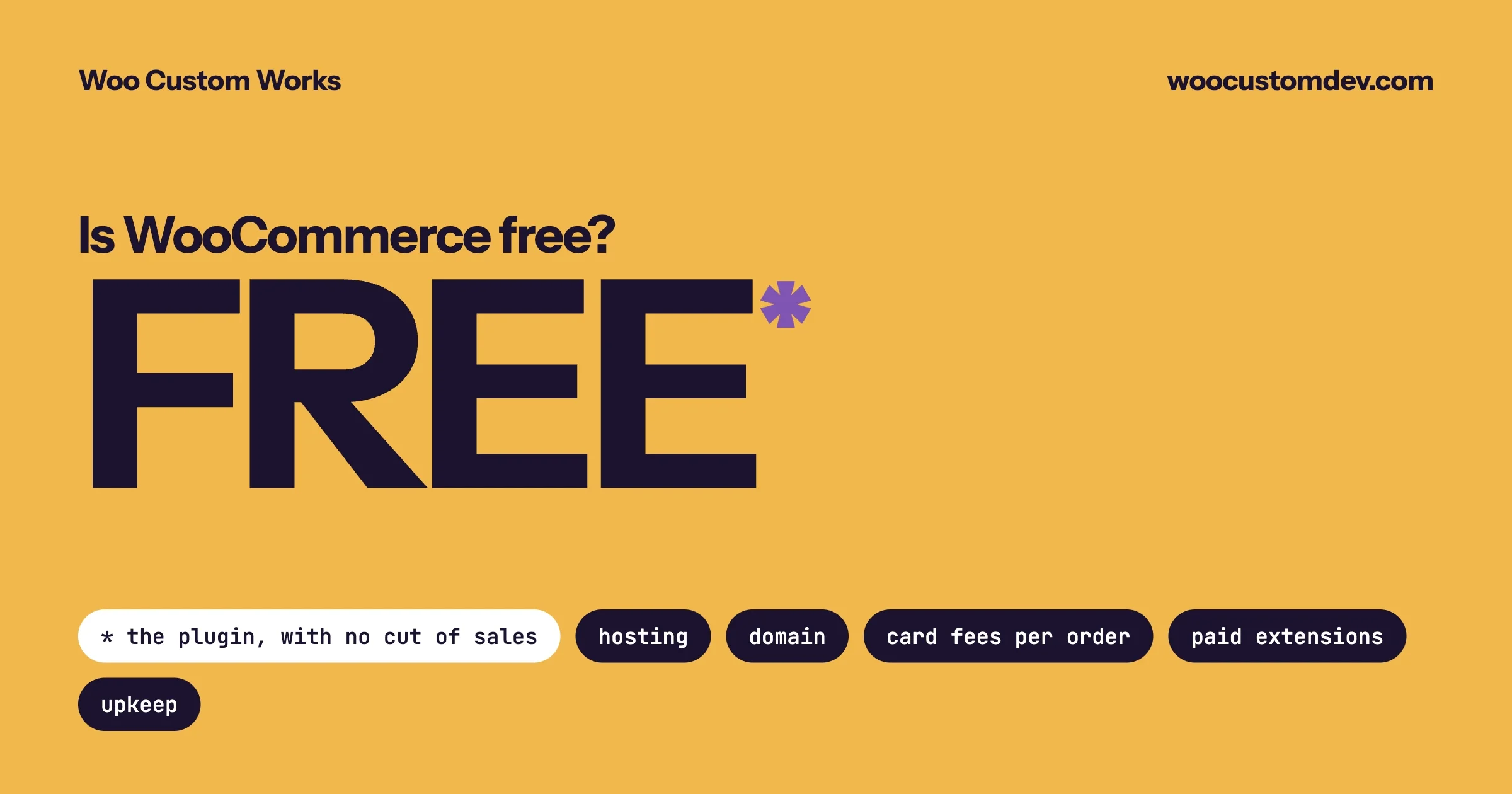
Yes, WooCommerce is free. The plugin costs nothing to download, it is open source, and WooCommerce takes no percentage of your sales. What is not free is running a store on it: you pay for hosting, a domain name, payment processing on every order, and any paid extensions, design work or developer time your store needs. A simple store can run on the free plugin with only hosting and card fees. A store with subscriptions, bookings or custom checkout rules will pay for several extensions or for someone to build them.
This guide separates the two clearly. It lists what the free plugin includes, every place money leaves your account, and how to work out your own total before you commit. Fees quoted here come from WooCommerce’s own published pages and are linked. Extension and hosting prices change and are shown in your local currency, so where a price matters we tell you where to read the current one and do not quote a figure that may be out of date by the time you read this.
In this guide
- Free and not free, in one table
- What the free WooCommerce plugin includes
- The costs every store pays
- The costs that depend on what you sell
- Does WooCommerce take a cut of sales?
- How paid extensions are billed, and what happens if you stop paying
- A worksheet for your own store
- Is it cheaper than a hosted platform?
- Questions people ask
What is free and what is not?
Item | Free? | Notes |
|---|---|---|
The WooCommerce plugin | Yes | Open source. No licence fee, no limit on products or orders. |
WordPress | Yes | Also open source. WooCommerce runs on top of it. |
A store theme | Yes, if you choose a free one | WooCommerce’s own Storefront theme is free. Paid themes and custom design cost extra. |
Connecting a payment provider | Yes | The connecting plugin is free for the main providers. |
Processing each payment | No | The payment provider charges a fee per transaction. |
Hosting and a domain name | No | You rent the server your store runs on, and your web address. |
Extensions for special features | Some free, many paid | Subscriptions, bookings, product options and similar features are usually paid, billed yearly. |
Updates, backups and security | The software updates are free | Someone has to apply and test them. That is your time, or a care plan. |
Custom features | No | Anything unique to your business needs a developer. |
What does the free WooCommerce plugin include?
More than most people expect. With only the free plugin you can run a complete store.
- Products. Unlimited physical and digital products, with categories, tags, images, attributes such as size and colour, and variations of a product with their own price and stock.
- Cart and checkout. A full cart and checkout, guest checkout or customer accounts, and coupons.
- Shipping. Shipping zones, flat rate, free shipping above an amount you set, and local pickup. See our guide on setting up free shipping after a minimum amount.
- Tax. Tax rates by location, prices shown with or without tax.
- Orders. Order management, refunds, order notes, and emails to you and the customer at each step.
- Stock. Stock levels, low-stock and out-of-stock notices, and backorders.
- Reports. Sales, orders, products, customers and tax reports in the dashboard.
- Import and export. Products can be moved in and out as spreadsheet files. Our walkthrough on exporting products shows how.
- A mobile app for managing orders and products.
- Access for developers. Everything can be extended, which is why so many add-ons exist.
None of that has a product limit, an order limit or a time limit. There is no “free plan” that you grow out of. The free plugin is the whole core product.
What does every store pay for?
Three things, whatever you sell.
1. Hosting
WooCommerce is software you install, so you need a server to run it on. This is the biggest difference from a hosted platform, where the server is included in a monthly plan.
Hosting comes in broad tiers: shared hosting for a new store with light traffic, managed WordPress hosting where the company handles updates, backups and speed, and a private server for busy stores. A store is more demanding than a blog, because every cart and checkout page is built fresh for each shopper and cannot be served from a cache.
How to choose: start on a plan your host describes as suitable for WooCommerce, and watch two things: how long the checkout page takes to load, and whether the host warns you about resource limits. Those tell you when to move up. Our post on checking your store against WooCommerce’s PHP requirement includes what to ask a host and the signs that a plan no longer fits.
2. A domain name
Your web address is rented by the year from a registrar. Register it in your own name, with your own email address on the account, even if someone else builds the store.
3. Payment processing
Every card payment has a fee, charged by the company that processes it. This is true on every platform. For WooPayments, WooCommerce’s own payment service, the published fees for the United States are:
Fee | Amount (US accounts) |
|---|---|
Standard domestic card payment | 2.90% + $0.30 |
Card issued outside the US | an extra 1.50% |
Currency conversion | an extra 1.00% |
Dispute (chargeback) | $15.00, refunded if you contest and win |
Instant payout | 1.5% of the payout amount |
Fees differ by country, so read the page for the country your business is registered in. Stripe, PayPal and other providers publish their own rates, and you are free to choose between them. That choice is one of the real advantages of WooCommerce: you can compare providers and switch if another suits your customers better.
A worked example, using the US figures above: on a $50 order paid with a US card, the fee is $1.45 plus $0.30, which is $1.75. On 200 such orders a month that is $350. This is usually a store’s largest running cost, and it scales with sales, so include it in your pricing from the start.
What costs depend on what you sell?
Paid extensions
The free plugin sells products with a price. When your business model needs more than that, you add an extension. Common examples:
You want to... | What you need |
|---|---|
Charge customers on a repeating schedule | A subscriptions extension |
Take bookings or appointments | A bookings extension |
Let customers add engraving, gift wrap or custom options | A product add-ons extension |
Show live rates from a carrier at checkout | A carrier shipping extension |
Sell at different prices to trade customers | A wholesale or role-based pricing extension |
Run memberships with restricted content | A memberships extension |
Let other sellers list products on your site | A marketplace extension |
For most of these there are several products to choose from, including free ones in the WordPress plugin directory. We compared the options for one common case in WooCommerce Subscriptions, Recurring Billing and Donation Plugins Compared.
How to keep this cost down: write down what your store must do on launch day, and buy extensions only for those items. Stores often buy five extensions in the first week and use two. Add the rest when a real customer need appears.
Theme and design
A free theme is enough to launch. Storefront is free, and WooCommerce has a new free block theme called Purple in beta, which we looked at in Purple, a Block Theme, or a Custom Build. Paid themes are a one-off or yearly purchase. Custom design, where a designer and developer build the store’s look around your brand, is a project with its own quote.
Order emails sent straight from a web server often land in spam. Most stores add an email sending service so receipts and shipping notices arrive. Many of these have a free allowance that covers a small store.
Upkeep
WordPress, WooCommerce, your theme and every extension release updates, and some of those fix security problems. The updates themselves are free. Applying them safely is work: taking a backup, updating on a test copy, checking the checkout still works, then updating the live store. You can do this yourself, or pay for a care plan that does it for you. Skipping it is what turns a free platform into an expensive incident. Our WooCommerce security checklist lists the minimum.
Development
If your store needs something no extension does, such as pricing rules specific to your trade, a connection to your stock system, or a checkout that follows your process, that is custom development. It is the cost people most often leave out of a budget, and for an established business it is frequently the largest one.
Does WooCommerce take a percentage of your sales?
No. WooCommerce charges nothing per order. The only per-order cost is the processing fee from whichever payment provider you choose, and that goes to the provider.
This is different from hosted platforms that add their own fee when you use an outside payment provider. Shopify’s pricing page, for example, lists a third-party payment provider fee of 2% on its Basic plan, 1% on Grow and 0.6% on Advanced, charged on top of what the provider takes. On WooCommerce there is no equivalent charge, whichever provider you use.
How are paid extensions billed, and what if you stop paying?
Extensions sold on the WooCommerce Marketplace are annual subscriptions. When we checked the product pages for WooCommerce Subscriptions and Product Add-Ons, each offered a one-year plan and a two-year plan with a 20% saving. Prices are shown in your local currency, so check the product page for the figure you would pay.
Three things to know before you buy:
- The price is per year, and it renews. Add every extension’s yearly price together to see the real annual cost, and note the renewal dates.
- A subscription covers updates and support. Read the seller’s terms for what happens if you let it lapse. With most WordPress extensions the software you have keeps working and you stop receiving updates, which becomes a security and compatibility risk over time. Confirm this for each extension, because terms differ between sellers.
- Extensions from other sellers have their own terms. Many good WooCommerce add-ons are sold by independent companies with different pricing, including one-off and lifetime options.
Put licences in the business’s own account. If your developer or agency buys them under their account, you cannot renew or move them without that person.
How do you work out the cost of your own store?
Fill in this worksheet. It takes about half an hour and gives you a first-year and a yearly running figure.
Line | Where to find the price | One-off or yearly |
|---|---|---|
Domain name | Your registrar | Yearly |
Hosting | The host’s WooCommerce plan page. Use the renewal price, not the first-year offer. | Monthly or yearly |
Theme | Free, or the theme seller’s page | One-off or yearly |
Each paid extension you need on launch day | Its product page, in your currency | Yearly |
Payment processing | Your provider’s fee page. Multiply by expected orders and average order value. | Per order |
Email sending service | The service’s pricing page | Monthly |
Backups, if not included in hosting | The backup service’s page | Monthly or yearly |
Setup: your time or a developer’s quote | A written quote | One-off |
Upkeep: your hours each month or a care plan | A care plan page, or your own hourly value | Monthly |
Two rules make the result honest. Use renewal prices, since many hosts and extensions discount the first year. And put a number on your own time. If you spend four hours a month on updates and fixes, that is a cost even if no invoice arrives.
For a fuller breakdown of each line, see How Much Does WooCommerce Cost?
Three typical shapes
- A small catalogue of physical or digital products. Free plugin, free theme, hosting, a domain and card fees. This is the store that comes closest to “free”.
- A store with one special business model, such as subscriptions or bookings. Add one or two paid extensions and expect to pay for setup help, because these features have more to configure and test.
- An established business moving online, with trade pricing, an existing stock system and its own way of taking orders. The software costs are small beside the development work to fit the store to the business. Budget for a project, not a plugin list.
Is WooCommerce cheaper than a hosted platform?
Sometimes. The cost is shaped differently, and which is cheaper depends on your store.
WooCommerce | A hosted platform such as Shopify | |
|---|---|---|
Software | Free | A monthly plan |
Hosting | You pay a host | Included in the plan |
Payment fees | Your provider’s fee only | The platform’s own payment service, or an extra fee for using another provider |
Extra features | Extensions, mostly yearly | Apps, mostly monthly |
Updates and security | Your job, or a care plan | The platform’s job |
Custom features | Anything a developer can build | Within what the platform allows |
Your data and code | On your server, under your control | On the platform’s servers |
A hosted platform has a predictable monthly bill and less to look after. WooCommerce has a lower floor and no ceiling on what you can change, and you carry the upkeep. For a simple store whose owner wants nothing technical to manage, a hosted plan can be worth its price. For a store with unusual requirements, or a business that wants to own its data and choose its payment provider, WooCommerce usually costs less over several years and gives more room.
We set out the decision in detail in WooCommerce vs Shopify vs Custom Build: A Store Owner’s Decision Guide, and covered one cost people overlook on hosted platforms, who else gets a copy of your customer data, in Every Shopify App Gets Your Store’s Data.
Where do stores lose money without noticing?
The plugin being free does not protect you from costs that never appear on an invoice: card payments that fail quietly, shipping charged at the wrong rate, order emails that never arrive. These cost more than any extension. We listed the common ones, with a two-minute check and a fix for each, in 5 Silent Money Leaks in a WooCommerce Store.
Questions people ask
Is WooCommerce really free?
Yes. The WooCommerce plugin is free and open source, with no limit on products, orders or time. Running a store with it still costs money for hosting, a domain name and payment processing, and for any paid extensions or development you choose to add.
Does WooCommerce charge transaction fees?
WooCommerce itself does not charge a fee per sale. Your payment provider does. For WooPayments in the United States the published rate for a standard domestic card payment is 2.90% plus $0.30, with extra charges for international cards and currency conversion.
Do I need to pay for WordPress to use WooCommerce?
No. WordPress is free, open-source software. You need hosting to install it on, and hosting is what you pay for.
Is WooPayments free?
Installing and connecting WooPayments is free. You pay a processing fee on each transaction, and fees for extras such as instant payouts and disputes. Read the fee page for your country for the current rates.
Can I run a WooCommerce store without any paid extensions?
Yes, if you sell ordinary physical or digital products at a set price with standard shipping. You need paid extensions, or free alternatives from other developers, once you want subscriptions, bookings, product options, live carrier rates or similar features.
What happens to my store if I stop paying for an extension?
That depends on the seller’s terms, so read them. With most WordPress extensions the installed software continues to run and you lose updates and support. An extension that no longer receives updates will eventually conflict with newer versions of WooCommerce or leave a security fix unapplied.
Is WooCommerce cheaper than Shopify?
It can be, particularly for stores with custom requirements or high sales through an outside payment provider, because WooCommerce has no plan fee and no added transaction fee. A very simple store whose owner wants no maintenance may find a hosted plan better value. Add up a year of each for your own store before deciding.
What is the cheapest way to start a WooCommerce store?
A domain name, a hosting plan suited to WooCommerce, the free WooCommerce plugin, a free theme and a payment provider with no monthly fee. Add paid extensions only when a real customer need appears.
If you would like help working out what your store needs, or a build quoted properly before you spend anything on extensions, our WooCommerce development services page explains how we work. Tell us what you sell and how you take orders today, and we will tell you plainly which parts the free plugin covers and which need more.
Plugins we build and run
We maintain these ourselves, which is why we can support them on your site.
- BuddyNextThe self-hosted community engine for WordPress
- BuddyXFree community theme, Pro when you outgrow it
- ReignPremium community theme. Add pieces, build anything
- JetonomyCommunity forum and Q&A for WordPress
- EventonomyEvents and RSVPs for WordPress communities
- LearnomyCourses and learning communities on WordPress
- ListoraDirectories and listings your members can browse
- SnipShareCode sharing built for developer communities
- WB Ad ManagerAd placements that turn traffic into revenue
- WP Career BoardA job board your community actually uses
- WP Sell ServicesSell services with offers, orders, and payouts
- MediaVersePhotos, video, and media albums for members
- WB GamificationPoints, badges, and rewards that keep members active
- Product RoadmapPublic roadmaps with voting your users trust