WooCommerce Address Autocomplete at Checkout: Google Places and Alternatives
Compare WooCommerce address autocomplete plugins: Google Places billing explained, block checkout support as each vendor states it, and prices checked on 11 November 2026.

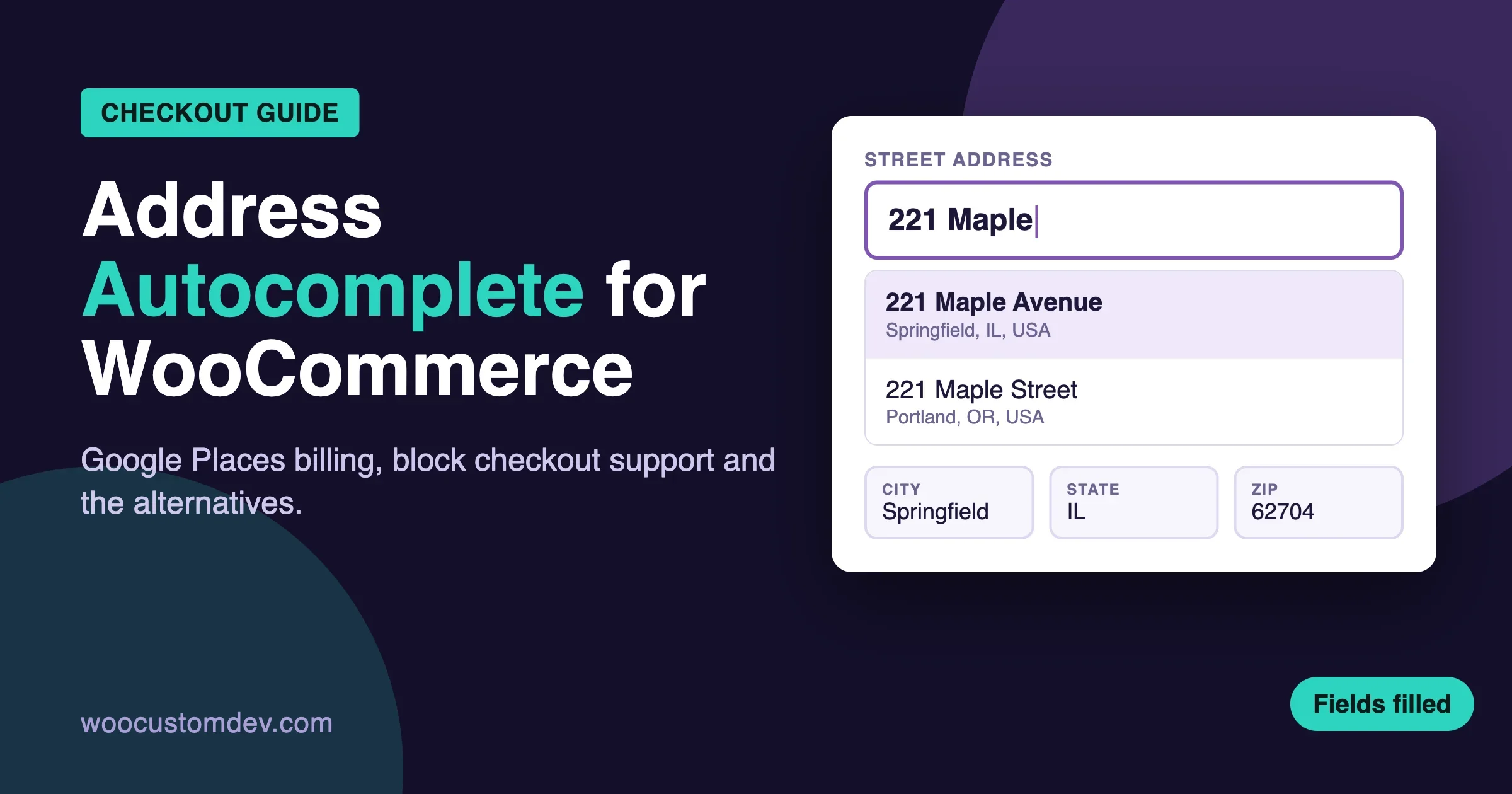
WooCommerce address autocomplete suggests a full street address while the customer types, then fills street, city, state, postcode and country for them. It cuts typing, cuts typos, and gives you addresses that carriers can actually deliver to. Most plugins that do this call Google Places, which needs a Google Maps API key and a billing account. Some call a local address service instead. A few only work in one country.
This guide compares the plugin options we could verify on wordpress.org and on each vendor’s own pages, explains what Google charges and why, and covers the one problem that trips up most stores in 2026: the WooCommerce checkout block. Prices and versions were checked on 11 November 2026. We did not install, run or test any plugin. Where a vendor does not say something, we say so instead of guessing.
What is the short answer?
If you sell in one country that has a free postcode service (Brazil, for example), use a plugin built for that service and skip Google. If you sell in many countries and want Google suggestions, pick a plugin that states block checkout support in its own listing, and set a country list and a budget alert in Google before you launch. If you run a custom checkout, or the plugin does not fill block fields, a developer can wire Google’s widget in directly.
Three facts decide most of the choice:
- Block checkout support is often a paid feature. One popular free plugin says plainly that its free version works on the classic checkout, and block checkout is in Premium.
- Google gives a free monthly allowance, then bills per request. Most small stores stay inside it. Billing details are still required.
- Local services can be cheaper or free. They cover fewer countries, and each one has its own limits.
Why add address autocomplete to a WooCommerce checkout?
Address fields are the slowest part of a checkout form. On a phone, a customer types a street, a city, picks a state from a list, then types a postcode. Each step is a place to make a mistake or give up. Autocomplete turns that into a few taps.
It also helps you after the sale. A wrong postcode means a failed delivery, a reship and an angry email. If you run live shipping rates, a bad address can even return the wrong rate. Our guide to multi-carrier shipping API integrations shows how rate lookups depend on clean address data.
We are not going to promise a conversion lift. The safe claim is smaller: fewer fields to type, and fewer bad addresses.
If your payment gateway offers express checkout buttons, they already fill the address for many buyers. The official Stripe plugin’s own readme documents an express checkout address filter, which shows how much address handling happens inside the wallet flow. Our guide to WooCommerce Stripe plugins compares the gateways.
How does address autocomplete work on a checkout?
Four steps happen behind the field:
- The customer types a few characters into the address line.
- The browser sends those characters, plus your API key, to the address service. The service returns a list of matching addresses.
- The customer picks one. The browser asks the service for the details of that address: street number, route, city, region, postcode, country.
- A script writes each part into the matching checkout field. For the state and country fields, the script has to pick the right option in a dropdown.
Step 4 is where plugins differ. On the classic checkout, the fields are ordinary form inputs. A script can set their values and be done. On the block checkout, the fields are controlled by a React app. Setting a value without telling React is not enough, because React can overwrite it on the next render.
You can see this in the vendors’ own words. The WP Sunshine readme says the checkout block “needs a lot of extra code to fill its fields,” which is why it sits in their paid plan. The Autocomplete Google Address changelog for version 5.5.0 says state and country now fill on the block checkout because the plugin dispatches real DOM events that React-controlled selects can receive. Both statements point at the same fact. Block checkout needs more work from the plugin author.
If you have not moved to the block checkout yet, read our checkout blocks migration guide before you pick a plugin. The order of those two decisions matters.
What does Google Places cost?
Google’s current Places API (New) bills Autocomplete by usage. The figures below come from Google’s own Maps Platform pricing page, which does not show a last-updated date. Check it again before you commit.
Google billing item | Free each month | Price after the free allowance |
|---|---|---|
Autocomplete Requests | 10,000 | $2.83 per 1,000 up to 100,000, then lower tiers ($2.27 per 1,000 from 100,001 to 500,000) |
Autocomplete Session Usage | Unlimited | No price listed |
Place Details Essentials | 10,000 | $5.00 per 1,000 up to 100,000, then lower tiers |
Place Details Essentials (IDs Only) | Unlimited | No price listed |
Google says usage is calculated monthly and is added up across all projects on the same billing account. A plugin vendor (WP Sunshine) says Google asks for billing details even for the free allowance. We could not find a way around that on Google’s pages, so plan for a billing account.
How sessions change the bill
A session is a series of Autocomplete requests tied together by a session token. It starts with the first request that carries a token. It ends when a Place Details request or an Address Validation request uses the same token. Google’s session page says the first 12 Autocomplete requests in a session that ends in a Place Details Essentials call are billed under the per-request item. Later requests in that session fall under the free Session Usage item.
Three edge cases from the same page matter for checkout:
- No session token. Every Autocomplete request is billed at the per-request price.
- Abandoned session. If the customer types and never picks an address, nothing ends the session, so those requests are billed per request.
- IDs Only trap. If a session ends with a Place Details call that asks for IDs only, Google bills every request in that session at the per-request price, as though sessions were not used.
The Maps JavaScript widget handles session tokens for you. Google’s documentation says session management is built into its JavaScript, Android and iOS widgets. A plugin that builds its own box on top of the raw API has to manage tokens itself. We could not confirm from any plugin listing whether it uses sessions, so ask the vendor.
A worked example with round numbers
Say you take 800 orders a month and each customer triggers about 10 Autocomplete requests. That is 8,000 requests, which is under the 10,000 free allowance for the per-request item. Add one Place Details Essentials call per order, 800 in total, also under its 10,000 allowance. On those assumptions the bill is zero.
Protect your key before launch
- Restrict the key to your domain in the Google Cloud console, so a copied key does not work elsewhere.
- Restrict the key to the APIs you use. For some plugins that means Maps JavaScript API and Places API (New). The WP Sunshine readme names exactly those two.
- Set a budget alert on the billing account, so a bot run does not surprise you.
- Limit suggestions to the countries you ship to. This reduces useless requests and bad matches.
Which WooCommerce address autocomplete plugins did we compare?
We searched wordpress.org for address autocomplete plugins and checked the version, active installs and last update from the plugin directory data on 11 November 2026. WordPress 7.1.4 is the latest tested-up-to value we saw on current plugins. A plugin that has not been tested up to a recent version is not broken, but it deserves a closer look.
Plugin | Version | Active installs | Last update | Address source |
|---|---|---|---|---|
Autocomplete Address for WooCommerce | 1.5.1 | 7,000+ | 26 Oct 2026 | ViaCEP and BrasilAPI (Brazil) |
Autocomplete Google Address | 5.7.0 | 2,000+ | 27 Sep 2026 | |
Address Autocomplete Anything | 2.0.2 | 900+ | 23 Oct 2026 | |
Addressfinder | 1.7.17 | 900+ | 22 Sep 2026 | Addressfinder (16 countries) |
ELEX Address Validation and Google Address Autocomplete | 1.8.7 | 700+ | 23 Apr 2026 | Google plus verification APIs |
Addy | 3.1.4 | 300+ | 6 Sep 2026 | Addy (New Zealand) |
Autocomplete Google places | 3.4.0 | 100+ | 9 Nov 2026 | |
Kikote Location Picker at Checkout | 1.11.4 | 1,000+ | 14 Oct 2026 | Google map picker |
Autocomplete Google Address
This plugin from Md Nishath Khandakar works with any form, not only WooCommerce. Its listing says it handles billing and shipping fields on the checkout page automatically and works with both the classic and the block checkout. The comparison list on the listing places WooCommerce auto-integration in the Pro features, along with the Visual Selector Tool, Map Picker, Smart Mapping, Address Validation and a REST API.
The listing mentions a 7-day free trial and says licences are bought through Freemius or on the author’s own site. It does not show a Pro price, so we cannot quote one. The listing also contradicts itself on one point: the free feature list includes single-line mode, while the 5.4.0 changelog says the legacy Single Line option was removed. Read the plan table on the vendor site before you buy.
The plugin needs a Google Maps API key. Its privacy section says the typed text, your key and the visitor’s browser information go to Google, so mention that in your privacy policy.
Address Autocomplete Anything
WP Sunshine built this plugin first for its own photo cart plugin, then made it work with any form. You choose the page, click “Pick fields,” and tag each address field on screen. The free version sets up one form. The vendor says the free version works on the classic checkout, and block checkout is part of Premium.
Premium prices on the vendor page on 11 November 2026:
- Annual: $19 for one site, $49 for up to five sites, $99 for unlimited sites.
- Lifetime: $79, $179 and $299 for the same three tiers.
Premium adds one-click setup for 11 plugins, including WooCommerce billing and shipping on both the checkout block and the classic checkout. The plugin needs a Google key with Maps JavaScript API and Places API (New). The readme says Google gives every account 10,000 free autocomplete requests a month, which matches Google’s pricing page for the per-request item.
Autocomplete Google places
This small plugin from Kais Chrouda was updated on 9 November 2026. Its listing says it supports the WooCommerce classic checkout and the block checkout for billing and shipping, plus My Account addresses, and that it is completely free. It has about 100 active installs and three ratings, so there is little public history. We would trial it on a staging site before trusting it with a live checkout. We did not test it.
Autocomplete Address for WooCommerce (Brazil)
This plugin from Fernando Acosta fills the address from the Brazilian postcode (CEP): street, district, city and state. The listing says no setup is needed and that it works on the classic checkout and the new block checkout. It asks ViaCEP and BrasilAPI at the same time and uses whichever answers first. It does not use Google, so it needs no Google key or billing account.
It is a fit only if your customers are in Brazil.
Addressfinder
Addressfinder runs its own verified address database and lists 16 countries on its plugin page: Australia, New Zealand, Belgium, Canada, Czechia, Denmark, France, Germany, Ireland, the Netherlands, Portugal, Singapore, Spain, Sweden, the United Kingdom and the United States.
Pricing on the vendor page on 11 November 2026 is in Australian dollars plus GST, billed monthly: Agile at $50 for 500 lookups a month (10 cents per lookup) and Business at $55 for 500 lookups (11 cents per lookup). Enterprise is custom, from 20,000 lookups. There is a 30-day trial with 1,000 free lookups and no credit card. The page lists no yearly price. The plugin listing does not say whether it supports the block checkout, so ask the vendor.
Addy (New Zealand only)
The Addy plugin enables autocomplete for billing and shipping addresses only when New Zealand is the selected country. The vendor offers 500 free completed address requests a month, then pay as you go. The listing does not mention block checkout. It is a narrow tool for New Zealand stores.
ELEX Address Validation and Google Address Autocomplete
The ELEX plugin combines address validation with Google autocomplete. Validation uses the free EasyPost API in the free version. UPS, USPS and Addressfinder validation are listed as premium. It needs your own Google key for autocomplete. The listing was last updated on 23 April 2026 and shows a tested-up-to value of WordPress 6.9.11, older than the others on this list. We could not confirm block checkout support or premium prices from the listing. Treat it as a validation tool first.
Kikote Location Picker at Checkout
Kikote adds a Google map to the checkout so a customer can drop a pin. It can also act as an address autofill. Its listing carries a clear warning: the plugin does not currently support the WooCommerce Blocks checkout. A new WooCommerce store creates its checkout as a block page by default, so you would have to rebuild that page with the classic shortcode. We mention it because many readers will find it in search. Do not choose it for a block checkout.
Fluid Checkout
Fluid Checkout Lite (version 5.0.0, 20,000+ installs, updated 8 November 2026) replaces the default checkout with a multi-step or one-page layout. Its listing says that if your page uses the checkout block, it replaces the block with its own form. The readme describes a Google Address Autocomplete feature that needs a Google API key. From the readme text alone, we could not tell whether that feature is in Lite or in PRO. Check the plan comparison on the vendor site before you plan around it.
How do the options compare on block checkout support?
This is the question to answer first, so here it is in one place. The column shows what each vendor states in its own listing or page. It is not our test result.
Option | Block checkout, as the vendor states it | Cost to use it |
|---|---|---|
Autocomplete Google Address | Listing says classic and block; WooCommerce integration is listed under Pro | Pro price not shown on wordpress.org; 7-day trial |
Address Autocomplete Anything | Premium only; free covers the classic checkout | Free, or $19 to $99 a year |
Autocomplete Google places | Listing says classic and block | Free |
Autocomplete Address for WooCommerce | Listing says classic and block | Free (Brazil only) |
Addressfinder | Not stated in the listing | From $50 AUD a month after the trial |
Addy | Not stated in the listing | 500 free requests a month, then pay as you go |
Kikote | Not supported, per the listing | Free, with a Pro tier |
Fluid Checkout | Replaces the checkout block with its own form | Lite is free; Google feature plan not confirmed |
Plugins that fill block fields in a different way can fail after a WooCommerce update, even when the listing says they work. That is the reason for a short test after every WooCommerce release. Our 10-minute checkout test is written for exactly this. Add one more step to it: pick an address from the suggestions and confirm that state, country and postcode all show up in the order.
How do you choose between them?
Pick by country first
- One country with a postcode service: check whether a local plugin exists. The Brazil plugin is a good example. It is free and needs no key.
- New Zealand only: Addy is built for it.
- A handful of countries Addressfinder covers: price it against Google at your order volume.
- Many countries: Google-based plugins are the realistic option, because Google covers far more places.
Then pick by checkout type
- Classic checkout: every Google plugin here works, and some of it is free.
- Block checkout: choose a plugin that states block support, and confirm whether that support is paid.
- Custom or heavily changed checkout: expect to need custom work.
Then pick by budget
A plugin that costs $19 a year plus a Google bill inside the free allowance is a very low cost. A plugin that charges $50 a month is a business decision. Neither is wrong. Count your monthly orders first.
What are the alternatives to a Google-based plugin?
Use your payment gateway’s express checkout
If your payment plugin already shows Apple Pay or Google Pay buttons on the cart and checkout, many customers will skip typing an address at all. This is free and needs no extra key. It only helps customers who use a wallet.
Build it with Google’s own widget
Google provides a Place Autocomplete widget in its Maps JavaScript API. Its documentation says the widget creates a text input, shows predictions in a pick list, returns place details when the customer chooses one, and manages session tokens for you. You can limit results to chosen countries with the includedRegionCodes property.
A developer can attach that widget to your checkout and write the result into the fields. On the block checkout, that means working with the checkout’s data store, not just setting input values. Google’s page does not show how to request the address parts in its examples, which fetch the display name, formatted address, location and viewport. A developer should check Google’s data field reference for address components, and should consider whether Google’s Geocoding API is a cheaper way to get them, as Google’s page suggests for some uses.
This route makes sense when you have a custom checkout, when no plugin fits your flow, or when you want one small script instead of a plugin with settings you will never touch. It needs a developer and a test plan. We have not built or tested a specific snippet for this article, so we do not publish one.
What should you test before you go live?
- Both addresses. Fill shipping, then billing. Confirm both work when “ship to a different address” is on and off.
- The state and country dropdowns. Pick an address in a country with states (US) and one without (Ireland, for example). Confirm the right option is chosen.
- Postcode formats. Try a UK postcode with a space and a Canadian one with letters. Confirm the field accepts the filled value.
- Typing over a suggestion. Pick a suggestion, then edit the street. Confirm the plugin does not overwrite your edit.
- Shipping rates. Change the address and confirm the shipping rates refresh.
- Order screen. Place a test order and open it in the admin. Confirm every address part saved.
- Mobile. Run all of the above on a phone, at about 390 pixels wide. Suggestion lists can run off the screen or sit behind the keyboard.
- Slow connections. If the suggestion service is slow or blocked, confirm the customer can still type an address by hand and finish the order.
That last check matters most. Address autocomplete is a helper. If it breaks, the field must still work as a plain text box. If it does not, you lose orders, which defeats the purpose. The same idea runs through our guide on diagnosing duplicate orders, failed payments and dead coupons at checkout: find where the checkout fails quietly, then fix it.
Privacy, speed and accessibility
Privacy
Google-based plugins send what the visitor types, your key and some browser data to Google while they type. The Autocomplete Google Address listing says this in plain words. The WP Sunshine readme says the plugin loads Google’s script on the pages you choose. Add a line to your privacy policy, and check whether your cookie tool should ask for consent before the script loads. That rule depends on where your customers live. If you serve the EU or UK, ask your lawyer.
Speed
Loading Google’s script on every page slows the whole store. Pick a plugin that loads it only on the checkout and account pages. The WP Sunshine readme says its plugin can load only on the pages with your form, so the rest of the site does not load Google’s script. Ask any vendor the same question.
Common problems and fixes
Suggestions do not appear
The usual cause is the key. Check that the Maps JavaScript API and Places API (New) are enabled, that billing is set up, and that the key restriction allows your domain. WP Sunshine’s plugin includes a Test key button that reports what is wrong in plain words, and the Autocomplete Google places listing describes a similar test button.
Suggestions appear but the state is empty
This is the block checkout problem described earlier. The plugin wrote a value but React did not accept it. Check that the plugin states block support. Update the plugin, update WooCommerce, then retest. If it still fails, switch plugin or ask a developer to look at the field handling.
What we could not confirm
We want you to know the limits of this comparison.
- We did not install or run any plugin. Every plugin fact comes from its wordpress.org listing or its vendor page.
- Block checkout support is what each vendor states. We did not test whether the claims hold on a current WooCommerce release.
- We could not find the Pro price for Autocomplete Google Address. The listing gives none.
- We could not tell whether Fluid Checkout’s Google autocomplete is in the free or paid plan.
- Google’s page shows no last-updated date, and we could not confirm the Address Validation price. Check Google’s page for current numbers.
- We did not find a neutral source for how much autocomplete lifts conversion, so we make no claim.
Can we set this up for your store?
Picking a plugin is the easy part. The work is in the details: block checkout field handling, a Google key with the right limits, and a checkout that still works on a slow phone. If your checkout is custom, or a plugin does not fill the block fields, that is a short development job, not a rebuild.
Our WooCommerce customization service covers checkout changes like this one. If you want a developer on the job, you can hire a WooCommerce developer from our team. If you are not sure what you need yet, or want a wider look at customizing the checkout flow, send us a message with your checkout URL and the countries you ship to, and we will tell you which route fits.
FAQ
Is Google address autocomplete free?
Not fully. Google’s pricing page lists 10,000 free Autocomplete Requests a month, then $2.83 per 1,000 for the first tier above that. You also need a billing account. Many small stores stay inside the free allowance.
Does address autocomplete work with the WooCommerce block checkout?
Some plugins state that it does, and some say it is a paid feature or not supported. See the comparison table above and confirm on a staging site.
Can I limit suggestions to the countries I ship to?
Yes. Google’s widget supports a country restriction, and the WP Sunshine plugin lists country limits as a feature.
Sources
- Google Maps Platform pricing: developers.google.com/maps/billing-and-pricing/pricing
- Google, Places Autocomplete session pricing: developers.google.com/maps/documentation/places/web-service/session-pricing
- Google, Place Autocomplete widget: developers.google.com/maps/documentation/javascript/place-autocomplete-new
- WP Sunshine, Address Autocomplete (pricing and block checkout): wpsunshine.com/plugins/address-autocomplete
- Addressfinder pricing: addressfinder.com/pricing
- wordpress.org listings: Autocomplete Google Address, Address Autocomplete Anything, Autocomplete Google places, Autocomplete Address for WooCommerce, Addressfinder, Addy, ELEX Address Validation, Kikote, Fluid Checkout
Prices and versions checked on 11 November 2026. Plugin vendors change plans often, so confirm on the vendor page before you buy.
Plugins we build and run
We maintain these ourselves, which is why we can support them on your site.
- BuddyNextThe self-hosted community engine for WordPress
- BuddyXFree community theme, Pro when you outgrow it
- ReignPremium community theme. Add pieces, build anything
- JetonomyCommunity forum and Q&A for WordPress
- EventonomyEvents and RSVPs for WordPress communities
- LearnomyCourses and learning communities on WordPress
- ListoraDirectories and listings your members can browse
- SnipShareCode sharing built for developer communities
- WB Ad ManagerAd placements that turn traffic into revenue
- WP Career BoardA job board your community actually uses
- WP Sell ServicesSell services with offers, orders, and payouts
- MediaVersePhotos, video, and media albums for members
- WB GamificationPoints, badges, and rewards that keep members active
- Product RoadmapPublic roadmaps with voting your users trust