WordPress Security Update 7.1.5 on a WooCommerce Store Before Black Friday
WordPress 7.1.5 fixes 20 items, 4 reachable without login. How to confirm your store updated, test checkout, payments and webhooks on staging, freeze for Black Friday and roll back safely.

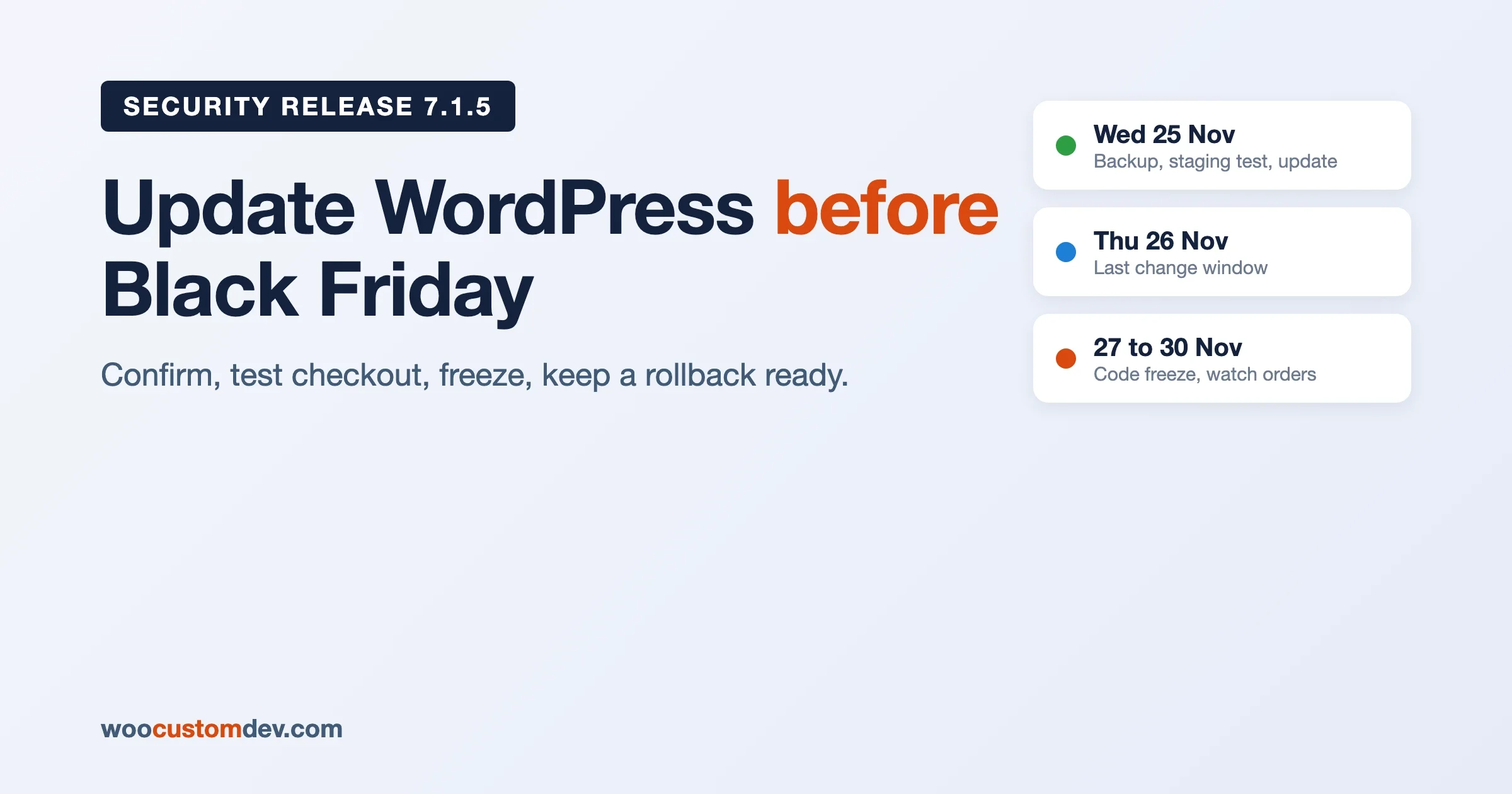
Should you install the WordPress security update 7.1.5 on a live WooCommerce store this week? Yes. WordPress 7.1.5 shipped on 18 November 2026 as a security-only release, so it carries no new features to retrain staff on. Four of its fixes can be reached by a visitor who is not logged in, and Black Friday is 27 November. The safe route is a backup, a quick staging pass over checkout, payments and webhooks, then a live update well before the weekend, followed by a freeze.
This guide is for store owners and the developers who look after them. It lists what the release fixes in plain words, shows how to confirm your store has really updated, gives a 30-minute staging test, and sets out a freeze plan and a rollback plan for the sale weekend. Every fact about the release comes from the official WordPress 7.1.5 announcement, which we read on 25 November 2026.
What does the WordPress security update 7.1.5 fix?
The announcement says the release fixes 20 items: 18 vulnerabilities and 2 hardening changes. WordPress recommends updating immediately, and sites with automatic background updates will update on their own. The announcement also says the security fixes were backported to every branch still eligible for security fixes, currently back through 4.7, and that only the latest WordPress version is actively supported.
The announcement does not describe any item as a WooCommerce change, and it does not mention WooCommerce or any plugin. That does not mean your store is untouched, because WooCommerce runs on core comments, the REST API, templates and the block editor. It means we have no reason to expect a conflict, and we still test, because a security release changes code that stores depend on.
The four fixes anyone can reach without logging in
These matter most for a public store, because an attacker needs no account. We quote the wording from the announcement, then say what it can mean on a shop.
Fix (as worded in the announcement) | What it can mean on a store |
|---|---|
Unauthenticated information disclosure exposing private taxonomy terms via the REST API search endpoint | Anyone could read taxonomy terms that were meant to be private. If you use private categories, tags or attributes for internal work (supplier names, wholesale groups, hidden collections), this is the one to read twice. |
Unauthenticated stored XSS via shortcode attributes in comments | A visitor could plant script that is stored and runs for whoever views it. WooCommerce product reviews are stored as comments, so a review form is a comment form. The same goes for blog comments on your store blog. |
Unauthenticated denial of service via batched XML-RPC pingbacks | A flood of batched pingback requests could knock a site over. A store under sale traffic has little spare capacity, so this is the kind of fix you want in place before 27 November. |
Unauthenticated privilege escalation via Template Part block attributes that could lead to remote code execution | The most serious wording in the list: an attacker with no account could raise their privileges, with remote code execution named as a possible result. It touches block themes and the site editor templates that many stores now use. |
We are not going to guess at exploit details. The announcement gives the one-line descriptions above and credits the reporters, and that is all we rely on.
The other fixes, grouped by who can trigger them
The remaining fixes need some level of login or admin access. For a store, the useful way to read them is by role, because stores often have many people with accounts: customers, shop managers, contractors and marketing staff.
- Subscriber level and up: an information disclosure through the XML-RPC
wp.getCommentsmethod. Customers are usually subscriber-level accounts or the WooCommerce customer role, so a store with open registration has many such accounts. - Contributor level and up: stored XSS in the Comment Date block through its date format, scripts in oEmbed provider responses, and stored XSS through media filenames when a media block is converted to a File block.
- Author level and up: an information disclosure that exposed user email addresses through the REST API comments endpoint, and an authorization bypass when editing comments in the admin.
- Editor level and up: an information disclosure through post and template author assignment in the REST API.
- Administrator level: stored XSS in Customizer previews, and on multisite an Administrator being able to take over a Super Admin account through Customizer menu previews.
- Code-level fixes: a SQL injection in
WP_Meta_Querythrough nested relation values, a SQL injection through the front page setting in Customizer changeset previews, XSS inwp_interactivity_data_wp_context()through the store namespace, a reflected XSS in the legacy media library popup, and XSS in the block editor through Openverse image metadata.
The two hardening changes are a corrected regular expression that had broadened JSON media type matching, and the removal of the block editor’s Imgur embed variation, because its server-side provider no longer exists. If one of your older posts used an Imgur embed, check how it renders after the update.
Two upgrade notes worth reading
First, the announcement says 1024-bit certificates were removed from the bundled root certificates in WordPress 7.0, and that this change also applies to 6.9.12 and earlier in this release. If your store calls an old API or payment endpoint that still depends on one of those certificates, that is a place to look if an outbound request starts failing after an update. We have no report of this happening to a store, so treat it as a check, not a warning.
Second, backports to older branches are still in progress and will ship as they are ready. If your store sits on an older branch, open the announcement and the Updates screen to see which version applies to you. Do not assume the number 7.1.5 is the one your dashboard will offer.
Is your store already on 7.1.5? How to confirm
The announcement says automatic background updates will apply the release on their own. That does not guarantee your store has it. Hosts and plugins can switch automatic core updates off, a failed update can leave the old version in place, and a staging copy can sit on a different version from live. Confirm on the live site with one of these checks.
- Dashboard, then Updates. The screen says “You have the latest version of WordPress” with the version number when you are current. If it offers 7.1.5 as an update, you are not.
- The footer of any admin page. The bottom right shows the version.
- Site Health, then Info, then WordPress. The version is listed, along with whether auto-updates are enabled and which constants are set. Copy this page into your notes before the sale, it is also a clean record of the environment.
- WP-CLI, if you or your host have shell access:
wp core version
wp core check-update
wp config get WP_AUTO_UPDATE_CORE
The last command shows whether your wp-config.php sets the automatic update behaviour. If it returns false, core updates are switched off by code, and 7.1.5 will not arrive by itself. If the constant is not set, WordPress uses its defaults. The WordPress documentation on configuring automatic background updates explains the values.
Also check your other environments. A store often has live, staging and a developer’s local copy. Update live first if the risk of the open holes outweighs the risk of the update, and make sure staging matches, otherwise your test proves nothing about the thing you are about to change.
If a security plugin or host firewall already “covers” this
Firewall rules can block known attack patterns. They are a useful extra layer, and they are not a patch. A rule written for one exploit shape can miss another, and rules cannot fix an information disclosure that returns data to a request that looks normal. We keep the update as the fix and treat firewall rules as time bought while we test.
Should you update before or after Black Friday?
Before. The case for waiting is a fear that the update will break checkout during the busiest days of the year. The case against waiting is that you would be running with four known holes that anyone on the internet can try, during the weekend when attacker interest in stores is highest and your ability to react is lowest. The announcement is public, so the descriptions are public too.
A security-only minor release is the lowest-risk kind of core update. It does not add features and it is built to change as little as possible. That is not the same as zero risk, which is why the plan below spends 30 minutes on staging and sets a freeze after the update, so you are never changing the store and selling through it at the same moment.
A simple way to decide
- Auto-updates are on and the store is simple (few plugins, standard checkout): let the update arrive, then run the checks in the next section the same day.
- Heavy customisation, custom checkout fields, a custom theme or many integrations: update staging today, test, then update live on Wednesday or Thursday morning your time.
- You cannot test at all this week: take a full backup, update live at your quietest hour, and run the smoke test below straight after. A tested update beats no update, but an untested update beats no update too, when the alternative is an open unauthenticated hole.
How to test checkout, payments and webhooks on staging in 30 minutes
This is the quick version of our longer 10-minute checkout test after a WooCommerce update, widened for the days before a sale. Do it on a staging copy first. If you have no staging site, do the same steps on live straight after updating, using test mode or a low-value real order you refund.
Before you touch anything (5 minutes)
- Take a full backup of files and database, and confirm you can find it. A backup you have never opened is a guess.
- Note the current versions: WordPress, WooCommerce, your theme, and your payment gateway plugins. Site Health, Info has them in one place.
- Write down your current “good” numbers: a normal order’s total, a known coupon’s result, a shipping quote for one address. You will compare them after.
- Switch gateways to test mode on staging. Never run card tests against live gateway keys from a staging copy.
wp db export before-wp-7-1-5.sql
wp plugin list --update=available
wp core update --minor
wp core version
The --minor flag asks WP-CLI to apply only a minor update on your current branch, which is what a security release is. Use the Dashboard if you prefer, the result is the same.
The checks (20 minutes)
Area | What to do | Pass looks like |
|---|---|---|
Browse and search | Open a category, a product, and search for a product name | Pages load, search returns the product, no PHP notices on screen |
Cart | Add a simple product and a variable product, change quantity, apply a coupon | Totals match your notes |
Checkout, guest | Check out as a guest in test mode with a test card | Order is created, status is correct, the thank-you page shows |
Checkout, logged in | Repeat as a customer account with a saved address | Address pre-fills, order shows in the account |
Failed payment | Use your gateway’s test card that declines | A clear error, the customer can retry, no duplicate order |
Webhooks | Check the gateway dashboard’s webhook log for the test orders | Each event shows a 2xx response from your site |
Emails | Check the new-order email to you and the confirmation to the customer | Both arrive, with the right content |
Reviews | Submit a product review as a logged-out visitor and as a customer | Review is saved, held for moderation if you moderate, and displays safely |
Admin | Open an order, edit a product, open the block editor on one page | No errors, editor loads |
Integrations | Trigger one action in each connected tool (stock sync, shipping labels, accounting, email marketing) | The other side received it |
Webhooks deserve their own look because they fail quietly. A payment can succeed at the gateway while your store never hears about it, and the order stays “pending” until someone notices. In the gateway’s dashboard, open the delivery log for the test events and look for anything other than a success response. If you see failures, read the response body before blaming the update, since security plugins and firewalls are a more common cause than WordPress itself.
XML-RPC, REST and the block editor: the three places this release touches
Because the four open fixes live in the REST search endpoint, comments, XML-RPC pingbacks and Template Part blocks, add three short checks:
- XML-RPC users. Do you use the Jetpack plugin, a mobile app that posts to your site, or a remote publishing tool? If yes, open each and confirm they still connect. If you have none of these, ask your developer whether XML-RPC can be switched off for good, which removes a whole class of attack. Our advice is to decide this on staging, not on the Wednesday before a sale.
- REST search and headless clients. If an app, a headless front end or a search plugin calls the REST search endpoint, run one search from it. A fix to what the endpoint returns can change the output a client was relying on by mistake.
- Template parts. If your theme is a block theme, open the Site Editor, then Patterns, then Template Parts, and view the header and footer on the front end. They should look as they did.
Compare against the notes you wrote
Go back to the three “good” numbers: an order total, a coupon result and a shipping quote. If any differs from your notes, stop and find out why before you update live. A difference that appears only after the core update is the one that matters. A difference that was there before is a separate bug to log for January.
What should a Black Friday code freeze look like?
A freeze is a rule that nothing changes on the live store without a named reason and a named person. It protects you from the classic sale-day failure: a harmless-looking plugin update at 9 a.m. that changes a checkout screen at 9:05. Here is a plan for the dates around 27 November 2026, adapted to your timezone and your own sale schedule.
When | What |
|---|---|
Wednesday 25 November | Backup. Update WordPress on staging, run the checks above. If clean, update live today or early tomorrow. |
Thursday 26 November | Last window for any other update: plugins, theme, WooCommerce. Anything not tested by midday waits until after the sale. Take a fresh backup in the evening. |
From Thursday night | Freeze begins. No core, plugin or theme updates, no new plugins, no template edits, no settings changes except sale content (prices, banners, coupon codes). |
Friday 27 to Monday 30 November | Watch, don’t change. Check orders, the payment gateway dashboard, webhook logs and the email queue at fixed times. Keep a short incident log. |
Tuesday 1 December | Lift the freeze. Catch up on every update that waited, one at a time, on staging first. |
What is allowed during the freeze
- Content and price changes that go through the normal admin screens.
- A security fix for an actively exploited hole in something you run, with the same staging test, even if it is quick. If a new release like this one lands during the sale, decide it as an emergency, not as routine.
- Rolling back, using the plan below.
Who watches what
Give each check an owner so that nobody assumes someone else is looking. One person watches orders and the payment dashboard, another watches site speed and errors, and a third is the only person allowed to change anything. On a small team these can all be you; the point is to write the three jobs down and take them one at a time. If your host offers uptime alerts, switch them on and send them to a phone that is awake.
For the money side of the weekend, we wrote a separate guide on reading your Black Friday payment statement, so you know what your processor will charge before the orders come in.
What is the rollback plan if the update breaks something?
Decide this before you update, not after. A rollback plan has three parts: how to know you need one, how to do it, and how to stay safe while you are on the old version.
1. How to know
Set the triggers in advance. Examples that justify a rollback: checkout cannot complete in test mode, payments succeed at the gateway but orders do not appear, the admin cannot load, or a white screen on product pages. A slightly different font is not a trigger. A cosmetic issue goes into the incident log and is fixed after the sale.
2. How to do it
- Restore the backup you took before the update. This is the cleanest way, because it returns files and database together. It also removes any orders placed since the backup, so on a live store in a sale it is the last resort. Know your host’s restore time before you need it.
- Reinstall the previous core files only. If the database is fine and only the core files are the problem, a developer can install the earlier version over the top. Use the official download for your previous version number, not a copy from a third party.
- Switch off the component causing the problem. If the fault is clearly one plugin that reacts badly, deactivating that plugin is a smaller step than rolling back core. Do this on staging first when you can.
wp core download --version=PREVIOUS_VERSION --force --skip-content
wp core verify-checksums
Replace PREVIOUS_VERSION with the number you wrote down before updating. The --skip-content flag leaves your plugins, themes and uploads alone, and verify-checksums checks that the core files match the official release. The WordPress developer handbook page on upgrading WordPress covers manual and automatic routes.
3. How to stay safe on the old version
Going back means the four unauthenticated fixes are open again. If you must run on the earlier version for a few days, reduce exposure while you work on the real fix:
- Block or disable XML-RPC if you do not use it. In code that is one line:
add_filter( 'xmlrpc_enabled', '__return_false' ); - Close pings and trackbacks on new posts, and consider turning off comments on pages that do not need them.
- Keep product reviews moderated so a stored script is seen by a person before it reaches a visitor.
- Ask your host about rate limits or a web application firewall for the REST and XML-RPC paths.
These are stop-gaps based on general good practice, not instructions from the WordPress release team, and they do not replace the update. Set a date to move forward again, and write it on the incident log.
After the sale: close the loop
When the freeze lifts, record what happened while it is fresh. Four lines are enough: the version you ran, the date you updated, anything the checks found, and what you would change next year. Then catch up on the updates that waited, one at a time on staging, and restore any normal auto-update settings you changed.
If your store has custom code, such as checkout fields, a custom shipping method or an integration written for your business, this is also a good moment to ask a developer to review it against current WordPress and WooCommerce. We do this kind of review for stores as part of our work at WooCustomDev, and the aim is always to make updates boring, because a boring update is what you want in November.
Frequently asked questions
Is WordPress 7.1.5 safe to install on a WooCommerce store?
The release is security-only and the announcement does not list any WooCommerce change. We still recommend a backup and a short staging test of checkout, payments and webhooks, because a security release changes core code that a store depends on.
How many vulnerabilities does WordPress 7.1.5 fix?
The announcement lists 20 items, which it describes as 18 vulnerabilities and 2 hardening changes. Four of the vulnerabilities can be reached without logging in.
Will WordPress 7.1.5 install by itself?
If automatic background updates are on for your site, yes, the announcement says those sites will update on their own. Hosts, plugins or a setting in wp-config.php can switch that off, so check the version on your live site rather than assuming.
How do I check my WordPress version?
Open Dashboard, then Updates, or look at the admin footer, or open Site Health, then Info. With shell access, wp core version prints it.
Do I need to update if I use a security plugin or a firewall?
Yes. A firewall can block known attack shapes and buy you time, but it is not a patch, and it cannot fix an information disclosure that looks like a normal request.
Can I wait until after Black Friday?
We would not. Four fixes are for holes anyone can try without an account, the details are public, and a sale weekend is the worst time to respond to an attack. Update this week, test, then freeze.
What if I am on an older WordPress branch?
The announcement says fixes were backported to every branch still eligible for security fixes, currently back through 4.7, with some backports still in progress. Open the Updates screen to see the version offered for your branch, and plan to move to the current release soon, since only the latest version is actively supported.
How long should the staging test take?
About 30 minutes for a standard store: five to back up and note versions, twenty for the checks, five to compare the numbers. Stores with many integrations need longer, and should start earlier.
The short version
- WordPress 7.1.5 (18 November 2026) fixes 20 items, with 4 reachable by anyone who is not logged in.
- Confirm your live store is on it. Do not trust “auto-updates are on”.
- Back up, update staging, run the checkout, payment and webhook checks, then update live.
- Freeze changes from Thursday night until after Cyber Monday.
- Write the rollback plan and the triggers before you update.
Related reading on our blog: the 10-minute checkout test for the step-by-step version of the checks above, and the Black Friday payment fees guide for the money side.
Plugins we build and run
We maintain these ourselves, which is why we can support them on your site.
- BuddyNextThe self-hosted community engine for WordPress
- BuddyXFree community theme, Pro when you outgrow it
- ReignPremium community theme. Add pieces, build anything
- JetonomyCommunity forum and Q&A for WordPress
- EventonomyEvents and RSVPs for WordPress communities
- LearnomyCourses and learning communities on WordPress
- ListoraDirectories and listings your members can browse
- SnipShareCode sharing built for developer communities
- WB Ad ManagerAd placements that turn traffic into revenue
- WP Career BoardA job board your community actually uses
- WP Sell ServicesSell services with offers, orders, and payouts
- MediaVersePhotos, video, and media albums for members
- WB GamificationPoints, badges, and rewards that keep members active
- Product RoadmapPublic roadmaps with voting your users trust