Moving WooCommerce Products Off WPBakery Shortcodes Safely
Deactivate WPBakery and product descriptions print raw [vc_row] tags. Audit what is affected, pick strip, blocks or template rebuild, and convert on staging with backups.

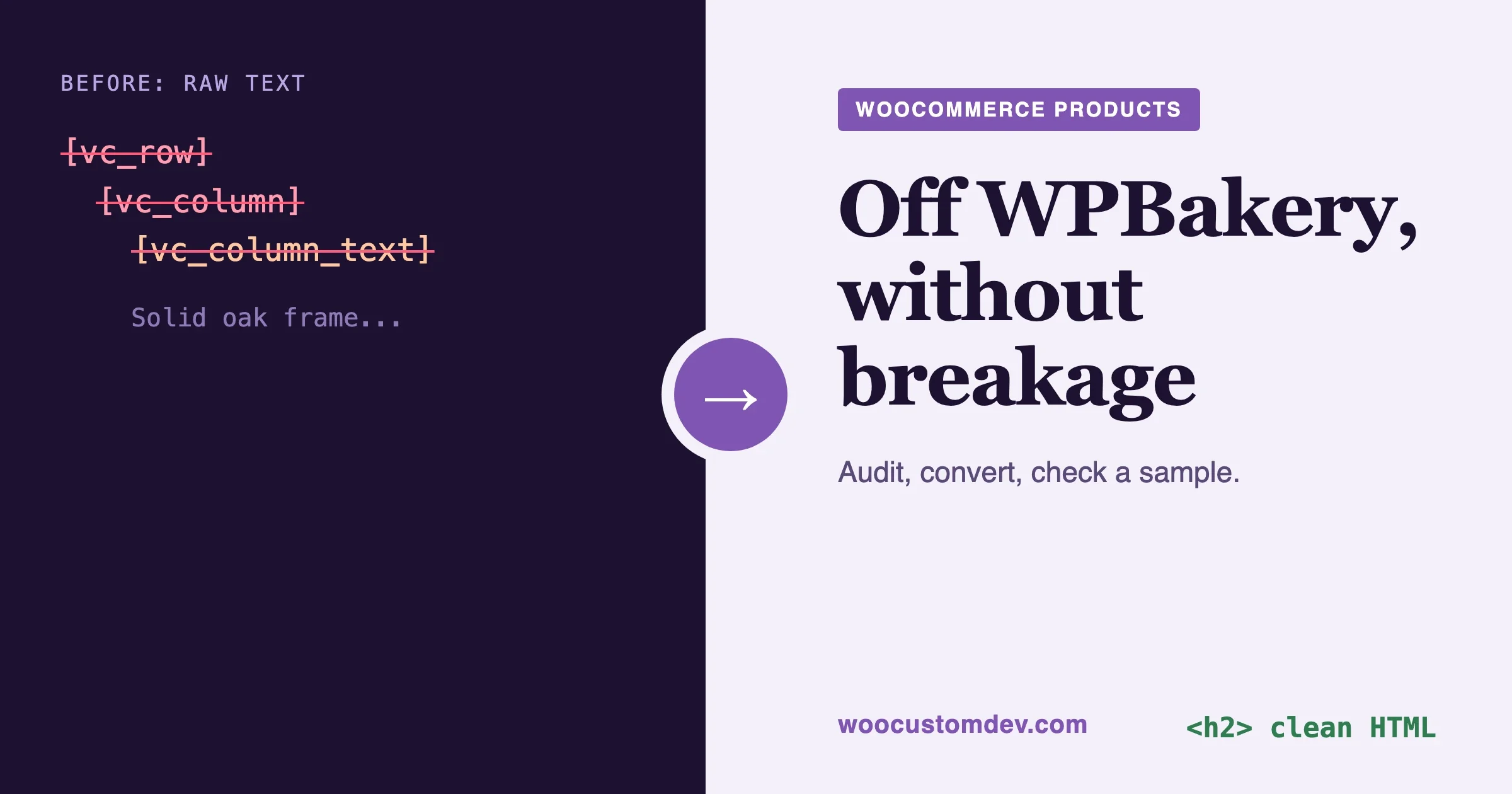
Once WPBakery is deactivated, every product description, short description and page that was built with it shows raw text such as [vc_row][vc_column] instead of a layout, because nothing on the site is left to process those tags. The fix is not to keep the plugin forever or to hope the new theme copes. Count what is affected, decide per content type whether to strip the shortcodes to clean HTML, convert to blocks or rebuild the template, and run the change on a staging copy with a backup of every field you touch.
This guide is for a store owner or developer who has just realised the redesign has a hidden cost: the content itself is locked inside the old page builder. It covers how to audit the damage, what exactly breaks, the four routes out, how to treat short descriptions and product tabs, how to keep your search rankings, and a decision table at the end. A working conversion script is included, with its limits stated.
In a thread this week a developer put it plainly: nobody had raised the real cost, which is WPBakery shortcodes locked inside every page and product. Ten thousand product descriptions that print code is a launch-day incident.
Checked on 14 November 2026. WordPress shortcode behaviour was read from the WordPress core file wp-includes/shortcodes.php. WPBakery behaviour comes from its public documentation and from how its storage format is documented by other plugin vendors. The conversion function below was run on sample markup in plain PHP. The WP-CLI wrapper around it was not run on a live store, so treat it as a starting point for staging, not a finished tool.
What happens to WPBakery shortcodes when I deactivate the plugin?
They stop being processed and appear as visible text. WPBakery works by registering shortcodes with WordPress. A page is saved as a string of tags in the post_content column, and WordPress swaps each tag for HTML when the page is shown. Take the plugin away and the tags are no longer registered, so WordPress prints them as they are. WPBakery’s own team lists this among its common issues, and names deactivation as the usual cause.
The damage is not limited to the page body. Here is what we expect to see on a typical WooCommerce store the moment the plugin goes off:
- Product descriptions show tags in the Description tab, or a wall of bracketed text under the product title.
- Short descriptions that were edited with WPBakery print tags next to the price. Shop and category grids that show excerpts print them too.
- Pages such as the home page, About, delivery information and landing pages lose their layout and show the same tags.
- Theme-made elements are the odd ones. Many commercial themes ship their own WPBakery elements through a companion plugin. If that companion plugin stays active, the standard rows and columns may still be missing while the theme’s elements print. Check which prefixes your store uses with the audit below before you assume.
There is one more trap, and it catches people who try the quick fix. WordPress has a function called strip_shortcodes(). It looks like the obvious cleanup tool. It is not. In the core file, the function that handles each match returns only the characters around a tag and drops the text enclosed between an opening and a closing tag. Run it over [vc_column_text]Solid oak frame.[/vc_column_text] and the sentence goes with the tags. It also only touches shortcodes that are registered at that moment, so with WPBakery off it does nothing at all. Neither outcome is what you want.
How do I find out how many products and pages use WPBakery shortcodes?
Query the database for post_content that contains [vc_, grouped by post type. Run it on a staging copy first. Use WP-CLI so the table prefix is picked up for you:
wp db query "SELECT post_type, post_status, COUNT(*) AS posts
FROM $(wp db prefix)posts
WHERE post_content LIKE '%[vc\_%'
  AND post_status NOT IN ('trash','auto-draft')
  AND post_type <> 'revision'
GROUP BY post_type, post_status
ORDER BY posts DESC"
The backslash before the underscore matters. In SQL LIKE, an unescaped underscore matches any single character, so [vc_ would also match [vcx. Escaping it keeps the count honest.
The same query with post_excerpt in place of post_content counts short descriptions. WooCommerce stores the product short description in the excerpt field, so run it separately:
wp db query "SELECT COUNT(*) AS short_descriptions
FROM $(wp db prefix)posts
WHERE post_type = 'product'
  AND post_status NOT IN ('trash','auto-draft')
  AND post_excerpt LIKE '%[vc\_%'"
Counts alone do not tell you what you are dealing with. A store where every shortcode is a row, a column and a text block is an easy job. A store with sliders, tabs, grids and pricing tables is a different job. List which shortcode names appear, and how often, with this pipeline:
wp db query "SELECT post_content FROM $(wp db prefix)posts
WHERE post_content LIKE '%[vc\_%' AND post_status <> 'trash'" --skip-column-names \
  | grep -oE '\[[a-z_0-9]+' | sort | uniq -c | sort -rn | head -40
The output is a ranked list of tag names. vc_row, vc_column and vc_column_text at the top is the good case: those are layout wrappers. Names such as vc_tabs, vc_gallery, vc_raw_html or anything with your theme’s prefix are the ones that need a decision. On a very large store, pipe the output to a file and run it off-peak, because it reads every matching row.
Checked on 14 November 2026. The SQL and the shell pipeline were run against sample strings and a sample query shape, not against a live WooCommerce database. Run them on a staging copy.
If you also want to know which pages the page builder was used on, WPBakery keeps a flag in post meta. The key _wpb_vc_js_status is set when a post was saved with its backend editor. Treat it as a hint rather than proof, since a post can carry the flag after the shortcodes were removed. The shortcode search is the reliable test.
Where else do WPBakery shortcodes hide in a WooCommerce store?
In more places than the main content field. Search each of these before you declare the audit finished:
- Product variations. Variation descriptions live in post meta under
_variation_description. Searchingpost_contentwill not find them. - Category, tag, brand and attribute term descriptions. These sit in
term_taxonomy.description. Store owners often paste a designed intro block there. - Custom product tabs. Tab plugins and theme tab options save their text in post meta or in options. Our guide to changing product page tab titles shows where the default tabs come from, which helps you work out which of yours are custom.
- WPBakery’s own templates and grid items. Saved templates and Grid Builder items live as separate post types. They are not product content, but pages can reference them.
- Page-level custom CSS. WPBakery writes the spacing, colour and background choices you set in its design options into post meta (the keys
_wpb_shortcodes_custom_cssand_wpb_post_custom_css) and prints them as a style block. Remove the plugin and that styling goes with it, even where the text survives.
A meta search is the slow one. This query counts matching meta rows, and on a store with millions of meta rows it can take a while, so run it on staging with a time check:
wp db query "SELECT meta_key, COUNT(*) AS hits
FROM $(wp db prefix)postmeta
WHERE meta_value LIKE '%[vc\_%'
GROUP BY meta_key ORDER BY hits DESC LIMIT 20"
Write down every location with a hit. That list is your scope.
What are my options for moving product content off WPBakery?
There are four routes, and most stores use more than one. Which one fits depends on how much layout the content actually carries.
Route | What it means | Best for | Main risk |
|---|---|---|---|
Keep WPBakery as a renderer | Leave the plugin active, switch the theme and the editor you use going forward, and stop building anything new with it. | A short bridge while you convert, or content nobody will touch again. | The lock-in stays. You still carry the plugin’s updates, its front-end CSS and JavaScript, and its security surface. |
Strip to clean HTML | Remove the shortcodes and keep the headings, text, images and links that were inside them. | Product descriptions that are mostly text with a few images and a heading or two. | Complex layouts flatten. Anything the script does not know is left as text and must be fixed by hand. |
Convert to blocks | Turn the content into WordPress blocks, by script or by hand, so editors can keep editing visually. | Pages and descriptions that your team will keep editing with layout, such as columns and buttons. | Needs a block-capable editing screen. See the next section for products. |
Rebuild templates | Recreate the layout once in the new builder or a block theme template, and keep only the text in each product. | Product pages that all share one layout, home and landing pages. | The most work up front. It is also the cleanest result. |
A store with 3,000 products does not need 3,000 hand-built layouts. It needs one template and 3,000 clean descriptions.
Can I keep WPBakery active only as a shortcode renderer for a while?
Yes, and for many stores that is the right first step. Keeping the plugin active means nothing breaks on launch day, which gives you time to convert in batches. The conditions are that you stop creating new content with it and that you set a date to switch it off.
- Move the theme first, not the plugin. Activate the new theme on staging and see which pages look wrong with WPBakery still running. Those are your template jobs.
- Stop using it for new pages. New pages go in the new builder or in blocks. Otherwise the count you measured keeps growing.
- Write down the removal date and who owns it. A bridge with no date becomes permanent.
- Keep it updated. An active plugin that nobody maintains is a risk. In 2026 a vulnerability report described an issue in the way the Raw HTML element prints its content, affecting versions up to 8.7.4. Whatever your plan, stay on the current release until the day you remove it.
How do I convert product descriptions to clean HTML?
Work through a script that removes the layout tags and keeps the content, dry run first, with a backup of every field it changes. The core idea is to treat each shortcode by what it carries:
- Layout wrappers (
vc_row,vc_column, their inner versions,vc_sectionandvc_column_text) carry no content of their own. Remove the tags and keep what is inside. - Headings (
vc_custom_heading) keep their text and their tag level. Turning them all intoh2would damage the page outline, so read the level from the element’s font setting. - Images (
vc_single_image) hold an attachment ID. Replace the tag with the image markup for that ID. - Buttons (
vc_btn) hold a link in a pipe-separated format. Turn them into a plain link. - Raw HTML (
vc_raw_html) holds its content encoded: base64 first, then URL encoding. Decode it, review what comes out, and keep only what you trust. Attackers have used this element to hide spam, so read the decoded text before you save it. - Spacers and separators carry nothing. Drop them.
- Everything else (tabs, accordions, grids, sliders, theme elements) is left alone and reported, so a person decides.
Here is the conversion function we tested on sample markup, followed by the loop that applies it. The loop reads rows in batches of 100 by ID so it does not load a large catalogue into memory, writes the original field to post meta before changing it, and does nothing unless you pass the word apply:
<?php
// strip-vc.php  Run: wp eval-file strip-vc.php        (dry run)
//                    wp eval-file strip-vc.php apply  (writes changes)

function vc_link_attr( $raw ) {
	$out = array();
	foreach ( explode( '|', (string) $raw ) as $pair ) {
		$bits = explode( ':', $pair, 2 );
		if ( 2 === count( $bits ) ) {
			$out[ $bits[0] ] = urldecode( $bits[1] );
		}
	}
	return $out;
}

function vc_to_html( $text ) {
	// Raw HTML blocks are base64, then urlencoded.
	$text = preg_replace_callback(
		'#\[vc_raw_html[^\]]*\](.*?)\[/vc_raw_html\]#s',
		fn( $m ) => urldecode( base64_decode( trim( $m[1] ) ) ),
		$text
	);
	// Headings: keep the tag level from font_container="tag:h3|...".
	$text = preg_replace_callback(
		'#\[vc_custom_heading([^\]]*)\]#',
		function ( $m ) {
			$a   = shortcode_parse_atts( $m[1] );
			$tag = 'h2';
			if ( ! empty( $a['font_container'] ) && preg_match( '/tag:(h[1-6]|p|div)/', $a['font_container'], $t ) ) {
				$tag = $t[1];
			}
			return isset( $a['text'] ) ? "<{$tag}>" . esc_html( $a['text'] ) . "</{$tag}>" : '';
		},
		$text
	);
	// Images by attachment ID.
	$text = preg_replace_callback(
		'#\[vc_single_image([^\]]*)\]#',
		function ( $m ) {
			$a = shortcode_parse_atts( $m[1] );
			return ! empty( $a['image'] ) ? wp_get_attachment_image( (int) $a['image'], 'large' ) : '';
		},
		$text
	);
	// Buttons become plain links.
	$text = preg_replace_callback(
		'#\[vc_btn([^\]]*)\]#',
		function ( $m ) {
			$a = shortcode_parse_atts( $m[1] );
			$l = vc_link_attr( $a['link'] ?? '' );
			if ( empty( $l['url'] ) ) {
				return '';
			}
			return '<p><a href="' . esc_url( $l['url'] ) . '">' . esc_html( $a['title'] ?? 'Read more' ) . '</a></p>';
		},
		$text
	);
	// Spacers and separators carry no content.
	$text = preg_replace( '#\[vc_(empty_space|separator|text_separator)[^\]]*\]#', '', $text );
	// Layout wrappers: drop the tags, keep what is inside.
	$text = preg_replace( '#\[/?vc_(row|row_inner|column|column_inner|section|column_text)(\s[^\]]*)?\]#', '', $text );
	return trim( $text );
}

function vc_left_over( $text ) {
	preg_match_all( '#\[/?(vc_[a-z_]+)#', $text, $m );
	return array_count_values( $m[1] );
}

if ( defined( 'WP_CLI' ) && WP_CLI ) {
	global $wpdb;
	$apply   = in_array( 'apply', $args, true ); // WP-CLI passes extra words as $args.
	$last_id = 0;
	$changed = 0;
	$unknown = array();
	do {
		$rows = $wpdb->get_results( $wpdb->prepare(
			"SELECT ID, post_content, post_excerpt FROM {$wpdb->posts}
			 WHERE ID > %d AND post_type IN ('product','page') AND post_status <> 'trash'
			   AND ( post_content LIKE '%%[vc\_%%' OR post_excerpt LIKE '%%[vc\_%%' )
			 ORDER BY ID LIMIT 100",
			$last_id
		) );
		foreach ( $rows as $row ) {
			$last_id = (int) $row->ID;
			$new     = array(
				'post_content' => vc_to_html( $row->post_content ),
				'post_excerpt' => vc_to_html( $row->post_excerpt ),
			);
			foreach ( $new as $value ) {
				foreach ( vc_left_over( $value ) as $tag => $n ) {
					$unknown[ $tag ] = ( $unknown[ $tag ] ?? 0 ) + $n;
				}
			}
			++$changed;
			if ( $apply ) {
				update_post_meta( $row->ID, '_pre_vc_backup', array( 'content' => $row->post_content, 'excerpt' => $row->post_excerpt ) );
				$wpdb->update( $wpdb->posts, $new, array( 'ID' => $row->ID ) );
				clean_post_cache( $row->ID );
			}
		}
	} while ( $rows );
	WP_CLI::log( ( $apply ? 'Converted ' : 'Would convert ' ) . $changed . ' posts.' );
	WP_CLI::log( 'Shortcodes left for a human: ' . wp_json_encode( $unknown ) );
}
On a test string with a row, two columns, a heading, text, an image, a button, a raw HTML block and a tabs element, the function returned the heading as an h3, the text with its bold tag intact, the image markup, a plain link and the decoded raw HTML, and it left the tabs shortcodes in place and counted them. That last behaviour is the point. A script that quietly deletes what it does not understand loses content.
Checked on 14 November 2026: the conversion function ran on sample markup in PHP with WordPress functions stubbed. The database loop uses the standard $wpdb calls and was not run on a live store. Back up the database and run the dry run on staging before you pass apply.
Limits to know before you run it:
- Writing through
$wpdbskips the save hooks. That is deliberate, because thousands of saves can trigger syncs, emails and feed rebuilds. The cost is that search plugins, product feeds and caches do not hear about the change. Re-index, regenerate feeds and purge caches afterwards. - Design options are gone. The spacing, backgrounds and colours WPBakery stored in custom CSS do not carry over. Plain HTML takes its look from the theme, which is usually what you want for a product description.
- Pages with real layout need a rebuild, not a strip. A home page with six columns and a slider becomes a pile of stacked text. Run the script on products, and handle designed pages with the rebuild route.
- Variation descriptions and term descriptions are not touched. The script covers the content and excerpt fields of two post types. Extend it for the other locations you found in the audit.
Should I convert the content to blocks instead?
For pages, usually yes. For products, think twice, because WooCommerce does not give you a block editor on the product screen by default. It disables the block editor for the product post type in code, and our guide on using the block editor for WooCommerce product descriptions explains what works now, what happened to the newer product editor, and how to test it on staging.
The practical consequence for this migration is that a product description full of block markup will print correctly on the storefront, but your team edits it in the classic editor, where block comments show up as strange HTML. If your editors will keep making designed layouts inside descriptions, plan the editing screen and the content together. If they will mostly edit text, clean HTML plus a layout in the product template is simpler and safer.
Pages already use the block editor, so rebuild their layout with core blocks and patterns rather than converting tag for tag. A nested row and column structure rarely maps cleanly onto columns and groups.
What about short descriptions, product tabs and attributes?
Treat each as its own small project, because each stores its content differently and fails differently.
Short descriptions. They sit in the excerpt field and appear next to the price and in listings, so a stray tag is highly visible. The script above handles them. After conversion, check the first sentence of a few products. Short descriptions that were pasted from a page layout sometimes begin with a heading that now reads oddly beside the product title.
Tabs. The default Description tab prints the product’s main content, so converting the content fixes it. Custom tabs added by a plugin or by the theme read from elsewhere, often post meta or an option. Find where the text lives with the meta query above, convert it with the same function, and write it back to the place it came from. Do not guess; open one product with a custom tab and check which field holds the text.
Attributes. Product attributes (size, material, colour) are structured data rather than layout, so they normally contain no shortcodes. Two cases need a look. Attribute term descriptions can hold a pasted block, and custom attribute values that came from an import sometimes carry tags. The term query in the audit section covers the first. For the second, search the _product_attributes meta key specifically.
How do I protect my search rankings during the move?
Keep the words, the headings and the URLs. Search engines read the rendered page, so the risk is a product page that loses its text, its headings or its images in the switch.
- Record a baseline before you change anything. Crawl the product and category URLs with any site crawler and save the title, the H1, the headings, the word count and the image count for each page. Export it.
- Keep one H1 per product. The product title is the H1. A converted description should start at H2 or lower. A custom heading element set to
h1inside a description is a common leftover; fix it in the batch. - Keep image alt text. The image shortcode stores an attachment ID, and the alt text lives on the attachment, so the converted markup keeps it. Confirm on a sample.
- Keep structured data working. Product schema comes from WooCommerce or your SEO plugin, not from WPBakery. Test one product in a rich results test before and after.
- Do not change URLs. A permalink change is a second project with its own redirect map.
- Compare the crawl after the batch. The word count of a converted product should be close to its baseline. A page that dropped by half lost something, and the report from the script tells you which tags were left behind.
What is a safe order of work, staging first?
Staging copy, backup, dry run, a small batch, review, then the rest. Our guide to WooCommerce staging, migration, CDN and database performance covers building the copy. For this job, the order that has held up is:
- Clone production to staging with the same plugins and theme. Block search engines and outgoing mail on the copy.
- Run the audit on staging and save the counts, the tag ranking and the meta locations.
- Export a full database backup with
wp db exportbefore any write. The per-field backup in post meta helps with single products, but a full export is your real way back. - Switch the theme on staging with WPBakery still active, and list the template work.
- Run the script as a dry run and read the left-over tag report. Decide what to do about each tag it names.
- Apply to ten products, chosen to cover simple, variable, grouped and the ones with the most tags. Check them against the baseline (see the next section).
- Apply in batches of a few hundred, checking a sample after each, and stop at the first surprise.
- Regenerate search indexes and product feeds, and purge caches.
- Deactivate WPBakery on staging and crawl for the text
[vc_. Zero hits is the exit test. - Repeat on production in a quiet window, with a fresh backup and one person watching orders and error logs for the first day.
The step people skip is the crawl for [vc_ with the plugin off. It is the only test that catches the places you did not think to search.
How do I check a sample of products after converting?
Pick products for what could go wrong, not at random, and check them at phone width as well as on desktop. A good sample of 15 to 20 products includes:
- The five products with the most shortcodes, from the tag-count query.
- One product of each type: simple, variable, grouped, external.
- A product with a spec table, one with a video, one with a downloadable file.
- A product with a custom tab and one with a long short description.
- The three best-selling products, because they are the ones you cannot afford to get wrong.
For each one, check these:
- No visible square brackets anywhere on the page, in the description, the short description, the tabs or the reviews area.
- The headings read in order, with one H1.
- Images show, have alt text, and are not stretched.
- Buttons and links go where they went before.
- Add to cart, price and variation choices work as before.
- The word count is close to the baseline.
- The page looks acceptable at 390 pixels wide, with no sideways scrolling.
Also check a category page that shows excerpts, since excerpts are where stray tags tend to survive.
Which route should I choose? A decision table
Your situation | Start with | Then |
|---|---|---|
Launch is close and you have thousands of products | Keep WPBakery active as a renderer | Convert in batches after launch, set a removal date. |
Descriptions are mostly text with a heading and an image | Strip to clean HTML with a script | Verify a sample, regenerate feeds, deactivate. |
Every product page shares one designed layout | Rebuild the template once | Strip descriptions to text so the template carries the design. |
Editors keep making designed layouts inside descriptions | Plan block editing for products, then convert | Test the block editor on staging first. |
Home and landing pages with sliders and columns | Rebuild in the new builder or blocks | Do not strip. Keep the URLs unchanged. |
Many theme-made elements you cannot map | Keep the plugin and the theme companion plugin as a bridge | Replace elements one type at a time, most used first. |
Few products, a small team and time | Convert by hand in the new editor | Faster than debugging a script for 40 products. |
If two rows describe your store, do both. The usual result is a bridge for a few weeks, a script for descriptions, a rebuilt product template and a handful of rebuilt pages.
When do I need a developer for this?
Bring one in when the cost of a mistake is high or the content is more tangled than text. Typical triggers:
- Thousands of products where the audit shows many different tag types.
- Theme-made elements or custom WPBakery elements that nobody on your side can map.
- Custom tabs, variation descriptions and attribute data that all need conversion, not just the main field.
- A redesign that also changes the theme, the page builder and the product template in one release.
If the audit shows mostly layout wrappers and you have a staging copy, you can do much of this yourself. If it shows a long tail of strange tags, the effort is in the mapping. Before you ask anyone for a quote, write down your requirements and attach the audit counts. A developer who sees the numbers can price the job in one reply instead of three. If you are still choosing a builder for the new pages, Wbcom Designs has a comparison of WPBakery alternatives.
Our option, if you want help
We are a custom WooCommerce development team. For this kind of job we run the audit on a staging copy, write the conversion rules for your actual tag list, rebuild the product template, and hand you a crawl report showing zero leftover shortcodes before anything goes live. It is one option among several: a freelancer, your theme’s support team or a careful afternoon of your own can all be right for a small catalogue.
- WooCommerce customization for product page templates, layouts and admin screens.
- WooCommerce development services for migrations, custom tools and bulk content conversion.
Send us the counts from the audit queries and the name of the theme you are leaving. We will tell you which route we would try first.
Frequently asked questions
Can I just use a regex search and replace to remove [vc_ tags?
You can strip tags that way, and some store owners do. The risks are enclosed content and encoded blocks. A pattern that removes everything between an opening and closing tag deletes your text, and Raw HTML blocks are base64 encoded, so a plain search and replace neither finds nor decodes them. Back up first, dry run first, and read the output.
Does strip_shortcodes() clean the content?
No. In WordPress core it removes the text enclosed between a shortcode’s opening and closing tags, and it only acts on shortcodes that are registered, which is not the case once WPBakery is off.
Will my product pages lose their styling when I remove WPBakery?
The design options you set per element, such as spacing and background colour, are stored by WPBakery as custom CSS in post meta and printed by the plugin. Remove the plugin and that CSS stops printing. Product descriptions usually look fine in the theme’s own styling. Designed pages need a rebuild.
How long does a migration like this take?
It depends on the tag list more than the number of products. A catalogue where the audit shows only rows, columns and text blocks can be converted in a day once the staging process exists. A catalogue with a dozen element types, custom tabs and rebuilt templates is a project of weeks. Count first, then estimate.
Plugins we build and run
We maintain these ourselves, which is why we can support them on your site.
- BuddyNextThe self-hosted community engine for WordPress
- BuddyXFree community theme, Pro when you outgrow it
- ReignPremium community theme. Add pieces, build anything
- JetonomyCommunity forum and Q&A for WordPress
- EventonomyEvents and RSVPs for WordPress communities
- LearnomyCourses and learning communities on WordPress
- ListoraDirectories and listings your members can browse
- SnipShareCode sharing built for developer communities
- WB Ad ManagerAd placements that turn traffic into revenue
- WP Career BoardA job board your community actually uses
- WP Sell ServicesSell services with offers, orders, and payouts
- MediaVersePhotos, video, and media albums for members
- WB GamificationPoints, badges, and rewards that keep members active
- Product RoadmapPublic roadmaps with voting your users trust