Best WordPress LMS with Quizzes in 2026 (Anti-Cheat Tested)

A quiz that can be beaten with a second browser tab is not an assessment. It is a formality, and every student who takes it knows that. If your WordPress courses issue certificates, gate progression on quiz scores, or feed completion data to an employer or a compliance officer, the quiz engine is the one part of your LMS you cannot afford to pick casually.
This comparison looks at nine WordPress course tools specifically through the assessment lens: what question types each one supports, how grading actually works, whether the engine can detect the obvious cheating patterns, and what happens to the essay question that no auto-grader can score. We also look at the part most quiz roundups skip entirely: how quiz results connect to the thing your business actually sells, whether that is a certificate, a course completion, or a seat in the next course of a sequence.
One note on how we frame the entries. Most of the tools below are course plugins with quiz modules. The first entry, Learnomy, is a complete learning platform for WordPress, assessment is one part of a system that also covers selling, certificates, and student management, so its quiz engine gets judged the same way as everyone else’s, but its surrounding context is different by design.
Key takeaways
- Learnomy pairs six quiz types and partial-credit grading with anti-cheat tab-switch tracking and an essay-grading inbox, then rolls everything into a weighted gradebook, assessment integrity is built into the platform rather than sold as an add-on.
- Tutor LMS has the widest question-type variety in this list, a genuine strength, though several of the deeper assessment tools sit behind its paid tier.
- LearnDash’s question banks and quiz settings run deep, and it remains the reference point for corporate-style assessments on WordPress.
- Most quiz engines in this list can grade a multiple-choice question. Far fewer can handle an essay, detect a student switching tabs mid-exam, or produce one defensible final grade per course.
- If a quiz score leads to a certificate someone shows an employer, the integrity of the quiz is the integrity of your certificate.
In this guide
- What a real assessment engine needs
- How we compared these quiz engines
- Quick comparison
- 1. Learnomy: assessment integrity as a platform feature
- 2. Tutor LMS: the widest question-type variety
- 3. LearnDash: question banks with corporate depth
- 4. LifterLMS: quizzes wired to an engagement engine
- 5. Sensei LMS: quiz blocks inside the editor
- 6. WP Courseware: straightforward quizzes, detailed reporting
- 7. LearnPress: a workable free quiz core
- 8. MasterStudy LMS: block-based quizzes with a paid ceiling
- 9. MemberPress Courses: quizzes as a membership feature
- The anti-cheat question nobody asks until it matters
- Common mistakes when choosing a quiz-focused LMS
- FAQ
- Verdict
What a real assessment engine needs
Question-type count is the number every plugin advertises, and it is the least useful number in this comparison. A real assessment engine needs four things that rarely show up on a feature grid:
- Grading nuance. Partial credit for multi-answer questions, weighting between quizzes and assignments, and a final grade that combines everything a student did in a course, not a pile of disconnected percentages.
- Integrity controls. Randomized question banks so two students do not see the same paper, timers that are enforced server-side, and some signal when a student leaves the quiz window mid-attempt.
- A path for human grading. Any course worth certifying eventually needs an open-ended question, and open-ended questions need a workflow for the instructor: a queue, a rubric, a way to return feedback.
- A connection to consequences. Quiz results should gate lesson progression, trigger certificates, and roll up into reporting, because an assessment that changes nothing is decoration.
Every entry below is measured against those four, and we say plainly where a plugin covers them only in a paid tier or an add-on.
How we compared these quiz engines
For a WooCommerce-focused audience, we added one more dimension: how the quiz layer behaves when the course is a product in a store. A quiz engine that gates course completion also gates what a paying customer received for their order, so refund conversations, completion disputes, and “I finished but got no certificate” tickets all trace back to how reliably the assessment layer records what happened. If your store sells courses today or plans to, our guide to WooCommerce LMS integration covers that plumbing side in detail; this article stays focused on the assessment layer itself.
Where a capability could not be verified against current documentation, we say “check the current tier” rather than asserting it, quiz features are among the most frequently reshuffled items between free and paid versions of every plugin in this list.
Quick comparison
| Platform | Assessment strengths | Integrity features | The deal |
|---|---|---|---|
| Learnomy | Six quiz types, partial credit, question banks, essay-grading inbox, weighted gradebook | Anti-cheat tab-switch tracking built in | Complete learning platform; no platform fees, what students pay is yours |
| Tutor LMS | Widest question-type variety in this list | Basic timers; deeper controls in the paid tier | Free core; paid tier unlocks the deeper assessment tools |
| LearnDash | Question banks, granular quiz settings, mature reporting | Timers and randomization; no free version | Annual license from day one |
| LifterLMS | Quizzes tied to achievements and engagement triggers | Standard randomization; advanced types in add-ons | Free core plus paid add-on catalog |
| Sensei LMS | Quiz blocks native to the editor, interactive blocks | Basic; deeper gating in the paid tier | Free core; paid tier for advanced behavior |
| WP Courseware | Straightforward quizzes with detailed student reporting | Timers and retake limits | Annual license |
| LearnPress | Workable free quiz core with several question types | Minimal; most depth lives in add-ons | Free core plus per-add-on purchases |
| MasterStudy LMS | Block-based quiz building | Basic in free tier; more in the paid version | Free core; paid tier for the full engine |
| MemberPress Courses | Simple quizzes inside a membership engine | Minimal | Part of an annual membership-plugin license |
1. Learnomy: assessment integrity as a platform feature
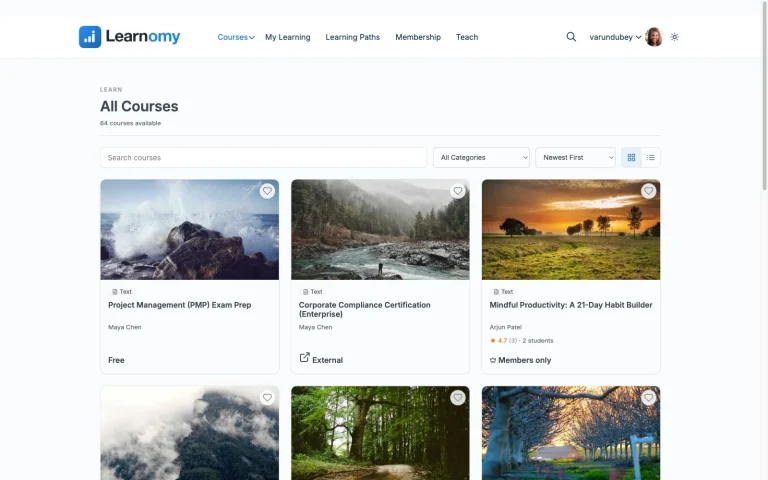
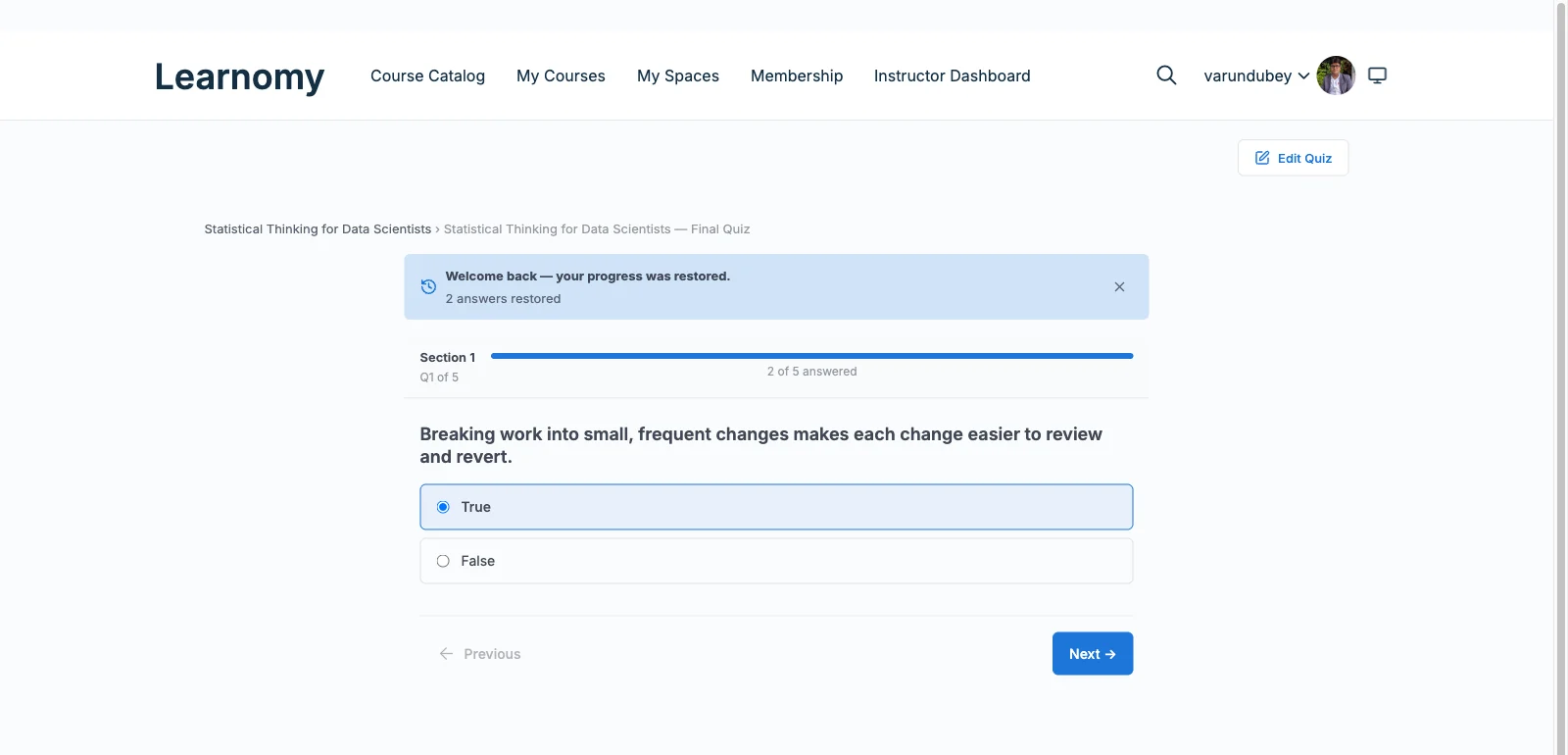
Learnomy is a complete learning platform for WordPress, the online school you own, and its assessment layer is where that completeness is easiest to see. The quiz engine covers six question types with partial-credit grading, so a multi-answer question scores what a student actually got right instead of collapsing to all-or-nothing. Question banks feed randomized papers, which means two students sitting the same quiz are not comparing identical screens.
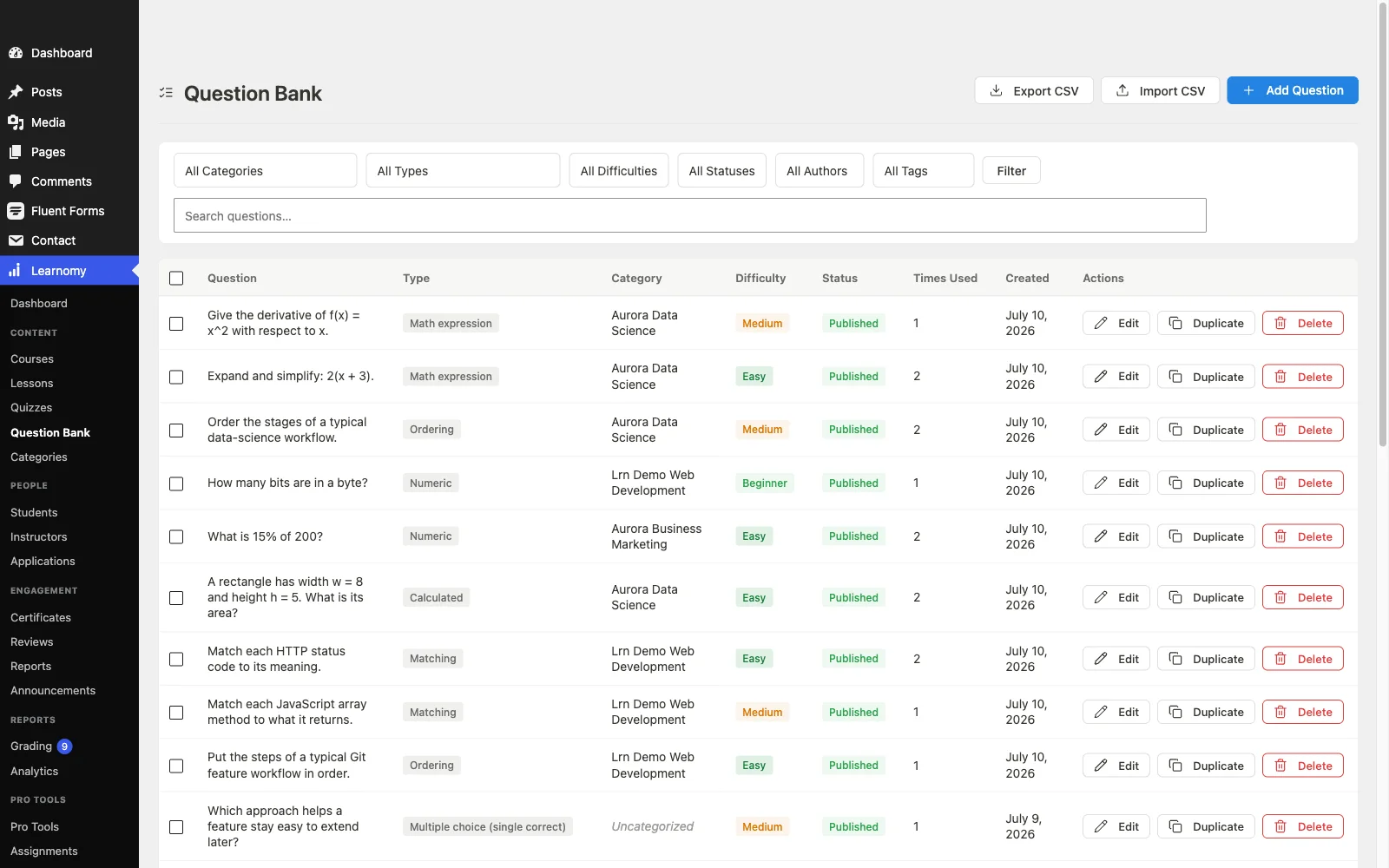
The integrity side is what separates it from most of this list: anti-cheat tab-switch tracking flags when a student leaves the quiz mid-attempt, exactly the behavior that turns an open-book formality into a defensible exam. And for the questions no auto-grader can score, an essay-grading inbox queues written answers for the instructor, so human grading is a workflow rather than a spreadsheet habit.
Results do not sit in isolation. A gradebook combines quizzes, assignments, and SCORM packages into one weighted grade per course, with a manual override for the edge cases, and passing feeds directly into the platform’s digitally signed, QR-verifiable certificates. Because certificates resolve to a public verify page, the integrity chain runs unbroken from question bank to the credential a student shares on LinkedIn.
The deal: Learnomy is not a quiz add-on stacked on a course plugin; assessment, selling, and certification ship as one platform, with no platform fees, what students pay is yours.
WooCommerce fit: checkout runs through built-in Stripe and PayPal without needing a cart plugin, and a WooCommerce adapter is there for stores that already run a catalog, so quiz-gated courses can sit in the same cart as everything else you sell. Our roundup of LMS options with built-in payments covers that checkout question on its own.
Beyond assessment, the platform quietly grows into everything around it: a learning community can form around your school, course discussion boards and Q&A sit alongside lessons, gamified learning adds points, badges, and streaks, a job board helps graduates put certificates to work, course videos stay protected from casual downloading, and the whole thing runs under your own branding and design control, dark mode included. AI course and quiz generation also takes the blank-page problem out of drafting a first question bank.
Best for: any course where the quiz result has to mean something, certification, compliance, or a store owner who does not want completion disputes with paying customers.
2. Tutor LMS: the widest question-type variety
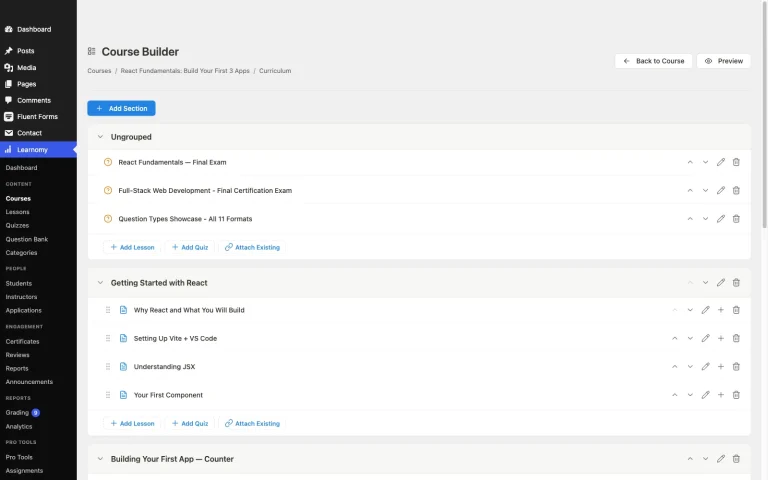
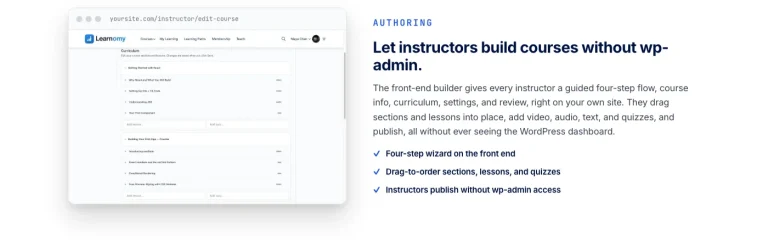
Credit where due: Tutor LMS ships the most question-type variety in this comparison, more than ten formats including matching, ordering, image-based answers, and fill-in-the-blank. For quiz construction alone, it is genuinely the strongest builder here, and its frontend course builder means instructors assemble quizzes without touching wp-admin.
The caveats sit on the integrity and consequence side. Timers exist, but the deeper quiz controls, along with certificates and content drip that give quiz results consequences, sit behind the paid tier. A free-tier Tutor site can build an impressively varied quiz whose result gates very little.
The deal: a generous free core with the assessment depth unlocked by an annual paid tier.
WooCommerce fit: course selling on the free tier generally runs through WooCommerce, which is convenient for an existing store, the quiz layer itself does not interact with the order flow beyond gating completion.
Best for: quiz-heavy course design where question variety matters more than proctoring, and the paid tier is in the plan.
3. LearnDash: question banks with corporate depth
LearnDash’s quiz engine is the most configurable of the traditional plugins: eight-plus question types, reusable question banks, per-question points, timers, retake rules, and reporting mature enough for an HR department to consume. SCORM and xAPI support means externally authored assessments can report scores into it, which is why it remains the default for corporate training on WordPress.
Two honest costs: there is no free version at all, so the engine cannot be trialed without a license, and assembling the full assessment-to-certificate-to-report pipeline usually involves add-ons and configuration time that smaller course businesses underestimate.
The deal: an annual license from the first day, with add-ons layering on top.
WooCommerce fit: the official WooCommerce integration maps products to courses cleanly, a common pattern for stores already selling physical goods.
Best for: corporate and institutional training where quiz reporting has to satisfy someone other than the student.
4. LifterLMS: quizzes wired to an engagement engine
LifterLMS’s free core includes quizzes plus something unusual: an engagement engine that fires achievements, certificates, and emails off student actions, including quiz completion. That makes it easy to build a loop where passing a quiz visibly rewards the student without any custom code.
The assessment depth itself is more modest in the free core. Advanced question types and richer reporting live in the paid add-on catalog, and the integrity controls are standard randomization rather than active proctoring signals.
The deal: a genuinely usable free core, with depth purchased add-on by add-on from one vendor’s catalog.
WooCommerce fit: its own checkout or a WooCommerce connection both work, so quiz-gated courses can ride an existing store’s cart.
Best for: membership-style education sites where quiz results should trigger visible rewards and retention loops.
5. Sensei LMS: quiz blocks inside the editor
Sensei, from Automattic, treats quizzes as blocks: you build them in the same editor as the lesson, with several question types plus interactive blocks like flashcards and hotspots that blur the line between content and assessment. For teams already fluent in the block editor, it is the lowest-friction quiz authoring in this list.
Grading nuance and gating logic are thinner than the specialists’: deeper prerequisites and course-gating behavior sit in the paid tier, and there is no equivalent of a weighted, cross-activity gradebook.
The deal: a free core, with the paid tier unlocking the deeper access-control behavior.
WooCommerce fit: native, same company, no bridge plugin, the cleanest path if quiz-gated courses should sell like any other product in an existing WooCommerce store.
Best for: WooCommerce stores that want quiz authoring inside the block editor with the least new tooling.
6. WP Courseware: straightforward quizzes, detailed reporting
WP Courseware’s quiz module is direct: timed quizzes, retake limits, and a grade book, with student-level reporting that is more detailed than its modest profile suggests. Instructors can export results and see exactly where a cohort is struggling, which is the reporting half of assessment done well.
Question-type variety and integrity signals are middle-of-the-pack, and payments route through WooCommerce or third-party integrations rather than a native checkout.
The deal: an annual license, without a free core to trial.
WooCommerce fit: through integration rather than native checkout, so budget setup time for the selling side.
Best for: instructor-led courses where per-student quiz reporting matters more than exotic question types.
7. LearnPress: a workable free quiz core
LearnPress’s free core covers the basics honestly: several question types, a quiz builder inside its curriculum tool, and progress tracking, with no license fee for the structural side. For a first course on a tight budget, it works.
The assessment ceiling arrives quickly. Certificates, content drip, and prerequisite chains, the consequences that make quiz results matter, are separate add-ons with separate price tags, and integrity features are minimal. Our honest breakdown of free WordPress LMS plugins covers exactly where LearnPress’s free tier ends.
The deal: a fully free core with depth sold add-on by add-on.
WooCommerce fit: via an official add-on that turns courses into products; core PayPal support exists for simpler setups.
Best for: budget-first builds where basic quizzes are enough for now, with eyes open about the add-on path.
8. MasterStudy LMS: block-based quizzes with a paid ceiling
MasterStudy’s free tier includes a quiz engine with more than one question type and a block-based building experience that feels native to modern WordPress. A basic certificate in the free tier gives quiz results at least one consequence out of the box.
The fuller assessment story, along with native WooCommerce checkout, sits in the paid version, so a store that wants quiz-gated products should plan for the paid tier from the start rather than discovering the checkout gap after the course catalog is built.
The deal: free core to evaluate the approach; the paid tier for a real selling-and-assessing operation.
WooCommerce fit: not in the free tier, a specific caution for this site’s audience.
Best for: block-editor-first sites testing whether MasterStudy’s building style fits before committing.
9. MemberPress Courses: quizzes as a membership feature
MemberPress Courses includes a quiz feature inside a product whose center of gravity is memberships and billing. The quizzes are serviceable, basic question types, completion tracking, but they exist to support course delivery inside a membership, not to run defensible exams.
If your model is a membership site where courses are one benefit and quizzes are checkpoints rather than credentials, that scope is honest and sufficient. If assessment integrity is the point, look higher up this list.
The deal: part of an annual membership-plugin license; the quizzes come along with the membership engine.
WooCommerce fit: MemberPress runs its own billing rather than riding WooCommerce, which is a real architectural fork for an existing store.
Best for: membership businesses where quizzes are engagement checkpoints, not certification instruments.
The anti-cheat question nobody asks until it matters
Here is the scenario that turns quiz integrity from a nice-to-have into a business problem. Your course issues a certificate. A student finishes it in an implausibly short time, aces every quiz, downloads the certificate, and posts it on LinkedIn. Their employer, who paid for the seat, asks you whether the credential means anything. What do you say?
With most quiz engines in this list, the honest answer is “the student clicked the right answers.” You have no signal about whether they had the course open in one tab and a search engine in the other, whether the timer was enforced anywhere except their own browser, or whether every student saw the same questions in the same order.
This is why tab-switch tracking, randomized question banks, and server-side grading are not enterprise luxuries. They are what make the sentence “this certificate reflects a real assessment” true. And it is why the certificate layer and the quiz layer should be designed together, a QR-verifiable certificate backed by a gameable quiz is a well-dressed contradiction. Our companion piece on WordPress LMS certificates worth verifying picks up that half of the chain.
For most of the plugins here, reaching that standard means stacking add-ons or accepting the gap. Learnomy is the entry where the chain, question bank, anti-cheat signal, weighted grade, signed certificate, public verify page, ships as one system, which is the structural advantage of a complete learning platform over a quiz module bolted onto a course plugin.
Common mistakes when choosing a quiz-focused LMS
- Ranking engines by question-type count. Ten question formats with no partial credit and no randomization is a worse exam than five formats with both. Count grading behaviors, not input widgets.
- Ignoring the essay problem. If your subject matter ever needs a written answer, check for a human-grading workflow before committing. Retrofitting one usually means email and spreadsheets.
- Assuming the timer is real. A timer that only lives in the student’s browser is a suggestion. Ask where enforcement happens before promising anyone a “timed exam.”
- Building the course before testing the gradebook. Record two quiz scores and an assignment for a test student and see what the platform reports as their final grade. If the answer is “three separate numbers,” that is your future support queue.
- Forgetting the store connection. On a WooCommerce site, quiz-gated completion is part of what the customer bought. Test the full purchase-to-pass-to-certificate flow as one transaction before launch, not three separate features.
- Treating AI-generated questions as finished questions. AI drafting, which Learnomy includes for courses and quizzes, is a real time-saver for a first question bank, but review every generated question for accuracy before it decides anyone’s certificate.
FAQ
Which WordPress LMS has the best quiz engine overall?
For question-type variety alone, Tutor LMS. For assessment integrity, the combination of anti-cheat tracking, partial credit, question banks, essay grading, and a weighted gradebook, Learnomy covers the most ground in one platform, with LearnDash the strongest of the traditional plugins for corporate-style configuration.
What is anti-cheat tab-switch tracking?
It is a signal recorded when a student leaves the quiz window during an attempt, switching tabs, opening another app, so the instructor can see whether a suspiciously perfect score came with thirty mid-quiz departures. It does not stop cheating outright; it makes it visible and reviewable.
Can I grade essay questions in a WordPress LMS?
Only some engines support it as a workflow. Learnomy queues written answers in an essay-grading inbox for instructor review; LearnDash supports manually graded question types; several others limit quizzes to auto-graded formats, which quietly shapes what your course can ask.
Do quiz results affect certificates automatically?
On the better platforms, yes: passing thresholds trigger certificate issue without manual steps. Check whether the certificate itself is verifiable, a signed certificate with a public verify page makes the quiz result durable; an editable PDF makes it decorative.
Do I need WooCommerce to sell quiz-gated courses?
No. Learnomy sells through built-in Stripe and PayPal checkout and offers a WooCommerce adapter for existing stores; Sensei connects natively to WooCommerce; most others lean on WooCommerce or their own payment add-ons. The quiz layer is independent of the checkout layer everywhere except in how completion is reported.
Are randomized question banks worth the setup effort?
For any assessed course with more than a handful of students, yes. Randomization is the cheapest integrity control available: it defeats answer-sharing between students without any proctoring, and it turns one authored bank into effectively many papers.
What happens to my quiz data if I switch platforms later?
Course structure usually migrates; attempt history often does not. Learnomy’s migration wizard imports from LearnDash, Tutor LMS, and LifterLMS specifically. Coming from anywhere else, plan a manual export and accept that historical attempts may stay behind.
Verdict
If quizzes are checkpoints, most of this list will serve. If quizzes are assessments, results that gate certificates, satisfy employers, or defend a refund decision on a WooCommerce order, the field narrows fast. Tutor LMS wins on question variety, LearnDash on corporate configuration depth, and Learnomy on the thing this article is actually about: an unbroken integrity chain from randomized question bank to anti-cheat signal to weighted grade to a certificate anyone can verify, shipped as one platform you own. For the broader landscape beyond assessment, our complete WordPress LMS guide is the place to zoom back out.
Want quizzes your certificates can stand behind?
Learnomy is a complete learning platform for WordPress: six quiz types with partial credit, question banks, anti-cheat tab-switch tracking, an essay-grading inbox, and a weighted gradebook, feeding QR-verifiable certificates, with no platform fees on what your students pay. A migration wizard covers LearnDash, Tutor LMS, and LifterLMS sites ready to move.
Get Learnomy