Best WordPress LMS for Schools That Want Ownership in 2026

A school, whether it’s a small private academy, a training institute, or a university department running an online extension, needs things a single-instructor course business never has to think about: multiple teachers managing their own classes, structured curricula that build across terms, SCORM packages inherited from an existing content library, and grading that rolls up across an entire program rather than one course at a time. Most WordPress LMS comparisons are written for solo course creators, which misses almost everything a real school actually runs on.
We compared eight WordPress LMS and course platforms specifically through a school administrator’s lens: can it manage multiple instructors cleanly, does it support real multi-course curricula, does it import existing SCORM content, and does the school own the platform its students and staff depend on, or is it renting space inside someone else’s system with someone else’s terms of service.
Table of Contents
- Quick comparison
- What a school needs that a solo course business doesn’t
- 1. Learnomy: multi-instructor, learning paths, and SCORM, owned outright
- 2. LearnDash: the mature choice for institutions with dev resources
- 3. Tutor LMS: solid multi-instructor dashboards, commissions paid
- 4. LifterLMS: engagement automation for cohort programs
- 5. Moodle: the academic standard, with real hosting weight
- 6. Thinkific: hosted, simple, thinner on multi-instructor depth
- 7. MasterStudy LMS: block-based, mid-tier for institutions
- 8. Sensei LMS: fine for a single department, not a full school
- Why ownership matters more for a school than for a solo creator
- SCORM, gradebooks, and the content a school already has
- Training staff and onboarding new instructors
- Common mistakes schools make choosing a platform
- FAQ
- Verdict
Quick comparison
| Platform | Multi-instructor support | Learning paths / curricula | SCORM | The deal |
|---|---|---|---|---|
| Learnomy | Applications, dashboards, revenue sharing | Prerequisite-based paths with path certificate | Supported, rolled into weighted grading | No platform fees, what students pay is yours |
| LearnDash | Native group leader roles; true multi-instructor needs an add-on | Course prerequisites, add-ons for deeper paths | Via add-on | Annual license renewal |
| Tutor LMS | Native dashboards, commissions on paid tier | Limited native sequencing | Not native | Annual license renewal, tiered |
| LifterLMS | Via add-ons | Engagement-triggered sequencing | Via add-on | Free core, annual add-ons for depth |
| Moodle | Deep native role and cohort management | Strong native curriculum tools | Native, a core strength | Free core software; hosting and admin time are the real cost |
| Thinkific | Basic, thinner at scale | Course bundles, not true prerequisites | Not supported | A monthly subscription forever |
| MasterStudy LMS | Instructor dashboards on paid tier | Limited native sequencing | Not native | Annual license renewal, tiered |
| Sensei LMS | Basic, single-department scale | Paid tier for structured paths | Not native | Free core, WooCommerce dependency |
What a school needs that a solo course business doesn’t
A school’s requirements diverge from a solo creator’s in four specific ways. First, real multi-instructor management: teachers need their own classes, their own gradebooks, and a clear boundary around what they can see and edit, not shared admin access to the entire site. Second, structured, multi-course curricula that mirror an actual program of study, prerequisites, sequencing, and a credential that reflects the whole program, not just one class. Third, compatibility with content a school likely already has, SCORM packages built for a previous LMS, existing course materials that shouldn’t need to be rebuilt from scratch. Fourth, and often underweighted in feature comparisons, genuine institutional control over the platform: a school’s student records and academic history are a long-term asset that shouldn’t sit inside a vendor’s system subject to that vendor’s pricing and policy decisions.
1. Learnomy: multi-instructor, learning paths, and SCORM, owned outright
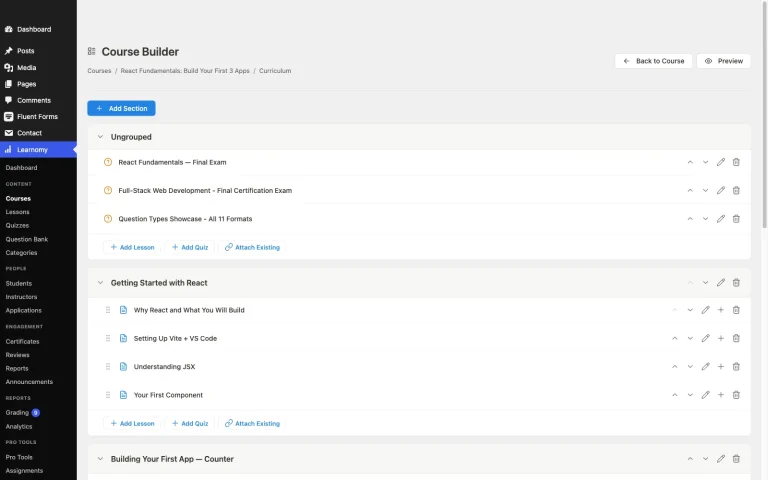
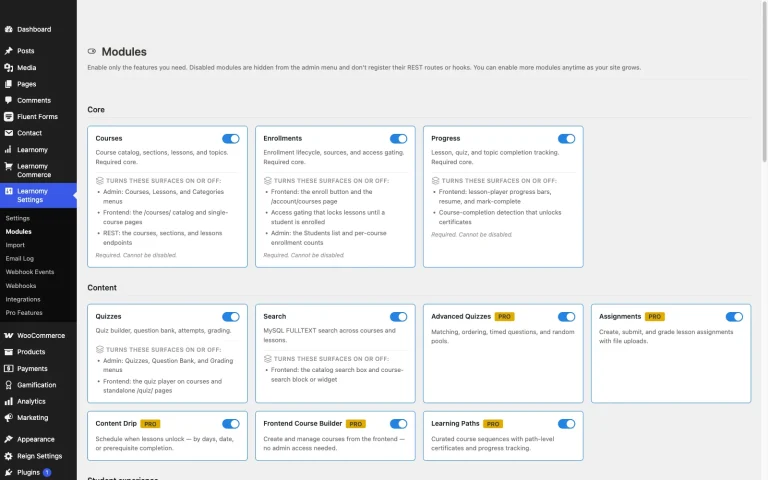
Learnomy is a complete learning platform for WordPress, the online school you own, built with the multi-instructor and multi-course structure a real school needs from day one. Instructor revenue sharing supports Udemy-style splits, with instructor applications and dashboards that give each teacher a clear, bounded view of their own classes rather than shared access to the whole system, a genuine fit for a school onboarding multiple teachers without handing every one of them full administrative control.
Learning paths sequence multiple courses with prerequisites, mapping directly onto a school’s actual program structure, a student completes course one before course two unlocks, with a path certificate issued once the full program is complete, not just an individual class. SCORM packages are supported and roll directly into Learnomy’s gradebook, which combines a course’s quizzes, assignments, and SCORM results into one weighted grade automatically instead of leaving a teacher to average scores from separate systems by hand, a meaningful time saver for a school importing existing content built for a previous LMS.
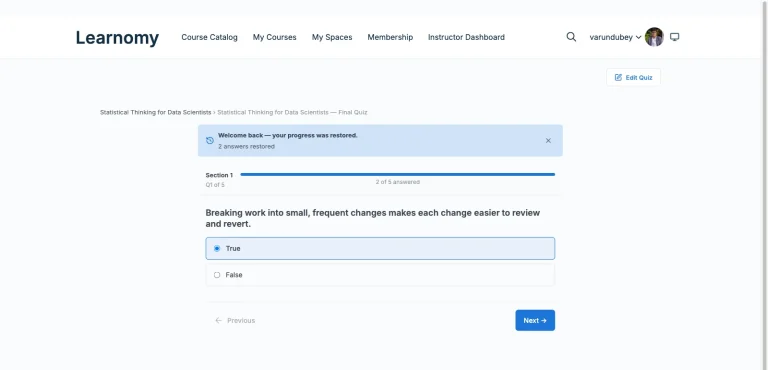
Assessment covers six quiz types with partial credit and question banks, anti-cheat tab-switch tracking for exams that need integrity guarantees, and an essay-grading inbox for written assessments that need a human reviewer. Certificates are digitally signed with a QR code resolving to a public verify page, giving a school’s credentials real, checkable weight rather than an editable PDF.
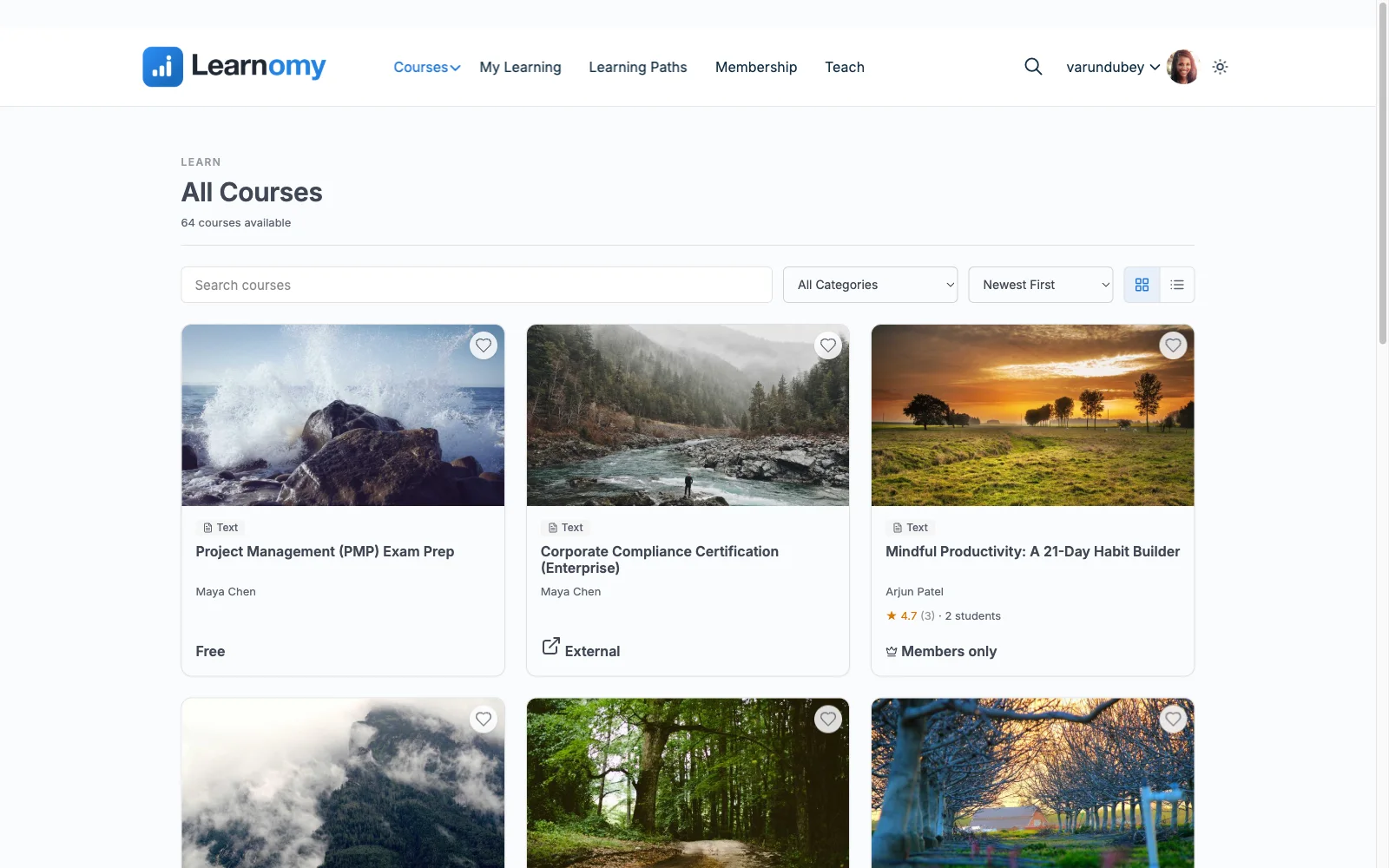
On the business and community side, checkout runs through Stripe and PayPal directly, with a WooCommerce adapter for a school that already runs a store for other purposes. A learning community with discussion boards and Q&A gives students a place to engage between classes, gamified learning adds points, badges, and streaks that suit a student population that responds to visible progress, and a job board helps graduates turn a completed program into a real opportunity, relevant for vocational and career-focused schools specifically. There are no platform fees on what a student pays, and a migration wizard imports directly from LearnDash, Tutor LMS, and LifterLMS for a school moving off one of those.
Best for: a school running multiple instructors and structured, multi-course programs that wants full ownership of its student records and academic platform, not a rented seat inside someone else’s system.
2. LearnDash: the mature choice for institutions with dev resources
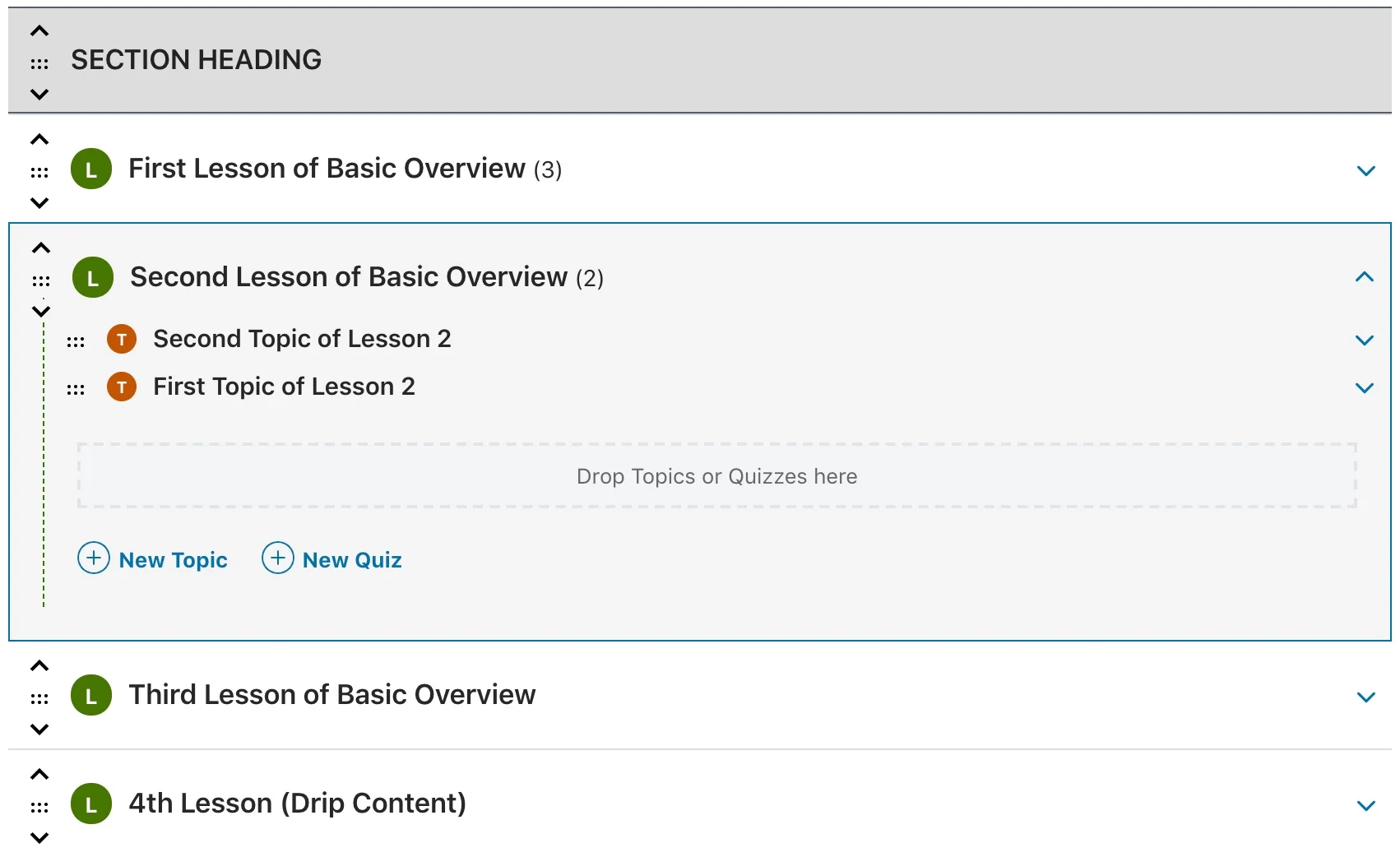
LearnDash’s maturity and add-on ecosystem give an institution with real development resources a genuinely deep toolkit to build around. Group leader roles for cohort management are core, but true multi-instructor support with separate course ownership, advanced reporting, and SCORM support are all reachable through its add-on catalog. The tradeoff is real assembly work: a school’s curriculum-sequencing needs generally require identifying, licensing, and maintaining several specific add-ons rather than finding that structure built in from the start.
3. Tutor LMS: solid multi-instructor dashboards, commissions paid
Tutor LMS’s native instructor dashboards and commission handling on its paid tier make it a reasonable fit for a school with several teachers each running their own courses. Multi-course sequencing and SCORM support are thinner than dedicated institutional tools, worth confirming against a school’s actual curriculum structure before committing, particularly if the school has existing SCORM content to migrate.
4. LifterLMS: engagement automation for cohort programs
LifterLMS’s built-in engagement engine, triggering emails, achievements, and certificates off student actions, suits a cohort-based school program well, automating check-ins that would otherwise fall on teaching staff to send manually. Multi-instructor and SCORM support both require add-ons, worth budgeting for if a school’s needs go beyond a single-instructor deployment.
5. Moodle: the academic standard, with real hosting weight
Moodle is the established open-source LMS built specifically for academic and institutional use, with genuinely deep native support for cohorts, role-based permissions, structured curricula, and SCORM as a core strength rather than an add-on. For a school with an IT department and the willingness to run and maintain a dedicated server outside the WordPress ecosystem, Moodle’s depth is real and well-proven. The honest tradeoff is operational weight: a standalone PHP application needing its own server, its own update cycle, and meaningfully more administrative expertise than a WordPress-based platform running on managed hosting, plus no native course commerce the way a WordPress LMS built around selling courses provides.
6. Thinkific: hosted, simple, thinner on multi-instructor depth
Thinkific removes hosting and maintenance from the equation, a real convenience for a small school without technical staff. Multi-instructor management and true curriculum sequencing are thinner here than in dedicated institutional tools, and SCORM import isn’t supported, a real limitation for a school with an existing content library built for a SCORM-compatible LMS. As a hosted SaaS platform, it also carries the ownership tradeoff every entry in that category shares: a school’s student records live in a vendor’s system under that vendor’s terms.
7. MasterStudy LMS: block-based, mid-tier for institutions
MasterStudy LMS’s Gutenberg-native builder and instructor dashboards on its paid tier offer a workable mid-tier option for a smaller school. Multi-course sequencing stays limited compared to dedicated institutional tools, and SCORM isn’t natively supported, worth checking against a school’s specific curriculum needs before committing.
8. Sensei LMS: fine for a single department, not a full school
Sensei’s native WooCommerce connection is a real advantage for a single department selling one program through an existing store, but its multi-instructor and structured-curriculum support are thin, and SCORM isn’t natively supported. It’s a reasonable fit for a narrow, single-instructor deployment rather than a full school running multiple teachers and programs.
Why ownership matters more for a school than for a solo creator
A solo course creator who outgrows a platform faces a real but bounded migration project. A school faces something bigger: years of student records, transcripts, and institutional history tied up in a system that isn’t the school’s own. If that system is a hosted SaaS platform, the school’s academic history is subject to that vendor’s continued existence, pricing decisions, and policy changes, with no direct way to simply take the database and move it elsewhere the way a self-hosted WordPress platform allows.
This is a genuinely different risk calculus than a solo creator weighing convenience against setup time. A school’s platform decision is closer to choosing where to keep permanent institutional records, worth treating with the same seriousness a school would apply to any other long-term infrastructure decision, not just a course-delivery tool comparison.
SCORM, gradebooks, and the content a school already has
Most schools evaluating a new platform aren’t starting from zero, there’s usually an existing library of SCORM packages, a previous LMS’s export, or content built for a system the school is moving away from. Confirm SCORM import support specifically and early, since it’s one of the more commonly overlooked gaps among WordPress LMS plugins, several handle it only through a paid add-on or not at all, which can mean a costly content rebuild rather than a straightforward import.
Gradebook behavior matters just as much once SCORM content is in place. A platform that treats SCORM completion as a separate, disconnected data point from quiz and assignment grades leaves a teacher manually reconciling three different scoring systems per student. A gradebook that rolls quizzes, assignments, and SCORM results into one weighted grade automatically removes that manual reconciliation entirely, a genuine time saver at institutional scale where dozens of students per class multiply that manual work quickly.
Training Staff and Onboarding New Instructors
A school evaluates an LMS once and then lives with the onboarding process for every teacher it ever hires. This is a cost that rarely appears in a feature comparison but shows up every single term: how long does it take a new instructor, often mid-career and not particularly technical, to go from a blank account to a published, working course? A platform that takes an experienced administrator a weekend to configure can take a first-time instructor a full month to feel comfortable in, and that gap is where a school’s actual per-teacher cost lives.
Front-end course builders shrink that gap the most. An instructor who never has to open wp-admin skips an entire category of confusion, menu structures, permission settings, plugin conflicts, that has nothing to do with teaching and everything to do with WordPress as a content management system. Learnomy’s four-step frontend builder is built around exactly this problem: an instructor logs in, sees a guided flow for curriculum, settings, and review, and publishes without ever touching the admin dashboard. For a school onboarding several new teachers a term, that difference compounds, training time drops from a multi-session walkthrough to a single guided session, and support tickets from confused instructors drop with it.
Role boundaries matter just as much as building speed once staff are actually using the system. A new instructor should be able to manage their own classes, students, and gradebook without any risk of seeing or editing another teacher’s course, a boundary that protects both student privacy and instructor autonomy. Platforms with genuine instructor accounts, Learnomy’s instructor applications and dashboards, LearnDash’s group leader roles, Tutor LMS’s instructor dashboards, handle this natively. Platforms without a real multi-instructor model tend to solve it with shared admin access, which is a real security and workflow problem the moment a school has more than one or two teachers.
Documentation and support responsiveness matter more for a school than for a solo course creator, since a school’s technical point of contact, often one overworked administrator, is fielding onboarding questions from every new hire at once. Before committing to a platform, it is worth testing how quickly a genuine support question gets a useful answer, not a canned response, since that responsiveness is what a school’s IT contact will be relying on every time a new term starts and a batch of new instructors needs to get up to speed together.
Common mistakes schools make choosing a platform
Not testing multi-instructor role boundaries before onboarding real teachers. Confirm a teacher can manage their own classes and gradebook without seeing or editing another teacher’s students, a gap here becomes a real privacy and workflow problem once staff are actually using the system.
Assuming SCORM support without checking directly. Several platforms compared here don’t support SCORM natively, confirm before assuming an existing content library will import cleanly, since rebuilding a SCORM library manually is a substantial, avoidable project.
Choosing a hosted platform without weighing the institutional-ownership question. A school’s decision here carries more long-term weight than a solo creator’s convenience-versus-setup-time tradeoff, treat platform ownership as a genuine institutional risk factor, not just a feature comparison line item.
Underestimating Moodle’s real hosting and admin commitment. Moodle’s depth is genuine, but so is its operational weight, confirm the school has (or is willing to fund) the technical capacity to run it well before choosing it purely for its academic pedigree.
FAQ
Can multiple teachers manage their own classes independently on Learnomy? Yes, instructor applications and dashboards give each teacher a bounded view of their own courses and students, with revenue sharing supporting Udemy-style splits as the school scales past a single instructor.
Does Learnomy support SCORM content from a previous LMS? Yes, SCORM packages are supported and roll directly into the platform’s weighted gradebook alongside quizzes and assignments.
Is Moodle a better fit than a WordPress LMS for a large institution? It depends on the institution’s technical capacity, Moodle’s native depth for cohorts, roles, and SCORM is real and well-proven, but it asks for meaningfully more server and administrative commitment than a WordPress-based platform on managed hosting. A school without dedicated IT resources often gets more practical value from a complete WordPress platform.
Why does platform ownership matter more for a school than for an individual course creator? A school’s student records and academic history are a long-term institutional asset. Keeping that data on infrastructure the school controls, rather than inside a vendor’s hosted system subject to that vendor’s own pricing and policy decisions, is a meaningfully bigger risk consideration than an individual creator’s convenience tradeoff.
Can a school migrate from LearnDash or Tutor LMS to Learnomy without losing existing courses? Yes, Learnomy’s migration wizard imports directly from LearnDash, Tutor LMS, and LifterLMS.
Verdict
For a school running multiple instructors and structured, multi-course programs, Learnomy’s combination of instructor management, prerequisite-based learning paths, SCORM-integrated grading, and verifiable certificates covers the specific institutional infrastructure a solo-creator-focused platform leaves out, while keeping full ownership of the school’s own data. Moodle remains the deepest option specifically for institutions with the IT capacity to run and maintain it. LearnDash is the strongest choice for a school with development resources willing to assemble a broader add-on stack. The remaining platforms each fit a narrower slice of institutional need, worth checking directly against your school’s actual multi-instructor and curriculum requirements before committing.
Running a school with multiple instructors and real programs?
Learnomy handles multi-instructor management, prerequisite-based learning paths, SCORM-integrated weighted grading, and verifiable certificates, all in one platform the school owns outright, with no platform fees on what students pay.
Get Learnomy