A coaching business runs on a different rhythm than a course business. Coaches sell transformation, not just content: cohort start dates, accountability check-ins, a community that keeps people showing up between calls, and a credential students can point to when the coaching relationship ends. Most WordPress LMS comparisons are written for course creators selling a single self-paced product, which misses almost everything a coaching practice actually needs from its platform.
We compared nine WordPress LMS and course platforms specifically through a coach’s lens: can it run a cohort with a fixed start date, does it support drip content tied to a coaching calendar rather than a generic schedule, can group members discuss and hold each other accountable, and does a client walk away with proof of the work, not just a login that expires when the coaching contract ends.
Table of Contents
- Quick comparison
- What a coaching business actually needs from an LMS
- 1. Learnomy: cohorts, community, and certificates in one platform
- 2. LearnDash: the mature choice, if you build the coaching layer yourself
- 3. Tutor LMS: strong course builder, thinner on coaching structure
- 4. LifterLMS: engagement triggers that suit accountability programs
- 5. MemberPress Courses: coaching-as-membership done natively
- 6. Kajabi: the all-in-one hosted coach platform
- 7. Thinkific: hosted, simple, thinner on community
- 8. MasterStudy LMS: block-based building, gamification add-on
- 9. Sensei LMS: fine for a single WooCommerce-tied coaching offer
- Cohort-based versus evergreen coaching: different platform math
- Why accountability infrastructure is the real differentiator
- Common mistakes coaches make choosing a platform
- FAQ
- Verdict
Quick comparison
| Platform | Cohort / drip scheduling | Community & discussion | Certificates | The deal |
|---|---|---|---|---|
| Learnomy | Learning paths with prerequisites, drip built in | Discussion boards and Q&A around every course | Signed, QR-verifiable | No platform fees, what clients pay is yours |
| LearnDash | Native drip, cohort add-ons available | Via bbPress/BuddyPress integration | Basic PDF, add-on for design | Annual license renewal |
| Tutor LMS | Drip on paid tiers | Limited native, needs a community plugin | Add-on required for a real design | Annual license renewal, tiered |
| LifterLMS | Native engagement triggers and drip | Achievements feed acts as light community | Included in core, deeper design paid | Annual add-on licensing |
| MemberPress Courses | Drip tied to membership rules | Via MemberPress community add-on | Basic, no verification layer | Annual license renewal |
| Kajabi | Native cohort and pipeline scheduling | Built-in community circles | Basic, no public verification | A monthly subscription forever, plus a cut of some plans |
| Thinkific | Native drip, cohort features on higher plans | Community add-on, separate product | Basic PDF | A monthly subscription forever |
| MasterStudy LMS | Drip on paid tier | Points/gamification, not discussion-based | Basic, paid tier for design | Annual license renewal |
| Sensei LMS | Paid tier for drip and prerequisites | None native | Add-on required | Free core, WooCommerce dependency |
What a coaching business actually needs from an LMS
A course creator optimizes for one thing: get the content in front of a buyer and let them move at their own pace. A coach optimizes for something harder to build software around: making sure a cohort of clients actually does the work, stays engaged between sessions, and finishes with something they can point to. That changes the priority order for what a platform needs to do well.
Four things matter more for a coaching practice than for a typical self-paced course seller. First, scheduled release tied to a program calendar, not just “unlock after seven days,” since a coaching cohort runs on specific dates that need to line up with live calls or check-ins. Second, a place for the cohort to talk to each other, not just to the coach, since peer accountability is often what actually drives completion in a coaching program. Third, a credential at the end that a client can show a manager or a client of their own, since coaching outcomes are frequently professional ones. Fourth, a way to eventually bring on a second coach or facilitator without rebuilding the entire access and payment structure from scratch.
1. Learnomy: cohorts, community, and certificates in one platform
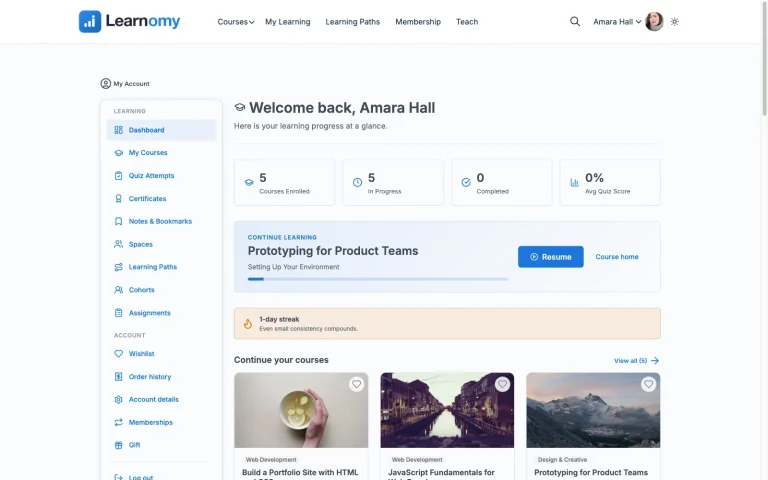
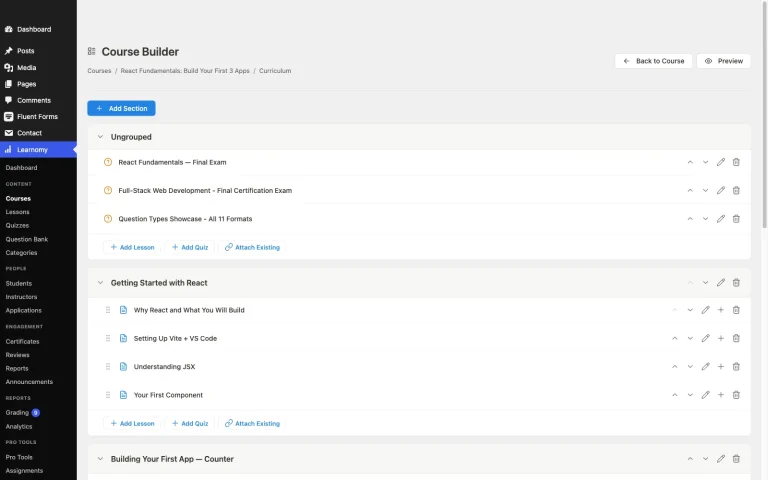
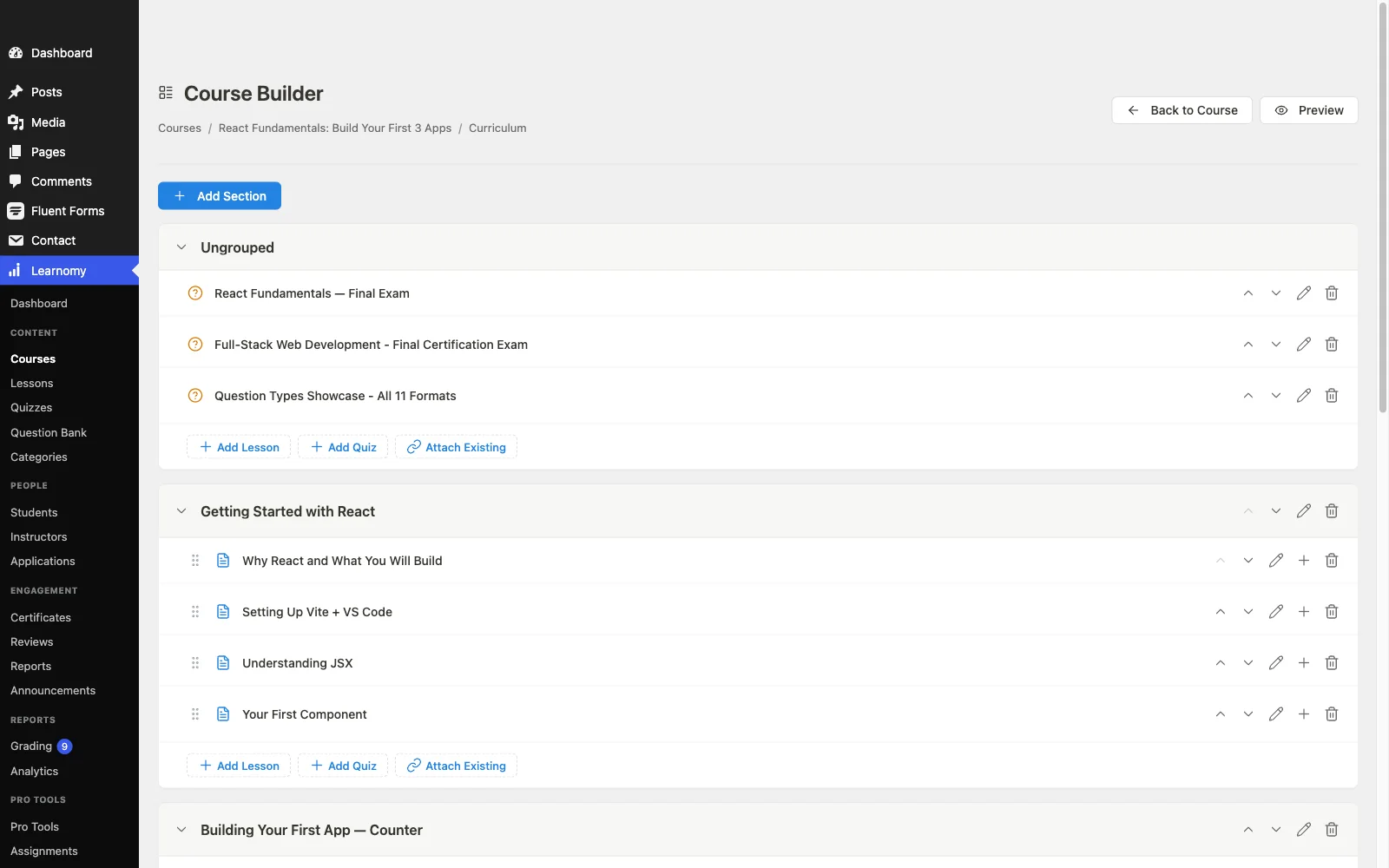
Learnomy is a complete learning platform for WordPress, not a course plugin bolted onto a coaching workaround. For a coach specifically, three pieces of it matter more than the headline course builder: learning paths, discussion boards, and certificates a client will actually use.
Learning paths sequence multiple courses with prerequisites, which is a coach’s cohort schedule in structural form, module one unlocks, then module two once it’s genuinely complete, not just clicked through. A path certificate waits at the end of the full sequence, giving a coaching program a natural graduation moment instead of a single course completing quietly with no marker of the whole program finishing.
A learning community sits around the school itself, with course discussion boards and Q&A giving a cohort somewhere to talk to each other, not just submit work to the coach. Gamified learning adds a soft layer of points, badges, and streaks that keeps a cohort motivated between live sessions, exactly the kind of low-effort nudge that keeps engagement from dropping off in week three of a six-week program.
Assessment holds up for coaching programs that need more than a quiz score: six quiz types with partial credit and question banks, plus an essay-grading inbox for the reflective, written check-ins that most coaching curricula actually use instead of multiple choice. Anti-cheat tab-switch tracking matters less for a trust-based coaching relationship, but it’s there if a program includes any graded certification component.
Certificates are digitally signed with a QR code resolving to a public verify page, shareable straight to LinkedIn, backed by a visual designer rather than a fixed template, exactly the kind of proof-of-completion a career or business coaching client wants to show off. On the business side, checkout runs through Stripe and PayPal directly, with a WooCommerce adapter for coaches already running a store for other offers, and memberships with trials support an ongoing group-coaching or accountability-membership model alongside one-off cohort programs. Instructor revenue sharing supports Udemy-style splits for a coaching practice that eventually brings on associate coaches or guest facilitators, with applications and dashboards handling that growth without a rebuild.
There are no platform fees on what a client pays, and a migration wizard imports directly from LearnDash, Tutor LMS, and LifterLMS for a coach outgrowing whichever of those they started on.
Best for: a coaching practice running cohort-based programs that wants scheduling, community, grading, and a real credential in one platform instead of a plugin stack held together with a separate community tool.
2. LearnDash: the mature choice, if you build the coaching layer yourself
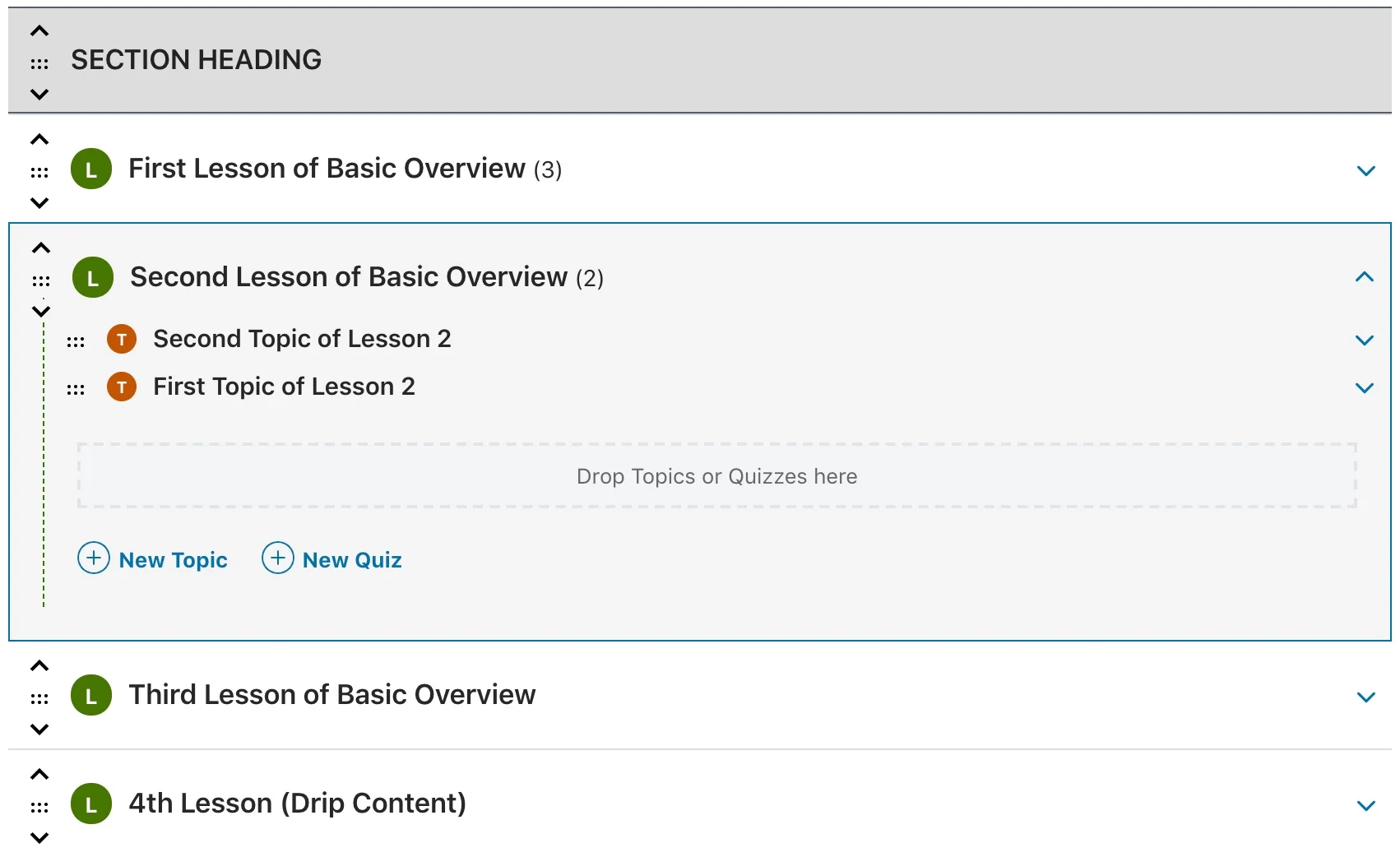
LearnDash’s native drip scheduling and course prerequisites give a coach the scheduling backbone a cohort program needs, and its focus mode strips distractions during a lesson, useful for a coaching curriculum designed to be worked through with real attention. Community, though, isn’t native, running a discussion layer means integrating bbPress or BuddyPress separately, a real setup project rather than a toggle.
For a coach with development resources or an existing BuddyPress community already in place, that’s a reasonable path. For a coach who wants cohort discussion working on day one without assembling three plugins to get there, it’s meaningfully more setup than a platform with community built in.
3. Tutor LMS: strong course builder, thinner on coaching structure
Tutor LMS’s frontend course builder is genuinely pleasant to work in, and its free quiz engine covers more than multiple choice. Drip content sits behind its paid tier, and there’s no native community or discussion layer, a coaching program built here needs a separate plugin for the peer-accountability piece that’s central to most coaching curricula. Certificates need the paid design add-on to look like more than a generic template, worth checking against what a coaching client actually expects to receive.
4. LifterLMS: engagement triggers that suit accountability programs
LifterLMS’s built-in engagement engine, triggering emails, achievements, and certificates off specific student actions, maps unusually well onto a coaching program’s need for automated check-ins and small motivational nudges between live sessions. Memberships are part of the free core too, useful for an ongoing group-coaching model. What’s missing natively is a genuine discussion space; the achievement feed provides light social proof but isn’t a real conversation space the way a dedicated community feature is.
5. MemberPress Courses: coaching-as-membership done natively
For a coach whose actual offer is closer to an ongoing membership with course content inside it than a discrete cohort program, MemberPress Courses’ tight integration with MemberPress’s billing and access engine is a genuine fit, native payment processing and drip tied directly to membership rules. Community requires the separate MemberPress community add-on, and the course builder itself is secondary to the membership engine it’s built on top of, worth confirming it covers a full coaching curriculum’s structure before committing.
6. Kajabi: the all-in-one hosted coach platform
Kajabi is built specifically for coaches and course creators as a hosted, all-in-one product: courses, community circles, email marketing, and a sales pipeline builder in one dashboard, with cohort and pipeline scheduling as a native feature rather than something assembled from parts. That breadth is real, and for a coach who wants marketing and delivery under one login, it’s a genuine advantage. It comes with the tradeoff every hosted platform carries: a monthly subscription forever, plus a percentage cut on certain plans, and no ownership of the underlying site the way a self-hosted WordPress platform provides. Migrating a cohort of paying clients off Kajabi later is a real project, not a settings change.
7. Thinkific: hosted, simple, thinner on community
Thinkific removes hosting and maintenance from a coach’s plate entirely, with a clean course builder and drip scheduling included on its core plans. Community functionality is a separate, additional product rather than a built-in layer, and cohort-specific features sit on its higher tiers. As with any hosted SaaS platform, the tradeoff is a recurring monthly cost that compounds over the life of a coaching business, plus the platform dependency that comes with not owning the underlying site.
8. MasterStudy LMS: block-based building, gamification add-on
MasterStudy’s Gutenberg-native course builder is a comfortable fit for a coach already used to the block editor, and its points-based engagement layer offers a lighter version of the gamification a coaching cohort benefits from, but it sits behind the paid tier along with drip scheduling and native checkout. There’s no dedicated discussion or community feature, so a cohort’s peer conversation still needs a separate plugin regardless of tier.
9. Sensei LMS: fine for a single WooCommerce-tied coaching offer
Sensei’s native WooCommerce connection is a real advantage for a coach who already runs a WooCommerce store for other products and wants a single coaching offer sold through the same checkout. Drip scheduling and prerequisites sit behind the paid tier, and there’s no community layer at all, native or otherwise, making it a fit mainly for a coach running one straightforward, self-paced offer rather than a full multi-cohort coaching business.
Cohort-based versus evergreen coaching: different platform math
A cohort program, a fixed group starting and finishing together on a schedule, needs a platform that handles scheduled enrollment windows, synchronized drip across the whole group, and a discussion space that’s actually active because everyone’s at the same point in the material at the same time. An evergreen coaching membership, where clients join on a rolling basis and work through material on their own timeline, needs less synchronization but more emphasis on self-service progress tracking and a community that stays useful even when members are all at different stages.
Most platforms compared here lean toward one model more naturally than the other. Learnomy’s learning paths and prerequisite structure suit cohort-style sequencing directly, while its membership and trial support covers the evergreen model just as well, worth confirming for any platform which model its scheduling tools were actually designed around before committing a coaching business to it.
Why accountability infrastructure is the real differentiator
Course completion rates for self-paced content hover in the single digits to low double digits across the industry, coaching programs exist specifically to beat that number through structure and accountability. The platform underneath a coaching program either supports that structure, scheduled releases, peer visibility, check-in nudges, a graduation moment, or it leaves the coach building that accountability layer manually through email and spreadsheets outside the platform entirely.
This is where a genuine feature gap shows up between platforms built primarily for one-off course sales and platforms (or platform layers) built with an ongoing cohort or membership relationship in mind. A discussion board that sees real weekly activity, an automated nudge when someone falls behind, and points or streaks that make progress visible to the cohort, not just the individual, are the specific mechanisms that turn a course into something that functions like real coaching rather than content with a login wall around it.
Common mistakes coaches make choosing a platform
Picking a course plugin and assuming community will bolt on cleanly later. A community plugin added after a cohort structure is already built often needs real reconciliation work between two separate user-and-access systems. Confirm community support, native or otherwise, before the first cohort launches, not after.
Underestimating how much a synchronized cohort schedule matters. A platform whose drip logic only supports “X days after enrollment” doesn’t map to a cohort where the whole group needs module three to unlock on the same calendar date regardless of individual enrollment timing. Confirm calendar-based, not just enrollment-based, scheduling before building a cohort program on it.
Treating the certificate as an afterthought. For coaching aimed at career or business outcomes, a credential a client can verify and share is often part of the actual value proposition, not a nice-to-have tacked onto the end.
Not planning for a second coach or facilitator early. A coaching practice that grows to bring on associate coaches needs commission or revenue-sharing support and per-facilitator dashboards, retrofitting that onto a single-coach setup later is a genuinely painful migration.
FAQ
Does a coaching business need a dedicated community feature, or can Facebook groups substitute? A Facebook group works, but it puts a coach’s community on rented land subject to someone else’s algorithm and moderation policy, and it disconnects discussion from the actual course material. A built-in discussion layer keeps conversation attached to the specific lesson or module it’s about, which is more useful for both the cohort and the coach reviewing engagement.
Can a coaching program run on a self-paced platform without cohort features? Yes, plenty of successful coaching offers run evergreen with clients joining on a rolling basis, the tradeoff is losing the synchronized peer-accountability effect a true cohort provides, which is a real driver of program completion for many coaching models.
What’s the difference between a coaching platform and a course platform, structurally? A course platform optimizes for one-time content delivery. A coaching platform needs scheduling tied to a program calendar, a discussion or community layer, progress visibility across a cohort, and usually a credential at the end, features a pure course-delivery tool often treats as secondary or absent.
Is Learnomy free for a coach to try? Learnomy isn’t measured on a free-versus-paid split, it’s a complete learning platform with no platform fees on what a client pays, so the more useful comparison is what the platform actually does for a cohort or membership coaching model, covered above.
Can I migrate an existing LearnDash or Tutor LMS coaching program to Learnomy? Yes, Learnomy’s migration wizard imports directly from LearnDash, Tutor LMS, and LifterLMS specifically.
Do I need WooCommerce to sell a coaching program on Learnomy? No, checkout runs directly through Stripe and PayPal. A WooCommerce adapter is available for coaches who already run a store and want coaching enrollment to sit inside that existing setup instead of a separate cart.
Verdict
For a coaching business running cohort programs or an ongoing accountability membership, Learnomy’s combination of prerequisite-based learning paths, native discussion boards, gamified engagement, and verifiable certificates covers the specific infrastructure a course-only platform leaves out. LearnDash remains the strongest choice for a coach with development resources willing to assemble a community layer around its mature scheduling engine. Kajabi is a genuine option for a coach who wants marketing and delivery bundled into one hosted dashboard and is comfortable with the recurring cost and platform dependency that comes with it. The remaining platforms each cover a narrower slice of what a real coaching practice needs, worth checking against your specific program structure, cohort or evergreen, before committing a client relationship to any of them.
Running a cohort or membership coaching program?
Learnomy handles cohort scheduling through learning paths, built-in discussion boards, gamified engagement, verifiable certificates, and instructor revenue sharing for growing past one coach, all in one platform with no platform fees on what clients pay.
Get Learnomy