Self-hosting a course platform means something specific: the software runs on infrastructure you choose, your student and course data lives in a database you control, and no vendor can change your pricing, revenue share, or feature availability by updating their own terms of service. It also means you’re responsible, directly or through a managed host, for the server, the updates, and the backups that a hosted SaaS platform normally handles for you.
This comparison stays inside that category specifically: platforms you install and run yourself, evaluated on what self-hosting actually asks of you and what it gives back. If you want the hosted-versus-self-hosted decision itself, including SaaS options like Kajabi and Thinkific, our broader online course platforms comparison covers that tradeoff directly. This article assumes you’ve already leaned toward self-hosting and need to pick the right platform within that category.
Table of Contents
- Quick comparison
- What self-hosting actually asks of you
- 1. Learnomy: complete, self-hosted, built on WordPress
- 2. LearnDash: the mature standard, add-on-dependent
- 3. Tutor LMS: strong builder, lighter server footprint
- 4. LifterLMS: generous free core, WooCommerce-native
- 5. LearnPress: fully free and GPL, add-on-dependent for depth
- 6. Sensei LMS: lightweight, tightly WooCommerce-scoped
- 7. MasterStudy LMS: Gutenberg-native, mid-weight
- 8. Moodle: the open-source standard outside WordPress
- The hosting reality: what a managed host actually removes
- Security and update responsibility, honestly stated
- Scaling infrastructure as enrollment grows
- Common mistakes choosing a self-hosted platform
- FAQ
- Verdict
Quick comparison
| Platform | Base | Server footprint | Native payments | The deal |
|---|---|---|---|---|
| Learnomy | WordPress | Standard WordPress hosting | Stripe + PayPal native, WooCommerce adapter | No platform fees, what students pay is yours |
| LearnDash | WordPress | Standard WordPress hosting | Via WooCommerce/add-ons | Annual license renewal |
| Tutor LMS | WordPress | Standard WordPress hosting | Via WooCommerce/add-ons | Annual license renewal, tiered |
| LifterLMS | WordPress | Standard WordPress hosting | Via WooCommerce or official add-ons | Free core, annual add-ons for depth |
| LearnPress | WordPress | Standard WordPress hosting | Via WooCommerce or payment add-ons | Free core, GPL, paid add-ons for depth |
| Sensei LMS | WordPress | Standard WordPress hosting | Native WooCommerce (same company) | Free core, WooCommerce dependency |
| MasterStudy LMS | WordPress | Standard WordPress hosting | Native on paid tier | Annual license renewal, tiered |
| Moodle | Standalone open-source (PHP) | Dedicated server/VPS, heavier than WordPress | Via plugins, not native | Free core software; hosting and admin time are the real cost |
What self-hosting actually asks of you
“Self-hosted” isn’t one uniform level of responsibility, it ranges from “install a plugin on WordPress hosting you already have for other reasons” to “provision and maintain a dedicated server for a standalone learning management system.” Every platform in this comparison sits somewhere on that spectrum, and where it sits matters as much as its feature list.
A WordPress-based platform, which is every entry here except Moodle, runs on infrastructure most site owners already have or can get cheaply through any managed WordPress host. Updates happen through the same dashboard you already use for the rest of the site. A standalone platform like Moodle needs its own server environment, often a dedicated VPS, with its own update cycle, database, and security patching separate from anything else you run. That’s a real, meaningfully higher operational commitment, worth being honest about before choosing it purely because it’s free and open source.
1. Learnomy: complete, self-hosted, built on WordPress
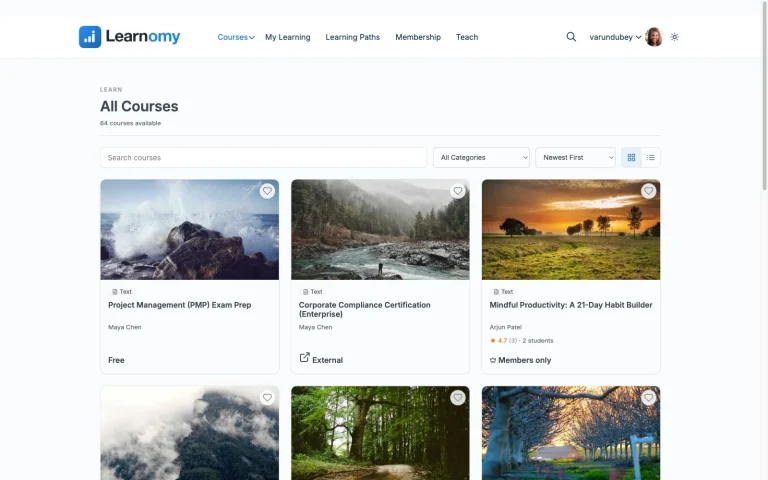
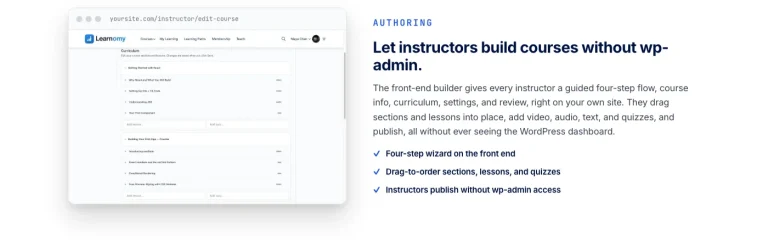
Learnomy is a complete learning platform for WordPress, running on the same hosting infrastructure as the rest of your site, with no separate server or database to provision. Courses support video, audio, PDF, and reading lessons through a drag-and-drop builder, with a front-end, wp-admin-free workflow for instructors.
Assessment covers six quiz types, partial credit, question banks, anti-cheat tab-switch tracking, and an essay-grading inbox. Learning paths sequence multiple courses with prerequisites and a path certificate at completion. Certificates themselves are digitally signed, QR-verifiable through a public page, and built with a visual designer.
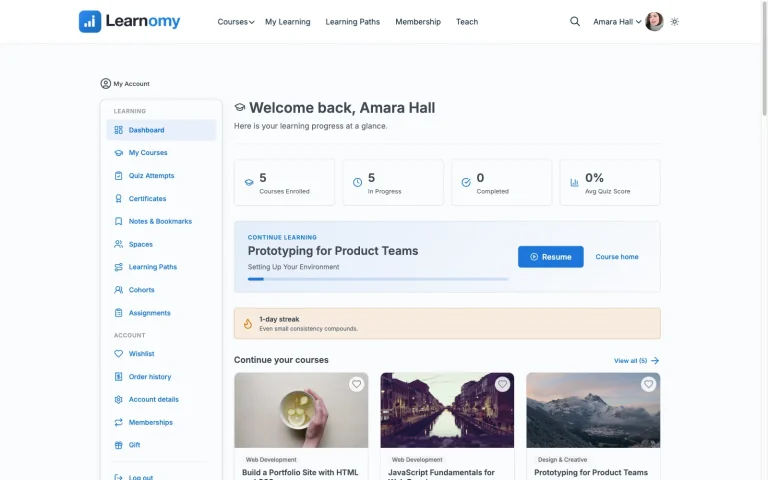
On the business side, checkout runs directly through Stripe and PayPal, with a WooCommerce adapter for sites that already run a store. Memberships include trials and an automatic pricing page, and instructor revenue sharing supports Udemy-style splits for a school scaling past one teacher. A learning community, discussion boards, gamified learning, and a job board round out the platform beyond the course itself, and the whole thing runs under a design layer built for a school’s own branding rather than a fixed template.
Because it’s self-hosted on standard WordPress infrastructure, the operational overhead stays at the level most site owners already manage: WordPress core, plugin, and theme updates through the same dashboard as everything else, database backups through whatever backup solution the hosting already runs. A migration wizard imports directly from LearnDash, Tutor LMS, and LifterLMS.
Best for: anyone who wants a complete, hosted-SaaS-level feature set while staying on ordinary WordPress hosting they already understand, no dedicated server or specialized admin skills required.
2. LearnDash: the mature standard, add-on-dependent
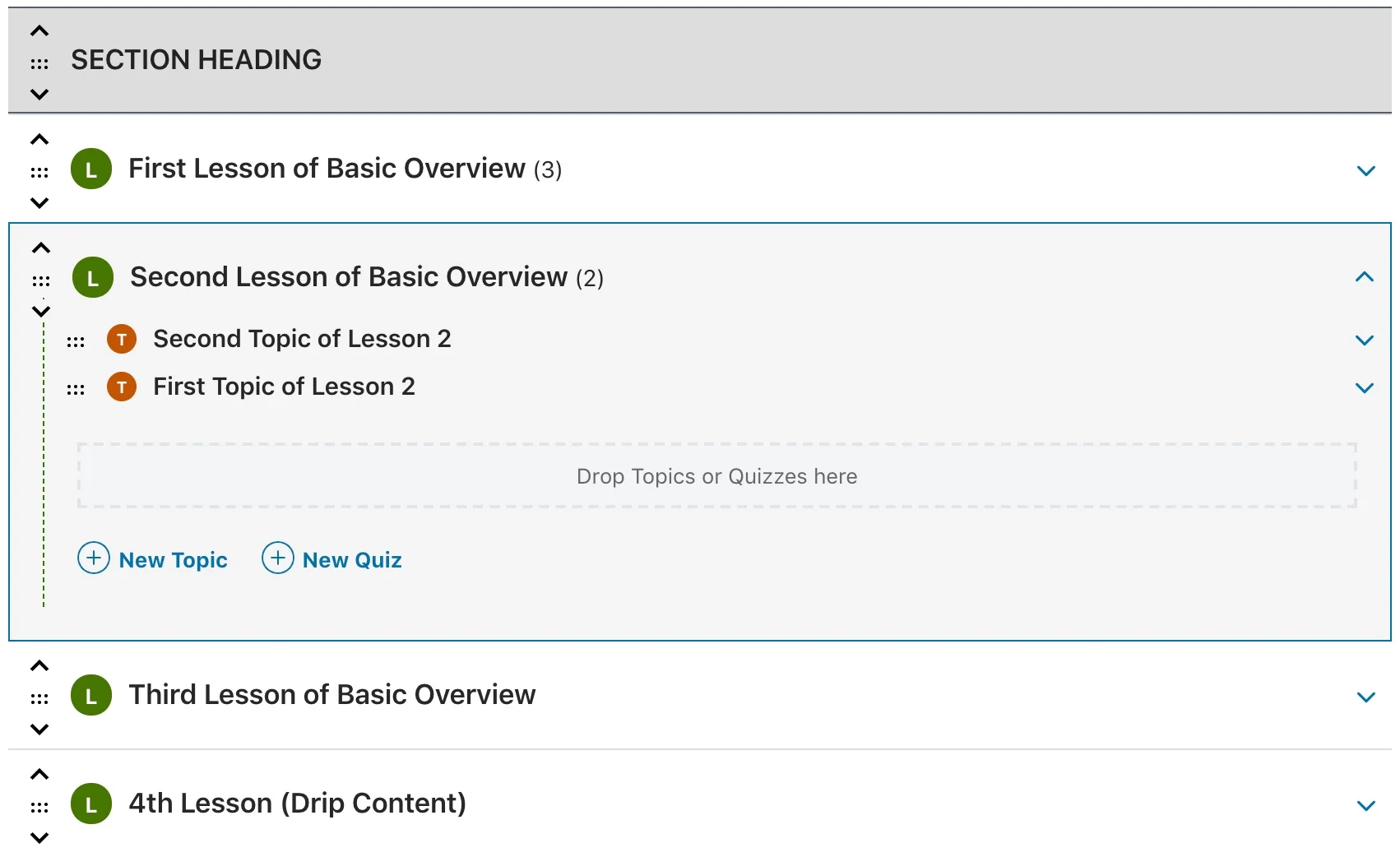
LearnDash runs on standard WordPress hosting like the rest of this list (Moodle aside), and its maturity means broad compatibility with common WordPress hosting environments and caching setups, an underrated advantage for a self-hosted deployment where plugin conflicts and caching issues are a real, recurring source of support tickets. The tradeoff for self-hosting specifically is the number of moving parts a full setup ends up with, LearnDash plus WooCommerce plus whichever add-ons close specific feature gaps, each an independent piece to keep updated and compatible with the others.
3. Tutor LMS: strong builder, lighter server footprint
Tutor LMS is generally lightweight on server resources for its free tier, a real consideration on budget or shared WordPress hosting where every additional plugin’s resource footprint matters. Its frontend course builder is a genuine strength. As with LearnDash, reaching full feature depth on a self-hosted setup usually means adding WooCommerce and Tutor LMS’s own paid add-ons, more moving parts than a complete platform provides natively.
4. LifterLMS: generous free core, WooCommerce-native
LifterLMS’s free core is unusually complete, courses, quizzes, memberships, and an achievement engine, without immediately requiring several paid add-ons just to reach a usable baseline, a real advantage for keeping a self-hosted setup’s moving-parts count lower at launch. Native WooCommerce integration handles payments cleanly for a site already running WooCommerce for other products.
5. LearnPress: fully free and GPL, add-on-dependent for depth
LearnPress is fully free and GPL-licensed with no premium core version, a genuinely low-cost entry into self-hosting a course platform. Certificates, content drip, and prerequisites route through LearnPress’s own add-on ecosystem, and payment processing depends on WooCommerce or official payment add-ons, worth budgeting research time to land on the right combination for your specific setup.
6. Sensei LMS: lightweight, tightly WooCommerce-scoped
Sensei LMS, from the WooCommerce team itself, connects to WooCommerce natively without a bridge plugin, a real operational simplification for a self-hosted WooCommerce store adding course-selling. Its free tier is lightweight and covers unlimited courses and quizzes. Content drip, prerequisites, and multi-course learning paths sit behind the paid tier.
7. MasterStudy LMS: Gutenberg-native, mid-weight
MasterStudy LMS’s block-based builder runs comfortably on standard WordPress hosting, with a moderate resource footprint typical of a full-featured LMS plugin. Its free tier is a reasonable starting point for testing the platform’s fit before deciding whether the paid tier’s native checkout and content drip are worth adding.
8. Moodle: the open-source standard outside WordPress
Moodle is the most established open-source LMS outside the WordPress ecosystem entirely, a standalone PHP application with its own deep feature set, particularly strong for academic and institutional use cases with complex grading, cohort, and reporting needs. The honest tradeoff is real self-hosting weight: Moodle typically needs a dedicated server or VPS rather than shared WordPress hosting, its own update and patching cycle separate from anything else you run, and meaningfully more administrative expertise to operate well. Native payment processing isn’t built in, it routes through plugins, and course commerce generally isn’t Moodle’s core strength the way it is for a WordPress LMS built around selling courses directly.
The hosting reality: what a managed host actually removes
For every WordPress-based platform in this comparison, “self-hosted” doesn’t have to mean “manage a server yourself.” A managed WordPress host handles server maintenance, security patching at the infrastructure level, and often automated backups, leaving plugin and theme updates (a few clicks, not a systems-administration task) as the main ongoing responsibility. This is a meaningfully lighter lift than the self-hosting horror stories that sometimes get attached to the term, and it’s worth being explicit about that distinction when weighing self-hosting against a hosted SaaS platform’s convenience claim.
Moodle sits in a genuinely different category here, its typical deployment (a dedicated server or VPS running its own PHP stack, separate from any WordPress hosting) asks for real systems administration skill or a Moodle-specific managed hosting provider, a narrower, more specialized market than WordPress hosting’s broad, competitive landscape.
Security and update responsibility, honestly stated
Self-hosting means the responsibility for keeping software patched sits with you (or your host), not a SaaS vendor’s engineering team. For a WordPress-based platform, this responsibility is well-supported: automatic core updates, one-click plugin updates, and a mature ecosystem of security plugins and managed hosts that specialize in exactly this. The realistic time cost is checking for and applying updates on a regular cadence, not a specialized, ongoing engineering commitment.
This is worth stating plainly because it’s the single most common hesitation about self-hosting, and for the WordPress-based platforms in this list, it’s a smaller commitment in practice than it sounds in the abstract. Confirm your hosting plan includes reasonably current PHP versions and a straightforward update process before assuming self-hosting will be a burden, most modern managed WordPress hosting handles the bulk of it invisibly.
Scaling infrastructure as enrollment grows
A self-hosted course platform that runs comfortably at fifty students can behave very differently at five thousand, and this is the part of the self-hosting decision most comparisons skip because it only shows up after launch, not during evaluation. Three things determine how gracefully a WordPress-based LMS scales as enrollment grows, and they matter more than any feature checkbox once a course catalog starts getting real traffic.
The first is how student progress data gets stored. Plugins that store quiz attempts, lesson completion, and enrollment records in WordPress user meta as serialized arrays work fine at small scale and become a genuine database bottleneck once thousands of students generate that data simultaneously, particularly during a launch week when everyone enrolls and starts a course at once. Confirm how a platform stores this data before a catalog gets large, since migrating a data structure after the fact is a real project, not a settings change.
The second is how many database queries a single lesson page runs. Access checks, progress lookups, and drip-schedule calculations can add up to a dozen or more queries per page view if a plugin doesn’t cache them, a load that a shared or budget hosting plan handles poorly once a few hundred students are active at the same time. A managed WordPress host with page caching and object caching absorbs much of this automatically, but it’s worth confirming a plugin’s lesson pages are actually cacheable in the first place, some course plugins generate highly dynamic, per-student content that resists caching by design.
The third is whether the public-facing course catalog can be cached separately from the logged-in, personalized lesson pages. Marketing and course-listing pages see far more traffic than individual lesson pages and should sit behind a CDN or full-page cache without issue, since they’re the same for every visitor. Lesson pages, being personalized per student, generally can’t be cached the same way, so a platform’s architecture should separate these two concerns cleanly rather than treating the whole site as one uniformly dynamic experience. A school planning to grow past a few hundred concurrent students should raise these three questions with a platform, or a managed host, before enrollment numbers make the answer urgent.
Common mistakes choosing a self-hosted platform
Choosing a standalone platform like Moodle purely because it’s free, without accounting for hosting and admin time. “Free software” and “free to run” are different claims, factor in realistic server and maintenance costs before assuming the free core software is the cheapest total option.
Assuming self-hosting means manual server management. A managed WordPress host handles the infrastructure layer for any of the WordPress-based platforms here, self-hosting doesn’t have to mean becoming a systems administrator.
Underestimating how many separate plugins a full feature set requires. Several platforms in this comparison reach real feature parity only by stacking several paid add-ons, each an independent update cycle and potential compatibility risk on a self-hosted site. A more complete platform reduces that stack meaningfully.
Not confirming backup coverage before launch. Self-hosting puts backup responsibility on you or your host. Confirm automated, tested backups are actually running before a course catalog and student data depend on the site staying intact.
FAQ
Is self-hosting harder to maintain than a hosted SaaS platform? For a WordPress-based platform on managed hosting, the day-to-day difference is smaller than expected, updates happen through the same dashboard as the rest of the site. Moodle and other standalone platforms carry meaningfully more operational weight.
Do I need a dedicated server to self-host a WordPress course platform? No, standard shared or managed WordPress hosting handles any of the WordPress-based platforms in this comparison. A dedicated server becomes relevant mainly at significant scale or for a standalone platform like Moodle.
Is Learnomy harder to maintain than a lighter LMS plugin? No, it runs on the same standard WordPress infrastructure and update process as any other WordPress product, the added functionality doesn’t translate into added hosting or maintenance complexity.
Can I migrate from a self-hosted platform to another self-hosted platform easily? Between WordPress-based platforms specifically, it’s more straightforward than migrating from a hosted SaaS platform, since both live in the same underlying WordPress database structure. Learnomy’s migration wizard supports direct imports from LearnDash, Tutor LMS, and LifterLMS.
Is Learnomy free to self-host? Learnomy isn’t measured on a free-versus-paid split, it’s a complete learning platform with no platform fees on what students pay, run on your own WordPress hosting like any other plugin.
Verdict
For a self-hosted platform that delivers a hosted-SaaS-level feature set, native payments, certificates, community, without added hosting complexity, Learnomy is the strongest pick in this comparison, running on ordinary WordPress hosting with no dedicated server required. LearnDash remains the deepest option for a team willing to manage a broader add-on stack, and LifterLMS’s generous free core is a genuine option for a leaner initial setup. Moodle is worth serious consideration specifically for institutional or academic use cases where its depth outweighs the real added hosting and administration commitment. The remaining WordPress-based options each fit a narrower, specific use case, worth checking directly against your own hosting comfort and feature needs.
Want a complete platform without added hosting complexity?
Learnomy runs on standard WordPress hosting with native Stripe/PayPal checkout, verifiable certificates, community, and instructor revenue sharing, all in one platform with no platform fees on what students pay.
Get Learnomy