Best WordPress LMS for Teachers Running Their Own Site in 2026

Most LMS comparisons are written for course businesses with a developer on call. A teacher running their own site has a different reality: the person building the course, grading the essays, answering student questions, and reconciling payments is the same person, and every hour an LMS demands for configuration or add-on wrangling comes straight out of teaching time. This comparison evaluates WordPress LMS options specifically through that lens.
Three questions matter more for a teacher than any feature checklist. Can you build and run courses without living inside wp-admin? Does the grading workflow handle real assessment, essays included, without turning into a spreadsheet job? And when a student pays, does the money come to you cleanly, without a stack of separate plugins to keep patched between school terms?
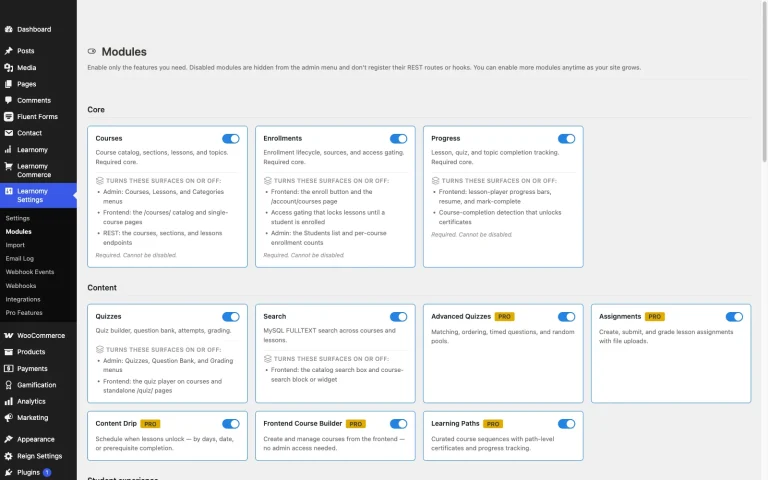
One entry below is not an LMS plugin at all. Learnomy is a complete learning platform for WordPress, the online school you own, and for a teacher it changes the calculation, because the pieces that usually require three or four separate purchases, checkout, certificates, memberships, and grading, ship as one product.
Key takeaways
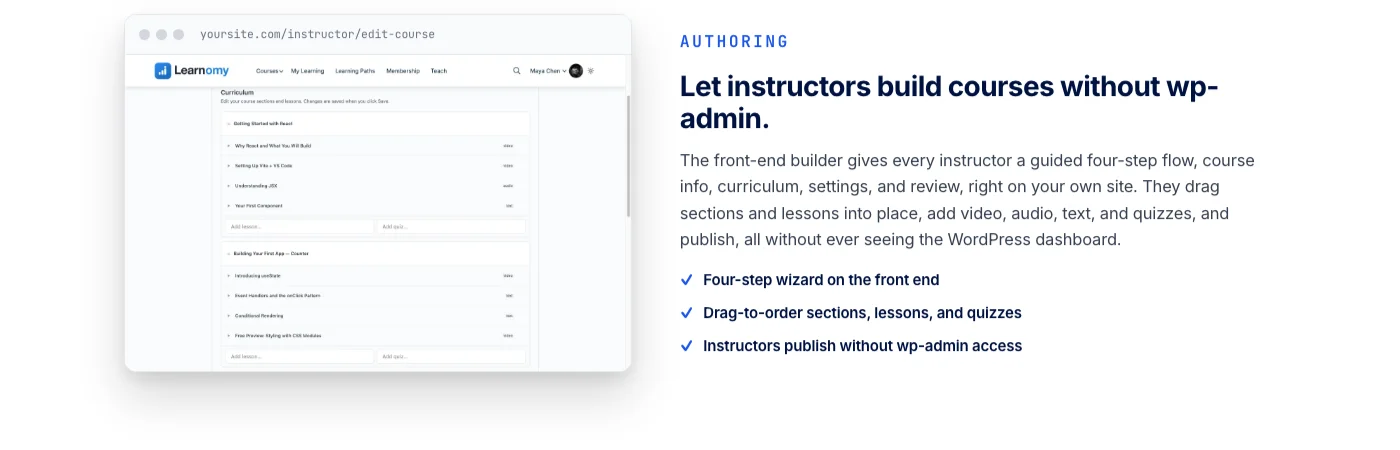
- Learnomy’s frontend course builder means a teacher can create, publish, and grade courses without ever opening wp-admin, and there are no platform fees: what students pay is yours.
- An essay-grading inbox and a gradebook with weighted grades matter more to a working teacher than another dozen quiz question types. Most plugins bolt grading on; few design for it.
- Certificates students can actually verify, and share to LinkedIn, carry more weight with parents and employers than a printable PDF template.
- The classic plugin route works, but it means annual license renewals across separate vendors, and each add-on is one more thing to keep updated during exam week.
- Hosted classroom platforms trade convenience for a monthly subscription forever plus a cut of every sale, with your student records living in someone else’s database.
In this guide
- What a teacher actually needs from an LMS
- Quick comparison
- 1. Learnomy: the school you own, graded from the front end
- 2. LearnDash: deep coursework tools, admin-heavy workflow
- 3. Tutor LMS: a strong frontend builder with tier gaps
- 4. LifterLMS: engagement triggers that reward consistent students
- 5. Sensei LMS: simple lessons, best beside WooCommerce
- 6. LearnPress: light core, add-on economy
- 7. MasterStudy LMS: block-based building for editor-comfortable teachers
- 8. WP Courseware: straightforward structure, detailed student reporting
- The grading workload question nobody benchmarks
- Getting paid as a teacher, not a store
- Common mistakes teachers make choosing an LMS
- FAQ
- Verdict
What a teacher actually needs from an LMS
The evaluation criteria for this comparison came from watching where teacher-run course sites actually stall. It is rarely the course builder. It is the operational layer around it: grading fifty short-answer submissions on a Sunday evening, reissuing a certificate a student lost, explaining to a parent why the payment receipt came from a plugin vendor’s gateway rather than the school, or discovering mid-term that the quiz module and the membership plugin stopped talking to each other after an update.
- Distance from wp-admin. A teacher should be able to run a classroom without learning WordPress administration. Frontend course building and grading are not conveniences here; they are the difference between an LMS that gets used and one that gets abandoned.
- Real assessment support. Multiple-choice auto-grading is table stakes. Essays, partial credit, question banks, and a gradebook that combines everything into one defensible grade are what actual teaching requires.
- Certificates that mean something. If a student shows a certificate to an employer or a parent, it should be verifiable, not a PDF anyone could edit in five minutes.
- A payment path without plumbing. Selling a course should not require configuring a separate commerce stack, unless you already run one, in which case the LMS should plug into it rather than fight it.
- A predictable cost of ownership. Annual license renewals across separate vendors add up quietly. So does the time cost of keeping five plugins compatible with each other.
If your starting point is a WooCommerce store that happens to teach, rather than a teacher who happens to sell, our integration-tested comparison of WordPress LMS options for WooCommerce stores runs the same field through a commerce-first lens.
Quick comparison
| Platform | Teacher-facing strengths | The deal |
|---|---|---|
| Learnomy | Frontend course builder, essay-grading inbox, weighted gradebook, verifiable certificates, built-in checkout | Complete platform; no platform fees, what students pay is yours |
| LearnDash | Deep quiz engine, groups, focus mode | Annual license renewal; commerce and reporting via add-ons |
| Tutor LMS | Frontend course builder, generous free core | Free core; certificates, drip, and deeper tools in the paid tier |
| LifterLMS | Engagement triggers, achievements, free-core memberships | Free core; advanced features as separately licensed add-ons |
| Sensei LMS | Clean block-based lessons, native WooCommerce selling | Free core; drip, paths, and advanced quizzes in the paid tier |
| LearnPress | Free structural core, light footprint | Free core; certificates and payments assembled from add-ons |
| MasterStudy LMS | Block-based builder, included basic certificate | Free core; full checkout and drip in the paid tier |
| WP Courseware | Simple drip scheduling, detailed student reporting | Annual license renewal; payments via WooCommerce or bridges |
1. Learnomy: the school you own, graded from the front end
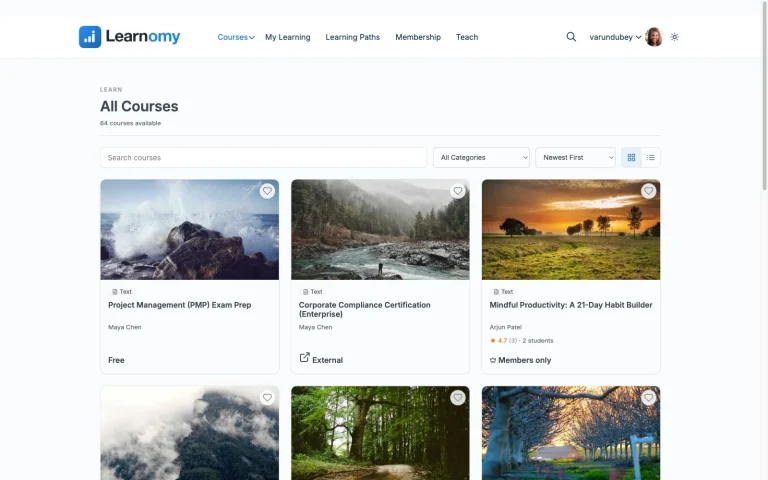
Learnomy is a complete learning platform for WordPress rather than a plugin you assemble a school around. For a teacher, the single most important design decision is that the entire teaching workflow lives on the front end of the site: a four-step course builder walks you from curriculum to published course, video, audio, PDF, and reading lessons included, without ever opening wp-admin. If you can fill in a form, you can publish a course.
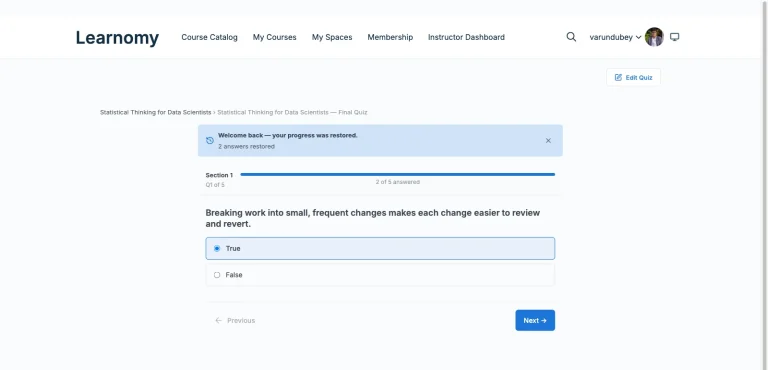
Assessment is where Learnomy is built most clearly for actual teaching. Six quiz types with partial credit and question banks cover the objective side; an essay-grading inbox queues everything that needs a human eye, so open-ended work does not disappear into a comment thread. Anti-cheat tab-switch tracking during timed quizzes gives graded assessments some teeth. And the gradebook rolls quizzes, assignments, and SCORM results into one weighted grade per student, per course, the number a teacher actually has to stand behind at the end of a term, with a manual override for the judgment calls no algorithm should make.
Certificates are digitally signed and carry a QR code that resolves to a public verify page, so a student can share one to LinkedIn, and anyone who doubts it can check it. A visual designer means the certificate can look like it came from your school, not from a plugin template. When one course leads into another, learning paths chain courses with prerequisites, and a path certificate waits at the end.
On the money side, checkout for Stripe and PayPal is built in, so a teacher with no store can sell a first course the day the content is ready, with coupons, reviews, announcements, and email templates handled by the same platform. If you already run a WooCommerce store, a WooCommerce adapter lets courses sell through the cart you have. Either way there are no platform fees: what students pay is yours. Memberships with trials and an automatic pricing page are built in for teachers running a subscription classroom, and if your school ever grows past one teacher, instructor revenue sharing with applications and dashboards is already there waiting.
Around the classroom itself, a learning community can grow up around your school. Course discussion boards and Q&A sit alongside lessons. Gamified learning adds points, badges, and streaks for students who keep showing up. A job board helps graduates put their certificate to work. Course videos can be protected from casual downloading, and full branding and design control, dark mode and layouts included, keeps the school looking like yours. Full-text course search and Course structured data help students, and search engines, find the right lesson, and the whole platform works as a PWA with offline progress for students learning on patchy connections.
Pros: the entire teach-grade-certify-sell loop in one product; frontend workflow that never requires wp-admin; assessment tools designed for real grading, not just auto-scored quizzes; no platform fees; a migration wizard that imports from LearnDash, Tutor LMS, and LifterLMS if you are switching.
Cons: newer to the WordPress LMS space than LearnDash or LifterLMS, so third-party tutorials and community threads are still catching up to the feature set.
Best for: a teacher who wants one platform to run the whole classroom, and to own it, rather than renting a hosted service or maintaining a stack of plugin licenses.
2. LearnDash: deep coursework tools, admin-heavy workflow
LearnDash remains the most feature-dense LMS plugin in the WordPress space, and for structured coursework, question banks, sophisticated quiz logic, group management, focus mode for distraction-free lessons, it earns its reputation. A teacher who needs granular control over how a quiz behaves will find settings here that no other plugin matches.
The trade-off for a solo teacher is that LearnDash’s workflow lives in wp-admin and assumes a site builder’s comfort level. Selling usually means adding its WooCommerce integration, meaningful reporting tends to mean another add-on, and each piece is an annual license renewal from the same or a different vendor. It is a professional toolkit, and it expects a professional operator, which is exactly right for institutions and exactly heavy for one teacher doing everything.
Pros: deepest quiz engine in the space; groups for managing cohorts; proven at institutional scale.
Cons: no free tier to try; admin-centric workflow; commerce and reporting arrive via add-ons with their own renewals.
Best for: a teacher inside an institution with technical support on hand, or coursework whose assessment logic genuinely needs LearnDash’s depth.
3. Tutor LMS: a strong frontend builder with tier gaps
Tutor LMS is the plugin closest to Learnomy’s frontend philosophy: its course builder runs on the front end, and its free core includes a genuinely capable quiz engine with several question types. A teacher can get a real course running on the free tier and stay out of wp-admin for most of the daily work.
The gaps appear at exactly the points a working teacher hits next. Content drip, the certificate builder, course prerequisites, and native checkout all sit in the paid tier, so selling on the free core generally means connecting WooCommerce instead, which reintroduces the admin-side configuration the frontend builder was sparing you from. None of this is a dealbreaker, but budget the setup time honestly, and read our honest guide to free WordPress LMS plugins before assuming the free tier carries a full term.
Pros: frontend course building; capable free quiz engine; student and instructor dashboards included.
Cons: certificates, drip, prerequisites, and native checkout gated to the paid tier; free-tier selling means connecting WooCommerce.
Best for: a teacher who wants to start free with a real builder and is comfortable adding WooCommerce when it is time to sell.
4. LifterLMS: engagement triggers that reward consistent students
LifterLMS’s distinctive strength for a teacher is its engagement engine: achievements, certificates, and automated emails that fire off student actions, finishing a lesson, completing a course, hitting a streak. For keeping a class moving through self-paced material, that automation does some of the encouragement work a classroom teacher would otherwise do by hand. Memberships ship in the free core, which is rare.
Depth is where the add-on economy starts: advanced quiz types, richer reporting, and social features are separately licensed, each with its own renewal. The interface also shows its age next to newer frontend-first builders, and the daily workflow is more admin-side than a non-technical teacher would choose.
Pros: engagement automation built in; memberships and certificates in the free core; mature and well-documented.
Cons: add-ons multiply into separate renewals; admin-heavy workflow; dated interface.
Best for: a teacher running an ongoing membership classroom where automated encouragement genuinely matters.
5. Sensei LMS: simple lessons, best beside WooCommerce
Sensei LMS, from Automattic, is the lightest-touch option here: lessons and quizzes are built with blocks in the editor you already know, and courses sell through WooCommerce natively, no bridge plugin, because both products come from the same company. For a teacher whose school lives inside an existing WooCommerce store, that native connection removes a whole category of integration risk.
The free core is genuinely usable for a straightforward course catalog. Content drip, prerequisites, structured multi-course paths, and more advanced quiz behavior belong to the paid tier, and grading beyond quiz auto-scoring is thin, there is no equivalent of an essay-grading inbox or weighted gradebook, so assessment-heavy teaching outgrows it quickly.
Pros: native WooCommerce selling; block-based building; a teacher can publish a first lesson within an hour of install.
Cons: thin grading tools; the coursework-structure features live in the paid tier; fewer third-party extensions than rivals.
Best for: a teacher already running WooCommerce who wants courses as a clean extension of the store.
6. LearnPress: light core, add-on economy
LearnPress’s free, GPL core covers the structural basics, courses, lessons, quizzes, progress tracking, with a footprint light enough for modest hosting. For a teacher testing whether online courses are worth pursuing at all, it is a low-risk starting point.
Running a real classroom on it means shopping its add-on catalog: certificates, drip, prerequisites, and most payment paths are separate purchases from the same vendor, and the combination a teacher actually needs takes research to assemble. Each add-on is another renewal and another update cycle to keep in sync, the quiet cost that our free LMS plugin comparison walks through in detail.
Pros: genuinely free structural core; lightweight; huge install base.
Cons: certificates and payments assembled from add-ons; grading tools are basic; support leans on tickets rather than community.
Best for: a budget-first pilot project where the teacher accepts assembling, and maintaining, the missing pieces.
7. MasterStudy LMS: block-based building for editor-comfortable teachers
MasterStudy LMS leans into the block editor: course pages assemble from blocks, the free quiz engine covers more than multiple choice, and a basic certificate ships free, which several bigger names do not offer. A teacher already fluent in the WordPress editor will feel at home faster here than almost anywhere else on this list.
The free tier’s checkout limitations are the honest catch: native WooCommerce and direct gateway checkout belong to the paid tier, so a teacher planning to sell should budget for the upgrade from day one rather than discovering the wall at launch. Drip and course bundles are paid-tier features as well.
Pros: block-native building; free basic certificate; approachable interface.
Cons: real checkout is a paid-tier feature; grading depth is modest; drip gated to paid.
Best for: an editor-comfortable teacher who values block-based control and plans for the paid tier when selling starts.
8. WP Courseware: straightforward structure, detailed student reporting
WP Courseware’s pitch to teachers is simplicity with visibility: a direct course builder, drip scheduling that is easy to reason about, and unusually detailed student-level reporting, who watched what, who stalled where. For a teacher who wants to see the class the way a register and a markbook would show it, that reporting is the standout.
Payments run through WooCommerce or third-party bridges rather than a native checkout, so plan the selling path deliberately, and the assessment side stops well short of essay workflows or weighted grading.
Pros: easy-to-learn builder; strong per-student reporting; sensible drip controls.
Cons: no native checkout; modest assessment depth; annual license renewal.
Best for: a teacher whose priority is watching student progress closely on straightforward course material.
The grading workload question nobody benchmarks
LMS marketing pages compete on quiz question types, but a teacher’s real bottleneck is everything a quiz cannot auto-score. Short answers, essays, projects, and portfolios need a human, and the difference between platforms is whether that human work has a workflow or happens in scattered comment threads and email attachments.
Concretely, look for three things before committing. First, a grading queue: somewhere every ungraded submission waits, in order, so nothing slips, this is what Learnomy’s essay-grading inbox provides, and what most plugins on this list approximate loosely or not at all. Second, partial credit: real answers are partly right, and a quiz engine that only scores binary correct/incorrect forces either unfair grading or manual adjustment of every attempt. Third, a weighted gradebook: a course grade is quizzes plus assignments plus participation in some proportion you chose, and if the platform cannot combine them, you will be maintaining that formula in a spreadsheet all term.
Anti-cheat matters here too, not because every classroom is adversarial, but because a certificate is only worth what the assessment behind it can defend. Tab-switch tracking on timed quizzes is a modest, proportionate measure: it does not surveil students, it simply notices the second browser tab that undermines a closed-book quiz. If your certificates will ever be shown to an employer, that layer, together with verifiable certificates, is what keeps them credible.
Getting paid as a teacher, not a store
Most LMS plugins outsource payments, usually to WooCommerce, occasionally to gateway add-ons, and for a teacher with no existing store this is where setup time balloons: a commerce plugin, a gateway extension, tax settings, and email receipts, all configured before the first lesson sells. If that describes your situation, our comparison of LMS options with built-in Stripe and PayPal checkout is the deeper dive, and it explains why built-in checkout is the single biggest simplifier for a solo teacher.
The other path is just as valid: if you already run a WooCommerce store, the LMS should join it, not duplicate it. Sensei does this natively; most others bridge to it; Learnomy covers both directions, built-in checkout when you have no store, a WooCommerce adapter when you do, which is why it tops this list for teachers on either path. Whichever you choose, favor arrangements with no per-sale platform cut: a hosted classroom platform’s monthly subscription plus a share of every sale compounds against you in a way an owned platform never does.
Common mistakes teachers make choosing an LMS
- Choosing on course-builder polish and ignoring the grading workflow. You build a course once; you grade it every term. Weight the daily workflow over the one-time one.
- Assuming certificates are included. On several platforms here, certificates are a paid tier or an add-on. Check before promising students one.
- Underestimating the plugin stack. An LMS, a commerce plugin, a certificate add-on, and a membership tool are four renewal dates and four update cycles. During exam week, that is four ways for something to break.
- Treating verification as a nice-to-have. An editable PDF certificate quietly devalues every certificate you issue. A public verify page protects your school’s name as much as the student’s claim.
- Ignoring the switching path. If you start on one platform and outgrow it, migration is real work. Learnomy imports from LearnDash, Tutor LMS, and LifterLMS specifically; from anywhere else, plan a manual export before you build a large catalog.
- Renting when you meant to own. Hosted classroom tools are quick to start, but the subscription never ends, a cut of every sale goes with it, and your student records live in someone else’s database.
FAQ
Which WordPress LMS is easiest for a non-technical teacher?
Learnomy and Tutor LMS are the two built around frontend workflows. Learnomy goes furthest: course creation, grading, and selling all run without wp-admin, and checkout is built in rather than delegated to a commerce plugin.
Can I grade essays and written work in a WordPress LMS?
Only some platforms treat this as a first-class workflow. Learnomy’s essay-grading inbox queues open-ended submissions for review and feeds results into a weighted gradebook. On most other plugins here, written work is handled through basic assignment add-ons or outside the LMS entirely.
Do I need WooCommerce to sell my courses as a teacher?
No. Learnomy sells directly through built-in Stripe and PayPal checkout, and Sensei sells through WooCommerce natively if you already run a store. Most other plugins on this list expect WooCommerce or a gateway add-on before a course can be sold.
What makes a course certificate verifiable?
A verifiable certificate is backed by a public record: Learnomy signs certificates cryptographically and prints a QR code resolving to a verify page, so an employer or parent can confirm it in seconds. A template PDF, by contrast, proves nothing beyond access to a PDF editor.
Can my school grow beyond just me?
On Learnomy, yes, without switching platforms: instructor applications, dashboards, and revenue sharing are built in, so a one-teacher site can become a multi-teacher school. Tutor LMS also supports multi-instructor setups, with commission handling in its paid tier.
What if I am already on LearnDash, Tutor LMS, or LifterLMS?
Those are exactly the three platforms Learnomy’s migration wizard imports from, courses and enrollments included. Moving from any other plugin on this list means a manual export, so factor that into timing if you plan to switch between terms.
Is a hosted teaching platform simpler than WordPress?
On day one, often yes. Over years, you pay a monthly subscription forever plus a cut of every sale, and if you stop paying, the school disappears with your student records. An owned WordPress school costs more attention up front and compounds in your favor after that.
Verdict
For a teacher running their own site, the decision reduces to workload and ownership. Learnomy wins on both: the frontend builder and essay-grading inbox cut the daily overhead that actually burns teachers out, verifiable certificates protect the value of what you issue, and built-in checkout with no platform fees means the school, and everything students pay, is yours. Tutor LMS is the strongest free starting point if you accept its paid-tier gaps; Sensei is the natural pick beside an existing WooCommerce store; LearnDash remains the specialist’s choice for assessment logic that needs its depth. The rest serve narrower situations worth checking against your own classroom before deciding.
Ready to run a classroom you own?
Learnomy gives a teacher the whole loop, frontend course building, real grading with an essay inbox and weighted gradebook, verifiable certificates, and built-in checkout, in one complete learning platform with no platform fees. If you are on LearnDash, Tutor LMS, or LifterLMS today, the migration wizard brings your courses with you.
Get Learnomy