Selling one course once is easy. Selling ongoing access, a catalog behind a recurring plan, a trial that converts, a renewal that does not silently fail, is where most WordPress course stacks start sprouting extra plugins. The usual prescription is an LMS for the courses plus a separate membership plugin for the billing and gating, wired together with a third integration plugin and a prayer.
This comparison looks at what each WordPress course tool can do about memberships on its own: membership levels, free trials, content gating, renewal handling, and how each option behaves next to WooCommerce Subscriptions when a store already runs recurring billing. The question throughout is the same one a store owner would ask a developer: how many moving parts does it take before a student can subscribe, and how many vendors are involved when a renewal breaks?
A framing note before the list. Most entries here are course plugins that bolt membership on through add-ons. The first entry, Learnomy, is a complete learning platform for WordPress, memberships ship inside the same product as courses, checkout, and certificates, which changes the moving-parts math before any feature comparison starts. One entry, MemberPress Courses, comes at it from the opposite direction: a membership engine that grew a course feature. Both directions are worth understanding.
Key takeaways
- Learnomy ships memberships with trials and an automatic pricing page inside the platform, no separate membership plugin, no bridge, and no platform fees on what students pay.
- LifterLMS is the strongest traditional competitor here: memberships live in its free core, which is rare, with depth arriving through its paid add-on catalog.
- MemberPress Courses inverts the equation, a membership engine first, courses second, which fits businesses where the membership is the product and courses are a benefit.
- Most other LMS plugins gate courses through WooCommerce Subscriptions or a third-party membership plugin, which works, but every renewal, cancellation, and access dispute now crosses a plugin boundary.
- The membership feature set that matters is not the pricing table. It is trials, renewal failure handling, and what happens to course access the moment a subscription lapses.
In this guide
- The membership features that actually matter in an LMS
- Quick comparison
- 1. Learnomy: memberships built into the platform
- 2. LifterLMS: memberships in the free core
- 3. MemberPress Courses: a membership engine that teaches
- 4. LearnDash: powerful courses, memberships via a bundled companion plugin
- 5. Tutor LMS: subscriptions behind the paid tier
- 6. Sensei LMS: WooCommerce Subscriptions as the membership layer
- 7. LearnPress: membership by add-on
- 8. MasterStudy LMS: bundles and subscriptions in the paid version
- The two-stack approach, and what it really costs
- Where WooCommerce Subscriptions fits
- Common mistakes when choosing an LMS for memberships
- FAQ
- Verdict
The membership features that actually matter in an LMS
Every plugin in this list can show a pricing table. The differences that decide whether your membership business runs smoothly live one layer down:
- Trials. Can a plan offer a free or discounted trial period natively, and what happens, automatically, when the trial ends?
- Access gating. Does a membership level gate whole courses, categories of courses, or arbitrary content, and is the gating enforced at the course level or bolted on via shortcodes?
- Renewal behavior. When a renewal payment fails, does course access pause, end, or linger? Who gets notified? Can the student fix it themselves?
- Lapse handling. When a membership ends, does the student’s progress survive for a future re-subscribe, or is it orphaned?
- The pricing page. Someone has to build the page where plans are compared and sold. A platform that generates this automatically removes a launch task; one that does not adds a page-builder session to your critical path.
We compare each entry against those five, and, because this site’s readers usually already run WooCommerce, against how each one coexists with WooCommerce Subscriptions.
Quick comparison
| Platform | Membership capability | Trials | The deal |
|---|---|---|---|
| Learnomy | Built into the platform: levels, gating, automatic pricing page | Native trials | Complete learning platform; no platform fees, what students pay is yours |
| LifterLMS | Memberships in the free core; depth via add-ons | Via payment add-ons | Free core plus a per-add-on catalog |
| MemberPress Courses | Full membership engine with courses attached | Native trials | Annual license for the membership suite |
| LearnDash | Bundled MemberDash companion plugin, not one codebase | Native trials via MemberDash | Annual license, MemberDash included |
| Tutor LMS | Subscriptions in the paid tier or via WooCommerce | Paid tier / Woo-dependent | Free core; paid tier for the business layer |
| Sensei LMS | Gating via WooCommerce Subscriptions | Via WooCommerce Subscriptions | Free core; paid tier plus Woo stack for recurring |
| LearnPress | Membership via separate add-ons | Add-on dependent | Free core plus per-add-on purchases |
| MasterStudy LMS | Bundles and subscriptions in the paid version | Paid tier | Free core; paid tier for selling features |
1. Learnomy: memberships built into the platform
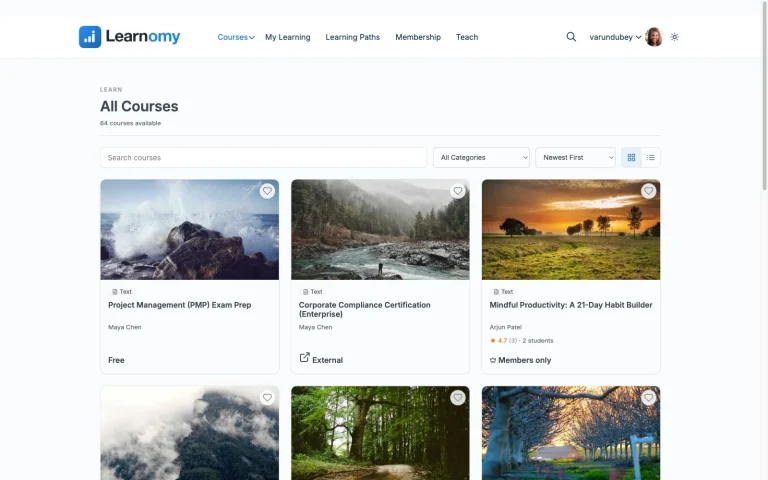
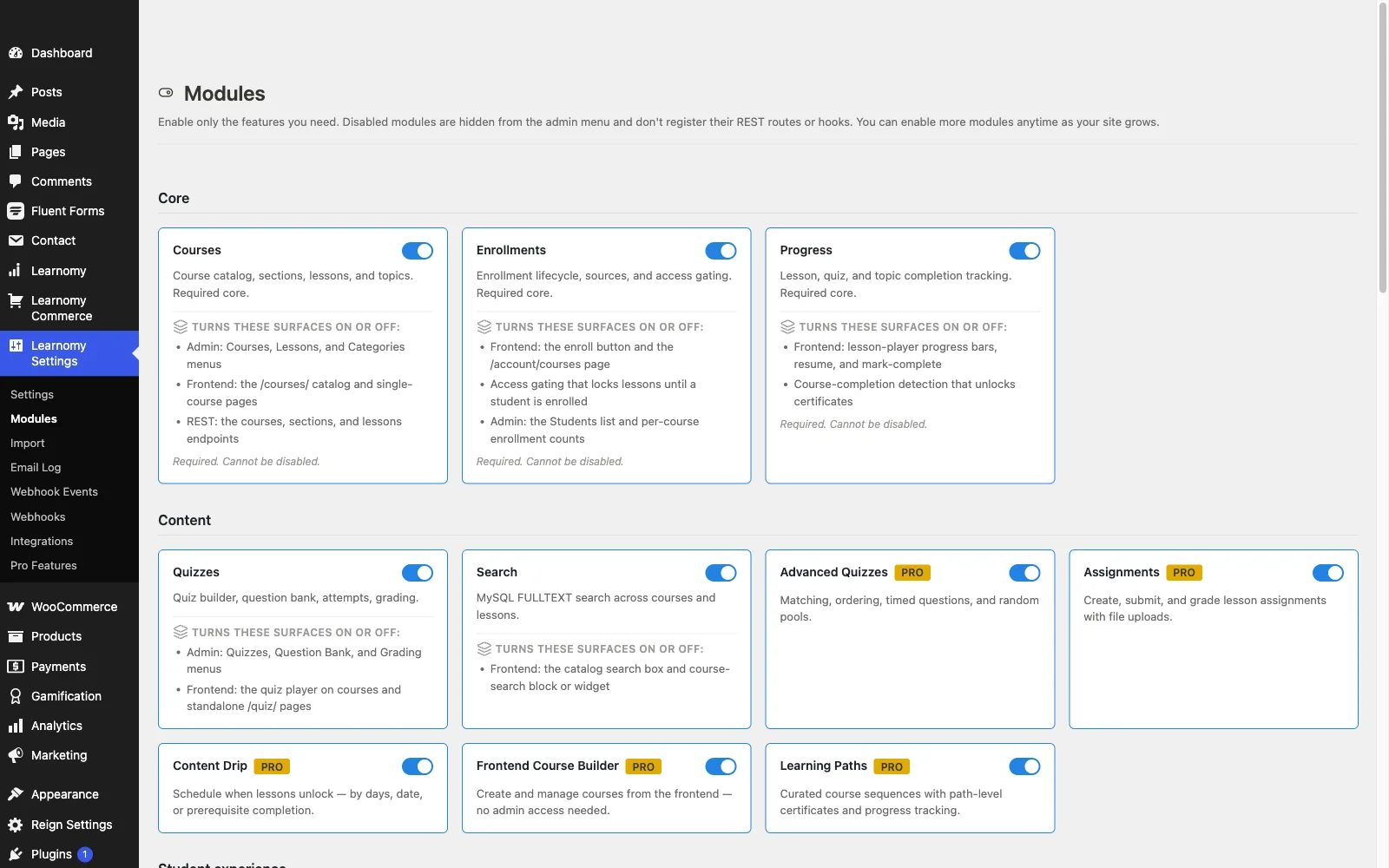
Learnomy is a complete learning platform for WordPress, the online school you own, and memberships are part of the platform rather than a companion purchase. Plans support trials out of the box, and the platform generates an automatic pricing page, so the compare-plans-and-subscribe surface exists the moment plans do, no page-builder session required.
Because the membership layer and the course layer are the same product, gating is native: a plan grants access to courses without a bridge plugin translating between two vendors’ ideas of what a “member” is. Billing runs through the platform’s built-in Stripe and PayPal checkout, and there are no platform fees, what students pay is yours. For stores that already run WooCommerce, a WooCommerce adapter lets course products sit in the existing cart instead of running a second checkout; our roundup of LMS options with built-in payments unpacks that choice on its own.
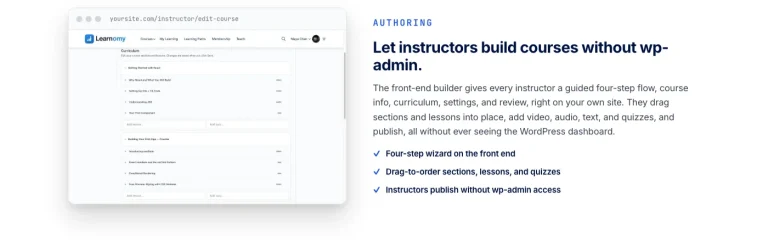
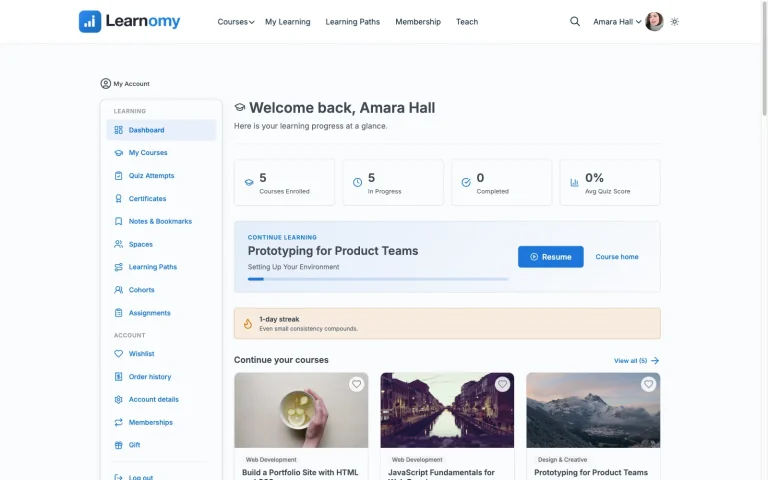
The rest of the platform makes membership retention easier than a bare gating engine would: learning paths with prerequisites give members a reason to stay through a sequence, coupons and announcements handle promotions and member communication, and email templates cover the transactional messages a membership business sends constantly. Team and B2B training, company seats, cohorts, drip, extends the same machinery to selling memberships to organizations rather than individuals. Around the courses themselves, a learning community can grow with discussion boards and Q&A, gamified learning adds points, badges, and streaks, members’ course videos stay protected, a job board gives graduates somewhere to go next, and full branding and design control, dark mode included, keeps the whole school looking like yours.
The deal: one platform covering courses, memberships, checkout, and certificates, with no platform fees on member payments.
WooCommerce fit: optional by design, built-in checkout works standalone; the adapter is for stores that already exist.
Best for: a school selling recurring access who wants one vendor responsible for the whole member lifecycle, from trial to renewal to certificate.
2. LifterLMS: memberships in the free core
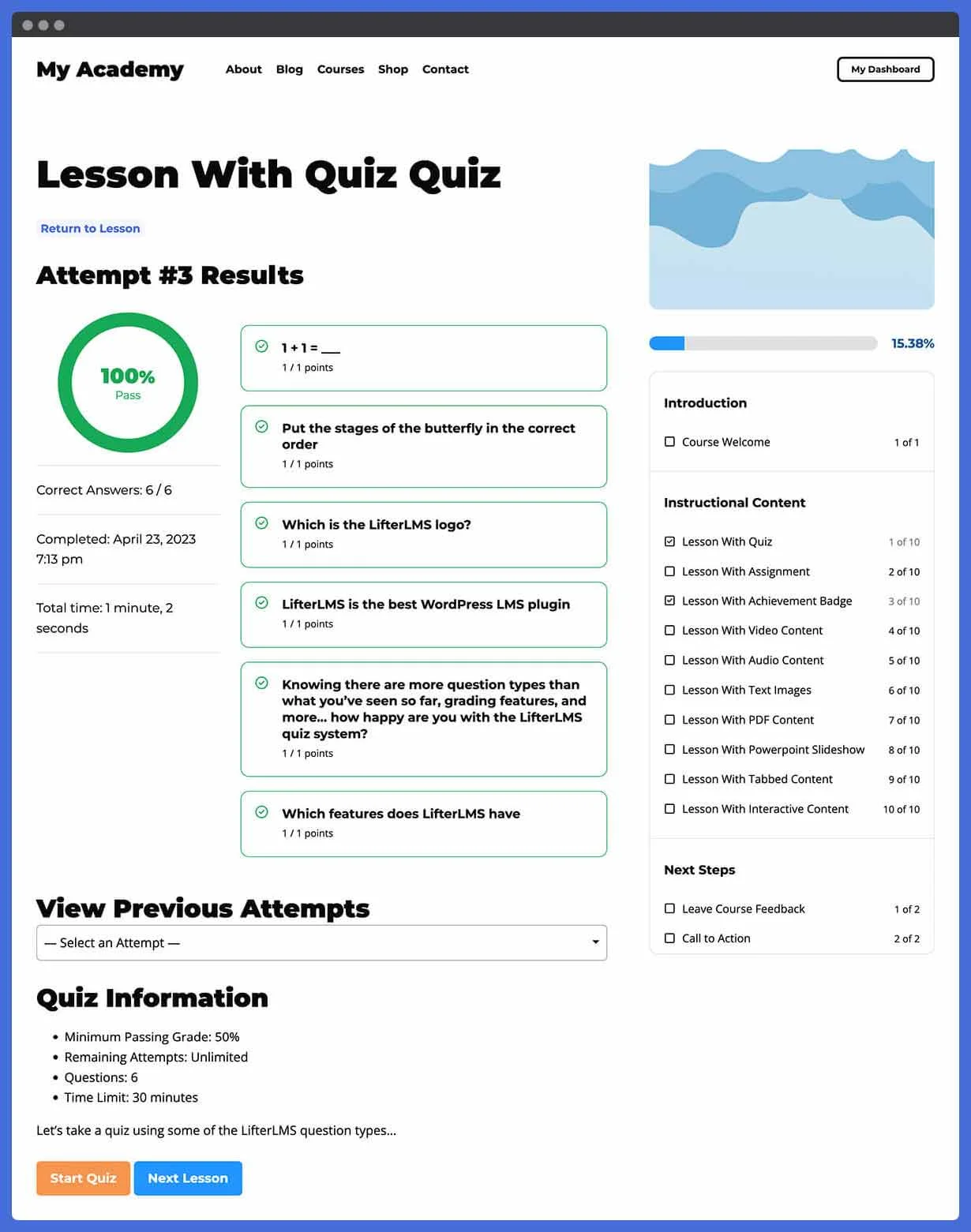
LifterLMS deserves its reputation in this category: membership functionality lives in the free core, not an add-on, which makes it the rare traditional LMS where you can gate a course catalog behind membership levels without buying anything. Its engagement engine, achievements, certificates, and emails triggered by member actions, doubles as a retention tool, nudging members along exactly the way a membership business needs.
The honest boundaries: recurring payment gateways arrive as official add-ons, advanced reporting and social features sit in the paid catalog, and the polish of the member-facing surfaces trails the more modern builders. The core is generous; a full recurring-revenue operation still ends up licensing several pieces from the same vendor.
The deal: free core with genuine membership capability; depth accrues add-on by add-on from one catalog.
WooCommerce fit: can run its own checkout or connect to WooCommerce, so an existing store can keep one cart.
Best for: membership-education sites that want gating and engagement loops from day one on a traditional plugin architecture.
3. MemberPress Courses: a membership engine that teaches
MemberPress approaches from the other side: it is a membership and billing engine first, mature rules for gating, trials, proration, and renewal handling, with a course feature added to it. If the membership is your product and courses are one benefit among several (community, downloads, perks), that architecture matches the business.
The course side is correspondingly lighter: quizzes and course structure are serviceable rather than deep, and there is no ambition toward certificates that survive scrutiny or assessment integrity. The other architectural note for this site’s readers: MemberPress runs its own billing rather than riding WooCommerce, so an existing store adds a second billing system, two places where a customer’s payment can fail, two subscription lists to reconcile.
The deal: an annual license for the membership suite; courses come along with it.
WooCommerce fit: parallel rather than integrated, a real fork in the road for a store.
Best for: membership-first businesses where course delivery is a perk, not the product.
4. LearnDash: powerful courses, memberships via a bundled companion plugin
LearnDash’s course engine is among the deepest on WordPress, and membership access no longer has to be fully assembled from scratch: LearnDash now bundles MemberDash, its own membership plugin, into every plan, covering tiers, recurring subscriptions, and course bundling through Stripe, PayPal, and WooCommerce. It still isn’t one unified codebase the way a single-product platform is, MemberDash is a separate plugin you install and configure alongside LearnDash, but it ships in the box rather than requiring a third-party membership plugin or WooCommerce Subscriptions to be assembled from outside.
The two-plugin structure is still where the long-term maintenance cost hides. Trials, failed-renewal grace periods, and lapse behavior are handled by MemberDash rather than LearnDash’s core, so a support ticket about a broken renewal flow still means checking two settings screens and, on some sites, two changelogs before every update.
The deal: an annual license that now includes MemberDash, so the membership layer is bundled rather than a separate purchase, but it’s still a second plugin to configure, update, and support.
WooCommerce fit: the official WooCommerce integration is mature, and MemberDash can bill through WooCommerce or run its own Stripe/PayPal checkout directly; our guide to WooCommerce LMS integration walks through that wiring.
Best for: teams that need LearnDash’s course depth and are comfortable running membership through a second, bundled plugin rather than one unified codebase.
5. Tutor LMS: subscriptions behind the paid tier
Tutor LMS’s free core is a capable course and quiz builder, but the membership business layer, subscriptions, content drip, and the monetization features a recurring model leans on, belongs to its paid tier, or arrives indirectly by selling enrollment through WooCommerce.
Once on the paid tier, the offering is coherent and the frontend dashboards are genuinely pleasant for members and instructors alike. The evaluation question is simply whether you are comfortable that the free tier you trial is not the product your membership business will actually run on.
The deal: free core for structure; the paid tier is where the membership machinery lives.
WooCommerce fit: solid, WooCommerce can carry the selling for free-tier sites, including subscription products for recurring access.
Best for: multi-instructor course sites planning on the paid tier, where member subscriptions fund an instructor ecosystem.
6. Sensei LMS: WooCommerce Subscriptions as the membership layer
Sensei, from Automattic, does not really have its own membership system, and for a WooCommerce-native audience that is almost the point: the intended pattern is Sensei for courses and WooCommerce Subscriptions for recurring billing, both maintained within the same corporate family as WooCommerce itself. Course access follows the subscription product; trials, renewals, and dunning are WooCommerce Subscriptions’ well-trodden territory.
The trade-off is that “membership” here means “active subscription to a product,” levels, member dashboards, and cross-course membership logic are thinner than what the membership-first entries offer, and the deeper gating behavior sits in Sensei’s paid tier.
The deal: free core; a real recurring operation adds Sensei’s paid tier and the WooCommerce Subscriptions stack, each on its own renewal.
WooCommerce fit: the best-integrated of the traditional plugins, by lineage rather than adapter.
Best for: stores already invested in WooCommerce Subscriptions that want courses to obey the billing system they trust.
7. LearnPress: membership by add-on
LearnPress’s free core handles course structure honestly, and membership arrives the way most things arrive in the LearnPress ecosystem: as an add-on, or by pairing with a separate membership plugin, or through WooCommerce. Each path works; each adds a vendor and a renewal to the stack, and the combination you pick defines your trial and lapse behavior.
For a site whose ambitions are modest, one or two gated courses, simple recurring access, the assembled cost can stay low. For a real membership catalog, count the add-ons before committing; our honest look at free WordPress LMS plugins maps where LearnPress’s free tier actually ends.
The deal: free core, with membership functionality purchased piece by piece.
WooCommerce fit: via official add-on, courses become products, and subscription products can gate them.
Best for: budget-first builds that accept assembly as the price of a low entry cost.
8. MasterStudy LMS: bundles and subscriptions in the paid version
MasterStudy’s free tier is a pleasant block-based course builder, but the membership story, subscriptions, course bundles, and the selling features that make recurring access viable, lives in the paid version, alongside its native checkout options. The free tier is an evaluation environment for the building experience, not a platform a membership business can launch on.
The deal: free core to evaluate; the paid tier for an actual recurring-revenue operation.
WooCommerce fit: not in the free tier, plan for the paid version if the store connection matters.
Best for: block-editor-first sites willing to commit to the paid tier for the membership layer.
The two-stack approach, and what it really costs
The most common membership architecture on WordPress is still the two-stack: a course plugin plus a dedicated membership plugin, joined by an integration. It is battle-tested, flexible, and worth naming what it actually commits you to.
Every member-facing behavior now crosses a boundary. The membership plugin decides someone’s access changed; the LMS has to hear about it. A renewal fails in one system; course access is enforced by the other. Each plugin updates on its own schedule, and the integration between them is usually the least-maintained code in the chain. None of this is hypothetical, it is the standard shape of the support tickets membership sites file: “payment went through but the course is locked,” “cancelled but still has access,” “trial ended and progress vanished.”
A single-platform approach, memberships and courses inside one product, as Learnomy does it, or a membership engine with courses attached, as MemberPress does, removes the boundary rather than managing it. The two-stack remains the right call when you need a specific combination’s strengths; it is the wrong default when a complete platform already covers the same ground with one vendor accountable end to end.
Where WooCommerce Subscriptions fits
For readers of this site, the recurring-billing incumbent is usually already installed: WooCommerce Subscriptions. Three honest patterns emerge across this list. Sensei treats it as the intended membership layer. LearnDash now bundles its own MemberDash plugin for recurring access, but Tutor LMS and LearnPress can still sell access through subscription products, with the LMS obeying the subscription’s active/lapsed state through their integrations. And Learnomy sits beside it politely: its own memberships cover the school natively, while the WooCommerce adapter exists for catalogs where courses should remain WooCommerce products among other products.
The decision rule we would give a client: if your store’s recurring revenue already runs through WooCommerce Subscriptions and must stay there, choose an LMS that obeys it cleanly. If the school is the business and the store is incidental, or new, a platform with native memberships spares you the entire integration layer. Our complete WordPress LMS guide zooms out to the whole selection question beyond memberships.
Common mistakes when choosing an LMS for memberships
- Evaluating the pricing table instead of the lapse behavior. Every demo shows plans and prices. Ask instead: what exactly happens to a member’s course access and progress the day a renewal fails? The answer separates platforms faster than any feature grid.
- Forgetting the pricing page is a deliverable. If the platform does not generate one, someone builds it, and rebuilds it every time plans change. An automatic pricing page is a small feature that removes a recurring task.
- Running two billing systems by accident. Adding a membership plugin with its own checkout to a WooCommerce store means two subscription lists, two payment-failure flows, and reconciliation nobody signed up for. Decide deliberately which system owns billing.
- Ignoring trial mechanics until launch week. Trials are where members are won and where billing bugs are most visible. Test the full trial-start, trial-end, first-charge sequence with a real card before announcing anything.
- Assuming progress survives a lapse. On some stacks, a lapsed member who re-subscribes returns to their progress; on others they return to a blank course. Know which one you bought before your first winback email.
- Treating retention as a marketing problem only. Learning paths, community, and visible progress do more for renewal rates than discount emails. Platforms with those loops built in are doing retention work your marketing stack otherwise has to fake.
FAQ
Which WordPress LMS has the best built-in membership features?
Learnomy ships the most complete native package, levels, trials, gating, and an automatic pricing page inside a complete learning platform with no platform fees. Among traditional plugins, LifterLMS is the standout for carrying memberships in its free core, and MemberPress Courses is strongest when the membership engine itself is the priority.
Do I need a separate membership plugin with an LMS?
Only if your LMS lacks native membership features or your gating needs go beyond courses. Learnomy, LifterLMS, and MemberPress Courses cover membership in one codebase; LearnDash now bundles MemberDash into every plan, and Sensei and LearnPress typically borrow the capability from WooCommerce Subscriptions or a membership plugin.
Can I offer free trials for course memberships?
Yes, where the billing layer supports them. Learnomy supports trials natively in its membership plans; WooCommerce Subscriptions handles trials for any LMS gating through it; on add-on-based stacks, trial support depends on the specific payment add-on you chose.
What happens to course access when a membership lapses?
It depends on the stack, and you should verify it before launch. Single-platform setups define this behavior in one place; two-stack setups depend on how faithfully the integration relays the lapse from the billing plugin to the LMS, which is historically where these architectures leak.
Does WooCommerce Subscriptions work with these LMS plugins?
Broadly yes: Sensei is designed around it, and Tutor LMS and LearnPress both sell access through subscription products via their WooCommerce integrations. LearnDash’s bundled MemberDash can also bill through WooCommerce instead of running its own Stripe/PayPal checkout. Learnomy runs its own memberships natively and offers a WooCommerce adapter when courses should live in an existing store’s catalog.
Is a membership site the same as a course site with subscriptions?
Functionally they overlap; strategically they differ. A course site with subscriptions sells access to specific learning; a membership site sells belonging to something ongoing, community, a growing catalog, member perks. Platforms with community, discussion, and gamification built in stretch further toward the second model without extra plugins.
Can I migrate a membership course site to another platform later?
Courses migrate more easily than member billing. Learnomy’s migration wizard imports from LearnDash, Tutor LMS, and LifterLMS; active subscriptions, however, generally have to be recreated or re-consented on the new billing system regardless of destination, so plan a member-communication step into any switch.
Verdict
If memberships are central to your course business, the field sorts cleanly. Learnomy is the strongest overall answer: trials, gating, and an automatic pricing page inside a complete learning platform you own, one vendor accountable from trial to renewal to certificate, and no platform fees on what members pay. LifterLMS is the best traditional-plugin answer, with memberships genuinely in its free core. MemberPress Courses wins when the membership engine matters more than course depth, and the Sensei-plus-WooCommerce-Subscriptions pattern is right for stores whose recurring billing must stay where it already lives. Everything else on this list can be assembled into a membership site, just count the moving parts first.
Ready to run memberships without a plugin stack?
Learnomy is a complete learning platform for WordPress: memberships with trials and an automatic pricing page, courses, quizzes, verifiable certificates, and built-in Stripe and PayPal checkout in one product, with no platform fees on what your members pay. A migration wizard covers LearnDash, Tutor LMS, and LifterLMS sites ready to move.
Get Learnomy