10 Top Print on Demand Plugins for WordPress in 2026
The best print on demand plugins for WooCommerce in 2026: ten providers checked on 15 November 2026 for pricing, plugin updates and recent user reviews, with a pick for each type of store.
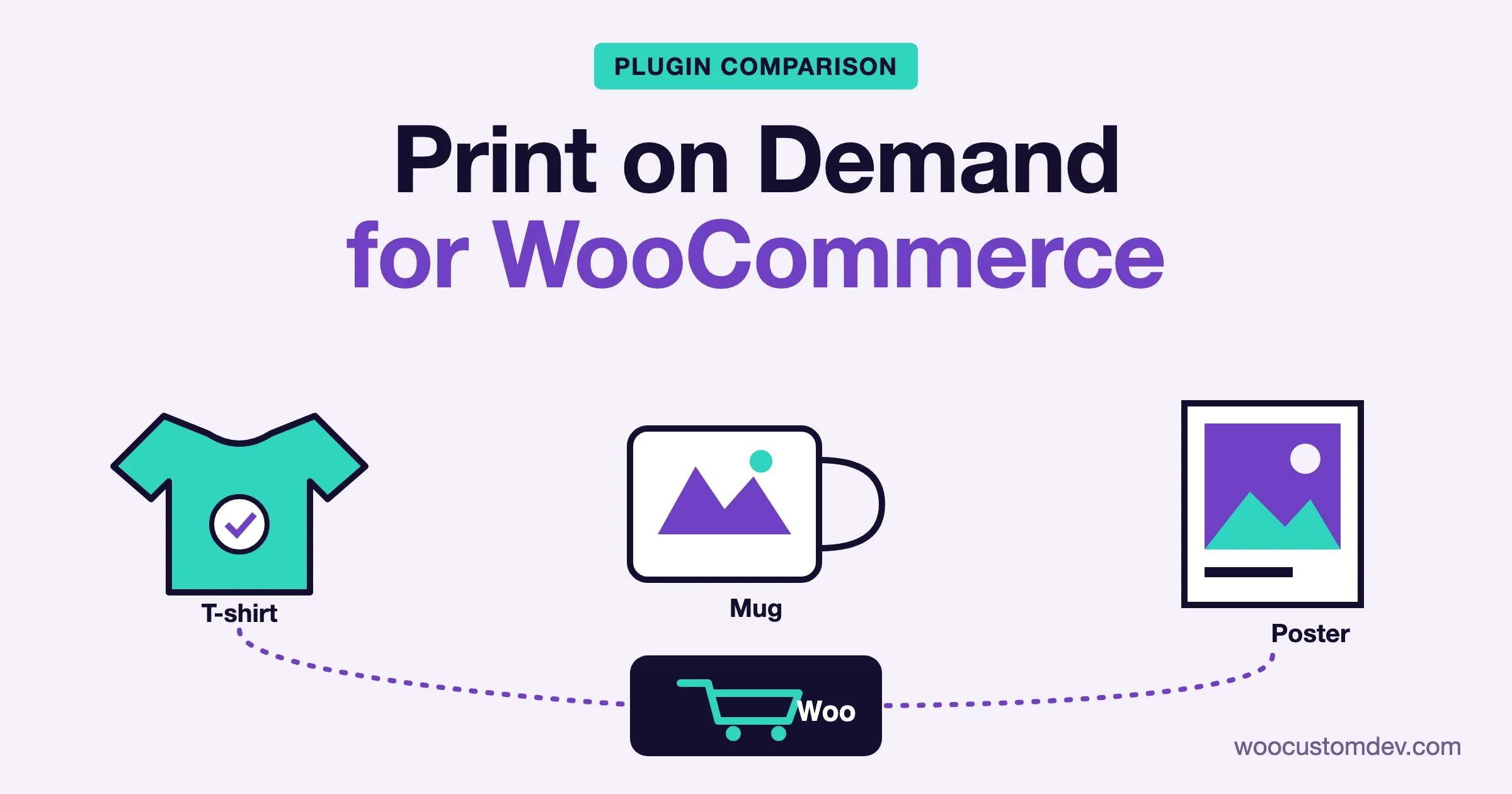
The best print on demand setup for WooCommerce in 2026 is, for most stores, Printful if you want consistent product quality and a branded unboxing, Printify if you want to compare print suppliers and keep margins higher, and Gelato if most of your customers are outside the United States and you want products printed close to them. All three connect to WooCommerce through a free plugin, and none charges you to start. We checked all ten providers below on 15 November 2026 against the WordPress.org plugin directory, each vendor’s own pricing and integration pages, and recent plugin reviews.
One warning before the list. The plugin is only the connector. The WordPress.org star rating tells you how well the connector behaves on a WooCommerce store, not how good the t-shirts are. Printful shows it: a plugin rating of 2.5 out of 5 sits next to a print service many sellers like.
Print on demand needs a store to sell from. If you have not set one up yet, the platform behind everything on this page is WooCommerce (affiliate link, we earn a commission at no cost to you).
Which print on demand plugin should I pick for WooCommerce?
Pick by the problem you have, not by the longest feature list. A store selling a few poster designs to local buyers has a different shortlist from one printing hoodies for ten countries. The table sums up where each provider fits. Every review further down shows the evidence, with dates.
Provider | Best for | WordPress.org plugin | Starting cost | Where it ships from |
|---|---|---|---|---|
Printful | Quality and branding, general stores | Yes, 50,000+ installs | $0 plan; Growth $24.99/month | |
Printify | Comparing print suppliers, margins | Yes, 10,000+ installs | $0 plan; Premium from $39/month | |
Gelato | Local production in many countries | Yes, 5,000+ installs | Free plan; paid Gelato+ tier | |
Prodigi | Wall art, prints, framed products | No (connect from Prodigi dashboard) | Fees not listed on its WooCommerce page | |
JetPrint | Wide blank catalog, own factories | No (listed integration) | Free to start, no monthly fee | |
CustomCat | US-focused stores | Companion plugin, 100+ installs | Not confirmed on vendor site | |
TeeLaunch | US stores wanting a large catalog | No (integration page) | Not published on pages we could load | |
Qikink | Sellers in India, some worldwide | Yes, 1,000+ installs | No platform fee listed; per-product pricing | |
Hoplix | European sellers, small catalog | Yes, 100+ installs | No installation or monthly cost | |
Spreadconnect (formerly SPOD) | Fast production, apparel | Yes, 600+ installs | Free of charge, you pay per order |
“Not confirmed” means the vendor page or plugin listing we could reach does not state it. Check the vendor before you commit. Data checked on 15 November 2026.
How much does print on demand cost on WooCommerce?
You do not pay to install any of these plugins, and none of the providers charges a listing fee. Your costs come from three places: the base price of each product (the blank item plus printing), shipping and tax per order, and an optional paid plan that lowers the base price. Your profit is the difference between your selling price and what the provider invoices you.
Provider | Free plan | Paid plan | What the paid plan changes |
|---|---|---|---|
Printful | $0/month, 607 custom products | Growth: $24.99/month, free once you reach $12K/year in sales | Up to 33% off products, 9% off branding, 25% off samples |
Printify | $0/month, 5 stores per account | Premium: from $39/month, or from $24.99/month billed yearly | Up to 20% off all products on the comparison table; 10 stores |
Gelato | Yes | Gelato+ (third-party sources list roughly $20 to $25/month) | Product discounts of up to 25%, per a third-party review |
JetPrint, Hoplix and Spreadconnect say they are free to start with no monthly fee and no paid plan shown. Printful and Printify figures come from their own pricing pages on 15 November 2026. Gelato’s pricing page refused our automated check, so the Gelato+ range comes from third-party reviews and may be out of date. Confirm it on gelato.com before you plan margins around it. Printify’s own page words the discount two ways (up to 33% on new products and up to 20% on all products), so read its current terms before relying on either number.
Printful also lists add-on fees: $0.99 per inside apparel label, $2.49 per outside label and $1 per premium image on direct-to-garment, all-over and direct-to-film items. Put them in your margin sheet from day one.
The 10 best print on demand plugins for WooCommerce in 2026
We ordered the list by connector maturity, install base, pricing clarity and recent reviews. Where a provider has no WordPress.org plugin, we link its own WooCommerce page.
1. Printful
Printful is the provider most WooCommerce sellers try first. It prints, packs and ships under your brand, offers 607 custom products on its free plan, and can be connected through a plugin from WordPress.org or as an extension listed on Woo.com. It also has its own design and mockup tools.
The connector is the weak point. The WordPress.org plugin, Printful Integration for WooCommerce, has 50,000+ active installs, 97 ratings averaging 2.5 out of 5, and was last updated on 14 January 2026. Its listing shows testing up to WordPress 6.9.11. The service itself is better regarded than the plugin, which is why we still put Printful first: when the sync works, the products and the packaging are consistent.
Printful is also sold as an extension on the WooCommerce marketplace: See Printful on Woo.com (affiliate link, we earn a commission at no cost to you).
Pros
- Consistent print quality and branding options such as custom labels and packing slips
- Free plan with no upfront cost, and a Growth plan that becomes free at $12K/year in sales
Cons
- Base prices are higher than marketplace-style providers, so margins are thinner
- Reviews report sync timeouts, lost connections and no support for localhost or for multilingual stores that use Polylang
- The plugin has not had an update since January 2026
Pricing and facts sources: Printful pricing, Printful WooCommerce page, plugin listing.
2. Printify
Printify is a network, not a single printer. You pick a print provider for each product and compare price, location and production time. That gives you better margins on many items and more control over where parcels start their journey, at the cost of quality that varies from one provider to the next.
The WordPress.org plugin, Printify for WooCommerce, is at version 3.2, has 10,000+ active installs and 37 ratings averaging 2.8 out of 5, and was last updated on 27 May 2026. Printify’s own page lists a free plan with five stores per account and a Premium plan from $39 a month, or from $24.99 a month when billed yearly, and says there are no platform or listing fees.
Pros
- Choice of print providers, so you can test cost against delivery time
- Free plan, and Premium discounts of up to 20% on all products
Cons
- Quality and shipping speed vary by provider, so order samples from each one you use
- Several reviews report slow cart pages because the plugin calls the Printify API during checkout
- Reviewers describe the setup instructions as hard to find
Facts sources: Printify pricing, Printify WooCommerce page, plugin listing.
3. Gelato
Gelato prints through a partner network and tries to produce each order in the country where it will be delivered. For a store with buyers in Europe, Australia or the Americas, local production can shorten delivery and trim shipping costs compared with shipping everything from one warehouse. It is strongest on posters, framed prints and cards.
The WordPress.org plugin, Gelato Integration for WooCommerce, is at version 1.3.3, has 5,000+ active installs and 12 ratings averaging 3.3 out of 5, and was updated on 3 November 2026, the most recent update on this list. Its reviews are split: six five-star and five one-star ratings. The one-star reviews are mostly from 2022 and describe sync failures and delays. The newest review, from May 2026, calls the connection good.
Pros
- Local production in many countries, which suits international stores
- Active plugin, updated this month
Cons
- Small review base, and older reviews report order sync delays
- Smaller product selection than Printful or Printify, according to a 2023 reviewer
- We could not confirm the current Gelato+ price on gelato.com
Facts sources: plugin listing. Gelato’s own site returned an access error to our automated check on 15 November 2026.
4. Prodigi
Prodigi focuses on wall art and lifestyle products: prints, posters, framed prints, canvas, metal and wooden prints, photo tiles, stickers, books and cards, plus some apparel. It lists 200+ products and a global print network. For artists and photographers, it is a more natural fit than a t-shirt-first provider.
There is no WordPress.org plugin. Prodigi’s WooCommerce page tells you to click “Connect your WooCommerce store” in your Prodigi dashboard, after which the company contacts you by email, so the setup is not instant. It states “Unlimited inventory, no minimum orders” and does not list fees on that page.
Pros
- Strong wall-art and print range
- No minimum orders
Cons
- Setup involves contacting Prodigi rather than installing a plugin
- Fees and plans are not listed on its WooCommerce page
Facts sources: Prodigi WooCommerce page.
5. JetPrint
JetPrint says it connects directly to Shopify, Etsy, WooCommerce and Wix and syncs orders automatically. It cites 1000+ blank products, its own factories that print, embroider or make items, and shipping to 156 countries. The page does not say whether the full catalog is available through WooCommerce, so check that before you plan a product range.
Starting is free, with no monthly fee, no minimum order and no inventory. You pay for the product and shipping when an order arrives. We could not find a WordPress.org listing, so the connection runs through JetPrint’s own app.
Pros
- Free to start with no minimum order
- Large blank catalog, including embroidery and other made-to-order items
Cons
- No WordPress.org plugin, so there is no public review history to read
- Catalog size through WooCommerce is not confirmed
Facts sources: JetPrint.
6. CustomCat
CustomCat is a United States provider. Third-party roundups put typical US fulfilment at two to three days, though they disagree, and one gives about a day and a half. Its WooCommerce link is a companion plugin, CustomCat Helper, which lists stock sync for stores connected to a CustomCat account.
The plugin has 100+ active installs, two five-star ratings, version 1.1.4, and was last updated on 13 August 2026. That is a small base, so treat it as a working connector with little public evidence rather than a proven one. CustomCat’s own site returned an access error to our automated check, so we could not confirm pricing and plans from the vendor.
Pros
- US-based production aimed at fast domestic delivery
- Plugin updated in August 2026
Cons
- Small user base and only two reviews
- Vendor pricing could not be confirmed
- Not a fit for stores selling mainly outside the United States
Facts sources: CustomCat Helper listing.
7. TeeLaunch
TeeLaunch (written “teelaunch” on its site) lists WooCommerce under its Integrations menu, next to Shopify, Etsy, TikTok and Order Desk, and describes a catalog of hundreds of products across apparel, drinkware, home goods, jewellery, wall art and more. Its address is in Sioux Falls, South Dakota.
We could not find a pricing page or a WordPress.org plugin. The WooCommerce page we loaded had a heading and no setup text. Keep that in mind: this is a provider we could confirm exists and lists WooCommerce, not one we could verify end to end.
Pros
- Large catalog across several product groups
- WooCommerce is a named integration
Cons
- No public pricing page found on 15 November 2026
- No plugin listing, so there are no public reviews to check
Facts sources: TeeLaunch WooCommerce page.
8. Qikink
Qikink is the pick for sellers based in India. It lists 350+ products and 2,750+ SKUs across apparel, accessories and home goods, says orders are dispatched within two to three business days, and serves India with delivery to 29,000+ pincodes, plus the United States, United Kingdom, Canada, Australia, the UAE and other countries.
The WordPress.org plugin, Qikink Print On Demand and DropShipping, is at version 1.1.2, has 1,000+ active installs, and was updated on 17 September 2026 with testing up to WordPress 7.1.4. It has two ratings averaging 4.5 out of 5. One reviewer in April 2025 said the plugin works but the support team did not seem active.
Pros
- Built for India, with local delivery depth
- Plugin updated in September 2026
Cons
- Detailed delivery data is mostly about India
- Only two reviews, one questioning support activity
- Pricing is per product and listed on product pages, not as a plan
Facts sources: Qikink, plugin listing.
9. Hoplix
Hoplix is a smaller European provider. Its Italian-language WooCommerce page says you install the plugin, choose which campaigns to export, and orders are imported into your Hoplix account and shipped for you. It states there is no installation or monthly cost, no minimum order, shipping to more than 40 countries, and more than 150 products.
The WordPress.org plugin, Hoplix Integration for WooCommerce, is at version 1.1.3, has 100+ active installs and seven five-star ratings, and was updated on 30 October 2026. All seven reviews are from 2021 and 2022, so they say little about how it behaves today.
Pros
- No setup or monthly cost, no minimum order
- Plugin updated in October 2026
Cons
- The reviews are old, with none in the last 12 months
- Vendor integration page is in Italian
Facts sources: Hoplix WooCommerce page, plugin listing.
10. Spreadconnect (formerly SPOD)
Spreadconnect was known as SPOD, and the plugin on WordPress.org is named Spreadconnect (its slug still reads wc-spod, and the vendor help center links to faq.spod.com). It says the service is “free of charge”, you set your own price, and you are invoiced for product and shipping on each order. It states that 95% of orders are produced and shipped in less than 48 hours.
We put it last for a reason. The plugin has 600+ active installs, nine ratings averaging 2.8 out of 5 (four five-star, five one-star), and its listing shows testing only up to WordPress 6.6.11, though it was updated on 24 September 2026. It also has a published security advisory: CVE-2025-53291, a missing authorization flaw (CVSS 5.4, medium) reported through Patchstack on 27 June 2025. Patchstack lists versions up to 2.1.6 as affected and 2.1.7 as the patched version, which is the current release, so update if you run it. WPScan and the National Vulnerability Database list versions up to 2.1.5 as affected, and WPScan still shows no known fix, so check which version you run. Sources: Patchstack, WPScan and NVD, checked 15 November 2026.
Pros
- Fast production claim, 48 hours for most orders
- Plugin updated in September 2026
Cons
- Listing shows testing up to an old WordPress version
- Had a published access-control vulnerability (CVE-2025-53291), patched in 2.1.7 per Patchstack
Facts sources: Spreadconnect, plugin listing.
What users say, and our suggestion
We read the WordPress.org reviews for every provider that has a plugin listing. Review counts are small, and many are older than twelve months, so we mark each point with its date. We did not use Reddit threads: we could not verify a recurring thread for each provider on the checking date. We paraphrase, and quote at most a few words. Checked on 15 November 2026.
Printful: what users say
The plugin has 97 ratings (31 five-star, 2 four-star, 6 three-star, 8 two-star, 50 one-star) and the support-thread counter shows 2 threads in the last two months with 0 marked resolved.
- Praised: one agency said it uses the plugin on many client stores and it works as expected (December 2024). A May 2024 reviewer connected an account in about five minutes (review).
- Complained about, last 12 months: no support for localhost development (September 2026); a PHP notice about loading translations too early on WordPress 7 (July 2026); products that look cheap in the reviewer’s opinion (May 2026).
- Complained about, older: a November 2024 reviewer reports being told there were no plans to update the WooCommerce integration (review). Multiple reviews describe sync that fails or times out (June 2024), and a Spanish-language review says it does not work for multilingual stores (August 2025).
Printify: what users say
The plugin has 37 ratings (15 five-star, 1 four-star, 2 three-star, 1 two-star, 18 one-star) and no support threads in the last two months.
- Praised: a 2021 reviewer likes the Printify-computed shipping rates that work with little setup, and a 2023 reviewer says it does everything they wanted if you follow the instructions (May 2023).
- Complained about, last 12 months: a February 2026 review says products would no longer publish to the store (review). An April 2026 review says cart and checkout pages stopped loading while the plugin was active (review), though note that it carries a five-star rating, so the star count and the text disagree.
- Complained about, older: a September 2025 developer review reports unpredictable results, with images, colour options and publishing errors (review). Reviews from 2024 describe the API being called repeatedly on basket and checkout pages (August 2024).
Gelato: what users say
The plugin has 12 ratings (6 five-star, 1 four-star, 5 one-star) and 2 support threads in the last two months, none marked resolved.
- Praised, last 12 months: the newest review, from May 2026, says the connection works and removes the need to enter each product by hand (review).
- Praised, older: a 2023 reviewer recommends creating variable products in Gelato rather than in WooCommerce because it is quicker (October 2023).
- Complained about, older: 2022 reviews describe orders not syncing, delays and a store crash after install (August 2022). None of the one-star reviews is from the last 12 months.
The other seven: what users say
- Spreadconnect: the only review in the last 12 months, from February 2026, is a one-star complaint that a disclosed vulnerability had no update (review). Patchstack lists a patch in version 2.1.7, released after that review. Older reviews praise fast production and support, and one 2023 reviewer reports products deleted without notice (March 2023).
- Qikink: an October 2026 five-star review recommends it for Indian sellers (review). An April 2025 review says it works but the support team seems inactive (review).
- Hoplix and CustomCat: very few reviews and none from the last 12 months, all positive, so there is not enough evidence to judge either connector.
- Prodigi, JetPrint and TeeLaunch: no WordPress.org listing, so there is no public plugin review base to summarise.
Our suggestion
This is our reading of the evidence above, not a lab test. We did not run a sample order through each provider for this refresh.
- You want the safest default and a branded product: start with Printful, order samples, and test sync on a staging copy first. Accept thinner margins and a connector with mixed reviews.
- You want better margins and are willing to test suppliers: use Printify, choose one print provider per product, order samples from each, and watch cart and checkout speed after install.
- Most customers are outside the United States: look at Gelato for local production, and confirm the Gelato+ price on its site.
- You sell art, photography or framed prints: Prodigi is built for it, though setup goes through a conversation with Prodigi.
- You sell in India: Qikink. You sell mainly in the US: CustomCat or TeeLaunch, after you verify pricing directly.
- You want something unusual or a fully custom setup: this is where our own team fits. We build WooCommerce stores and custom integrations, for example a product designer or a sync tuned to your catalogue. It costs more than a free plugin, so for a first store use the free connector if it works.
If speed is your worry, read our WooCommerce performance checklist before you add any connector that calls an outside API on cart pages.
Can I use more than one print on demand supplier on one WooCommerce store?
Yes, with limits. You can connect more than one provider to the same store, and each plugin creates and syncs the products you publish through it. The trouble starts at checkout. A customer who buys a Printful shirt and a Gelato poster in one order gets two parcels from two places, and each plugin may add its own shipping rate, so the customer can see charges you did not plan for.
Our advice: keep one provider per product, test mixed carts on a staging site, and write down how refunds work for each one before a customer asks. Also check that product designers and add-on plugins do not conflict with the sync, since several of them edit the same product data. Our guide to WooCommerce visual product configurator plugins covers that side.
Which print on demand plugins did we remove, and why?
The old version of this list included four providers that failed our check on 15 November 2026, so we replaced them rather than leave dead entries. We also considered one more and passed.
- Spring (formerly Teespring): shutting down. Its own notice says stores stop accepting traffic and new orders on 28 October 2026, and sellers are pointed to Amaze Commerce. The notice does not mention WooCommerce. Read it at amazecommerce.com.
- T-Shirt & Sons: its site describes an API and print locations in the UK and Poland, with no WooCommerce integration or pricing. That is a developer service, not a plugin, so it no longer fits this list.
- AOP+ (All Over Print): we could not load any content from the vendor site to verify a WooCommerce integration or service status.
- T-Pop: we could not reach a working vendor site or find a WooCommerce plugin listing for it.
- Considered and passed, Gooten: still has a WooCommerce page on its site, but the WordPress.org plugin, Gooten Shipping for WooCommerce, was last updated on 31 January 2023 and lists testing up to WordPress 6.1.16, so we do not recommend it. See the Gooten page.
- New to the list: Gelato, Prodigi, Qikink and Hoplix. Printful, Printify, CustomCat, JetPrint, TeeLaunch and Spreadconnect (known as SPOD before) stayed.
How do I set up print on demand on WooCommerce without breaking my store?
The setup is similar for every provider that uses a plugin. You create an account with the provider, install the connector, connect your store with API keys, design or pick products, and publish them to WooCommerce. The mistakes happen around the edges, so use this order.
- Build the connection on a staging copy of your store, not the live site, and test cart and checkout speed before and after.
- Check that your store uses a supported setup. If you use High-Performance Order Storage or the block checkout, confirm it with the provider. Our guide to migrating to HPOS safely explains the storage side.
- Order a sample of every product you plan to sell. Mockups are not print quality.
- Place a real test order with a real payment method and refund it. Check the order reaches the provider, the status updates, and the customer email carries the tracking link.
Frequently asked questions
What is the best print on demand plugin for WooCommerce?
For most stores, Printful, Printify and Gelato are the three to test, because they have the largest catalogs and plugins with thousands of installs. Printful is the safest for quality, Printify for margins and supplier choice, Gelato for local production abroad.
Is print on demand free to start with WooCommerce?
Yes. The Printful, Printify, Gelato, JetPrint, Hoplix and Spreadconnect pages we checked all say you can start without a monthly fee, and you pay only when an order is placed. Paid plans reduce the product price.
Can I add my own designs or let customers personalise products?
Providers let you upload your own designs. Letting customers add text or images on the product page usually needs a separate product designer plugin. Our visual product configurator guide covers that.
Related reading
Plugins we build and run
We maintain these ourselves, which is why we can support them on your site.
- BuddyNextThe self-hosted community engine for WordPress
- BuddyXFree community theme, Pro when you outgrow it
- ReignPremium community theme. Add pieces, build anything
- JetonomyCommunity forum and Q&A for WordPress
- EventonomyEvents and RSVPs for WordPress communities
- LearnomyCourses and learning communities on WordPress
- ListoraDirectories and listings your members can browse
- SnipShareCode sharing built for developer communities
- WB Ad ManagerAd placements that turn traffic into revenue
- WP Career BoardA job board your community actually uses
- WP Sell ServicesSell services with offers, orders, and payouts
- MediaVersePhotos, video, and media albums for members
- WB GamificationPoints, badges, and rewards that keep members active
- Product RoadmapPublic roadmaps with voting your users trust