10 Best WooCommerce Visual Product Configurator Plugins for 2026
What a visual product configurator is, which ten WooCommerce plugins do it, and which one fits. Prices, ratings and review points checked 14 November 2026.

A visual product configurator is a tool that redraws the product on screen every time a shopper picks an option, so they see the exact thing they are about to buy before it goes in the cart. For WooCommerce, four plugins on this list do it with layered 2D images or 3D models on a free plan: MKL Product Configurator, STAGGS, WP Configurator Builder and, for 3D only, the hosted Expivi connector. Zakeke and Fancy Product Designer fit stores where customers add their own text and artwork, and the add-on plugins (Advanced Product Fields, Woo’s own and YITH) cover text and choice options with no live preview.
We checked every plugin, price and rating below on 14 November 2026. Every plugin here is still sold and updated as of that date. Four entries from the earlier version of this page did not pass that check, and we replaced them. The “What we replaced” section says which and why.
What is a visual product configurator for WooCommerce?
It is a product page that works like a build-your-own screen. The shopper chooses a frame colour, a fabric, a handle or an engraving, and the picture updates at once. The price usually updates with it, and the final choices travel with the order so you know what to make.
Three ingredients separate a real configurator from a long list of dropdowns:
- A live preview. Either stacked image layers (2D), a 3D model the shopper can rotate, or a canvas where they place text and images.
- Rules. Option B only appears if option A was chosen, and some combinations cost more or are blocked.
- Order data you can act on. A production file, a list of parts or at least a clear summary, not a note someone has to decode.
Plain add-on plugins give you the second and third ingredients but not the first. They are still the right answer for a lot of stores, which is why two of them are on the list.
Visual product configurator or visual product customizer: what is the difference?
People type both words into Google, and the two tools solve different problems. A configurator assembles a product from parts you defined: a bike from frames, wheels and saddles, a sofa from fabrics and legs. The shopper cannot go off the menu.
A customizer (or designer) lets the shopper put their own content on a product: a name on a mug, a logo on a hoodie. The shopper can go off the menu, because the content is theirs.
Some stores need both, such as a sofa maker who also offers an embroidered monogram. Expect to combine tools or pick the one that covers the more important half.
What is the best WooCommerce visual product configurator?
There is no single best one, because it depends on what customers choose between. For parts, materials and colours, start with MKL, STAGGS or WP Configurator Builder. For customer artwork on print products, look at Zakeke or Fancy Product Designer. For a few extra fields, an option-fields plugin such as Advanced Product Fields is enough. Our suggestion block further down lays this out in full.
Comparison table: ten WooCommerce configurator and customizer plugins
Plugin | Type | Live preview | Price we saw | Rating (source) | Last update we saw |
|---|---|---|---|---|---|
MKL Product Configurator | Configurator | 2D layers, 3D (glTF/GLB) | Free core, paid add-ons exist | 4.8 of 5 from 42 reviews (WordPress.org) | 4 Nov 2026, version 2.1.0 |
STAGGS | Configurator | 2D images, 3D (Pro) | Free core, Pro from $69 a year for one site | 5.0 of 5 from 27 reviews (WordPress.org) | 4 Nov 2026, version 3.4.0 |
WP Configurator Builder (WCB) | Configurator | 2D layers, 3D viewer | Free core, Pro and add-ons exist | 5.0 of 5 from 3 reviews (WordPress.org) | 17 Oct 2026, version 1.6.2 |
Zakeke | Customizer and 3D configurator, hosted | 2D, 3D, AR | From $59 a month billed yearly, plus a per-sale fee | 4.7 of 5 from 131 reviews (WordPress.org) | 31 Aug 2026, version 4.3.11 |
Expivi | Hosted 3D configurator | 3D | Not published, demo on request | No WordPress.org reviews; vendor claims 4.8 of 5 on G2 | 1 Oct 2026, connector 2.16.3 |
Fancy Product Designer | Customizer | Canvas editor | $99 per site licence | Vendor claims 4.5 of 5 (no dated source) | Update reported by buyers, see below |
Custom Product Designer (Extendons) | Customizer | Canvas editor | Yearly plan on woocommerce.com | 2.3 of 5 from 3 reviews (woocommerce.com) | Version 1.1.2 |
Advanced Product Fields | Option fields | None (image and colour swatches) | Free version, Pro exists | 4.8 of 5 from 284 reviews (WordPress.org) | 7 Nov 2026, version 1.7.4 |
WooCommerce Product Add-Ons | Option fields | None (image swatches only) | Yearly plan on woocommerce.com | 3.4 of 5 from 49 reviews (woocommerce.com) | Version 8.5.0 |
YITH Product Add-Ons | Option fields | None | Free version, premium price not shown on the vendor page we checked | 3.7 of 5 from 57 reviews (WordPress.org) | 12 Nov 2026, version 4.35.1 |
Prices on woocommerce.com change with the visitor’s country. The page showed us a yearly plan in Indian rupees (7,574 for Product Add-Ons and for Custom Product Designer), so check the amount in your own currency before you decide.
The ten plugins in detail
1. MKL Product Configurator for WooCommerce
MKL Product Configurator turns a WooCommerce product into a step-by-step builder with a live preview. In 2D you stack transparent image layers (exported from Photoshop, 3D renders or photography) across several views. In 3D you upload a glTF or GLB model and shoppers rotate it, swap materials and colours, and show or hide parts. Version 2.1 added a request-a-quote flow, so a shopper can send you exactly what they configured, picture included, and pay after you price it.
Where it fits: bikes, furniture, jewellery, electronics, made-to-order and B2B products, anything sold in many combinations. The readme says one configurable product can replace hundreds of variations and their images.
Price: free on WordPress.org. Add-on prices were not on the plugin page we checked. Checked 14 November 2026.
2. STAGGS Product Configurator Toolkit
STAGGS builds configurators from attributes, themes and templates on top of WooCommerce simple products. The free version covers 2D configurators with stackable images and a request-a-quote form. The Pro version adds 3D GLB and GLTF models with AR support, conditional logic, step navigation, PDFs of the configuration, share links and stock per attribute item, according to the vendor’s feature list.
Where it fits: curtains, furniture, apparel and other products customers assemble from your parts, when you want conditional logic and 3D without writing code.
Price (staggs.app/pricing): free core. Pro lists at $69 a year for 1 site, $129 for 3 sites and $239 for 30 sites, with a 14-day money-back guarantee. A 20% Black Friday code was showing on the page. Checked 14 November 2026.
3. WP Configurator Builder (WCB)
WP Configurator Builder is a Gutenberg-based builder with a drag-and-drop form editor. It stacks transparent PNG layers into the final product image, has a built-in 3D model viewer, updates images and prices as options change, and sends a request-a-quote form for leads. It can also run as a plain extra-options plugin with swatches and text inputs, and it uses the WooCommerce checkout.
Where it fits: shops that want a free configurator that also handles quote requests and extra product options in one tool.
Checked 14 November 2026.
4. Zakeke Interactive Product Designer
Zakeke is a hosted service with a WooCommerce connector. Customers add text, photos, colours and fonts with a live preview, and the order produces a print-ready file. It also does 3D configurators for made-to-order products with components and textures, and virtual try-on.
Where it fits: print-on-demand and personalised gifts, and stores that want 3D without building the tooling themselves.
Price (zakeke.com/pricing, USD, checked 14 November 2026):
- Starter: $59 a month billed annually ($69.90 billed monthly), up to 10 products, 1.9% fee per custom product sale.
- Grow: $110 a month billed annually ($129.90 monthly), up to 50 products, 1.7% fee.
- Scale: $255 a month billed annually ($299.90 monthly), up to 100 products, 1.5% fee.
- Enterprise: custom quote. Every paid plan has a 14-day free trial with no card needed.
5. Expivi 3D product configurator
Expivi is a hosted 3D configuration platform for made-to-order manufacturers. The WordPress plugin only connects WooCommerce to it: you build and configure products in the Expivi online configurator, then link your WooCommerce products to them. The vendor’s site pitches validation of each configuration, quotes and a bill of materials that goes to an ERP.
Where it fits: manufacturers with complex, rule-heavy products who need configurations checked and passed to production systems.
The connector (version 2.16.3) was updated on 1 October 2026. Checked 14 November 2026.
6. Fancy Product Designer
Fancy Product Designer is a long-running designer for WooCommerce, WordPress and Shopify. Shoppers place text, images and clipart on a product, with several printing methods in mind (screen print, direct to garment, embroidery and sublimation, according to the vendor). The vendor’s pricing page lists the WordPress and WooCommerce plugin at $99 per licence, one licence per website.
Where it fits: apparel, merchandise, phone cases, paper products and engraving, if you prefer paying once over a monthly fee.
Replies from the author on the item comments say a security issue was fixed and that a new version was uploaded after a Wordfence warning. We could not confirm a release date from the pages we could read, so check the changelog before you buy. Checked 14 November 2026.
7. Custom Product Designer for WooCommerce (Extendons)
This one is a paid extension on the WooCommerce marketplace. Customers add text, clipart, shapes and uploads on a product, with front and back views and defined print areas. The listing mentions a classic and a modern customizer layout, per-asset pricing for cliparts and templates, and coverage-based pricing for print areas.
Where it fits: small custom-merchandise shops that want a designer sold through the official marketplace.
The marketplace gives a 30-day money-back guarantee, which is a reasonable way to test it on a staging copy. Checked 14 November 2026.
8. Advanced Product Fields (Product Addons) for WooCommerce
Advanced Product Fields by Studio Wombat adds extra fields to products: text, dropdowns, checkboxes, radio buttons, image and colour swatches, dates and file uploads. Fields can be priced as flat, quantity-based or percentage fees, and shown or hidden by conditional logic. The vendor says formula-based and lookup-table pricing are also supported.
Where it fits: personalised gifts, custom T-shirts and build-your-own products where a text or choice form is enough and speed matters.
Checked 14 November 2026. Version 1.7.4, 50,000+ active installs, updated 7 November 2026, a Pro version exists.
9. WooCommerce Product Add-Ons
The official Product Add-Ons extension adds paid or free fields to a product: text boxes, dropdowns, checkboxes, file uploads, custom price inputs and image-based selections. Add-ons can be global or per product. The listing shows version 8.5.0 and more than 100,000 active installs.
Where it fits: engraving text, a gift note, an uploaded photo or a paid upgrade on one product.
Checked 14 November 2026.
10. YITH WooCommerce Product Add-Ons & Extra Options
YITH Product Add-Ons has a free version on WordPress.org (version 4.35.1, updated 12 November 2026, 20,000+ active installs, needs WordPress 6.9 and PHP 8.0). You create blocks of options (radio, select, text, checkbox) and show them on all products or on chosen products and categories. The free version can show or hide a block based on conditions, which Woo’s own add-on cannot do.
Where it fits: stores that need conditional options and want to start free.
YITH’s own store page shows the premium plugin at 4.39 of 5 from 112 customer ratings and a release dated 3 November 2026, but no premium price when we looked. Checked 14 November 2026.
What users say, and our suggestion
We pulled the numbers from the WordPress.org plugin API where a plugin is listed there, and from the vendor or marketplace page where it is not. Review points are paraphrased from the pages linked in each block, checked on 14 November 2026. Where recent reviews are scarce, we say so, because an old five-star review tells you little about today’s release.
MKL Product Configurator: users say
- Numbers (WordPress.org API): 4.8 of 5 from 42 reviews (39 five-star, 1 three-star, 2 one-star), 2,000+ active installs, last updated 4 November 2026, 2 of 2 support threads resolved.
- Praised: flexibility for complex products, fast and personal help from the developer, and a free version that has more options than reviewers expected.
- Complained about: some work needed to get started, and a memory-limit problem on uploads at the 32M default.
STAGGS: users say
- Numbers (WordPress.org API): 5.0 of 5 from 27 reviews (all five-star), 400+ active installs, version 3.4.0 updated 4 November 2026, 1 of 1 support thread resolved.
- Praised: fast, personal support (several reviewers say it solved their project), versatility and strong 3D features.
- Complained about: nothing in the WordPress.org reviews. A reviewer on the vendor’s pricing page says some customisation features are missing.
WP Configurator Builder: users say
- Numbers (WordPress.org API): 5.0 of 5 from 3 reviews, 100+ active installs, version 1.6.2 updated 17 October 2026, 2 of 2 support threads resolved.
- Praised: flexibility, templates and a responsive support team.
- Complained about: an October 2026 reviewer had some issues at the start, then got a good response from support.
Zakeke: users say
- Numbers (WordPress.org API): 4.7 of 5 from 131 reviews (117 five-star, 8 one-star), 1,000+ active installs, version 4.3.11 updated 31 August 2026. G2 shows only a couple of 2026 reviews and the Tekpon directory lists 4.4 of 5, so treat those as thin.
- Praised: the 3D configurator, quick connection to WordPress, and support that fixed a reviewer’s problem within an hour in 2022.
- Complained about: slow support in the newer reviews. A January 2025 reviewer waited six days with no resolution, and a November 2024 reviewer said the connector did not work.
- Recency: the WordPress.org reviews page shows nothing newer than January 2025 in the part we could read, so we cannot say how support looks in the last 12 months.
Expivi: users say
- Numbers: the WordPress.org listing has no ratings and no reviews, 100+ active installs, connector version 2.16.3 updated 1 October 2026. The vendor claims 4.8 of 5 on G2. We could not open G2 to check that, so treat it as a vendor claim.
- Praised: we have no independent review text we could read, so we are not quoting praise.
- Complained about: same, nothing to report. Ask for references from stores like yours.
- Caution: this is a platform you buy through a demo, not a plugin you can try tonight.
Fancy Product Designer: users say
- Numbers: the vendor claims 4.5 of 5 and more than 20,000 customers, with no date or source, so we do not treat that as a rating. It is not on WordPress.org, so there are no API figures.
- Praised: breadth, since it handles apparel, paper, phone cases and engraving, and a one-time price.
- Complained about: support. The item page says the author does not currently provide support, and commenters say they were asked to renew first.
- Theme conflicts: reported on WoodMart in two support threads.
- Caution: we could not read CodeCanyon’s review scores, which sit behind a bot check, so we have comment threads and not a star average. The Shopify version of the app has a separate listing and separate reviews, which we did not count.
Custom Product Designer (Extendons): users say
- Numbers (woocommerce.com): 2.3 of 5 from 3 reviews, version 1.1.2.
- Praised: one February 2026 reviewer called the help quick and effective, with fluent communication.
- Complained about: a July 2026 reviewer found no documentation and a plugin that did not work, and a December 2025 reviewer said it was full of bugs with no support and needs a developer to run.
- Caution: three reviews is too few for any conclusion. Test it on staging before you rely on it.
Advanced Product Fields: users say
- Numbers (WordPress.org API): 4.8 of 5 from 284 reviews (264 five-star, 3 four-star, 1 three-star, 3 two-star, 13 one-star), 50,000+ active installs, version 1.7.4 updated 7 November 2026, 1 of 1 support thread resolved.
- Praised: fast and light, a generous free version, per-product and global settings, and support that fixed an update problem within three hours in a March 2026 review.
- Complained about: initial support difficulties in one January 2026 review, and a suggestion that the backend setting fields could be more compact. One owner building a window-blinds site said a few issues remain but were not the developers’ fault.
WooCommerce Product Add-Ons: users say
- Numbers (woocommerce.com): 3.4 of 5 from 49 reviews, 100,000+ active installs, version 8.5.0.
- Praised: it is useful and well integrated with WooCommerce, in one buyer’s words, and it is easy to set up.
- Complained about: file upload has no file-type or size limit. Two buyers (October and November 2025) said this triggered server security warnings, and one said support did not accept it as a requirement and there is no filter to add your own rule.
YITH Product Add-Ons: users say
- Numbers (WordPress.org API): 3.7 of 5 from 57 reviews (35 five-star, 1 four-star, 4 three-star, 5 two-star, 12 one-star), 20,000+ active installs, updated 12 November 2026. The WordPress.org support forum shows 1 thread in the last two months, 0 resolved.
- Praised: it avoids creating thousands of variations, the free version is generous, and support helped quickly in several reviews from 2024.
- Complained about: a critical error after an update, add-on prices not updating in the cart, variant filtering that did not work, and a support case a reviewer says stayed open for almost a year.
- Recency: the newest review in the part we could read is from July 2025, so we have no reviews from the last 12 months to quote. Rely on the 3.7 average and the install count, and test on staging.
Our suggestion
Match the tool to the job, and start with the smallest one that does the job.
- You sell something customers assemble from your parts: try MKL Product Configurator or STAGGS first. Both are free to install and do 2D, and 3D comes with MKL’s free core or STAGGS Pro. STAGGS has the best recent review feedback in this group and MKL has the most history. WP Configurator Builder is worth a staging test if you also want quote requests, but its evidence is thin. Budget real time for preparing images or models.
- You make complex products to order and have an ERP: book an Expivi demo and ask for references, since we found no independent reviews.
- You sell printed goods with customer artwork: start with the Zakeke 14-day trial. It takes the file preparation off you, and the fee structure is clear. Compare the monthly cost with your expected order volume. If you dislike monthly fees, Fancy Product Designer’s one-time $99 is attractive, but read the support situation first.
- You only need text, a choice or an upload: use an option-fields plugin. Advanced Product Fields has the best reviews and conditional logic in its free version. The free YITH version does conditions too, with more mixed reviews. Woo’s Product Add-Ons suits you if you want the official marketplace and no conditions, but limit uploads at the server level.
- Nothing here fits: a configurator that connects to your stock, pricing rules or a manufacturing system is custom work. We build those at Woo Custom Dev, and it is only worth it when the products are complex enough that a plugin would need heavy workarounds. Plugins win on cost for everything simpler.
We have no product of our own in this list, and no ranking here depends on who pays us. Three links in this post (Product Add-Ons, Custom Product Designer and YITH) are affiliate links, marked as sponsored. They did not change the order or the cons.
Is there visual product configurator software, not just plugins?
Yes. Zakeke and Expivi are the hosted kind: your WooCommerce store connects to their service, and the editor, previews and file generation run on their servers. The trade is simple. You get a faster start and less to maintain, and you pay monthly and depend on the vendor.
Plugins such as MKL and STAGGS run inside your own WordPress, so you own the setup and carry the maintenance. Hosted suits stores that want to launch fast. Self-hosted suits stores that want to own their configurator.
Can WooCommerce do a 3D product configurator?
Yes, with five of the plugins above. MKL accepts glTF and GLB models and lets shoppers rotate, swap materials and colours, and show or hide parts. STAGGS Pro takes GLB and GLTF models with AR support, and WP Configurator Builder has a built-in 3D viewer. Zakeke and Expivi offer hosted 3D configurators.
The model is the hard part. A good GLB with named parts and clean materials is a production job, usually from a 3D artist or your manufacturer’s CAD team. If you only have product photos, a 2D layered configurator is faster and cheaper to build and often converts just as well.
Is there a drag and drop product configurator?
The designers (Zakeke, Fancy Product Designer and the Extendons plugin) give shoppers a drag and drop canvas for their own text and images. The configurators (MKL, STAGGS and WP Configurator Builder) give you, the store owner, a visual editor in the admin for building the option steps. Make sure you know which kind of drag and drop you are buying: one is for your customer, the other is for you.
How do we choose and test one safely?
Run this check on a staging copy before you buy anything or install it on a live store.
- Write down your three most complex products. Count the options and the number of combinations. If the number is above a few dozen, you want conditional logic or a configurator, not plain add-ons.
- Test on your real theme. The theme clash reports on Fancy Product Designer are a reminder that product-page plugins break on themes that rebuild the gallery.
- Add to cart and check out as a customer. Confirm the chosen options and the final price appear in the cart, the order, the admin and the emails.
- Test on a phone. Many shoppers will configure on a small screen, and canvases and 3D viewers are where mobile problems show.
To see what you have installed and which plugins have updates waiting, WP-CLI gives a quick view (checked 14 November 2026, run it on staging first):
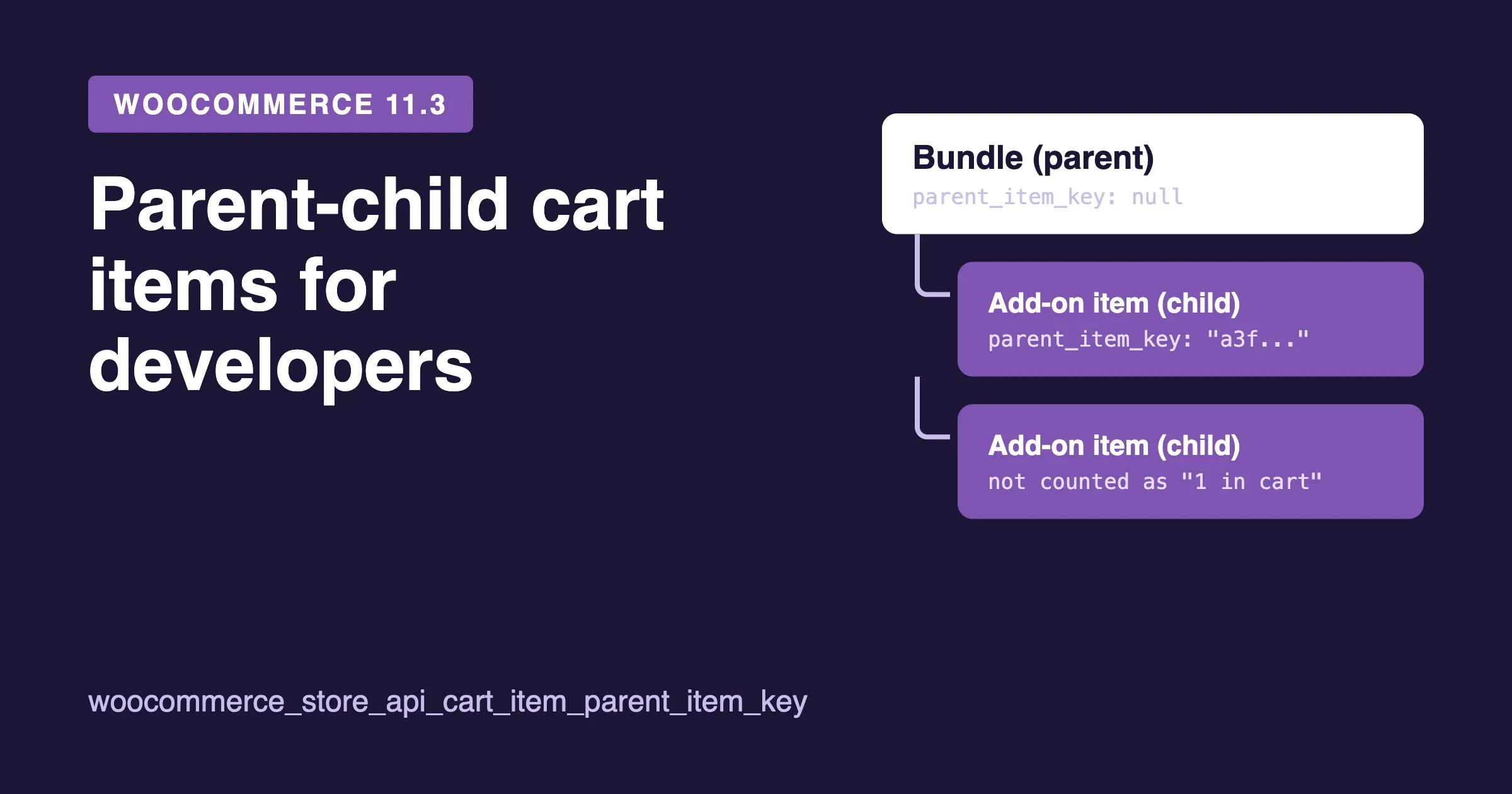
wp plugin list --fields=name,status,version,update --format=tableOur guide to what WooCommerce 11.3 changes for bundle and add-on code is worth reading before you update, because configurators and add-ons write extra data into cart items.
What we replaced from the earlier list, and why
The earlier version of this page also listed ten plugins. Four did not pass our check, and four verified ones took their place (STAGGS, WP Configurator Builder, Expivi and Advanced Product Fields).
- Custom Product Options for WooCommerce: the listing was linked to a different product, and we could not match the name to one current plugin.
- WP Configurator and WP Custom Product Designer: we could not find either under that name on WordPress.org or the WooCommerce marketplace, so we cannot confirm they are sold or maintained. WP Configurator Builder (number 3 above) is a different, verified plugin.
- Lumise Product Designer: the vendor site still loads, but we did not verify its current version, price or reviews, so we left it out rather than guess. It may return in a later update.
If you are comparing broader ranges of add-ons, our guides to WooCommerce product add-ons and customization plugins and customer file upload plugins cover that ground, and the print on demand plugins guide covers the fulfilment side of a customizer.
Frequently asked questions
What is a visual product configurator?
It is a tool on the product page that redraws the product as the shopper chooses options, so they see the result before buying. It usually adds rules, live pricing and a summary that goes with the order.
Is there a free WooCommerce visual product configurator?
Yes, four. MKL Product Configurator, STAGGS and WP Configurator Builder are free on WordPress.org and cover live previews, and STAGGS keeps conditional logic and 3D models in its Pro plan. Advanced Product Fields and YITH Product Add-Ons also have free versions, but no visual preview.
How much does a WooCommerce configurator cost?
From nothing for the free plugins, to STAGGS Pro at $69 a year for one site, up to $59 to $255 a month for Zakeke plus a per-sale fee of 1.5% to 1.9%. Fancy Product Designer is $99 per site licence, and Expivi does not publish prices. The two marketplace extensions are yearly plans in your local currency. Prices seen on 14 November 2026.
Should I use variations instead of a configurator?
Variations suit a fixed set of combinations that each need a SKU and stock. A configurator suits products with hundreds of combinations. Many stores use variations for the core choice and a configurator or add-ons for the extras.
Do these plugins work with WooCommerce block checkout?
We did not test each one, and the plugin pages we read do not say so in plain terms. Ask the vendor and test on staging.
Plugins we build and run
We maintain these ourselves, which is why we can support them on your site.
- BuddyNextThe self-hosted community engine for WordPress
- BuddyXFree community theme, Pro when you outgrow it
- ReignPremium community theme. Add pieces, build anything
- JetonomyCommunity forum and Q&A for WordPress
- EventonomyEvents and RSVPs for WordPress communities
- LearnomyCourses and learning communities on WordPress
- ListoraDirectories and listings your members can browse
- SnipShareCode sharing built for developer communities
- WB Ad ManagerAd placements that turn traffic into revenue
- WP Career BoardA job board your community actually uses
- WP Sell ServicesSell services with offers, orders, and payouts
- MediaVersePhotos, video, and media albums for members
- WB GamificationPoints, badges, and rewards that keep members active
- Product RoadmapPublic roadmaps with voting your users trust