WooCommerce Social Proof, Reviews, Loyalty, Referral & Wishlist Plugins
Reviews, live sales notifications, loyalty points, referrals, wishlists, and trust badges all solve the same trust-and-retention problem. Here's how to pick a coherent WooCommerce plugin stack instead of six tools that conflict with each other.

Open a “best WooCommerce plugins” roundup on any given week. You’ll find WooCommerce loyalty plugins, review tools, social proof widgets, referral programs, wishlists, and trust badges treated as six separate shopping lists. In practice they’re one system. Everything on this list answers the same buyer question: can I trust this store, and is it worth coming back to?
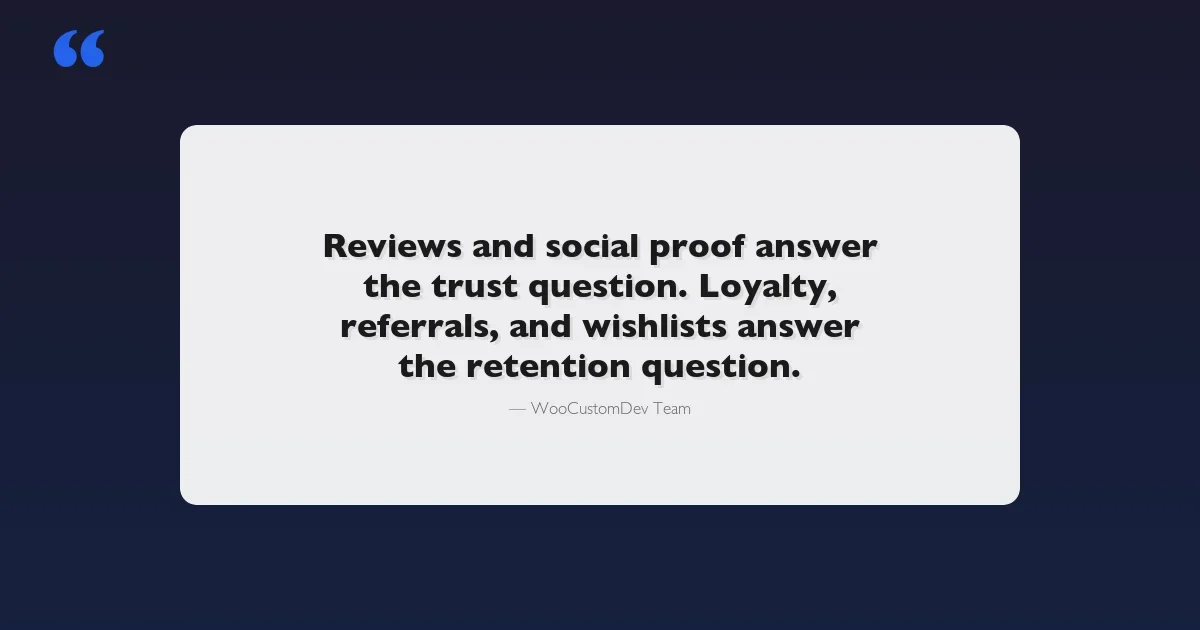
Reviews and social proof answer the trust half. Loyalty, referrals, and wishlists answer the retention half. Trust badges quietly reinforce both.
We get called in most often after a store has already installed five or six plugins from this category. Usually one at a time, over a couple of years. Each one solved a narrow problem in isolation.
Together they duplicate database tables. They fire conflicting JavaScript on the product page. In the worst cases, they send two different loyalty point balances to the same customer. This guide walks through each plugin category on its own merits, then gets into how to pick a coherent stack instead of stacking six tools that were never designed to talk to each other.
Start With the Foundation: Review Collection and Review Reminders
Reviews are the highest-leverage social proof a WooCommerce store has. They’re free content written by customers. They carry star-rating rich snippets in search results. And they compound: a product with 40 reviews converts differently than one with 3. Everything else in this guide is secondary to getting review volume up and keeping it honest.
Automated Review Request Emails
The mechanism matters more than the plugin brand. A review-reminder tool needs to:
- Trigger on order completion or delivery, not on order creation, so customers have actually used the product
- Support a delay window (5–10 days for physical goods, shorter for digital)
- Send a maximum of two follow-ups, not an unlimited nag sequence
- Include a direct link back to the exact product’s review form, not the general storefront
- Skip customers who already left a review, and skip refunded or cancelled orders automatically
Plugins like the built-in WooCommerce Product Reviews Pro extension, Judge.me, and Yotpo all cover this reasonably well out of the box. The real differentiator at scale is usually email deliverability and the review moderation queue, not the reminder logic itself. For a deeper breakdown of specific tools and their automation options, see our WooCommerce review reminder plugin comparison.
The Fake Review Problem (and the Compliance Risk Behind It)
This is the part most roundup articles skip entirely, and the part that gets stores into real trouble. Incentivized reviews, “leave a review, get a discount code”, sit in a legal gray zone. Regulators have been actively tightening the rules here.
The FTC’s endorsement guidelines require disclosure when a review was compensated. Platforms like Google are increasingly willing to suppress or delist merchants whose review profiles look manipulated. Think review velocity spikes, near-identical phrasing, or all five-star ratings with no distribution.
The safest incentive structure is unconditional and undisclosed-to-nobody. Offer the discount for attempting to leave feedback, not for leaving a positive one. Say so in the email: “Thanks for your order, leave any review, good or bad, and get 10% off your next one.” That single wording change is often the difference between a legitimate review program and one that trips a platform’s manipulation filters.
Practically, that means a few things. Configure the reminder plugin to send the same incentive regardless of star rating. Disable any “gate” that only shows the public review form to customers who first indicate 4 or 5 stars privately, some plugins ship this pattern by default, and it violates most review platform terms of service. And keep a visible distribution of ratings rather than curating out anything below 4 stars.
Schema Markup for Rich Snippets
None of this matters for search visibility if the review data isn’t structured correctly. WooCommerce outputs basic Product schema by default. But the AggregateRating and Review nodes frequently break the moment a second plugin gets involved.
An SEO plugin, a separate reviews plugin, and a theme that also injects schema can all try to own the same markup. The result is duplicate or conflicting JSON-LD blocks. Google’s rich results test flags these as invalid. The star ratings quietly disappear from search results, often for months before anyone notices the click-through rate drop.
Live Sales Notifications and Other Social Proof Widgets
Separate from reviews, “social proof” plugins are the small popup widgets. You’ve seen them: “Sarah in Austin just bought this” or “14 people are viewing this product right now.” Tools like TrustPulse, Nudgify, and Fera fall into this category.
What Actually Moves Conversion
Used sparingly, these widgets work well. They reduce perceived risk at the exact moment of hesitation, right on the product page before checkout. Used aggressively, they do the opposite.
Stacked popups, fake urgency countdown timers that reset on refresh, and inflated “X people viewing” counters are classic dark-pattern signals. Sophisticated shoppers have learned to distrust them on sight. So have consumer protection regulators in the EU and UK. The rule of thumb we give clients: one social proof widget type per page, real data only, and a frequency cap so the same visitor doesn’t see the same popup on every page load.
Where Social Proof Overlaps with Reviews
This is the first place stacking conflicts show up. A live-sale-notification plugin and a review plugin will both often try to inject content into the same product summary hook (woocommerce_single_product_summary). Depending on load order, one silently overwrites the other’s output. Or both render, and the page looks cluttered.
Before adding a social proof widget, check what hook priority the review plugin is already using. Pick a different insertion point. Most quality plugins expose a settings option for this, the ones that don’t are a sign to look elsewhere.
WooCommerce Loyalty Plugins: Points-Based Programs
Loyalty plugins reward repeat purchase behavior with points, tiers, or store credit. WooCommerce Points and Rewards, WPLoyalty, and Advanced Coupons’ loyalty add-on are the common starting points. For a full side-by-side breakdown of these tools, see our WooCommerce points and rewards plugins for customer loyalty comparison.
How a Rules Engine Works
Every loyalty plugin is, underneath the UI, a rules engine. Earn X points per dollar spent. Redeem Y points for a discount. Apply a multiplier on a customer’s birthday or during a campaign window. Unlock a tier at a lifetime spend threshold.
For the first year or two of a loyalty program, the stock rules engine that ships with these plugins is genuinely enough. Store owners tend to overestimate how sophisticated their rules need to be on day one.
When Loyalty Plugins Start to Break Down
Here’s the pattern we see repeatedly. A loyalty program starts simple: “1 point per dollar, 100 points = $5 off.” It works fine for a year. Then the store wants something the plugin’s settings screen simply has no field for.
Points that expire on a rolling 90-day basis per batch, rather than all at once. A tiered multiplier that changes based on product category margin, not a flat rate. Or points awarded for actions outside of WooCommerce entirely, like a wholesale portal, a subscription renewal, or a referral conversion.
At that point the store has two options: an awkward workaround inside the existing plugin’s rule builder, or a scoped custom rules layer built on top of the plugin’s points ledger. That second option is the kind of gap our team gets brought in to close once a generic plugin’s rules engine has been outgrown, rather than replacing the whole loyalty system from scratch.
Referral and Affiliate Programs
Referral vs. Affiliate: Picking the Right Model
These get used interchangeably, but they’re different mechanisms:
- Referral programs reward existing customers for sending friends. Typically a discount or credit for both parties. ReferralCandy and similar tools are built for this “refer a friend” loop and integrate directly with the loyalty points ledger when there is one.
- Affiliate programs recruit non-customers, like bloggers, influencers, and review sites, to promote products for a commission on sales. AffiliateWP and YITH WooCommerce Affiliates are the common WooCommerce-native options, with dashboards, payout tracking, and unique tracking links per affiliate.
A store selling a single consumer product with a passionate customer base usually gets more value from a referral program first. A store with a higher price point, or a niche audience that content creators already cover organically, usually gets more value from affiliates first.
Running both is common at scale, but they should stay on separate tracking and separate reward pools. Conflating “sent a friend” credit with “affiliate commission” in the same ledger makes payout reconciliation a mess by the second quarter. For a deeper look at dedicated affiliate tracking tools, see our WooCommerce affiliate plugins for referral marketing roundup.
Integrating Referral with Loyalty
The cleanest setups treat a successful referral as just another point-earning action inside the loyalty plugin’s rules engine, not as a reward run through an entirely separate credit system. This is exactly the kind of integration that stock plugin pairings often don’t support out of the box.
Most referral plugins issue their own coupon codes, independent of the loyalty plugin’s points balance. That leaves a customer with two disconnected reward balances to track instead of one. For platforms that combine both mechanics natively, see our overview of WooCommerce referral and loyalty programs plugins.
Wishlists: Small Feature, Real Retention Value
Wishlists get dismissed as a minor nice-to-have, but the data doesn’t back that up. Wishlist items are a leading indicator of purchase intent. A wishlist abandonment email, similar in spirit to a cart abandonment email but for saved-not-purchased items, consistently pulls a meaningful chunk of customers back, especially around a price drop or restock.
TI WooCommerce Wishlist and YITH WooCommerce Wishlist are the two most common implementations. The feature that separates a useful wishlist plugin from a purely cosmetic one is exactly that: automated “item back in stock” and “item now on sale” notification emails, not just a heart icon on the product page. See our full WooCommerce wishlist plugins comparison for feature-by-feature detail.
The other underused wishlist feature is the shareable list. It lets a customer share a wishlist link for gift-giving occasions. It’s a small feature, but for stores with a gifting-adjacent product category, it quietly becomes a second acquisition channel with zero ad spend.
Trust Badges: The Easy Layer Everyone Gets Wrong
Trust badges are secure checkout icons, “as seen in” press logos, and money-back guarantee seals. They’re the simplest tool in this entire category, and the one most commonly implemented badly. Two failure modes show up in almost every audit we run:
- Badges near checkout that don’t correspond to anything real. A generic “SSL Secured” badge is meaningless noise if the store doesn’t also show the actual payment processor logos: Visa, Mastercard, PayPal, Stripe. Recognition, not reassurance language, is what reduces checkout abandonment.
- Badge images that aren’t optimized. This drags down page weight on exactly the page, checkout, where speed matters most for conversion. We routinely find unoptimized PNG badge sets adding 300–500KB to a checkout page that should be as lean as possible.
Trust badges are the one plugin category in this guide we’d actively recommend against. Use a hard-coded, optimized SVG badge row in the theme’s checkout template instead. The “plugin” here is rarely worth the extra database queries and admin settings screen for something that changes maybe once a year.
Building a Coherent Stack Instead of Six Conflicting Plugins
The core mistake in this whole category is treating each need as an isolated purchase decision. A more durable approach maps the stack against two questions before installing anything.
Does this plugin need to read or write data that another plugin in the stack already owns, like points balances, review counts, or coupon codes? Does it need to render on a page another plugin already renders on? Answering those honestly upfront avoids most of the conflicts below.
Category | Owns | Common Conflict Point | Fix |
|---|---|---|---|
Reviews | Product schema, review CPT | Duplicate JSON-LD with SEO plugin | Disable schema output in one plugin, keep the other as source of truth |
Social proof | Product page hook injection | Overlaps reviews widget on same hook | Set explicit, different hook priorities |
Loyalty | Points ledger, tiers | Referral plugin issues separate credit | Route referral rewards through loyalty’s points API |
Referral/Affiliate | Tracking links, payouts | Double-counted rewards with loyalty | Keep affiliate commissions on a separate ledger from customer points |
Wishlist | Saved-item table, notification emails | Duplicate “back in stock” emails with inventory plugin | Pick one plugin as the single back-in-stock notifier |
Trust badges | Checkout template markup | Page weight, redundant with theme | Hard-code optimized SVGs instead of a plugin |
Scenario 1: Consolidating Loyalty and Referral Into One System
A mid-size home goods store came to us running WooCommerce Points and Rewards for loyalty. They also had a separate referral plugin issuing its own store-credit coupons. Customers ended up with two disconnected balances. Support tickets about “missing points” were a recurring theme.
The referral plugin’s coupons weren’t factored into loyalty tier calculations at all. A customer with a high lifetime spend from referral credit alone could sit stuck at the bottom tier indefinitely. The fix wasn’t replacing either plugin outright.
We built a thin integration layer that intercepted successful referral conversions and posted them as point-earning events into the loyalty plugin’s ledger, using its existing hooks. Then we hid the referral plugin’s own coupon-issuing logic entirely. The result: one balance, one tier calculation, and a support ticket category that dropped to near zero within a month.
Scenario 2: Fixing Review Schema for Rich Snippets
A supplements retailer had installed a dedicated reviews plugin two years after their SEO plugin was already generating Product and Review schema. Both plugins were outputting AggregateRating nodes independently.
Google’s structured data testing tool flagged the page with a “duplicate field” warning. It was severe enough that star ratings had stopped appearing in search results, quietly, with no error visible on the front end, for roughly four months before a routine SEO audit caught it.
The fix was a half-day job. We disabled the SEO plugin’s product review schema module specifically, while leaving its other schema output intact. We verified the reviews plugin’s JSON-LD validated cleanly in Google’s Rich Results Test, then resubmitted the affected product URLs for re-crawling. Star ratings reappeared in search results within about two weeks.
When to Go Custom
Most stores never need anything beyond well-configured off-the-shelf plugins for this entire category. That’s the honest recommendation the vast majority of the time. The exception, in our experience, is almost always the loyalty rules engine specifically.
It’s the one piece in this stack most likely to need business logic a settings screen can’t express: multi-currency point conversion for international stores, points tied to B2B account hierarchies rather than individual customer accounts, or a rules engine that needs to react to events from outside WooCommerce entirely, like a separate booking system or a wholesale portal.
When a store outgrows what a generic points plugin’s rule builder can configure, that’s typically where a scoped custom development engagement makes more sense, built on top of the existing plugin’s data model, not replacing it, rather than forcing an unsupported workaround.
A Practical Rollout Checklist
- Get review collection and review-reminder emails running first, this is the highest-leverage, lowest-conflict-risk plugin in the whole category
- Audit review incentive wording for compliance before turning on any discount-for-review automation
- Verify structured data with Google’s Rich Results Test after installing any reviews or SEO plugin, and re-check after every major update
- Add one social proof widget type at most, with a frequency cap, and confirm its hook priority doesn’t collide with the reviews plugin
- Start loyalty with the simplest points-per-dollar structure the plugin supports before requesting custom rules
- Choose referral or affiliate based on your actual customer base, not both by default
- Route referral or affiliate rewards through the loyalty ledger if both exist, rather than running two separate balances
- Turn on wishlist back-in-stock and price-drop notifications, this is the feature that actually pays for the plugin
- Replace any plugin-based trust badge row with hard-coded, optimized SVGs in the checkout template
- Revisit the whole stack annually, plugin updates are the most common source of new hook conflicts in this category
Getting the Stack Right the First Time
None of these six plugin categories is complicated on its own. The complexity comes from treating them as six separate purchase decisions, instead of one connected system that shares customer data, page real estate, and hook priorities.
Start with reviews. Add social proof sparingly. Keep loyalty simple until the rules genuinely demand more. Pick referral or affiliate deliberately, rather than defaulting to both. And never let a trust badge plugin slow down checkout.
Get that sequencing right, and most WooCommerce stores never need anything beyond a well-configured set of off-the-shelf tools. Save custom development for the specific moment a loyalty or rewards rule genuinely outgrows what a settings screen can express.
Plugins we build and run
We maintain these ourselves, which is why we can support them on your site.
- BuddyNextThe self-hosted community engine for WordPress
- BuddyXFree community theme, Pro when you outgrow it
- ReignPremium community theme. Add pieces, build anything
- JetonomyCommunity forum and Q&A for WordPress
- EventonomyEvents and RSVPs for WordPress communities
- LearnomyCourses and learning communities on WordPress
- ListoraDirectories and listings your members can browse
- SnipShareCode sharing built for developer communities
- WB Ad ManagerAd placements that turn traffic into revenue
- WP Career BoardA job board your community actually uses
- WP Sell ServicesSell services with offers, orders, and payouts
- MediaVersePhotos, video, and media albums for members
- WB GamificationPoints, badges, and rewards that keep members active
- Product RoadmapPublic roadmaps with voting your users trust