Stop Annoying Customers With WooCommerce Popup Plugins
Exit-intent popups, cart-abandonment modals, and countdown timers can lift conversion or quietly kill it. Here's how to tell real urgency from fake scarcity, protect Core Web Vitals, and get mobile UX right, with two real store scenarios.

WooCommerce popup plugins that fire the second someone lands on a product page are not urgency. They’re an annoyance with a timer bolted on. We’ve fixed enough WooCommerce stores with forgotten popup plugins to know the difference. Real urgency converts. Fake urgency just trains customers to hit the back button.
This guide covers four things. Where exit-intent and cart popups genuinely help. Where countdown timers cross into fake scarcity, and why that can get a store in legal trouble. What these scripts do to your Core Web Vitals. And how to handle mobile UX when a modal takes over a small screen. None of this requires ripping out your popup plugin. Most of it just means configuring it like the targeting tool it actually is.
The Problem With Most WooCommerce Popup Plugins
Most popup plugins ship with the same defaults. Show on load. Show on every page. Show to every visitor, even ones who already bought. Store owners install one, accept the defaults, and move on. Three months later, bounce rate is up. Nobody connects it back to the modal that fires before the hero image even loads.
The plugin isn’t the problem. The default settings are. A popup plugin is a targeting and timing tool first. Design comes second. Get the targeting wrong, and even the best-designed modal reads as spam. If you haven’t picked a plugin yet, our comparison of WooCommerce popup plugins is a reasonable starting point, but the settings still matter more than the plugin you choose.
We also see stores running two or three popup plugins at once. Usually a previous developer added a new one instead of fixing the old one. A cart-abandonment plugin. A newsletter popup plugin. A countdown-timer plugin. Each installed at a different point in the site’s history. None aware the others exist. They stack. A visitor closes one popup, and a second appears three seconds later. That’s not a targeting problem anymore. It’s a plugin-inventory problem. Auditing what’s actually installed is usually the first fix, before touching any settings screen.
Exit-Intent and Cart Popups: Where They Help, Where They Wreck Conversion
What a Well-Timed Exit-Intent Popup Actually Does
Exit-intent detection watches for mouse movement toward the browser chrome. On mobile, it watches for a rapid upward scroll or a back-button tap. It fires right before the visitor leaves. Done well, it catches someone who already mentally checked out. It doesn’t interrupt someone mid-read.
- Fires only after a minimum time-on-page or scroll-depth threshold, not on arrival
- Offers something tied to what the visitor was actually looking at: a discount on the category they browsed, not a generic newsletter signup
- Never fires twice in the same session, and respects a cookie so it doesn’t reappear for weeks after a dismissal
- Skips visitors who already have items in an active cart heading to checkout
The Common Ways Cart Popups Backfire
Cart abandonment popups appear when someone adds to cart, or tries to leave the cart page. They’re riskier because they interrupt a visitor who’s already close to buying. We see the same three mistakes on almost every audit:
- Firing immediately on add-to-cart, which breaks the visitor’s flow before they’ve even seen the cart page
- Stacking a second popup on top of a first, an exit-intent offer layered over a cart reminder, both fighting for the same click
- Using the same discount code that’s already applied automatically, so the popup looks broken or redundant instead of persuasive
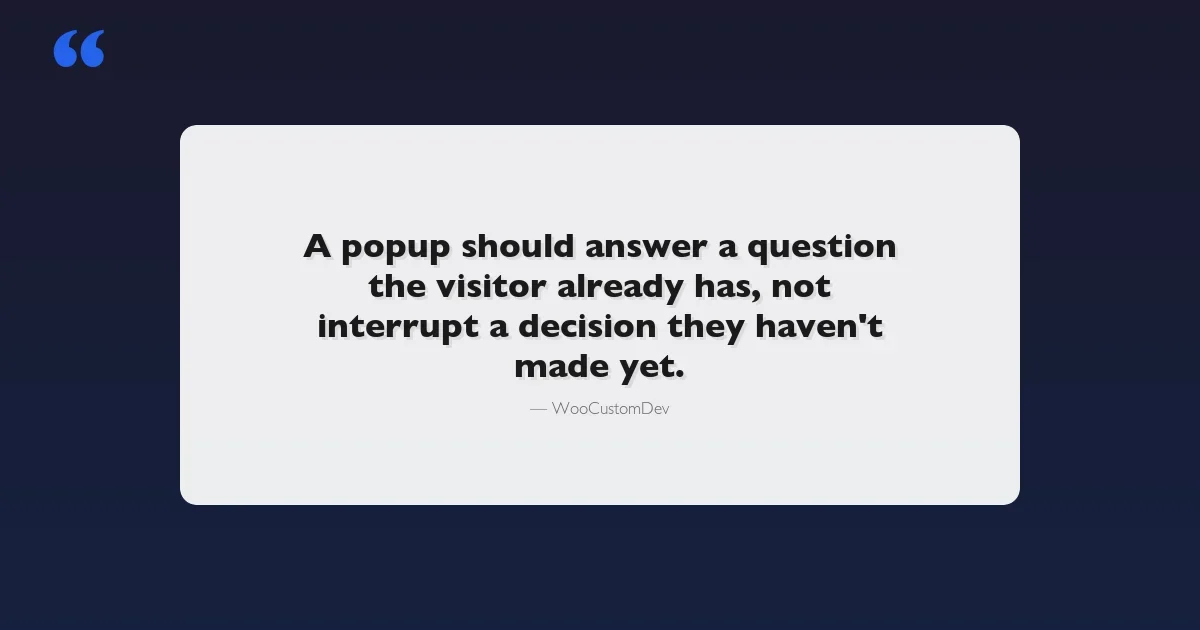
A popup should answer a question the visitor already has. If it interrupts a decision they haven’t made yet, it’s not persuasion. It’s friction.
The same logic applies to legal-consent popups, not just marketing ones. If your store also needs a terms-and-conditions acceptance popup at checkout, our roundup of WooCommerce terms and conditions popup plugins covers that separately from urgency messaging, and the two shouldn’t be handled by the same trigger logic.
Countdown Timers: Real Urgency vs Fake Scarcity
Countdown timers work because deadlines change behavior. That’s well-documented consumer psychology, not a guess. The trouble starts when the deadline isn’t real.
Real Countdown Timers Tied to Inventory or a Sale Window
A real countdown does one of two things. It counts down to an actual calendar event, like a sale that ends at midnight. Or it reflects real stock levels pulled from WooCommerce inventory. Both are verifiable. If a customer refreshes the page tomorrow, the sale is genuinely over, or the stock count has genuinely dropped.
Fake Scarcity, and Why It’s a Legal and Trust Risk
Fake scarcity is a timer that resets for every new visitor. It’s a “3 left in stock” message that shows the same number to everyone, regardless of real inventory. It’s common in cheap popup plugin templates. And it’s not a gray area anymore.
The FTC’s guidance on deceptive scarcity claims treats manufactured urgency as consumer deception. The UK’s Competition and Markets Authority takes the same position on fake countdown timers. A store running a “sale ends in 10 minutes” timer that resets on every visit isn’t just risking a bad review. It’s making a claim that a regulator can act on.
There’s also a quieter cost. Repeat customers notice. If someone sees the same “2 left in stock” badge on three visits over two weeks, the badge stops working. So does every other urgency signal on the site. Once a visitor catches one fake number, they stop trusting every number on the page, including the real ones. Trust erosion like this compounds with other weak points; our guide to WooCommerce security plugins for store protection covers the other half of that trust equation.
Signal | Real Urgency | Fake Scarcity |
|---|---|---|
Countdown timer | Tied to a fixed sale end date/time in WooCommerce, same for every visitor | Resets per-session or per-visitor, always shows the same remaining time |
Stock counter | Pulled live from product inventory, updates as items sell | Static number hardcoded in the plugin, never actually changes |
“X people viewing” | Based on real session data, if used at all | Randomized number with no connection to actual traffic |
Sale expiry | Price actually reverts when the timer hits zero | “Sale” price is the regular price; nothing changes at zero |
Scenario: A Flash-Sale Store That Needed a Countdown Tied to Actual Stock
A homeware brand running seasonal flash sales came to us after their countdown plugin caused a support nightmare during Black Friday. The timer counted down to zero. The page reloaded. A fresh 24-hour countdown started again, for every visitor, indefinitely, forever. Customers who bought because they thought the sale was ending asked for refunds when they saw the “same” sale still running a week later.
The fix wasn’t a better popup plugin. It was custom logic that read the store’s actual WooCommerce sale schedule and counted down to that real timestamp. The sale price genuinely reverted server-side when the window closed, not just on screen. We also tied a low-stock badge to real inventory counts on their limited-run products, so “6 left” meant six were actually left. Refund requests tied to urgency complaints dropped to zero the next sale cycle. Support tickets during the following Black Friday window fell by more than half.
Scenario: Fixing a Popup That Was Quietly Killing Conversion
A supplements store had a 40% cart-to-checkout drop-off nobody could explain. Analytics showed visitors adding to cart, then leaving within seconds. The culprit was an exit-intent popup firing on mobile the instant a visitor’s thumb moved toward the browser’s URL bar. That’s a false positive that doesn’t exist on desktop, because mobile “exit” gestures are ambiguous.
We disabled exit-intent detection on mobile entirely. In its place, a slide-up bar appeared only after 45 seconds of engaged scrolling, offering free shipping at the threshold the visitor was closest to hitting. Cart-to-checkout completion recovered within two weeks. We changed nothing about pricing or product pages. The lesson goes beyond this one client: mobile needs its own trigger logic, not a scaled-down copy of the desktop rules.
Performance Impact: What Popup Scripts Do to Core Web Vitals
Where Popups Usually Cause Damage
Popup and countdown plugins are often the single biggest hit to a WooCommerce store’s Core Web Vitals. It’s rarely the popup’s HTML that’s the problem. It’s how the script loads.
- LCP (Largest Contentful Paint): a render-blocking popup script in the
<head>delays the hero image or headline from painting until the script has parsed - CLS (Cumulative Layout Shift): a banner injected above the content after the page renders pushes everything down. Google counts that shift, even if the visitor never sees the popup itself
- INP (Interaction to Next Paint): heavier plugins attach scroll and mousemove listeners across the whole page to detect exit intent. On lower-end phones, that listening competes with tap responsiveness
Google’s own Core Web Vitals documentation says third-party scripts are the most common cause of LCP and INP regressions on ecommerce sites. Popup plugins sit near the top of that list. They’re built to run on every page, not just the ones where urgency actually makes sense.
The fix list is short. Load popup scripts asynchronously, after first paint. Reserve layout space for anything that appears above existing content, so it doesn’t cause shift. Scope exit-intent listeners to product and cart pages, not the whole site. On a recent audit, moving one countdown-timer plugin from head-blocking to deferred loading dropped the product page’s LCP from just over 4 seconds to under 2.5. The timer itself never changed.
Mobile UX Considerations for Popups and Urgency Messaging
Desktop exit-intent doesn’t map to mobile. There’s no cursor leaving toward a tab bar. Plugins fake it by watching scroll speed or back-gesture attempts. That fires constantly and wrongly, which is exactly what happened in the supplements store scenario above.
A few things matter more on mobile than desktop:
- The close button needs a real tap target, 44x44px minimum, not a 12px “x” in the corner that requires a second attempt
- A full-screen takeover popup should never block the browser’s native back gesture; trap that and visitors will just close the tab instead
- Countdown timers and stock badges work better as a persistent, dismissible bar on mobile than a modal. It delivers the same urgency without hijacking the screen
- Test on an actual mid-range Android device, not just a simulator at desktop resolution scaled down. Popup rendering bugs show up disproportionately on real hardware with real network latency
Screen real estate is the other constraint people underestimate. A desktop popup with three columns of copy, an image, and a form collapses badly on a small screen. Someone needs to design the mobile version, not just let the plugin auto-shrink it. If the mobile preview looks cramped in the editor, it will look worse on an actual phone.
A Practical Checklist Before You Install (or Keep) a Popup Plugin
- Does the popup respect a minimum time-on-page or scroll-depth trigger, or does it fire on load?
- Is there a session or cookie-based frequency cap so returning visitors aren’t shown the same offer repeatedly?
- Does every countdown timer tie to a real, fixed end date rather than resetting per visitor?
- Do stock counters read live inventory, or are they hardcoded?
- Is the script loaded asynchronously, after first paint, and only on pages where it’s actually used?
- Has the popup been tested on a real mobile device for tap targets and gesture conflicts?
- If the sale timer hits zero, does the price actually revert?
If the honest answer to more than one of these is no, that’s usually enough to explain a conversion or trust problem before you touch anything else on the site.
When Off-the-Shelf Urgency Plugins Aren’t Enough
Most popup and countdown plugins are built to be generic. The same settings panel has to work for a t-shirt store and an industrial parts store. That’s fine, until urgency needs to tie to something specific. Real-time inventory across multiple warehouses. A subscription renewal window. A B2B pricing tier that changes the “sale ends” logic per customer group.
That kind of urgency logic doesn’t come out of a plugin’s settings screen. It gets built against the store’s actual data. We’ve done this for stores where the stock-based countdown needed to read a multi-location inventory sync, not a single product field. We’ve also done it for a subscription store where “urgency” meant a renewal deadline unique to each customer’s billing cycle. It’s a smaller, more specific kind of build than most agencies advertise. That’s usually why it gets skipped in favor of a plugin that almost fits.
Frequently Asked Questions
Do exit-intent popups actually hurt SEO or Core Web Vitals scores directly?
Not the popup markup itself. Google doesn’t penalize a site for having a popup. What gets penalized is a badly loaded script: one that blocks render, or shifts layout after the page looks settled. Fix the loading pattern, and the popup itself is a non-issue.
Is a countdown timer ever worth using if the sale genuinely has a fixed end date?
Yes. A countdown tied to a real, fixed deadline is one of the few urgency tactics with solid evidence behind it, simply because it’s true. The risk only shows up when the deadline is fake, or the timer resets per visitor.
How many popups is too many on a single WooCommerce store?
There’s no fixed number. But if a single visitor session can trigger more than one popup, that’s usually one too many. Audit what’s installed. Map every trigger condition against every other plugin’s trigger condition. Consolidate before adding anything new.
Final Thoughts
Popups, countdowns, and urgency messaging aren’t the enemy of good WooCommerce UX. Badly targeted, badly timed, dishonest versions of them are. The fix is rarely “remove all popups.” It’s usually narrowing when they fire. Making sure every number on the page is real. Checking what the script does to load performance, before assuming the popup itself killed conversion.
If your store’s urgency messaging needs to reflect something more specific than a plugin’s default settings allow, whether that’s real inventory, per-customer pricing, or multi-location stock, that’s the kind of custom WooCommerce development work we take on directly. Get in touch, and we’ll look at what’s actually driving your countdown or stock logic before we recommend anything.
Plugins we build and run
We maintain these ourselves, which is why we can support them on your site.
- BuddyNextThe self-hosted community engine for WordPress
- BuddyXFree community theme, Pro when you outgrow it
- ReignPremium community theme. Add pieces, build anything
- JetonomyCommunity forum and Q&A for WordPress
- EventonomyEvents and RSVPs for WordPress communities
- LearnomyCourses and learning communities on WordPress
- ListoraDirectories and listings your members can browse
- SnipShareCode sharing built for developer communities
- WB Ad ManagerAd placements that turn traffic into revenue
- WP Career BoardA job board your community actually uses
- WP Sell ServicesSell services with offers, orders, and payouts
- MediaVersePhotos, video, and media albums for members
- WB GamificationPoints, badges, and rewards that keep members active
- Product RoadmapPublic roadmaps with voting your users trust