WooCommerce QuickBooks Integration: A Proven, Complete Guide
A WooCommerce dev-consultancy guide to syncing orders with QuickBooks and Xero, selling digital downloads and software licenses, and the order edge cases (partial refunds, multi-currency, split shipments) that break off-the-shelf sync plugins.

Every WooCommerce store eventually hits the same wall. The books stop matching the storefront. Orders come in faster than a bookkeeper can categorize them. Refunds get logged twice. Digital product sales sit in a spreadsheet nobody trusts. If you’ve searched for “WooCommerce accounting plugins” or “how to connect WooCommerce to QuickBooks,” you’ve probably found a dozen plugin listings. They all promise a five-minute setup. None of them mention what happens once your store has real order complexity. This guide covers WooCommerce QuickBooks integration in practice. It shows what actually works, where the popular sync tools break down, and when the fix is a plugin versus a custom integration. It’s written from the vantage point of a WooCommerce development consultancy. We get called in after the DIY plugin setup has already been tried. The edge cases below aren’t hypothetical. They’re the recurring reasons stores end up needing custom work.
Why WooCommerce Accounting Sync Breaks Down at Scale
WooCommerce was never built to be an accounting system. It shouldn’t try to be one. Its job is to capture the order: line items, taxes, shipping, discounts, and payment status. The accounting system’s job is different. It turns that order into a ledger entry that survives an audit. Most sync problems live in the gap between those two jobs.
A store doing twenty orders a day can get away with manual entry. Someone types totals into QuickBooks once a week. A store doing two hundred orders a day cannot do that. Add three tax jurisdictions and a mix of physical products and digital downloads, and manual entry becomes impossible. At that volume you need automated, line-item-accurate sync. That’s exactly where the stock plugins start making assumptions that don’t match how your store actually operates.
Setting Up WooCommerce QuickBooks Integration
QuickBooks Online is the most common target for WooCommerce accounting sync. It’s the accounting platform most small and mid-size US and Canadian merchants already use. There are a handful of ways to connect the two. They range from official-ish connector plugins to full custom middleware.
What Syncs Cleanly Out of the Box
- Standard single-item and multi-item orders with one tax rate
- Simple product sales with no variable pricing complications
- Full refunds processed in one transaction
- Single-currency stores selling entirely in USD or CAD
- Orders paid with a single payment method per transaction
Picture a straightforward store: one currency, one tax setup, mostly full-price physical products. A QuickBooks sync plugin genuinely does the job here. Install it, map your chart of accounts, and connect the API keys. Orders start flowing into QuickBooks as invoices or sales receipts within a day.
Where the Native Sync Falls Apart
The trouble starts once your order data has any texture to it. Sync plugins are built against the “happy path” order: one product, one tax rate, one payment, no exceptions. Real stores don’t work that way. They generate a constant stream of exceptions: partial refunds, split shipments, multi-currency checkout, subscription proration, and orders paid across two payment methods, like a gift card plus a credit card. Each of those pushes the sync plugin into behavior nobody tested for. The failure mode is rarely a visible error. It’s usually a silently wrong number sitting in QuickBooks. Your bookkeeper finds it three months later during reconciliation.
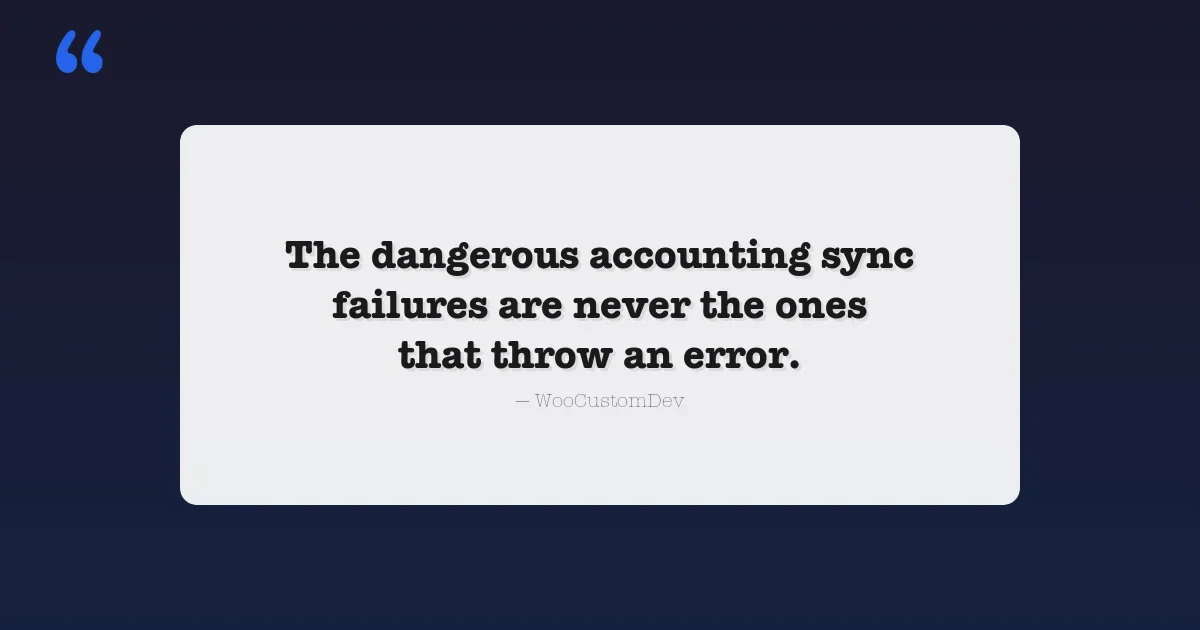
The dangerous accounting sync failures are never the ones that throw an error. They’re the ones that post a number that looks plausible but is wrong.
WooCommerce and Xero: The Alternative Path
Xero is the QuickBooks alternative most commonly requested outside North America. Merchants in the UK, Australia, and New Zealand often prefer it, since Xero has stronger local banking and tax integrations there. The WooCommerce-to-Xero connection has the same shape as the QuickBooks one. It’s solid for simple order flows. It gets shaky once you introduce multi-currency, split payments, or non-standard tax handling like VAT MOSS for digital goods sold across EU member states.
The decision between QuickBooks and Xero usually isn’t a WooCommerce question at all. It comes down to where your accountant already works and which banking integrations matter to you. What matters for this guide is simpler: the sync challenges are nearly identical on both platforms. Everything below about edge cases applies whether you’re pushing orders into QuickBooks Online or Xero.
Real-World Scenario: Split-Tender Orders and Custom QuickBooks Sync
A mid-size home goods retailer came to us with a QuickBooks sync plugin that had technically been “working” for over a year. Except their monthly reconciliation took a full week of manual cross-checking. The root cause: their checkout let customers apply store credit, then pay the remainder with a card. Roughly 15% of orders used this split-tender flow. The sync plugin recorded the full order value against a single payment method. That meant the store credit liability account never decremented correctly, and the card processor fees were miscalculated on every affected order.
The fix wasn’t a bigger plugin. It was custom sync logic that read each order’s actual payment breakdown from WooCommerce’s payment gateway meta via the REST API. That logic split the QuickBooks entry into two matching line items: one against the store credit liability account, one against the card clearing account. It posted processor fees against the correct portion only. That’s the kind of logic no off-the-shelf connector ships with, because it depends entirely on how a specific store’s checkout is configured.
Store owners looking for a lighter-weight starting point before committing to custom sync work can also compare dedicated WooCommerce deposit and partial payment plugins. Split-tender orders and deposit-based checkouts create overlapping accounting complexity.
Selling Digital Downloads and Software Licenses on WooCommerce
The second major category of WooCommerce accounting problems isn’t accounting at all. It’s fulfillment. Stores selling digital downloads, plugin licenses, or SaaS seats have to solve delivery and license enforcement. The tax and revenue-recognition rules for digital goods are different from physical products in most jurisdictions.
Delivery and License-Key Generation
WooCommerce’s own Digital/Downloadable product type handles the simplest case well. Customer pays, customer gets a download link, done. It gets more complex once you’re selling something that needs a unique license key per purchase, like a plugin, a desktop app, or an API credential. At that point you need one of these approaches:
Approach | Good for | Limitation |
|---|---|---|
WooCommerce Downloadable products | Ebooks, templates, static files | No per-purchase license key or activation limit |
Software license plugin (license manager add-ons) | Single-product SaaS or plugin sellers | Struggles with tiered licenses, seat-based pricing, renewals |
Custom license-key generation service | Multi-product software companies with activation limits, seat tracking, or usage-based tiers | Requires development, but matches the exact licensing model |
The stock license plugins work fine for one product with one license type. They start to break when your pricing model gets more complex: seat counts, activation-device limits, renewal-based re-issuance, or tiered feature unlocks tied to the same base product. That describes most real software businesses within a year or two of launch. When licensing is tied to a recurring subscription rather than a one-time purchase, it’s worth cross-referencing our comparison of WordPress subscription plugins for the billing side of that equation. Renewal timing and license re-issuance need to stay in sync.
Piracy Prevention and License Enforcement
License-key generation only solves half the problem. The other half is enforcement: making sure a key issued for one customer doesn’t circulate on forums and get used by a hundred people. A workable enforcement layer typically needs:
- Server-side activation limits tied to hardware fingerprint or domain
- A remote deactivation endpoint so support can revoke a compromised key without refunding the order
- Grace-period handling for legitimate customers moving between machines
- Renewal and expiration logic that doesn’t lock out paying customers on a billing hiccup
None of that ships in a generic downloads plugin. It’s application logic built around your specific product and support workflow. For broader account and store-level protection beyond license enforcement itself, our roundup of WooCommerce security plugins covers the complementary layer: securing the store admin and customer accounts that issue those licenses in the first place.
Real-World Scenario: Custom License-Key Generation for a Software Company
A WordPress plugin company running WooCommerce for sales came to us after outgrowing a stock license manager plugin. Their catalog had grown to twelve add-ons, sold individually or in three bundle tiers, each with different site-activation limits. Customers frequently upgraded from a single-add-on purchase into a bundle mid-subscription. The stock plugin issued one flat key per order and had no concept of upgrading a key’s entitlements. Every upgrade meant manually voiding the old key and issuing a new one. Support was doing that by hand for dozens of tickets a week.
We built a custom license-key generation layer on top of WooCommerce order and subscription hooks. Keys were tied to a customer entitlement record rather than a single order. Upgrades updated the entitlement in place instead of issuing a new key. The activation-limit check ran against a lightweight REST endpoint the plugins themselves called on load. Support tickets around licensing dropped by roughly 80% in the following quarter. As a side effect, because entitlements were now tracked centrally, the QuickBooks revenue sync could finally recognize bundle-upgrade revenue correctly instead of double-counting it.
The Edge Cases That Break Off-the-Shelf Sync Plugins
Three order patterns cause the most support tickets and the most silent data errors, across both accounting sync and digital delivery. If your store regularly generates any of these, budget for custom logic. Don’t assume a plugin update will eventually cover it.
Partial Refunds
Most sync plugins handle a full refund correctly: reverse the whole invoice, done. Partial refunds are where they fall down. Say a customer gets $12 back on a $60 order because one item was out of stock. The plugin has to correctly adjust the specific line item and the associated tax. If shipping was refunded proportionally, it has to adjust the shipping line too. Get any one of those wrong, and your revenue and tax-liability numbers drift a little further out of sync every month.
Multi-Currency Orders
Stores using a currency-switcher plugin to sell in EUR, GBP, and USD simultaneously create a specific problem. The order is stored in WooCommerce in the store’s base currency. But the actual charge and any processor conversion happened in the customer’s currency. A naive sync pushes the base-currency total into QuickBooks and ignores the FX gain or loss. A proper multi-currency chart of accounts needs to record that gain or loss. Over a few hundred international orders, that gap becomes a real reconciliation problem for your accountant.
Split Shipments
Sometimes one order ships in two or three separate packages. This is common for stores combining dropship and warehouse-fulfilled items. The accounting sync needs to know whether revenue recognition happens at order time or at each shipment. Most plugins recognize revenue at order creation, regardless of fulfillment status. That’s fine for cash-basis bookkeeping. It’s wrong for any store using accrual accounting with shipment-based recognition. This one rarely shows up as an obvious bug. Instead, a finance team starts asking why revenue and COGS don’t align by month.
Tax Handling for Digital Goods and Software Sales
Digital products carry their own tax logic, and it’s easy to get wrong inside a generic WooCommerce tax setup. In the EU, digital goods and SaaS sold to consumers fall under VAT MOSS, now called the One Stop Shop scheme. It taxes the sale at the buyer’s local VAT rate rather than the seller’s. That means a single storefront can owe twenty different VAT rates, depending on where the customer is located. In the US, economic nexus thresholds work differently but cause similar headaches. A software company selling into enough states can trigger sales tax collection obligations on digital products, even with no physical presence there, in states that tax SaaS.
None of this is a WooCommerce limitation exactly. But it does mean your product tax classes need to be set up correctly from day one. Your accounting sync needs to carry that tax breakdown through to QuickBooks or Xero at the same granularity WooCommerce calculated it. A sync that only pushes over an order total and a single flat tax line will not survive a VAT audit. This is one of the more common gaps found when auditing an existing WooCommerce-to-QuickBooks connection. The tax math in WooCommerce is correct. The sync just flattens it before it reaches the accounting system.
Choosing the Right Approach for Your Store
Not every store needs custom WooCommerce QuickBooks integration work. It’s worth being honest about that before spending money on it. Here’s a simple decision framework:
- Single currency, single tax rate, full refunds only, no split shipments: a standard QuickBooks or Xero sync plugin will serve you fine.
- One or two of the edge cases above, at low volume: a plugin plus a manual monthly reconciliation process is usually still cheaper than custom development.
- Multiple edge cases at meaningful volume, or licensed digital products with activation limits and tiered entitlements: this is where a custom sync layer or license-generation service pays for itself, usually within a couple of reconciliation cycles once you account for the bookkeeper hours or support tickets it eliminates.
Try a quick self-check before deciding. Pull your last three months of orders. Count how many involved a partial refund, a split payment method, a non-base currency, or a split shipment. If that number is under five percent, a plugin and a light manual process will carry you for a while longer. If it’s climbing past ten or fifteen percent, the manual reconciliation hours are already costing more than a custom sync build would.
If your store’s complexity extends beyond accounting sync into other custom integrations, our WooCommerce LMS integration case study walks through a similarly custom build outside the accounting space.
This is the kind of problem we spend most of our time on. We read how a specific store’s checkout, refund policy, and product catalog actually behave. Then we write the sync or licensing logic that matches it, rather than trying to bend the store to fit a generic plugin’s assumptions. If your QuickBooks or Xero numbers don’t match your storefront, or your license keys are being handled with spreadsheets and manual support tickets, that’s usually a sign the off-the-shelf tooling has been outgrown. It’s not a sign your store is doing something wrong.
Frequently Asked Questions
Can WooCommerce connect to QuickBooks Online directly?
Not natively. You need either a connector plugin, which works fine for simple, single-currency stores with standard refund flows, or a custom integration built against the QuickBooks API for stores with split payments, multi-currency, or partial-refund complexity.
Is Xero or QuickBooks better for a WooCommerce store?
Neither is inherently better for WooCommerce sync specifically. The technical challenges are nearly identical on both. The choice usually comes down to where your accountant works and which platform has stronger banking integrations in your country.
Do I need a custom license-key system, or is a downloads plugin enough?
If you’re selling a single static file with no activation limits, a standard downloadable product is enough. If you have per-seat licensing, activation-device limits, tiered bundles, or upgrade paths between products, a custom license-generation layer will save far more in support time than it costs to build.
Plugins we build and run
We maintain these ourselves, which is why we can support them on your site.
- BuddyNextThe self-hosted community engine for WordPress
- BuddyXFree community theme, Pro when you outgrow it
- ReignPremium community theme. Add pieces, build anything
- JetonomyCommunity forum and Q&A for WordPress
- EventonomyEvents and RSVPs for WordPress communities
- LearnomyCourses and learning communities on WordPress
- ListoraDirectories and listings your members can browse
- SnipShareCode sharing built for developer communities
- WB Ad ManagerAd placements that turn traffic into revenue
- WP Career BoardA job board your community actually uses
- WP Sell ServicesSell services with offers, orders, and payouts
- MediaVersePhotos, video, and media albums for members
- WB GamificationPoints, badges, and rewards that keep members active
- Product RoadmapPublic roadmaps with voting your users trust