WooCommerce Developer Guide: Hooks Reference, Plugin Architecture & REST API Endpoints
A technical reference for WooCommerce developers: the action and filter hooks that matter for cart, checkout, order status, and product customization, how WooCommerce's CRUD classes and data stores are structured, and how to register a secure custom REST API endpoint with real PHP code.

This WooCommerce hooks reference is for developers who build custom functionality on top of WooCommerce: pricing logic, checkout fields, order automation, or integrations with an external system. The official documentation is scattered across dozens of pages and the code reference reads like an API dump, so this guide works through three things instead: which hooks actually matter, how the core data classes are structured, and how to safely extend the REST API. It’s organized around the areas developers touch most often: cart, checkout, order status, and product hooks; the CRUD and data-store architecture; the template override system; and registering a secure custom REST endpoint.
Every code sample below uses real WooCommerce hook and class names. Test them on a staging copy of a store before shipping to production, the same as you would any change that touches pricing or order data.
How This WooCommerce Hooks Reference Is Organized
WooCommerce hooks follow the same action and filter split as WordPress core hooks. Actions, fired with do_action(), let you run code at a point in the request: send an email, log an event, update a meta field. Filters, fired with apply_filters(), let you intercept and modify a value before WooCommerce uses it: a price, a label, an array of shipping methods. The distinction matters because treating a filter like an action, or the reverse, is one of the most common bugs in custom WooCommerce code. Filters must always return a value. Actions never do.
Most of WooCommerce’s hooks live in includes/wc-template-hooks.php, includes/class-wc-cart.php, includes/class-wc-checkout.php, and the various WC_Order and WC_Product classes. Rather than list all of them, the sections below group the hooks that come up constantly in real client work.
Cart Hooks
Cart logic is where most custom pricing and validation work happens. The three hooks below cover the majority of real-world cart customizations.
Recalculating Prices with woocommerce_before_calculate_totals
This is the correct place to change item prices dynamically, for role-based pricing, quantity discounts, or surcharge logic. Never modify the price by writing directly to cart session data; use set_price() on the cart item’s product object.
add_action( 'woocommerce_before_calculate_totals', 'wcd_apply_role_based_pricing', 20, 1 );

function wcd_apply_role_based_pricing( $cart ) {
    if ( is_admin() && ! defined( 'DOING_AJAX' ) ) {
        return;
    }

    if ( did_action( 'woocommerce_before_calculate_totals' ) >= 2 ) {
        return;
    }

    if ( ! is_user_logged_in() || ! current_user_can( 'wholesale_customer' ) ) {
        return;
    }

    foreach ( $cart->get_cart() as $cart_item ) {
        $product    = $cart_item['data'];
        $base_price = (float) $product->get_regular_price();
        $discounted = $base_price * 0.85; // 15% wholesale discount

        $product->set_price( $discounted );
    }
}
The did_action() guard matters here. This hook fires more than once per cart calculation in some flows, and without the guard a percentage discount can get applied twice.
Validating Additions with woocommerce_add_to_cart_validation
Use this filter to block an add-to-cart request before it happens, for stock rules, minimum order quantities, or product combination restrictions. Returning false stops the addition, and WooCommerce shows the notice you add with wc_add_notice().
add_filter( 'woocommerce_add_to_cart_validation', 'wcd_enforce_minimum_quantity', 10, 3 );

function wcd_enforce_minimum_quantity( $passed, $product_id, $quantity ) {
    $minimum = (int) get_post_meta( $product_id, '_wcd_minimum_qty', true );

    if ( $minimum && $quantity < $minimum ) {
        wc_add_notice(
            sprintf( 'This product requires a minimum order quantity of %d.', $minimum ),
            'error'
        );
        return false;
    }

    return $passed;
}
Adding Dynamic Fees with woocommerce_cart_calculate_fees
Fees such as handling charges, payment surcharges, or rush-order costs are added through the cart fees API rather than by modifying line item totals directly.
add_action( 'woocommerce_cart_calculate_fees', 'wcd_add_rush_order_fee', 10, 1 );

function wcd_add_rush_order_fee( $cart ) {
    if ( is_admin() && ! defined( 'DOING_AJAX' ) ) {
        return;
    }

    if ( WC()->session->get( 'wcd_rush_order' ) === 'yes' ) {
        $cart->add_fee( 'Rush Processing', 15.00, true );
    }
}
Checkout Hooks
Checkout customization almost always means one of three things: adding a field, validating that field, or saving custom order data. WooCommerce provides a dedicated hook for each stage.
Adding and Saving Custom Checkout Fields
add_action( 'woocommerce_after_order_notes', 'wcd_add_po_number_field' );

function wcd_add_po_number_field( $checkout ) {
    woocommerce_form_field( 'wcd_po_number', array(
        'type'     => 'text',
        'class'    => array( 'form-row-wide' ),
        'label'    => 'Purchase Order Number',
        'required' => false,
    ), $checkout->get_value( 'wcd_po_number' ) );
}

add_action( 'woocommerce_checkout_create_order', 'wcd_save_po_number_to_order', 10, 2 );

function wcd_save_po_number_to_order( $order, $data ) {
    if ( ! empty( $_POST['wcd_po_number'] ) ) {
        $order->update_meta_data( '_wcd_po_number', sanitize_text_field( wp_unslash( $_POST['wcd_po_number'] ) ) );
    }
}
The hook choice matters. woocommerce_checkout_create_order fires while the order object still exists only in memory, before it’s saved, so calling update_meta_data() here is efficient: the value gets persisted in the same save call. The older woocommerce_checkout_update_order_meta hook still works, but it fires after the initial save and triggers a second database write.
Server-Side Validation with woocommerce_after_checkout_validation
add_action( 'woocommerce_after_checkout_validation', 'wcd_require_po_for_net_terms', 10, 2 );

function wcd_require_po_for_net_terms( $data, $errors ) {
    if ( isset( $data['payment_method'] ) && 'net_terms' === $data['payment_method'] ) {
        if ( empty( $_POST['wcd_po_number'] ) ) {
            $errors->add( 'validation', 'A purchase order number is required for Net Terms payment.' );
        }
    }
}
Order Status Hooks
Order status transitions drive most business automation: inventory sync, fulfillment triggers, customer emails, and accounting exports. It is the same pattern WooCommerce loyalty and rewards plugins use to award points the moment an order completes. WooCommerce fires both a generic transition hook and status-specific hooks for every change.
add_action( 'woocommerce_order_status_changed', 'wcd_log_status_change', 10, 4 );

function wcd_log_status_change( $order_id, $status_from, $status_to, $order ) {
    wc_get_logger()->info(
        sprintf( 'Order #%d moved from %s to %s', $order_id, $status_from, $status_to ),
        array( 'source' => 'wcd-order-tracking' )
    );
}

// Fires only when an order specifically moves to "processing"
add_action( 'woocommerce_order_status_processing', 'wcd_notify_warehouse' );

function wcd_notify_warehouse( $order_id ) {
    $order = wc_get_order( $order_id );

    wp_remote_post( 'https://warehouse.example.com/api/fulfill', array(
        'body'    => wp_json_encode( array(
            'order_id' => $order_id,
            'items'    => $order->get_items(),
        ) ),
        'headers' => array( 'Content-Type' => 'application/json' ),
        'timeout' => 15,
    ) );
}
Reach for the generic woocommerce_order_status_changed hook when you need the “from” state, useful for fraud checks or reversal logic, and the specific woocommerce_order_status_{status} hooks when you only care about arriving at one state. Both fire from the same underlying WC_Order::status_transition() method, so there’s no performance cost to picking either one.
Order Data and High-Performance Order Storage
Stores running WooCommerce’s custom order tables feature, usually called HPOS, no longer store order data in wp_posts and wp_postmeta by default. The hooks above still fire the same way, but any code that queries order data directly with get_post_meta() or a raw SQL join against wp_postmeta will silently return nothing on an HPOS-enabled store. Always read and write order data through $order->get_meta() and $order->update_meta_data(), and check compatibility explicitly if you’re building a plugin rather than one-off site code:
add_action( 'before_woocommerce_init', function() {
    if ( class_exists( \Automattic\WooCommerce\Utilities\FeaturesUtil::class ) ) {
        \Automattic\WooCommerce\Utilities\FeaturesUtil::declare_compatibility(
            'custom_order_tables',
            __FILE__,
            true
        );
    }
} );
Product Hooks
Product page customization is mostly about inserting content into the single-product template and adjusting the price the customer sees.
// Insert custom content between the price and the add-to-cart button
add_action( 'woocommerce_before_add_to_cart_button', 'wcd_show_bulk_pricing_table' );

function wcd_show_bulk_pricing_table() {
    global $product;

    if ( ! $product->is_type( 'simple' ) ) {
        return;
    }

    echo 'Buy 5+ and save 10%. Buy 10+ and save 20%.';
}

// Filter the displayed price HTML without touching the underlying price
add_filter( 'woocommerce_get_price_html', 'wcd_append_tax_note', 10, 2 );

function wcd_append_tax_note( $price_html, $product ) {
    if ( ! is_admin() && wc_tax_enabled() ) {
        $price_html .= ' (excl. tax)';
    }
    return $price_html;
}
Pay attention to the difference between woocommerce_get_price_html, a display-only filter that’s safe for cosmetic changes, and woocommerce_product_get_price, which is the actual price used in cart calculations. Changing the latter affects totals, taxes, and reports. Mixing these two up is a common source of pricing bugs where the storefront shows one number and the cart charges another.
Not every project needs bespoke hook logic. If a pre-built solution covers the requirement, it is worth comparing options first, our roundup of WooCommerce customization plugins is a reasonable starting point before writing custom code.
WooCommerce Core Architecture
Hooks let you react to WooCommerce. Understanding the architecture underneath lets you extend it correctly instead of fighting it.
CRUD Classes and Data Stores
Since WooCommerce 3.0, core objects such as WC_Product, WC_Order, WC_Customer, and WC_Coupon no longer read and write post meta directly in application code. They extend the abstract WC_Data class, which implements a CRUD pattern: getters and setters operate on an in-memory object, and a separate data store class handles the actual database read and write.
// Correct: use the CRUD API
$product = wc_get_product( $product_id );
$product->set_regular_price( '49.00' );
$product->set_stock_quantity( 25 );
$product->save();

// Incorrect: bypasses caching, lookup tables, and data store hooks
update_post_meta( $product_id, '_regular_price', '49.00' );
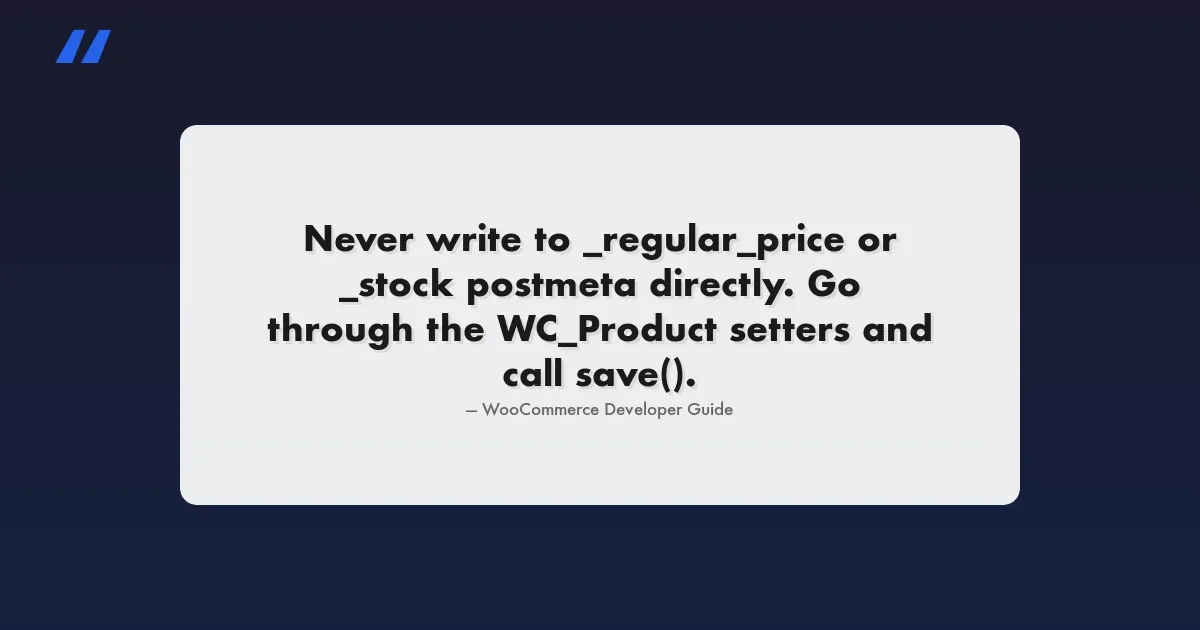
The second example still “works” in the sense that the value gets written, but it skips WooCommerce’s product lookup table updates, cache invalidation, and any woocommerce_product_object_updated_props listeners other plugins rely on. Go through the object’s setters and call save(), every time.
Data stores are swappable. The default store for products is WC_Product_Data_Store_CPT, which persists to postmeta, but the HPOS feature ships a separate WC_Order_Data_Store_Custom_Tables implementation for orders. Your code never needs to know which store is active as long as you go through the CRUD object. That’s the entire point of the abstraction, and it’s also how you can register your own store for a custom object type:
// Registering a custom data store for a custom object type
add_filter( 'woocommerce_data_stores', 'wcd_register_warranty_data_store' );

function wcd_register_warranty_data_store( $stores ) {
    $stores['warranty'] = 'WCD_Warranty_Data_Store';
    return $stores;
}
Template Hierarchy and Overrides
WooCommerce templates live in plugins/woocommerce/templates/ and load through wc_get_template(), which checks the active theme before falling back to the plugin’s own copy. To override a template, copy the exact relative path into a woocommerce/ folder in your theme:
wp-content/themes/your-theme/
  woocommerce/
    single-product/
      price.php
    checkout/
      form-billing.php
When you only need to conditionally load a different partial, or inject a variable before render, skip the full-file copy and use the woocommerce_locate_template filter instead:
add_filter( 'woocommerce_locate_template', 'wcd_override_price_template', 10, 3 );

function wcd_override_price_template( $template, $template_name, $template_path ) {
    if ( 'single-product/price.php' === $template_name && is_product() ) {
        $custom = get_stylesheet_directory() . '/woocommerce-custom/price-b2b.php';
        if ( file_exists( $custom ) && current_user_can( 'wholesale_customer' ) ) {
            return $custom;
        }
    }
    return $template;
}
Template overrides are version-fragile. A WooCommerce update can change the source template’s markup, and a theme copy won’t pick up that change automatically. Compare your override files against the plugin’s current templates before every WooCommerce update, or, better still, use the action and filter hooks already inside most templates instead of copying the whole file.
Registering a Custom REST API Endpoint
Extending the WooCommerce REST API means registering your own route inside a namespace and, critically, getting the permission callback right. A missing or wrong permission callback is the most common security defect in custom WooCommerce endpoints: it’s easy to leave a route effectively public by accident.
Registering the Route
add_action( 'rest_api_init', 'wcd_register_warranty_endpoint' );

function wcd_register_warranty_endpoint() {
    register_rest_route( 'wcd/v1', '/warranty/(?P\d+)', array(
        array(
            'methods'             => WP_REST_Server::READABLE,
            'callback'            => 'wcd_get_warranty_status',
            'permission_callback' => 'wcd_warranty_permissions_check',
            'args'                => wcd_warranty_endpoint_args(),
        ),
        array(
            'methods'             => WP_REST_Server::EDITABLE,
            'callback'            => 'wcd_update_warranty_status',
            'permission_callback' => 'wcd_warranty_permissions_check',
            'args'                => wcd_warranty_endpoint_args(),
        ),
        'schema' => 'wcd_get_warranty_item_schema',
    ) );
}
Use your own namespace, wcd/v1 above, rather than registering directly under wc/v3. Custom routes crammed into the core WooCommerce namespace can collide with future core routes and aren’t covered by WooCommerce’s own versioning guarantees. This follows the same custom endpoint registration pattern documented for the WordPress REST API generally.
Permission Callbacks
Never default a permission_callback to __return_true on a route that touches order or customer data. For endpoints meant for store-management use, your own admin tooling or a connected app, check a real capability, and if the endpoint is meant to be called with WooCommerce REST API keys, validate scope with WooCommerce’s own permission helper.
function wcd_warranty_permissions_check( WP_REST_Request $request ) {
    // Logged-in admin/shop manager session
    if ( current_user_can( 'manage_woocommerce' ) ) {
        return true;
    }

    // WooCommerce REST API key auth (Basic Auth / OAuth1 handled by WC core)
    if ( function_exists( 'wc_rest_check_manager_permissions' ) ) {
        return wc_rest_check_manager_permissions( 'orders', 'read' );
    }

    return new WP_Error(
        'wcd_rest_forbidden',
        'You do not have permission to access this resource.',
        array( 'status' => rest_authorization_required_code() )
    );
}
Defining Args and a Schema
Every argument should carry a sanitize_callback and, where relevant, a validate_callback. This is what stops malformed or malicious input from reaching your callback function at all: the REST API rejects the request before your code runs.
function wcd_warranty_endpoint_args() {
    return array(
        'order_id' => array(
            'required'          => true,
            'type'              => 'integer',
            'sanitize_callback' => 'absint',
            'validate_callback' => function( $value ) {
                return wc_get_order( $value ) instanceof WC_Order;
            },
        ),
        'status' => array(
            'required'          => false,
            'type'              => 'string',
            'enum'              => array( 'active', 'expired', 'claimed' ),
            'sanitize_callback' => 'sanitize_text_field',
        ),
    );
}

function wcd_get_warranty_item_schema() {
    return array(
        '$schema'    => 'http://json-schema.org/draft-04/schema#',
        'title'      => 'warranty',
        'type'       => 'object',
        'properties' => array(
            'order_id' => array(
                'description' => 'The order the warranty is attached to.',
                'type'        => 'integer',
                'context'     => array( 'view', 'edit' ),
                'readonly'    => true,
            ),
            'status' => array(
                'description' => 'Current warranty status.',
                'type'        => 'string',
                'enum'        => array( 'active', 'expired', 'claimed' ),
                'context'     => array( 'view', 'edit' ),
            ),
            'expires_at' => array(
                'description' => 'ISO 8601 expiration date.',
                'type'        => 'string',
                'format'      => 'date-time',
                'context'     => array( 'view' ),
            ),
        ),
    );
}

function wcd_get_warranty_status( WP_REST_Request $request ) {
    $order = wc_get_order( $request->get_param( 'order_id' ) );

    if ( ! $order ) {
        return new WP_Error( 'wcd_not_found', 'Order not found.', array( 'status' => 404 ) );
    }

    $data = array(
        'order_id'   => $order->get_id(),
        'status'     => $order->get_meta( '_wcd_warranty_status' ) ?: 'active',
        'expires_at' => $order->get_meta( '_wcd_warranty_expires' ),
    );

    return rest_ensure_response( $data );
}
Attaching a schema callback isn’t cosmetic. It’s what makes the endpoint show up correctly in OPTIONS requests and self-documenting API discovery, and it gives you one source of truth to validate the response shape against as the endpoint evolves.
Testing Hook and Endpoint Changes Safely
A short checklist before any hook-based or REST customization goes live:
- Run it on a staging clone of the store first, never against live order or customer data directly.
- Enable
WP_DEBUGandWP_DEBUG_LOGon staging and watchwp-content/debug.logwhile you exercise the change. - For pricing hooks specifically, place a test order all the way through to confirm the cart, the order confirmation email, and the stored order total all agree.
- For new REST routes, call the endpoint anonymously first to confirm the permission callback actually rejects the request, don’t just test the happy path.
- Re-run the change against a copy of the store with HPOS enabled if the client’s production environment uses it, since order data access patterns differ.
Putting It Together
A realistic client request combines several of the pieces above in one feature. Take “flag orders with a custom warranty status, and expose that status through the API so a third-party support tool can read it.” That’s an order status hook to set the initial flag, the CRUD API to persist it, and a REST endpoint with a locked-down permission callback to expose it, exactly the pattern built out above. None of these pieces are exotic. The skill is knowing which hook fires at the right moment and which data-access layer to use, so the change still works after the next WooCommerce core update.
Common Mistakes to Avoid
- Writing to
_regular_priceor_stockpostmeta directly instead of going throughWC_Productsetters. It breaks lookup tables and caching. - Registering a REST route with no
permission_callback, or a hardcoded__return_true, on anything that touches order or customer data. - Using
woocommerce_get_price_htmlwhen the actual calculated price needs to change. One is cosmetic, the other affects totals. - Copying a full template file into the theme for a one-line change instead of using the matching filter or action already inside that template.
- Calling
update_post_meta()on an order after HPOS is enabled. Orders may no longer live inwp_postmetaat all. - Forgetting the
did_action()re-entrancy guard onwoocommerce_before_calculate_totals, which fires more than once per cart calculation and can double-apply a discount.
The pattern that separates fragile WooCommerce customizations from ones that survive years of core updates isn’t clever code. It’s using the CRUD API and documented hooks instead of reaching into the database or copying template files.
Hook Reference Cheat Sheet
Area | Hook | Type | Fires When |
|---|---|---|---|
Cart | woocommerce_before_calculate_totals | Action | Before cart totals are calculated |
Cart | woocommerce_add_to_cart_validation | Filter | Before an item is added to the cart |
Cart | woocommerce_cart_calculate_fees | Action | When fees can be added to the cart |
Checkout | woocommerce_after_order_notes | Action | Rendering the checkout order-notes area |
Checkout | woocommerce_after_checkout_validation | Action | After built-in checkout validation runs |
Checkout | woocommerce_checkout_create_order | Action | Order object created, before first save |
Order | woocommerce_order_status_changed | Action | Any order status transition |
Order | woocommerce_order_status_processing | Action | Order transitions specifically to processing |
Product | woocommerce_before_add_to_cart_button | Action | Single product page, above the button |
Product | woocommerce_get_price_html | Filter | Displayed price markup is generated |
Where This Fits in a Larger Build
Everything above is the day-to-day toolkit for extending WooCommerce without breaking on the next core update: the right hook for the job, the CRUD API instead of raw database writes, and a properly secured REST endpoint when a feature needs to talk to something outside WordPress. It’s also, not coincidentally, the kind of work we do for clients: custom hook logic for pricing and fulfillment rules, data-store-safe integrations, and purpose-built REST endpoints that connect a WooCommerce store to a warehouse system, a CRM, or an internal tool, the same kind of integration work behind our WooCommerce LMS integration build. If you’re weighing whether a piece of custom logic belongs in a hook, a template override, or a REST endpoint, and want a second opinion before writing the first line, that’s the conversation worth having with a WooCommerce development team before the build starts.
Plugins we build and run
We maintain these ourselves, which is why we can support them on your site.
- BuddyNextThe self-hosted community engine for WordPress
- BuddyXFree community theme, Pro when you outgrow it
- ReignPremium community theme. Add pieces, build anything
- JetonomyCommunity forum and Q&A for WordPress
- EventonomyEvents and RSVPs for WordPress communities
- LearnomyCourses and learning communities on WordPress
- ListoraDirectories and listings your members can browse
- SnipShareCode sharing built for developer communities
- WB Ad ManagerAd placements that turn traffic into revenue
- WP Career BoardA job board your community actually uses
- WP Sell ServicesSell services with offers, orders, and payouts
- MediaVersePhotos, video, and media albums for members
- WB GamificationPoints, badges, and rewards that keep members active
- Product RoadmapPublic roadmaps with voting your users trust