10 Best WordPress Plugins in 2026

WordPress continues to dominate the global website market thanks to its flexibility, scalability, and powerful plugin ecosystem. In 2026, WordPress plugins have evolved beyond basic functionality many now leverage AI, automation, enhanced security, and performance optimization to meet the demands of modern websites.
Whether you’re a blogger, business owner, eCommerce store manager, or developer, the right plugins can dramatically improve your site’s performance, visibility, security, and user experience. However, with over 60,000 plugins available, choosing the best ones can be overwhelming.

What Are WordPress Plugins?
A WordPress plugin is a piece of software that adds new features or extends the functionality of your WordPress website without requiring you to modify core files. Built primarily with PHP, plugins integrate seamlessly with WordPress, allowing you to customize your site to match your exact needs, whether that is improving performance, boosting security, or adding entirely new capabilities.
Think of plugins as apps for your website. Just as you install apps on your phone to add features, plugins let you enhance your WordPress site with just a few clicks.
How Do WordPress Plugins Work?
WordPress plugins hook into the WordPress core system and execute specific tasks when certain actions occur. You can install plugins directly from the WordPress Plugin Directory, upload them manually, or install premium plugins purchased from third-party providers.
Once activated, plugins can:
- Add new features to your site
- Modify existing WordPress behavior
- Automate complex tasks
- Improve performance and security
Most plugins work quietly in the background, while others provide dashboards, settings panels, or visual editors you can interact with.
Common Examples of What Plugins Can Do
Add Advanced Features
Plugins like WooCommerce transform a standard WordPress site into a complete ecommerce store with products, payments, and shipping options.
Boost Website Performance
Performance plugins such as WP Rocket improve load times using caching, file optimization, and lazy loading.
Enhance Security
Security plugins like Sucuri or Wordfence protect your site from malware, brute force attacks, and hacking attempts.
Improve SEO
SEO plugins like Yoast SEO or Rank Math help optimize content, manage metadata, generate sitemaps, and improve search engine rankings.
Types of WordPress Plugins
1. Free Plugins
Free plugins are available in the official WordPress Plugin Directory. They are ideal for beginners and small websites.
Pros:
- No cost
- Community support
- Regular updates for popular plugins
Cons:
- Limited features
- No guaranteed support
2. Premium Plugins
Premium plugins are paid tools that offer advanced features, professional support, and frequent updates.
Pros:
- More powerful functionality
- Priority customer support
- Better scalability for growing sites
Cons:
- Recurring or one time cost
Best WordPress Plugins
1. Yoast SEO
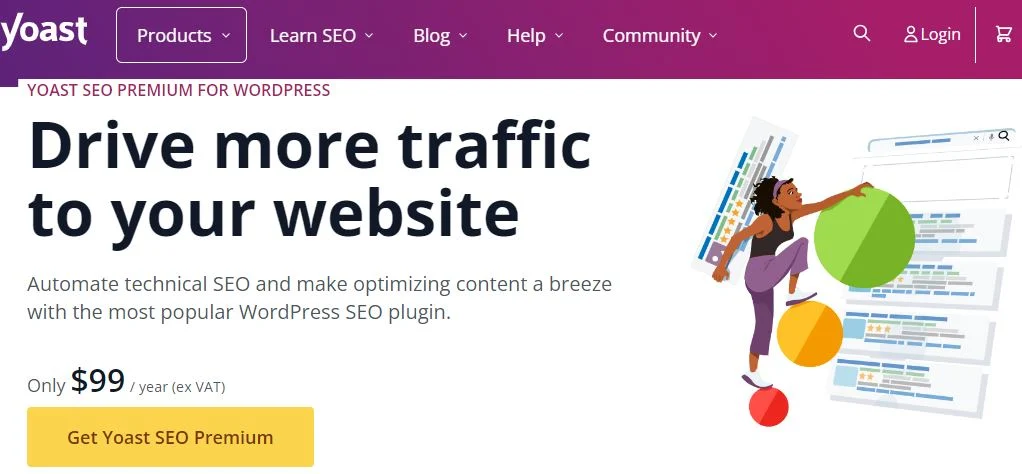
Yoast SEO is one of the most widely trusted WordPress plugins for optimizing content for search engines. It is built to support everyone, from beginners publishing their first blog post to SEO professionals managing large websites. With tools like real-time keyword optimization, readability analysis, and automatic XML sitemap generation, Yoast makes on-page SEO easier, more structured, and more effective.
In 2026, Yoast SEO continues to evolve with improved schema markup, smarter internal linking suggestions, and enhanced compatibility with modern WordPress editors, helping websites stay aligned with changing search engine standards.
Key Features
- Real-time SEO and readability analysis
- Automatic XML sitemap generation
- Social media preview for posts and pages
- Keyword optimization and internal linking suggestions
- Integration with Google Search Console
Pros
- Clean and beginner-friendly interface
- Free version offers strong core SEO features
- Frequent updates aligned with Google algorithm changes
- Excellent documentation and community support
Cons
- Premium version can be expensive for small websites
- Feature-rich interface may feel overwhelming for complete beginners
2. Elementor

Elementor is one of the most popular visual drag-and-drop page builders for WordPress, designed to make web design accessible to everyone. Whether you are a beginner building your first website or a professional designer creating complex layouts, Elementor allows you to design stunning pages in real time without touching a single line of code.
By 2026, Elementor has continued to evolve with performance-focused updates, smarter responsive controls, and deeper integration with modern WordPress themes, making it a reliable choice for creating fully customized page layouts quickly and efficiently.
Key Features
- Live drag-and-drop visual editor
- 300+ professionally designed templates and blocks
- Mobile editing with advanced responsive design controls
- Theme builder for custom headers, footers, archives, and dynamic content
Pros
- Highly intuitive and beginner-friendly interface
- Large template and widget library
- Works seamlessly with almost any WordPress theme
- Active community and frequent updates
Cons
- Advanced widgets and features require the Pro version
- Heavy or excessive use may impact site speed if not optimized
3. WooCommerce

For anyone running an ecommerce website, WooCommerce is the go-to solution for selling online with WordPress. It seamlessly transforms your WordPress site into a fully functional online store, allowing you to sell physical products, digital downloads, subscriptions, and more. From small startups to large-scale stores, WooCommerce offers the flexibility and scalability needed to grow an online business.
By 2026, WooCommerce has evolved with better performance optimization, improved checkout experiences, enhanced payment integrations, and deeper compatibility with modern WordPress themes, making it a powerful choice for serious ecommerce websites.
Key Features
- Seamless integration with WordPress
- Support for physical, digital, and subscription-based products
- Fully customizable store design and layouts
- Multiple payment gateway options, including cards, wallets, and local methods
Pros
- Free core plugin with essential ecommerce functionality
- Massive ecosystem of extensions and themes
- Highly scalable for growing businesses
- Strong community and developer support
Cons
- Premium extensions can become expensive
- Full setup and customization may require some technical knowledge
4. WPForms
WPForms is a beginner-friendly drag-and-drop form builder for WordPress that makes creating contact forms, surveys, feedback forms, and lead generation forms incredibly simple. Designed with ease of use in mind, WPForms allows you to build professional-looking forms in minutes without writing any code.
In 2026, WPForms continues to stand out with performance-optimized forms, stronger spam protection, and seamless integrations with modern email marketing and CRM platforms, making it a reliable choice for both small websites and growing businesses.
Key Features
- Drag-and-drop visual form builder
- Pre-built form templates for quick setup
- Smart conditional logic for dynamic forms
- Built-in spam protection and CAPTCHA support
Pros
- Extremely easy to use, even for beginners
- Integrates with popular email marketing services
- Fully mobile-responsive forms
- Reliable performance and regular updates
Cons
- Limited features in the free version
- Advanced functionality requires a paid plan
5. Rank Math
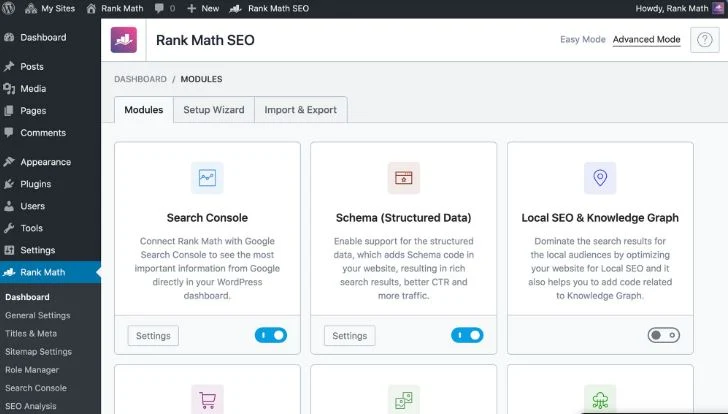
Rank Math is a powerful WordPress SEO plugin that has quickly become a strong alternative to Yoast SEO. It is designed for users who want advanced SEO features without heavy costs, offering tools like built-in schema markup, local SEO support, and in-depth optimization insights, all from a clean and modern dashboard.
By 2026, Rank Math continues to stand out with AI-powered content suggestions, performance-focused architecture, and deep integration with Google tools, making it an excellent choice for bloggers, businesses, and SEO professionals alike.
Key Features
- Multiple keyword optimization per post or page
- Google Search Console and Analytics integration
- Built-in schema markup for rich snippets
- Comprehensive SEO analysis and recommendations
Pros
- Feature-rich free version with advanced SEO tools
- User-friendly setup wizard
- Lightweight and fast, with minimal performance impact
- Ideal for scaling SEO strategies
Cons
- Fewer third-party integrations compared to Yoast
- Advanced feature set may feel overwhelming for beginners
Also Read: 10 Best WooCommerce Popup Plugins in 2026
6. UpdraftPlus
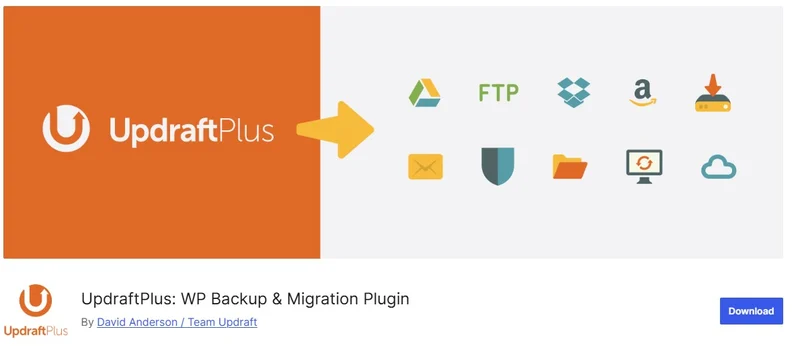
UpdraftPlus is one of the most trusted and widely used WordPress backup plugins, designed to make website backups and restoration simple and reliable. It allows you to schedule automated backups and store them securely on popular cloud platforms, ensuring your site data is always protected in case of crashes, hacks, or accidental data loss.
By 2026, UpdraftPlus continues to stand out with improved incremental backups, stronger encryption, and seamless cloud integrations, making it suitable for both beginners and advanced users.
Key Features
- Automated backups to cloud storage
- Incremental backups to save storage space
- One-click site restore
- Database encryption for added security
Pros
- Feature-rich free version
- Supports multiple cloud storage services
- Regular updates and strong community support
Cons
- Premium version can be expensive
- Advanced features may require a learning curve
7. WP Rocket

WP Rocket is a premium WordPress caching plugin built to dramatically improve website speed and performance with minimal setup. It implements essential optimization techniques such as caching, lazy loading, and file optimization automatically, making it a favorite among developers and non-technical users alike.
In 2026, WP Rocket remains a top choice due to its consistent performance improvements, compatibility with modern hosting environments, and excellent support.
Key Features
- Page and browser caching
- Lazy loading for images and videos
- Database optimization tools
- CDN integration support
Pros
- Noticeable speed improvements
- Quick and easy setup
- Compatible with most themes and plugins
Cons
- No free version available
- Some features rely on third-party services
8. Sucuri Security

Sucuri Security is a powerful WordPress security plugin focused on protecting websites from malware, hacking attempts, and malicious traffic. It provides monitoring, scanning, and firewall tools to help website owners detect and prevent security threats before they cause damage.
By 2026, Sucuri continues to be trusted for its DNS-level firewall, proactive monitoring, and professional malware cleanup services.
Key Features
- Malware scanning and threat detection
- File integrity monitoring
- Website firewall protection
- Brute-force attack prevention
Pros
- Strong free security features
- Regular updates and threat intelligence
- Reliable customer support
Cons
- Advanced protection features require premium plans
- Initial setup can be challenging for beginners
Also Read: 10 Best Membership Plugins for WordPress for 2026
9. Smush
Smush is a popular image optimization plugin that improves website performance by compressing images without sacrificing quality. It automatically optimizes images as they are uploaded, helping reduce page load times and improve SEO.
In 2026, Smush continues to be a reliable choice thanks to its automation, ease of use, and consistent performance improvements, especially for image-heavy websites.
Key Features
- Lossless image compression
- Bulk image optimization
- Automatic image resizing
- Lazy loading for images
Pros
- Improves site speed and performance
- Beginner-friendly and easy to use
- Automatic optimization on upload
Cons
- Bulk optimization may be slow on large libraries
- Some advanced features are locked behind a paid plan
10. Akismet Anti-Spam

Akismet Anti-Spam is a widely trusted WordPress plugin that automatically filters and removes spam comments, keeping your website clean and saving you time. It is particularly useful for blogs, forums, and any site that allows user-generated content. By 2026, Akismet continues to be essential for preventing spam while maintaining performance and reliability.
Key Features
- Automatic detection and filtering of spam comments
- Comment history and status tracking
- Detailed status history for each comment
Pros
- Significantly reduces spam and improves site quality
- Works automatically without manual intervention
- Free for personal blogs and small websites
Cons
- Requires an API key to set up
- Paid plan needed for commercial or business use
Comparison Table of the Best WordPress Plugins for 2024
| Plugin | Category | Free Version | Premium Price | Key Features | Best For |
|---|---|---|---|---|---|
| Yoast SEO | SEO | Yes | $99/year | SEO optimization, readability analysis, sitemaps | SEO optimization |
| Elementor | Page Builder | Yes | $49/year | Drag-and-drop editor, templates, theme builder | Page design and customization |
| WooCommerce | eCommerce | Yes | Varies by addon | eCommerce functionality, product pages, payment gateway | Online stores |
| WPForms | Forms | Yes | $39.50/year | Form builder, conditional logic, spam protection | Contact forms and surveys |
| Rank Math | SEO | Yes | $59/year | Multiple keyword optimization, schema markup | Advanced SEO |
| UpdraftPlus | Backup | Yes | $70/year | Cloud backups, incremental backups, restoration | Site backup and recovery |
| WP Rocket | Performance | No | $59/year | Caching, lazy loading, database optimization | Website performance optimization |
| Sucuri Security | Security | Yes | $199/year | Malware scanning, firewall, brute force prevention | Website security |
| Smush | Image Optimization | Yes | $60/year | Image compression, lazy loading, bulk optimization | Image-heavy websites |
| Akismet Anti-Spam | Anti-Spam | Yes | $100/year | Spam filtering, comment history | Reducing comment spam |

Final Words
Choosing the right WordPress plugins can make a dramatic difference in your website’s functionality, performance, and user experience. Essential tools like Yoast SEO help improve search engine rankings, Elementor enables flexible and visually stunning designs, and WP Rocket boosts site speed for a smoother visitor experience.
However, it’s important to be selective: only install plugins that are necessary to prevent bloating your site and maintain optimal performance. Regularly update your plugins to ensure compatibility, security, and access to the latest features.
Interesting Reads
Best Software to Write Up Data Analysis Report
Can Directory Indexing Be Turned Off on WordPress?
Best AI Tools for Audio Repair in 2024
Plugins we build and run
We maintain these ourselves, which is why we can support them on your site.
- BuddyNextThe self-hosted community engine for WordPress
- BuddyXFree community theme, Pro when you outgrow it
- ReignPremium community theme. Add pieces, build anything
- JetonomyCommunity forum and Q&A for WordPress
- EventonomyEvents and RSVPs for WordPress communities
- LearnomyCourses and learning communities on WordPress
- ListoraDirectories and listings your members can browse
- SnipShareCode sharing built for developer communities
- WB Ad ManagerAd placements that turn traffic into revenue
- WP Career BoardA job board your community actually uses
- WP Sell ServicesSell services with offers, orders, and payouts
- MediaVersePhotos, video, and media albums for members
- WB GamificationPoints, badges, and rewards that keep members active
- Product RoadmapPublic roadmaps with voting your users trust