10 Best WooCommerce Live Chat Plugins for Customer Support in 2026
Ten live chat options for WooCommerce checked on 15 November 2026: free plans, real WordPress.org ratings, what users say and which one fits which store.

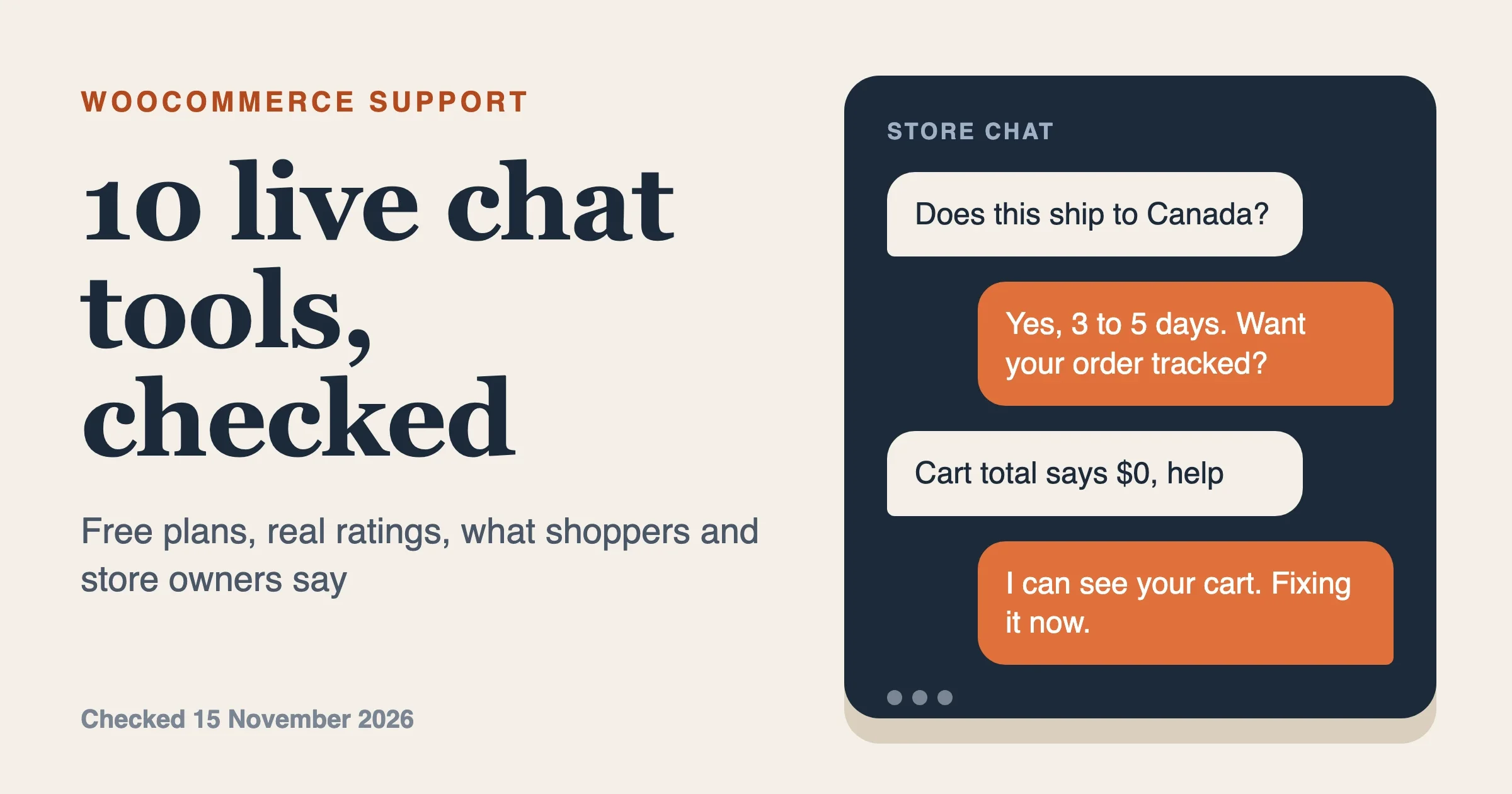
The best live chat for most WooCommerce stores is Tidio if you want chat and a simple chatbot in one place, and tawk.to if you want a free chat with unlimited agents. Both show up as WordPress plugins, but neither reads your WooCommerce orders as deeply as LiveChat or Crisp, which put the customer’s cart and order history on the agent’s screen. We checked all ten products below on 15 November 2026 against the WordPress.org plugin API, vendor pricing pages and recent reviews, and we replaced three products from the old version of this post that no longer earn a place.
Visitors usually search “woocommerce live chat”, “chat plugin for woocommerce” or “woocommerce chat plugin”. Those are three jobs: talking to a person in real time, answering common questions with a bot, and giving shoppers a WhatsApp button. Start with the table and jump to the section that fits your store.
Which live chat plugin is best for WooCommerce?
Pick by who will answer the chat and where you want the conversation to live, not by the longest feature list. A hosted tool such as LiveChat or Zendesk gives your agents a proper inbox and costs per agent. A free tool such as tawk.to costs nothing but you accept its branding and its limits. A WhatsApp button costs almost nothing and suits stores whose customers already message that way. Ratings below come from the WordPress.org plugin API on 15 November 2026; prices come from each vendor’s own page on the same day and change often, so confirm before you buy.
Product | Type | Free option | Shows cart or order data to agents | WordPress.org rating |
|---|---|---|---|---|
Tidio | Hosted chat plus bot | Yes, 50 conversations a month | Yes, cart and order history | 4.8 from 395 ratings |
LiveChat | Hosted chat | 14-day trial only | Cart contents; checkout triggers | 4.5 from 22 ratings |
Crisp | Hosted chat plus inbox | Yes, 2 seats | Order history and cart | 4.6 from 73 ratings |
tawk.to | Free hosted chat | Yes, unlimited agents | Little documented | 4.6 from 142 ratings |
Zendesk Suite | Helpdesk with messaging | Trial only | Not documented for WooCommerce | No maintained plugin |
HubSpot live chat | CRM with chat | Yes | Needs the separate HubSpot for WooCommerce plugin | 4.3 from 207 ratings |
Brevo | Email platform with chat | Yes, one seat per Brevo help pages | Not documented for chat | 4.1 from 284 ratings |
Joinchat and Click to Chat | WhatsApp buttons | Yes | Product name and price in the message | 4.7 from 188 and 4.8 from 131 |
AI Engine | AI chatbot | Yes (you pay the AI provider) | Pro only, through function calling | 4.9 from 877 ratings |
3CX Live Chat | Free chat and calls | Yes, up to 10 users | Not documented | 4.6 from 820 ratings |
Is there a free live chat plugin for WooCommerce?
Yes, several. tawk.to is free with unlimited agents and chats, and the plugin page lists no agent cap. Tidio, Crisp, HubSpot and 3CX all have free plans with limits: Tidio allows 50 billable conversations a month, Crisp allows two seats and no chat triggers, and 3CX allows up to 10 users.
1. Tidio
Tidio pairs live chat with a chatbot builder and an AI agent called Lyro. The WordPress plugin has 70,000+ active installs and was last updated on 1 September 2026. Its plugin page says agents can see a visitor’s cart and order history in the chat, send product cards, and run campaigns aimed at abandoned carts. That is the closest match to what store owners usually want from live chat.
Pricing on Tidio’s page on 15 November 2026: Free is $0 with 50 billable conversations a month and up to 10 seats; Starter is $24.17 a month for 100 conversations; Growth starts at $49.17 a month. The free plan gives 50 Lyro AI conversations once, not every month. Annual prices are not shown on the page.
Where it fits: a small or mid-sized store that wants one tool for chat, a bot for the questions you answer daily and some cart-recovery messages.
2. LiveChat
LiveChat is a paid hosted chat tool with a WooCommerce plugin that is free to install but needs a LiveChat account. Per the plugin page, agents see the customer’s cart contents, and you can set automated messages for people who stall at checkout. Recent plugin releases fixed cart discount tracking and cart data syncing, which tells you the cart integration is still being maintained. The plugin was last updated on 25 May 2026.
Prices on LiveChat’s page: Essential is $19 per user a month billed annually or $25 monthly, with 60 days of chat history; Growth is $79 annually or $99 monthly, with unlimited history. Both have a 14-day trial.
You can see LiveChat in the official WooCommerce marketplace: View LiveChat on WooCommerce.com (affiliate link, we earn a commission at no cost to you).
Where it fits: a store with a small paid support team that cares about a clean agent inbox. The WordPress.org plugin is small (900 active installs, 22 ratings), so most of its track record sits on LiveChat’s own site.
3. Crisp
Crisp combines live chat with a shared inbox, a knowledge base and chatbots. Its WordPress plugin page lists order history and cart context for WooCommerce, and the plugin was updated on 21 October 2026. It has 10,000+ active installs.
Crisp’s pricing page on 15 November 2026: Free is $0 with 2 seats and 100 customer profiles; Mini is $45 a month with 4 seats; Essentials is $95 a month with 10 seats and an omnichannel inbox; Plus is $295 a month. The free plan has no chat triggers, no shared email inbox and no AI credits. Pricing is per workspace, not per agent, which helps a team of four or more.
Where it fits: a team of two to ten agents handling chat and email in one inbox.
4. tawk.to
tawk.to is a free live chat with unlimited agents, chats and sites, plus free ticketing and a knowledge base. The plugin has 100,000+ active installs. Paid extras include removing the “Powered by tawk.to” branding at $29 a month, an AI Assist chatbot from $29 a month, and hired chat agents at $1 an hour.
The WooCommerce side is thin. The plugin page mentions WooCommerce support only in a changelog line for version 0.2.7, with no detail, and the plugin was last updated on 14 January 2026.
Where it fits: a store that wants real chat at no cost and answers questions by hand.
5. Zendesk Suite
Zendesk is a full helpdesk with messaging, and it is the right pick when chat is one channel among email, tickets and a help center. Its pricing page shows Suite Team at $55 per agent a month billed annually or $69 monthly, and Suite Professional at $115 or $149. Zendesk’s own WordPress page asks for a paid plan or a trial and says nothing about WooCommerce.
Here is the replacement note. The old version of this post listed “Zendesk Chat”. The official “Zendesk Support for WordPress” plugin on WordPress.org was last updated in September 2023 and has a 2.0 rating from 7 ratings, so we do not recommend installing it. Add the Zendesk widget through the snippet Zendesk gives you, and connect WooCommerce orders yourself or through a helpdesk integration.
Where it fits: a support team that already runs tickets in Zendesk.
6. HubSpot live chat
HubSpot’s live chat is free inside its CRM, with a no-code chatbot builder, office hours and email capture for missed chats. The “HubSpot All-In-One Marketing” plugin has 200,000+ active installs and was updated on 16 September 2026. The plugin page says WooCommerce shop features come from a separate “HubSpot for WooCommerce” plugin, so the chat alone does not read orders.
We could not find a price for the paid tiers on the live chat page, so we do not quote one. If you already use HubSpot for contacts and email, the chat adds one more conversation channel in the same CRM. If you do not, it is a large tool to adopt for a chat bubble. For the CRM side of this choice, see our guide to connecting WooCommerce to HubSpot, Salesforce and Zoho.
7. Brevo
Brevo is an email and marketing platform that added a chat widget through its “Conversations” product. Its WordPress plugin has 100,000+ active installs and was updated on 5 November 2026, but the plugin is mostly about email, forms and SMS, and the page does not describe WooCommerce data inside chat. Brevo’s help pages describe the free Conversations plan as one user with unlimited conversations; we could not load that page on 15 November, so check the current plan limits on Brevo before relying on it.
Where it fits: a store that already sends email through Brevo and wants a basic chat bubble from the same account. Where it does not: a store that wants agents to see orders, or one that has had trouble with the plugin’s extra scripts, a complaint we cover below. Our WooCommerce email marketing plugin comparison covers the email side of Brevo.
8. WhatsApp chat buttons
WhatsApp buttons are not live chat in the strict sense, because the conversation happens in WhatsApp. They suit stores whose customers already message that way. Two plugins lead here. Joinchat has 700,000+ active installs, a 4.7 rating from 188 ratings and an update on 9 November 2026. Click to Chat has 600,000+ installs, a 4.8 rating from 131 ratings and an update on 30 October 2026.
Joinchat has real WooCommerce features: a WhatsApp button on product pages next to “Add to cart”, separate start messages for the shop page, product pages and sale items, and message variables for product name, SKU and price. Its page says it collects no personal data, can run without cookies, and offers a mandatory opt-in text. Joinchat Premium and Joinchat AI are paid, and the plugin page does not list prices, so check join.chat.
Where it fits: stores that sell to customers in countries where WhatsApp is the default way to message a business. Where it does not: any store that needs a shared team inbox, because a WhatsApp button hands the chat to the phone or app of whoever owns the number.
9. AI Engine
This slot replaces a Facebook Messenger entry. AI Engine is a free chatbot plugin with 90,000+ active installs, a 4.9 rating from 877 ratings and an update on 12 November 2026. It connects to the AI provider you choose, including OpenAI, Anthropic, Google, Mistral and self-hosted models, using your own API key, so you pay the provider directly. Its page says the free version sends nothing to the plugin’s authors.
For WooCommerce, the page lists function calling and MCP tools for products, orders, coupons and customers, and it places the WooCommerce tools in the Pro tier. A chatbot that answers “where is my order” must be allowed to read order data, so decide that on purpose and test it on staging. Pro pricing is not on the plugin page.
Where it fits: a store that wants an AI assistant trained on its own content to take the repetitive questions. Where it does not: a store that wants human agents, since this is a bot builder, not an agent inbox.
10. 3CX Live Chat
3CX Live Chat (formerly WP Live Chat Support) takes the tenth slot and replaces the old Intercom entry. It has 100,000+ active installs, a 4.6 rating from 820 ratings and an update on 20 October 2026. It needs a free 3CX account. The plugin page says live chat is free for up to 10 users, and it adds browser calls and WhatsApp, Facebook and text messages. The page does not mention WooCommerce.
Where it fits: a business that wants chat plus phone calls from one free account. The two reviews from the past year both praise the look and both complain about the chat bubble on mobile, covered below.
What users say, and our suggestion
We read the WordPress.org reviews for each plugin on 15 November 2026. The review feed shows the latest 30 reviews per plugin, so for several products the feed holds almost nothing from the last 12 months. We say so each time and label older reviews with their year. We paraphrase every review and link it. We did not find recurring Reddit threads we could cite with confidence, so none are used here. For hosted products, the ratings above describe the WordPress plugin, not the whole service.
Tidio: 4.8 from 395 ratings, 70,000+ installs
Of 395 ratings, 362 are five-star and 17 are one-star. In the last 12 months the review feed holds three reviews. One April 2026 review says it worked without issues on an Avada site. A February 2026 review praises a developer who made the plugin compatible quickly. A November 2025 one-star review describes the plugin crashing a site until the host removed its folder. Older complaints (2024 and 2025) are about price and renewals: a 2024 review says a chat page feature sits behind the Starter plan, and a March 2025 review disputes a renewal charge. WordPress.org shows 1 of 1 support threads resolved.
LiveChat: 4.5 from 22 ratings, 900+ installs
Only 22 ratings exist, 18 of them five-star, and the feed has no review from the last 12 months. The two negative reviews are from 2021 and 2023. One 2023 review says the plugin is useless without a paid plan, which matches the plugin page. With so few reviews we cannot draw a firm conclusion.
Crisp: 4.6 from 73 ratings, 10,000+ installs
64 of 73 ratings are five-star. No review is from the last 12 months. The recurring complaint is a confusing plan structure: a September 2025 review says signup starts a paid trial and makes it hard to see what the free plan includes, and an earlier 2021 review makes the same point.
tawk.to: 4.6 from 142 ratings, 100,000+ installs
124 of 142 ratings are five-star and 11 are one-star. The feed shows two reviews from the last 12 months. A July 2026 review calls it a reliable choice after six months of use. A May 2026 review says the widget behaved differently from one day to the next and expanded over the page. Older one-star reviews describe login and account problems. WordPress.org shows 0 of 1 support threads resolved, a thread count too small to judge.
Zendesk Suite: no maintained WordPress plugin
Zendesk’s official WordPress plugin has 7 ratings and an average of 2.0, last updated in September 2023, so the WordPress.org numbers say little about the service. Zendesk’s own marketing pages are the only data we could load. G2 and Capterra blocked our requests, so we have no review-site numbers for Zendesk and will not guess at them.
HubSpot: 4.3 from 207 ratings, 200,000+ installs
158 of 207 ratings are five-star and 21 are one-star. The newest review in the feed is from October 2025, outside the last 12 months, and it reports fake contacts being added with no spam control. Older reviews from 2022 to 2024 describe connection failures (the plugin repeatedly disconnecting) and a 2023 review that blames the tracking script for a Lighthouse drop. WordPress.org shows 0 of 2 support threads resolved.
Brevo: 4.1 from 284 ratings, 100,000+ installs
206 of 284 ratings are five-star and 45 are one-star, the weakest split in this list. The feed has eight reviews from the last 12 months. Positive ones praise the free plan and say it can replace an SMTP plugin, for example a July 2026 review. Negative ones say the plugin has got heavier over time, loading jQuery and a push-notification script on every page, that pop-up forms need a paid plan, and that form connections fail for some users. WordPress.org shows 2 of 6 support threads resolved.
Joinchat and Click to Chat: WhatsApp buttons
Joinchat has 167 five-star ratings out of 188 and Click to Chat has 122 out of 131. Each has one review in the last 12 months: an enthusiastic February 2026 review for Joinchat and a three-star November 2025 review for Click to Chat that says it was not what the reviewer wanted. Both are too thin to show a pattern. Support threads: Joinchat 1 of 2 resolved, Click to Chat 1 of 1.
AI Engine: 4.9 from 877 ratings, 90,000+ installs
844 of 877 ratings are five-star. The feed holds 30 reviews since late July 2026, the largest recent volume here. Reviewers praise how much of the chatbot you can configure, quick support and fixes and the MCP server for AI assistants. Several describe chatbots for a site’s own content, not shop order lookups. WordPress.org shows 18 of 19 support threads resolved, the best figure in the list.
3CX Live Chat: 4.6 from 820 ratings, 100,000+ installs
707 of 820 ratings are five-star and 59 are one-star. The feed has two reviews from the last 12 months. A November 2025 review calls it stylish and free but says the bubble hugs the corner on mobile with no margin control, and a January 2026 review says the reviewer was told to uninstall it for better site management. Older one-star reviews are about updates that broke settings.
Our suggestion
Match the tool to the situation, and test on staging before you go live. We did not run all ten in a live store for this update, so these picks rest on vendor pages, plugin pages and the reviews above.
Your situation | Our pick | Why | Watch for |
|---|---|---|---|
Solo owner, no budget, answers chat by hand | tawk.to | Free with unlimited agents | Little order data in chat; branding unless you pay $29 a month |
Small store wanting chat plus a simple bot | Tidio | Cart and order history in chat; free plan to start | Conversation limits; read the plan page before upgrading |
Paid support team of 1 to 3 agents | LiveChat | Clean inbox, cart context, checkout triggers | Per-agent price; small plugin review base |
Team of 4 or more sharing chat and email | Crisp | Pricing per workspace, not per agent | Chat triggers start on the $45 plan |
Already on Zendesk tickets | Zendesk Suite | One helpdesk for every channel | Per-agent price; no WooCommerce data out of the box |
Customers already use WhatsApp | Joinchat | Product name, SKU and price in the message | No shared team inbox |
Repetitive questions on a content-heavy store | AI Engine | Bot trained on your content; you choose the AI provider | Pro needed for WooCommerce tools; test order lookups on staging |
If you need chat to show something unusual on the agent’s screen, such as custom order meta or B2B account data, none of these does it out of the box. That is custom WooCommerce work, which is what our team does, and for a store with ordinary needs it is more than you need to spend.
Do live chat widgets need cookie consent?
It depends on what the widget stores and why, and this section is general information, not legal advice. Under the UK and EU rules on storage and access technologies, consent is needed unless the storage is strictly necessary for something the visitor asked for. The UK regulator’s guidance on the exceptions says analytics, advertising and cross-site tracking do not qualify. A chat that only keeps a conversation alive during a session the visitor started is the easier case. A widget that recognises returning visitors or records which pages they viewed before the chat is harder to defend without consent.
Some products help. Joinchat says it can run without cookies and can require an opt-in text before contact. Tidio’s plugin changelog notes a 7.0.0 change to loading order for compatibility with consent management plugins. HubSpot’s tracking code is a separate matter from chat, and one HubSpot reviewer reported it not loading when run alongside a consent tool. Beyond cookies, the vendor handles your visitors’ messages, so under GDPR you need a data processing agreement with them and a line in your privacy policy. Check each vendor’s own privacy documentation, since none of the plugin pages we read states a retention period.
Will a chat widget slow down my WooCommerce store?
It can, because the widget loads scripts from a third party on every page. The Brevo and HubSpot reviews above both describe extra scripts hurting performance, and a 2023 HubSpot reviewer reported a Lighthouse drop from 99 to 67 after installing it. That is one report, not a benchmark, so measure your own product page and checkout before and after. Our WooCommerce marketing plugins guide makes the same check for other scripts that add weight.
What we removed from the old list, and why
- YITH Questions and Answers. It is a product question tool, not live chat, so it no longer fits a list of ten chat plugins. It still reduces repeat questions on product pages.
- Facebook Messenger. Respond.io’s help center reports that Meta retired its Messenger Chat Plugin for websites, so an embed from the old plugin no longer works. See the respond.io note. The WhatsApp entry covers messaging apps now.
- Intercom. The service is still sold, but its WordPress.org plugin was last updated in April 2025 and has 3.4 from 11 ratings.
- Chatway and Smartsupp. Both look maintained. We left them out because Chatway shows a 5.0 rating from 777 ratings with 30 reviews since late August 2026, a pattern we cannot judge yet, and Smartsupp has no review in the last 12 months.
If you want to keep product questions public instead, see YITH Questions and Answers (affiliate link, we earn a commission at no cost to you).
How should I run live chat once it is installed?
Staffing matters more than the plugin. Show the bubble only during hours you cover, with an offline form the rest of the day. Put proactive greetings on pages where shoppers stall, such as the cart or a complex product, rather than on every page, and test the wording. For orders, give agents the order number lookup in your order management plugin or admin. For people who message you after buying, our guide to WooCommerce SMS plugins covers the next channel along.
Frequently asked questions
What is the best WooCommerce live chat plugin?
For a small store, Tidio, because it shows cart and order history to agents and has a free plan. For a free chat with no limits on agents, tawk.to. For a paid team, LiveChat or Crisp. None is best for every store, so use the table above.
Can a chat plugin show the customer’s cart and orders?
Yes for Tidio, LiveChat and Crisp, according to their plugin pages. tawk.to, 3CX and Brevo do not document this for WooCommerce. HubSpot needs its separate WooCommerce plugin.
What is the best chat plugin for AI replies?
Tidio with Lyro and AI Engine are the two we checked. Tidio’s free plan includes 50 Lyro conversations once, then needs a paid AI plan. AI Engine is free but you pay your AI provider, and WooCommerce tools need Pro.
Can I add WhatsApp to WooCommerce?
Yes. Joinchat and Click to Chat add a WhatsApp button, and Joinchat can put the product name, SKU and price in the first message.
Should I use a chatbot or live agents?
Use a bot for questions with a fixed answer, such as shipping times and return rules, and agents for sales questions and order problems. Many stores run both and let the bot hand over to a person. Make sure the handover works before you launch.
Our conclusion
Start free. Install tawk.to or the free Tidio plan for two weeks, count how many real conversations you get, and read the transcripts before you pay for agents. If cart and order context matters, move to Tidio, LiveChat or Crisp. If your customers already use WhatsApp, a Joinchat button costs little. Checked on 15 November 2026; prices, limits and ratings change, so confirm on the vendor page.
Ready to compare the paid option on the official marketplace? See LiveChat on WooCommerce.com (affiliate link, we earn a commission at no cost to you).
Plugins we build and run
We maintain these ourselves, which is why we can support them on your site.
- BuddyNextThe self-hosted community engine for WordPress
- BuddyXFree community theme, Pro when you outgrow it
- ReignPremium community theme. Add pieces, build anything
- JetonomyCommunity forum and Q&A for WordPress
- EventonomyEvents and RSVPs for WordPress communities
- LearnomyCourses and learning communities on WordPress
- ListoraDirectories and listings your members can browse
- SnipShareCode sharing built for developer communities
- WB Ad ManagerAd placements that turn traffic into revenue
- WP Career BoardA job board your community actually uses
- WP Sell ServicesSell services with offers, orders, and payouts
- MediaVersePhotos, video, and media albums for members
- WB GamificationPoints, badges, and rewards that keep members active
- Product RoadmapPublic roadmaps with voting your users trust