How to Build a Real Estate Listing Site with WooCommerce for Property Sales and Rentals
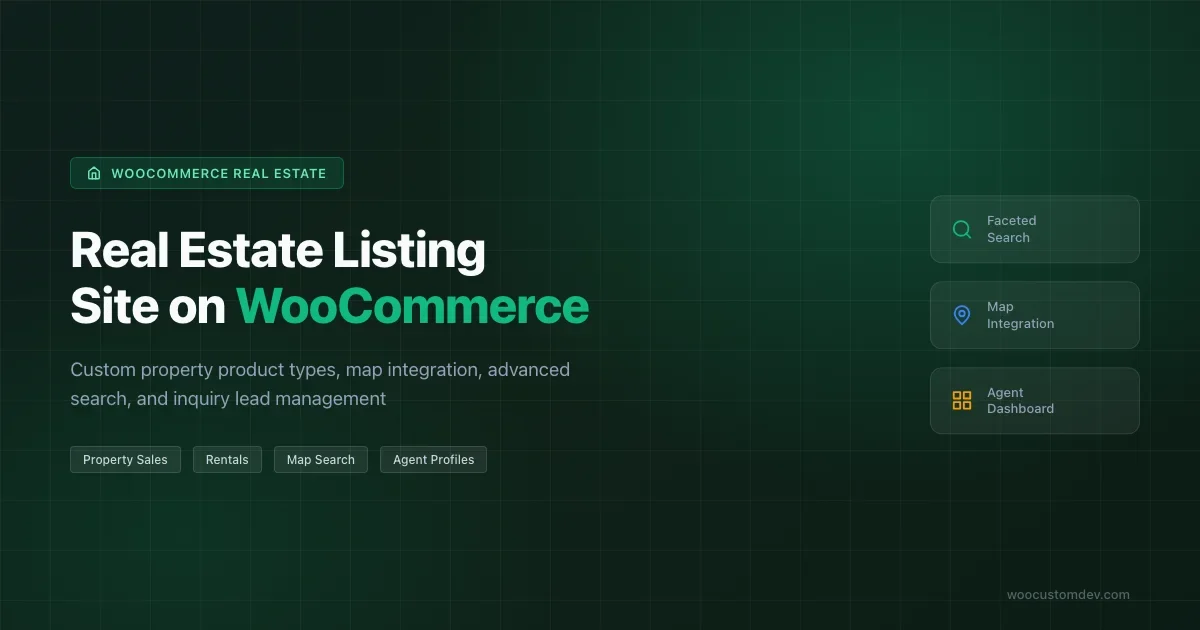
Build a WooCommerce real estate listing site with custom property product types, map integration, faceted search, mortgage calculator, virtual tours, agent profiles, and inquiry lead management.

Real estate is one of the industries where WooCommerce needs the most customization before it fits the business model. Properties are not products in the usual sense - they have location data, availability status, legal disclosures, and inquiry workflows that standard WooCommerce product fields were never designed to handle. I have built two production real estate listing sites on WooCommerce and both required the same foundational work: a custom property product type, map integration, and an inquiry system that routes leads to the right agent without exposing client contact details in order notifications. This guide covers that foundational work and the additional features clients in this space consistently ask for.
Why WooCommerce for Real Estate
The case for WooCommerce in real estate is not about using the cart and checkout. It is about leveraging the WooCommerce product architecture, the extensive plugin ecosystem, and the WordPress content management system that property teams already know. WooCommerce gives you a mature framework for custom fields, taxonomy management, and user roles that you would otherwise build from scratch.
The typical WooCommerce real estate setup has properties as products, inquiry forms replacing checkout, and the payment functionality either disabled or used only for reservation deposits. This is different from how most WooCommerce guides describe the platform, so set that expectation with clients from the start.
Custom Property Product Type
Extending WC_Product for Property
Start by creating a custom product type that extends WC_Product. This gives you control over which standard WooCommerce fields appear on the property edit screen and lets you add property-specific fields without hacking WooCommerce core.
A property product type needs fields that do not exist in standard WooCommerce: price per square foot, total area, number of bedrooms and bathrooms, garage capacity, year built, lot size, property status (for sale, for rent, sold, rented), and listing expiry date. Register these as product meta using add_meta_box on the product edit screen scoped to your property product type. Use WooCommerce helper methods like woocommerce_wp_text_input and woocommerce_wp_select for consistent styling and nonce handling.
The property product type follows the same WC_Product extension pattern described in our guide on building custom WooCommerce product types - if you have not extended WC_Product before, read that first before tackling the property-specific implementation.
Property Status as a Core Field
Property status deserves special attention because it affects visibility and behavior throughout the site. A property listed as Sold should no longer appear in search results but should remain accessible via its direct URL for portfolio purposes. A property listed as For Rent needs different pricing display (per month vs total price) and different inquiry form text (schedule a viewing vs make an offer).
Implement status as a taxonomy rather than simple post meta if you need to filter by status in WP_Query. Taxonomies are indexed by WordPress and support URL-based filtering (yoursite.com/properties/for-rent/) without custom rewrite rules. Register a property_status taxonomy with terms: for-sale, for-rent, sold, rented, off-market. Assign it to your custom product type.
Price Display for Sales vs Rentals
WooCommerce price display assumes a one-time purchase price. Real estate needs conditional display: properties for sale show a total price, rental properties show a monthly rate with additional details like security deposit and lease term. Override woocommerce_get_price_html on your property product type to return formatted price strings based on the listing type. For rentals, output the monthly rate plus the deposit amount and minimum lease term from the property meta.
Map Integration
Storing Location Data
Every property needs latitude, longitude, formatted address, city, state, postal code, and neighborhood stored as meta. Use the Google Maps Places Autocomplete API on the property edit screen to let agents enter an address and auto-populate all location fields. This prevents typos in addresses and ensures the coordinates are always correct.
Store latitude and longitude as separate post meta fields (not in a single JSON blob) because you will need to query by location. WP_Query does not support proximity queries natively, but with lat/lng stored as separate numeric meta values, you can run a haversine formula query against WordPress meta tables using $wpdb->get_results with a raw SQL query scoped to a bounding box.
Property Listing Map
The listing archive page needs a map that shows all filtered properties as pins. Use Leaflet.js with OpenStreetMap tiles as the base map to avoid Google Maps billing surprises on high-traffic sites. Leaflet is open source and the OpenStreetMap tile layer is free for reasonable traffic volumes.
Load property coordinates and basic details (title, price, thumbnail URL, permalink) via a custom REST API endpoint rather than embedding them in the page HTML. This keeps the initial page load fast and allows the map to update when filters change without a full page reload. Register a GET /wp-json/properties/v1/map-pins endpoint that accepts the same filter parameters as the listing archive (min price, max price, bedrooms, status, neighborhood) and returns a JSON array of pin data.
Single Property Map
On the individual property page, show a map centered on the property with a pin. For privacy reasons (common in luxury residential listings), you may need to show an approximate location rather than the exact address. Implement a configurable fuzzing option: if a property has the privacy flag set in meta, offset the displayed coordinates by a random amount within a 200-metre radius. The exact address is disclosed only after the buyer or tenant submits an inquiry and the agent confirms the showing.
Advanced Search and Filtering
Faceted Search Architecture
Real estate search has more filter dimensions than most e-commerce: price range, property type, bedrooms, bathrooms, area range, location (neighborhood, city, postal code), listing type (sale vs rent), features (pool, garage, garden), and property age. Each filter dimension needs to update the result count and the available options in other filters - this is faceted search.
The cleanest implementation uses a custom search endpoint that accepts all filter parameters and runs a compound WP_Query with meta queries for numeric ranges (price, area, bedrooms) and taxonomy queries for categorical filters (property type, status, neighborhood). Return results as JSON with the property data and updated facet counts. The frontend renders the listing cards and updates filter counts via JavaScript without a page reload.
Price Range Slider
A dual-handle price range slider is standard on real estate sites. The min and max values need to reflect the actual price range of the current filtered result set, not the hardcoded range of all properties. When a user filters by neighborhood, the slider range should collapse to show only the price range available in that neighborhood.
Implement the slider with noUiSlider (lightweight, no jQuery dependency) and connect it to the search endpoint. On slider change, debounce the API call by 300ms to avoid firing a request on every pixel of movement. Store the current filter state in the URL as query parameters so users can share a filtered search URL.
Saved Searches and Alerts
Registered users should be able to save a search and receive email alerts when new listings match their criteria. Store saved searches in a custom table with columns: user_id, search_name, search_params (serialized), last_notified. A daily WP-Cron job runs each saved search, compares results to the last notification, and sends an email listing new matches. This feature drives return visits more effectively than any other feature on a real estate site.
Mortgage Calculator
Buyers make faster decisions when they can see monthly payment estimates alongside listing prices. A mortgage calculator on each property page reduces the friction of opening a separate calculator tab.
The standard inputs are property price, down payment percentage, loan term in years, and interest rate. The calculator should pre-populate the price from the property meta and allow the user to adjust the other inputs. The monthly payment formula is a standard amortization calculation. Add a toggle to switch between principal and interest only, and a breakdown showing how much of the monthly payment goes to principal vs interest at different points in the loan term.
Include a disclaimer that the calculator provides estimates only and that actual mortgage rates depend on the lender, the borrower credit profile, and current market conditions. This is standard practice for property sites and reduces liability.
Virtual Tour Embedding
360-degree virtual tours have become standard for premium listings. The two main platforms are Matterport and Kuula. Both provide embed codes that you can drop into a property page. Store the embed URL in a property meta field and render it in a dedicated section of the property page template with a full-width iframe.
Lazy-load the virtual tour iframe rather than loading it on page load. Virtual tours are large assets that slow down page load significantly if embedded unconditionally. Use an intersection observer to load the iframe only when the user scrolls the tour section into view. For users who never scroll that far, you avoid loading the asset entirely.
YouTube and Vimeo video walkthroughs are also common. Store a video URL separately from the virtual tour URL and display both if present. A tabbed interface on the media section (Photos / Video Walkthrough / 3D Tour) lets users navigate between media types without scrolling.
Agent Profiles
Agent User Role
Agents need a custom WordPress user role with capabilities limited to creating and editing their own property listings. They should not have access to other agents listings, site settings, or the WooCommerce order admin. Register a property_agent role with edit_posts, upload_files, and custom edit_properties capability. Use the map_meta_cap filter to ensure agents can only edit posts they authored.
Agent profile data (headshot, bio, license number, phone, years of experience, specialties) is stored in user meta. Display this data on a custom front-end agent profile page and on each property page as a sidebar widget showing the listing agent. Clicking the agent name links to their profile page, which shows all their active listings.
Agent Commission Tracking
If the site needs to track agent commissions (relevant for brokerage sites where multiple agents share a platform), store a commission percentage in agent user meta and calculate the estimated commission on the property page based on the listing price. For actual commission payments after a completed transaction, integrate with WooCommerce or a simple custom payment table that records the transaction date, property ID, sale price, commission percentage, and commission amount.
Inquiry Forms and Lead Management
Property Inquiry Form
Every property page needs an inquiry form that captures the prospect name, email, phone, message, and preferred viewing time. Replace the standard WooCommerce Add to Cart button with this form. The form submission sends an email to the listing agent with the prospect contact details and the property they inquired about. Store the inquiry in a custom database table so it appears in an agent dashboard, not just in their email inbox.
Use nonce verification and rate limiting on the inquiry form to prevent spam. Log the IP address and timestamp of each inquiry and block IPs that submit more than 10 inquiries in a 24-hour window. A honeypot field (a form field hidden via CSS that bots fill but humans do not) catches most bot submissions without requiring CAPTCHA.
Agent Inquiry Dashboard
Agents need a place to see all inquiries across their listings, mark them as contacted, add notes, and track the status (new, contacted, viewing scheduled, offer made, closed). Build this as a custom My Account endpoint in WooCommerce, using the same pattern as license management or order management dashboards. The inquiries table shows the prospect name, the property inquired about, the date, and the current status with a status dropdown for quick updates.
Integrate with a simple CRM if the agency already uses one. Most real estate agencies use a CRM for lead tracking, and the inquiry form should optionally push leads to that system via webhook. Store the webhook URL and secret in agent user meta, and fire the webhook on each new inquiry using wp_remote_post with a timeout of 5 seconds and no blocking wait for the response (use blocking: false in the request args to prevent the inquiry submission from hanging if the CRM is slow).
Property Photo Galleries
WooCommerce has a product gallery built in. For property listings, extend it to support a larger number of images (30-50 photos is common for premium listings), a lightbox view, and ordering control for the agent. The WooCommerce gallery plugin supports multiple images out of the box, but the display defaults assume a small set of product variation images. Customize the gallery template to show a primary hero image with a scrollable thumbnail strip below it.
Image optimization is important for property sites where agents upload full-resolution photos from their cameras. Register additional image sizes for property listings via add_image_size: a hero size at 1400×800, a gallery thumbnail at 300×200, and a map pin thumbnail at 80×60. Apply WebP conversion on upload using the wp_generate_attachment_metadata filter if your hosting stack supports it, or via a CDN transformation rule.
Listing Expiry and Archiving
Property listings have a natural lifecycle: they are listed, they sell or rent, and then they should come off the active listings. Automate this with a listing expiry system. Store an expiry date in property meta and run a daily WP-Cron job that checks for expired listings and updates their status to Off Market.
Agents should receive an email 7 days before expiry asking them to renew the listing. If they do not renew, the listing expires automatically. Renewals can be a paid feature if you are running a marketplace where agencies pay to list. Use WooCommerce to handle the renewal payment and extend the expiry date on successful payment. This same pattern applies to job boards, classified ad sites, and any other listing business - the approach is always a custom meta field for expiry, a cron job to check it, and a WooCommerce product for the renewal fee.
IDX and MLS Integration
In the US and Canada, most real estate agents are members of a Multiple Listing Service (MLS) and want to display MLS listings on their site in addition to their own listings. This is handled via IDX (Internet Data Exchange) - a data feed from the MLS that you import into your site.
IDX integration via the MLS RETS or RESO Web API feed is complex to build custom and is usually better handled by a dedicated IDX plugin (Showcase IDX, iHomefinder, or similar) that handles the feed import and provides shortcodes or blocks to embed the search on your site. These plugins coexist with a custom WooCommerce property listing system: your own agency listings use the custom product type described in this guide, and the IDX widget provides the broader MLS search. This two-track approach is what most agency sites end up running.
Rental-Specific Features
Availability Calendar
Rental properties need an availability calendar that shows which dates are booked and which are open. This is a significant feature to build custom and is usually better handled by a WooCommerce booking plugin (Booking for WooCommerce or Bookly) that provides a calendar UI, prevents double bookings, and integrates with the WooCommerce payment flow for booking deposits.
For long-term rentals (annual leases rather than holiday bookings), the availability concept is simpler: a property is either available from a given date or it is not. Store a available_from date in property meta and display it on the listing page. When the property is rented, update the status taxonomy to Rented and set a new available date for when the current lease expires.
Tenant Application Forms
Long-term rental applications require more information than a standard property inquiry: employment status, monthly income, number of occupants, pets, and references. Build a multi-step application form that collects this data and stores it in a custom table linked to the property and the applicant user account. The agent can review applications from their inquiry dashboard and mark them as approved, declined, or pending review.
Connecting to the Broader WooCommerce Ecosystem
The same customization principles that apply to property listings apply across other WooCommerce industry configurations. If you are working on an online course platform where access needs to be sold and tracked per student, the custom product type and My Account endpoint patterns from this guide apply directly - see our guide on building a WooCommerce online course platform with LMS integration for how those patterns translate to a digital education context.
For sites that need to handle physical product sales alongside property inquiries (some agencies sell branded merchandise or property-related products), the checkout flow considerations from our WooCommerce fashion store guide on managing variable products and size-specific inventory apply. The underlying WooCommerce product architecture handles both cases once you understand how to extend it for your specific industry.
Building a real estate site on WooCommerce is a significant customization project but one that uses well-understood WordPress extension points throughout. The result is a site that the agency team can manage with standard WordPress admin skills and that integrates cleanly with the broader WooCommerce payment and user management infrastructure when you need to add paid features like premium listings, featured placement, or subscription-based agent access.
Plugins we build and run
We maintain these ourselves, which is why we can support them on your site.
- BuddyNextThe self-hosted community engine for WordPress
- BuddyXFree community theme, Pro when you outgrow it
- ReignPremium community theme. Add pieces, build anything
- JetonomyCommunity forum and Q&A for WordPress
- EventonomyEvents and RSVPs for WordPress communities
- LearnomyCourses and learning communities on WordPress
- ListoraDirectories and listings your members can browse
- SnipShareCode sharing built for developer communities
- WB Ad ManagerAd placements that turn traffic into revenue
- WP Career BoardA job board your community actually uses
- WP Sell ServicesSell services with offers, orders, and payouts
- MediaVersePhotos, video, and media albums for members
- WB GamificationPoints, badges, and rewards that keep members active
- Product RoadmapPublic roadmaps with voting your users trust