Brand Storytelling for Ecommerce: Beyond the About Us Page
Static About Us pages do not build the emotional connection that converts browsers into buyers. Learn how to create interactive brand narratives with team introductions, behind-the-scenes stories, and seasonal campaigns using WP Stories for WooCommerce.

Why Static About Pages Fail Ecommerce Stores
Every WooCommerce store has an About Us page. Most of them follow the same formula: a founder photo, a paragraph about the company mission, maybe a timeline of milestones, and a group team shot from three years ago. It is the page that every store owner knows they should have but nobody gets excited about building.
And the data shows it. About pages on most ecommerce stores have high bounce rates and low engagement times. Visitors land, skim the first paragraph, and leave. The page exists to check a box, not to create a connection.
This is a missed opportunity. Research consistently shows that consumers, particularly millennials and Gen Z shoppers, care deeply about the brands they buy from. They want to know who makes their products, what values drive the company, and whether the brand aligns with their own identity. But they do not want to read a wall of text to find out.
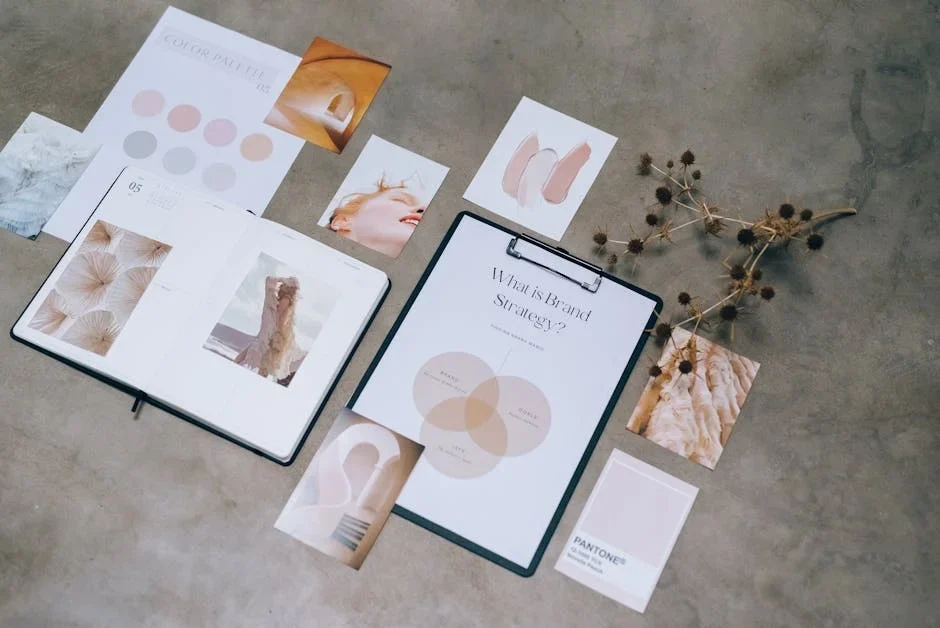
The problem is not the content. It is the format. Static pages with paragraphs and stock photos do not match how people consume narrative content in the current era. People are conditioned by Instagram Stories, TikTok, and Snapchat to absorb brand narratives through short, visual, interactive sequences. A static page feels like reading a brochure when you are used to watching a documentary.
For developers building WooCommerce stores, the challenge is clear: how do you create a brand storytelling experience that matches modern consumption habits without building a custom interactive content system from scratch? If your store is already facing slowing growth, a compelling brand narrative could be the differentiator that reignites customer interest.
WP Stories provides the answer. It brings the Stories format, the same pattern that drives billions of daily views on social platforms, directly into WordPress. And for brand storytelling specifically, it opens up possibilities that go far beyond what a traditional About page can achieve.
Interactive Brand Narratives That Shoppers Actually Watch
The Stories format works for brand storytelling because it turns passive reading into active exploration. Instead of presenting all your brand information at once and hoping visitors read it, you break the narrative into digestible visual chapters that viewers choose to advance through.
This changes the psychology of the interaction. When a visitor taps through a brand story, each tap is a micro-commitment. They chose to see the next slide. They chose to keep going. By the time they reach the end of a ten-slide story, they have actively engaged with your brand narrative ten times. Compare that to a static page where a visitor might skim three paragraphs before clicking away.
The Stories format also supports mixed media in a way that static pages struggle with. A single story can combine photographs, short video clips, text overlays, and call-to-action buttons in a sequence that flows naturally. You can show a thirty-second video of your workshop, follow it with a photo of the finished product, add a text slide with a customer quote, and close with a button that links to the product page. On a static page, that same content would feel disjointed. In a story, it feels like a journey.
For WooCommerce stores, the commercial angle matters too. Every brand story can end with a link to a product, a category, or a promotional offer. The storytelling draws people in emotionally, and the call to action converts that emotion into a purchase decision. This is the same pattern that makes Instagram Shopping so effective, and WP Stories brings it to your own domain where you control the entire experience.
Team Introduction Stories That Build Trust
One of the most effective brand storytelling patterns for ecommerce is the team introduction. People buy from people, and putting faces and personalities behind your brand creates trust that no amount of professional copywriting can match.
The traditional approach to team introductions is a grid of headshots with names, titles, and one-sentence bios. It is better than nothing, but it does not create connection. A headshot and a job title tell you almost nothing about who someone is or why they care about what they are doing.
Building a Team Story Sequence
With WP Stories, you can create individual stories for team members that go beyond the headshot. A team story might start with a candid photo of the person in their workspace, followed by a short video where they talk about what they do, a slide showing a product they are particularly proud of, and a closing slide with a fun personal fact.
For a small artisan brand, this could be the difference between a customer seeing “Sarah, Lead Designer” and actually understanding that Sarah has been hand-painting ceramics for fifteen years, trained in Japan, and personally inspects every piece before it ships. That depth of understanding creates the kind of brand loyalty that survives price competition.
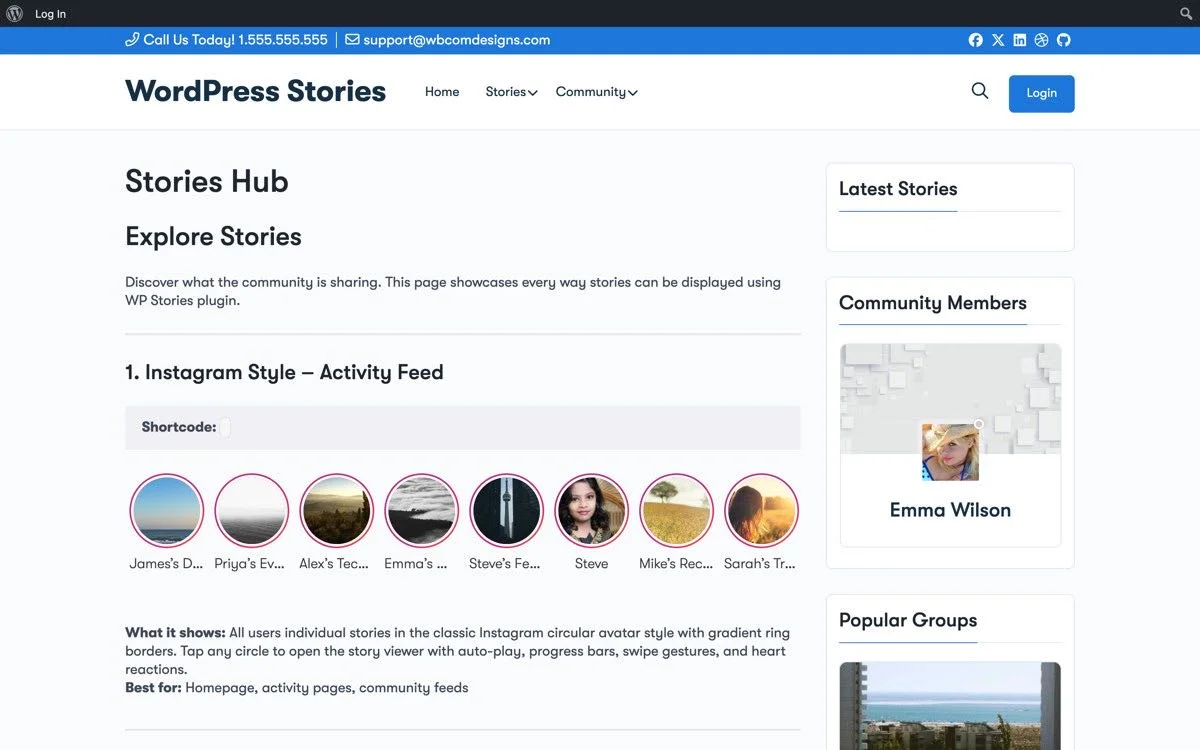
The Snapssenger display style works particularly well for team stories. The circular thumbnails in the horizontal strip look like a team roster, and each thumbnail opens into a full story about that person. Place this strip on your About page, your homepage, or even your checkout page as a trust signal.
Scaling Team Stories for Larger Organizations
For larger stores with bigger teams, you do not need a story for every employee. Focus on the people who touch the product: designers, makers, quality inspectors, and customer service leads. These are the roles that shoppers wonder about, and the stories provide answers to unasked questions like “who actually makes this?” and “what happens if something goes wrong?”
WP Stories lets you categorize stories, so you can create a “Team” category and filter your shortcodes to only display team-related content. This keeps your brand stories organized and makes it easy to add new team members as stories without touching the page layout.
Behind-the-Scenes Manufacturing Stories
In an era where consumers are increasingly conscious about how products are made, behind-the-scenes content is not just nice to have. It is a competitive advantage. Shoppers want transparency about materials, processes, working conditions, and environmental impact. A brand that shows its manufacturing process signals confidence and honesty.
The Factory Floor Tour
Create a multi-slide story that walks viewers through your manufacturing process from raw materials to finished product. Start with the raw materials arriving at the facility. Show the key transformation stages. Highlight quality control checkpoints. End with the finished product being packaged for shipping.
This kind of story works exceptionally well in the Snapgram format. The full-screen immersive experience makes viewers feel like they are actually visiting the facility. Include short video clips at key stages for maximum impact. A fifteen-second clip of a craftsperson at work communicates more about product quality than a thousand words of copy.
For stores that source from multiple suppliers or workshops, create separate stories for each one. A food brand might have stories for the farm, the processing facility, and the packaging center. A fashion brand might showcase the textile mill, the cutting room, and the finishing studio. Each story adds a layer of transparency that builds cumulative trust.
The Material Source Story
Another powerful pattern is the material source story. Where do your ingredients or materials come from? A coffee roaster can tell the story of a specific farm in Colombia. A skincare brand can show the lavender fields in Provence where their essential oils are sourced. A furniture maker can take viewers to the forest where their timber is sustainably harvested.
These stories connect the product on the shelf to a place and a process. They transform a commodity into a narrative. And they give shoppers a story to tell their friends: “I bought this coffee from a brand that sources from this amazing farm in Colombia, let me show you.” That word-of-mouth value is immeasurable.
Seasonal Brand Campaigns with Time-Limited Stories
One of the most powerful features of the Stories format is its inherent sense of urgency. On social platforms, stories disappear after twenty-four hours. While WP Stories does not enforce this limitation by default, the format carries that psychological association. When shoppers see a story, they instinctively feel that it might not be there tomorrow. That urgency drives engagement.
Smart WooCommerce stores can harness this psychology for seasonal campaigns without actually deleting content. Here is how.
Holiday Campaign Stories
Build a series of stories around your holiday collection or seasonal sale. Each story in the series can cover a different angle: the gift guide story, the behind-the-scenes holiday preparation story, the limited-edition product reveal story, and the countdown-to-sale story.
Use Snapgram for the product reveal to create maximum visual impact. Use Snapssenger for the gift guide so shoppers can browse multiple gift ideas quickly. Schedule the stories to publish sequentially over the campaign period to maintain momentum and give returning visitors fresh content each time they visit.
After the campaign ends, you can unpublish the stories or move them to an archive category. The next year, you can create fresh stories while potentially reusing elements from previous campaigns. This creates a sustainable content workflow that does not require starting from scratch every season.
Product Launch Stories
For new product launches, create a multi-part story series that builds anticipation. Start with teaser stories a week before launch: silhouette images, material close-ups, or short clips that hint at the product without revealing it. Follow with a launch-day story that shows the full product, explains its features, and includes a direct link to the product page.
The Snapgram format is ideal for product launches because the full-screen experience creates a sense of occasion. The product feels important. The presentation matches the premium product launch experiences that shoppers see from major brands on Instagram, bringing that same polish to your WooCommerce store. If you have built custom product types for your store, story-based launches give those products the spotlight they deserve.
Milestone and Anniversary Stories
Brand milestones like anniversaries, production milestones, or community achievements make excellent story content. A ten-year anniversary story might walk through the brand’s evolution year by year, showing how products, packaging, and the team have changed. A milestone like “ten thousand orders shipped” can be celebrated with a story that thanks customers and shares highlights from the journey.
These stories humanize the brand and create emotional touchpoints that deepen customer relationships. They also provide evergreen content that you can reference in email marketing, social media, and customer communications.
Integrating Brand Stories Across Your Store Theme
Effective brand storytelling is not confined to the About page. The most impactful implementations weave stories throughout the shopping experience so that brand narrative and product discovery happen simultaneously.
Homepage Integration
The homepage is your highest-traffic page and the first impression for most visitors. A Snapssenger strip near the top of the page serves as a visual menu of current brand stories. Keep it to five to eight stories that represent the most current and compelling brand content. Rotate stories weekly or bi-weekly to keep the homepage feeling fresh.
Place the story strip between the hero section and the product grid. This position catches visitors during the natural scroll pattern and offers a brand engagement moment before they start browsing products. For stores where the brand is the primary differentiator, this placement alone can meaningfully impact time-on-site and conversion rates.
Product Page Integration
Individual product pages benefit from relevant brand stories placed below the product description or in the sidebar. A handcrafted goods store might show a story about the artisan who made the specific product. A sustainable fashion brand might link to a story about the material sourcing for that product’s fabric.
This requires a bit more setup since you need to map stories to products, but the payoff is significant. Shoppers who are considering a purchase and encounter a compelling brand story at that decision point are more likely to convert. The story provides the emotional context that justifies the purchase.
Checkout and Thank You Page Integration
Brand stories on the checkout page might seem counterintuitive. You do not want to distract shoppers from completing their purchase. But a small, unobtrusive Snapssenger strip showing team stories or manufacturing process stories can serve as a trust signal during the moment of highest purchase anxiety.
On the Thank You page, brand stories take on a different role entirely. Post-purchase is the moment when a shopper is most receptive to brand messaging. They have already bought. Now they want to feel good about their decision. A story about your brand values, your team, or your impact reinforces that positive feeling and begins the relationship that leads to repeat purchases. Pair this with a solid CRM integration and you can track which brand stories drive the most repeat business.
Footer and Sidebar Placement
For stores that want a persistent brand storytelling presence without it dominating the layout, the footer and sidebar offer low-commitment placements. A Vemdezap list in the sidebar shows recent brand stories alongside blog posts and product categories. A Snapssenger strip in the footer provides a final engagement opportunity before the visitor leaves the page.
These placements will not drive the same engagement as homepage or product page integration, but they ensure that brand stories are always accessible regardless of where the visitor is in their browsing journey.
Implementing Brand Stories with WP Stories
Putting all of this into practice with WP Stories follows a straightforward workflow that any WordPress developer can execute.
Step 1: Plan Your Brand Story Architecture
Before creating any content, map out your story categories and placement strategy. Common categories include Team, Manufacturing, Values, Campaigns, and Customer Stories. Decide which display style you will use for each placement: Snapgram for immersive experiences, Snapssenger for inline browsing, and Vemdezap for community content.
Step 2: Create Your Core Stories
Start with three to five foundational stories that represent your brand’s core narrative. A founding story, a team introduction, a manufacturing process story, a values or mission story, and a customer testimonial story form a solid foundation. Each story should be five to fifteen slides long.
Step 3: Place Stories Throughout the Store
Using shortcodes or widgets, embed your stories at the strategic points identified in your architecture plan. Start with the homepage and About page, then expand to product pages and other touchpoints as you develop more content.
Step 4: Establish a Content Calendar
Brand storytelling is not a one-time project. Plan for regular story creation: a new team member introduction every month, a seasonal campaign story every quarter, and ad-hoc stories for product launches and milestones. WP Stories makes adding new content straightforward enough that this cadence is sustainable without a dedicated content team.
Step 5: Measure and Iterate
Track which stories get the most views and which placements drive the most engagement. WP Stories provides basic analytics that show story views and completion rates. Use this data to refine your content strategy over time, doubling down on what resonates and retiring what does not.
The Competitive Advantage of Interactive Brand Stories
In a WooCommerce landscape where products are increasingly similar and prices are transparent, brand narrative is one of the few durable competitive advantages. The stores that win long-term are the ones that make customers feel something beyond the transaction.
Interactive brand stories built with WP Stories give you a tool for creating those emotional connections without the custom development cost. The familiar Stories format lowers the barrier to engagement. The multiple display styles let you integrate brand storytelling at every touchpoint. And the WordPress-native architecture means you are working within a system you already know, not bolting on a foreign platform.
Your About Us page does not have to be a dead end. It can be the beginning of a brand relationship that drives loyalty, referrals, and repeat purchases. The Stories format gives you the vehicle. Your brand narrative provides the fuel. Together, they transform the static ecommerce experience into something that shoppers remember and return to.
Ready to transform your brand storytelling? Get WP Stories and build interactive brand narratives that turn browsers into loyal customers.
Plugins we build and run
We maintain these ourselves, which is why we can support them on your site.
- BuddyNextThe self-hosted community engine for WordPress
- BuddyXFree community theme, Pro when you outgrow it
- ReignPremium community theme. Add pieces, build anything
- JetonomyCommunity forum and Q&A for WordPress
- EventonomyEvents and RSVPs for WordPress communities
- LearnomyCourses and learning communities on WordPress
- ListoraDirectories and listings your members can browse
- SnipShareCode sharing built for developer communities
- WB Ad ManagerAd placements that turn traffic into revenue
- WP Career BoardA job board your community actually uses
- WP Sell ServicesSell services with offers, orders, and payouts
- MediaVersePhotos, video, and media albums for members
- WB GamificationPoints, badges, and rewards that keep members active
- Product RoadmapPublic roadmaps with voting your users trust