WordPress Ad Management via REST API for Developers


The Case for API-Driven Ad Management
WordPress has evolved far beyond its origins as a blogging platform. Modern WordPress installations power headless frontends built with React, Vue, and Next.js. They serve as content hubs for mobile applications. They function as backend systems for complex multi-channel publishing workflows.
In this landscape, managing ads through the WordPress admin dashboard alone is not enough. Developers need programmatic access to create ads, configure placements, retrieve analytics, and serve ad content through APIs that can be consumed by any frontend or external system.
WB Ad Manager Pro provides a comprehensive REST API that covers the full ad management lifecycle. Every action available in the admin interface is also available through an API endpoint. This means you can build custom workflows, integrate with external systems, and serve ads in contexts that the traditional WordPress theme layer never anticipated. If you are already tracking ad performance, the API extends what you can do with that data well beyond the WordPress admin. See our guide on tracking impressions and clicks for the analytics foundation.
This article is a practical guide for developers who want to manage WordPress ads programmatically. We will cover authentication, available endpoints, code examples for common operations, and patterns for serving ads in headless architectures.
Available Endpoints and Authentication
The WB Ad Manager Pro REST API extends the WordPress REST API (at /wp-json/) with a dedicated namespace. All endpoints follow WordPress REST API conventions for request format, pagination, and error handling.
API Namespace and Base URL
Base URL: https://yoursite.com/wp-json/wb-ad-manager/v1/All endpoints are prefixed with this base URL. The v1 version identifier allows for future API versions without breaking existing integrations.
Core Endpoints
The API provides the following endpoint groups:
Ads Management
GET    /wb-ad-manager/v1/ads              # List all ads
POST   /wb-ad-manager/v1/ads              # Create a new ad
GET    /wb-ad-manager/v1/ads/{id}          # Get a specific ad
PUT    /wb-ad-manager/v1/ads/{id}          # Update an ad
DELETE /wb-ad-manager/v1/ads/{id}          # Delete an ad
PATCH  /wb-ad-manager/v1/ads/{id}/status   # Change ad status
Placements
GET    /wb-ad-manager/v1/placements           # List all placements
POST   /wb-ad-manager/v1/placements           # Create a placement
GET    /wb-ad-manager/v1/placements/{id}      # Get a specific placement
PUT    /wb-ad-manager/v1/placements/{id}      # Update a placement
DELETE /wb-ad-manager/v1/placements/{id}      # Delete a placement
Campaigns
GET    /wb-ad-manager/v1/campaigns            # List all campaigns
POST   /wb-ad-manager/v1/campaigns            # Create a campaign
GET    /wb-ad-manager/v1/campaigns/{id}       # Get a specific campaign
PUT    /wb-ad-manager/v1/campaigns/{id}       # Update a campaign
PATCH  /wb-ad-manager/v1/campaigns/{id}/status # Start, pause, or end
Analytics
GET    /wb-ad-manager/v1/analytics/impressions  # Impression data
GET    /wb-ad-manager/v1/analytics/clicks        # Click data
GET    /wb-ad-manager/v1/analytics/ctr           # CTR calculations
GET    /wb-ad-manager/v1/analytics/reports        # Generate reports
GET    /wb-ad-manager/v1/analytics/export         # Export to CSV
Ad Serving
GET    /wb-ad-manager/v1/serve/{placement_slug}  # Get ad HTML for a placement
POST   /wb-ad-manager/v1/track/impression         # Record an impression
POST   /wb-ad-manager/v1/track/click              # Record a click
GET    /wb-ad-manager/v1/redirect/{ad_id}         # Click-through redirect
Authentication Methods
The API supports three authentication methods, each suited to different integration patterns.
1. Application Passwords
Built into WordPress core since version 5.6. Ideal for server-to-server integrations where you control both endpoints. This is the same pattern used by other WordPress API integrations, such as Salesforce pipeline tracking and HubSpot CRM integration.
// Using Application Passwords with cURL
curl -X GET \
  https://yoursite.com/wp-json/wb-ad-manager/v1/ads \
  -u "username:xxxx xxxx xxxx xxxx xxxx xxxx" \
  -H "Content-Type: application/json"
Generate an Application Password in the WordPress admin under Users > Profile > Application Passwords. The password is space-separated for readability but should be sent without spaces in the Authorization header.
2. JWT Authentication
For single-page applications and headless frontends where user-based authentication is needed.
// Step 1: Obtain a token
const response = await fetch('https://yoursite.com/wp-json/jwt-auth/v1/token', {
  method: 'POST',
  headers: { 'Content-Type': 'application/json' },
  body: JSON.stringify({
    username: 'api_user',
    password: 'secure_password'
  })
});
const { token } = await response.json();

// Step 2: Use the token for API requests
const ads = await fetch('https://yoursite.com/wp-json/wb-ad-manager/v1/ads', {
  headers: { 'Authorization': `Bearer ${token}` }
});
3. API Keys
WB Ad Manager Pro generates unique API keys for advertisers and external systems. API keys provide scoped, read-only access to relevant data without requiring WordPress user credentials.
// Using an API key
curl -X GET \
  https://yoursite.com/wp-json/wb-ad-manager/v1/analytics/impressions \
  -H "X-WB-API-Key: wbam_live_abc123def456" \
  -H "Content-Type: application/json"
API keys are generated in the WB Ad Manager Pro settings panel. Each key can be scoped to specific endpoints and rate-limited independently.
Creating and Managing Ads Programmatically
The ads endpoint supports the full CRUD lifecycle. Here are practical examples for the most common operations.
Creating a New Ad
// Create a banner ad
const newAd = await fetch('https://yoursite.com/wp-json/wb-ad-manager/v1/ads', {
  method: 'POST',
  headers: {
    'Authorization': `Bearer ${token}`,
    'Content-Type': 'application/json'
  },
  body: JSON.stringify({
    title: 'Spring Sale Banner',
    type: 'image',
    status: 'active',
    creative: {
      image_url: 'https://yoursite.com/wp-content/uploads/ads/spring-sale.webp',
      alt_text: 'Spring Sale - 30% off all products',
      width: 728,
      height: 90
    },
    click_url: 'https://yourstore.com/spring-sale?utm_source=blog&utm_medium=banner',
    campaign_id: 42,
    start_date: '2026-03-21T00:00:00',
    end_date: '2026-04-21T23:59:59',
    targeting: {
      devices: ['desktop', 'tablet'],
      user_roles: ['subscriber', 'visitor'],
      exclude_pages: [1, 42, 100]
    }
  })
});

const ad = await newAd.json();
console.log(`Created ad ${ad.id}: ${ad.title}`);
Updating an Existing Ad
// Update the click URL and extend the end date
await fetch(`https://yoursite.com/wp-json/wb-ad-manager/v1/ads/${adId}`, {
  method: 'PUT',
  headers: {
    'Authorization': `Bearer ${token}`,
    'Content-Type': 'application/json'
  },
  body: JSON.stringify({
    click_url: 'https://yourstore.com/extended-sale?utm_source=blog',
    end_date: '2026-05-01T23:59:59'
  })
});
Bulk Operations
For managing multiple ads at once, the API supports batch requests:
// Pause all ads in a campaign
const campaignAds = await fetch(
  `https://yoursite.com/wp-json/wb-ad-manager/v1/ads?campaign_id=42&per_page=100`,
  { headers: { 'Authorization': `Bearer ${token}` } }
).then(r => r.json());

const pausePromises = campaignAds.map(ad =>
  fetch(`https://yoursite.com/wp-json/wb-ad-manager/v1/ads/${ad.id}/status`, {
    method: 'PATCH',
    headers: {
      'Authorization': `Bearer ${token}`,
      'Content-Type': 'application/json'
    },
    body: JSON.stringify({ status: 'paused' })
  })
);

await Promise.all(pausePromises);
console.log(`Paused ${campaignAds.length} ads`);
Managing Placements
// Create a new placement
const placement = await fetch('https://yoursite.com/wp-json/wb-ad-manager/v1/placements', {
  method: 'POST',
  headers: {
    'Authorization': `Bearer ${token}`,
    'Content-Type': 'application/json'
  },
  body: JSON.stringify({
    name: 'Blog Post Footer',
    slug: 'blog-post-footer',
    type: 'single',
    position: 'after_content',
    ad_ids: [101, 102, 103],
    rotation: 'weighted',
    weights: { 101: 50, 102: 30, 103: 20 }
  })
}).then(r => r.json());

console.log(`Placement created: ${placement.slug}`);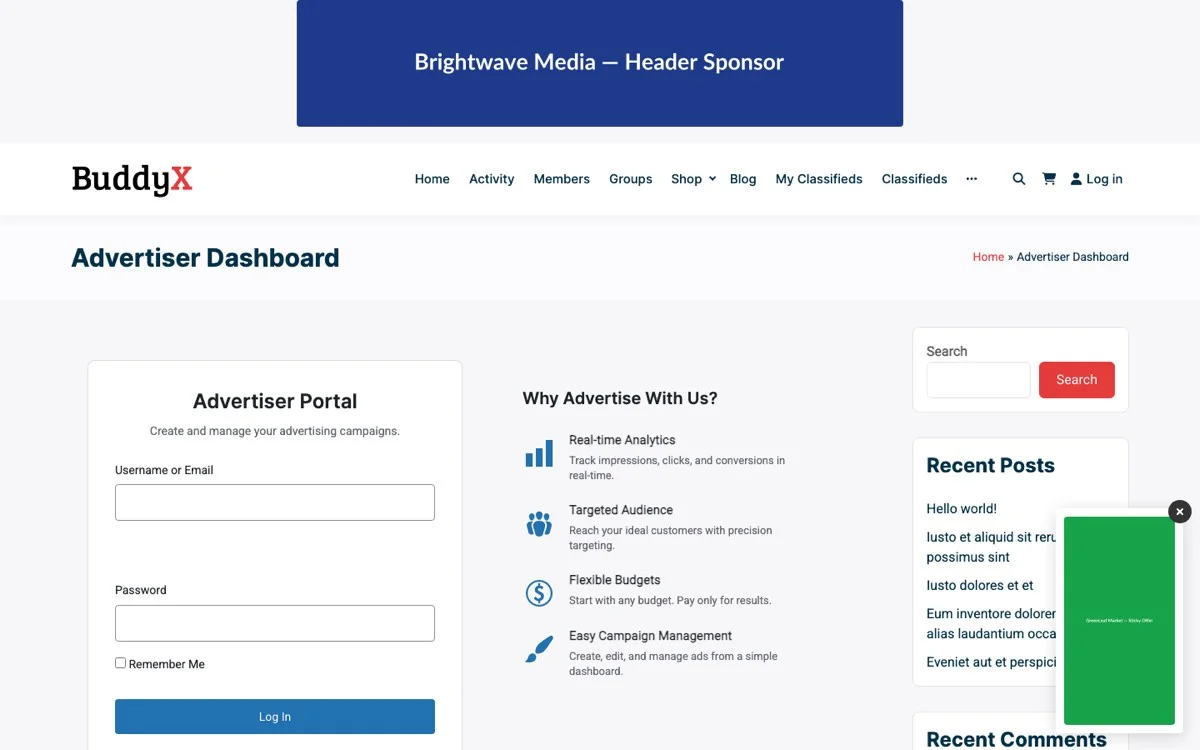
Serving Ads in Headless Frontends
The ad-serving endpoint is the most important endpoint for headless WordPress architectures. It returns the ad HTML (or raw data) for a given placement, handles rotation logic server-side, and supports A/B test variant selection.
Basic Ad Serving
// Fetch ad content for a placement
const adResponse = await fetch(
  'https://yoursite.com/wp-json/wb-ad-manager/v1/serve/blog-post-footer',
  {
    headers: {
      'X-WB-API-Key': 'wbam_live_abc123def456',
      'X-Forwarded-For': visitorIp  // For targeting and analytics
    }
  }
);

const adData = await adResponse.json();
// adData contains: html, ad_id, impression_token, click_url, tracking_pixel
React Component for Ad Display
Here is a reusable React component that fetches and displays ads from the WB Ad Manager Pro API:
import React, { useEffect, useState, useRef } from 'react';

const WBAdPlacement = ({ placement, apiBase, apiKey }) => {
  const [adData, setAdData] = useState(null);
  const [loading, setLoading] = useState(true);
  const adRef = useRef(null);
  const impressionTracked = useRef(false);

  useEffect(() => {
    const fetchAd = async () => {
      try {
        const response = await fetch(
          `${apiBase}/wb-ad-manager/v1/serve/${placement}`,
          {
            headers: {
              'X-WB-API-Key': apiKey,
              'Content-Type': 'application/json'
            }
          }
        );
        const data = await response.json();
        setAdData(data);
      } catch (error) {
        console.error('Failed to load ad:', error);
      } finally {
        setLoading(false);
      }
    };

    fetchAd();
  }, [placement, apiBase, apiKey]);

  // Track impression when ad enters viewport
  useEffect(() => {
    if (!adData || impressionTracked.current) return;

    const observer = new IntersectionObserver(
      ([entry]) => {
        if (entry.isIntersecting && !impressionTracked.current) {
          impressionTracked.current = true;
          fetch(`${apiBase}/wb-ad-manager/v1/track/impression`, {
            method: 'POST',
            headers: {
              'X-WB-API-Key': apiKey,
              'Content-Type': 'application/json'
            },
            body: JSON.stringify({
              ad_id: adData.ad_id,
              placement: placement,
              token: adData.impression_token
            })
          });
        }
      },
      { threshold: 0.5 }
    );

    if (adRef.current) observer.observe(adRef.current);
    return () => observer.disconnect();
  }, [adData, apiBase, apiKey, placement]);

  const handleClick = () => {
    if (!adData) return;
    fetch(`${apiBase}/wb-ad-manager/v1/track/click`, {
      method: 'POST',
      headers: {
        'X-WB-API-Key': apiKey,
        'Content-Type': 'application/json'
      },
      body: JSON.stringify({
        ad_id: adData.ad_id,
        placement: placement,
        token: adData.impression_token
      })
    });
  };

  if (loading) return <div className="ad-placeholder" />;
  if (!adData) return null;

  return (
    <div ref={adRef} className="wb-ad-placement">
      <a
        href={adData.click_url}
        onClick={handleClick}
        target="_blank"
        rel="noopener noreferrer sponsored"
      >
        <div dangerouslySetInnerHTML={{ __html: adData.html }} />
      </a>
    </div>
  );
};

export default WBAdPlacement;
Usage in a Next.js Application
// pages/blog/[slug].js
import WBAdPlacement from '@/components/WBAdPlacement';

export default function BlogPost({ post }) {
  return (
    <article>
      <h1>{post.title}</h1>

      {/* Header ad placement */}
      <WBAdPlacement
        placement="blog-header"
        apiBase="https://yoursite.com/wp-json"
        apiKey={process.env.NEXT_PUBLIC_WB_AD_API_KEY}
      />

      <div dangerouslySetInnerHTML={{ __html: post.content }} />

      {/* Footer ad placement */}
      <WBAdPlacement
        placement="blog-post-footer"
        apiBase="https://yoursite.com/wp-json"
        apiKey={process.env.NEXT_PUBLIC_WB_AD_API_KEY}
      />
    </article>
  );
}
Vue.js Composable
// composables/useWBAd.js
import { ref, onMounted, onUnmounted } from 'vue';

export function useWBAd(placement, apiBase, apiKey) {
  const adData = ref(null);
  const loading = ref(true);
  const adElement = ref(null);
  let observer = null;
  let impressionTracked = false;

  const fetchAd = async () => {
    try {
      const response = await fetch(
        `${apiBase}/wb-ad-manager/v1/serve/${placement}`,
        { headers: { 'X-WB-API-Key': apiKey } }
      );
      adData.value = await response.json();
    } catch (error) {
      console.error('Failed to load ad:', error);
    } finally {
      loading.value = false;
    }
  };

  const trackImpression = () => {
    if (impressionTracked || !adData.value) return;
    impressionTracked = true;
    fetch(`${apiBase}/wb-ad-manager/v1/track/impression`, {
      method: 'POST',
      headers: {
        'X-WB-API-Key': apiKey,
        'Content-Type': 'application/json'
      },
      body: JSON.stringify({
        ad_id: adData.value.ad_id,
        placement: placement,
        token: adData.value.impression_token
      })
    });
  };

  const trackClick = () => {
    if (!adData.value) return;
    fetch(`${apiBase}/wb-ad-manager/v1/track/click`, {
      method: 'POST',
      headers: {
        'X-WB-API-Key': apiKey,
        'Content-Type': 'application/json'
      },
      body: JSON.stringify({
        ad_id: adData.value.ad_id,
        placement: placement,
        token: adData.value.impression_token
      })
    });
  };

  onMounted(() => {
    fetchAd();
    observer = new IntersectionObserver(
      ([entry]) => { if (entry.isIntersecting) trackImpression(); },
      { threshold: 0.5 }
    );
    if (adElement.value) observer.observe(adElement.value);
  });

  onUnmounted(() => { if (observer) observer.disconnect(); });

  return { adData, loading, adElement, trackClick };
}
Tracking Impressions and Clicks via API Calls
When ads are served through the REST API to headless frontends, the standard server-side tracking that works in traditional WordPress themes is not available. Instead, the frontend must explicitly report impression and click events through API calls.
Impression Tracking
The impression tracking endpoint accepts POST requests with the ad ID, placement identifier, and an impression token (provided in the serve response to prevent duplicate tracking).
POST /wb-ad-manager/v1/track/impression

{
  "ad_id": 142,
  "placement": "blog-header",
  "token": "imp_abc123def456",
  "context": {
    "page_url": "https://yoursite.com/blog/my-post",
    "viewport_width": 1920,
    "viewport_height": 1080
  }
}
The token is a single-use identifier that prevents the same impression from being counted multiple times. If a visitor navigates away from and returns to a page, a new serve request generates a new token.
Click Tracking
Click tracking follows the same pattern but includes additional context about the click event:
POST /wb-ad-manager/v1/track/click

{
  "ad_id": 142,
  "placement": "blog-header",
  "token": "imp_abc123def456",
  "context": {
    "page_url": "https://yoursite.com/blog/my-post",
    "click_x": 450,
    "click_y": 120,
    "timestamp": "2026-03-21T14:30:00Z"
  }
}
Batch Tracking
For pages with multiple ad placements, sending individual tracking requests for each impression creates unnecessary network overhead. The API supports batch tracking:
POST /wb-ad-manager/v1/track/batch

{
  "events": [
    {
      "type": "impression",
      "ad_id": 142,
      "placement": "blog-header",
      "token": "imp_abc123"
    },
    {
      "type": "impression",
      "ad_id": 205,
      "placement": "sidebar-top",
      "token": "imp_def456"
    },
    {
      "type": "impression",
      "ad_id": 178,
      "placement": "blog-post-footer",
      "token": "imp_ghi789"
    }
  ]
}
Batch tracking reduces the number of HTTP requests and is the recommended approach for pages displaying three or more ads.
Handling Tracking Failures
Network requests can fail. A robust frontend implementation should handle tracking failures gracefully without impacting the user experience:
const trackEvent = async (endpoint, payload, retries = 2) => {
  for (let attempt = 0; attempt <= retries; attempt++) {
    try {
      const response = await fetch(endpoint, {
        method: 'POST',
        headers: {
          'X-WB-API-Key': apiKey,
          'Content-Type': 'application/json'
        },
        body: JSON.stringify(payload),
        keepalive: true  // Ensures request completes even if page navigates
      });
      if (response.ok) return true;
    } catch (error) {
      if (attempt === retries) {
        // Log to local analytics or error tracker
        console.warn('Tracking failed after retries:', error);
        return false;
      }
    }
  }
};
The keepalive: true option is important for click tracking. When a visitor clicks an ad and navigates away from the page, the browser may cancel in-flight fetch requests. The keepalive flag tells the browser to complete the request even during page navigation.
Building Custom Dashboards
The analytics endpoints provide all the data you need to build custom dashboards tailored to your specific requirements or your clients' needs.
Fetching Dashboard Data
// Fetch summary data for a custom dashboard
const fetchDashboardData = async (dateFrom, dateTo) => {
  const [impressions, clicks, topAds, topPlacements] = await Promise.all([
    fetch(`${apiBase}/wb-ad-manager/v1/analytics/impressions?` +
      `date_from=${dateFrom}&date_to=${dateTo}&group_by=day`,
      { headers: authHeaders }
    ).then(r => r.json()),

    fetch(`${apiBase}/wb-ad-manager/v1/analytics/clicks?` +
      `date_from=${dateFrom}&date_to=${dateTo}&group_by=day`,
      { headers: authHeaders }
    ).then(r => r.json()),

    fetch(`${apiBase}/wb-ad-manager/v1/analytics/ctr?` +
      `date_from=${dateFrom}&date_to=${dateTo}&sort=ctr&order=desc&per_page=10`,
      { headers: authHeaders }
    ).then(r => r.json()),

    fetch(`${apiBase}/wb-ad-manager/v1/analytics/ctr?` +
      `date_from=${dateFrom}&date_to=${dateTo}&group_by=placement&sort=impressions&order=desc`,
      { headers: authHeaders }
    ).then(r => r.json())
  ]);

  return { impressions, clicks, topAds, topPlacements };
};
Building a React Dashboard
import React, { useEffect, useState } from 'react';
import { LineChart, BarChart } from 'your-charting-library';

const AdDashboard = ({ apiBase, apiKey }) => {
  const [data, setData] = useState(null);
  const [dateRange, setDateRange] = useState({ from: '2026-03-01', to: '2026-03-21' });

  useEffect(() => {
    const headers = { 'X-WB-API-Key': apiKey };

    Promise.all([
      fetch(`${apiBase}/analytics/impressions?date_from=${dateRange.from}&date_to=${dateRange.to}&group_by=day`,
        { headers }).then(r => r.json()),
      fetch(`${apiBase}/analytics/clicks?date_from=${dateRange.from}&date_to=${dateRange.to}&group_by=day`,
        { headers }).then(r => r.json()),
      fetch(`${apiBase}/analytics/ctr?date_from=${dateRange.from}&date_to=${dateRange.to}&sort=ctr&order=desc&per_page=5`,
        { headers }).then(r => r.json())
    ]).then(([impressions, clicks, topAds]) => {
      setData({ impressions, clicks, topAds });
    });
  }, [dateRange, apiBase, apiKey]);

  if (!data) return <div>Loading dashboard...</div>;

  return (
    <div className="ad-dashboard">
      <h2>Ad Performance Dashboard</h2>

      <div className="chart-row">
        <div className="chart">
          <h3>Daily Impressions</h3>
          <LineChart data={data.impressions} xKey="date" yKey="count" />
        </div>
        <div className="chart">
          <h3>Daily Clicks</h3>
          <LineChart data={data.clicks} xKey="date" yKey="count" />
        </div>
      </div>

      <div className="top-ads">
        <h3>Top Performing Ads</h3>
        <table>
          <thead>
            <tr>
              <th>Ad</th><th>Impressions</th><th>Clicks</th><th>CTR</th>
            </tr>
          </thead>
          <tbody>
            {data.topAds.map(ad => (
              <tr key={ad.id}>
                <td>{ad.title}</td>
                <td>{ad.impressions.toLocaleString()}</td>
                <td>{ad.clicks.toLocaleString()}</td>
                <td>{ad.ctr.toFixed(2)}%</td>
              </tr>
            ))}
          </tbody>
        </table>
      </div>
    </div>
  );
};
Advertiser Self-Service Portal
One powerful pattern is building a self-service portal where advertisers can view their own campaign data. Using advertiser-scoped API keys, each advertiser sees only their own ads, placements, and analytics.
// Advertiser portal - scoped to their campaigns only
const AdvertiserPortal = ({ advertiserApiKey }) => {
  const [campaigns, setCampaigns] = useState([]);

  useEffect(() => {
    fetch(`${apiBase}/wb-ad-manager/v1/campaigns`, {
      headers: { 'X-WB-API-Key': advertiserApiKey }
    })
    .then(r => r.json())
    .then(setCampaigns);
  }, [advertiserApiKey]);

  return (
    <div>
      <h2>Your Campaigns</h2>
      {campaigns.map(campaign => (
        <CampaignCard key={campaign.id} campaign={campaign} />
      ))}
    </div>
  );
};
The API key automatically filters all responses to only include data belonging to the associated advertiser. No additional filtering logic is needed on the frontend.
Advanced API Patterns
Server-Side Rendering with Ad Prefetching
In Next.js applications using server-side rendering (SSR), you can prefetch ad data during the server render to avoid a flash of empty ad slots:
// pages/blog/[slug].js - Next.js SSR with ad prefetching
export async function getServerSideProps({ params, req }) {
  const [post, headerAd, footerAd] = await Promise.all([
    fetchPost(params.slug),
    fetch(`${process.env.WP_API_BASE}/wb-ad-manager/v1/serve/blog-header`, {
      headers: {
        'X-WB-API-Key': process.env.WB_AD_API_KEY,
        'X-Forwarded-For': req.headers['x-forwarded-for'] || req.socket.remoteAddress
      }
    }).then(r => r.json()),
    fetch(`${process.env.WP_API_BASE}/wb-ad-manager/v1/serve/blog-post-footer`, {
      headers: {
        'X-WB-API-Key': process.env.WB_AD_API_KEY,
        'X-Forwarded-For': req.headers['x-forwarded-for'] || req.socket.remoteAddress
      }
    }).then(r => r.json())
  ]);

  return {
    props: { post, headerAd, footerAd }
  };
}
Caching Strategy
Ad serve responses can be cached briefly (30-60 seconds) to reduce API load, but cache keys should include visitor-specific parameters to maintain targeting accuracy:
// Cache key includes placement + device type + user role
const cacheKey = `ad_${placement}_${deviceType}_${userRole}`;
const cached = await redis.get(cacheKey);

if (cached) {
  return JSON.parse(cached);
}

const adData = await fetchAdFromAPI(placement);
await redis.setex(cacheKey, 60, JSON.stringify(adData)); // 60-second TTL
return adData;
Webhook Integration
Register webhooks to receive real-time notifications about campaign events:
// Register a webhook
await fetch(`${apiBase}/wb-ad-manager/v1/webhooks`, {
  method: 'POST',
  headers: {
    'Authorization': `Bearer ${token}`,
    'Content-Type': 'application/json'
  },
  body: JSON.stringify({
    url: 'https://your-app.com/webhooks/wb-ads',
    events: [
      'campaign.budget_exhausted',
      'campaign.ended',
      'ad.ctr_threshold',
      'test.winner_declared'
    ],
    secret: 'webhook_signing_secret_here'
  })
});
Webhook payloads pair well with the A/B testing auto-winner feature, notifying your systems immediately when a test concludes and a new winning variant is applied.
Error Handling and Rate Limits
The API returns standard HTTP status codes and JSON error responses:
// Error response format
{
  "code": "rest_forbidden",
  "message": "API key does not have permission to access this endpoint.",
  "data": { "status": 403 }
}

// Rate limit headers
X-RateLimit-Limit: 1000
X-RateLimit-Remaining: 847
X-RateLimit-Reset: 1711036800
When rate-limited (HTTP 429), the response includes a Retry-After header indicating how many seconds to wait before retrying.
// Handling rate limits
const apiRequest = async (url, options, maxRetries = 3) => {
  for (let i = 0; i <= maxRetries; i++) {
    const response = await fetch(url, options);

    if (response.status === 429) {
      const retryAfter = parseInt(response.headers.get('Retry-After') || '60');
      await new Promise(resolve => setTimeout(resolve, retryAfter * 1000));
      continue;
    }

    return response;
  }
  throw new Error('Max retries exceeded');
};
Get Started with the WB Ad Manager Pro API
The REST API transforms WB Ad Manager Pro from a WordPress admin tool into a platform that integrates with your entire technology stack. Whether you are building a headless frontend, syncing ad data with an external billing system, or creating a custom advertiser portal, the API provides the endpoints and authentication methods you need.
Every endpoint documented in this article is available today. The API follows WordPress REST API conventions, so if you have experience with the WordPress REST API, you already know the patterns.
Download WB Ad Manager Pro and start building API-driven ad management for your WordPress projects.
Related Posts



Part of the Wbcom Designs family
The all-in-one WordPress community stack
- BuddyNext
- BuddyX
- Reign
- Jetonomy
- Eventonomy
- Learnomy
- Listora
- SnipShare
- WB Ad Manager
- WP Career Board
- WP Sell Services
- MediaVerse


Also ours: wbcomdesigns.com vapvarun.com brndle.com