Create a Coworking Space Directory and Community Hub


The Coworking and Community Hub Concept
The way people work has changed dramatically. Remote workers, freelancers, startup teams, and digital nomads are all looking for the same thing: a great place to work that is not their kitchen table. At the same time, local businesses like cafes, meeting room providers, and event spaces are looking for ways to reach these mobile professionals.
This creates a perfect opportunity for a community-driven local business directory, one that connects people with workspaces, meeting rooms, cafes with good WiFi, and other resources that make the independent work life better. And because these professionals tend to form tight-knit communities, a standard listing site is not enough. They want reviews from people they trust, the ability to follow their favorite spaces for updates, and a way to discover new spots through community activity.
BuddyPress Business Profile is built for exactly this kind of directory. By combining business listings with BuddyPress community features, you create a platform where local businesses and their customers have a genuine, ongoing relationship rather than a one-time lookup.
In this guide, we will walk through building a coworking space directory and community hub from scratch, covering directory setup, categories, map integration, reviews, business hours, member-submitted listings, the claim system, and promotion strategies.
Why Community Directories Outperform Static Listings
Before diving into the technical setup, it is worth understanding why a community-driven directory delivers more value than a static one.
Trust through social proof: When a review comes from a community member with a real profile, it carries more weight than an anonymous review on a generic listing site. BuddyPress profiles add a layer of accountability that increases trust.
Ongoing engagement: Static directories get visited once and forgotten. A community hub gives people reasons to return, whether it is checking for new listings, reading activity updates from spaces they follow, or contributing their own reviews.
User-generated content: Community members contribute reviews, photos, and activity updates that keep the directory fresh and relevant without requiring constant editorial effort from you.
Network effects: As more professionals join the community and more businesses list their spaces, the directory becomes more valuable for everyone. This flywheel effect is difficult to replicate with a static listing site.
Setting Up Your Local Business Directory
Here is how to build your coworking space directory step by step using WordPress, BuddyPress, and BP Business Profile.
Prerequisites
You will need:
- A WordPress installation with BuddyPress activated
- The BP Business Profile plugin
- A Google Maps API key (optional if you prefer OpenStreetMap)
Initial Configuration
After activating BP Business Profile, head to the settings panel to configure your directory for coworking and local business listings.
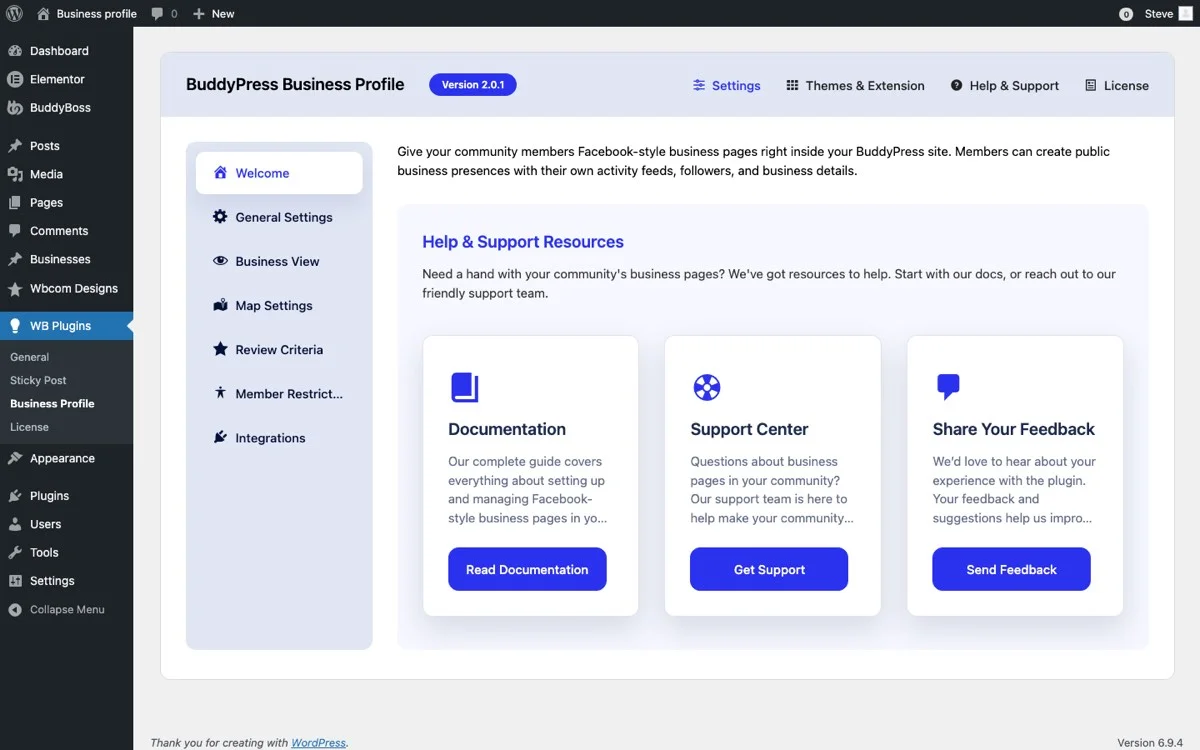
Focus on these settings for a coworking directory:
- Enable Business Profiles: Activate the core directory functionality.
- Map Provider: Choose Google Maps for richer visuals or OpenStreetMap for a free, privacy-friendly option. For a local directory, maps are essential because location discovery is a primary use case.
- Enable Reviews: Absolutely critical for a coworking directory. Reviews help remote workers decide where to spend their day.
- Enable Business Hours: Coworking spaces, cafes, and meeting rooms all have different hours. This feature helps visitors plan their day.
- Enable Follow System: Let community members follow their favorite spaces for updates on events, promotions, or changes.
- Allow User Submissions: Enable this so community members can submit new business listings, growing your directory organically.
Building Your Category Structure
A well-organized category structure is what separates a useful directory from a confusing one. For a coworking and local business hub, your categories should reflect how people actually search for spaces.
Primary Categories
- Coworking Spaces: Dedicated shared office spaces with hot desks, fixed desks, and private offices.
- Cafes and Coffee Shops: Cafes that welcome laptop workers, with good WiFi, power outlets, and a work-friendly atmosphere.
- Meeting Rooms: Bookable meeting rooms and conference spaces for teams and client meetings.
- Event Spaces: Venues for workshops, meetups, and networking events.
- Private Offices: Dedicated office spaces for small teams and growing startups.
- Libraries and Quiet Spaces: Public and private spaces for focused, distraction-free work.
- Maker Spaces: Workshops and labs with shared tools and equipment for makers, artists, and hardware startups.
Secondary Tags (Optional)
In addition to categories, consider using tags for amenities and features:
- Free WiFi, High-Speed Internet
- 24/7 Access
- Parking Available
- Pet Friendly
- Outdoor Seating
- Standing Desks
- Phone Booths
- Kitchen and Food Options
- Shower Facilities
- Printing and Scanning
This category and tag structure lets visitors filter by both the type of space they want and the specific amenities they need. A remote worker looking for a pet-friendly cafe with high-speed internet can find exactly that in a few clicks.
Map Integration for Location Discovery
For a local business directory, the map is not an add-on feature. It is the primary discovery tool. Many visitors will come to your directory specifically to find workspaces near a particular location, and the map view gives them that answer instantly.
How Map Integration Works
BP Business Profile integrates maps at two levels:
Directory-level map: The main directory page displays all listed businesses on a single interactive map. Visitors can zoom into their neighborhood, see clusters of available spaces, and click on pins to preview business details. This overview map is the first thing many visitors interact with.
Individual business maps: Each business profile page includes a focused map showing the exact location. This helps visitors assess proximity to public transit, parking, restaurants, and other landmarks that matter when choosing a workspace.
Making the Most of Location Data
Encourage business owners to enter their complete address when creating their profile. The more accurate the location data, the better the map experience for visitors. Some tips:
- Ask businesses to verify their pin placement on the map after entering their address.
- Include neighborhood or district names in business descriptions to help with text-based searches.
- For businesses with multiple locations, create a separate listing for each location so all addresses appear on the map.
Reviews and Ratings: The Heart of a Community Directory
Reviews are what make a community directory valuable. Without reviews, your directory is a list of addresses. With reviews, it becomes a trusted guide that helps people make confident decisions about where to work.
How the Review System Drives Value
BP Business Profile’s review system is built on BuddyPress community membership, which creates several important dynamics:
Authenticated reviews: Every review is tied to a BuddyPress member profile. Visitors can click on a reviewer’s name to see their profile, activity history, and other reviews they have left. This transparency builds trust in the reviews themselves.
Detailed feedback: Reviewers provide star ratings plus written descriptions. For coworking spaces, this means reviews cover aspects like internet speed, noise level, comfort of the furniture, quality of the coffee, and friendliness of the staff.
Business owner responses: Space owners can respond to reviews, thanking happy customers or addressing issues raised in critical reviews. This back-and-forth demonstrates that the business is engaged and responsive.
Review-driven rankings: Listings with more and better reviews naturally surface higher in search results, creating an incentive for businesses to provide great experiences.
Encouraging Quality Reviews
Getting the first wave of reviews is always the hardest part. Here are strategies that work:
- Partner with a few coworking spaces to seed the directory. Ask their existing members to sign up and leave reviews.
- Host a launch event at a local coworking space and encourage attendees to review the venue.
- Create a simple guide for community members explaining what makes a helpful review (mention specifics like WiFi speed, noise level, amenities).
- Feature top reviewers on the homepage to recognize and encourage quality contributions.
Business Hours: Planning the Work Day
For a coworking directory, business hours are not just informational but practical. Remote workers plan their entire day around where they can work and when.
BP Business Profile lets each business set detailed hours for every day of the week, including:
- Regular hours: Standard open and close times for each day.
- Extended hours: Some coworking spaces offer 24/7 key-card access for members, which is a major selling point worth highlighting.
- Weekend hours: Many freelancers and startup founders work weekends, so knowing which spaces are open on Saturday and Sunday is valuable.
- Holiday schedules: Businesses can note holiday closures or modified hours.
For cafes, hours are especially important. A remote worker who arrives at a cafe expecting to work until 6pm only to find it closes at 3pm has had a frustrating experience. Accurate business hours prevent these situations.
Member-Submitted Listings: Growing Your Directory Organically
One of the smartest features of BP Business Profile is the ability for community members to submit new business listings. This turns your directory from a one-person editorial project into a community-powered resource that grows on its own.
How Member Submissions Work
When you enable user submissions in the settings, any registered BuddyPress member can create a new business listing by filling out the profile form. The listing includes:
- Business name and description
- Address and map pin
- Category selection
- Business hours
- Contact information and website
- Photos of the space
Submitted listings can go through a moderation queue before appearing on the directory. This gives you editorial control while benefiting from community knowledge about local spaces.
Benefits of Community Submissions
Scale: You cannot personally visit and document every coworking space, cafe, and meeting room in a city. Community members can.
Local knowledge: Community members know about hidden gems that you might miss, like the quiet cafe with excellent WiFi that is tucked away on a side street, or the new coworking space that just opened in a converted warehouse.
Investment: When community members contribute listings, they become invested in the directory’s success. They are more likely to return, leave reviews, and share the directory with others.
The Claim System for Business Owners
What happens when a community member lists a business, but the business owner is not yet part of the community? The claim system handles this gracefully.
Here is how it works:
- A community member submits a listing for a coworking space they use.
- The listing goes live after moderation approval.
- The business owner discovers their space on your directory and wants to manage the listing themselves.
- They register as a community member and submit a claim request for the listing.
- You verify their ownership (typically through email verification to the business domain) and transfer listing management to them.
Once claimed, the business owner can:
- Update their business description and photos
- Respond to reviews
- Update business hours
- Post updates that reach their followers
- Add or change their contact information
The claim system is critical for scaling a community directory. It lets your community seed the directory with listings while giving business owners the tools to manage their own presence once they join.
Promoting Your Coworking Directory
Building the directory is half the work. The other half is getting both businesses and community members to use it. Here are effective promotion strategies:
For Attracting Businesses
- Free basic listings: Make it free for businesses to create a listing. The easier it is to get listed, the faster your directory grows.
- Premium features: Offer paid upgrades for featured placement, enhanced profiles with more photos, or priority positioning in search results.
- Partnership outreach: Contact coworking space operators directly. Show them how a listing in your directory, with reviews and follower features, gives them ongoing visibility they cannot get from a static listing site.
- Local business associations: Partner with chambers of commerce, coworking associations, or freelancer networks to promote the directory to their members.
For Attracting Community Members
- Content marketing: Publish guides, roundups, and reviews of local workspaces. “Top 10 Coworking Spaces in [City]” posts attract search traffic from people who are exactly your target audience.
- Social media presence: Share new listings, reviews, and community highlights on social media. Feature interesting spaces and the people who work in them.
- Email newsletter: Send a regular newsletter highlighting new spaces, top-rated listings, and community events. This keeps the directory top of mind.
- Local events: Host or sponsor coworking meetups, freelancer networking events, or workspace tours. These in-person events build the community that powers your directory.
SEO for Local Directories
Local directories have a natural SEO advantage because they generate pages for specific locations and categories. To maximize this:
- Create dedicated archive pages for each category and location combination (e.g., “Coworking Spaces in Downtown Portland”).
- Ensure each business listing has unique, descriptive content rather than boilerplate text.
- Add schema markup for local business listings to help search engines understand your directory structure.
- Build internal links between related listings, categories, and blog content.
Monetization Strategies for Your Community Hub
A well-run community directory can generate revenue in several ways:
Featured listings: Charge businesses for premium placement at the top of search results or on the homepage. This is the most common directory monetization model.
Enhanced profiles: Offer paid tiers that allow more photos, video embeds, special offers for community members, or highlighted review responses.
Sponsored content: Publish sponsored guides or reviews for businesses that want editorial coverage in addition to their listing.
Community membership: Offer a premium community membership that includes perks like early access to new listings, exclusive reviews, or discounts at partner spaces.
Event promotion: Charge businesses for promoting their events (workshops, open houses, networking events) to the community.
Scaling Your Directory to Multiple Cities
Once your directory is successful in one city, expanding to additional cities is straightforward with BP Business Profile. The category and location infrastructure supports multi-city directories without requiring separate installations.
To scale effectively:
- Create location-based categories or use a hierarchical category structure (City > Neighborhood).
- Recruit local community managers for each new city to seed listings and build the local community.
- Maintain consistent quality standards across all locations through your moderation process.
- Use the map’s zoom functionality to let visitors naturally explore different areas.
Build Your Community Hub Today
A coworking space directory built on BuddyPress Business Profile is more than a listing site. It is a community platform where local businesses and the professionals who use them connect, share experiences, and support each other. The combination of business profiles, reviews, maps, business hours, member submissions, and the claim system creates a self-sustaining ecosystem that grows in value as more people participate.
Whether you are targeting a single neighborhood or an entire metro area, the foundation is the same: a WordPress site with BuddyPress and BP Business Profile providing the tools, and a community of engaged members providing the content and trust that make the directory valuable.
Get BuddyPress Business Profile and start building your coworking space directory and community hub today. With the right setup and promotion strategy, your directory can become the go-to resource for anyone looking for a great place to work in your area.
Related Posts



Part of the Wbcom Designs family
The all-in-one WordPress community stack
- BuddyNext
- BuddyX
- Reign
- Jetonomy
- Eventonomy
- Learnomy
- Listora
- SnipShare
- WB Ad Manager
- WP Career Board
- WP Sell Services
- MediaVerse


Also ours: wbcomdesigns.com vapvarun.com brndle.com