Build a Real Estate Agent Directory with WordPress and BuddyPress


Why Professional Directories Need More Than Static Listings
If you have ever searched for a real estate agent, a family doctor, or a lawyer in your area, you know how frustrating most online directories can be. The typical experience involves scrolling through a bare-bones list of names, phone numbers, and perhaps a stock photo. There is no way to read reviews, check business hours, see the professional’s location on a map, or get a sense of who they actually are.
That gap between what people expect from a directory and what most directories deliver is exactly the opportunity that BuddyPress Business Profile was built to fill. This plugin transforms your WordPress site into a full-featured professional directory with community features that static listing sites cannot match.
In this guide, you will learn how to build a professional directory for real estate agents, doctors, lawyers, and other service professionals using WordPress and BuddyPress Business Profile. We will cover everything from initial configuration to advanced features like map integration, reviews, business hours, follower systems, and category-based search.
What Makes BuddyPress Business Profile Different
Most directory plugins treat listings as isolated entries in a database. BuddyPress Business Profile takes a fundamentally different approach by building directory functionality on top of the BuddyPress community platform. This means every listing is connected to a real user profile, creating a living directory where professionals can interact with clients and build their reputation over time.
Here is what that looks like in practice for a real estate agent directory:
- Agent profiles with community features: Each agent gets a full BuddyPress profile that doubles as their directory listing, complete with their bio, specializations, service areas, and contact information.
- Client reviews and ratings: Clients who are members of the community can leave detailed reviews, giving prospective clients genuine insight into an agent’s track record.
- Follow system: Clients can follow agents to receive updates about new listings, open houses, or market insights the agent shares.
- Map integration: Every business profile includes location data that displays on an interactive map, making it straightforward for clients to find agents in their area.
- Business hours: Agents can display their availability so clients know when to reach out.
- Categories and search: Organize agents by specialization (residential, commercial, luxury, first-time buyers) and let visitors search by location, category, or both.
Setting Up Your Professional Directory: Step by Step
Let us walk through the full setup process. You will need WordPress installed with BuddyPress active, plus the BP Business Profile plugin.
Step 1: Install and Activate the Plugin
After purchasing BP Business Profile from WbcomDesigns, upload the plugin zip file through your WordPress dashboard under Plugins > Add New > Upload Plugin. Activate it, and you will see a new “Business Profile” section in your WordPress admin sidebar.
Step 2: Configure General Settings
Navigate to the Business Profile settings panel. This is where you define how your directory will work.
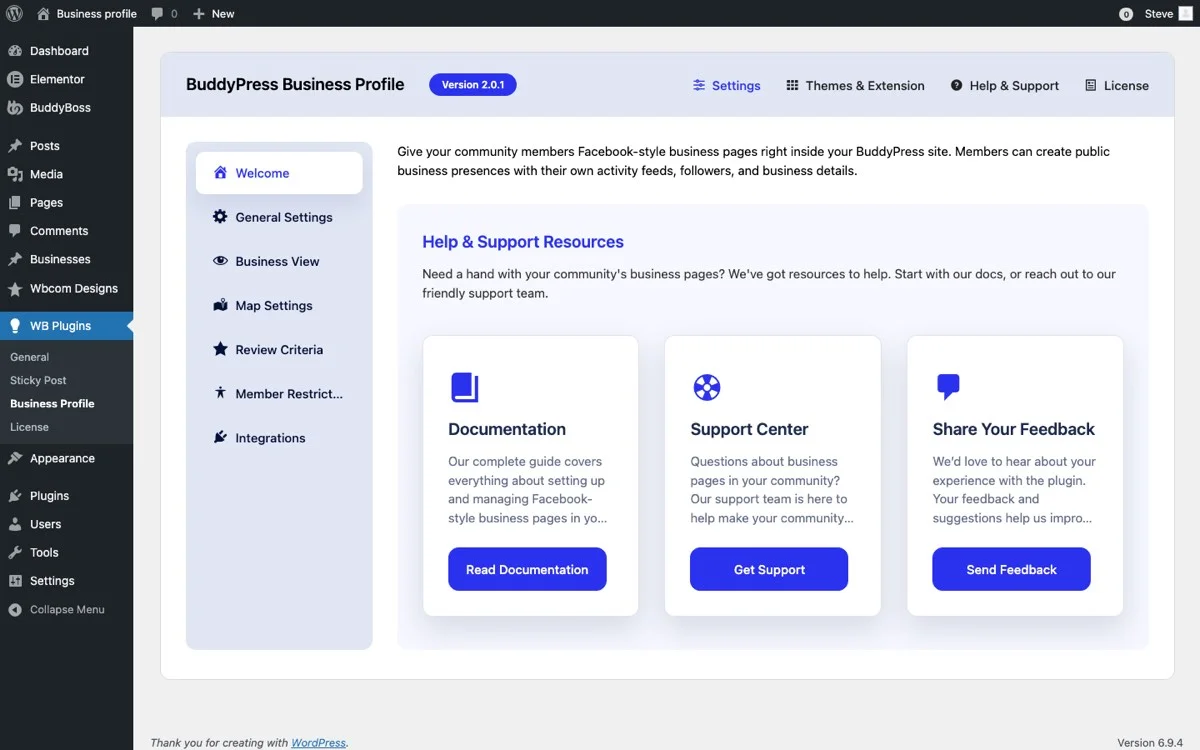
Key settings to configure for a real estate directory:
- Enable Business Profiles: Toggle this on to activate directory functionality across your site.
- Map Provider: Choose between Google Maps or OpenStreetMap. Google Maps offers more polished visuals, while OpenStreetMap is free and privacy-friendly.
- Enable Reviews: Turn on the review system so clients can rate and review agents.
- Enable Business Hours: Let agents display their working hours on their profiles.
- Enable Follow System: Allow community members to follow business profiles for updates.
- Default Listing Layout: Choose between grid or list view for your directory pages.
Step 3: Create Business Categories for Specializations
Categories are the backbone of any well-organized directory. For a real estate agent directory, you will want categories that reflect how clients actually search for agents.
Here is a category structure that works well for real estate:
- Residential Real Estate – Agents specializing in homes and condos
- Commercial Real Estate – Office spaces, retail, industrial properties
- Luxury Properties – High-end homes and estates
- First-Time Buyers – Agents who specialize in helping new buyers
- Property Management – Rental and property management services
- Investment Properties – Agents focused on investment opportunities
- Land and Development – Raw land, new construction, development projects
You can create these categories in the WordPress admin under Business Profile > Categories. Each agent can select one or more categories when setting up their profile, making it easy for visitors to filter by specialization.
Step 4: Configure Map Integration for Service Areas
Location is everything in real estate, and map integration is one of the most powerful features of BP Business Profile. When agents create their profiles, they enter their office address and service areas. This data powers two key features:
Individual agent maps: Each agent’s profile page displays a map showing their office location. Visitors can get directions, see what neighborhood the office is in, and understand the agent’s coverage area at a glance.
Directory-wide map view: The main directory page can display all agents on a single map, letting visitors see which agents operate in their area. This is particularly useful for clients who are relocating and want to find agents near their target neighborhood.
To configure maps, go to the Business Profile settings and select your preferred map provider. If you choose Google Maps, you will need to enter your API key. OpenStreetMap works without an API key and is a solid choice for directories that want to avoid per-request API costs.
Configuring for Different Professional Verticals
While we are using real estate as our primary example, BP Business Profile works equally well for other professional directories. Here is how to adapt the configuration for different verticals:
Medical Professional Directory (Doctors, Dentists, Specialists)
For a medical directory, your categories would reflect medical specializations:
- General Practice / Family Medicine
- Pediatrics
- Cardiology
- Orthopedics
- Dermatology
- Dentistry (General, Orthodontics, Oral Surgery)
- Mental Health (Psychiatry, Psychology, Counseling)
Business hours become especially important for medical directories, as patients need to know when a practice accepts walk-ins versus appointments only. The review system helps patients share their experiences, while the map integration helps them find providers accepting new patients in their area.
Legal Professional Directory
A lawyer directory benefits from categories organized by practice area:
- Family Law
- Criminal Defense
- Personal Injury
- Corporate and Business Law
- Real Estate Law
- Immigration
- Estate Planning and Probate
- Employment Law
For legal directories, the review system builds trust in a field where clients often feel uncertain about choosing representation. The follower system allows clients to stay updated on legal insights and firm news that an attorney shares through their profile.
Managing Your Directory from the Admin Panel
As a directory administrator, you have full control over all business listings from the WordPress admin panel.
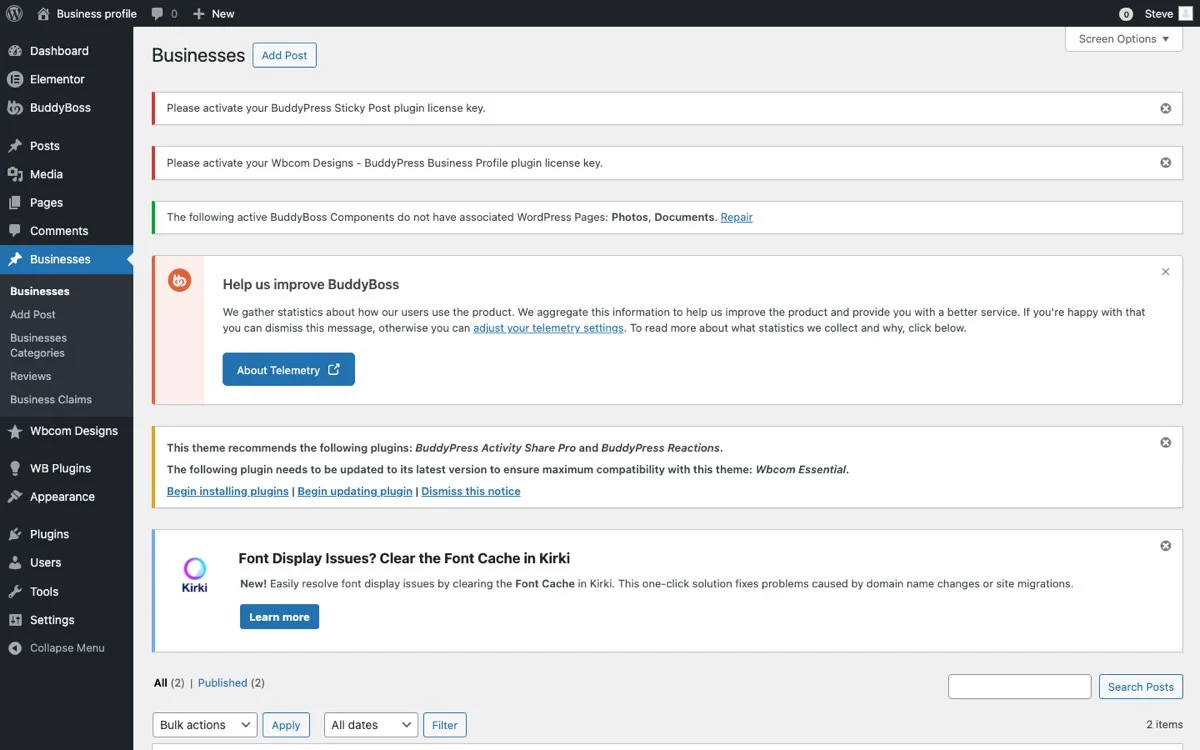
From this panel, you can:
- Review and approve new listings: Set up a moderation workflow so new business profiles are reviewed before going live.
- Edit business details: Update information on behalf of business owners when needed.
- Manage categories: Add, edit, or reorganize categories as your directory grows.
- Monitor reviews: Review flagged or reported reviews and take action if needed.
- View directory analytics: See which listings get the most views, reviews, and followers.
The Review System: Building Professional Reputation
Reviews are the currency of trust in any professional directory. BP Business Profile includes a built-in review system that goes beyond simple star ratings.
Here is how the review system works in a real estate context:
Verified member reviews: Only registered community members can leave reviews, which reduces spam and increases credibility. Each review is tied to a real BuddyPress profile, so agents and other visitors can see who left the feedback.
Star ratings with written feedback: Reviewers provide both a numerical rating and a written description of their experience. This combination gives prospective clients both a quick snapshot and detailed context.
Agent responses: Business profile owners can respond to reviews, allowing them to thank satisfied clients or address concerns raised in negative reviews. This two-way communication builds transparency.
Review moderation: As the site administrator, you can moderate reviews to ensure they meet community guidelines. This is important for maintaining the quality and fairness of your directory.
For real estate agents, reviews from past clients about their responsiveness, market knowledge, negotiation skills, and overall experience become a powerful tool for attracting new business. A directory with genuine reviews adds significantly more value than a basic listing site.
Business Hours: When Can Clients Reach You?
The business hours feature lets professionals display their availability directly on their profiles. This is more than a convenience feature; it sets expectations and reduces friction in the client-professional relationship.
Real estate agents can set their hours to reflect their actual availability:
- Standard office hours for phone calls and walk-ins
- Extended hours for showings and open houses
- Weekend availability for property tours
- Holiday schedules and vacation notices
For medical professionals, business hours are essential for communicating appointment availability, walk-in hours, and after-hours emergency protocols. For lawyers, it helps clients understand when they can schedule consultations.
The Follower System: Keeping Clients Updated
One of the features that sets BP Business Profile apart from standard directory plugins is the follower system. Built on BuddyPress’s social networking foundation, this feature lets community members follow business profiles to stay connected.
In a real estate directory, the follower system creates ongoing engagement:
- New listing alerts: When an agent posts about a new property, followers see the update in their activity feed.
- Market insights: Agents can share market reports, neighborhood guides, and buying tips that reach their follower base.
- Open house announcements: Followers get notified about upcoming open houses and events.
- Career updates: Agents can share certifications, awards, or team changes that build their professional credibility.
This transforms your directory from a static lookup tool into a living community where professionals and clients have an ongoing relationship. Clients who follow an agent are more likely to return when they need services again or to refer the agent to friends and family.
Search by Location and Category: Helping Visitors Find the Right Professional
The search functionality in BP Business Profile combines location-based and category-based filtering to help visitors find exactly what they need.
Location-based search: Visitors can search by city, zip code, or neighborhood to find professionals in their area. The map view updates in real time to show matching results, making it visual and intuitive.
Category-based filtering: Visitors can narrow results by specialization. For example, someone looking for a luxury real estate agent in a specific zip code can filter by the “Luxury Properties” category and their location simultaneously.
Combined search: The real power comes from combining location and category filters. A client relocating to a new city can search for “First-Time Buyers” agents within a specific metro area, instantly seeing relevant results on both the list and the map.
This dual-axis search is what makes a BuddyPress-powered directory genuinely more useful than a basic listing page. Visitors spend less time scrolling and more time connecting with the right professional.
Practical Tips for Growing Your Professional Directory
Building the directory is one thing; growing it into a valuable resource is another. Here are proven strategies for making your professional directory successful:
1. Start with a Core Group of Professionals
Reach out to 20-30 professionals in your target market and invite them to create profiles. Having a baseline of quality listings makes the directory useful from day one and encourages other professionals to join.
2. Encourage Reviews from Day One
Reviews are what make your directory valuable. Encourage early adopters to ask their recent clients to leave reviews. Even a few reviews per listing significantly increases the perceived value of the directory.
3. Optimize Category Structure Over Time
Start with broad categories and refine them as you learn how visitors search. If you notice that visitors frequently search for a specific sub-specialization, create a dedicated category for it.
4. Leverage the Map for Local SEO
Directory pages with map integrations tend to rank well for location-based searches. Make sure your directory pages are properly optimized with location-specific titles, meta descriptions, and structured data.
5. Use the Follower System to Drive Engagement
Encourage professionals to post regular updates to their profiles. The more active the directory is, the more reasons visitors have to return and engage with listings.
6. Offer Featured Listings
Consider offering premium placement or featured listing spots as a monetization strategy. Professionals who pay for featured placement get more visibility, and the revenue helps sustain the directory.
Why WordPress and BuddyPress Are the Right Foundation
There are dedicated directory platforms out there, but building your professional directory on WordPress with BuddyPress offers distinct advantages:
- Full ownership: Your directory data lives on your server, not on a third-party platform that could change pricing or terms at any time.
- Extensibility: WordPress’s plugin ecosystem means you can add any functionality you need, from payment gateways for premium listings to email marketing integrations.
- SEO control: WordPress gives you full control over SEO, which is critical for a directory that needs to rank for location-based searches.
- Community features: BuddyPress adds social networking capabilities that standalone directory plugins cannot match, including activity feeds, messaging, groups, and the follower system.
- Cost-effective: Compared to SaaS directory platforms that charge monthly fees based on listing count, a self-hosted WordPress solution is significantly more affordable at scale.
Get Started with Your Professional Directory Today
Building a professional directory with WordPress and BuddyPress Business Profile gives you a powerful, flexible platform that goes far beyond basic listings. Whether you are creating a real estate agent directory, a doctor directory, or a legal professional directory, the combination of business profiles, reviews, maps, business hours, categories, and the follower system creates a directory experience that both professionals and their clients will value.
The best part is that you retain full control over the platform, the data, and the user experience. No monthly platform fees, no limitations on listing counts, and no dependency on third-party services that could disappear.
Get BuddyPress Business Profile and start building your professional directory today. Whether you are targeting real estate agents, healthcare providers, legal professionals, or any other service industry, this plugin gives you everything you need to create a directory that people will actually use.