Extend BuddyPress Business Profiles with Custom Development


When Default Features Are Not Enough
BuddyPress Business Profile ships with a solid set of features out of the box: business listings, categories, maps, reviews, business hours, and a follower system. For many directory projects, these features cover everything you need.
But some projects have requirements that go beyond the defaults. Maybe you need to integrate with a CRM system, add industry-specific custom fields, connect to a third-party review aggregator, or build a sophisticated search and filter system tailored to your niche. These are the situations where custom development makes sense.
This guide is written for developers who want to extend BP Business Profile beyond its built-in capabilities. We will cover the plugin’s internal architecture, how to add custom fields and meta data, ways to extend the review system, custom map provider integrations, building advanced search and filter functionality, API integrations, custom email notifications, and performance optimization for large-scale directories.
A working knowledge of WordPress plugin development, PHP, and the BuddyPress API is assumed throughout this guide.
Understanding the Business CPT Structure
BP Business Profile registers a custom post type (CPT) to store business listings. Understanding this structure is the foundation for any custom development work.
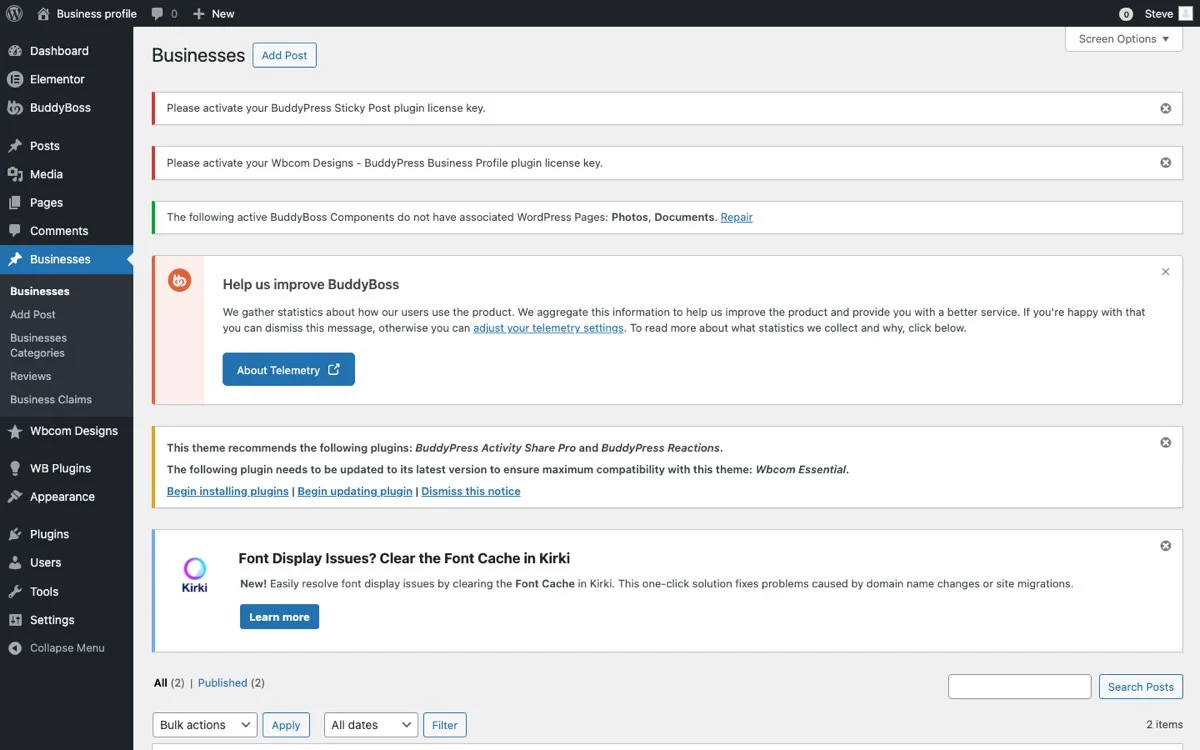
The Business Post Type
The business CPT is registered with WordPress using register_post_type() and stores each business listing as a post. Key details:
- Post type slug: The business post type has its own slug used for URL routing and database queries.
- Post content: The main business description is stored in the standard
post_contentfield. - Post title: The business name uses the
post_titlefield. - Post author: Links the business listing to the BuddyPress user who created it.
- Custom taxonomies: Business categories are implemented as a custom taxonomy registered alongside the CPT.
- Post meta: Business-specific data like address, phone number, coordinates, business hours, and other structured information is stored in post meta fields.
Key Meta Fields
The plugin stores structured data in post meta. Understanding the meta key naming conventions is essential for querying and extending business data:
// Example meta keys (check plugin source for exact keys)
$business_id = get_the_ID();

// Location data
$address   = get_post_meta( $business_id, '_business_address', true );
$latitude  = get_post_meta( $business_id, '_business_latitude', true );
$longitude = get_post_meta( $business_id, '_business_longitude', true );

// Contact information
$phone   = get_post_meta( $business_id, '_business_phone', true );
$email   = get_post_meta( $business_id, '_business_email', true );
$website = get_post_meta( $business_id, '_business_website', true );

// Business hours (typically serialized array)
$hours = get_post_meta( $business_id, '_business_hours', true );
Before writing any custom code, inspect the database to confirm the exact meta keys the plugin uses. You can do this with a simple query:
global $wpdb;
$meta_keys = $wpdb->get_col( $wpdb->prepare(
    "SELECT DISTINCT meta_key FROM {$wpdb->postmeta} WHERE post_id = %d",
    $business_id
) );
Adding Custom Fields to Business Profiles
The most common customization request is adding fields that are specific to a particular industry or use case. Here is how to add custom fields properly.
Registering Custom Meta Fields
Use the register_post_meta() function to formally register your custom fields with WordPress. This makes them available through the REST API and ensures proper sanitization:
add_action( 'init', 'my_register_business_custom_fields' );

function my_register_business_custom_fields() {
    register_post_meta( 'business', '_business_license_number', array(
        'type'              => 'string',
        'single'            => true,
        'show_in_rest'      => true,
        'sanitize_callback' => 'sanitize_text_field',
        'auth_callback'     => function() {
            return current_user_can( 'edit_posts' );
        },
    ) );

    register_post_meta( 'business', '_business_year_established', array(
        'type'              => 'integer',
        'single'            => true,
        'show_in_rest'      => true,
        'sanitize_callback' => 'absint',
    ) );

    register_post_meta( 'business', '_business_accepts_insurance', array(
        'type'              => 'boolean',
        'single'            => true,
        'show_in_rest'      => true,
    ) );
}
Adding Fields to the Edit Form
To display your custom fields on the business profile edit form, hook into the appropriate action. BP Business Profile provides hooks for adding content to the edit form:
add_action( 'bp_business_profile_edit_fields', 'my_render_custom_fields' );

function my_render_custom_fields( $business_id ) {
    $license = get_post_meta( $business_id, '_business_license_number', true );
    $year    = get_post_meta( $business_id, '_business_year_established', true );
    ?>
Saving Custom Field Data
Hook into the save action to persist your custom field values:
add_action( 'bp_business_profile_save', 'my_save_custom_fields' );

function my_save_custom_fields( $business_id ) {
    if ( isset( $_POST['business_license_number'] ) ) {
        update_post_meta(
            $business_id,
            '_business_license_number',
            sanitize_text_field( wp_unslash( $_POST['business_license_number'] ) )
        );
    }

    if ( isset( $_POST['business_year_established'] ) ) {
        update_post_meta(
            $business_id,
            '_business_year_established',
            absint( $_POST['business_year_established'] )
        );
    }
}
Displaying Custom Fields on the Profile
To show your custom fields on the public-facing business profile, hook into the display template:
add_action( 'bp_business_profile_details', 'my_display_custom_fields' );

function my_display_custom_fields( $business_id ) {
    $license = get_post_meta( $business_id, '_business_license_number', true );
    $year    = get_post_meta( $business_id, '_business_year_established', true );

    if ( $license ) {
        printf(
            '%s: %s


',
            esc_html__( 'License Number', 'my-textdomain' ),
            esc_html( $license )
        );
    }

    if ( $year ) {
        printf(
            '


%s: %s


',
            esc_html__( 'Established', 'my-textdomain' ),
            esc_html( $year )
        );
    }
}
Extending the Review System
The built-in review system covers basic star ratings and written feedback. Here is how to extend it for more sophisticated use cases.
Multi-Criteria Ratings
Instead of a single overall rating, you might want reviewers to rate businesses on multiple criteria. For a coworking directory, this could include separate ratings for WiFi speed, noise level, comfort, amenities, and value for money.
// Add multi-criteria rating fields to the review form
add_action( 'bp_business_review_form_fields', 'my_add_review_criteria' );
function my_add_review_criteria() {
$criteria = array(
'wifi_speed' => __( 'WiFi Speed', 'my-textdomain' ),
'noise_level' => __( 'Noise Level', 'my-textdomain' ),
'comfort' => __( 'Comfort', 'my-textdomain' ),
'amenities' => __( 'Amenities', 'my-textdomain' ),
'value' => __( 'Value for Money', 'my-textdomain' ),
);
foreach ( $criteria as $key => $label ) {
printf(
'
',
esc_attr( $key ),
esc_html( $label ),
esc_html__( 'Select rating', 'my-textdomain' ),
esc_html__( 'Excellent', 'my-textdomain' ),
esc_html__( 'Good', 'my-textdomain' ),
esc_html__( 'Average', 'my-textdomain' ),
esc_html__( 'Below Average', 'my-textdomain' ),
esc_html__( 'Poor', 'my-textdomain' )
);
}
}
Review Verification
For directories where review authenticity is critical (like medical or legal directories), you can add a verification layer:
add_filter( 'bp_business_can_review', 'my_verify_reviewer', 10, 3 );

function my_verify_reviewer( $can_review, $business_id, $user_id ) {
    // Check if the user has a verified interaction with the business
    $has_booking = get_user_meta( $user_id, '_booked_business_' . $business_id, true );

    if ( ! $has_booking ) {
        // Allow review but mark as unverified
        add_filter( 'bp_business_review_badge', function() {
            return 'Unverified Visit';
        } );
    } else {
        add_filter( 'bp_business_review_badge', function() {
            return 'Verified Visit';
        } );
    }

    return $can_review;
}
Custom Map Providers
BP Business Profile supports Google Maps and OpenStreetMap out of the box. If you need to integrate a different map provider, such as Mapbox, HERE Maps, or a region-specific provider, here is the approach.
Replacing the Map Renderer
The map rendering is typically handled through JavaScript. To swap in a custom provider, you need to dequeue the default map script and enqueue your own:
add_action( 'wp_enqueue_scripts', 'my_custom_map_provider', 20 );

function my_custom_map_provider() {
    // Only on business profile pages
    if ( ! is_singular( 'business' ) && ! is_post_type_archive( 'business' ) ) {
        return;
    }

    // Dequeue default map script
    wp_dequeue_script( 'bp-business-map' );

    // Enqueue Mapbox GL JS
    wp_enqueue_style(
        'mapbox-gl-css',
        'https://api.mapbox.com/mapbox-gl-js/v2.15.0/mapbox-gl.css',
        array(),
        '2.15.0'
    );
    wp_enqueue_script(
        'mapbox-gl-js',
        'https://api.mapbox.com/mapbox-gl-js/v2.15.0/mapbox-gl.js',
        array(),
        '2.15.0',
        true
    );

    // Enqueue custom map initialization
    wp_enqueue_script(
        'my-business-map',
        plugin_dir_url( __FILE__ ) . 'js/custom-map.js',
        array( 'mapbox-gl-js' ),
        '1.0.0',
        true
    );

    // Pass business location data to the script
    wp_localize_script( 'my-business-map', 'businessMapData', array(
        'accessToken' => get_option( 'my_mapbox_access_token' ),
        'businesses'  => my_get_business_locations(),
        'mapStyle'    => 'mapbox://styles/mapbox/streets-v12',
    ) );
}

function my_get_business_locations() {
    $businesses = get_posts( array(
        'post_type'      => 'business',
        'posts_per_page' => -1,
        'post_status'    => 'publish',
    ) );

    $locations = array();
    foreach ( $businesses as $business ) {
        $lat = get_post_meta( $business->ID, '_business_latitude', true );
        $lng = get_post_meta( $business->ID, '_business_longitude', true );

        if ( $lat && $lng ) {
            $locations[] = array(
                'id'        => $business->ID,
                'title'     => $business->post_title,
                'latitude'  => floatval( $lat ),
                'longitude' => floatval( $lng ),
                'permalink' => get_permalink( $business->ID ),
            );
        }
    }

    return $locations;
}
Building Custom Search and Filter
The default search functionality covers location and category filtering. For directories that need more sophisticated search, here is how to build custom search and filter features.
AJAX-Powered Search
For a smooth user experience, implement AJAX-powered search that updates results without page reloads:
// Register AJAX handler
add_action( 'wp_ajax_search_businesses', 'my_ajax_search_businesses' );
add_action( 'wp_ajax_nopriv_search_businesses', 'my_ajax_search_businesses' );

function my_ajax_search_businesses() {
    check_ajax_referer( 'business_search_nonce', 'nonce' );

    $args = array(
        'post_type'      => 'business',
        'post_status'    => 'publish',
        'posts_per_page' => 20,
        'paged'          => isset( $_POST['page'] ) ? absint( $_POST['page'] ) : 1,
    );

    // Category filter
    if ( ! empty( $_POST['category'] ) ) {
        $args['tax_query'] = array(
            array(
                'taxonomy' => 'business_category',
                'field'    => 'term_id',
                'terms'    => absint( $_POST['category'] ),
            ),
        );
    }

    // Location-based search (radius search)
    if ( ! empty( $_POST['latitude'] ) && ! empty( $_POST['longitude'] ) ) {
        $lat    = floatval( $_POST['latitude'] );
        $lng    = floatval( $_POST['longitude'] );
        $radius = isset( $_POST['radius'] ) ? floatval( $_POST['radius'] ) : 25;

        // Use Haversine formula for distance calculation
        add_filter( 'posts_clauses', function( $clauses ) use ( $lat, $lng, $radius ) {
            global $wpdb;

            $clauses['join'] .= $wpdb->prepare(
                " INNER JOIN {$wpdb->postmeta} AS lat_meta ON ({$wpdb->posts}.ID = lat_meta.post_id AND lat_meta.meta_key = %s)
                   INNER JOIN {$wpdb->postmeta} AS lng_meta ON ({$wpdb->posts}.ID = lng_meta.post_id AND lng_meta.meta_key = %s)",
                '_business_latitude',
                '_business_longitude'
            );

            $clauses['where'] .= $wpdb->prepare(
                " AND ( 3959 * acos( cos( radians(%f) ) * cos( radians( lat_meta.meta_value ) )
                * cos( radians( lng_meta.meta_value ) - radians(%f) )
                + sin( radians(%f) ) * sin( radians( lat_meta.meta_value ) ) ) ) < %f",
                $lat, $lng, $lat, $radius
            );

            return $clauses;
        } );
    }

    // Keyword search
    if ( ! empty( $_POST['keyword'] ) ) {
        $args['s'] = sanitize_text_field( wp_unslash( $_POST['keyword'] ) );
    }

    // Custom meta filters
    $meta_query = array();

    if ( ! empty( $_POST['open_now'] ) ) {
        // Filter for businesses currently open
        $meta_query[] = my_get_open_now_meta_query();
    }

    if ( ! empty( $_POST['min_rating'] ) ) {
        $meta_query[] = array(
            'key'     => '_business_average_rating',
            'value'   => floatval( $_POST['min_rating'] ),
            'compare' => '>=',
            'type'    => 'DECIMAL',
        );
    }

    if ( ! empty( $meta_query ) ) {
        $args['meta_query'] = $meta_query;
    }

    $query = new WP_Query( $args );

    $results = array();
    while ( $query->have_posts() ) {
        $query->the_post();
        $results[] = array(
            'id'        => get_the_ID(),
            'title'     => get_the_title(),
            'excerpt'   => get_the_excerpt(),
            'permalink' => get_permalink(),
            'thumbnail' => get_the_post_thumbnail_url( get_the_ID(), 'medium' ),
            'latitude'  => floatval( get_post_meta( get_the_ID(), '_business_latitude', true ) ),
            'longitude' => floatval( get_post_meta( get_the_ID(), '_business_longitude', true ) ),
            'rating'    => floatval( get_post_meta( get_the_ID(), '_business_average_rating', true ) ),
        );
    }
    wp_reset_postdata();

    wp_send_json_success( array(
        'businesses'  => $results,
        'total'       => $query->found_posts,
        'total_pages' => $query->max_num_pages,
    ) );
}
Faceted Search UI
Build a faceted search interface that lets users combine multiple filters. The front-end JavaScript collects filter values and sends them to the AJAX handler:
// Front-end JavaScript for faceted search
(function($) {
    'use strict';

    var searchTimer;
    var $resultsContainer = $( '#business-results' );
    var $mapContainer     = $( '#business-map' );

    function performSearch() {
        var filters = {
            action:   'search_businesses',
            nonce:    businessSearch.nonce,
            keyword:  $( '#search-keyword' ).val(),
            category: $( '#search-category' ).val(),
            radius:   $( '#search-radius' ).val(),
            min_rating: $( '#search-min-rating' ).val(),
            open_now: $( '#search-open-now' ).is( ':checked' ) ? 1 : 0,
            page:     1
        };

        // Get user location if available
        if ( businessSearch.userLat && businessSearch.userLng ) {
            filters.latitude  = businessSearch.userLat;
            filters.longitude = businessSearch.userLng;
        }

        $.post( businessSearch.ajaxUrl, filters, function( response ) {
            if ( response.success ) {
                renderResults( response.data.businesses );
                updateMap( response.data.businesses );
                updateResultCount( response.data.total );
            }
        });
    }

    // Debounced search on filter change
    $( '.search-filter' ).on( 'change input', function() {
        clearTimeout( searchTimer );
        searchTimer = setTimeout( performSearch, 300 );
    });

})( jQuery );
API Integration Possibilities
Connecting BP Business Profile to external APIs opens up powerful capabilities. Here are common integration patterns:
CRM Integration
Sync business profile data with a CRM like HubSpot, Salesforce, or Zoho:
add_action( 'bp_business_profile_save', 'my_sync_to_crm', 20 );

function my_sync_to_crm( $business_id ) {
    $business_data = array(
        'name'    => get_the_title( $business_id ),
        'email'   => get_post_meta( $business_id, '_business_email', true ),
        'phone'   => get_post_meta( $business_id, '_business_phone', true ),
        'address' => get_post_meta( $business_id, '_business_address', true ),
        'website' => get_post_meta( $business_id, '_business_website', true ),
    );

    $api_key = get_option( 'my_crm_api_key' );

    wp_remote_post( 'https://api.crm-provider.com/v3/contacts', array(
        'headers' => array(
            'Authorization' => 'Bearer ' . $api_key,
            'Content-Type'  => 'application/json',
        ),
        'body'    => wp_json_encode( $business_data ),
        'timeout' => 30,
    ) );
}
Payment Gateway Integration
For monetized directories that charge for premium listings, integrate a payment gateway:
add_action( 'bp_business_profile_before_publish', 'my_check_listing_payment' );

function my_check_listing_payment( $business_id ) {
    $listing_tier = get_post_meta( $business_id, '_listing_tier', true );

    if ( 'premium' === $listing_tier ) {
        $payment_status = get_post_meta( $business_id, '_payment_status', true );

        if ( 'paid' !== $payment_status ) {
            // Redirect to payment page
            wp_safe_redirect( add_query_arg( array(
                'business_id' => $business_id,
                'tier'        => 'premium',
            ), home_url( '/business-payment/' ) ) );
            exit;
        }
    }
}
External Review Aggregation
Pull in reviews from Google Business Profile or Yelp to supplement your on-site reviews:
add_action( 'my_daily_review_sync', 'my_aggregate_external_reviews' );

function my_aggregate_external_reviews() {
    $businesses = get_posts( array(
        'post_type'      => 'business',
        'posts_per_page' => -1,
        'meta_key'       => '_google_place_id',
    ) );

    foreach ( $businesses as $business ) {
        $place_id = get_post_meta( $business->ID, '_google_place_id', true );

        if ( ! $place_id ) {
            continue;
        }

        $response = wp_remote_get( add_query_arg( array(
            'place_id' => $place_id,
            'fields'   => 'reviews,rating',
            'key'      => get_option( 'my_google_api_key' ),
        ), 'https://maps.googleapis.com/maps/api/place/details/json' ) );

        if ( is_wp_error( $response ) ) {
            continue;
        }

        $data = json_decode( wp_remote_retrieve_body( $response ), true );

        if ( isset( $data['result']['rating'] ) ) {
            update_post_meta(
                $business->ID,
                '_google_rating',
                floatval( $data['result']['rating'] )
            );
        }

        if ( isset( $data['result']['reviews'] ) ) {
            update_post_meta(
                $business->ID,
                '_google_reviews',
                $data['result']['reviews']
            );
        }
    }
}

// Schedule daily sync
if ( ! wp_next_scheduled( 'my_daily_review_sync' ) ) {
    wp_schedule_event( time(), 'daily', 'my_daily_review_sync' );
}
Custom Email Notifications
BP Business Profile triggers notifications for events like new reviews and new followers. Extending the notification system lets you add custom triggers and branded email templates.
Custom Notification Triggers
// Notify business owner when their listing reaches a milestone
add_action( 'bp_business_new_review', 'my_check_review_milestone', 10, 2 );

function my_check_review_milestone( $review_id, $business_id ) {
    $review_count = get_post_meta( $business_id, '_review_count', true );
    $milestones   = array( 10, 25, 50, 100, 250, 500 );

    if ( in_array( (int) $review_count, $milestones, true ) ) {
        $business_owner = get_post_field( 'post_author', $business_id );
        $owner_email    = get_userdata( $business_owner )->user_email;
        $business_name  = get_the_title( $business_id );

        $subject = sprintf(
            /* translators: 1: review count, 2: business name */
            __( 'Congratulations! %1$d reviews for %2$s', 'my-textdomain' ),
            $review_count,
            $business_name
        );

        $message = sprintf(
            /* translators: 1: business name, 2: review count */
            __( 'Your business "%1$s" has reached %2$d reviews. Thank you for being an active member of our community.', 'my-textdomain' ),
            $business_name,
            $review_count
        );

        wp_mail( $owner_email, $subject, $message );
    }
}
Branded Email Templates
Override the default email templates with branded HTML versions:
add_filter( 'bp_business_email_content_type', function() {
return 'text/html';
});
add_filter( 'bp_business_new_review_email', 'my_branded_review_email', 10, 3 );
function my_branded_review_email( $message, $review_data, $business_data ) {
ob_start();
?>
Performance Optimization for Large Directories
Directories with thousands of listings need careful attention to performance. Here are the key optimization strategies.
Database Query Optimization
Meta queries are inherently slow in WordPress because they require JOIN operations. For frequently queried meta fields, consider these approaches:
// 1. Use a custom database table for geo data
global $wpdb;
$table_name = $wpdb->prefix . 'business_locations';

$wpdb->query( "CREATE TABLE IF NOT EXISTS {$table_name} (
    business_id BIGINT(20) UNSIGNED NOT NULL,
    latitude DECIMAL(10, 8) NOT NULL,
    longitude DECIMAL(11, 8) NOT NULL,
    geohash VARCHAR(12) NOT NULL,
    PRIMARY KEY (business_id),
    INDEX idx_geohash (geohash),
    INDEX idx_coordinates (latitude, longitude)
) {$wpdb->get_charset_collate()}" );
Object Caching
Cache expensive queries and computed values:
function my_get_businesses_in_radius( $lat, $lng, $radius ) {
    $cache_key = 'businesses_' . md5( $lat . '_' . $lng . '_' . $radius );
    $results   = wp_cache_get( $cache_key, 'business_search' );

    if ( false === $results ) {
        // Perform the expensive geo query
        $results = my_run_geo_query( $lat, $lng, $radius );

        // Cache for 15 minutes
        wp_cache_set( $cache_key, $results, 'business_search', 900 );
    }

    return $results;
}

// Invalidate cache when a business is updated
add_action( 'bp_business_profile_save', function( $business_id ) {
    wp_cache_flush_group( 'business_search' );
} );
Lazy Loading and Pagination
For directory pages with many listings, implement lazy loading:
// Load listings in batches as the user scrolls
add_action( 'wp_ajax_load_more_businesses', 'my_load_more_businesses' );
add_action( 'wp_ajax_nopriv_load_more_businesses', 'my_load_more_businesses' );

function my_load_more_businesses() {
    check_ajax_referer( 'load_more_nonce', 'nonce' );

    $page = isset( $_POST['page'] ) ? absint( $_POST['page'] ) : 1;

    $query = new WP_Query( array(
        'post_type'      => 'business',
        'post_status'    => 'publish',
        'posts_per_page' => 12,
        'paged'          => $page,
        'orderby'        => 'meta_value_num',
        'meta_key'       => '_business_average_rating',
        'order'          => 'DESC',
    ) );

    ob_start();
    while ( $query->have_posts() ) {
        $query->the_post();
        // Render business card template
        get_template_part( 'template-parts/business', 'card' );
    }
    wp_reset_postdata();

    wp_send_json_success( array(
        'html'     => ob_get_clean(),
        'has_more' => $page < $query->max_num_pages,
    ) );
}
Image Optimization
Business listings with photos can be image-heavy. Implement responsive images and lazy loading:
// Ensure business profile images use responsive srcset
add_filter( 'bp_business_profile_image', 'my_responsive_business_image', 10, 2 );

function my_responsive_business_image( $img_html, $business_id ) {
    $thumbnail_id = get_post_thumbnail_id( $business_id );

    if ( ! $thumbnail_id ) {
        return $img_html;
    }

    return wp_get_attachment_image( $thumbnail_id, 'medium', false, array(
        'loading'  => 'lazy',
        'decoding' => 'async',
        'class'    => 'business-profile-image',
        'sizes'    => '(max-width: 768px) 100vw, (max-width: 1024px) 50vw, 33vw',
    ) );
}
Testing Your Custom Extensions
Before deploying custom extensions to production, thorough testing is essential:
- Unit tests: Write PHPUnit tests for your custom functions, especially data sanitization and validation logic.
- Integration tests: Test the interaction between your custom code and BP Business Profile's core functionality.
- Performance testing: Use Query Monitor to identify slow queries introduced by your customizations.
- Cross-browser testing: If you have built custom search UI or map integrations, test across major browsers.
- Mobile testing: Ensure custom features work well on mobile devices, especially map interactions and search forms.
Deployment Best Practices
When deploying custom extensions for BP Business Profile:
- Use a custom plugin: Package your customizations in a separate plugin rather than modifying BP Business Profile directly. This ensures your changes survive plugin updates.
- Version control: Keep your custom plugin in a Git repository with clear commit messages documenting each change.
- Staging environment: Always test on a staging site before deploying to production.
- Database migrations: If your customizations involve custom database tables, include migration scripts that run on plugin activation.
- Documentation: Document your custom hooks, filters, and data structures for future developers.
Start Building Your Custom Extensions
BuddyPress Business Profile provides a well-structured foundation that is designed to be extended. Whether you need custom fields for your industry, advanced search capabilities, third-party API integrations, or performance optimizations for scale, the plugin's hook-based architecture makes it straightforward to build on top of without modifying core files.
The key to successful custom development is understanding the underlying CPT structure, working with WordPress and BuddyPress APIs rather than against them, and packaging your customizations in a maintainable way that survives plugin updates.
Get BuddyPress Business Profile and start building custom extensions that make your directory unique to your market, your users, and your business goals.