

In today’s fast-paced digital world, website visitors expect pages to load almost instantly and their patience is shorter than ever. A delay of even a few seconds can chase away potential customers, reduce conversions, and negatively impact your search engine rankings. As websites continue to rely heavily on rich media to create engaging experiences, large images, autoplay videos, embedded content, and iframes often become the biggest culprits behind slow-loading pages.
That’s exactly where Lazy Load Plugins step in as game-changing tools for performance optimization in 2026. Instead of forcing the browser to load every single media element at once, lazy loading ensures that only the visible or immediately needed content is loaded first. Everything else images below the fold, YouTube embeds, product showcase videos, sliders, and more is loaded only when the user scrolls down to it.

What Is a Lazy Load Plugin?
A Lazy Load Plugin delays loading non-visible content such as images, video embeds, or iframes until the user scrolls near them. Instead of loading everything at once, the browser loads only what is visible in the user’s viewport.
Benefits include:
- Loads only what users need when they need it
- Reduces unnecessary resource usage
- Improves website speed instantly
This approach keeps websites lightweight, reduces initial load time, and improves performance on all devices.
Why Lazy Loading Matters
With search engines focusing heavily on performance metrics and users expecting instant browsing, lazy loading has become essential. Websites today are richer in media, users have less patience, and mobile browsing dominates traffic. Lazy Load Plugins help meet these demands easily.
How Lazy Load Plugins Work
Here is how lazy loading operates:
- The page loads quickly with essential elements only.
- Images and videos below the fold are replaced with placeholders.
- The plugin detects scrolling and loads items only when needed.
- Users enjoy smooth, fast browsing with reduced delays.
Benefits of Using Lazy Load Plugins
Faster Initial Page Load Time
Only visible content loads first, reducing load time and improving performance metrics.
Better User Experience
Visitors can start interacting with your website immediately without waiting for all media to load.
Mobile Optimization
Lazy loading is highly effective for mobile devices where connection speeds vary.
Reduced Bandwidth Usage
Your site uses resources only when required, ideal for users with limited data.
Lower Server Load
Loading fewer elements at once reduces strain on your server.
Better SEO
Search engines reward fast websites with improved visibility.
Increased User Engagement
Fast loading and smoother browsing increase engagement and reduce bounce rates.
Efficient Resource Usage
Your site stays fast and responsive even with heavy media content.
Why Lazy Loading Is More Important Than Ever
Modern websites rely heavily on multimedia content. In 2026, users expect instant loading, smooth scrolling, fast interaction, and mobile-first performance. Lazy Load Plugins help deliver these experiences by optimizing how and when content loads.
users expect:
- Instant loading
- Smooth scrolling
- Fast interaction
- Mobile-first experiences
Lazy loading directly supports all of these expectations.
Top 10 Lazy Load Plugins for Faster Website Performance
1. Lazy Load by WP Rocket
Lazy Load by WP Rocket remains one of the most lightweight and reliable lazy loading solutions in 2026. Built with performance in mind, it ensures your site loads faster without adding unnecessary scripts or bloat. With a script size of under 10 KB, it is engineered to be efficient and a great choice for WordPress users who want speed without complexity.
The plugin supports lazy loading for images, iframes, thumbnails, and embedded YouTube videos by replacing heavy video embeds with static thumbnails until the user interacts. Because it does not depend on jQuery, it reduces the chances of plugin conflicts and delivers faster loading times, especially on mobile.
Key Features
- Ultra lightweight script under 10 KB for faster performance
- Supports lazy loading for images, iframes, and YouTube videos
- Replaces heavy YouTube embeds with clickable thumbnails
- No jQuery dependency to reduce conflicts and improve speed
- Improves Google PageSpeed, Lighthouse, and Core Web Vitals scores
- Automatically enables lazy loading with minimal setup
Pros
- Extremely lightweight without adding extra page weight
- Beginner friendly with simple setup
- Improves SEO by boosting PageSpeed and Core Web Vitals
- No jQuery required which reduces plugin conflicts
Cons
- Does not offer advanced customization options
- Focused only on lazy loading without extra optimization tools
- Does not lazy load background images by default
Also Read: 10 Top Print on Demand Plugins for WordPress in 2026
2. Smush
Smush is widely known as one of the most powerful image optimization plugins available, offering features like image compression, resizing, and bulk optimization. Many users appreciate that Smush also includes a strong lazy load feature, making it a complete solution for improving media performance in one plugin.
Smush lazy load functionality works together with its image optimization tools. While Smush compresses and optimizes images for performance, lazy loading ensures that images and iframes load only when users scroll near them. This two step optimization approach improves site speed, reduces bounce rates, and enhances the user experience, especially on mobile devices where bandwidth is limited.
Key Features
- Lazy loading for images and iframes
- Advanced image compression with lossless and lossy options
- Bulk image optimization for faster workflow
- Automatically resizes large images to save storage and loading time
- Supports next generation formats like WebP
- Built in CDN in Smush Pro for global image delivery
- Easy global on or off switch for lazy loading
Pros
- All in one optimization with compression and lazy loading in one plugin
- Beginner friendly dashboard with simple controls
- Improves site speed and reduces server load
- Supports WebP, responsive images, and modern formats
- Works with most caching and speed optimization plugins
- Smush Pro adds extra performance through CDN and stronger compression
Cons
- Some advanced features such as CDN and stronger compression require Smush Pro
- Can be resource heavy on shared hosting when using bulk optimization
- Lazy loading options are not as advanced as dedicated lazy load plugins
- Does not support lazy loading for background images without custom tweaks
3. W3 Total Cache
W3 Total Cache is one of the most powerful WordPress performance optimization plugins, offering features such as page caching, database caching, object caching, browser caching, minification, and CDN integration. While it is not dedicated only to lazy loading, W3 Total Cache supports lazy load functionality through add ons or proper configuration, making it a good choice for users who want an all in one speed optimization solution.
For website owners who prefer performance plugins that handle everything, including caching and code optimization, W3 Total Cache helps ensure fast loading, consistent performance, and better search engine ranking. Its lazy load capabilities work best when paired with other optimization settings, making it suitable for intermediate to advanced users who want full control of their performance stack.
Key Features
- Lazy load support through extensions or advanced configuration
- Page caching and browser caching for faster load times
- Database and object caching for dynamic websites
- Minification of HTML, CSS, and JavaScript
- CDN integration for global content delivery
Pros
- All in one solution with deep optimization features
- Excellent for large or complex websites
- Works well with CDNs, page builders, and advanced setups
- Strong impact on Core Web Vitals when configured correctly
Cons
- Lazy load is not built in by default
- Steeper learning curve for beginners
- Misconfiguration may cause layout or caching issues
4. a3 Lazy Load

a3 Lazy Load is one of the most beginner friendly and reliable lazy load plugins available. Designed with mobile optimization in mind, it improves load times by delaying the loading of images, videos, and iframes until they appear in the users viewport.
The plugin supports post thumbnails, gravatars, widgets, WooCommerce product images, and embedded media. It works smoothly with popular plugins such as BuddyPress, Elementor, and Advanced Custom Fields. The interface is simple to use and allows customization without technical knowledge.
Key Features
- Lazy loading for images, videos, iframes, and thumbnails
- Mobile optimized for faster performance on smartphones
- Supports WooCommerce, BuddyPress, bbPress, and ACF
- Customizable loading effects and fade in animation
- Works with CDNs and caching plugins
- Developer friendly with hooks and filters
Pros
- Very beginner friendly
- Highly customizable without coding
- Great performance for media rich websites
- Compatible with most themes and page builders
Cons
- No advanced optimization features beyond lazy load
- May conflict with certain slider or gallery plugins
- Slightly heavier than script only lazy load tools
5. Autoptimize

Autoptimize is well known for optimizing HTML, CSS, and JavaScript, and it also includes a built in lazy load feature. This makes it a powerful all in one optimization plugin. Its lazy loading works well for images and iframes, helping reduce initial load times.
The plugin aggregates, minifies, and optimizes scripts and styles, while cleaning up HTML to reduce delays. When paired with caching plugins such as WP Rocket or W3 Total Cache, Autoptimize improves performance even more. Because it offers lazy load and code optimization in one place, it reduces the need for multiple performance plugins.
Key Features
- Lazy loading for images and iframes
- Minification and compression of CSS and JavaScript
- HTML optimization and cleanup
- Built in critical CSS generation in Pro version
- CDN support for global delivery
- Works well with caching plugins and page builders
Pros
- Lightweight and effective
- Covers code optimization and lazy loading
- Beginner friendly setup
- Improves Google PageSpeed scores
- Reduces plugin dependency by offering multiple features
Cons
- Some advanced options may confuse beginners
- Lazy loading is basic compared to dedicated plugins
- May require testing to prevent layout issues
6. Asset CleanUp: Page Speed Booster
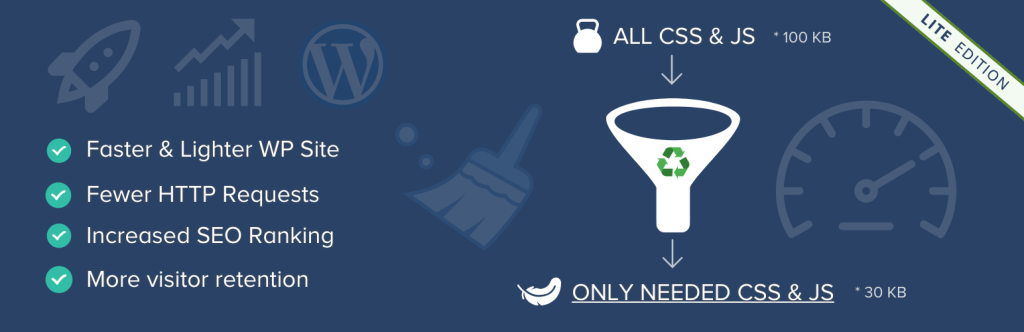
Asset CleanUp is a strong tool for users who want complete control over website performance. It includes lazy loading as part of its optimization suite. The plugin scans each page to identify unused scripts and styles, allowing you to unload unnecessary assets to reduce bloat.
Its lazy load feature ensures that images and iframes load only when needed, improving initial load time and creating smoother browsing. It is ideal for developers, advanced users, and sites with multiple heavy plugins that slow performance.
Key Features
- Lazy load support for images and iframes
- Unload unused CSS and JS files on specific pages
- Minification and combination of CSS and JS
- Preloading and resource priority control
- Compatible with WooCommerce and page builders
- Detailed performance insights
Pros
- Ideal for advanced optimization and reducing page bloat
- Developer friendly controls
- Works well with caching and CDN plugins
- Improves frontend and backend performance
Cons
- Not suitable for beginners
- Incorrect unloading may break site functionality
- Less focused on lazy loading than dedicated tools
7. Optimole
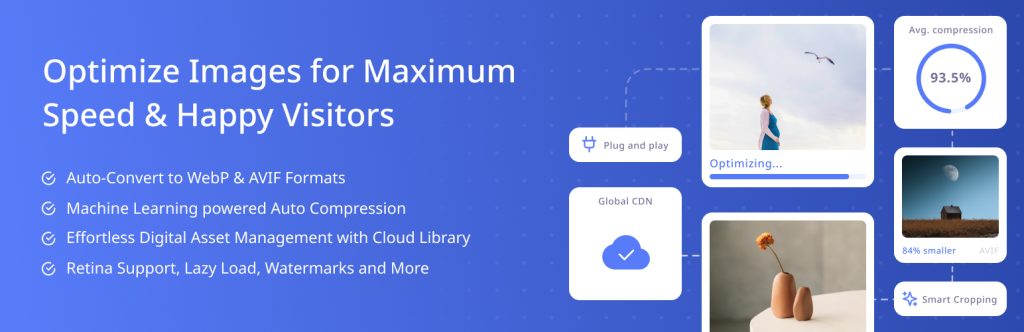
Optimole is a cloud powered image optimization and lazy loading plugin that uses real time, AI based processing. Unlike traditional plugins that optimize images only on upload, Optimole compresses, resizes, and serves images dynamically based on each visitor device, screen resolution, and browser capability.
With its built in global CDN, images load faster across all regions. Optimole lazy loading works for both images and iframes and includes features such as smart cropping, adaptive image scaling, and WebP conversion. Everything runs automatically once activated, making it ideal for beginners and professionals who want a fully automated optimization setup.
Key Features
- Real time image compression and resizing
- Lazy loading for images and iframes
- Global CDN delivery for faster load times
- Automatic WebP conversion
- Device based scaling and optimization
Pros
- Fully automated and beginner friendly
- Improves Core Web Vitals significantly
- Global CDN ensures faster media delivery
- Reduces server load
Cons
- Cloud dependent and requires API
- Free version has traffic limits
Also Read: Top 10 WooCommerce Product Search Plugins to Boost Your Store in 2026
8. Perfmatters
Perfmatters is a lightweight but powerful performance optimization plugin created for speed focused WordPress users. It includes lazy loading for images, videos, iframes, and YouTube previews to improve loading times without affecting visual quality.
In addition to lazy loading, Perfmatters provides tools such as disabling unused WordPress scripts, removing bloat, preloading key resources, and controlling CSS and JS using its Script Manager. The interface is clean and simple for beginners, while developers enjoy its detailed fine tuning options.
Key Features
- Lazy loading for images, videos, iframes, and YouTube embeds
- Script Manager to disable unused CSS and JS
- Disable unnecessary WordPress features such as emoji and embeds
- DNS prefetching, preconnect, and local analytics hosting
- Lightweight architecture for fast performance
- WooCommerce optimization tools
Pros
- Very lightweight and fast
- Easy one click optimization toggles
- Good for both beginners and advanced users
- Improves PageSpeed Insights scores
Cons
- Premium only
- Script Manager requires careful use for beginners
9.FlyingPress
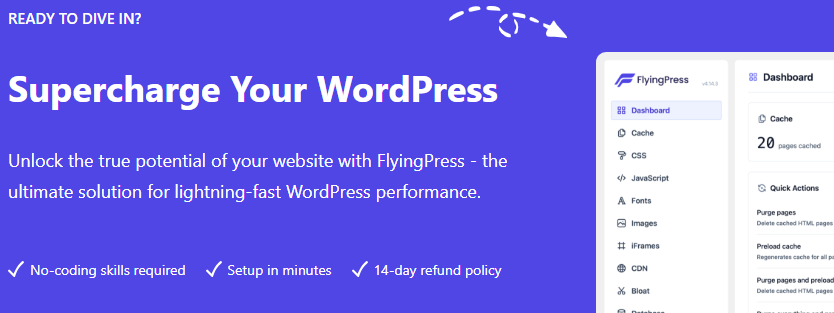
FlyingPress is a premium performance optimization plugin known for powerful caching, image optimization, and advanced lazy loading. It provides smooth lazy loading for images, iframes, and videos using lightweight JavaScript that does not block rendering.
The plugin also optimizes fonts, minifies CSS and JS, delays scripts, and integrates well with CDNs, especially FlyingCDN. It is known for its excellent balance of power and simplicity, offering strong performance improvements with almost no configuration required.
Key Features
- Smooth lazy loading for images, iframes, and videos
- Full page caching with preload
- CSS and JS minification and optimization
- Font optimization and preload
- Defers render blocking scripts
Pros
- Very fast lazy load engine
- Intuitive interface with strong default settings
- High compatibility and minimal conflicts
- Great for performance focused websites
Also Read: 10 Best WooCommerce Tickets Plugins for 2026
10. BJ Lazy Load
BJ Lazy Load is a simple and lightweight plugin built for users who want a fast and easy lazy loading solution without advanced settings. It automatically delays the loading of images, thumbnails, Gravatars, videos, and iframes until they appear in the viewport.
Because it uses minimal code, BJ Lazy Load greatly improves loading speed while keeping server resources low. It works with most traditional WordPress themes and plugins, making it a dependable choice for beginners who want performance improvement without configuration.
Key Features
- Lazy loading for images, iframes, and videos
- Supports post thumbnails, widgets, and Gravatars
- Lightweight and quick to set up
- Compatible with most plugins and themes
Pros
- Very simple and beginner friendly
- Minimal performance overhead
- No complex settings required
Cons
- Not updated as often as premium plugins
- Lacks features such as CDN, compression, or script optimization

Final Thought
Website performance is no longer optional- it’s a core part of user experience, SEO, and business success. Lazy loading is one of the most effective, low-effort improvements you can make to instantly boost speed, reduce bounce rates, and enhance engagement. Whether you’re running a blog, an online store, or a media-heavy site, implementing lazy loading ensures that your pages load faster while saving bandwidth and server resources.
Here’s the best part:
You don’t need to be a tech expert to make your website fast.
From simple plugins like BJ Lazy Load to all-in-one optimization suites like FlyingPress, Optimole, and Perfmatters, there’s a perfect solution for every type of site. Choose the plugin that matches your needs, activate it, and enjoy a faster, smoother, high-performing website that keeps visitors engaged and improves your search rankings.
FAQs About Lazy Load Plugins for WordPress
1. Do lazy load plugins improve SEO?
Yes. Lazy load plugins improve SEO by reducing page load time, lowering bounce rates, and improving Core Web Vitals metrics like LCP and CLS. Since Google prioritizes faster websites, lazy loading can indirectly boost your search rankings.
2. Will lazy loading affect image quality or user experience?
No. Lazy loading does not reduce image quality. It simply delays loading images until the user scrolls to them. In fact, it improves user experience by making pages load faster and feel more responsive.
3. Can lazy loading break my site or conflict with other plugins?
Most modern lazy load plugins work seamlessly with page builders and optimization tools, but conflicts may occur with older themes or heavily customized setups. Always test your site after activation or use a plugin with built-in compatibility features (like Optimole or Perfmatters).
4. Does lazy loading work on mobile devices?
Absolutely. Lazy loading is especially effective on mobile, where slower networks and limited resources can make large pages load painfully slow. Most plugins are mobile-optimized and improve performance across all devices.
5. Do I still need image optimization if I use lazy load?
Yes. Lazy loading improves when images load, but optimization reduces how heavy your images are. For best results, combine lazy loading with compression tools like Smush, Optimole, or Imagify to maximize speed and reduce bandwidth usage.
Interesting Reads:
How to Sell Professional Services Online Using WooCommerce and Reign
How to Use the Elements of High Converting Product Pages to Boost Profits

