5 Ways Stories Can Transform Your WordPress Membership Site


Membership Sites Have a Retention Problem
You worked hard to get members to sign up. The real challenge is keeping them. Most membership sites see a significant drop-off after the first month because once members consume the initial content, there is nothing pulling them back daily.
Static content, courses, articles, downloads, gets consumed and forgotten. What keeps people coming back to Instagram, Snapchat, and TikTok every single day? Stories. Fresh, visual, ephemeral content that creates a fear of missing out.
The WP Stories plugin brings this same dynamic to your WordPress membership site. Here are five specific ways stories can transform your member retention and engagement.
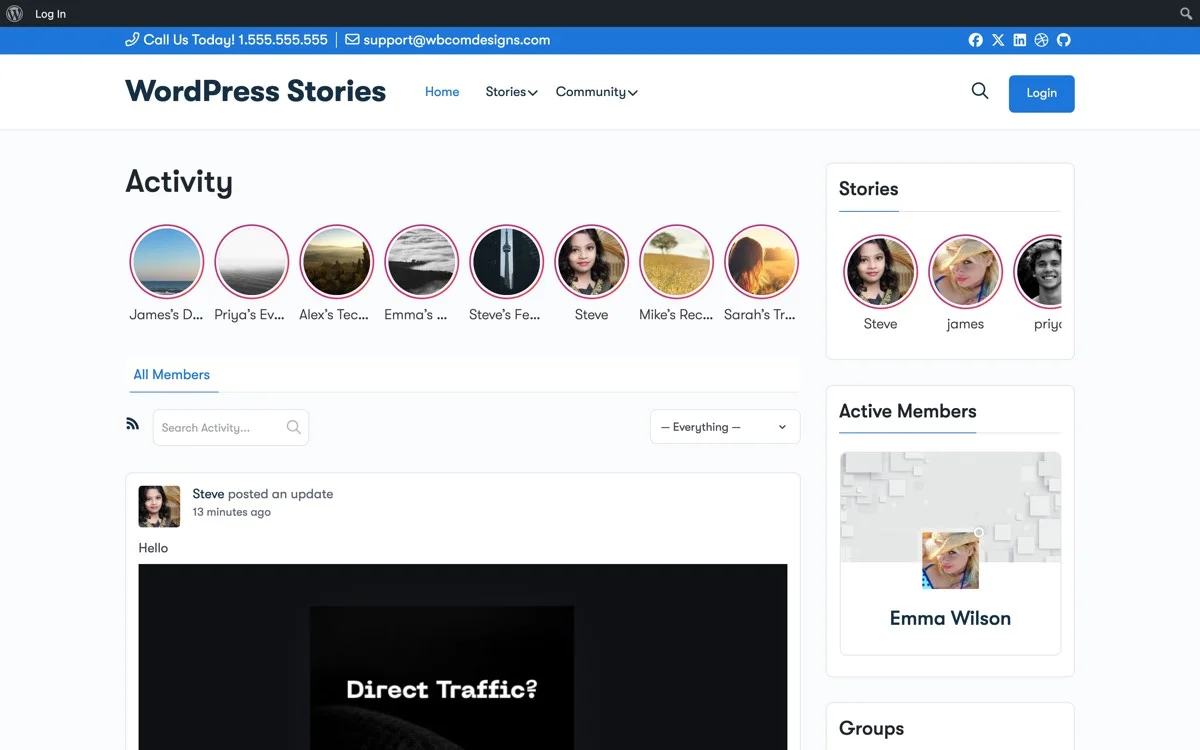
Stories on your membership community, Instagram-style story circles that bring members back daily
1. Daily Content Without the Content Treadmill
Creating daily blog posts, courses, or videos is exhausting and unsustainable. Stories solve this because they are inherently low-effort, high-impact content.
A story takes 30 seconds to create. Upload a photo, add a quick text overlay, publish. Done. But the impact is outsized, because stories feel personal, timely, and exclusive.
For membership sites, this means you can:
- Share daily tips or motivation without writing full articles
- Give behind-the-scenes glimpses of upcoming content
- Post quick announcements that do not need a full blog post
- Share member wins and testimonials in real-time
The key insight: stories are not a replacement for your core content. They are the glue that keeps members engaged between content releases.
2. Members-Only Story Content
WP Stories has four visibility levels, and three of them are perfect for membership sites:
All Members (Logged-In Only)
Stories visible only to logged-in members. This is your bread and butter, exclusive content that free visitors cannot see. It reinforces the value of their membership every time they view a story that non-members are missing.
My Friends (BuddyPress Friends Only)
If your membership site uses BuddyPress for community features, members can share stories that are only visible to their friends. This creates intimate sub-communities within your larger membership.
Only Me (Private)
Members can create private stories as personal visual journals or work-in-progress content they are not ready to share.
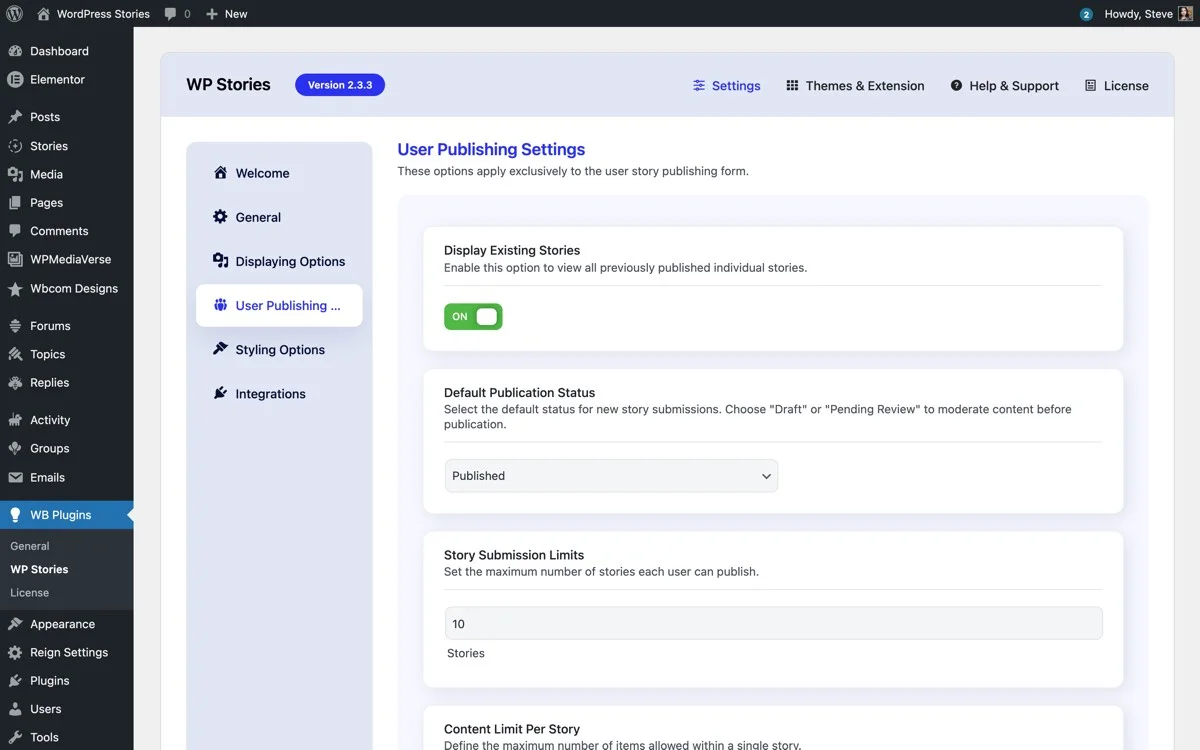
User Publishing Settings, control who can create stories, set limits, and configure visibility options
3. Community-Generated Content That Scales
Here is the real power move: let your members create stories.
When you enable user story creation, your members become content creators. They share their experiences, projects, achievements, and questions through stories. This creates a virtuous cycle:
- Member A posts a story about completing a course module
- Other members see it and engage (likes, views)
- Member A feels validated and posts more
- Other members are inspired and start posting their own stories
- The community generates its own content, reducing your workload
WP Stories gives you full control over who can create stories through user role settings. You can allow all members or restrict it to specific roles.
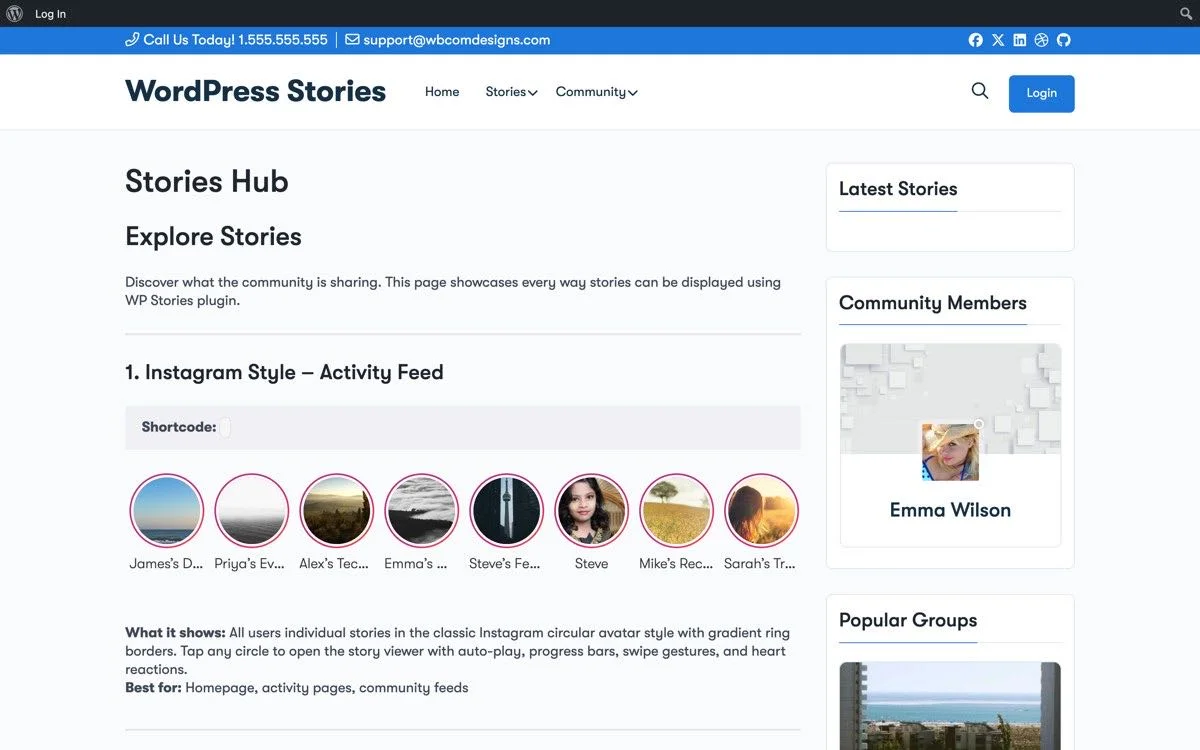
Stories Hub, showing individual stories, collections, and multiple display styles all in one page
4. Story Collections as Permanent Resources
Not all stories need to expire in 24 hours. WP Stories supports permanent story collections with custom cover images, like Instagram Highlights.
For membership sites, these collections become curated resources:
- Onboarding Guide, A story collection walking new members through your platform
- Course Previews, Story collections previewing each course or module
- Member Spotlights, A permanent collection highlighting member success stories
- FAQ Stories, Visual answers to frequently asked questions
- Event Archives, Story collections from past events, workshops, or webinars
5. Engagement Metrics You Can Actually Use
WP Stories tracks two key metrics on every story: views and likes.
View Tracking
You can see exactly how many members viewed each story and who they are.
Member Profile Stories Tab, view counts, like counts, and story management all in one place
This tells you:
- Which content topics resonate most
- Which members are most active (your potential advocates)
- When engagement peaks (optimal posting times)
- If your daily story habit is working (are views growing over time?)
Like Tracking
The heart and like feature added in version 2.3 gives you a quality signal. Views tell you who saw it, likes tell you who cared. A story with high views but low likes might indicate the topic was clickworthy but the content did not deliver.
Viewer List with Messaging
If BuddyPress Messages is active, you can see your viewer list and message viewers directly. This is powerful for membership sites, you can reach out to engaged members personally.
Technical Implementation
Adding stories to a membership site is straightforward:
- Install WP Stories and activate
- Set visibility options, Enable All Members and My Friends for members-only content
- Configure user roles, Allow member roles to create stories
- Add shortcodes, Place
[wb-story-activities]on your member dashboard or community page - Enable BuddyPress integration if you use BuddyPress for community features
The built-in image editor lets members crop, rotate, add text, and apply filters before posting. No external tools needed.
The Retention Math
Here is why this matters financially. If stories increase your member retention by even 10 percent:
- A membership with 500 members at $20 per month losing 10 percent fewer members means an additional $12,000 per year in retained revenue.
- A membership with 1,000 members at $50 per month with 10 percent better retention means $60,000 per year in additional revenue.
Stories cost nothing to create once the plugin is installed. The ROI is almost infinite if they move the retention needle even slightly.
Get Started
Your members already know how stories work, they use them on Instagram and Snapchat every day. Give them the same experience on your membership site and watch retention improve.
Get WP Stories and start transforming your membership site today.