Offering product customization is an effective way to increase engagement and drive sales. Whether you sell T-shirts, mugs, phone cases, business cards, or other customizable items, a WooCommerce product designer plugin allows customers to create unique designs directly on your website.
These plugins let shoppers add text, upload images, choose colors, and incorporate custom graphics, creating a personalized shopping experience. The result is higher customer satisfaction, increased conversions, and stronger brand loyalty.

What Are WooCommerce Product Designer Plugins?
WooCommerce product designer plugins are specialized tools that let customers personalize products online without leaving your website. They are perfect for stores offering items that benefit from custom text, graphics, or images, such as apparel, accessories, stationery, or gifts.
With these plugins, users can modify designs in real-time, upload their own images, select colors, and add text to make products uniquely theirs. Integrating a product designer tool creates a fun, interactive, and highly engaging shopping experience that encourages repeat purchases.
Key Features of WooCommerce Product Designer Plugins
1. Drag-and-Drop Design Interface
Allow users to easily add, move, and resize elements like text, images, and graphics without needing technical knowledge.
2. Real-Time Design Preview
Show instant updates as customers customize their products, so they can see exactly how the final product will look before checkout.
3. Text and Image Upload Support
Enable users to upload personal images or select from pre-existing design libraries to make their products truly unique.
4. Mobile-Friendly and Responsive
Ensure a smooth, seamless customization experience across desktops, tablets, and smartphones, so users can personalize products anytime, anywhere.
5. Pre-Designed Templates and Clipart
Provide ready-made templates and graphics to help customers design quickly, especially if they need inspiration or are new to design tools.
Top 10 WooCommerce Product Designer Plugins
1. Product Designer by WooCommerce
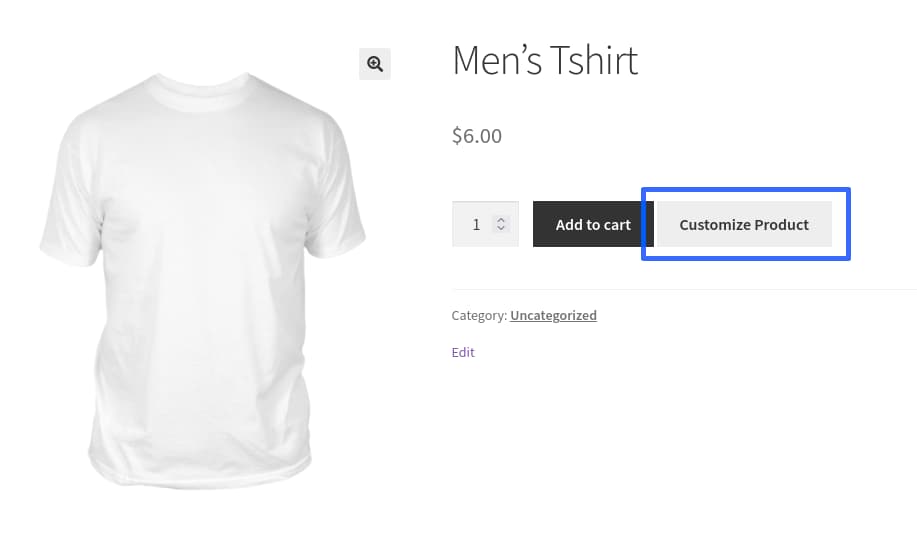
The official WooCommerce Product Designer plugin allows customers to personalize products on the front end with ease. It is suitable for stores offering multiple product types that require text, image, or color customization.
Key Features
- Front-end product designer for live customization
- Supports multiple product types including apparel, accessories, and more
- Simple setup with WooCommerce integration
Pros
- Seamless WooCommerce compatibility
- Easy-to-use tools for customers and store owners
- Works with a wide range of products
Cons
- Lacks advanced customization features
- Limited control over element editing
- No real-time design preview before checkout
2. Zakeke Interactive Product Designer
Zakeke is a premium solution offering advanced customization, including 3D previews and real-time updates. Ideal for stores requiring professional-grade personalization, such as print-on-demand businesses.
Key Features
- 3D product visualization for realistic previews
- Real-time design updates for immediate feedback
- Integration with printing methods for streamlined production
Pros
- Offers a true 3D design experience
- Multilingual and globally compatible
- Fully WooCommerce-ready
Cons
- Requires subscription for full features
- Setup may be challenging for beginners
- Limited free templates included
Also Read: Transform Your Online Presence with a Corporate WordPress Theme
3. Lumise Product Designer
Lumise is built for print-on-demand businesses, offering an intuitive drag-and-drop editor and an extensive library of templates and clipart. Ideal for fast, user-friendly customization.
Key Features
- Drag-and-drop interface for easy design creation
- Large library of templates, clipart, and graphics
- One-click integration with printing workflows
Pros
- User-friendly and fast
- Extensive design resources for customers
- Optimized performance for large product catalogs
Cons
- Free version is limited
- Additional extensions needed for full functionality
- Not ideal for highly complex or layered designs
4. Product Designer for WooCommerce by WP Swings
This plugin provides an affordable solution for adding personalization features such as image uploads, text, and color options to WooCommerce products.
Key Features
- Image and text upload for customer-created designs
- Real-time product preview
- Fully integrated with WooCommerce checkout
Pros
- Cost-effective solution for small businesses
- Easy integration and theme compatibility
- Quick setup for basic product customization
Cons
- Fewer advanced design tools compared to premium plugins
- Limited third-party integrations
- Premium version required for full functionality
5. WooCommerce Custom Product Designer
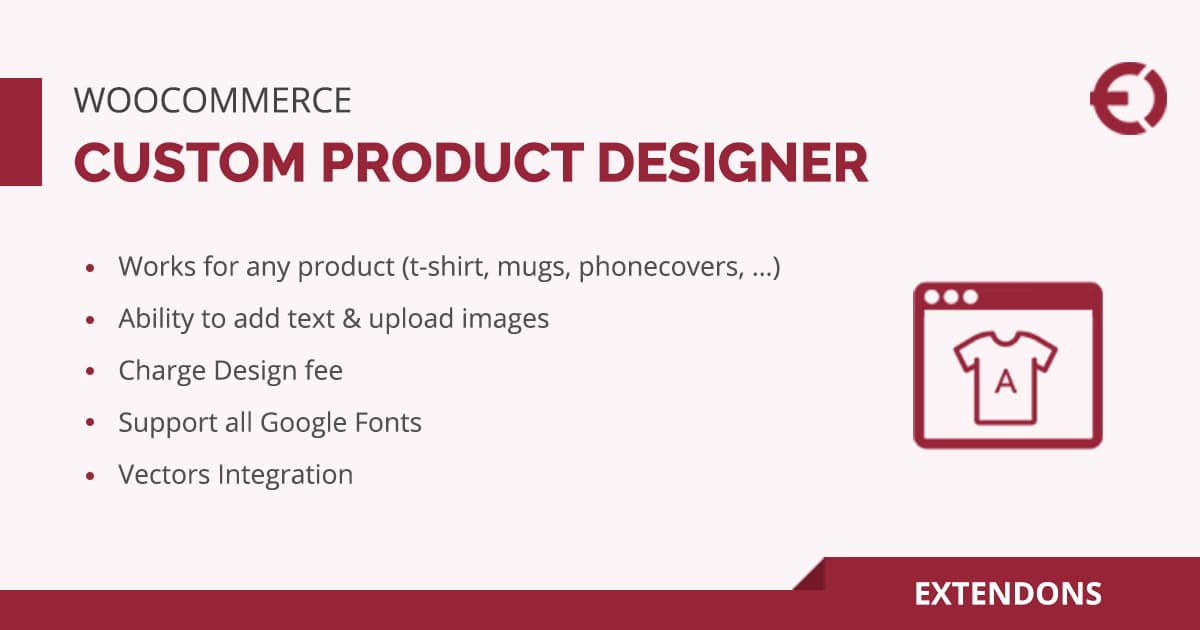
Radykal’s Custom Product Designer offers robust design capabilities with layered editing, suitable for a variety of customizable products. Highly flexible and scalable for diverse product lines.
Key Features
- Layer support for complex designs
- Image and text uploads with advanced editing
- Wide compatibility across product types
Pros
- Flexible and scalable for multiple product lines
- Easy to configure and manage
- Suitable for businesses needing more control over design elements
Cons
- Limited free support
- Additional plugins may be needed for extended functionality
- Older interface compared to modern plugins
Also Read: How to Create a Thriving Multi-Vendor Marketplace Website
6. Fancy Product Designer
Fancy Product Designer is a premium plugin widely used for professional-grade product customization. It supports layered designs, multiple product types, and advanced text and image editing.
Key Features
- Drag-and-drop designer with layer management
- Multiple product types including apparel, mugs, and accessories
- Advanced text styling and image editing options
Pros
- Highly flexible and suitable for complex products
- Supports multiple product variations
- Regular updates and strong developer support
Cons
- Premium pricing may be high for small businesses
- Can have a learning curve for beginners
- Additional add-ons may be needed for full functionality
7. T-Shirt & Product Designer by Bold
This plugin focuses on apparel customization but works for other products too. It offers an intuitive interface and allows users to create custom designs with images, text, and colors.
Key Features
- User-friendly drag-and-drop editor
- Integration with WooCommerce checkout
- Multiple font and color options for text customization
Pros
- Perfect for apparel stores and print-on-demand products
- Affordable and easy to use
- Seamless WooCommerce integration
Cons
- Limited support for non-apparel products
- Few pre-designed templates
- Advanced features require premium version
8. Online Product Designer for WooCommerce by ORION
ORION’s Online Product Designer is designed for stores selling custom products with images, logos, and text. It is suitable for small and medium-sized businesses.
Key Features
- Real-time preview for customer designs
- Multiple product types supported
- Supports custom artwork uploads
Pros
- Simple setup and beginner-friendly
- Real-time product preview enhances customer experience
- Affordable pricing for small businesses
Cons
- Limited advanced editing features
- Minimal pre-designed templates
- Not ideal for very complex layered designs
9. Product Designer Pro for WooCommerce
Product Designer Pro is a versatile plugin that supports a wide range of customization options for text, images, and shapes. It is suited for stores with multiple product lines.
Key Features
- Advanced text and image editing tools
- Layer management for complex designs
- Supports multiple product variations
Pros
- Scalable and flexible for growing stores
- Robust design capabilities
- Works well for a variety of products
Cons
- Premium plugin with higher cost
- Slightly technical for beginners
- Limited free support options
Also Read: Best Email Marketing Tools for eCommerce to Boost Sales in 2025
10. WP Smart Product Designer
WP Smart Product Designer is an all-in-one solution for personalized products, offering real-time previews, multiple fonts, and image editing. It is suitable for businesses wanting a fast and responsive designer.
Key Features
- Live design preview for instant feedback
- Supports image, text, and clipart uploads
- Fully responsive and mobile-friendly
Pros
- Easy for customers to use
- Mobile-optimized interface
- Affordable for small to medium businesses
Cons
- Lacks some advanced layer editing features
- Fewer templates than premium competitors
- Advanced features require paid add-ons
Benefits of Using WooCommerce Product Designer Plugins
1. Enhanced Customer Engagement
Allowing customers to personalize products creates an interactive shopping experience. Shoppers enjoy designing items to match their style, which boosts engagement and encourages repeat visits.
2. Increased Sales Potential
Customizable products attract more buyers and often lead to higher conversion rates. Personalized items are perceived as more valuable, making them more likely to sell.
3. Competitive Edge
Offering product customization sets your store apart from competitors selling standard, non-custom items. Unique design options make your brand memorable and appealing.
4. Streamlined Order Process
Real-time design previews help reduce mistakes and returns by ensuring customers see exactly what they are ordering. This minimizes post-purchase issues and improves satisfaction.
5. Improved User Experience
Drag-and-drop editors, text styling, and image uploads provide a smooth and intuitive design journey. Customers can create personalized products quickly and confidently.
6. Better Brand Recognition
Personalized products that are used daily—like custom mugs, apparel, or phone cases—help spread your brand organically, turning happy customers into brand ambassadors.

Final Thoughts
Integrating customization options into your WooCommerce store can revolutionize the shopping experience. By using a WooCommerce product designer plugin, you provide a seamless, interactive, and professional platform for customers to create products that match their personal style.
Whether you run a print-on-demand store, custom gift shop, or apparel business, these plugins help increase engagement, boost sales, reduce errors, and enhance brand recognition. Adding a product designer plugin is not just a feature it’s a strategic advantage for growing your online business.
FAQs – WooCommerce Product Designer Plugins
1. What is a WooCommerce product designer plugin?
It’s a tool that allows customers to personalize products by adding text, images, graphics, and other design elements directly on your website.
2. Do WooCommerce product designer plugins support all product types?
Most plugins support a variety of products like mugs, T-shirts, phone cases, and more. Always check the plugin documentation for specifics.
3. Can customers upload their own designs?
Yes, most plugins allow users to upload custom graphics or select from built-in templates and clipart libraries.
4. Are these plugins mobile-friendly?
Yes, they are fully responsive and optimized for smartphones and tablets, ensuring a smooth experience on all devices.
5. Is coding knowledge required?
No. Most WooCommerce product designer plugins are beginner-friendly and easy to set up without any coding.
6. Do these plugins support real-time previews?
Yes, many plugins provide live updates so customers can see changes instantly as they customize products.
7. Do product designer plugins help increase sales?
Yes. Personalized products are highly valued by customers, often leading to higher conversions, increased average order value, and stronger loyalty.
8. Are these plugins compatible with all WooCommerce themes?
Generally, yes. Most plugins work with standard themes, though minor styling adjustments may be required for certain custom themes.
Interesting Reads
Top 6 WooCommerce Visual Product Configurator Plugins