

If you run a WordPress website in 2026, keeping it safe from malware and cyberattacks is no longer optional. It is a necessity. Hackers are becoming smarter, attacks are more automated, and even small websites are now common targets. Using the best WordPress plugins for malware scanning is one of the smartest decisions you can make for your site’s long term security.

Your website can become infected without you realizing it. A vulnerable plugin, outdated theme, weak login credentials, or compromised hosting can allow attackers inside. Once malware enters your site, it can steal data, redirect visitors, damage SEO rankings, or even cause Google to blacklist your website.
Start Your WordPress Project With Us Today!
What Are Malware Scanning Plugins for WordPress
Malware scanning plugins are security tools designed for WordPress websites to detect, monitor, and remove malicious activity. They scan WordPress core files, themes, plugins, uploads, and databases to identify threats such as:
- Malicious scripts and injected code
- Backdoors left by hackers
- Spam links and SEO poisoning
- Phishing pages
- Unauthorized file changes
- Redirect malware
The best WordPress plugins for malware scanning do more than detect issues. They provide real time alerts and often include cleanup tools or guided removal steps. Many also include firewalls, login security, blacklist monitoring, and uptime tracking for complete protection.
What to Look for in the Best WordPress Malware Scanning Plugins
When choosing a malware scanning plugin in 2026, prioritize the following features:
Comprehensive Scanning
The plugin should scan all areas of your website, including files, themes, plugins, uploads, and databases.
Real Time Alerts
Instant notifications allow you to act quickly before malware spreads or causes downtime.
Automatic or Guided Cleanup
Some plugins remove malware automatically, while others provide step by step cleanup instructions.
Firewall Integration
A built in firewall helps block attacks before they reach your website.
Scheduled and Automated Scans
Automatic scans ensure continuous protection without manual effort.
Frequent Malware Signature Updates
Threats evolve quickly, so regular updates are essential for detecting new attack patterns.
Performance Friendly Scans
The plugin should scan efficiently without slowing down your website.
Why You Should Use WordPress Malware Scanning Plugins
Installing one of the best WordPress plugins for malware scanning provides a strong safety net for your website.
- Early threat detection helps stop malware before it causes damage.
- Visitor and data protection prevents stolen information and harmful redirects.
- Search engine safety helps avoid Google blacklisting.
- Brand reputation protection keeps your site professional and trustworthy.
- Faster recovery after attacks saves time and money.
- Peace of mind knowing your site is monitored around the clock.
How to Use Malware Scanning Plugins in WordPress
Using a malware scanning plugin is simple, even for non technical users:
- Install the plugin from the WordPress plugin directory or upload it manually.
- Activate the plugin and complete the setup wizard if available.
- Run an initial scan to check your current security status.
- Enable scheduled scans for ongoing protection.
- Monitor alerts and scan reports regularly.
- Take immediate action if malware is detected by cleaning, quarantining, or restoring files.
- Enable additional features such as firewalls, login protection, and email alerts for stronger security.
Top 12 Best WordPress Plugins for Malware Scanning
Below is a detailed breakdown of the best WordPress plugins for malware scanning. Each option includes key features to help you compare and choose the right solution for your website.
1. Wordfence Security

Wordfence is one of the most trusted and widely used WordPress security plugins, relied on by millions of site owners worldwide. It combines deep malware scanning with an advanced Web Application Firewall (WAF) that actively blocks threats in real time before they can reach your website. Wordfence scans your WordPress core files, themes, and plugins for malicious code, backdoors, spam injections, and known vulnerabilities, helping you detect issues early.
Key Features
- Full site malware scanning for core, themes, and plugins
- Real time threat detection and alerts
- Built in web application firewall
- Live traffic monitoring
- Login security and brute force protection
- Two factor authentication
Best for: All in one malware scanning and firewall protection
2. Sucuri Security
Sucuri is known for professional-grade WordPress security and expert malware cleanup services, making it a trusted choice for business and high-traffic websites. It focuses heavily on continuous monitoring, early threat detection, and proactive prevention, helping you stay ahead of cyberattacks before they cause serious damage.
The plugin monitors file integrity, security events, and website blacklist status, alerting you immediately if something suspicious is detected. Combined with Sucuri’s cloud-based firewall and on-demand malware removal services, it delivers a robust security solution that protects your site’s reputation, performance, and SEO.
Key Features
- Server side malware scanning
- File integrity monitoring
- Website blacklist monitoring
- Security activity logging
- Cloud based firewall in premium plans
- Professional malware removal services
Best for: Business websites and high risk sites needing expert support
Also Read: What is Lazy Loading Plugin and How Does It Work in 2026?
3. MalCare Security
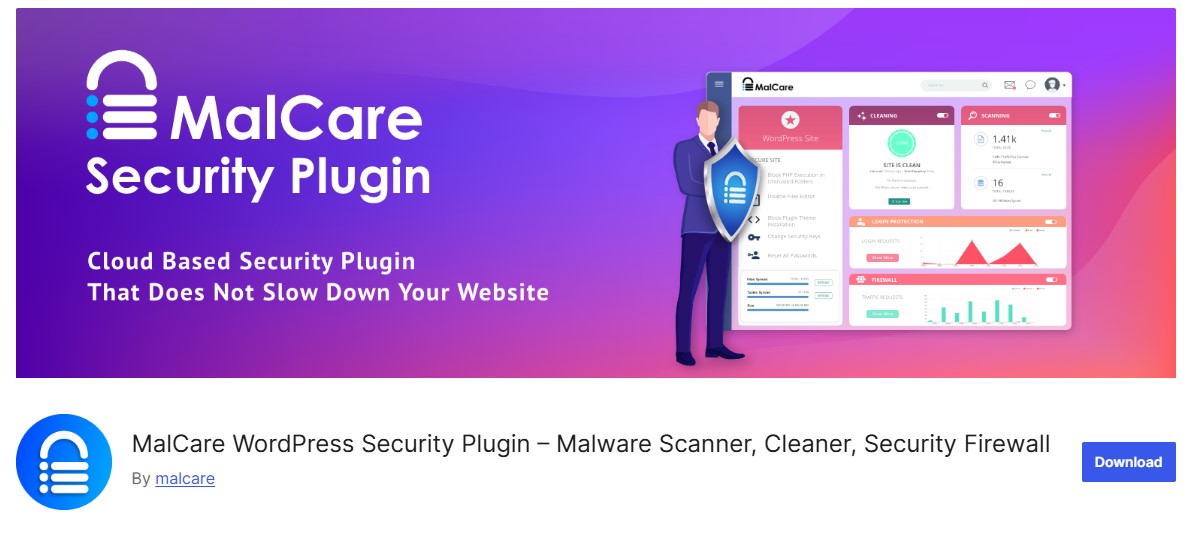
MalCare uses cloud-based malware scanning to detect even deeply hidden and complex malware without putting any strain on your website’s server. Instead of running heavy scans locally, it analyzes your site offsite, ensuring zero impact on performance or page load speed.
What makes MalCare stand out is its high detection accuracy and one-click malware removal, allowing you to clean infected files quickly and safely. With automatic daily scans, real-time protection, and built-in website hardening, MalCare is an excellent choice for site owners who want powerful security with minimal effort.
Key Features
- Offsite cloud malware scanning
- One click malware removal
- Daily automatic scans
- Website hardening tools
- Login protection and firewall
- No performance impact
Best for: Fast and accurate malware detection with easy cleanup
4. iThemes Security
iThemes Security focuses on preventing attacks before they happen while also providing reliable malware detection and real-time security alerts. It helps protect your WordPress site by identifying vulnerabilities, monitoring file changes, and alerting you to suspicious activity as soon as it’s detected.
Beyond malware scanning, iThemes Security includes brute-force protection, strong password enforcement, two-factor authentication, and security hardening tools. With its guided setup wizard and clear notifications, it’s well suited for both beginners and experienced users who want a proactive, layered approach to WordPress security.
Key Features
- Malware scanning and file change detection
- Two factor authentication
- Brute force attack protection
- Strong password enforcement
- Security notifications and alerts
- Beginner friendly setup wizard
Best for: Layered security with malware monitoring
5. All In One WP Security and Firewall

All In One WP Security & Firewall offers a simple yet powerful WordPress security system that’s ideal for both beginners and experienced site owners. One of its most distinctive features is the visual security grading system, which clearly shows how secure your website is and highlights areas that need improvement. This makes it easy to track your site’s protection progress at a glance.
Key Features
- Malware and file integrity scanning
- Login lockdown and brute force prevention
- Firewall protection
- CAPTCHA and login URL protection
- Visual security strength grading system
- Beginner friendly dashboard
Best for: Beginners learning WordPress security basics
Also Read: 12 Best WordPress Plugins for SSL Encryption in 2026
6. Jetpack Security
Jetpack Security provides background malware scanning with minimal configuration, making it an excellent choice for site owners who want hands-off protection. Once enabled, it automatically scans your WordPress site for malware and security threats without disrupting performance or requiring constant attention.
In addition to malware scanning, Jetpack Security includes brute-force attack prevention, downtime monitoring, automated backups, and spam protection. All features are managed through a clean dashboard, allowing you to keep your site secure while focusing on content and growth rather than technical security tasks.
Key Features
- Daily automated malware scans
- Real time backups and restores
- Brute force attack prevention
- Downtime monitoring
- Spam protection
- Managed through WordPress.com dashboard
Best for: Hands off security and backup management
7. Defender Pro
Defender Pro combines a clean, modern interface with powerful malware scanning and security hardening tools, making advanced WordPress security easy to manage. It performs scheduled malware scans, file integrity checks, and vulnerability assessments to help detect threats early and keep your site protected.
Alongside scanning, Defender Pro offers login protection, two-factor authentication, firewall rules, and automated security recommendations. With its guided setup, clear reports, and performance-friendly design, it’s a great choice for users who want strong protection without dealing with complicated technical settings.
Key Features
- Scheduled malware scans
- File comparison and integrity checks
- Security recommendations
- Two factor authentication
- Login attempt limits
- Automated security hardening
Best for: Guided security with a modern dashboard
8. Anti Malware Security and Brute Force Firewall
This plugin focuses on detecting known malware patterns, backdoors, and malicious code injections that are commonly used to compromise WordPress websites. It uses an externally updated threat database to stay current with the latest attack methods, helping it identify infections that might slip past basic scanners.
In addition to malware detection, it offers manual file and directory scanning, core file integrity checks, and brute-force protection, giving you greater control over what gets scanned and when. This makes it especially useful for site owners who want detailed visibility and precise detection of hidden threats.
Key Features
- Deep malware scanning for backdoors and Trojans
- External threat database updates
- Brute force login firewall
- Manual directory and file scanning
- Core file integrity checking
- Optional firewall rules
Best for: Advanced users needing detailed manual control
Also Read: 10 Top Print on Demand Plugins for WordPress in 2026
9. BulletProof Security
BulletProof Security is a performance-focused and highly configurable WordPress security plugin designed for users who want maximum control over their site’s protection. It delivers strong security features without unnecessary overhead, ensuring your website remains fast while staying secure.
The plugin includes malware scanning, .htaccess-based firewall protection, login monitoring, intrusion detection, and detailed security logs. While its interface is more technical than beginner-oriented plugins, its extensive customization options and thorough documentation make it an excellent choice for developers and advanced users who prioritize speed, precision, and deep security control.
Key Features
- Malware scanning and logging
- .htaccess based firewall protection
- Login monitoring and lockdown
- Database security tools
- Maintenance mode and intrusion detection
- Low server resource usage
Best for: Developers and advanced users
10. WPScan
WPScan focuses on proactively detecting vulnerabilities in your WordPress site rather than performing traditional malware cleanup. It scans your themes, plugins, and WordPress core for known security issues, helping you identify potential weak points before hackers can exploit them.
The plugin relies on a large, regularly updated vulnerability database, providing alerts whenever a plugin, theme, or core file needs attention. While it doesn’t remove malware directly, WPScan is an excellent complement to traditional malware scanners, giving site owners a proactive layer of protection and helping maintain overall site security.
Key Features
- Plugin and theme vulnerability scanning
- Core WordPress security checks
- Large vulnerability database access
- Email alerts for discovered risks
- API integration for updates
Best for: Preventing malware by fixing vulnerabilities early
11. CleanTalk Security and Malware Scanner
CleanTalk combines malware detection with robust spam and firewall protection, offering a comprehensive security solution for WordPress sites. It performs automatic daily scans for malware, malicious code, and file changes, alerting you immediately if any threats are detected.
In addition, CleanTalk includes brute-force login protection, IP blocking, and a security firewall, helping prevent unauthorized access and attacks. Its clean, intuitive dashboard and low false-positive rate make it ideal for site owners who want a set-it-and-forget-it security solution that keeps both malware and spam at bay.
Key Features
- Automatic daily malware scans
- File change monitoring
- Website firewall and IP blocking
- Brute force protection
- Email security reports
- Low false positive detection
Best for: Set it and forget it malware and spam protection
Also Read: 10 Best WordPress Plugins for GDPR Compliance in 2026
12. Security Ninja
Security Ninja focuses not just on malware detection but also on educating users and preventing security issues before they occur. It runs over 50 comprehensive security tests, including checks for malware, outdated software, weak passwords, file permissions, and other vulnerabilities.
What sets Security Ninja apart is its educational approach: it explains why a particular issue is a problem and guides you on how to fix it, rather than just flagging vulnerabilities. With scheduled scans, detailed reports, and actionable recommendations, it’s an excellent choice for beginners and intermediate users who want to learn about WordPress security while actively protecting their site.
Key Features
- Over 50 security and malware tests
- Core, plugin, and theme security checks
- File permission analysis
- Detailed explanations and fix guidance
- Security hardening recommendations
- Developer friendly reports
Best for: Users who want to learn while securing their site

Your Path to a Safer WordPress Website
Malware threats do not discriminate. In 2026, every WordPress site is a potential target, whether you run a personal blog, a business website, or an online store. Hackers often target smaller sites because they assume security measures are weak. That is why using the best WordPress plugins for malware scanning is no longer optional. It is essential.
Plugins like Wordfence, MalCare, and Sucuri make it easy to detect, block, and remove malware, often before it causes real damage. With features such as automated scans, real time alerts, and one click cleanup, these tools help you stay protected without requiring technical expertise.
Website security is not a one time setup. It is an ongoing process. Keep your security plugins updated, schedule regular scans, and combine malware scanning with strong passwords, reliable backups, and updated themes and plugins. A proactive approach today can save you from downtime, lost traffic, and costly repairs in the future.
Frequently Asked Questions
1. Do I really need a malware scanning plugin if my hosting is secure
Yes. Secure hosting helps, but it does not protect you from vulnerable plugins, outdated themes, weak passwords, or internal WordPress threats. Malware scanning plugins add an extra layer of protection directly inside your WordPress dashboard.
2. How often should I scan my WordPress site for malware
Daily automated scans are recommended for most websites. High traffic websites and online stores should consider real time or continuous scanning for maximum protection.
3. Can malware scanning plugins slow down my website
Most modern malware scanning plugins are optimized for performance. Cloud based solutions such as MalCare run scans offsite, ensuring little to no impact on website speed.
4. Will a malware scanning plugin automatically clean infected files
Some plugins offer one click automatic malware removal, while others provide guided cleanup steps. Premium plans usually include automatic cleanup and professional assistance.
5. Is one security plugin enough to protect my WordPress site
A single high quality security plugin can offer strong protection, but best practice is a layered approach. Combine malware scanning with regular backups, strong login security, firewalls, and timely updates for the best results.
Interesting Reads:
Best Google Analytics Plugins for WordPress You Need
12 Best WordPress Plugins for Schema Markup in 2025 to Rank Higher
12 Best WordPress Plugins for Lazy Loading to Improve Your Site Speed

