If you’re running a WordPress website, there’s one thing you absolutely cannot ignore search engine optimization (SEO). Whether you’re running a blog, an eCommerce site, or a local business page, SEO is the engine that helps people discover your content online. And lucky for you, WordPress makes this process a lot easier through something called SEO plugins especially when you’re using the Best WordPress SEO Plugins available.
Now, SEO might sound like a complex maze of keywords, algorithms, and Google bots but it doesn’t have to be. The right plugins can guide you, optimize your content, and improve your site’s visibility without you needing to be an SEO expert.

What are WordPress SEO Plugins
WordPress SEO plugins are tools you can add to your website to help with everything search-related. Think of them as little helpers that sit behind the scenes and make sure your website is speaking the language of Google (and other search engines).
These plugins help you write better meta titles and descriptions, create sitemaps so search engines can crawl your site, manage broken links, and even help structure your content in a way that’s user-friendly and optimized for rankings. Instead of guessing what Google likes, these plugins show you right inside your WordPress dashboard.
What to Look for in the Best WordPress SEO Plugins
Before picking a plugin, it’s good to know what features actually make a difference. Here are some of the key elements that the Best WordPress SEO Plugins should offer:
- Content analysis: A feature that gives you real-time feedback as you write, helping you optimize keywords, headings, and readability.
- Meta tag management: Let you customize how your posts appear in search results with titles and descriptions.
- XML sitemaps: These are like roadmaps for search engines to understand your site structure and index your content.
- Schema markup: Adds extra information (like ratings, product details, or event times) to your listings, making them stand out in search results.
- Redirection management: Helps you handle broken or changed URLs so visitors (and search engines) don’t hit dead ends.
- Integration with other tools: For example, connecting with Google Analytics, Search Console, or WooCommerce.
Why Use WordPress SEO Plugins
You might wonder, “Can’t I just write good content and hope for the best?” Sure, good content is important — but SEO plugins help amplify that content. Here’s why using one (or more) of the Best WordPress SEO Plugins is essential:
- They make SEO understandable. Even if you’re a beginner, these tools break it down into actionable steps.
- They catch issues before they hurt your rankings, like duplicate content, missing meta tags, or broken links.
- They improve your site’s structure, making it easier for search engines to navigate.
- They help you stay ahead in a competitive space by keeping your SEO efforts organized, consistent, and up-to-date.
How to Use WordPress SEO Plugins
Most of these plugins are built to be beginner-friendly. You don’t need to touch a single line of code. Just follow these general steps:
- Install and activate the plugin through your WordPress dashboard.
- Run the setup wizard (most good plugins have one) to configure your basic SEO settings.
- Start creating content, and use the plugin’s suggestions to improve your headlines, keyword usage, links, and structure.
- Check your SEO health regularly, using the plugin’s reports, tips, and audits.
15 Best WordPress SEO Plugins to Boost Rankings
Search engine optimization is no longer optional it’s essential for visibility, traffic, and long-term growth. WordPress gives you a strong foundation, but the right SEO plugins can dramatically improve how your site performs in search results. From on-page optimization and technical SEO to performance and link health, these plugins cover every aspect of modern SEO.
1. Rank Math

Rank Math is often called the Swiss Army knife of WordPress SEO plugins and for good reason. It combines powerful features with a clean, beginner-friendly interface that makes SEO approachable from day one.
Unlike many plugins, Rank Math allows you to target up to five focus keywords per post in the free version. It also includes built-in schema markup, a 404 monitor, and an advanced redirection manager to keep your site technically sound. Its Google Search Console integration lets you track keyword rankings and performance directly inside WordPress.
Key Features:
- Multiple focus keywords per post
- Built-in schema & rich snippets
- 404 error monitor & redirection manager
- Google Search Console integration
- Local SEO & WooCommerce SEO support
- AI content assistant (Pro)
Best For: Bloggers, businesses, and SEO professionals who want an all-in-one SEO powerhouse.
Also Read: 15 Best WordPress Plugins for Preventing Brute Force Attacks in 2026
2. Yoast SEO

Yoast SEO has been a trusted name in WordPress SEO for years. It acts like a personal SEO coach inside your editor, guiding you in real time as you write content.
The plugin analyzes keyword usage, readability, internal links, and meta descriptions using its well-known traffic-light system. Yoast also automatically generates XML sitemaps and adds schema markup.
Key Features:
- Real-time content and readability analysis
- XML sitemap generation
- Schema markup support
- Social media preview optimization
- Beginner-friendly traffic-light system
Best For: Beginners who want clear SEO guidance while writing.
3. All in One SEO (AIOSEO)
All in One SEO (AIOSEO) strikes the perfect balance between powerful features and user-friendly design. Its setup wizard guides you through the initial configuration step by step, making it easy for beginners to get your SEO up and running without confusion. Beyond the basics, AIOSEO includes tools for on-page optimization, XML sitemap generation, social media preview control, and WooCommerce SEO, giving you full control over how search engines and users see your site.
Key Features:
- On-page SEO analysis & recommendations
- XML & RSS sitemaps
- Local SEO & WooCommerce integration
- Social media preview control
- Easy search engine connection
Best For: Website owners seeking broad SEO coverage without complexity.
4. SEOPress

SEOPress is a fast, lightweight, and privacy-focused SEO plugin designed to give you full control over your website’s optimization without overwhelming you with unnecessary clutter. Its clean interface makes it easy to manage meta titles, descriptions, XML sitemaps, and breadcrumbs, while advanced users can leverage Google Structured Data Types and social sharing previews. SEOPress respects privacy by not collecting any user data, making it ideal for GDPR-compliant websites. For agencies and developers, it also offers white-labeling options, allowing seamless branding for client projects.
Key Features:
- Meta titles & descriptions
- XML & HTML sitemaps
- Structured data (schema)
- Social media previews
- White-label support
Best For: Developers, agencies, and privacy-focused websites.
Also Read: Top 12 Best WordPress Plugins for Malware Scanning in 2026
5. The SEO Framework
The SEO Framework is designed for users who want a set-it-and-forget-it SEO solution that works efficiently in the background. It’s lightweight, fast, and performance-focused, ensuring that your site remains speedy while fully optimized for search engines. The plugin automatically generates meta titles and descriptions, applies schema markup, and supports social sharing, reducing the need for manual configuration. Its unobtrusive interface uses a visual colored bar system to show how well each page is optimized, giving you clear, actionable feedback without overwhelming you with technical jargon.
Key Features:
- Automatic SEO configuration
- Lightweight and fast
- Schema markup & social sharing
- Visual optimization indicators
Best For: Minimalists who want strong SEO without micromanagement.
6. Squirrly SEO
Squirrly SEO goes beyond being just a plugin it functions as a full-featured SEO assistant that actively guides you while creating content. As you write, it provides a step-by-step checklist of SEO actions, explains why each step matters, and offers real-time suggestions to improve rankings. The plugin also includes AI-powered keyword recommendations, competitor analysis, and weekly SEO audits, helping you track progress and adjust strategies over time. Its beginner-friendly interface ensures that even users with no prior SEO experience can optimize their content effectively.
Key Features:
- Real-time SEO guidance
- AI-powered keyword research
- Weekly SEO audits
- Competitor analysis
Best For: Non-SEO experts who want hands-on help.
7. WP Meta SEO

WP Meta SEO is a powerful plugin for managing SEO on large websites, blogs, or online stores. Its standout feature is bulk editing, which allows you to quickly optimize meta titles, descriptions, and image alt text across hundreds of pages without editing each one individually. The plugin also includes a built-in image optimizer, broken link checker, and sitemap generator, helping maintain both on-page and technical SEO health. Integration with Google Search Console allows you to pull real keyword and performance data directly into WordPress, making it easier to make informed optimization decisions.
Key Features:
- Bulk SEO editing
- Image SEO & optimization
- Broken link detection
- Google Search Console integration
Best For: Large content sites and WooCommerce stores.
8. Slim SEO
Slim SEO is a lightweight, no-fuss SEO plugin that automatically handles all the essential SEO tasks without requiring any setup. It generates meta titles and descriptions, creates XML sitemaps, manages breadcrumbs, and adds schema markup all silently in the background. Its zero-configuration approach makes it perfect for beginners or site owners who want strong SEO without navigating complex settings or technical jargon.
Key Features:
- Automatic meta tag generation
- XML sitemap creation
- Schema & breadcrumbs
- No setup required
Best For: Beginners wanting effortless SEO.
Also Read: 12 Best WordPress Plugins for Restoring Websites Quickly in 2026
9. Redirection
Redirection is a must-have plugin for technical SEO, ensuring your site remains healthy and user-friendly. It allows you to easily manage 301, 302, and 307 redirects, helping preserve link equity when URLs change or content is moved. The plugin also tracks 404 errors, so you can quickly identify broken links and fix them before they negatively impact your SEO or user experience. With detailed logs and conditional redirect options, Redirection gives you full control over URL management, making it an indispensable tool for website owners, developers, and agencies aiming to maintain strong search rankings.
Key Features:
- 301 redirect management
- 404 error tracking
- URL change monitoring
- Clean redirect logs
Best For: Maintaining site health and link equity.
10. Broken Link Checker
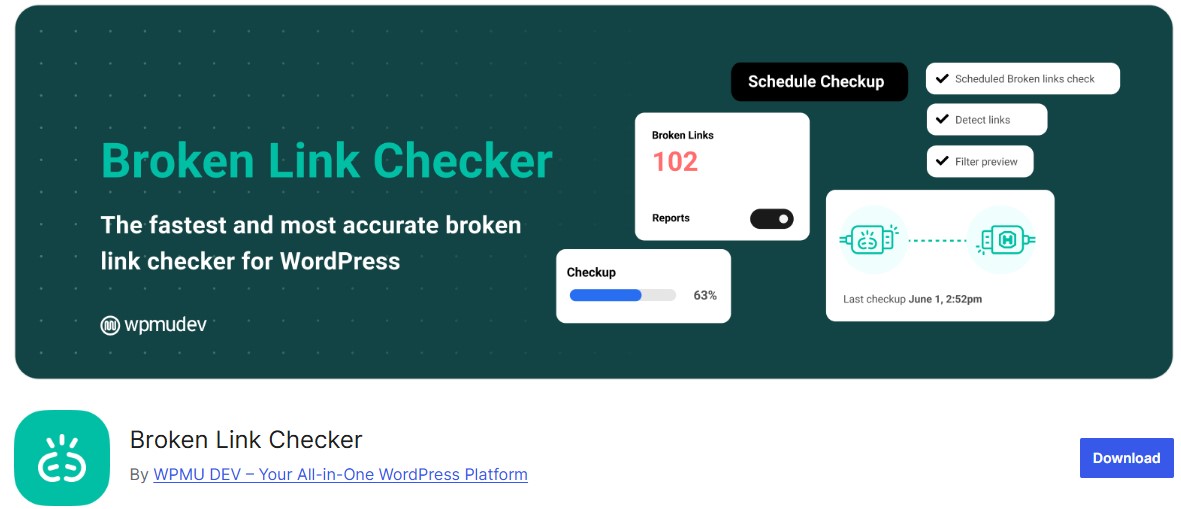
Broken Link Checker is an essential plugin for maintaining both SEO health and user experience. It automatically scans your website for broken internal and external links, identifying URLs that lead to 404 errors or missing pages. Once detected, you can update or remove broken links directly from the WordPress dashboard without having to manually edit each post or page. By keeping your links accurate and functional, this plugin helps improve search engine rankings, reduce bounce rates, and maintain a professional site appearance.
Key Features:
- Automatic link scanning
- Broken link alerts
- In-dashboard editing
- Improved crawlability
Best For: Content-heavy websites and blogs.
11. WP Rocket
WP Rocket is a premium performance plugin that enhances SEO indirectly by significantly improving your site’s loading speed and Core Web Vitals, both of which are key ranking factors in 2026. It automatically implements page caching, GZIP compression, file minification, and lazy loading for images and videos, reducing load times without complex configuration. WP Rocket also optimizes your database and integrates seamlessly with CDNs to serve content faster to users worldwide.
Key Features:
- Page caching
- Lazy loading for images & videos
- GZIP compression
- Database optimization
Best For: Improving rankings through performance.
12. Google XML Sitemaps
Google XML Sitemaps is a lightweight, focused plugin that simplifies one of the most important aspects of technical SEO: ensuring search engines can efficiently crawl your site. It automatically generates and updates XML sitemaps for all posts, pages, categories, and custom post types, keeping your site structure visible to Google, Bing, and other search engines. By providing a complete and up-to-date sitemap, the plugin helps improve indexing speed, ensures all your content is discoverable, and enhances overall search visibility.
Key Features:
- Automatic sitemap generation
- Supports posts, pages & categories
- Search engine notifications
Best For: Sites not using all-in-one SEO plugins.
Also Read: 15 Best WordPress Plugins for Firewall Protection in 2026
13. Ahrefs SEO Plugin
The Ahrefs SEO Plugin brings the power of the Ahrefs platform directly into WordPress, helping you identify underperforming content and pinpoint SEO issues that may be holding your site back. It provides actionable insights such as keyword performance, backlink data, and content audit recommendations, allowing you to optimize pages based on real metrics. With its integration, you can monitor your site’s health, track SEO progress, and uncover opportunities to improve rankings all without leaving your WordPress dashboard.
Key Features:
- Content audits
- SEO health monitoring
- Keyword & traffic insights
Best For: Content marketers and SEO strategists.
14. Schema Pro
Schema Pro makes adding rich snippets to your WordPress site simple and code-free, helping your content stand out in search results. The plugin supports a wide range of schema types, including reviews, FAQs, articles, products, recipes, and events, allowing you to enhance listings with stars, ratings, and additional details. Its intuitive interface lets you configure schemas globally or per post type, and it automatically applies them to new content.
Key Features:
- Advanced schema markup
- FAQ, review & product schemas
- Improved SERP appearance
Best For: Websites targeting rich results.
15. Internal Link Juicer
Internal Link Juicer is a powerful plugin designed to automate internal linking, helping improve your site’s structure, crawlability, and authority flow. By automatically linking relevant keywords to the appropriate pages or posts, it ensures that link equity is distributed effectively throughout your site. The plugin allows you to set target keywords, control anchor texts, and prioritize pages for linking, giving you full control over your internal SEO strategy.
Key Features:
- Automatic internal linking
- Keyword-based anchor text
- Improved crawl depth
Best For: Large blogs and content-driven websites.

Take Control of Your WordPress SEO
SEO doesn’t have to feel complicated or intimidating. With the help of the best WordPress SEO plugins, optimizing your website becomes far more structured, manageable, and even enjoyable. These tools simplify complex SEO tasks, helping you improve rankings, attract the right audience, and build long-term organic traffic without requiring advanced technical skills.
Whether you prefer the all-in-one power of Rank Math or Yoast SEO, the hands-off simplicity of Slim SEO, or specialized tools like Schema Pro and Redirection, there’s a plugin that perfectly matches your workflow and goals. The key is choosing the right combination that aligns with your website type whether it’s a blog, business website, or online store.
Interesting Reads: