If your website runs on WordPress and you are serious about performance, rankings, and user experience, Core Web Vitals are metrics you can’t afford to ignore. These performance indicators directly influence your Google search visibility, bounce rate, and how trustworthy your site feels to visitors. The good news is that you don’t need to be a developer to improve them. With the right WordPress plugins, you can speed up your site, stabilize layout shifts, optimize responsiveness, and enhance user engagement all without touching a single line of code.
Start Your WordPress Project With Us Today!
What Are Core Web Vitals?
Core Web Vitals are a set of performance metrics introduced by Google that measure how real users experience your website. They focus on three primary aspects of user experience:

- Largest Contentful Paint (LCP): Measures how quickly the main content of your page loads. A fast LCP ensures visitors can see and interact with your content almost immediately.
- First Input Delay (FID): Tracks the responsiveness of your site to user interactions, such as clicks, taps, or keyboard inputs. Low FID means your site feels smooth and responsive.
- Cumulative Layout Shift (CLS): Monitors visual stability during page load. A low CLS score ensures elements like images or ads don’t unexpectedly shift, preventing frustrating user experiences.
Why it matters: Google now uses Core Web Vitals as ranking signals, meaning sites that perform well across these metrics can achieve better search rankings, lower bounce rates, and more satisfied visitors.
What to Look for in a Core Web Vitals Plugin
Choosing the right plugin is crucial to improving these metrics efficiently. Here is what to consider when selecting from the best WordPress plugins for Core Web Vitals in 2026:
- Caching Capabilities: Optimize page caching and browser caching to reduce load times.
- Image Optimization: Automatic image compression, WebP support, and lazy loading improve LCP.
- Lazy Loading & Asset Management: Defer offscreen images and control the loading of JavaScript/CSS to reduce render-blocking resources, enhancing both LCP and FID.
- Script & Style Control: Manage unnecessary scripts, inline critical CSS, and defer non-essential assets for faster performance.
- Lightweight & Performance-Friendly: Avoid plugins that bloat your site. Lightweight tools ensure that the plugin itself does not negatively impact performance.
- Beginner-Friendly Setup: Clear instructions, intuitive dashboards, and one-click optimization options make it easy to get started without technical expertise.
- Compatibility: Ensure the plugin works well with your existing theme and other plugins to prevent conflicts that could affect performance.
- Regular Updates & Support: Core Web Vitals optimization is ongoing. Choose plugins that are actively maintained with strong support for future WordPress versions.
Why Use Core Web Vitals Plugins
Even if you are comfortable with manual optimization, using a plugin saves time and ensures consistency. Benefits include:
- Faster Loading Times: Optimized pages load quicker, improving LCP.
- Better Responsiveness: Reduced delays in input interactions improve FID.
- Stable Layouts: Prevents content from shifting, lowering CLS scores.
- Improved SEO & Rankings: Google rewards sites that meet Core Web Vitals benchmarks.
- Enhanced User Experience: Faster, smoother, and visually stable websites keep visitors engaged.
15 Best WordPress Plugins for Improving Core Web Vitals
Optimizing your website for Core Web Vitals is crucial for performance, SEO, and user experience. These 15 WordPress plugins help you improve Largest Contentful Paint (LCP), First Input Delay (FID), and Cumulative Layout Shift (CLS) effortlessly.
1. WP Rocket
WP Rocket is one of the most user-friendly and powerful performance optimization plugins for WordPress, designed to help websites improve multiple Core Web Vitals metrics simultaneously. By focusing on speed, responsiveness, and visual stability, WP Rocket ensures your site delivers a fast, smooth, and engaging user experience.
The plugin includes a range of features that optimize your site without requiring technical knowledge. It enables page caching, which stores static versions of your pages to reduce server load and load times for returning visitors. Additionally, WP Rocket compresses and combines CSS and JavaScript files, reducing render-blocking resources that can slow down page display.
Key Features:
- Page caching and browser caching
- CSS/JS minification and combination
- Lazy loading for images and videos
- Database optimization
Pros:
- Simple setup and automatic optimization
- Works well with most themes and plugins
- Beginner-friendly interface
Cons:
- Premium plugin only
2. NitroPack
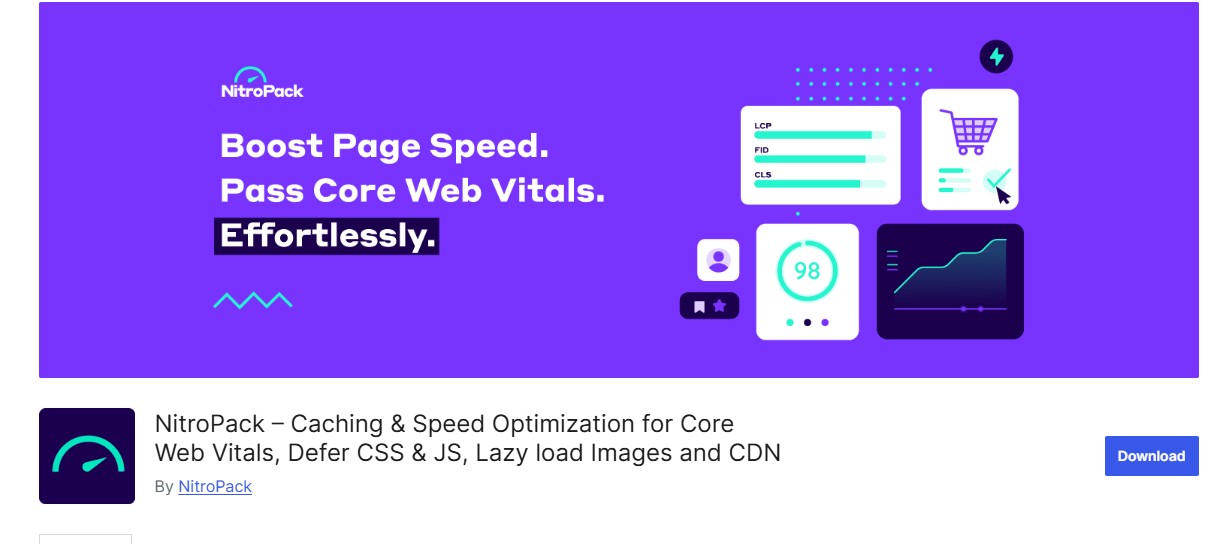
NitroPack is a comprehensive all-in-one performance optimization plugin for WordPress, designed to dramatically improve Core Web Vitals and overall website speed. Unlike traditional caching plugins, NitroPack combines multiple optimization techniques into a single, easy-to-use platform, making it ideal for site owners who want maximum performance with minimal setup.
The plugin not only provides advanced page caching but also compresses and optimizes images, converts them into modern formats like WebP and AVIF, and minifies CSS, JavaScript, and HTML to reduce load times. It also leverages a global Content Delivery Network (CDN) to serve your content from servers closest to your visitors, improving load speed for audiences worldwide.
Key Features:
- Full-page caching and CDN
- Automatic image optimization WebP/AVIF
- Minification and code optimization
- FID and LCP improvements automatically
Pros:
- Plug-and-play solution
- Ideal for global audiences
- Minimal manual configuration needed
Cons:
- Paid plan required for full features
- May require learning for custom settings
Also Read: 12 Best WordPress Plugins for Automatic Backups in 2026
3. Perfmatters
Perfmatters is a lightweight yet powerful WordPress plugin designed to reduce site bloat and enhance overall performance. By giving you granular control over scripts and features, Perfmatters helps improve Core Web Vitals, including First Input Delay (FID) and Cumulative Layout Shift (CLS), ensuring your site is faster, more responsive, and visually stable.
With Perfmatters, you can disable unnecessary WordPress features such as emojis, embeds, and REST API endpoints, trimming excess code that slows down your site. Its script manager allows you to selectively enable or disable scripts on specific pages or posts, preventing unused CSS and JavaScript from impacting load times. Other optimization options include preloading, DNS prefetching, and database cleanup, all designed to streamline your site’s performance.
Key Features:
- Script manager for selective loading
- Disable emojis, embeds, and unused CSS
- Preloading and DNS prefetching
- Lightweight and fast
Pros:
- Granular control over front-end performance
- Lightweight plugin, minimal impact
- Perfect for developers and advanced users
Cons:
- Beginner users may need guidance
- Premium plugin only
4. FlyingPress
FlyingPress is a performance-first WordPress plugin specifically engineered to optimize Core Web Vitals and deliver ultra-fast page load times. It goes beyond traditional caching solutions by focusing on Largest Contentful Paint (LCP), Cumulative Layout Shift (CLS), and overall site responsiveness, ensuring that your website not only loads quickly but also provides a smooth and stable user experience.
FlyingPress offers a suite of advanced optimization features, including lazy loading for images and iframes, font optimization, and critical CSS generation. It also supports preloading important assets and deferring non-essential scripts, reducing render-blocking elements that can slow down your site. These techniques help your pages load faster, respond quicker to user interactions, and maintain visual stability as content renders.
Key Features:
- Lazy loading for iframes and images
- Font optimization and preloading
- Critical CSS generation
- Advanced caching and CDN support
Pros:
- Straightforward setup
- Significant performance gains
- Visual stability improvements
Cons:
- Paid plugin
- Limited support for complex multi-site setups
5. Asset CleanUp
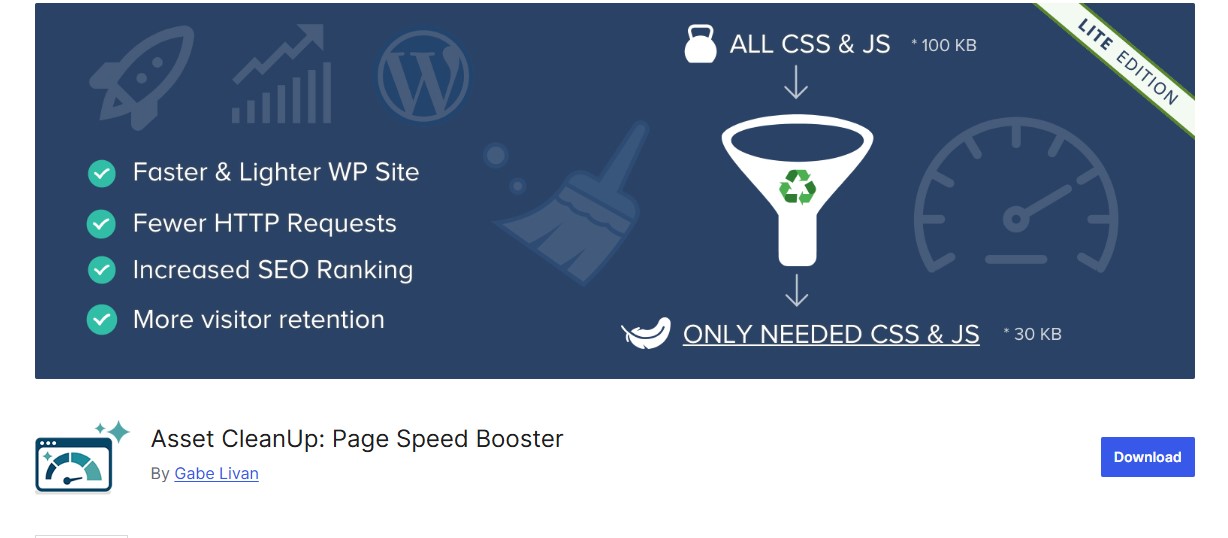
Asset CleanUp is a performance-focused WordPress plugin designed to improve site speed and Core Web Vitals by reducing render-blocking resources. Many WordPress sites load scripts and styles globally, even when they aren’t needed on every page. Asset CleanUp solves this by allowing you to selectively unload CSS and JavaScript files on a per-page or per-post basis, resulting in a leaner, faster-loading website.
Key features include automatic script scanning, manual control over assets, and options to minify or combine CSS and JS files. By trimming unnecessary code, the plugin directly improves metrics such as Largest Contentful Paint (LCP) and First Input Delay (FID), leading to a more responsive and stable user experience.
Key Features:
- Page-specific script management
- CSS/JS minification
- Combine or defer scripts
- Lightweight and performance-focused
Pros:
- Direct control over what loads on each page
- Improves LCP and FID effectively
- Free version available
Cons:
- Manual management can be time-consuming
- May require technical knowledge
Also Read: 12 Best WordPress Plugins for Reducing Bounce Rate in 2026
6. ShortPixel Image Optimizer
ShortPixel Image Optimizer is a powerful WordPress plugin designed to improve website performance by optimizing and compressing images one of the most common contributors to slow page load times. By reducing image file sizes without sacrificing quality, ShortPixel helps enhance Largest Contentful Paint (LCP) and overall page speed, which are critical Core Web Vitals metrics.
The plugin automatically converts images to modern formats like WebP and AVIF, which are smaller and faster to load than traditional JPEG or PNG formats. ShortPixel also supports lossy, glossy, and lossless compression, giving you full control over the balance between image quality and performance.
Key Features:
- Automatic image compression
- WebP/AVIF conversion
- Bulk image optimization
- Lazy loading support
Pros:
- Great for image-heavy websites
- Improves LCP and page load speed
- Free plan available
Cons:
- Free plan has a monthly limit
- Advanced settings require paid plan
7. Smush
Smush is a widely used WordPress image optimization plugin designed to improve website performance by compressing, resizing, and lazy loading images. By reducing image file sizes and controlling how images are loaded, Smush helps enhance Core Web Vitals metrics such as Largest Contentful Paint (LCP) and Cumulative Layout Shift (CLS), resulting in a faster and more stable website.
The plugin offers automatic image compression with minimal loss of quality, and it supports bulk optimization for existing media libraries. Smush also allows you to resize images to fit your site’s dimensions, preventing unnecessarily large images from slowing down your pages.
Key Features:
- Lossless image compression
- Lazy loading for images and videos
- Directory-level bulk optimization
- Automatic image resizing
Pros:
- Easy to use for beginners
- Improves visual stability (CLS)
- Free and premium versions available
Cons:
- Large sites may need premium plan
- Limited advanced optimization features
8. Autoptimize
Autoptimize is a lightweight and powerful WordPress plugin focused on optimizing your site’s HTML, CSS, and JavaScript to enhance performance and improve Core Web Vitals metrics. By minimizing and combining code files, it reduces render-blocking resources, allowing pages to load faster and respond more quickly to user interactions, directly improving Largest Contentful Paint (LCP) and First Input Delay (FID).
Key features include minification of HTML, CSS, and JS, combining files to reduce HTTP requests, deferring non-critical JavaScript, and optimizing Google Fonts. Autoptimize also integrates well with caching plugins, creating a seamless optimization workflow that enhances both desktop and mobile performance.
Key Features:
- Minify and combine files
- Defer non-critical JS
- Optimize Google Fonts
- Lightweight and fast
Pros:
- Highly effective with caching plugins
- Free and open-source
- Easy to configure for most users
Cons:
- Needs combination with caching for full effect
- Some advanced settings can be technical
Also Read: Top 10 PDF Invoice Plugins for WordPress & WooCommerce for 2026
9. Lazy Load by WP Rocket
Lazy Load by WP Rocket is a lightweight WordPress plugin designed to improve page load speed by loading images, videos, and iframes only when they enter the user’s viewport. This approach reduces the amount of content that needs to be loaded initially, significantly improving Largest Contentful Paint (LCP) and overall perceived site speed.
The plugin works seamlessly with both Gutenberg and Classic Editor content and is fully compatible with most WordPress themes and plugins. By deferring the loading of non-visible media, it helps reduce server load, decreases initial page weight, and ensures users can interact with your site faster, improving First Input Delay (FID) and Cumulative Layout Shift (CLS) metrics.
Key Features:
- Lazy loading for images, videos, and iframes
- Lightweight and fast
- No additional setup required
Pros:
- Reduces LCP and improves perceived speed
- Free and minimal
- Ideal for simple performance improvements
Cons:
- Limited to lazy loading only
- No caching or script optimization
10. Cloudflare APO
Cloudflare Automatic Platform Optimization (APO) is a powerful WordPress plugin that enhances website performance by serving your entire site directly from Cloudflare’s global edge network. By delivering content from servers closest to your visitors, APO significantly reduces server response times, improving Core Web Vitals metrics such as Largest Contentful Paint (LCP) and First Input Delay (FID) for users worldwide.
The plugin optimizes both dynamic and static content, including HTML, images, CSS, and JavaScript, ensuring fast load times regardless of your audience’s location. Cloudflare APO also handles caching, asset optimization, and automatic updates, making it a hands-off solution for boosting site speed and reliability.
Key Features:
- Full site caching via CDN
- Optimized for WordPress dynamic content
- Automatic performance improvements
- Compatible with Cloudflare services
Pros:
- Significant global speed improvements
- Minimal setup
- Improves LCP, FID, and CLS
Cons:
- Requires Cloudflare account
- Some advanced options require paid plan
11. Hummingbird
Hummingbird is a comprehensive WordPress performance plugin designed to enhance Core Web Vitals and overall site speed through a combination of caching, minification, and optimization tools. It goes beyond simple performance tweaks by providing actionable insights and recommendations, helping you identify bottlenecks and apply fixes with minimal effort.
Key features include file minification and compression for CSS, JavaScript, and HTML, browser caching, GZIP compression, and asset optimization. Hummingbird also offers performance scanning, which analyzes your site and generates easy-to-follow recommendations to improve loading times, interactivity, and layout stability.
Key Features:
- File minification and combination
- Browser caching and GZIP compression
- Performance scanning and suggestions
- One-click optimization fixes
Pros:
- Beginner-friendly
- Performance insights with actionable recommendations
- Integrates well with other WPMU DEV plugins
Cons:
- Some features require premium membership
- Can be overwhelming with all options
Also Read: The Best Multilingual Plugins for WooCommerce in 2026
12. Query Monitor
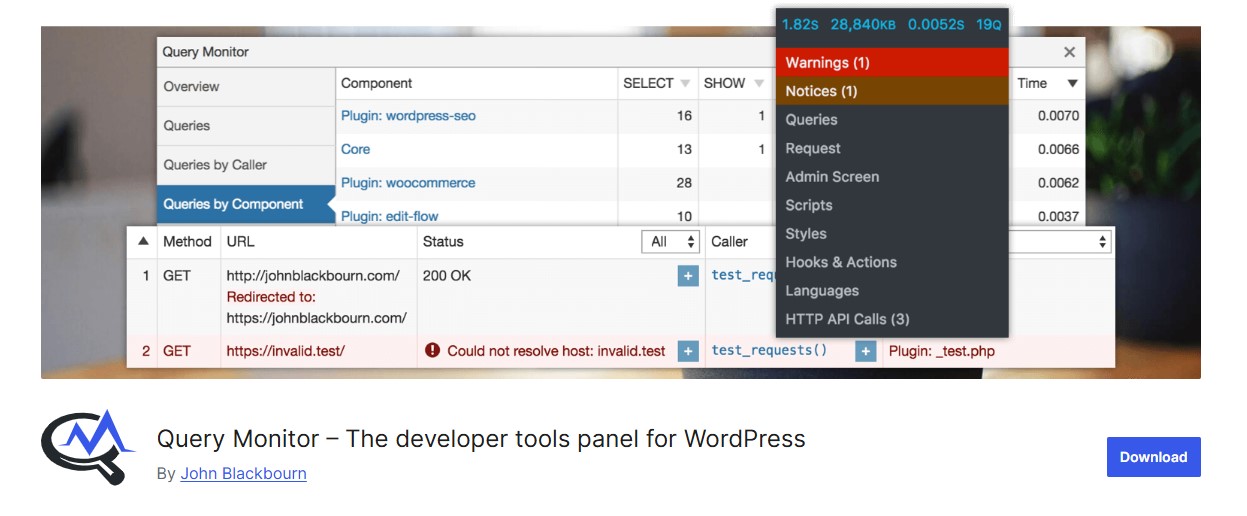
Query Monitor is an advanced diagnostic plugin for WordPress that helps developers and site owners identify performance bottlenecks affecting Core Web Vitals. While it doesn’t directly optimize your site, it provides critical insights into what’s slowing down page load times, responsiveness, and visual stability.
The plugin monitors database queries, PHP errors, hooks, scripts, and theme performance, allowing you to pinpoint inefficient code, slow-loading plugins, or heavy queries that may be impacting Largest Contentful Paint (LCP), First Input Delay (FID), and Cumulative Layout Shift (CLS). By understanding these issues, you can take targeted actions—such as optimizing queries, deferring scripts, or removing unnecessary plugins to improve overall site performance.
Key Features:
- Detailed performance insights
- Database query monitoring
- PHP errors and slow scripts detection
- Script and style debugging
Pros:
- Essential for developers
- Helps pinpoint FID and CLS bottlenecks
- Free and open-source
Cons:
- Not an optimization plugin itself
- Technical, not beginner-friendly
13. WP Fastest Cache
A lightweight caching plugin is designed to improve page load speed by storing static versions of your website’s pages and serving them to visitors, reducing server processing time. By optimizing caching with minimal configuration, these plugins make it easy for beginners to achieve significant performance gains without needing technical expertise.
Key features often include page caching, browser caching, GZIP compression, and cache preloading, which help reduce load times and improve Largest Contentful Paint (LCP) and overall page responsiveness. Many of these plugins also integrate with other optimization tools such as minification of CSS, JavaScript, and HTML, further enhancing site speed.
Key Features:
- Browser and page caching
- CSS/JS minification and combination
- GZIP compression and CDN support
- Cache timeout settings
Pros:
- Simple setup for beginners
- Free and premium versions
- Works well with most themes
Cons:
- Premium needed for advanced features
- Limited image optimization
14. Swift Performance
Swift Performance is a comprehensive WordPress performance plugin designed to enhance website speed, stability, and overall Core Web Vitals scores. It combines advanced caching, code optimization, and database management in a single solution, making it ideal for site owners who want both simplicity and powerful performance tools.
The plugin features page caching, browser caching, and object caching to reduce server load and speed up content delivery. It also includes CSS, JavaScript, and HTML minification and combination, along with options to defer or asynchronously load scripts, helping improve Largest Contentful Paint (LCP) and First Input Delay (FID).
Key Features:
- Full-page and object caching
- CSS/JS optimization
- Lazy loading for images and videos
- Database cleanup and optimization
Pros:
- Powerful all-in-one optimization
- Good for large websites
- Active development and support
Cons:
- Paid plugin for full features
- Setup can be technical
Also Read: What is Lazy Loading Plugin and How Does It Work in 2026?
15. WP-Optimize
WP-Optimize is a versatile WordPress plugin designed to streamline your website and boost performance by focusing on database cleanup, image optimization, and caching. By addressing multiple aspects of site performance, it helps improve Core Web Vitals and ensures a faster, more stable user experience.
The plugin’s database optimization feature removes unnecessary data such as post revisions, spam comments, and transient options, reducing database bloat and improving server response times. Its image optimization tools automatically compress images and convert them to modern formats like WebP, helping to enhance Largest Contentful Paint (LCP) and overall page load speed.
Key Features:
- Database cleanup and defragmentation
- Image compression and WebP support
- Page caching and minification
- Scheduled optimization tasks
Pros:
- All-in-one performance optimization
- Free and premium versions
- Improves multiple Core Web Vitals metrics
Cons:
- Some features limited in free version
- May overlap with other caching plugins

Optimizing for Success: A Look at Core Web Vitals Plugins
In today’s fast-paced digital world, website performance isn’t optional it’s essential. Speed, stability, and a seamless user experience directly impact user engagement, retention, and search engine rankings.
With the best WordPress plugins for improving Core Web Vitals, optimizing your website has become easier than ever. These tools help improve key performance metrics, including:
- Largest Contentful Paint (LCP): Ensures your main content loads quickly.
- First Input Delay (FID): Improves responsiveness to user interactions.
- Cumulative Layout Shift (CLS): Stabilizes visual elements to prevent unexpected shifts.
Whether you run a blog, business website, or an eCommerce store, these plugins help reduce page load times, enhance interactivity, and stabilize layouts. The result is a website that is faster, more reliable, and enjoyable for visitors, while also boosting SEO performance and Core Web Vitals scores.
By fine-tuning these performance factors, you meet Google’s recommended standards and provide a smooth, professional experience that keeps users coming back.
Frequently Asked Questions (FAQs)
1. What are Core Web Vitals, and why are they important?
Core Web Vitals are Google’s performance metrics that measure user experience, focusing on page load speed, responsiveness, and visual stability. High scores improve search engine rankings, user engagement, and overall website credibility.
2. Do I need coding knowledge to use these plugins?
No. Most of the best Core Web Vitals plugins for WordPress are beginner-friendly and offer one-click optimization, automated caching, lazy loading, and other performance enhancements without touching code.
3. Can these plugins improve mobile performance too?
Absolutely. Many plugins, like NitroPack and WP Rocket, optimize both desktop and mobile experiences, ensuring your Core Web Vitals scores are strong across all devices.
4. Should I use multiple performance plugins together?
It depends. While some plugins complement each other (for example, an image optimizer with a caching plugin), using too many overlapping tools can cause conflicts or slowdowns. Always check compatibility and test after installation.
5. How soon will I see improvements in Core Web Vitals after installing a plugin?
Some improvements, like caching and lazy loading, take effect immediately. Others, such as image compression and font optimization, may require a few hours to reflect in tools like Google PageSpeed Insights. Regular monitoring is recommended for optimal results.
Interesting Reads:
Best WordPress Plugins for Image Optimization to Speed Up Your Site
Best WordPress SEO Plugins to Boost Your Rankings