In an online store, having a reliable and secure payment gateway is crucial for smooth transactions and customer satisfaction. WooCommerce, being one of the most popular eCommerce platforms, provides a variety of payment gateway plugins, each with unique features, allowing you to cater to a global audience. Whether you’re looking for PayPal integration, credit card payments, or regional gateways, selecting the right plugin can make a significant difference. This blog post will explore the 10 best WooCommerce payment gateway plugins, their features, pros, and cons, helping you make an informed decision.

What Are WooCommerce Payment Gateway Plugins?
WooCommerce payment gateway plugins are tools that allow WooCommerce store owners to accept online payments securely. These plugins integrate with your WooCommerce store to facilitate transactions between your customers and your business, processing payments through various methods like credit/debit cards, PayPal, bank transfers, digital wallets, and more. By installing a payment gateway plugin, you ensure that your store can handle customer payments efficiently while providing secure, fast, and reliable checkout experiences.
Key Features of WooCommerce Payment Gateway Plugins:
- Multiple Payment Options: Most plugins support various payment methods such as credit/debit cards, PayPal, Stripe, and local payment gateways, enabling a diverse range of customers to make payments.
- Security Features: Payment gateways prioritize security, offering encryption protocols like SSL, fraud prevention, and two-factor authentication to ensure safe transactions for both store owners and customers.
- Recurring Billing and Subscriptions: Many WooCommerce payment gateways support subscription-based payments, allowing businesses to manage recurring payments for services or products.
- Multi-Currency Support: This feature enables your store to accept payments in multiple currencies, making it ideal for international sales.
- Seamless Integration with WooCommerce: These plugins are designed to integrate smoothly with WooCommerce, ensuring a user-friendly experience during checkout with minimal configuration required.
- Mobile Optimization: With a majority of online shoppers using mobile devices, most payment gateways offer mobile-optimized checkout forms to ensure a smooth experience on smartphones and tablets.
Best WooCommerce Payment Gateway Plugins
1. YITH WooCommerce Authorize.net Payment Gateway

YITH WooCommerce Authorize.net Payment Gateway is a dependable solution for WooCommerce store owners who want to accept secure credit card payments through Authorize.net. The plugin integrates smoothly with WooCommerce, allowing customers to complete transactions directly on your site without unnecessary redirects, which helps maintain a consistent and professional checkout experience.
Authorize.net is known for its strong security standards and reliability, and this plugin leverages those strengths by offering encrypted transactions and stable payment processing. It supports major credit cards, making it a suitable choice for businesses that prioritize trust, compliance, and long-term payment stability.
Key Features
- Secure credit card payments via Authorize.net.
- Supports various payment methods, including Visa, MasterCard, and American Express.
- Easy integration with WooCommerce for seamless payment processing.
Pros
- Trusted and secure payment gateway.
- Offers reliable transaction processing.
- Easy to install and configure.
Cons
- Limited support for international payment options.
- Requires an Authorize.net account.
- May require technical knowledge for some customizations.
2. WooPayments

WooPayments is the official payment gateway plugin developed by WooCommerce, making it a natural and highly reliable choice for store owners who want a tightly integrated payment solution. It allows you to accept credit and debit card payments directly on your WooCommerce store without redirecting customers to external platforms, resulting in a smoother and more consistent checkout experience.
One of WooPayments’ biggest strengths is its deep integration with the WooCommerce dashboard. Store owners can manage payments, view transactions, track deposits, and handle refunds all from a single interface. It also supports popular express checkout options like Apple Pay and Google Pay, helping reduce friction and speed up the checkout process.
Key Features
- Accepts credit and debit card payments directly on your store.
- Integrated with WooCommerce for easy setup and seamless checkout.
- Supports multiple payment methods, including Apple Pay and Google Pay.
- Automatic payouts to your bank account.
Pros
- Simple and seamless integration with WooCommerce.
- Direct bank payouts and automatic updates for easy financial management.
- Strong security features to protect customer data.
Cons
- Only available for stores in specific countries.
- Transaction fees can add up for high-volume stores.
- Limited to WooCommerce, with no option for integration with other platforms.
3. WooCommerce PayPal Payments

WooCommerce PayPal Payments is one of the most trusted and widely adopted payment gateway plugins for WooCommerce, making it a reliable choice for stores of all sizes. By integrating seamlessly with PayPal, it allows customers to pay using their PayPal balance or credit and debit cards, giving them flexibility and familiarity at checkout.
A major advantage of this plugin is its strong support for both one-time purchases and recurring payments, which makes it suitable for subscription-based businesses as well as standard online stores. PayPal’s advanced fraud detection and buyer protection features add an extra layer of security, helping reduce chargebacks and build customer confidence.
Key Features
- PayPal and credit card payments support
- One-click payments and recurring billing
- Advanced fraud protection tools
Pros
- Widely trusted payment processor
- Easy to set up and configure
- Supports multi-currency for global reach
Cons
- Transaction fees can be high for smaller businesses
- Limited customization of payment options
- Some advanced features require PayPal Business account
Also Read: 15 Best Google Analytics Plugins for WordPress You Need in 2026
4. Stripe for WooCommerce

Stripe for WooCommerce is one of the most popular and reliable payment gateway plugins for modern online stores. It allows customers to pay using credit and debit cards, Apple Pay, Google Pay, and several local payment methods, delivering a fast and frictionless checkout experience across devices.
What truly sets Stripe apart is its performance and flexibility. Transactions are processed quickly and securely, with built-in tools like 3D Secure, fraud detection, and strong encryption to protect both merchants and customers. Stripe also excels in handling recurring payments and subscription billing, making it an excellent choice for membership sites, SaaS products, and subscription-based WooCommerce businesses.
Key Features
- Credit card, Apple Pay, Google Pay support
- Multi-currency support for international payments
- Recurring billing and subscription management
Pros
- No monthly fees or setup costs
- Excellent security features like two-factor authentication
- Easy integration with WooCommerce
Cons
- Not available in all countries
- Fees for chargebacks can add up
- Lacks built-in support for some advanced payment features
5. Razorpay for WooCommerce

Razorpay is one of the most trusted and widely used payment gateways in India, making it an excellent choice for WooCommerce store owners targeting Indian customers. It supports a wide range of payment methods, including debit and credit cards, UPI, net banking, and popular wallets like Paytm, ensuring customers can pay using their preferred option.
What makes Razorpay especially valuable in 2026 is its seamless checkout experience and strong focus on local payment behavior. Features like instant refunds, smart retry for failed payments, and optimized UPI flows help reduce payment drop-offs and improve conversion rates.
Key Features
- Support for credit cards, UPI, wallets, and net banking
- Instant refunds and easy chargeback management
- Multi-currency support for international payments
Pros
- No setup fees or annual maintenance charges
- Fast and easy integration with WooCommerce
- Offers a mobile-friendly checkout process
Cons
- Limited availability outside India
- Fees may be high for international transactions
- Not as widely known as PayPal or Stripe
6. Square for WooCommerce
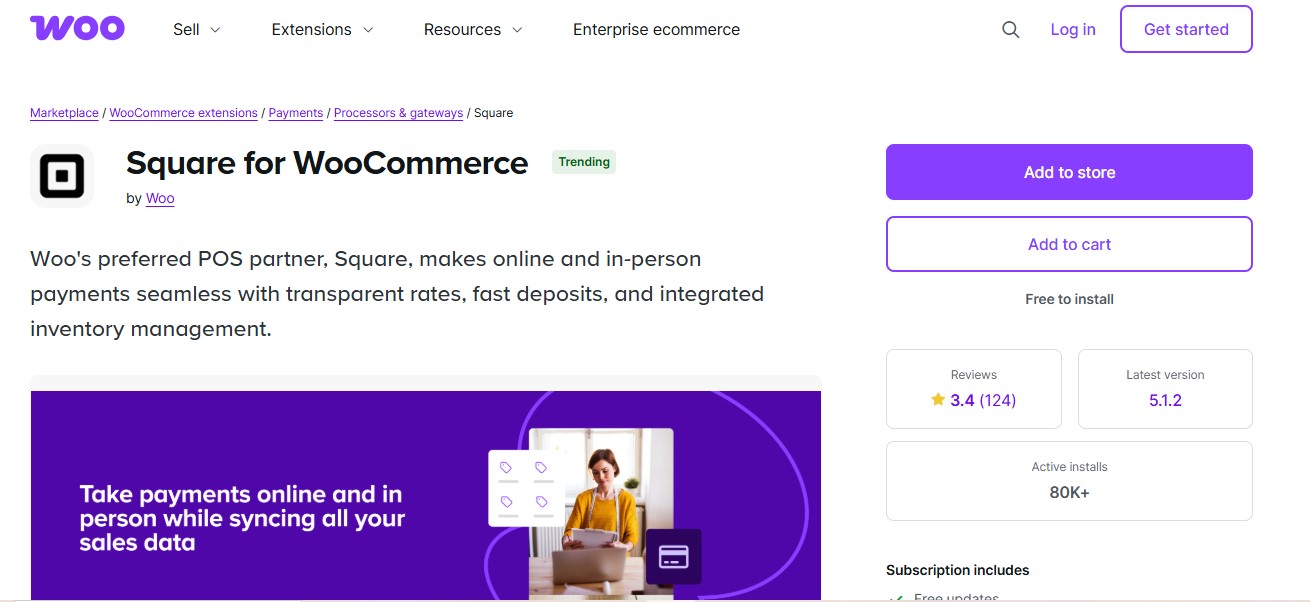
Square for WooCommerce is an excellent payment gateway choice for businesses that operate both online and offline, making it a powerful omnichannel solution for WooCommerce stores in 2026. It bridges the gap between physical retail and eCommerce by seamlessly syncing inventory, payments, and customer data in real time.
One of Square’s biggest advantages is its unified ecosystem. Sales made in a physical store are instantly reflected in your WooCommerce inventory, helping prevent overselling and simplifying stock management. Customer data, order history, and payment details are also centralized, giving store owners a complete view of their business across all sales channels.
Key Features
- Unified online and in-store payments
- Real-time inventory synchronization
- Supports cards and digital wallets
Pros
- Perfect for omnichannel businesses
- No monthly fees
- Easy setup and onboarding
Cons
- Limited international availability
- Fewer advanced online payment features
- Not ideal for subscription-heavy stores
7. Mollie Payments for WooCommerce

Mollie Payments for WooCommerce is a Europe-focused payment gateway that has become increasingly popular with WooCommerce stores in 2026 due to its strong support for local and region-specific payment methods. It allows EU-based businesses to offer customers familiar and trusted ways to pay, which plays a major role in improving checkout conversions.
One of Mollie’s biggest strengths is its wide coverage of European payment options, including iDEAL, Bancontact, SOFORT, SEPA Direct Debit, EPS, Giropay, and credit cards all managed from a clean, easy-to-use dashboard. This flexibility makes Mollie an excellent fit for WooCommerce stores targeting customers across multiple European countries without needing separate gateways.
Key Features
- Supports iDEAL, Bancontact, SOFORT, SEPA, and credit cards
- Localized checkout experience
- Easy refunds and payment tracking
Pros
- Excellent for European customers
- Transparent, pay-as-you-go pricing
- Clean and fast checkout experience
Cons
- Limited availability outside Europe
- Fewer advanced customization options
- Not ideal for non-EU businesses
8. Amazon Pay for WooCommerce

Amazon Pay is a powerful WooCommerce payment option in 2026, especially for stores looking to reduce checkout friction and build instant trust. By allowing customers to pay using their existing Amazon accounts, Amazon Pay eliminates the need to enter payment and shipping details manually making the checkout process faster and more familiar.
For first-time buyers, this familiarity plays a huge role in boosting confidence and conversions. Customers already trust Amazon with their payment information, which reduces hesitation and cart abandonment. For WooCommerce store owners, Amazon Pay can lead to higher completion rates, smoother transactions, and improved user experience without adding complexity to the checkout flow.
Key Features
- One-click payments via Amazon accounts
- Fast and secure checkout
- Mobile-optimized payment experience
Pros
- High trust and brand recognition
- Faster checkout for Amazon users
- Strong fraud protection
Cons
- Limited availability by region
- Fewer checkout customization options
- Not suitable for all audiences
9. Klarna Payments for WooCommerce

Klarna Payments for WooCommerce has emerged as a powerful payment solution in 2026, thanks to the growing popularity of Buy Now, Pay Later (BNPL) options. By allowing customers to split payments into interest-free installments or defer payments altogether, Klarna removes a major barrier to purchase and significantly boosts conversion rates especially for higher-priced products.
For WooCommerce store owners, Klarna integrates seamlessly into the checkout experience and builds trust through its well-known global brand. Customers enjoy a smooth, transparent payment flow, while merchants benefit from higher average order values and reduced cart abandonment.
Key Features
- Pay later, pay in installments, or pay now options
- Seamless WooCommerce checkout integration
- Customer-friendly financing solutions
Pros
- Increases average order value
- No payment risk to merchants
- Highly popular with younger shoppers
Cons
- Available only in supported countries
- Higher fees than traditional gateways
- Not ideal for all product categories
Also Read: 12 Best WordPress Plugins for Minification in 2026
10. PayU for WooCommerce
PayU is a reliable and widely adopted payment gateway, especially for businesses operating in emerging markets. It supports a broad range of payment options, including credit and debit cards, net banking, local wallets, and region-specific methods, making it easier for customers to complete transactions using familiar payment choices. With strong regional coverage across countries like India, Latin America, and parts of Eastern Europe, PayU helps WooCommerce store owners tap into fast-growing markets.
Key Features
- Supports cards, wallets, and local banking methods
- Multi-country and regional support
- Secure transaction processing
Pros
- Great for regional and emerging market expansion
- Reliable infrastructure for high-volume transactions
- Supports diverse payment preferences
Cons
- Setup can be complex
- User interface feels dated
- Support quality varies by region
Benefits of Using WooCommerce Payment Gateway Plugins
Secure Transactions: WooCommerce payment gateway plugins are designed with advanced security features such as SSL encryption, fraud prevention, and tokenization to protect sensitive customer data, ensuring secure payment processing.
Multiple Payment Methods: These plugins offer various payment options, from credit and debit cards to PayPal, Stripe, and digital wallets. This flexibility allows customers to choose their preferred payment method, improving user satisfaction and increasing conversions.
Global Reach: Many payment gateway plugins support multiple currencies and languages, allowing you to sell internationally without worrying about currency conversion or complex international payment methods.
Seamless Integration: WooCommerce payment gateways integrate smoothly with your online store, providing a streamlined checkout experience without the need for complex setups or additional technical knowledge.
Improved Customer Experience: By offering quick, secure, and convenient payment options, payment gateway plugins create a positive shopping experience for your customers. Features like one-click payments, mobile optimization, and recurring billing enhance the convenience for users.
Automatic Payouts and Reporting: Many payment gateway plugins offer automated payouts, so you don’t need to manually transfer funds. They also provide detailed reports to help you track transactions, sales, and manage finances more efficiently.

Final Thoughts On WooCommerce Payment Gateway Plugins
Choosing the best WooCommerce payment gateway plugin comes down to understanding your store’s unique requirements such as transaction volume, target markets, customer preferences, and long-term growth plans. A gateway that works perfectly for a local business may not be the right fit for a global store, and vice versa.
Each of the plugins mentioned above brings its own strengths to the table. Solutions like PayPal and Stripe are ideal for stores with an international audience, offering trusted brands, multi-currency support, and fast checkouts. On the other hand, region-focused gateways such as Razorpay, Mollie, or PayU excel at serving local customers with familiar payment methods, which can significantly improve conversion rates.
FAQs
1. What is a WooCommerce payment gateway plugin?
A WooCommerce payment gateway plugin allows your online store to process payments securely through various methods, including credit cards, PayPal, and digital wallets.
2. Do I need a merchant account to use a WooCommerce payment gateway?
Some payment gateways require a merchant account (e.g., PayPal or Stripe), while others, like WooPayments, may not. Check the requirements of your chosen payment gateway.
3. Are WooCommerce payment gateway plugins secure?
Yes, most WooCommerce payment gateway plugins use encryption (SSL), fraud prevention, and PCI compliance to ensure the security of customer data during transactions.
4. Can WooCommerce payment gateway plugins handle international payments?
Many WooCommerce payment gateway plugins support multiple currencies and languages, making it easy to accept payments from customers around the world.
5. Do WooCommerce payment gateway plugins charge transaction fees?
Yes, most payment gateways charge a small transaction fee for each payment processed. The fee amount depends on the gateway and your payment plan.
6. Can I use more than one payment gateway on my WooCommerce store?
Yes, you can integrate multiple payment gateways into your WooCommerce store to offer customers different payment options during checkout.
7. Do WooCommerce payment gateway plugins support recurring payments?
Many payment gateway plugins, including WooPayments and others, support recurring billing and subscription-based payments, ideal for services and membership sites.
8. How do I set up a payment gateway in WooCommerce?
To set up a payment gateway, install the plugin, configure the necessary settings (like API keys and account details), and enable the payment method in your WooCommerce settings.
Interesting Reads
5 Best WooCommerce PDF Invoice Plugins